
Your hardware refresh is done, desks are cleaner, and users have moved to newer laptops. Then someone opens the storage room and finds the actual project: retired notebooks, dock stations, printers, access points, a few aging servers, and a stack of mystery hard drives no one wants to claim.
That pile is where Secure Office Electronics Disposal in Seattle stops being a facilities task and becomes a security, compliance, and reputation issue. In a city full of software firms, healthcare groups, research organizations, logistics operators, and distributed teams, old equipment often holds more risk than people expect. A copier can retain scans. A firewall can hold configs. A failed SSD can still carry regulated data.
The companies that handle this well treat disposal like a controlled ITAD event, not a junk haul. They document what exists, decide what must be destroyed, and require proof at the end. That approach reduces exposure, keeps the cleanout moving, and gives leadership something simple: confidence that nothing sensitive walked out the door without accountability.
The Hidden Risks in Your Seattle Office's Old Tech
Seattle offices accumulate retired tech fast. Growth, hybrid work, floor consolidations, and laptop refresh cycles all leave behind equipment that isn't useful in production but still matters from a risk standpoint. The danger isn't limited to obvious items like servers. Old laptops, multifunction printers, network gear, and removable media can all hold business data.
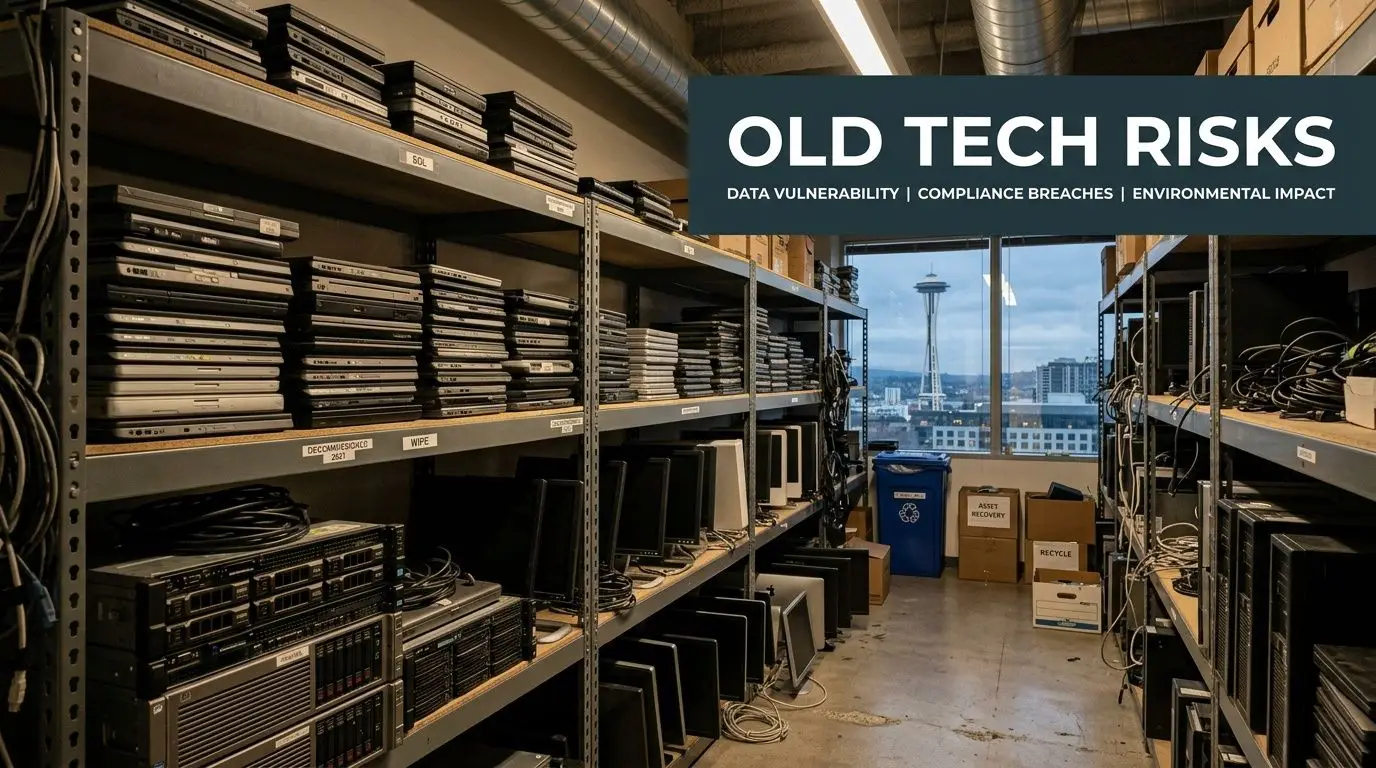
The environmental side matters too. The U.S. Environmental Protection Agency reports that only 15-20% of e-waste is recycled globally, with most ending up in landfills or incinerators, according to Seattle e-waste recycling guidance citing EPA data. For a tech-heavy market like Seattle, that makes secure disposal more than a housekeeping issue.
What businesses usually underestimate
The first mistake is assuming old equipment is harmless because it has been unplugged for months. It isn't. If a device once touched payroll files, customer records, design documents, patient communications, or internal credentials, you should treat it as a data-bearing asset until proven otherwise.
The second mistake is letting multiple departments improvise. Facilities may want space back. IT may focus on active systems. Finance may care about asset retirement. Legal may only hear about the project after pickup is booked. That disconnect creates gaps in chain of custody.
Practical rule: If you can't say who had possession of a device from desk to destruction, your process is weaker than it looks.
Why Seattle companies feel this more sharply
Seattle employers often operate with a dense mix of cloud infrastructure, remote endpoints, regulated records, and higher stakeholder expectations around sustainability. That means electronics disposal has two standards to meet at once. It has to be secure and responsible.
A simple recycler may remove material. A secure ITAD process does more. It verifies inventory, separates reuse from destruction, and produces records your auditors, counsel, or customers may ask for later. If you want a solid primer on why that distinction matters, data security in IT asset disposition best practices for businesses is a useful reference.
When a first major office cleanout goes badly, it usually isn't because the company had too much equipment. It’s because they treated the job like bulk trash. Old tech deserves a tighter process than that.
Navigating Seattle's E-Waste Legal and Regulatory Maze
A Seattle office cleanout can look routine until legal reviews the device list. An old laptop assigned to HR, a retired phone used for employee benefits enrollment, or a printer that cached scanned medical forms can shift the project from facilities work to a compliance issue fast.

Seattle businesses also operate under a local waste system that expects diversion and proper handling. Seattle Public Utilities publishes recycler annual reports that show how closely the city tracks commercial material recovery. For electronics, that matters because some items are restricted from ordinary disposal channels, especially older display equipment and other regulated devices.
The local disposal rule is the easy part. The harder part is proving that every data-bearing asset was controlled, sanitized, or destroyed in a way that matches your legal duties and internal policy.
For Seattle companies, that often means dealing with several layers at once. Washington's E-Cycle program covers certain electronic products. Universal waste rules affect storage and handling practices for some materials commonly found during office decommissions. Privacy obligations can come from contracts, sector rules, and state law. If the project includes devices tied to employee wellness, consumer health tools, benefits administration, or health-adjacent services, Washington's My Health My Data Act belongs in the review.
That law deserves specific attention. The Washington State Attorney General explains that the My Health My Data Act is enforced under the state's Consumer Protection Act. In practice, that raises the stakes for disposal decisions. If a device contains consumer health data, weak chain of custody, incomplete destruction records, or casual resale decisions can create legal exposure well after the equipment leaves the office.
I advise clients to stop asking whether a device is "just old hardware." Ask what data category it may have touched, who approves its release, and what evidence you will have six months later if counsel or an auditor asks for proof.
A defensible process usually includes four compliance checks before pickup is approved:
- Data classification review. Flag devices that may hold employee records, customer information, consumer health data, payment data, regulated communications, or confidential IP.
- Ownership and custody review. Separate leased assets, employee-purchased equipment, and company-owned devices. Those categories often require different approvals and different return or destruction paths.
- Retention review. Confirm the asset is eligible for disposition under your records schedule, litigation hold status, and contract requirements.
- Evidence review. Define what must come back from the vendor. For Seattle companies, that often means serialized inventory reconciliation, transport documentation, data destruction records, and final certificates.
Such scenarios often expose weaker vendors. A recycler may be able to remove equipment responsibly, but if they cannot provide item-level tracking, documented chain of custody, and clear downstream handling, they are not helping your compliance position.
A partner like Reworx fits well in Seattle because the value is not limited to hauling material away. The process can support secure disposition, documented outcomes, and community benefit at the same time. That matters for companies that want a clean audit trail and want their office cleanout to align with local sustainability and workforce goals. For teams building a more disciplined program around retired electronics and other controlled materials, universal waste handling guidance for organizations is a useful reference.
The practical standard is simple. If your team cannot show what left the office, who handled it, how data was destroyed, and what final disposition occurred, the project is not fully under control.
Preparing Your Office Electronics for Secure Hand-Off
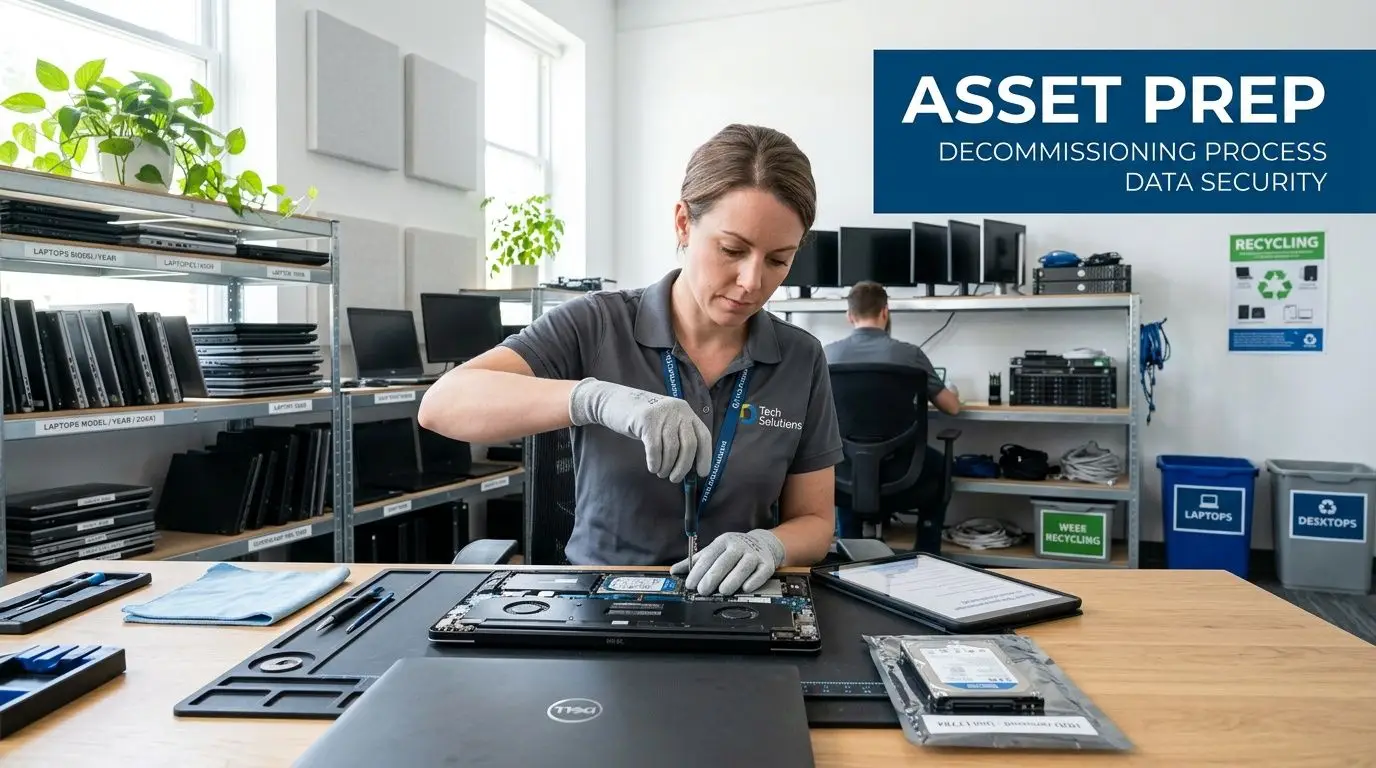
Most disposal projects go right or wrong before the vendor arrives. Internal prep is where you prevent missing assets, unclear ownership, and last-minute debates over whether something should be wiped, shredded, remarketed, or held back.
Start with a real inventory, not a rough count
For a first major office cleanout, build a working inventory that operations, security, and finance can all use. That means listing device type, manufacturer, model, serial number, asset tag, location, and basic condition. If the item stores data, note that explicitly.
Don't wait for perfection. A practical inventory beats a delayed perfect one. What matters is that your team can reconcile what was identified against what was removed.
A good staging sheet usually separates assets into groups such as:
- Data-bearing devices like laptops, desktops, servers, phones, SSDs, HDDs, USB media, and some printers
- Non-data peripherals such as keyboards, mice, standard cables, and passive accessories
- Potential reuse or redeployment items that may still hold value internally
- Quarantine items where ownership, data status, or lease status is still unclear
Classify by risk before you classify by recycling outcome
The cleanest projects sort by sensitivity first. A conference room display and a finance laptop shouldn't move through the same decision path, even if both are leaving the building. Put regulated and executive assets in a separate lane with tighter signoff and, where appropriate, direct destruction requirements.
Many teams frequently over-rely on visual inspection. A device that doesn't boot can still hold recoverable data. A phone with a cracked screen can still contain cached credentials, messages, or app data. Treat unknowns as high-risk until someone qualified clears them.
Separate your inventory into "can be reused," "must be destroyed," and "needs decision." That one move prevents most last-minute confusion.
Handle internal wiping carefully
Internal wiping can be a useful first control, but it shouldn't replace formal destruction when the risk profile is high. If your team performs pre-handoff wiping, document who did it, when, on which device, and under what procedure. That record helps, but it doesn't eliminate the need for downstream proof.
In practice, internal wiping works best for standard refresh projects with mature endpoint management. It works poorly when devices have been sitting in storage, ownership is unclear, drives have failed, or the organization can't verify execution consistently across every asset.
Stage the equipment for custody, not convenience
The staging area should support accountability. Use one room or controlled zone if possible. Limit access. Keep devices off open loading docks and away from general disposal areas. Label pallets, bins, or carts so anyone looking at the project can tell what belongs together.
These staging habits save time on pickup day:
- Bag loose drives and media separately so they don't disappear into general cable bins.
- Keep power adapters with laptops only if reuse evaluation matters. Otherwise, stage them independently.
- Remove personal items and paper records from carrying cases, drawers, and printer trays before release.
- Flag exceptions early such as leased copiers, badge readers, or lab-connected equipment that may require separate approval.
Teams that want a more structured checklist for this phase can use preparing company electronics for recycling and secure removal as a practical baseline.
Don't let the last 10 percent derail the project
The final delay usually comes from edge cases. Someone finds a closet with old backup media. A department head asks to hold devices for one more review. Facilities discovers telecom gear under a reception desk. Plan for exceptions from the start and assign one decision-maker who can resolve them quickly.
A well-prepared hand-off looks boring, and that's exactly what you want. Each asset is known, grouped, staged, and ready for a documented chain of custody. Once that foundation is in place, the choice of destruction method becomes much easier.
Choosing Your Data Destruction Method On-Site vs Off-Site
When Seattle companies ask what matters most in office electronics disposal, the answer is usually the same: What happens to the data? Everything else follows from that decision. If the destruction method fits your risk level, the rest of the project becomes manageable. If it doesn't, even a clean pickup can leave compliance holes.
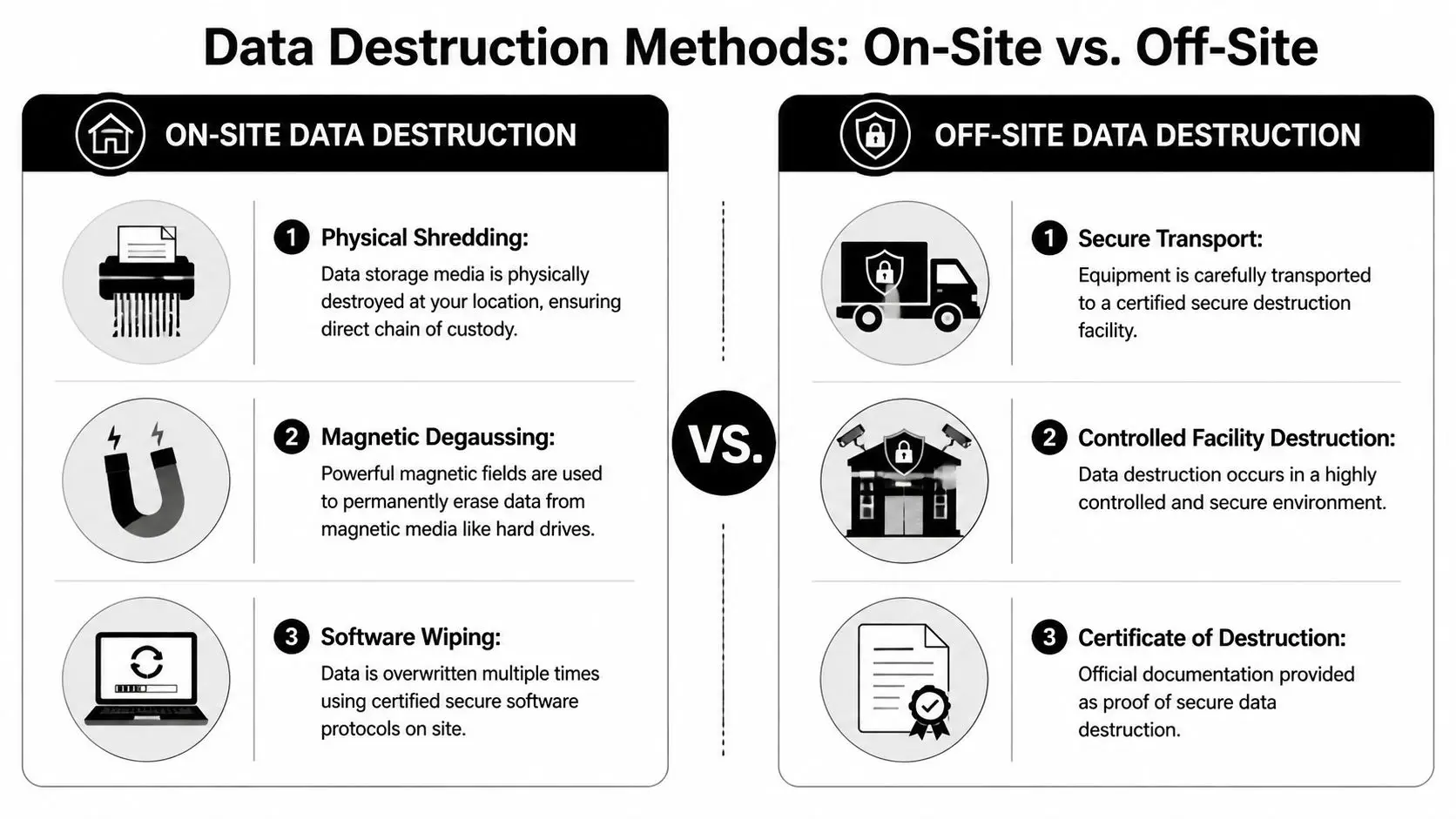
A rigorous methodology aligned with NIST 800-88 includes asset logging, destruction, secure transport where needed, and a final certificate. Local secure destruction guidance also describes equipment such as a 12,000 lb hydraulic press and notes data irretrievability exceeding 99.9%, which is important for HIPAA or SOX audits, according to Living Green Technology's secure data destruction methodology.
When on-site destruction is the right call
On-site destruction works best when you need direct witnessability and the shortest possible chain of custody. Executive devices, legal department laptops, healthcare-related assets, failed drives, and media from a sensitive business unit are strong candidates.
Typical on-site options include physical shredding, crushing, and in some cases degaussing for magnetic media. The practical advantage is simple: the media is destroyed at your location before it enters transport. That reduces internal concern and gives security or compliance teams immediate assurance.
On-site usually makes the most sense when:
- The data is highly sensitive and your team wants to witness destruction
- The asset count is concentrated enough to justify a truck or mobile service visit
- Your policy requires direct chain of custody with minimal handling transitions
- Some devices are damaged or non-functional, making logical wiping unreliable
When off-site destruction is reasonable
Off-site destruction can still be secure if transport, intake, surveillance, and reporting are handled well. For lower-sensitivity fleets, large mixed loads, or projects where remarketing and material separation matter, a certified facility can be an efficient option.
The trade-off is that your controls have to shift from direct observation to documentation. That means sealed containers, logged handoff, secure vehicles, intake confirmation, and final reporting all become more important. If any part of that chain is vague, ask harder questions.
Off-site can be safe. Unclear off-site is the problem.
Shredding, wiping, degaussing, and where each fits
Software wiping has a place, but it's not the universal answer some teams hope it is. It works best on functioning devices headed for reuse, especially when the organization wants to preserve asset value. It works poorly as a one-size-fits-all answer for failed media, unknown drives, or devices that won’t reliably complete the process.
Physical destruction is stronger when certainty matters more than resale. SSDs deserve extra caution because their storage architecture doesn't behave like old spinning disks. That’s why security-focused programs often default to shredding or crushing for sensitive solid-state media instead of relying on standard wipe routines alone.
Degaussing still has value for certain magnetic media, but it isn't the catch-all method people sometimes assume. Match the method to the media type and the business risk, not to habit.
What your certificate should actually prove
A Certificate of Destruction isn't just a receipt. It’s the evidence trail that ties your inventory to the final security outcome. At minimum, it should identify the client, date, method, and the assets or media covered. Stronger documentation often includes serial numbers, counts, pickup details, and supporting images or logs.
If a provider says “we can send something after the job,” push for specifics before approval. Ask what the certificate looks like, whether it includes serial-level reporting, and how exceptions are handled when a listed item isn't present or a discovered item wasn't on the original manifest.
For organizations that need witnessed destruction at the office, on-site hard drive destruction services are often the most straightforward fit.
A practical way to decide
Use this simple decision lens:
| Scenario | Better fit |
|---|---|
| Executive, legal, HR, or health-related devices | On-site destruction |
| Large mixed cleanout with low reuse interest | On-site or tightly controlled off-site |
| Equipment with resale potential and reliable device health | Off-site processing with documented wiping |
| Failed SSDs, loose drives, unknown media | Physical destruction |
The strongest ITAD partners don't argue for one method every time. They explain the trade-offs, adjust by asset class, and give you documentation that closes the loop.
How to Select the Right ITAD Partner in Seattle
Vendor selection decides whether your office cleanout becomes a controlled retirement project or a chain-of-custody headache. Price matters, but it's rarely the most expensive line item when something goes wrong. Documentation gaps, unclear handling of sensitive assets, and poor downstream recycling practices cost more than a slightly higher service quote ever will.
What to compare beyond the pickup offer
Start with operating discipline. Ask how the provider inventories assets, handles exceptions, secures transport, and documents destruction. Then ask how they process reuse, material recovery, and final reporting. If the answers sound improvised, keep looking.
A capable ITAD partner should also be comfortable discussing your specific environment. A Seattle law office, clinic, software company, school, and manufacturer do not retire equipment under the same risk profile. If the vendor treats every project as identical, that’s a red flag.
Here’s a practical screening tool.
| Evaluation Criterion | What to Look For | Why It Matters |
|---|---|---|
| Certifications | Clear explanation of applicable security and recycling certifications, plus scope | Shows the provider understands controlled data destruction and responsible downstream handling |
| Chain of custody | Logged pickups, sealed containers where appropriate, named custody points, exception handling | Reduces ambiguity if legal, security, or auditors review the event |
| Data destruction options | On-site and off-site methods, device-specific recommendations, support for failed media | Lets you match destruction method to actual risk |
| Reporting quality | Asset lists, serial-level detail where needed, certificates, timing for final documents | Gives finance, compliance, and IT the records they’ll actually use |
| Equipment scope | Ability to handle laptops, servers, networking gear, printers, telecom, and miscellaneous office electronics | Prevents multi-vendor fragmentation during a cleanout |
| Reuse and value recovery | Clear process for evaluating redeployable or remarketable assets | Helps reduce cost and avoid destroying usable equipment unnecessarily |
| Insurance and risk posture | Proof of coverage and a mature escalation process for exceptions | Important when high-sensitivity devices or multi-site pickups are involved |
| Social impact model | Donation pathways, community reuse mission, digital inclusion orientation | Adds community benefit and supports ESG or CSR goals |
The real trade-off in pricing
Some vendors compete on haul-away convenience. Others run mature ITAD programs. The cheapest option can be fine for low-risk peripheral scrap, but it often breaks down when you need serial reconciliation, sensitive media destruction, or auditable records.
The financial comparison should include three forms of value:
- Direct service cost for pickup, destruction, sorting, and reporting
- Recovered value when usable assets qualify for resale or buyback
- Social ROI when equipment or proceeds support community benefit instead of a purely commercial outcome
That last category matters more than many teams expect. A donation-based social enterprise model can help procurement, sustainability, and leadership align around a cleanout that protects data while supporting digital inclusion and community impact. For organizations evaluating that broader lens, factors for choosing an e-waste recycling partner is worth reviewing.
Questions worth asking in the first call
Don't settle for marketing language. Ask operational questions.
What happens if your team discovers devices that weren't on our list, and what proof do we get for each data-bearing asset?
Also ask whether the provider can support a phased project. Many Seattle offices don't clean out in one move. They decommission one floor now, a storage room next month, and remote-worker returns later. A partner should be able to support that cadence without lowering controls.
The right ITAD vendor protects more than data. They protect decision-makers. When your general counsel, security lead, facilities manager, and sustainability director all ask how the project was handled, the answer should be easy to show on paper.
Disposal Logistics Costs and Value Recovery
A Seattle office cleanout usually stops feeling abstract when the pickup date is on the calendar and someone asks two questions at once: what will this cost, and are we throwing away anything that still has value? Good ITAD planning answers both without weakening controls.

Pickup or drop-off
For a real office decommissioning project, pickup is usually the safer choice. The vendor can work from a manifest, load equipment under a defined chain of custody, and keep your staff from carrying data-bearing devices through lobbies, freight elevators, or personal vehicles. That matters in downtown Seattle towers where building access windows, loading dock rules, and elevator reservations can tighten the schedule.
Drop-off still has a place. It works for a very small batch of non-sensitive equipment when your team can document what was transferred and to whom. Once the project includes printers, monitors, docks, loose hard drives, or gear collected from several departments, drop-off tends to create more labor on your side and weaker records at the hand-off point.
Remote returns need their own workflow. Keep office assets, storage-room finds, and employee-shipped laptops in separate lanes so serial tracking and exception handling stay clean.
What actually drives cost
Pricing usually comes from four variables: volume, device mix, handling complexity, and paperwork. Fifty monitors are operationally different from fifty laptops with encrypted SSDs that need serial-level logging and destruction certificates. A palletized pickup from one floor is also different from a phased project that includes after-hours access, multiple buildings, or assets spread across offices and home users.
Ask for pricing to be broken out by service category. Pickup, sorting, data destruction, recycling, and reporting should not be collapsed into one vague line item. That makes it easier to compare bids and harder for a provider to hide weak controls behind a low headline price.
In Seattle, logistics details can change the bill faster than many teams expect. Freight elevator bookings, certificate turnaround time, and special handling for batteries or damaged devices all affect labor and downstream processing.
Where value recovery is real, and where it is overstated
Some retired assets still have resale value. Many do not.
Current-generation laptops, business desktops, and certain network devices may qualify for remarketing if they pass testing and your release rules allow reuse. Older monitors, broken peripherals, obsolete phones, and damaged equipment often move straight to recycling with little or no offset. The practical question is not whether a vendor mentions value recovery. It is how they decide which assets are eligible, how that decision is documented, and whether security review happens before any resale decision.
That is one reason I advise Seattle clients to separate finance conversations from disposition rules. If a device contains sensitive data or falls into a higher-risk category, the treatment decision should already be set before anyone calculates resale proceeds.
A social enterprise partner such as Reworx adds another layer of value that standard scrap pricing misses. Reuse revenue or suitable equipment can support community benefit, including digital access goals, while your company still gets the documentation needed for audit, sustainability reporting, and internal sign-off.
A practical approval checklist
Before approving the final statement of work, confirm these points:
- The vendor will provide a clear asset flow by category, including reuse, recycling, and destruction paths
- Pickup windows, building access requirements, and contact roles are documented in writing
- Data-bearing devices receive serial-level tracking or another agreed control that matches your risk level
- Certificates, manifests, and exception reports are listed as deliverables, not assumed
- Value recovery rules are defined in advance so no device is remarketed outside your approval criteria
- Community-benefit or donation outcomes are documented separately from security controls
Handled well, disposal logistics do more than clear space. They reduce internal labor, prevent custody gaps, recover value where it is legitimate, and leave your Seattle team with a paper trail that stands up to procurement, security, and finance review.
FAQ for Seattle IT and Facilities Managers
Do we need on-site destruction for every device
No. Use on-site destruction for the assets where direct witnessability and the shortest chain of custody matter most. Standard lower-risk equipment can often go through secure off-site processing if the vendor's transport, intake, and reporting controls are strong.
What devices are most commonly missed in an office cleanout
Printers, copiers, desk phones with storage, loose hard drives, USB media, old network gear, and remote employee returns. These items get overlooked because they aren't always in the main IT storeroom.
Should our team wipe devices before pickup
You can, but don't treat internal wiping as a substitute for formal downstream controls when the data is sensitive. Document any internal action clearly, then make sure the final ITAD process still provides auditable proof.
What if we have equipment from a recent move or merger with poor records
Start with physical reconciliation. Build the best inventory you can from what is present, then route unclear assets into a hold-and-review lane instead of guessing. Unknown ownership is a reason to slow down, not speed up.
Can we mix donation goals with strict security requirements
Yes, if the process separates reuse-eligible equipment from devices that require destruction. Security decisions should come first. Community benefit comes from the assets that are appropriate for remarketing, refurbishment, or responsible recycling after that decision is made.
If you're planning a Seattle office cleanout and want a partner that supports secure handling, sustainable recycling, and community impact, Reworx Recycling is worth a closer look. Their team helps organizations manage electronics recycling, secure data destruction, donation-based recycling, and IT equipment disposal with a social enterprise mission that supports technology access and responsible end-of-life management. If your business is ready to donate old equipment, coordinate a pickup, or build a repeatable ITAD process, connect with Reworx Recycling and start with a plan that protects both your data and your values.


















