

A Chicago business manager opens a storage room after an IT refresh and sees the same thing many companies put off for months. Old laptops stacked on chairs. Retired desktops under folding tables. A few servers no one wants to touch because they probably still hold sensitive data. It looks like clutter, but it’s really a risk register in physical form.
Every one of those devices may contain customer records, employee information, financial files, internal communications, or licensed software. In Illinois, it’s also an environmental issue. Electronics contain materials that can’t go into the trash, and business leaders are expected to handle retirement and disposal with care.
That’s why Corporate Computer Disposal Services in Chicago matter far beyond hauling equipment away. A qualified IT asset disposition process helps a company protect data, document compliance, support sustainability goals, and avoid creating a problem that reappears later during an audit, vendor review, or security incident.
Your Office Cleanout Starts Here
A common scenario starts with good intentions. Your team completes a hardware upgrade, moves everyone to newer laptops, and parks the old equipment in a back room “for now.” Weeks turn into quarters. Then facilities wants the space back, finance asks whether any value can be recovered, and legal wants to know what happened to the hard drives.
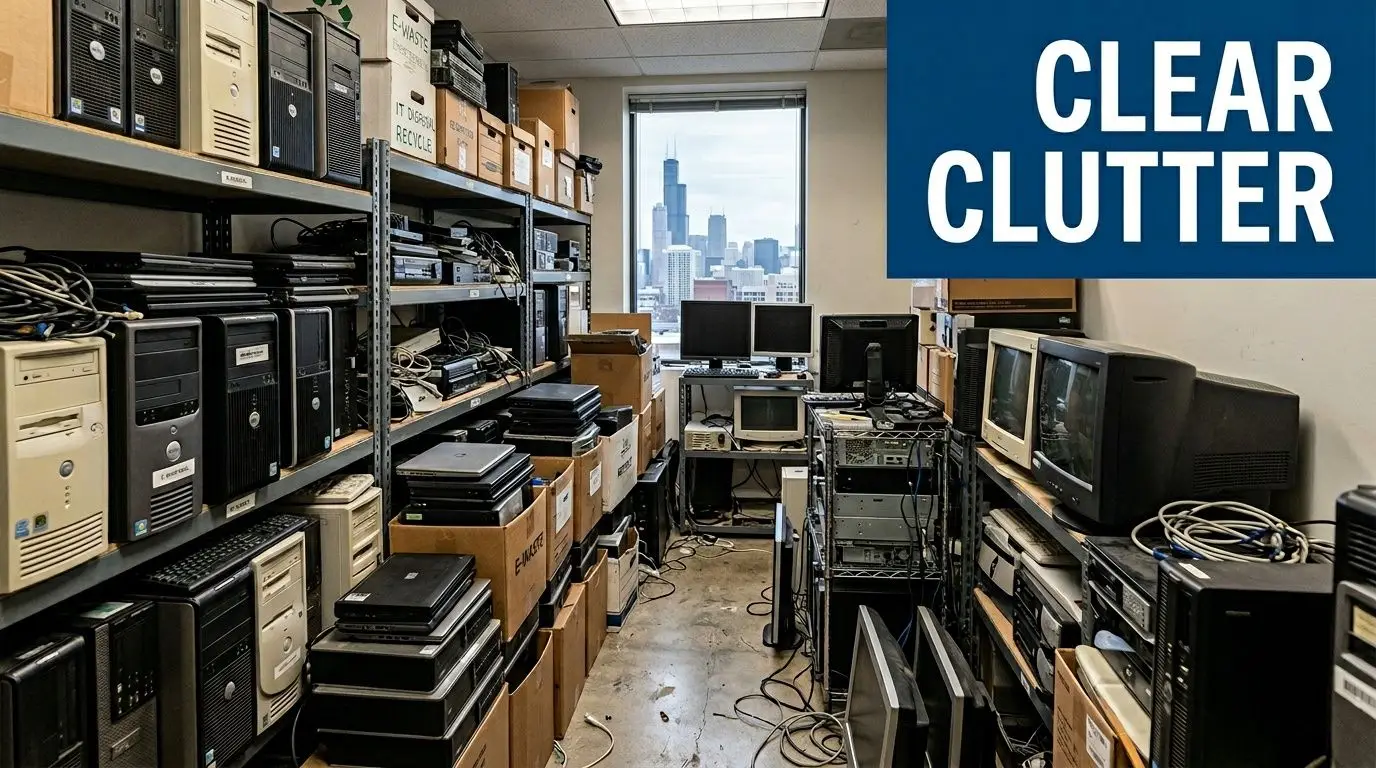
Chicago companies run into this during office consolidations, lease turnovers, data center upgrades, and routine device refresh cycles. The challenge isn’t only volume. It’s uncertainty. Which devices still contain data? Which assets can be reused or resold? Which items require certified destruction? Which rules apply if your organization operates in healthcare, education, finance, or the public sector?
In Illinois, the policy environment has become more structured. In 2022, the State of Illinois launched the ITAD ECO Plus program to support legally and environmentally responsible decommissioning of aging computer systems for data centers and large-scale offices, underscoring the state’s commitment to managing electronic waste, as noted by Illinois ITAD ECO Plus program details.
What managers often underestimate
Most business managers don’t struggle with the idea of recycling. They struggle with the chain of decisions that comes before recycling.
- Data risk comes first: A laptop may look obsolete, but the drive inside may still hold confidential files.
- Storage delays create exposure: The longer retired assets sit untracked, the harder they are to inventory and govern.
- Disposal is a business process: It touches IT, compliance, procurement, sustainability, and facilities.
Old equipment isn’t harmless just because it’s unplugged.
That’s why a professional office cleanout should work like a documented workflow, not a junk removal job. Many companies also discover that disposal planning overlaps with move planning. If you’re coordinating a broader relocation and need a practical example of how move logistics affect asset handling, resources on office relocation Perth show why timeline control, inventory discipline, and access planning matter during transitions.
The better way to start
Start with a count, not a pickup truck. List what you have, where it sits, and whether any department still claims ownership. Then separate equipment into basic categories:
- Devices likely to contain data, such as laptops, desktops, servers, storage media, and backup devices.
- Network and support hardware, including switches, routers, firewalls, docking stations, and peripherals.
- Potential reuse assets, which may still have resale, redeployment, or donation value.
Once you know the scope, scheduling becomes much easier. For organizations that want a managed collection process, a secure business electronics pickup schedule can help turn a stalled cleanout into an actual project plan.
The High Cost of Inaction Risks and Regulations in Illinois
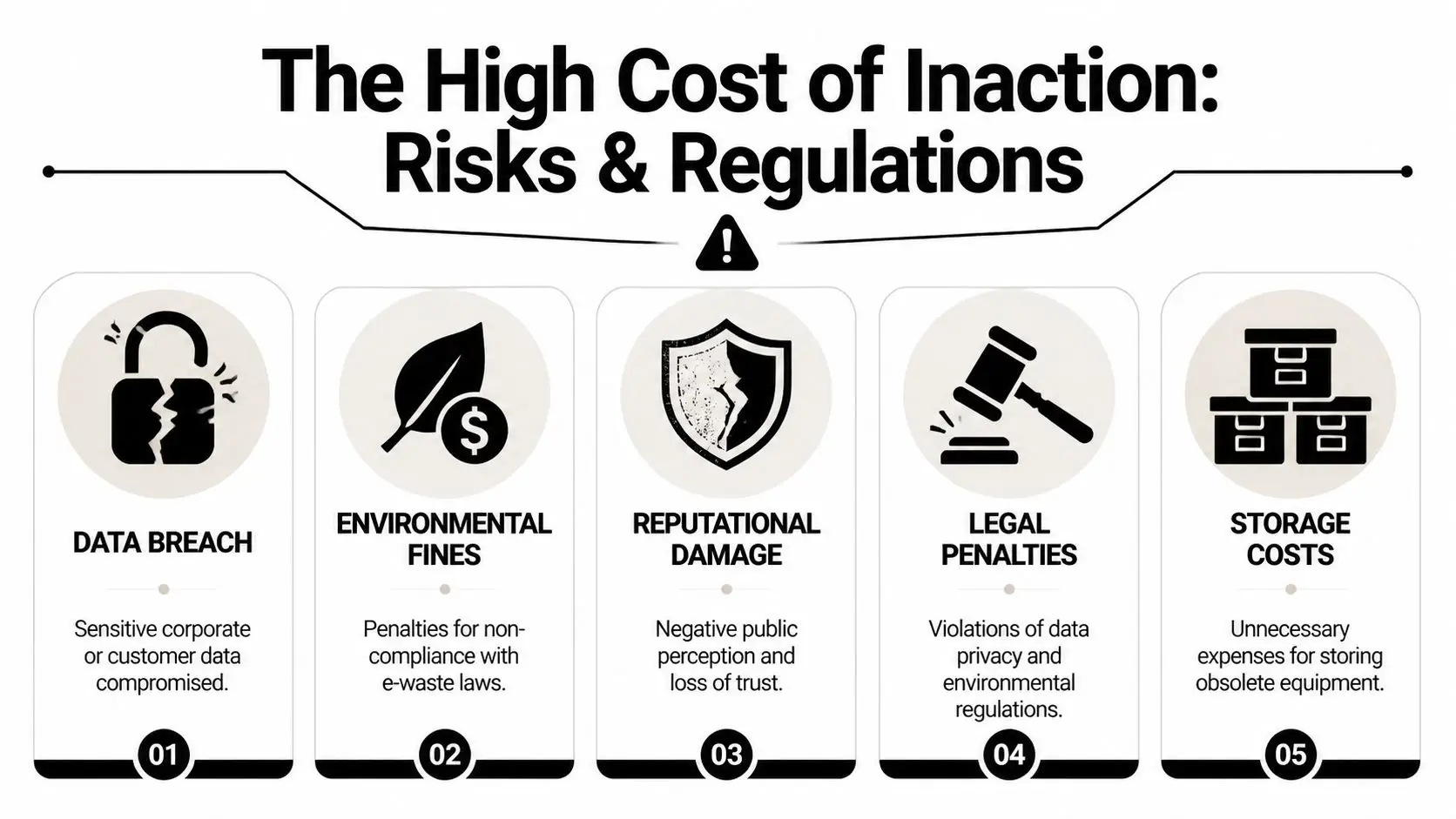
The biggest disposal mistake isn’t shredding too much. It’s waiting too long and assuming the old devices aren’t a priority. In Chicago, that assumption can expose a company to data security problems, environmental compliance issues, and operational waste that continues to accumulate in storage rooms and cages.
Illinois already treats electronics differently from ordinary waste. The broader disposal ecosystem in Chicago emphasizes keeping hazardous materials out of landfills, and institutional programs route old equipment through formal recycling channels rather than trash streams. For a business manager, the practical takeaway is simple. If your company treats end-of-life IT like general junk, you’re already off track.
Five ways inaction gets expensive
- Data breach exposure: Devices that remain in storage, get handed to the wrong hauler, or leave without documented sanitization can become a serious liability.
- Audit problems: If you can’t show what was disposed, how it was sanitized, and where it went, internal and external reviews get harder.
- Environmental noncompliance: Electronics aren’t standard waste, and disposal decisions have to reflect that.
- Reputation damage: Customers, employees, donors, students, and board members care how organizations handle both data and waste.
- Ongoing space and handling costs: Every delayed cleanout consumes room, staff time, and attention.
The 2025 issue many organizations are still catching up to
The most overlooked development is regulatory change. According to Chicago guidance on recent Illinois e-waste updates, recent 2025 Illinois EPA updates mandate extended producer responsibility for corporate IT disposals, requiring 85% diversion rates with audits for public agencies. That matters most directly for schools, public institutions, and government-related entities, but private organizations should pay attention too because procurement expectations often follow public-sector compliance standards.
Often, confusion arises at this stage. Many managers hear “recycling” and think the job ends when equipment leaves the building. It doesn’t. The harder question is whether your downstream process is documented well enough to stand up during an audit or vendor due diligence review.
Practical rule: If a vendor can remove equipment but can’t clearly explain downstream handling, chain of custody, and reporting, that’s not a disposal strategy. That’s a handoff of risk.
Why Chicago businesses need a tighter process
Chicago’s mix of healthcare systems, financial firms, universities, logistics operators, and data-heavy service companies means many organizations hold sensitive information across many device types. Even a modest office cleanout can involve employee laptops, branch office switches, decommissioned storage arrays, and backup media from multiple years.
A more responsible approach usually includes:
- Asset identification before pickup
- A documented custody trail from site to processing
- A clear decision for each asset, whether wipe, destroy, refurbish, recycle, or remarket
- Final reporting that a manager can use
If your team is trying to align office cleanouts with sustainability and compliance obligations in Illinois, this overview of business electronics recycling in Illinois gives a useful reference point for planning the next step.
Decoding Data Destruction Standards and Certifications
Most confusion around IT disposal centers on one question. “How do we know the data is really gone?” That’s where standards matter. Not because they sound technical, but because they give managers a shared language for deciding what method fits what risk.
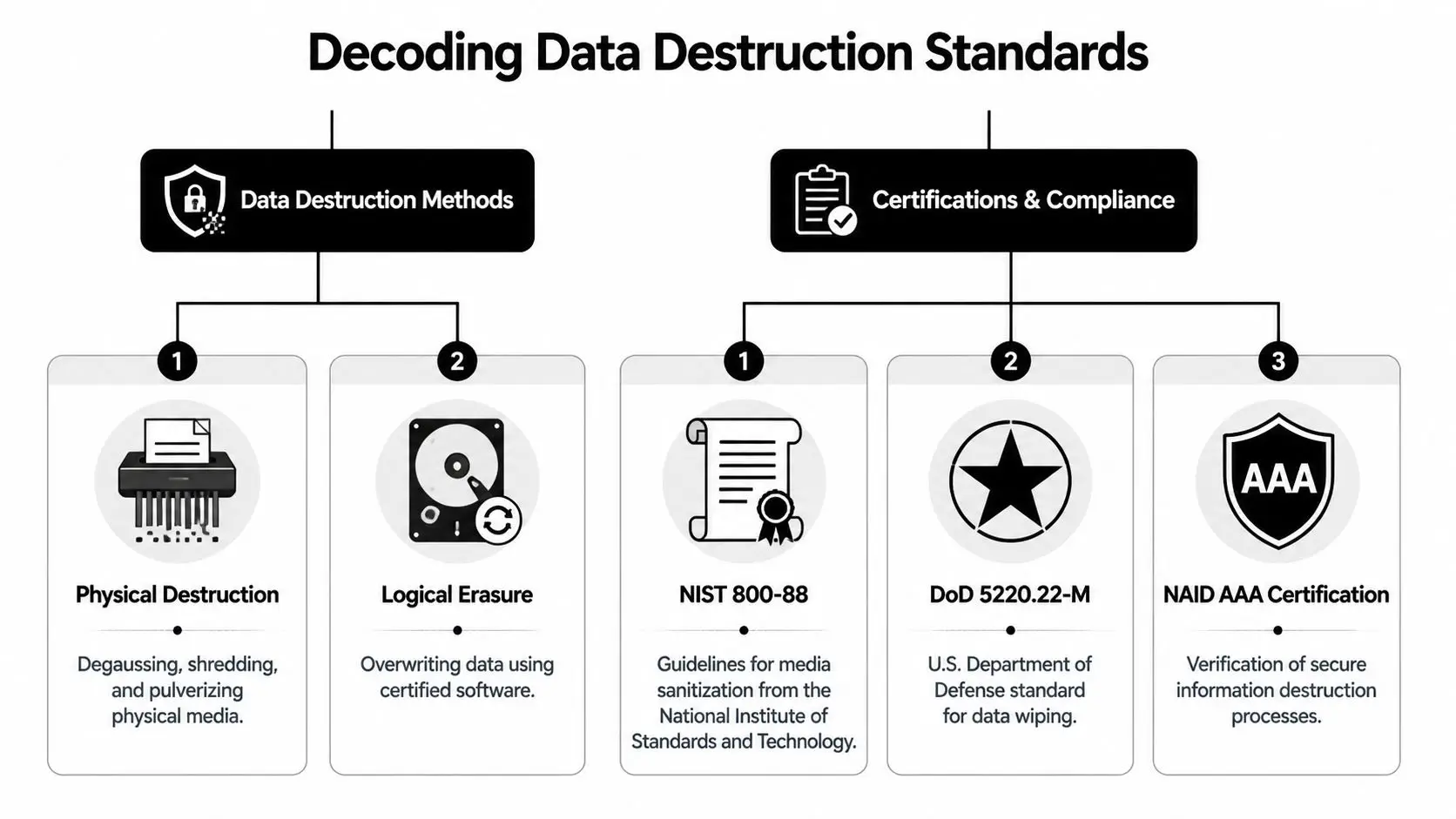
The foundation is NIST 800-88, a widely used framework for media sanitization. According to Chicago data destruction guidance on NIST 800-88, the standard defines three levels of data sanitization: Clear, Purge, and Destroy. That sounds abstract until you map it to real business choices.
Clear, Purge, and Destroy in plain language
Think of a whiteboard.
Clear is like erasing the writing so regular users can’t read it anymore. It removes data in a standard way, but it isn’t the right fit for every asset or every sensitivity level.
Purge goes further. It’s designed to make recovery infeasible, even with advanced methods. The same source notes that purge-level methods like degaussing can render data recovery infeasible even with forensic tools.
Destroy means the media itself is physically destroyed. The source also states that certified shredding to 2mm particles achieves the Destroy level. At that point, the storage media is no longer a reusable device. It’s scrap material.
How DoD wiping fits in
Another term managers hear is DoD 5220.22-M. In practice, this refers to software-based wiping methods used during sanitization. It’s most relevant when an organization wants to preserve reusable equipment instead of physically destroying every drive.
That distinction matters. If the business wants value recovery, reuse, or refurbishment, logical erasure may be appropriate for certain assets. If the media is highly sensitive, damaged, obsolete, or not worth remarketing, physical destruction often makes more sense.
Here’s a simple way to choose the conversation you need to have with a vendor:
| Method | Best fit | Main outcome |
|---|---|---|
| Clear | Lower-risk reuse scenarios | Standard sanitization |
| Purge | Stronger sanitization needs | Recovery becomes infeasible |
| Destroy | Highest sensitivity or no reuse value | Media is physically unusable |
Certifications aren’t paperwork. They’re evidence.
A disposal company can say it wipes drives. A certified provider should be able to show how, under what controls, and with what documentation. That’s where certifications enter the picture.
Look for terms such as NAID AAA, R2v3, and NIST-aligned data destruction procedures. Each certification covers a different part of the chain. One may focus on secure information destruction, another on responsible electronics recycling and downstream management.
A certificate matters because it shifts the conversation from promises to process.
For buyers comparing providers, NAID AAA certification requirements for secure destruction are worth understanding before you sign a disposal agreement.
Questions to ask before approving any data destruction plan
- What sanitization method is used for each media type? HDDs, SSDs, tapes, and USB devices don’t all behave the same way.
- When is physical destruction required? Reusable equipment and high-risk media should not be treated identically.
- Will you receive certificates of destruction? If not, compliance reporting becomes difficult.
- Is the custody chain documented from pickup through final processing? Weak vendors often fall short on this documentation.
- Who handles downstream recycling? Your risk doesn’t end at the loading dock.
For a non-technical manager, the goal isn’t to become a forensic expert. The goal is to know enough to separate a compliant process from a vague sales pitch.
Exploring Your Service Options in the Chicago Market
Chicago businesses don’t need the same disposal model. A law office clearing one storage closet has different needs from a hospital retiring endpoint devices, and both differ from a company shutting down a server room. The right service depends on security level, equipment condition, reporting needs, and whether any value can be recovered.

One of the clearest examples comes from sensitive industries. According to Chicago guidance on hybrid ITAD for regulated sectors, financial and healthcare sectors commonly use a hybrid ITAD approach that combines software-based wiping for reusable assets and physical shredding for sensitive media. That’s a practical model because it balances two goals that often compete: security and value recovery.
Option one: pickup and transport only
Some vendors mainly provide removal logistics. They pick up old equipment, palletize it, and move it to a processing site. This can be useful for office cleanouts, but only if custody controls are solid.
Choose this model carefully. Simple transport without detailed intake and reporting may solve your space problem while creating a documentation problem.
Option two: onsite destruction
Onsite destruction gives managers visible confirmation that media was destroyed at their location. It’s often preferred when leadership wants immediate assurance or when policies require destruction before assets leave the premises.
The tradeoff is that onsite work may be more suitable for specific media categories than for every device in a larger mixed load. It’s a strong option for especially sensitive drives and storage media.
Option three: full IT asset disposition
Full IT asset disposition (ITAD) goes beyond hauling and shredding. It typically includes inventory, testing, sorting, sanitization, destruction decisions, recycling, and remarketing where appropriate.
This is usually the right model when a company needs more than a disposal receipt. It suits:
- Office technology refreshes
- Branch consolidations
- Data center decommissioning
- End-of-lease cleanouts
- Department-level upgrades across multiple sites
Option four: donation-based recycling and reuse
Some organizations want an option that aligns disposal with community impact. That’s where donation-based recycling enters the conversation. Instead of treating all retired electronics as waste, the process can prioritize refurbishment, responsible reuse, and social value when equipment condition allows.
One company that offers this model is Chicago electronics recycling for business pickups and ITAD. Reworx Recycling provides electronics recycling, secure data destruction, and IT asset disposition services for business equipment, with a donation-based model that supports reuse when feasible.
The strongest disposal plan is often not the one that destroys the most equipment. It’s the one that makes deliberate decisions about what should be destroyed, what can be recovered, and what can still serve a useful purpose.
A simple comparison
| Service model | Works best when | Main caution |
|---|---|---|
| Pickup only | You need removal fast | May lack strong reporting |
| Onsite destruction | You want immediate witnessable destruction | Not always ideal for mixed-asset recovery |
| Full ITAD | You need compliance, inventory, and decision logic | Requires more planning upfront |
| Donation-based reuse | You want sustainability and social impact where feasible | Needs careful sorting and sanitization |
The Disposal Process from a Partner Perspective
A good disposal project feels orderly from the first call to the final report. A weak one feels vague at every step. That difference shows up early, usually in how the partner asks questions.
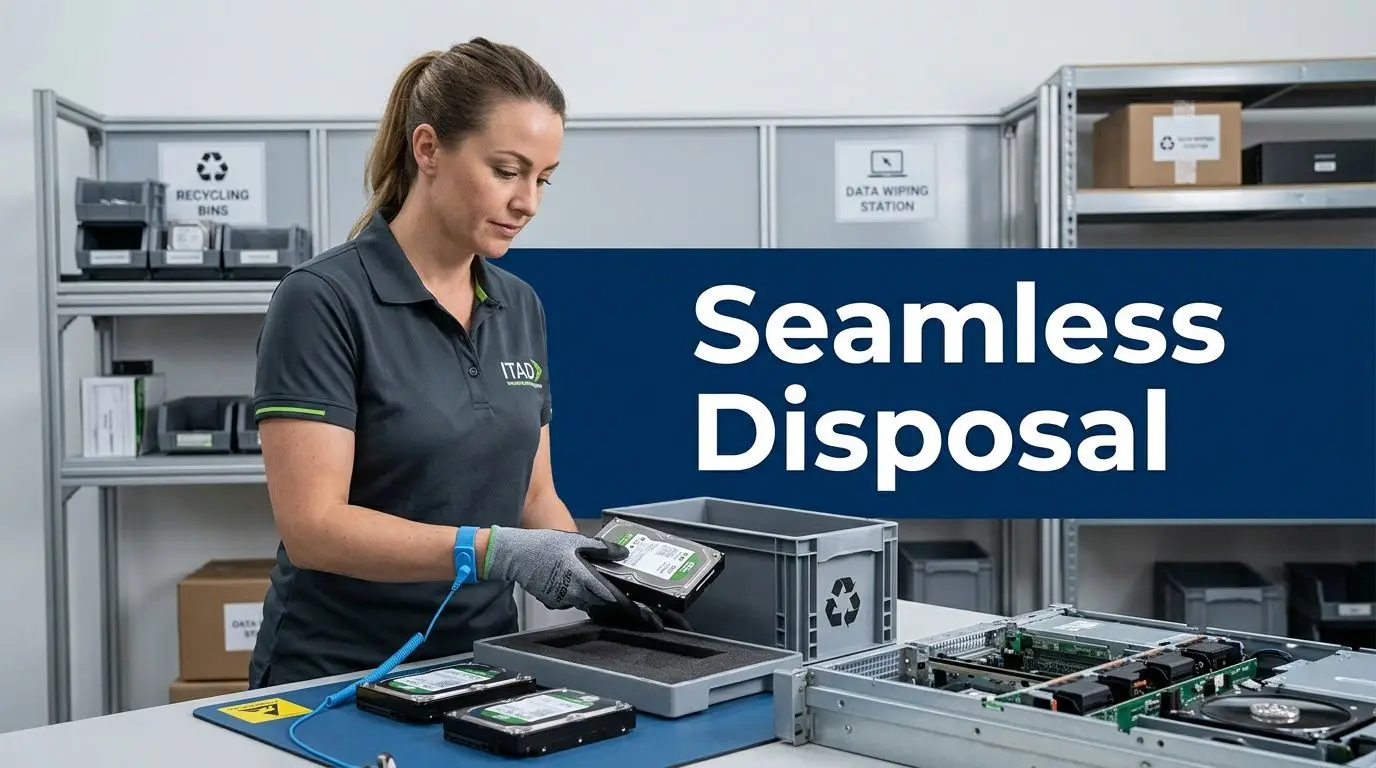
A qualified partner won’t just ask how many pallets you have. They’ll ask what kinds of assets are involved, whether regulated data may be present, what your access constraints look like, and whether your organization needs destruction, recycling, refurbishment, or a mix of all three.
Step one, scope the project clearly
The first conversation should identify the asset categories, approximate volumes, building access requirements, and any policy constraints. If you’re clearing a Chicago office, that might include elevator windows, loading dock rules, or landlord timing. If you’re retiring infrastructure, it may include rack removal and packaging.
This early scoping matters because “computer disposal” can mean many different workflows. Desktop pickup is not the same as server decommissioning.
Step two, collect assets under control
Once the job is defined, the partner should organize a secure pickup or site service process. The key issue here is control. Assets should move under documented custody, not through informal loading and guesswork.
Many organizations also benefit from basic preparation before pickup:
- Consolidate equipment by type: Keep laptops, desktops, servers, and loose drives separate if possible.
- Remove personal items and labels that create confusion: Old user notes and duplicate tags slow intake.
- Assign one internal owner for release approval: Someone needs to confirm what is leaving and why.
Step three, process each asset by decision path
At the processing stage, each item should follow a defined path. Some equipment may be tested for reuse. Some may be sanitized. Some media may go straight to destruction. Non-reusable components should enter responsible recycling channels.
A manager should be able to answer these questions afterward:
- Which assets were destroyed?
- Which were sanitized for reuse?
- Which were recycled as material?
- What documentation exists for each path?
Documentation is part of the service, not an optional extra.
Step four, close the loop with reporting
The project isn’t complete when the truck leaves. It’s complete when your organization receives the records needed for compliance, audit readiness, and internal tracking. That often includes asset summaries, destruction documentation, and notes on whether any equipment had reuse potential or material recovery value.
For sustainability leaders, the final report also helps convert disposal from a one-off facilities task into a repeatable governance process. For IT managers, it creates a cleaner handoff between refresh cycles. For executives, it reduces uncertainty.
A strong partner makes the process feel boring in the best possible way. Controlled. Traceable. Easy to explain later.
A Vendor Selection Checklist for Chicago Businesses
Vendor selection gets easier when you stop asking, “Who can take this stuff?” and start asking, “Who can help us retire it properly?” That shift changes the shortlist fast.
Chicago organizations can learn from institutional practice here. According to Chicago institutional recycling protocols including UIC, institutions like the University of Illinois at Chicago use formal surplus and disposal protocols that route old equipment through a central warehouse for responsible recycling. The lesson isn’t that every business needs a campus warehouse. The lesson is that structure matters.
What a serious program looks like
A strong provider should fit into a process that’s predictable enough for IT, facilities, compliance, and finance to all understand. If the vendor’s method can’t be described in a few clear internal controls, it probably won’t scale well.
Use this checklist during vendor interviews and quote reviews.
| Evaluation Criteria | What to Look For | Your Vendor A | Your Vendor B |
|---|---|---|---|
| Certifications | Evidence of relevant certifications such as NAID AAA or R2-aligned handling where applicable | ||
| Data destruction method | Clear explanation of when the vendor wipes, degausses, or physically destroys media | ||
| NIST 800-88 alignment | Ability to explain sanitization in terms your compliance team can document | ||
| Chain of custody | Documented handoff from pickup through processing and downstream recycling | ||
| Certificates and reporting | Destruction certificates and usable summary reporting after the project closes | ||
| Environmental handling | Responsible recycling practices that keep electronics out of landfill channels | ||
| Asset recovery process | Clear criteria for refurbishment, resale, donation, or material recycling | ||
| Project logistics | Ability to manage office cleanouts, dock access, scheduling windows, and mixed loads | ||
| Sector familiarity | Experience with regulated or policy-driven environments such as schools, healthcare, finance, or government | ||
| Downstream transparency | Clear answers about who handles materials after initial intake |
Questions worth asking out loud
Some managers rely too much on proposals and not enough on conversation. Ask direct questions and listen for direct answers.
- If we give you laptops and loose drives in the same pickup, how are they separated and tracked?
- What does your destruction documentation include?
- If some equipment still has value, how do you decide whether to remarket, donate, or recycle it?
- Who handles downstream materials, and how do you vet them?
Warning signs that should slow you down
If the quote is simple but the process is vague, you’re not buying convenience. You’re buying uncertainty.
A few red flags show up repeatedly:
- No clear answer on custody controls
- No explanation of sanitization methods
- No project reporting beyond a generic receipt
- No distinction between reusable equipment and destruction-only media
- No understanding of institutional or public-sector requirements
The best vendor is usually the one whose process your internal stakeholders can all defend for their own reasons.
Frequently Asked Questions
How do Chicago companies usually get an accurate quote?
Start with an asset list and a site description. Include device categories, approximate quantities, whether any loose media is involved, building access limits, and whether you need pickup, onsite work, or final reporting. Quotes get murky when the scope is described only as “old office computers.”
Is it okay to use a scrap hauler if the equipment is old and has no resale value?
That’s risky. Even when hardware has little market value, it may still contain sensitive data or require responsible downstream recycling. Age doesn’t reduce compliance obligations.
Should every hard drive be shredded?
Not always. Some organizations choose physical destruction for broad peace of mind. Others use a mixed model where reusable assets are sanitized and selected media is destroyed. The right answer depends on your policies, data sensitivity, and whether reuse is part of the plan.
Can a nationwide provider serve Chicago effectively?
Yes, if the provider has a documented logistics process, secure custody controls, and reporting discipline. A business manager should focus less on the provider’s headquarters and more on whether the service model is clear, compliant, and operationally reliable for the Chicago site.
What if we’re a school, university department, or public agency?
You’ll usually need more structure, not less. Public-facing organizations should expect closer scrutiny around documentation, diversion practices, and audit readiness. Internal disposal approvals should be clear before any equipment leaves the facility.
Do we need to back up devices before disposal?
Yes. Disposal and data retention are different responsibilities. If a department may still need records, settings, or archived files, resolve that before any sanitization or destruction step begins.
Transform Your IT Disposal into a Strategic Asset
Old computers, servers, switches, and storage devices aren’t just leftovers from a completed refresh. They’re part of your company’s risk profile, compliance posture, and sustainability record. When businesses treat disposal as an afterthought, they usually create more work later for IT, legal, finance, and facilities.
A better approach treats retirement as a controlled end-of-life process. That means choosing vendors carefully, matching destruction methods to actual risk, documenting what happened, and making thoughtful decisions about reuse, recycling, and material recovery. For Chicago organizations facing office cleanouts, hardware refreshes, or decommissioning projects, that level of discipline is no longer optional.
There’s also a strategic upside. Responsible ITAD can support space recovery, cleaner audits, stronger data governance, and environmental stewardship at the same time. When reusable equipment is handled properly, disposal can even contribute to broader social and sustainability goals instead of ending as a pure cost center.
If your organization wants to think beyond simple removal, IT asset recovery options for end-of-life equipment can help frame what value recovery and responsible disposition should look like in practice.
The strongest disposal programs do two things well. They reduce risk, and they leave a record your business can stand behind.
Chicago businesses don’t need to let retired equipment pile up into a compliance and storage problem. Reworx Recycling helps organizations handle electronics recycling, IT equipment disposal, secure data destruction, office cleanouts, and donation-based recycling with a process built for responsible end-of-life management. If your team is planning a pickup, evaluating a vendor, or looking for a partner for ongoing IT asset disposition, now’s a good time to start.


















