
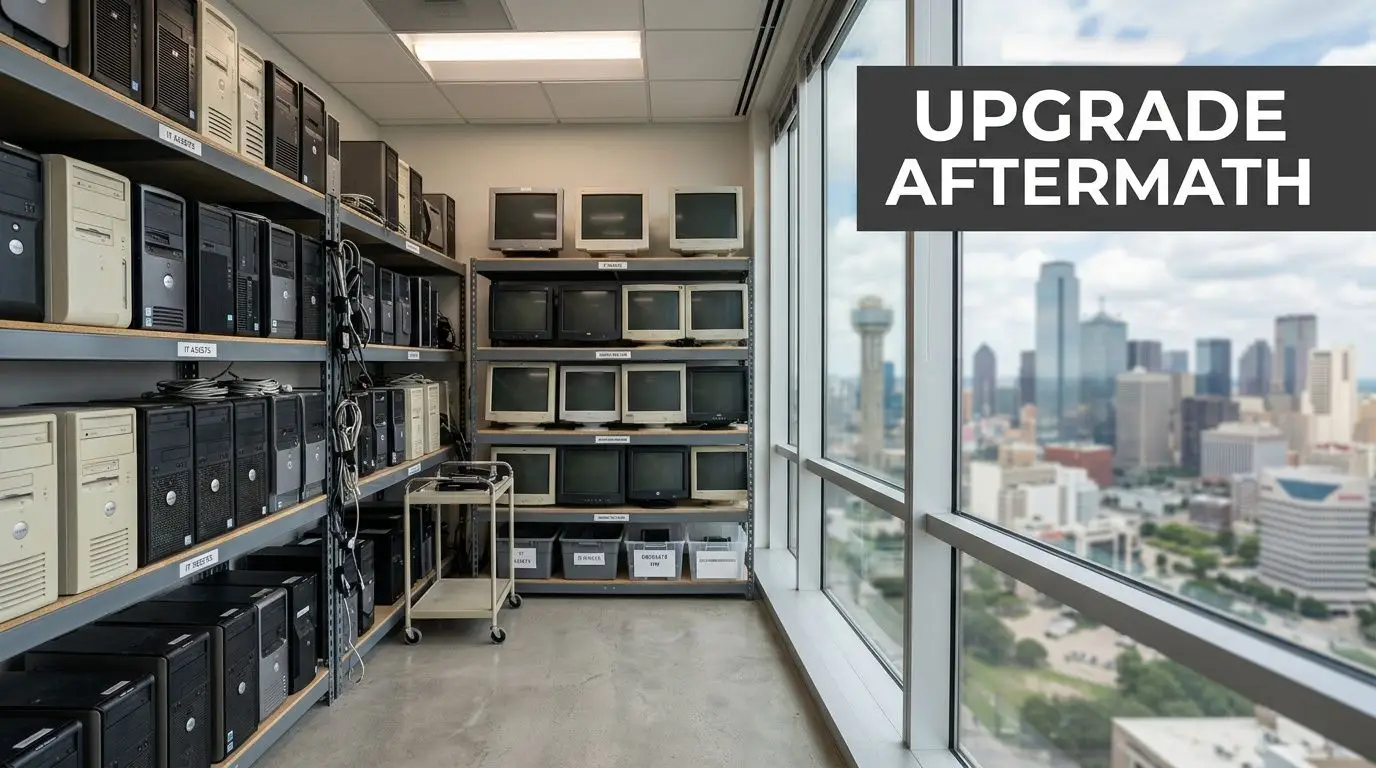
A Dallas business upgrade often ends the same way. New laptops are deployed, the server closet gets cleared, and a back room fills with retired desktops, monitors, docking stations, and old hard drives that no one wants to touch.
That pile looks like an operations problem. It is, in fact, a security, compliance, and governance problem.
If your company handles patient records, customer financial information, employee files, contracts, research data, or internal emails, those old devices may still hold recoverable information. Throwing them in general recycling, handing them to an uncertified hauler, or letting them sit for months creates risk you can’t explain away later. Secure Computer Disposal Services in Dallas exist for this exact reason. They help businesses retire equipment in a way that protects data, documents compliance, and supports responsible electronics recycling.
There’s also a second layer many Dallas organizations miss. End-of-life IT decisions don’t just affect auditors and legal teams. They affect sustainability reporting, office cleanout costs, and whether usable equipment gets a second life through donation-based recycling instead of becoming waste.
Your Dallas Business Has Old Computers Now What
A common Dallas scenario starts after a refresh project. A financial office downtown replaces workstations. A healthcare practice upgrades laptops and imaging-adjacent systems. A technology company in the Telecom Corridor decommissions older servers after a cloud migration. Everyone feels good about the new equipment until someone asks what to do with the old gear.
At that moment, many teams treat disposal like facilities work. They think in terms of space, junk removal, and truck access. The better framing is IT asset disposition, often shortened to ITAD. That means managing retired technology in a controlled process that addresses data security, legal exposure, environmental handling, and asset recovery.
Why old devices stay risky
A desktop that won’t power on can still contain sensitive data. A laptop headed for recycling can still hold cached files, saved credentials, browser history, or regulated records. An external drive in a desk drawer can become the single weak point in an otherwise mature security program.
The confusion usually comes from one false assumption: if a device is old, broken, or no longer connected, it must be harmless. It isn’t.
Practical rule: If a device ever stored business data, treat it as sensitive until a documented destruction or sanitization process says otherwise.
That’s why businesses look for structured secure IT asset disposition services for businesses in Dallas. The issue isn’t just removing clutter. It’s proving that every asset moved through a secure process from pickup to final disposition.
What a business manager should do first
Before calling anyone, gather a simple internal picture of what you have:
- Count device types: desktops, laptops, servers, phones, drives, networking gear, and peripherals.
- Flag sensitive sources: equipment from finance, HR, healthcare operations, legal, and executive teams deserves extra scrutiny.
- Separate reusable from dead assets: some equipment may have reuse or donation value, while some should go straight to destruction.
- Identify timing constraints: office moves, lease exits, facility cleanouts, and data center decommissioning often compress the schedule.
This first pass doesn’t need to be perfect. It just gives your team enough clarity to avoid the most expensive mistake, which is handing a mixed pile of devices to a vendor who can’t document what happened to each one.
Navigating Data Privacy Laws in Dallas and Beyond
Most Dallas managers don’t need to memorize statutes. They do need to understand the operating principle behind them. If your company collected sensitive information, you’re responsible for protecting it through the end of the device lifecycle, not just while the device is in active use.
Healthcare organizations think about HIPAA. Financial firms think about GLBA. Texas businesses also need to consider state privacy and breach obligations. The practical takeaway is simple: retired hardware is still part of your compliance scope.
Liability doesn’t disappear when the device leaves
A lot of teams assume risk ends once a recycler picks up the equipment. That’s the dangerous point in the process. Professional ITAD providers implement an unbroken chain-of-custody process that legally transfers liability away from the disposing organization. That process includes serialized asset tracking from pickup through final disposition, along with a Certificate of Data Destruction that provides auditable proof for compliance needs and protects the business from downstream risks, as described in this guidance on secure computer disposal in Dallas-Fort Worth.
In plain English, chain of custody means you can answer basic audit questions without guessing:
- What equipment was collected?
- When was it collected?
- Who handled it?
- Where did it go?
- How was the data destroyed?
- What document proves completion?
If your team can’t answer those questions, your disposal process is weak no matter how trustworthy the vendor sounded on the phone.
What chain of custody looks like in practice
A compliant workflow usually includes serialized labels, pickup logs, transport documentation, intake records, destruction records, and final certificates. That sounds administrative, but it solves a real business problem. It turns a vague disposal event into a defensible record.
A Dallas office manager often gets confused here and asks, “Do I really need that level of paperwork for old laptops?” If those laptops held employee information, customer communications, payroll files, account records, or healthcare data, the answer is yes.
A good way to think about retired equipment is to compare it to physical records. You wouldn’t toss boxes of paper personnel files into an open dumpster. Digital storage deserves the same discipline. Broader security habits also matter, especially around mitigating information theft threats before equipment ever reaches end of life.
Your policy should treat disposal as the final stage of data protection, not as a separate janitorial task.
What to ask for from a provider
If you’re evaluating Secure Computer Disposal Services in Dallas, ask for evidence, not promises:
- Documented chain of custody: every handoff should be traceable.
- Serialized asset tracking: especially important for laptops, servers, and storage media.
- Certificate of Data Destruction: this is the document auditors and legal teams care about.
- Certification detail: review the provider’s NAID AAA certification standards and what they cover.
- Clear liability language: your contract should state responsibilities, not imply them.
When providers get vague about documentation, that’s usually the signal to keep looking.
The Science of Irreversible Data Destruction
The biggest technical misunderstanding in IT disposal is this: deleting files isn’t the same as destroying data. Even formatting a drive isn’t the same as destroying data. Secure disposal depends on methods designed to make recovery impossible or practically impossible, depending on the media and risk level.
Three methods businesses hear about
Most organizations will encounter three terms during a disposal project.
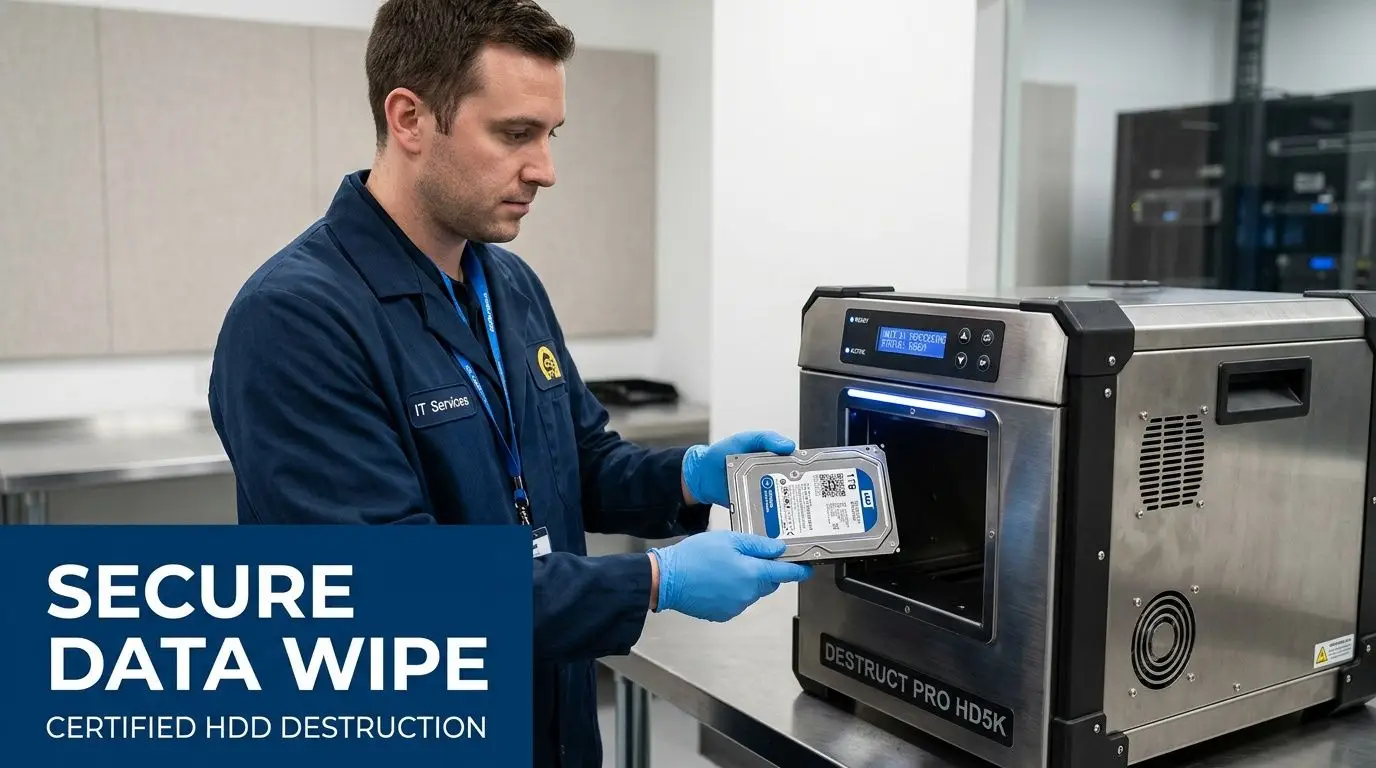
Software sanitization overwrites or clears data according to recognized procedures. This is often suitable when equipment may be reused or remarketed.
Degaussing uses a strong magnetic field to disrupt data on magnetic media. It’s specialized and typically relevant to certain storage types.
Physical destruction means shredding or otherwise destroying the media itself so the storage substrate can’t be recovered.
A simple analogy helps. Software wiping is like cleaning a whiteboard thoroughly according to a set process. Physical shredding is like feeding the whiteboard into an industrial shredder. Both remove the message, but only one destroys the surface that held it.
Why standards matter
Businesses shouldn’t rely on a vendor’s homegrown idea of “wiping” or “destroying.” Secure computer disposal requires adherence to dual standards: NIST 800-88 for data sanitization and NAID AAA Certification for physical destruction. Adherence to these is critical because software erasure alone may be insufficient for sensitive information, while NAID-certified shredding destroys the storage substrate beyond any possibility of data recovery, according to this explanation of secure electronics disposal and destruction standards.
That dual-standard model answers a question non-specialists ask all the time: why not just wipe everything and be done? Because risk profiles differ.
Matching the method to the asset
Here’s a practical comparison:
| Method | Best fit | Main advantage | Main limitation |
|---|---|---|---|
| Software sanitization | Reuse, resale, donation pathways | Preserves device value | May not fit the highest-risk data cases |
| Degaussing | Certain magnetic media | Strong destruction approach for compatible media | Not universal across all device types |
| Physical shredding | High-sensitivity drives and failed media | Makes recovery physically impossible | Ends reuse value of the storage media |
That’s why many organizations combine methods depending on device type and sensitivity. Working with a provider that offers hard drive shredding for end-of-life media gives you a stronger option for drives that shouldn’t remain intact under any circumstances.
If your team is debating between “probably wiped” and “provably destroyed,” choose the option you can defend to an auditor.
One more subtle point matters. In-house processing is generally safer than long vendor chains because each additional handoff creates another chance for mistakes, substitution, or undocumented handling. For sensitive Dallas industries like healthcare, finance, legal, and data-heavy technology operations, control over the full destruction process matters as much as the destruction method itself.
The Secure Disposal Workflow From Your Office to Final Certificate
Most disposal projects feel intimidating because the handoffs aren’t visible. Once you know the workflow, the process becomes much easier to manage.
What happens first
A sound project starts with scoping. The vendor asks what assets you have, where they’re located, whether they contain storage media, and whether the job involves a simple pickup, office cleanout, laboratory equipment disposal, or a larger data center decommissioning effort.
For a downtown Dallas high-rise, the plan may need freight elevator scheduling, loading dock coordination, and after-hours access. For a suburban campus, the issue may be palletization, secure staging, or moving equipment from multiple suites.
The typical chain of events
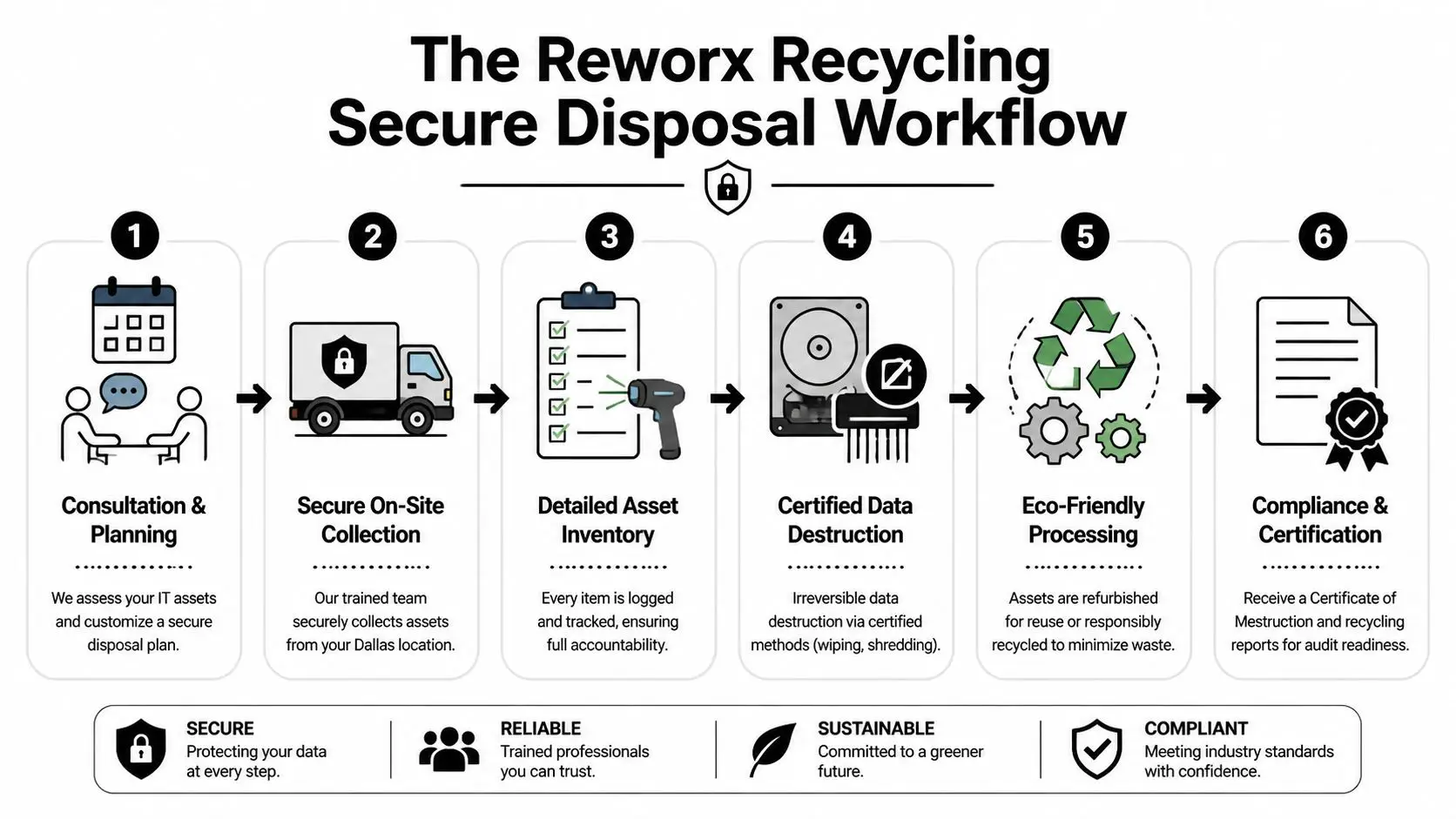
Most compliant engagements follow a sequence like this:
Assessment and planning
Your team identifies asset types, volumes, timing, and risk categories.Secure on-site collection
Equipment is gathered by trained personnel, often with serialized tagging or inventory capture.Transport under documented control
Assets move to processing under formal custody records.Data destruction and material handling
Media is sanitized or destroyed, and equipment is either prepared for reuse, product destruction, or recycling.Final documentation
You receive records for compliance, including the certificate of destruction for hard drives and related media.
Where businesses usually get stuck
Confusion often appears at the inventory stage. Managers worry they need a perfect spreadsheet before calling anyone. They don’t. A reasonable estimate and a clear description of your environment are enough to start.
The second sticking point is whether all equipment needs the same handling. It usually doesn’t. A batch of monitors may follow a recycling path. A set of laptops may need secure data destruction first. Servers from a finance or healthcare environment may require the highest level of documentation.
Good ITAD projects don’t rely on memory. They rely on logs, labels, and final records.
For your team, the key deliverable is predictability. You want to know what was taken, what happened to it, and what paperwork closes the loop. When a vendor can walk you through that without hand-waving, you’re usually in better shape.
How to Select a Compliant ITAD Partner in Dallas
A Dallas office closes a floor, the old laptops are stacked in a conference room, and someone says, “Let’s get a recycler to pick these up this week.” That is the moment vendor choice starts to matter. If those devices contain employee records, client files, or login credentials, you are not hiring a junk hauler. You are choosing a partner that will handle risk on your behalf.
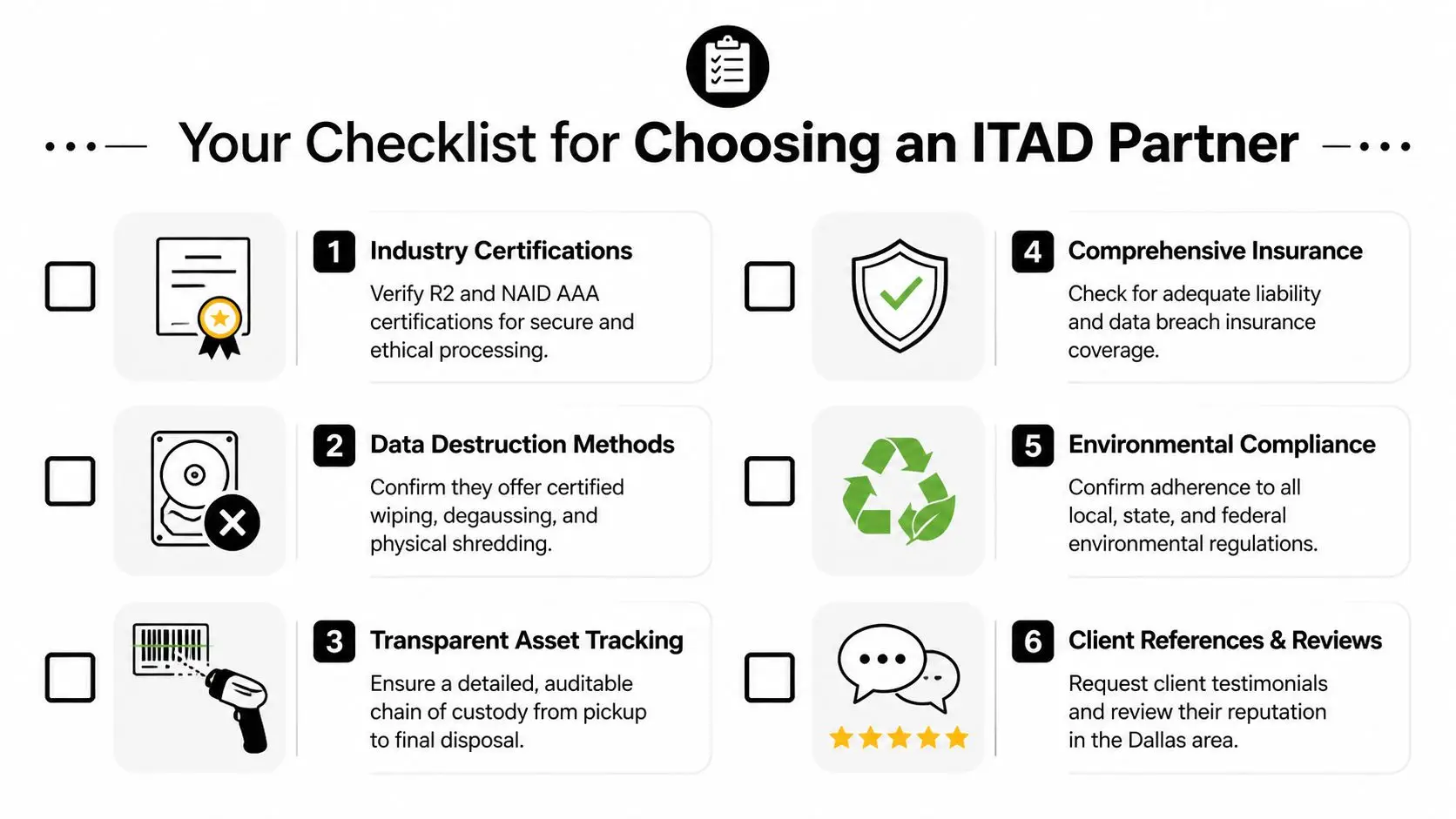
A good ITAD provider should be able to explain its process in plain English. If the answers stay vague, that usually means the controls are vague too. For a business manager, the goal is simple: choose a company whose paperwork, handling methods, and downstream decisions would still make sense if your legal team or an auditor reviewed them line by line.
Required credentials and process controls
Start with proof, not promises.
- Security certifications and destruction standards: If a provider offers data destruction, ask which standards or certifications apply, what media they cover, and whether the work is performed by trained staff under documented procedures.
- Environmental accountability: Ask where materials go after processing, how hazardous components are handled, and whether downstream vendors are screened and documented.
- In-house processing: Every extra handoff creates another place where an asset can be misplaced, mislabeled, or handled outside your agreed process.
- Clear reporting: Request sample certificates, asset lists, and final disposition reports. Good documentation should be readable by operations staff, compliance staff, and outside auditors.
- Insurance and contract terms: Confirm who carries risk during pickup, transport, processing, and final disposition.
These checks serve the same purpose as chain-of-title paperwork in a real estate deal. They show who had control, what happened, and whether the transaction was handled properly.
Questions worth asking on the first call
A useful screening call does not need a lot of jargon. It needs direct questions that reveal whether the provider runs a disciplined operation.
| Question | Why it matters |
|---|---|
| Do you process data-bearing media in-house? | Reduces custody gaps and limits exposure to unknown subcontractors |
| What documentation will I receive at the end? | Shows whether your team will have records for audits, insurance, or internal review |
| Can you track serialized assets from pickup to final disposition? | Confirms asset-level accountability |
| How do you separate devices for reuse from devices slated for destruction? | Prevents a reusable asset from being destroyed, or a destruction-only asset from being resold |
| What happens if a device arrives damaged, unlabeled, or missing a drive? | Tests whether the provider follows procedure when conditions are imperfect |
Listen for specificity. Strong vendors describe who does the work, where it happens, what gets recorded, and how exceptions are handled.
Tracking and reporting separate mature providers from casual recyclers
The difference often comes down to visibility. A mature ITAD partner can show you an auditable record of each asset’s path through intake, data destruction, testing, resale, recycling, or final destruction. A weaker provider may offer only a pickup receipt and broad assurances after the fact.
That distinction matters in Dallas projects with higher complexity, such as healthcare device refreshes, law office closures, school technology replacements, and multi-site office consolidations. In those settings, one missing serial number can create hours of internal follow-up.
If your organization also wants to recover value from retired equipment, ask how the provider handles IT asset recovery services for resale, reuse, or responsible redeployment. The best partners do more than remove old hardware. They help you decide which assets require destruction, which still have market value, and which can be directed toward community benefit through a social enterprise model.
That last point is easy to overlook. Responsible disposal can protect data, support environmental compliance, and create local social impact at the same time. In Dallas, that means your ITAD decision can do more than close a compliance task. It can also support a stronger reuse pipeline, reduce unnecessary e-waste, and contribute to programs that benefit the community.
From Expense to Asset The Value of Sustainable Disposal
A Dallas office closes out a laptop refresh. The old devices are stacked in a storage room, and the line item gets labeled "disposal." That label can be misleading. Retired equipment often belongs in a sorting decision, not a waste bucket, because some devices still hold resale value, some are suitable for reuse, and some should go straight to material recovery.
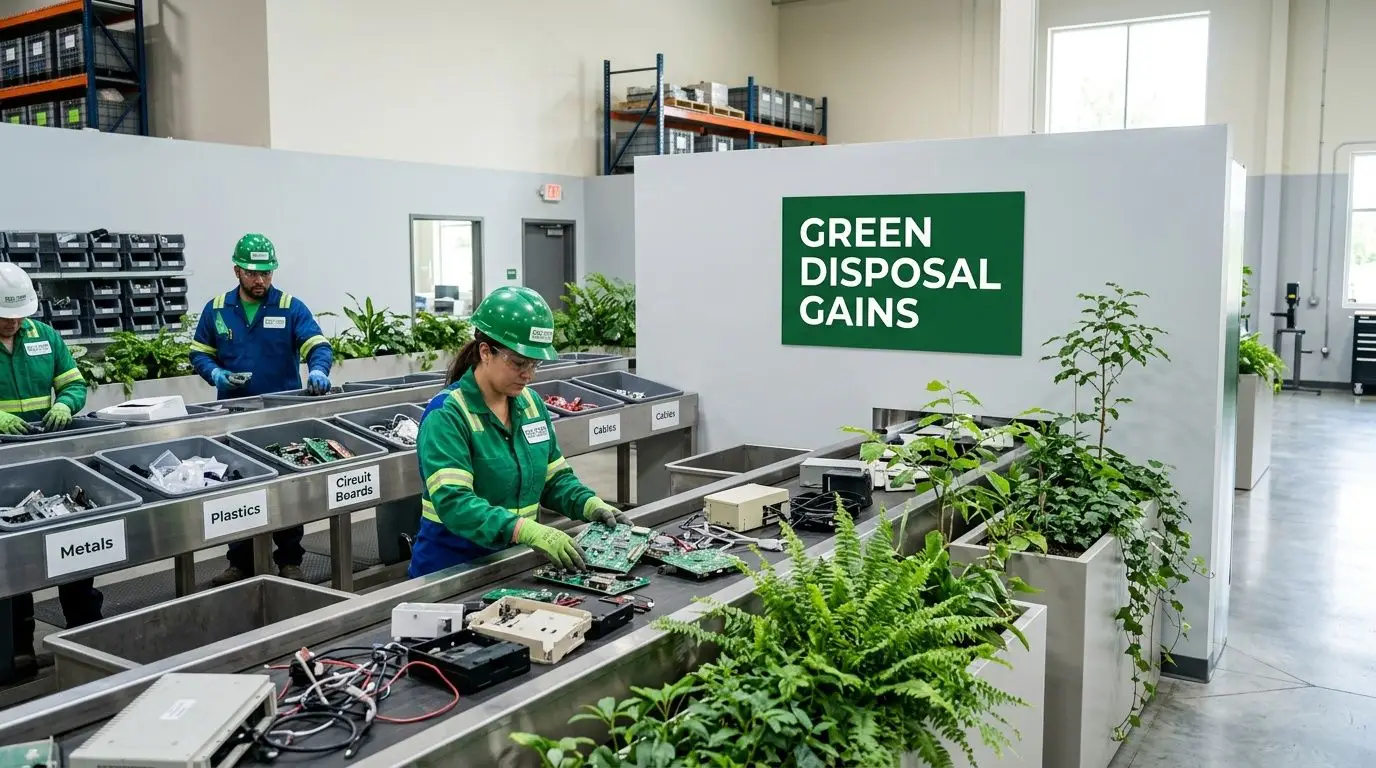
Why sustainable disposal changes the math
A disciplined ITAD program treats retired hardware more like inventory at end of service life than like office trash. That distinction matters. A newer laptop, monitor, or server may still have market value after secure data destruction and testing. Equipment that no longer fits your environment may still be useful to another organization. Devices with no reuse path can still be processed for responsible recycling instead of sent into poor disposal channels.
The practical result is straightforward. You may offset part of your refresh cost, reduce avoidable recycling fees, and keep more material in productive use.
One decision, three kinds of value
The easiest way to understand sustainable disposal is to picture three lanes after data destruction is complete.
- Remarketing or redeployment: Devices in good condition can be tested, graded, and returned to use through resale or internal reuse.
- Community reuse: Suitable equipment can support nonprofits, digital access efforts, and other local programs when the disposition process allows it.
- Responsible recycling: Obsolete or damaged assets can be dismantled and sent through approved downstream recycling processes.
That sorting step works like triage in a hospital. Not every case goes to the same place, and better outcomes depend on making the right decision early.
Why the social enterprise model stands out in Dallas
This is the part many business managers do not hear enough about. The right disposal partner can protect your company and produce a local public benefit at the same time.
Dallas companies often evaluate ITAD through four lenses: security, compliance, cost, and sustainability. A social enterprise adds a fifth. Community impact. If reusable devices are processed through a mission-driven program, your disposal project can support job training, digital inclusion, or nonprofit access to technology while still following strict handling standards.
That changes the conversation inside the business. Disposal is no longer only a loss to control. It can become a documented part of your ESG reporting, community engagement, and budget discipline.
If your team wants to identify which retired devices still have resale, reuse, or donation potential, start with an IT asset recovery program that aligns recovery decisions with compliant disposition. The best results come from evaluating value, environmental outcomes, and community benefit together rather than treating every old computer as scrap.
Take the Next Step Toward Secure and Responsible ITAD in Dallas
Old computers don’t become harmless because they’re unplugged. They become a management decision. Dallas businesses that handle that decision well protect themselves on multiple fronts: data security, legal defensibility, environmental responsibility, and cost control.
The practical path is straightforward. Identify what you have. Separate data-bearing devices from general electronics. Ask hard questions about chain of custody, destruction standards, and documentation. Then choose a partner that can prove what happened to every asset, not just remove it from your building.
The strongest Secure Computer Disposal Services in Dallas do more than haul equipment away. They support secure data destruction, office and facility cleanout planning, computer recycling, laptop disposal, medical equipment disposal, product destruction, and sustainable recycling practices that fit modern business expectations.
That broader view matters because disposal is no longer a back-office afterthought. It’s part of risk management and part of corporate responsibility. When the process is done right, your organization gets clean records, cleaner space, and a cleaner story to tell regulators, clients, employees, and community stakeholders.
If your Dallas business is planning an office cleanout, laptop refresh, server retirement, or broader IT equipment disposal project, Reworx Recycling is worth contacting. Their team supports secure data destruction, electronics recycling, donation-based recycling, and social enterprise recycling programs that help businesses retire technology responsibly while extending community benefit through technology donations and digital inclusion. Reach out to schedule a pickup, discuss corporate donation programs, or explore a partnership that turns outdated equipment into secure, sustainable impact.


















