

You replace a batch of employee laptops. A team clears out one server shelf. Facilities starts preparing for a suite reconfiguration. Then the old equipment sits. It piles up in a storage room, under desks, or in a locked closet near the loading dock.
That moment feels administrative, but it isn’t. For an Austin business, retired technology creates three immediate questions. Who still has data on it, what rules apply to disposal, and how quickly can you move it out without creating new risk?
That’s why Business Computer Recycling Services in Austin should be treated as part of operations, compliance, and sustainability. In practice, this work falls under IT asset disposition, often shortened to ITAD. It covers the full end-of-life process for business electronics, including inventory, secure handling, data destruction, logistics, reporting, reuse, and final recycling.
Austin makes this especially relevant. The city’s mix of software companies, semiconductor operations, healthcare groups, biotech firms, universities, and distributed office users means devices turn over constantly. Laptops age out. Monitors get replaced. Network hardware becomes obsolete. Storage media can’t just be tossed into a generic recycling stream and forgotten.
Done well, recycling old business equipment reduces clutter, supports audit readiness, and keeps usable materials in circulation. Done poorly, it can expose customer data, frustrate facilities teams, and undermine sustainability claims that looked solid in a board deck but weak in an actual asset audit.
Your Austin Business and the E-Waste Challenge
A common Austin scenario starts with a technology refresh. A SaaS company upgrades employee laptops. A clinic changes out workstations. A growing office in North Austin consolidates departments and suddenly has a pile of monitors, docking stations, printers, hard drives, and aging desktops that nobody wants to own.
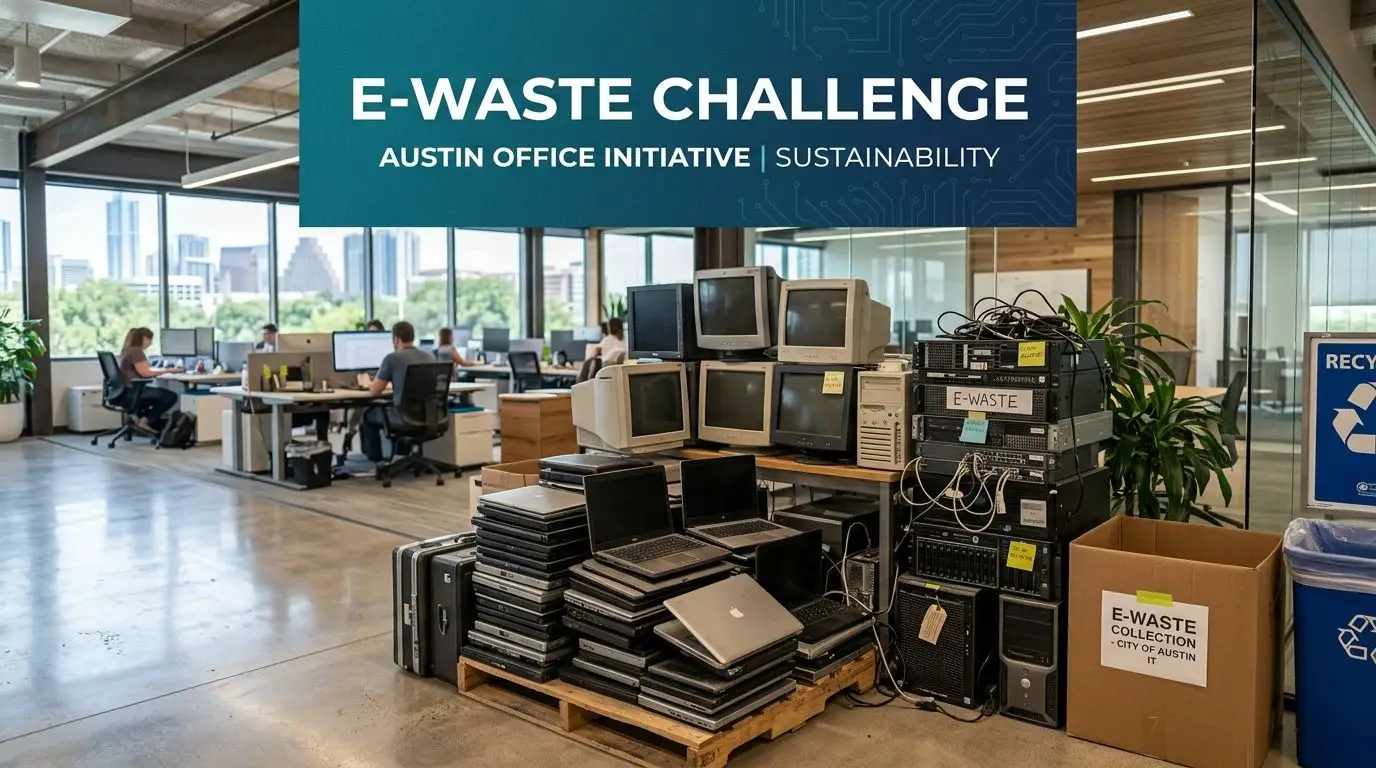
The first mistake is thinking this is just junk removal. It’s not. Every retired device has a status. Some items are reusable. Some hold sensitive data. Some contain components that require controlled handling. Some still have value if they move through a proper ITAD process instead of a rushed office cleanout.
Why Austin businesses feel this pressure sooner
Austin businesses tend to cycle through equipment quickly because many local teams depend on current hardware to support development, design, analytics, remote collaboration, healthcare workflows, and lab operations. Even when the devices aren’t old by calendar age, they may already be outdated for the job.
That creates a familiar pattern:
- IT wants speed: They need old assets gone before the next rollout creates confusion.
- Facilities wants space: Retired hardware consumes rooms that should be used for people or inventory.
- Compliance wants proof: They need records that show what happened to each asset.
- Sustainability wants outcomes: They need a process that supports responsible recycling and reuse.
Universities deal with the same challenge at a larger scale. The operational issues described in Austin university electronics recycling workflows also show up in private businesses, especially when equipment ownership is spread across departments.
Practical rule: If equipment has been sitting for months because nobody is sure who approves disposal, you don’t have a recycling problem. You have an ITAD process gap.
What ITAD really means for a busy manager
ITAD sounds technical, but the idea is simple. It means your business decides, documents, and controls what happens to technology at end of life.
A solid ITAD program usually answers these questions:
| Question | Why it matters |
|---|---|
| Does the device contain data | This determines the security controls required |
| Is the item reusable | Reuse can support donation, redeployment, or value recovery |
| Who approved disposition | Approval protects the company during audits and disputes |
| What documentation exists | Records close the loop for legal, operational, and ESG reporting |
When Austin companies treat old technology as a managed asset stream instead of a pile of leftovers, the whole process gets easier. Storage rooms clear out faster. Audit requests stop becoming scavenger hunts. Sustainability reporting becomes more credible because it’s based on documented outcomes, not assumptions.
Navigating E-Waste Compliance in Austin and Texas
A common Austin scenario looks like this. Your team has cleared out a storage room, stacked retired laptops and monitors by the door, and found a few old docking stations, batteries, and a server nobody wants to claim. The pickup seems simple until someone asks three practical questions. What rules apply, what records do we need, and who is responsible if something goes wrong later?
The cleanest way to answer those questions is to sort compliance into three layers. Federal guidance sets the standard for handling data-bearing devices and materials that can create environmental risk. Texas sets the statewide framework for certain electronics recycling programs. Austin adds local pressure in a different form, through Zero Waste goals, sustainability expectations, and a business culture that pays attention to how equipment leaves the company.
That distinction matters because compliance is not one rulebook. It is closer to traffic control at a busy intersection. State rules, city expectations, and internal audit requirements all meet at the same point. If your recycler only talks about pickup logistics, you are missing the part that protects your business.
Texas rules set the baseline
Texas already has an established structure for covered electronics. The Texas Commission on Environmental Quality reports that manufacturer programs have collected over 441 million pounds of computers and televisions through 2025, and that computer equipment collection reached 3,407,670 pounds in 2024, according to the Texas Commission on Environmental Quality electronics program summary.
For an Austin business, those numbers do two things. First, they confirm that electronics recycling in Texas is an active, regulated system rather than an informal cleanup effort. Second, they raise the bar for your vendor choice. A qualified ITAD partner should be able to explain how your equipment fits into that system, what documentation you will receive, and where materials go after pickup.
Austin adds local expectations that affect buying decisions
Austin does not operate in a vacuum. The city’s Zero Waste direction, the concentration of tech employers, and the scrutiny many companies face from customers, investors, and hiring candidates all change what “good enough” looks like.
A recycler may satisfy the basic disposal need but still fall short of what an Austin company needs. If your ESG report mentions reuse, donation, diversion, or community impact, your end-of-life process has to produce records that support those claims. If your company recruits engineers and enterprise customers in a market that values responsible operations, disposal choices become part of brand risk and procurement discipline, not just facilities housekeeping.
That is one reason social enterprise models stand out in Austin. They connect compliance and asset handling with local workforce and community benefit, which gives companies a practical way to support sustainability goals while still meeting IT and audit requirements.
What to verify before you schedule a pickup
Use this framework when you review your current process or compare vendors:
- Federal expectations: Safe handling for devices that may contain sensitive data or regulated materials.
- Texas expectations: Alignment with the state’s electronics recycling structure and documented downstream management.
- Austin expectations: Disposal practices that fit your sustainability commitments, internal reporting needs, and local stakeholder expectations.
The paperwork matters because audits and disputes happen months after equipment leaves the building, not while it is sitting on a pallet.
Ask for these records:
- Asset inventory reports tied to serial numbers or internal asset tags
- Chain-of-custody records showing who handled the equipment and when
- Certificates of Destruction for media or devices that required destruction
- Final disposition reports that support audit files, sustainability reporting, and internal approvals
If your office also disposes of batteries, lamps, or other regulated materials, align electronics pickup with a broader business universal waste management approach. That keeps one waste stream from being tightly controlled while the next one is handled casually.
Where businesses get into trouble
Problems usually start long before recycling day. Equipment gets moved without an updated asset list. A department drops off devices in a closet with no sign-off. A copier with a hard drive is treated the same as a broken monitor. Later, the company has no clear record of what left, who approved it, or whether any item should have been reused, destroyed, or tracked differently.
Here is the practical risk view:
| Internal issue | Business consequence |
|---|---|
| Unlogged devices | Gaps in audit trails and asset reconciliation |
| Unsecured storage areas | Higher risk of loss, tampering, or unauthorized access |
| Unclear ownership | Delayed approvals and disposal backlogs |
| Mixed electronics collection | Data-bearing assets handled like low-risk peripherals |
A good recycler should be able to explain this process in plain English. A strong Austin partner should also help you connect compliance with return on investment. That can mean resale value where appropriate, avoided storage and labor costs, cleaner ESG reporting, and community benefit through responsible reuse and local impact.
The Critical Importance of Secure Data Destruction
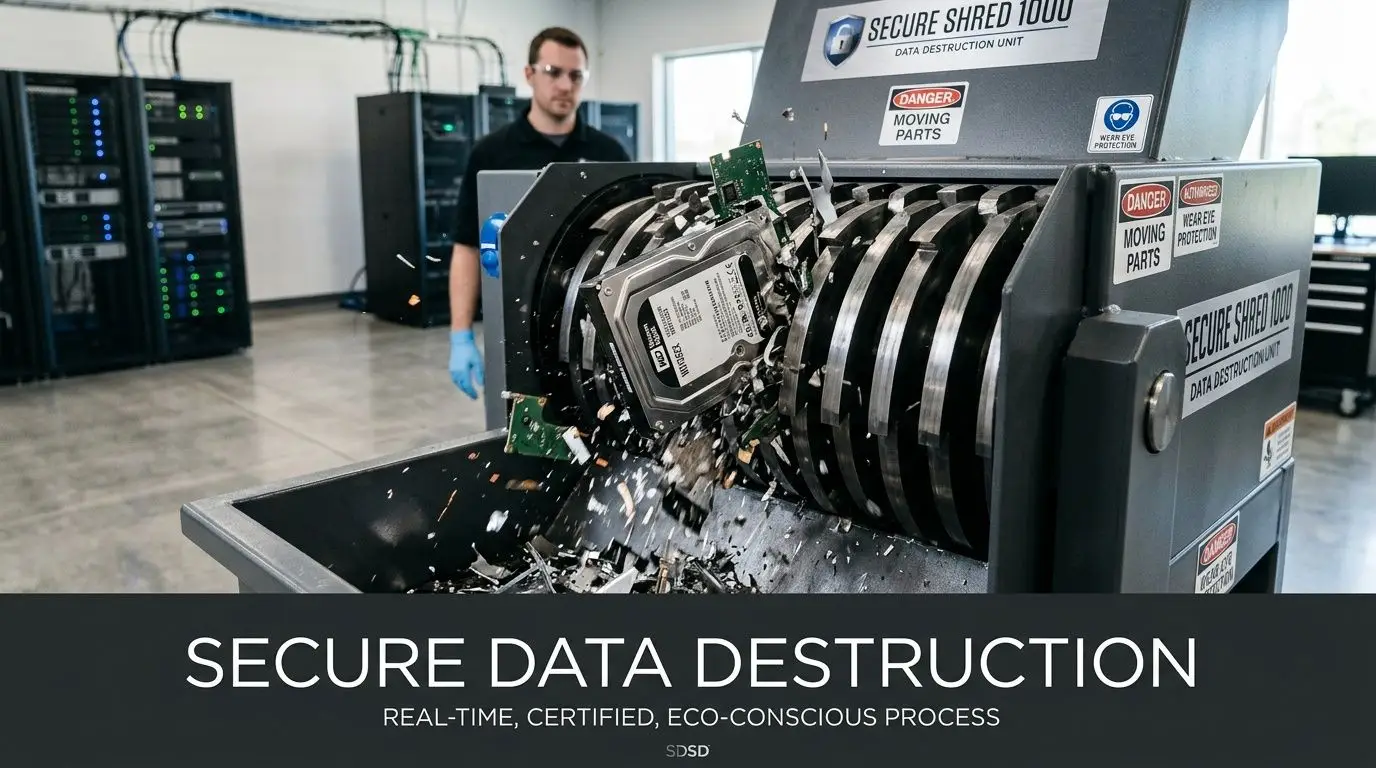
Deleting files doesn’t make a device safe for disposal. Neither does resetting a laptop or reformatting a drive. Those actions may make the device look clean to a user, but they don’t automatically meet a professional standard for sanitization.
For businesses, this is the point where ordinary recycling separates from secure IT asset disposition. If the equipment ever held employee records, financial files, customer data, student information, patient information, product designs, source code, or internal communications, your disposal process has to account for recoverability.
Why this matters more than many teams realize
Following NIST 800-88 certified data sanitization is critical because improper hardware disposal is linked to 60% of data breaches from lost or stolen devices, as noted in Austin corporate computer recycling guidance on NIST-based data destruction. That same guidance notes that certified destruction supports audit-ready compliance through serialized Certificates of Destruction and full chain-of-custody logs for standards such as HIPAA, SOX, and FERPA.
That’s the business case in one sentence. Secure destruction is not just an environmental service. It is a risk control.
The three NIST 800-88 approaches
NIST 800-88 gives businesses a useful framework because it sorts sanitization into clear methods. You don’t need to memorize the full standard to ask better questions. You just need to understand the logic.
| Method | What it means | Best fit |
|---|---|---|
| Clear | Software-based overwriting | Reusable drives when policy allows reuse |
| Purge | More intensive sanitization such as degaussing or cryptographic erasure | Higher-security environments |
| Destroy | Physical destruction such as shredding | End-of-life media or devices that should never be reused |
A good recycler or ITAD partner should be able to explain which method applies to each asset type and why.
When each method makes sense
Some examples help.
A staff laptop in good condition may be a candidate for Clear if the drive can be sanitized to the required standard and the machine is suitable for reuse. A failed hard drive from a finance workstation may go straight to Destroy because reuse isn’t realistic and certainty matters more than resale potential. A server from a restricted environment may require Purge or Destroy depending on internal policy and risk tolerance.
Security reality: The right question isn’t “Was the laptop wiped?” The right question is “What sanitization standard was applied, and can the vendor prove it?”
The records that protect you later
Businesses often focus on the physical act of destruction and forget the second half of the job, which is documentation. If there’s no record, the control is harder to defend during an audit, internal review, insurance claim, or regulatory inquiry.
Look for:
- Serialized Certificates of Destruction
- Chain-of-custody logs
- Asset-level inventory reporting
- Clear separation between reusable assets and destroyed media
If your organization needs a stronger reference point, review how secure data destruction services for business equipment are typically structured. The underlying principle is simple. You want proof that follows the asset, not just a verbal assurance that “everything was handled.”
Devices people forget can hold data
Many office cleanouts encounter issues. Teams usually remember laptops and servers. They don’t always remember the less obvious devices.
Common examples include:
- Multifunction printers and copiers
- Network appliances
- External drives and backup media
- Lab or medical devices with onboard storage
- Smart conference room systems
A monitor is usually just a monitor. A copier may be something very different. If staff can’t confirm whether a device stores data, treat it as data-bearing until IT verifies otherwise.
The environmental side of recycling matters, but data destruction is the point where reputational risk becomes operational risk. Once your business understands that, the disposal process gets much more disciplined.
A Step-by-Step Guide to Recycling Your Office Tech
It is 4:30 on a Friday. Your Austin office is closing out a hardware refresh, old laptops are stacked near a conference room, facilities wants the space back, and IT still needs a clean record of what is leaving the building. That is how routine equipment turnover turns into unnecessary risk.
A better process works like a controlled transfer, not a last-minute purge. In a city where sustainability goals, data protection, and office efficiency often intersect, that discipline pays off twice. It lowers compliance and security risk, and it gives your business a clearer path to reuse, donation, and responsible recycling that supports Austin’s Zero Waste mindset.

Start with an internal asset review
Begin with visibility. If you do not know what you have, every later step gets harder.
Your list does not need to be perfect. It does need to be usable by IT, facilities, and the recycling partner on pickup day. Include:
- Item type: laptop, desktop, monitor, server, switch, printer, drive, tablet
- Condition: working, damaged, unknown
- Data status: data-bearing, non-data-bearing, unknown
- Owner or department: finance, engineering, marketing, clinic, lab, front office
This is the sorting table before the handoff. A simple inventory helps you decide what should be resold, donated, destroyed, or recycled for material recovery. It also helps finance understand whether retired equipment still has value.
Separate equipment by disposition, not just by device type
Many teams group everything by convenience. That usually creates extra work later.
A better method is to separate assets by risk and likely outcome before anything leaves the office:
| Stream | What goes there |
|---|---|
| Data-bearing equipment | Laptops, desktops, servers, hard drives, storage arrays, certain copiers |
| Non-data-bearing electronics | Monitors, cables, keyboards, some peripherals |
| Reuse or remarketing candidates | Newer devices in working condition with business value |
| Special handling items | Lab gear, medical devices, damaged batteries, unusual hardware |
That structure helps everyone involved. Your IT team knows what needs documented processing. Your vendor can quote and schedule more accurately. Reusable devices are less likely to be treated like scrap.
Confirm site logistics before you schedule pickup
Pickup problems usually start long before the truck arrives. The issue is often building access, packaging, or confusion about who is releasing the assets.
Before scheduling, confirm:
- Building access: freight elevator, loading dock, lobby restrictions
- Packaging expectations: loose devices, pallets, boxes, secured containers for drives
- Pickup contact: who meets the driver and signs paperwork
- Special instructions: badge access, after-hours rules, restricted rooms, parking limits
This matters in Austin office buildings, where downtown access, campus security, and shared loading areas can complicate a simple collection. Fast pickup sounds good, but readiness matters more than speed. A rushed collection with mixed assets and unclear custody creates extra follow-up work and increases the chance of reporting errors.
Prepare equipment for handoff
Preparation should be practical. You are not refurbishing every device in-house. You are making sure the outgoing equipment can be identified and processed correctly.
Remove obvious trash. Keep chargers with laptops if reuse is possible. Mark any assets that require destruction. Set aside anything unusual so the vendor is not guessing at the dock.
For larger projects, a detailed checklist on preparing company electronics for recycling can help standardize the process across departments. That is especially useful for Austin companies with hybrid teams, multiple suites, or a mix of office and technical equipment.
Release the load with a clear chain of custody
At handoff, assign one internal owner to verify what is leaving. This can be an IT manager, facilities lead, or operations coordinator, but it should be one accountable person.
That person should confirm the shipment matches the inventory, note any exceptions, and make sure pickup documentation is signed and stored. If your business is cycling out 20 laptops and 4 monitors, you want the transfer to read like a ledger entry, not a vague memory.
Close the loop with records and results
The final step is proving the project ended the way it was supposed to end. For an Austin business, that proof supports more than audit readiness. It can also support internal ESG reporting, fixed-asset reconciliation, and local sustainability goals.
Keep these records in a place IT, compliance, and finance can retrieve later:
- Pickup confirmation
- Asset inventory report
- Certificates of Destruction where required
- Final recycling or disposition summary
- Any resale, donation, or reuse documentation if applicable
The social enterprise model deserves attention. If your vendor can divert reusable equipment into community benefit, job training, or local digital access programs, the project produces more than risk reduction. It can also create measurable community value while still meeting the operational standards your IT team needs.
A well-run office tech recycling process should feel organized, predictable, and easy to defend. Equipment leaves the building. Documentation comes back. Value is recovered where possible, hazardous material stays out of the wrong channels, and your team gets its space and its time back.
Your Vendor Selection Checklist for ITAD Services
Choosing an ITAD vendor in Austin can feel a lot like reviewing cloud providers. On the surface, several firms offer the same promise. Pickup, recycling, data destruction, reporting. The differences only show up once you ask how the work is controlled, documented, and audited.
That matters in Austin more than in many cities. You are operating in a market shaped by fast device turnover, a large tech employer base, local sustainability expectations, and companies that increasingly report on both risk and environmental performance. A vendor is not just hauling equipment away. The right one helps your IT team protect data, recover usable value, support ESG goals, and keep retired hardware in a responsible local channel when possible.
Start with the essentials
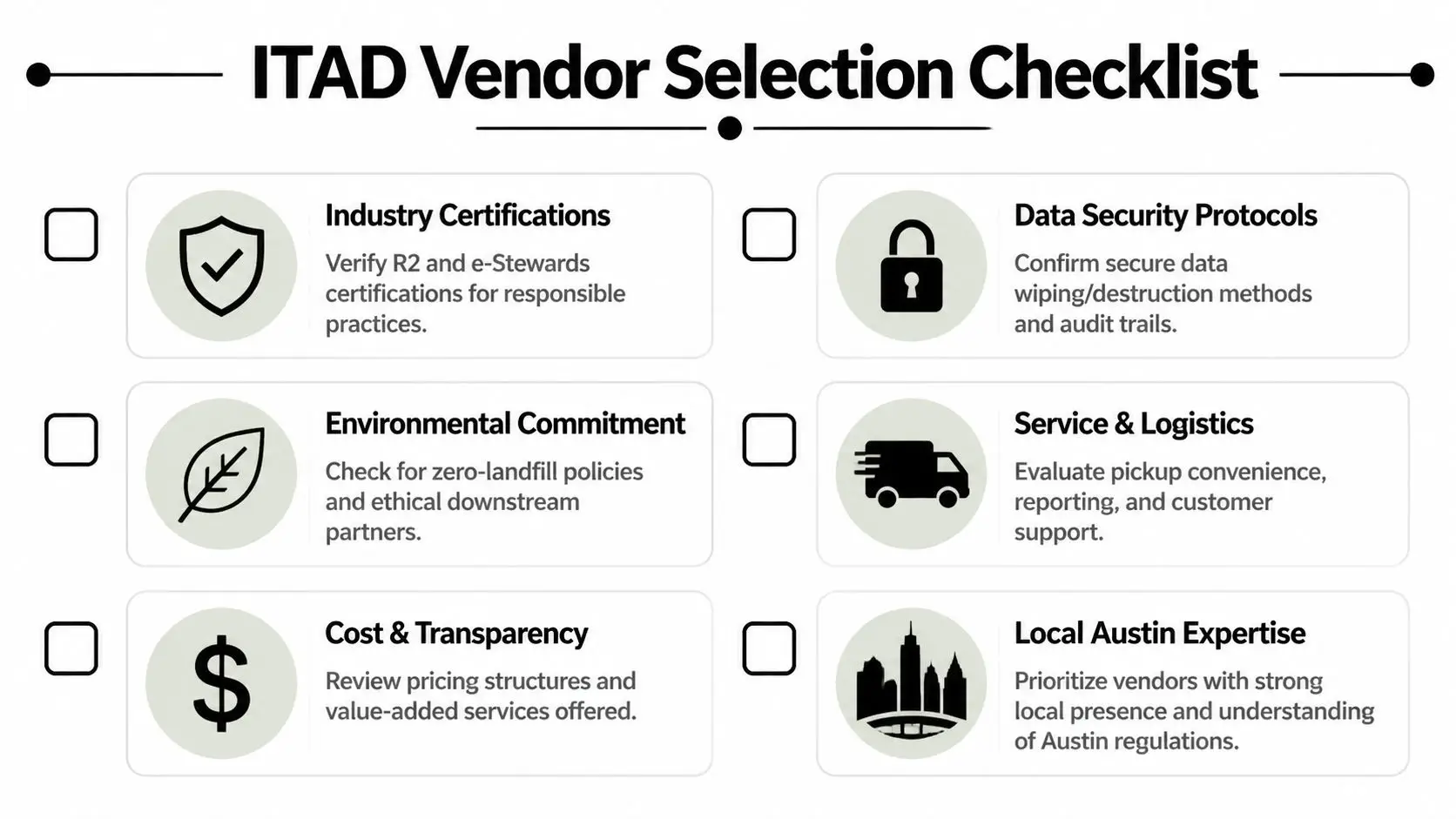
A good first screen is simple. If the vendor answers vaguely here, the rest of the process will likely be vague too.
- Recognized recycling standards: Ask whether the provider follows a recognized electronics recycling framework such as R2, or can clearly explain the controls they use for downstream handling.
- Documented data destruction: Confirm they can sanitize or physically destroy data-bearing devices and provide records that match your internal requirements.
- Chain of custody: Ask how assets are logged from pickup through processing, and where exceptions are recorded.
- Inventory-level reporting: Require reports detailed enough for IT, finance, and compliance to reconcile what left your office and how each item was handled.
Those four items work like the frame of a building. If the frame is weak, the polished sales deck does not matter.
Ask questions that expose process quality
A mature vendor should be able to explain its workflow in plain language. You should not have to translate marketing terms into operational meaning.
Use questions like these:
| Question | What a strong answer sounds like |
|---|---|
| How do you handle mixed loads | They explain how they separate data-bearing devices, reusable assets, and scrap material before final disposition |
| What records do you provide | They name inventory reports, chain-of-custody logs, and certificates tied to the actual pickup |
| What happens to reusable equipment | They describe testing, repair, resale, donation, or other approved downstream options |
| How do you manage pickups | They explain scheduling, onsite coordination, packing expectations, and who signs for transfer |
One more question is worth adding in Austin. Ask whether they understand local business needs, such as office cleanouts in downtown buildings, multi-site pickups across the metro area, and sustainability reporting tied to corporate Zero Waste goals. Local experience saves time because the vendor already knows the operational friction points.
Environmental handling deserves the same scrutiny as data security
Some IT teams treat environmental outcomes as a secondary issue. That is a mistake. Poor downstream practices can create legal, reputational, and procurement problems long after the equipment leaves your office.
Look for a provider that can explain:
- how reusable devices are evaluated before they are scrapped
- who receives end-of-life material downstream
- whether donation or community reuse is part of the model
- how they prevent working equipment from being treated as waste too early
Austin's context profoundly changes the decision. In a city that talks openly about reuse, diversion, and community benefit, the strongest vendor may be the one that handles retired equipment as an asset stream first and waste stream second. That approach can improve recovery value and produce a local social return at the same time.
Compare total cost, not just the pickup quote
A low line-item price can be misleading. If your staff has to sort devices twice, chase missing records, or explain gaps during an audit, the cheap option gets expensive fast.
A better review model looks at four forms of fit:
- Operational fit: Can the vendor support office closures, refresh cycles, remote asset returns, and recurring pickups?
- Security fit: Do they clearly distinguish wiping, shredding, and physical destruction by device type?
- Reporting fit: Will your compliance, finance, and sustainability teams get records they can use?
- Mission fit: Does their model support your company’s environmental standards and community commitments in Austin?
For many Austin companies, that last point is no longer abstract. Leadership teams increasingly want ITAD decisions to support both measurable ROI and visible local impact. A social enterprise model can do both. It can reduce disposal friction for IT, create reuse pathways for equipment with remaining life, and channel part of the project’s value back into the community.
If you need a practical due diligence framework, this guide on selecting a reliable e-waste recycling partner offers a useful checklist for comparing providers before you approve a contract.
The strongest ITAD vendor is the one whose process holds up under review from IT, legal, finance, and sustainability. In Austin, the best choice often does one more thing. It turns retired technology into documented business value and local community benefit.
Case Study A Local SaaS Company's ITAD Success
A mid-sized Austin SaaS company had a familiar problem. Over time, old laptops from remote hires, two rounds of monitor replacements, retired networking gear, and a handful of decommissioned servers had filled a storage room near the office expansion area. Nobody viewed it as urgent because the equipment was out of sight.
Then three departments needed that room back.

Before the project
The company’s IT manager had partial records, but not a clean retirement log. Some devices were tagged. Some weren’t. A few laptops were known to contain employee and customer-related data. Several servers had been pulled from service but never formally dispositioned. Facilities wanted everything gone quickly, while leadership wanted to avoid any security or compliance surprises.
The first useful decision was to stop thinking about the room as “old junk.” The team treated it as an ITAD project. That changed the workflow immediately.
What the team did differently
They started with a basic internal inventory and grouped assets into three categories: data-bearing, non-data-bearing, and equipment needing review. That simple sort exposed the central issue. The risk wasn’t the volume of equipment. The risk was uncertainty.
From there, they arranged a managed pickup, required chain-of-custody documentation, and designated destruction for the storage media and other assets that shouldn’t be reused. Reusable equipment was separated for appropriate evaluation rather than sent straight into a shred stream.
A few business benefits became obvious right away:
- Employee time was protected: The IT team wasn’t stuck running an improvised disposal event.
- Storage space was recovered: Facilities got the room back for active business use.
- Audit posture improved: The company ended with documentation instead of a verbal memory of what happened.
- ESG reporting became stronger: The sustainability team could reference a documented recycling and reuse effort rather than a vague cleanup.
Why this kind of result matters
The company didn’t treat recycling as a side chore. It treated end-of-life technology as part of governance. That’s the shift many Austin businesses need.
For software companies especially, retired hardware often holds more than files. It may contain customer data, internal product information, deployment credentials, employee records, and development artifacts. A proper recycling process reduces exposure while also creating a cleaner handoff between IT, finance, compliance, and facilities.
The community side matters too. When equipment is evaluated for reuse before final recycling, a company can support broader digital inclusion goals instead of assuming every retired device belongs in a scrap pile. That’s where a social enterprise approach to electronics recycling can create a more complete return, one that shows up in operational discipline, environmental stewardship, and local community benefit.
Partner with Reworx for Your Austin E-Waste Needs
Austin businesses don’t need to choose between speed, compliance, and sustainability. A well-run ITAD program can support all three. The right process protects data, clears space, creates reliable documentation, and keeps electronics moving through responsible reuse and recycling channels.
That’s why Business Computer Recycling Services in Austin should be treated as a strategic function. If your company is planning a laptop refresh, office cleanout, facility cleanout, data center decommissioning, medical equipment disposal project, or routine IT equipment disposal workflow, the quality of your recycling partner affects much more than pickup logistics.
Reworx Recycling fits this need especially well because it combines secure handling with a donation-based recycling and social enterprise recycling model. For organizations that care about both risk reduction and community impact, that’s a meaningful advantage. Instead of viewing every retired asset as waste, Reworx helps businesses pursue sustainable recycling, secure data destruction, responsible IT asset disposition, and technology donation pathways that can support digital inclusion and community benefit.
If your Austin organization wants a more disciplined process for electronics recycling, computer recycling, laptop disposal, product destruction, or corporate donation programs, now’s a good time to act before old equipment becomes a storage and security problem.
If you're ready to retire old business equipment responsibly, explore the resources from Reworx Recycling, then take the next step by scheduling a pickup, planning a secure data destruction workflow, or building a long-term donation-based recycling partnership that supports both your business and the broader community.


















