
Old laptops rarely leave a Houston office all at once. They accumulate. A few get stacked in an IT room after a hardware refresh. A handful sit in a facilities closet after an office move. Others stay with former employees’ equipment until someone finally brings them back and drops them near a shelf labeled “old tech.”
That pile looks harmless. It isn’t.
For a business manager, those machines create a messy intersection of data security, compliance, storage, sustainability, and cost recovery. Some still have value. Some should be donated. Some belong in a certified recycling stream. Some should never leave your control until the drives are physically destroyed and documented. What businesses should do with old laptops in Houston depends less on the devices themselves and more on the level of risk attached to them.
Houston companies also operate in a market where the stakes are unusually practical. Healthcare organizations, energy companies, manufacturers, schools, contractors, and public agencies all cycle through large volumes of endpoint equipment. A retired laptop may contain patient information, bid documents, engineering files, HR records, or credentials tied to cloud systems. Treating laptop disposal like a janitorial task is how expensive mistakes start.
The Unseen Challenge in Every Houston Office
The familiar version of this problem starts with a simple question from leadership: “Can we clear out those old laptops this month?”
Then the critical questions begin. Has anyone confirmed what data is still on them? Were they removed from the asset list? Are the batteries safe to store? Should the company sell them, donate them, recycle them, or hold them until legal or compliance signs off? If a team member takes them to a public drop-off, who documents chain of custody?
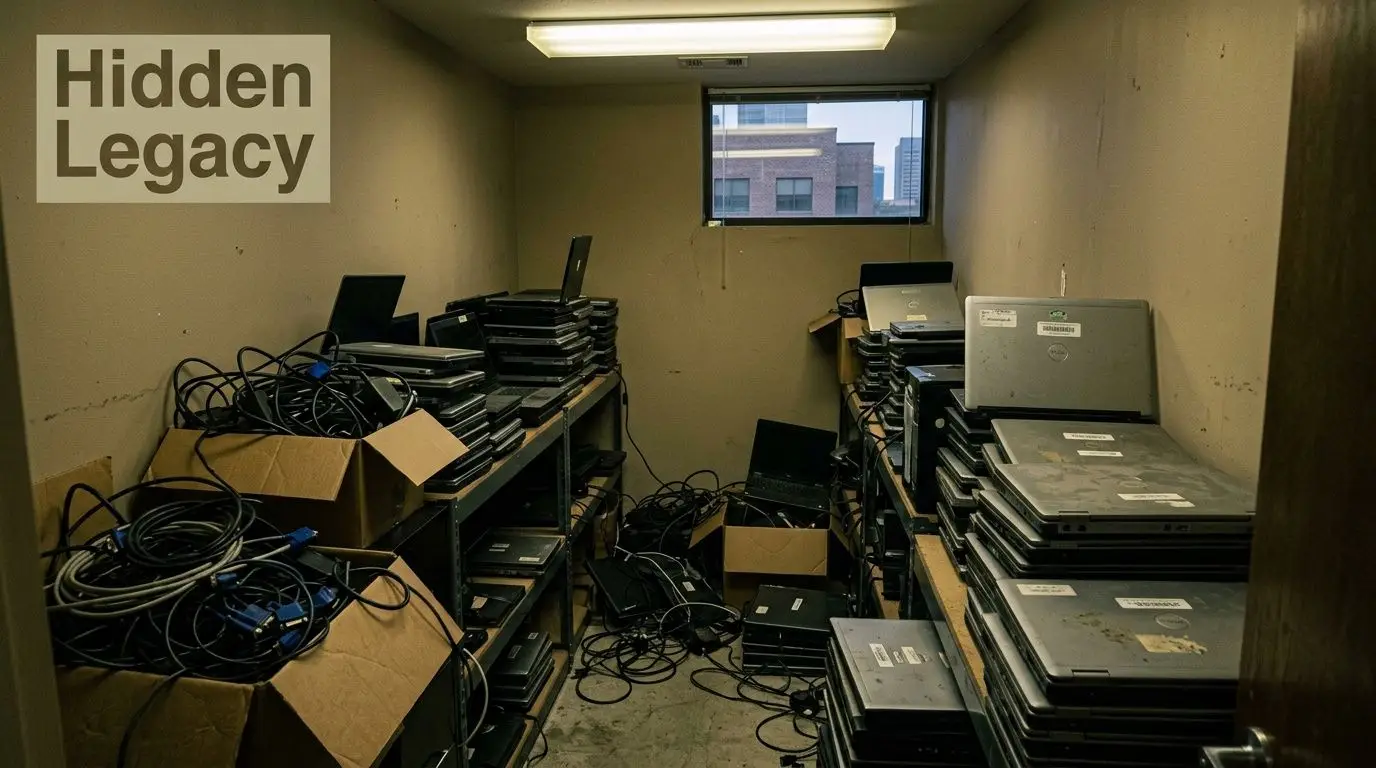
In Houston, this shows up everywhere from Downtown offices to industrial sites west of Beltway 8. The storage room becomes a holding zone for uncertainty. IT wants the devices out. Finance wants to know whether there’s any recoverable value. Compliance wants proof the data is gone. Sustainability wants to avoid landfill disposal. Facilities wants the room back.
Why these laptops sit longer than they should
Most businesses don’t delay because they don’t care. They delay because every disposal path comes with trade-offs.
- Security risk: A laptop can look retired while still containing business data.
- Process risk: Ad hoc handling usually means weak documentation.
- Value risk: Newer devices may have resale value, but only if they’re processed correctly.
- Environmental risk: Standard trash disposal isn’t an acceptable path for business electronics.
- Operational drag: Old equipment takes up space and keeps generating follow-up work.
Old laptops aren’t clutter. They’re unmanaged assets waiting to become either a recovered value stream or a liability.
The hidden split between cleanup and strategy
In this situation, many teams make the wrong move. They frame the issue as office cleanup when it’s really an asset disposition decision. That distinction matters.
A cleanup mindset asks, “How do we get rid of this pile fast?”
A business mindset asks, “Which devices can be reused, which require secure destruction, and which path gives us defensible records?”
That’s the right frame for Houston businesses. The old laptops in your office aren’t just dead hardware. They represent risk if ignored, and opportunity if handled with a controlled process.
Why Laptop Disposal Is a Critical Business Decision
Improper laptop disposal creates business exposure long before anyone talks about recycling. The first issue is almost always data. If a device leaves your control without documented sanitization or destruction, you’re trusting that prior user resets, partial wiping, or good intentions were enough. They usually aren’t.
Houston companies in healthcare, energy, legal services, education, and government contracting have a clear reason to treat retired laptops as sensitive assets. Some devices hold regulated information. Others hold commercial intelligence that matters just as much, even if no law names it directly.
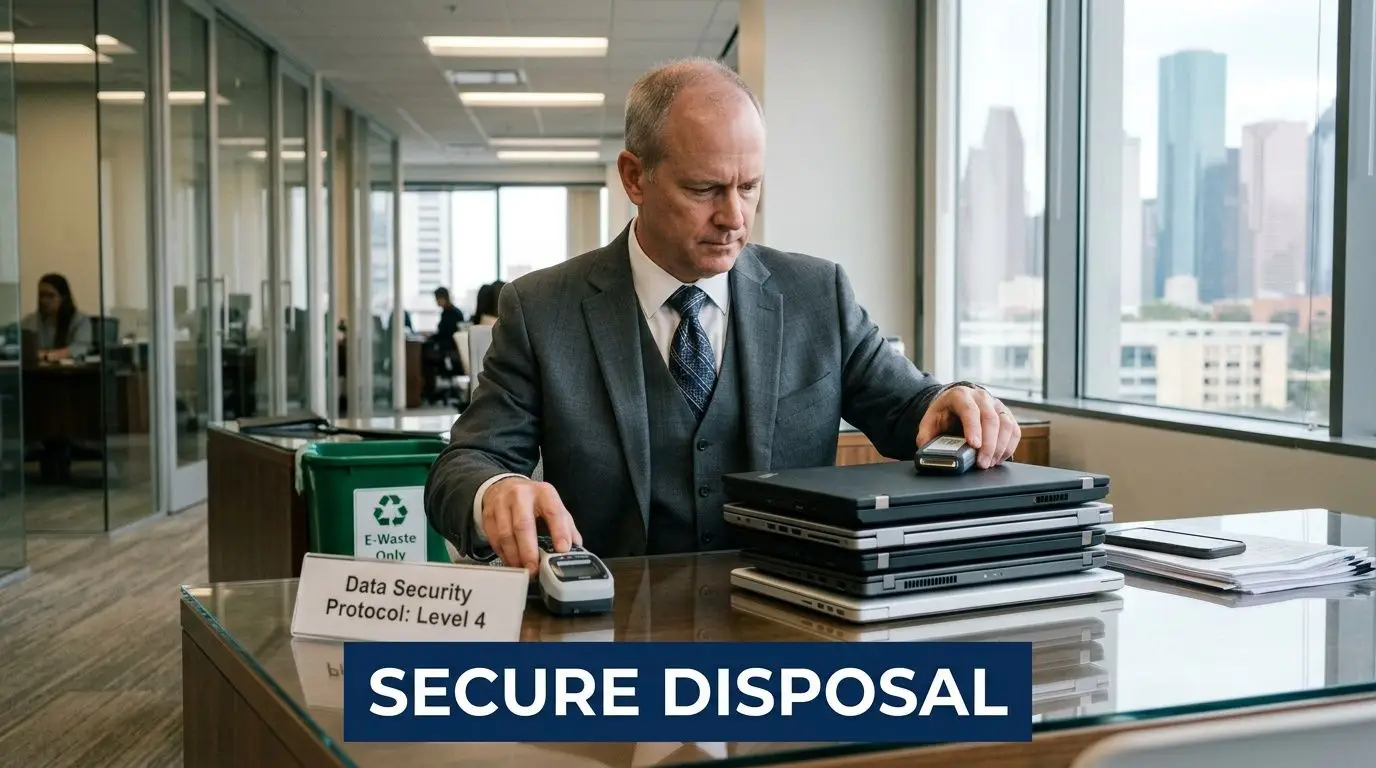
Data destruction is no longer a soft control
Recent compliance pressure has made retired endpoints part of the audit conversation. According to this technology refresh overview, Texas HB 223 and CMMC 2.0 have raised the importance of chain-of-custody controls for retired laptops. The same source notes that a 2025 NIST study found 30% of “wiped” drives remained recoverable, which is why physical shredding is often favored for 99.9% security. It also notes a projection that 25% of ITAD audits will fail without certified processes.
That matters because many businesses still rely on weak internal methods:
- a factory reset
- an unverified software wipe
- a local drop-off with no destruction certificate
- a resale decision made before the device is sanitized and documented
If your team needs records that stand up to an audit, a generic recycling event is not the same as a managed data disposition process. That’s why businesses often turn to providers offering secure data destruction services as part of laptop retirement.
Houston businesses face industry-specific exposure
A medical office tied to the Texas Medical Center has one set of concerns. A contractor serving industrial or federal clients has another. An energy company may care less about public-facing privacy law and more about protecting engineering files, maps, pricing, procurement records, or field data.
The common issue is simple. Retired laptops often retain data that still matters after the machine stops being useful.
Practical rule: If the laptop once accessed email, cloud storage, internal systems, or regulated files, assume it needs a documented disposition process.
Reputation damage often starts with ordinary operational shortcuts
Very few disposal problems begin with malicious intent. They begin with haste. Someone loads retired laptops into a vehicle. Someone assumes the prior user cleaned the machine. Someone confuses “recycling accepted” with “business-grade chain of custody provided.”
That’s why laptop disposal belongs with risk management, not just facilities. The right decision protects the business on three fronts at once:
| Business concern | Poor disposal outcome | Better disposal outcome |
|---|---|---|
| Security | Unverified data removal | Documented sanitization or shredding |
| Compliance | Gaps in chain of custody | Audit-ready records |
| Brand trust | Preventable exposure | Responsible and defensible handling |
For Houston managers, this isn’t about being overly cautious. It’s about recognizing that old laptops are one of the easiest places for a company to create avoidable risk.
Evaluating Your Four Paths for Retiring Laptops
A Houston office manager usually sees the same scene at some point. Twenty or fifty retired laptops are stacked in a storage room, finance wants them off the books, operations wants the space back, and nobody wants to be the person who chooses the wrong exit path.
That decision deserves more scrutiny than it usually gets. The lowest-friction option is not always the lowest-cost option once you account for staff time, missed resale value, weak documentation, and the consequences of poor data handling.
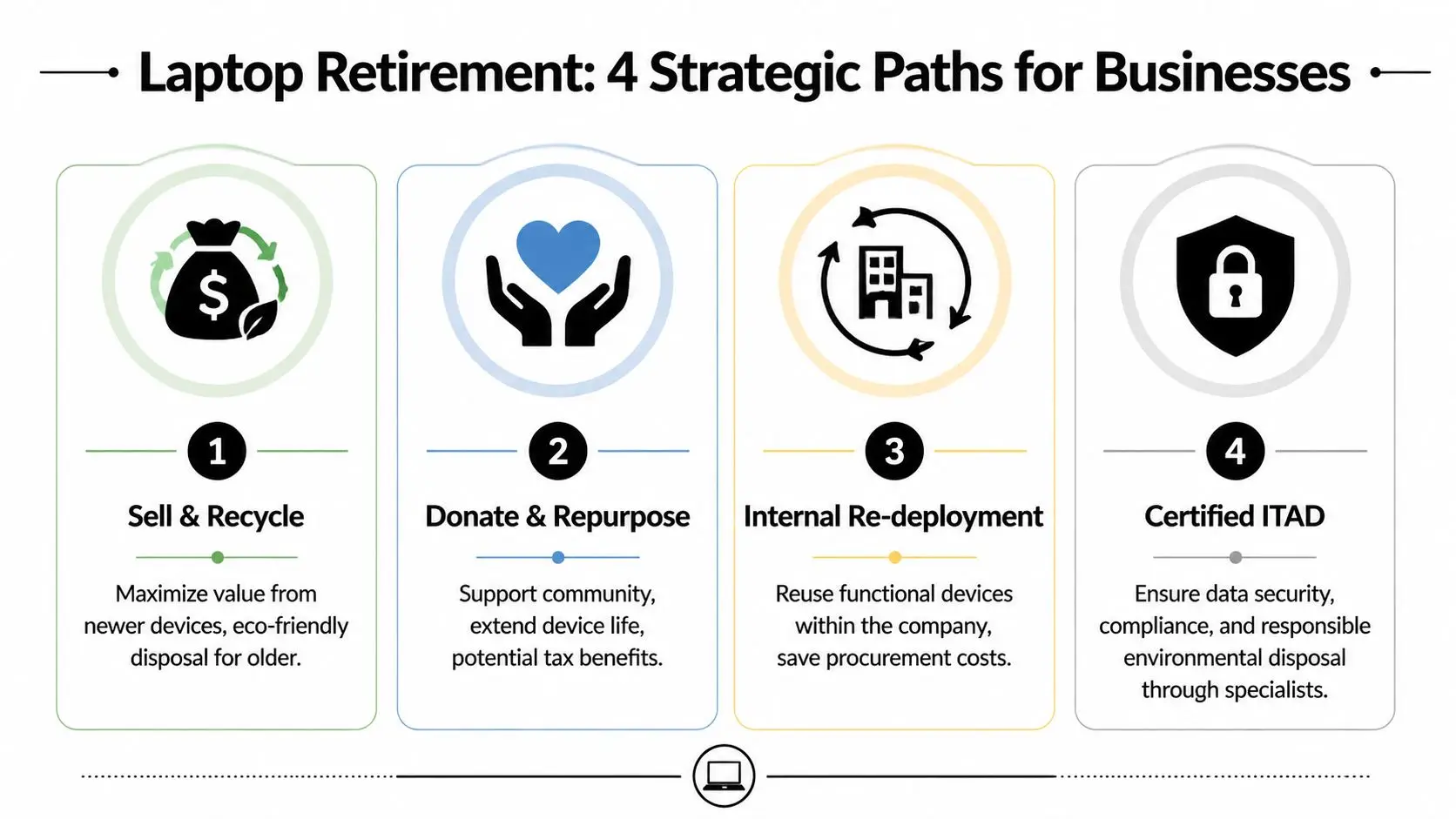
Path one: resale
Resale fits newer laptops that still have market demand. If a unit is current enough, powers on reliably, and has decent cosmetic condition, resale can return meaningful value.
The trade-off is labor. Someone has to inventory the device, confirm condition, verify data sanitization, and decide whether the expected resale proceeds justify the handling time. For a batch of recent business-class laptops, that math often works. For aging mixed inventory, it often does not.
Resale is strongest when the devices are consistent, the asset records are clean, and the chain of custody is controlled from pickup through final sale.
Path two: donation
Donation is a practical option for working laptops that still have useful life but limited resale upside. It keeps hardware in service longer and can create visible community benefit when the devices go through an organized reuse program. For companies that want a social impact outcome, programs that let them donate a laptop can turn retired equipment into something more useful than scrap.
There is still a hard requirement here. Donated devices need the same disciplined data handling you would expect for resale or destruction. A laptop is ready for donation only after the business can verify that data was removed and the transfer was documented.
For Houston companies, this path has one advantage that finance teams sometimes miss. A social enterprise partner can extend the value discussion beyond recovery dollars and into workforce access, digital inclusion, and local community benefit.
Path three: basic recycling
Basic recycling makes sense for units that are obsolete, damaged, incomplete, or too old to justify resale prep. It is better than long-term storage and far better than informal disposal.
The limitation is documentation. Many low-cost or free recycling options are built for convenience, not for audit pressure. Some are perfectly acceptable for low-risk hardware. Some are not a fit for a business that needs serialized tracking, documented custody, or proof of data destruction.
That is where the hidden cost of "free" starts to show up. If your team has to sort, transport, chase records, or accept limited reporting, the option was never genuinely free. It merely shifted cost and risk back to your staff.
Path four: managed ITAD
IT asset disposition, or ITAD, is the controlled path for companies that need security, reporting, and value recovery to work together. It covers inventory, logistics, data sanitization or destruction, downstream routing, and disposition records.
This path usually fits best when:
- laptops came from multiple departments or remote users
- regulated, confidential, or contract-sensitive data may be present
- finance wants recovery reporting
- compliance or legal teams may ask for documentation later
- sustainability reporting matters to the business
Managed ITAD costs more upfront than a casual haul-away option. In practice, it often costs less than handling the work internally, especially once you price in labor, inconsistent process, and weak recovery outcomes.
A side-by-side decision view
| Path | Security | Value recovery | Compliance support | Environmental outcome |
|---|---|---|---|---|
| Resale | Strong if the process is controlled | Often highest on newer units | Moderate to strong with records | Good if devices stay in use |
| Donation | Strong after verified sanitization | Indirect value through community impact | Moderate to strong with records | Very good through life extension |
| Basic recycling | Depends on provider and documentation | Low | Limited to moderate | Strong if processed correctly |
| Managed ITAD | Highest overall control | Balanced across resale, donation, and scrap recovery | Strongest | Strong |
What works in practice
The best approach is usually a split strategy, not a single outlet for every laptop. High-value units go to resale. Working lower-value devices go to donation. Broken or obsolete hardware goes to recycling. Audit-sensitive assets go through a managed ITAD process with documented handling.
That framework helps Houston businesses make a better decision for each asset class. It also exposes a common mistake. Companies compare options by pickup price alone, when the better comparison is total outcome: security, staff time, records, resale return, and whether the partner creates any real social value after the device leaves your building.
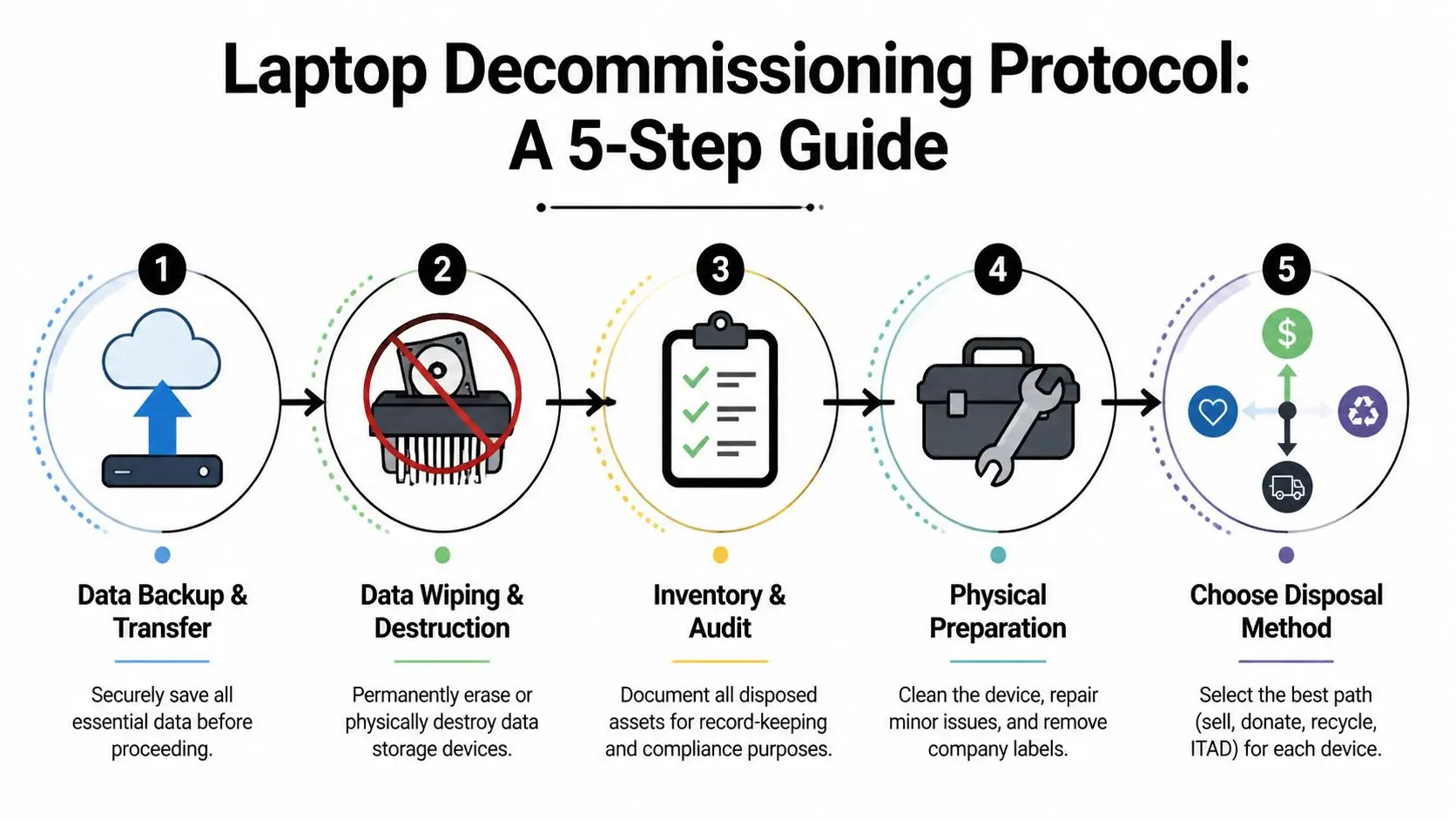
Your Step-by-Step Laptop Decommissioning Protocol
A clean laptop exit starts before pickup day. The businesses that avoid problems treat decommissioning as a controlled workflow, not a one-time haul-away event.
Start with asset control
Build an inventory before anyone touches the pile. Record the manufacturer, model, serial number, assigned user if known, physical condition, and intended disposition path. If accessories matter to resale or internal accounting, note those too.
This is the point where many internal efforts break down. Teams start boxing devices before they know what they have. That creates confusion later when finance asks what was recovered, compliance asks what was destroyed, or operations asks which unit belonged to which employee.
A simple checklist helps:
- Identify each device: Use serial numbers and asset tags where available.
- Flag sensitive assets: Separate executive, finance, HR, legal, healthcare, and contractor laptops for tighter handling.
- Assign a status: Redeploy, resell, donate, recycle, or destroy.
- Freeze casual handling: Once a device enters the disposition list, it shouldn’t move informally from desk to desk.
Secure the data before you move the hardware
Back up anything that the business still needs. Then decide whether the device requires software sanitization, physical drive destruction, or both.
For managers who need the plain-English version, NIST-style sanitization means you need a repeatable method for making data unrecoverable, not just deleted. If the device carries increased risk, physical destruction is often the safer choice. If your team wants a basic primer before speaking with an ITAD provider, this overview on wiping a hard drive is useful for understanding the difference between deletion and verified erasure.
If you can’t prove how the data was removed, assume you can’t defend the process later.
Prepare the hardware correctly
Professional facilities don’t just grind mixed electronics. According to this Houston electronics recycling overview, ITAD operators first remove lithium-ion batteries to prevent fire risk, then extract storage media for NSA-level sanitization and shredding to under 2mm. The same source says these facilities can segregate over 28 rare earth elements, reduce e-waste landfill volume by 85%, and that recycling aluminum saves 95% of the energy required for virgin aluminum.
That tells you two things. First, laptop retirement is a technical process. Second, there’s no good reason for businesses to treat these devices like general office junk.
Use a practical handoff protocol
Once the devices are inventoried and approved for disposition, handoff should be deliberate.
Package and stage by category
Keep resale candidates separate from destruction-only units. Don’t mix loose equipment if you want clean reporting later.Transfer custody to a named party
Whether internal or external, one person should sign off on each movement of assets.Request final documentation
Ask for destruction records, asset summaries, and any downstream disposition detail your organization needs.Close the loop internally
Remove retired laptops from asset registers, user assignment lists, and support inventories after confirmation of final disposition.
Business managers demonstrate their value effectively. You don’t need to dismantle hardware yourself. You do need to insist on a process that is documented, reviewable, and hard to improvise badly.
Calculating the True ROI of Laptop Disposition
The most common budgeting mistake is comparing options only by pickup or drop-off cost. That’s too narrow. Instead, the financial question is what the business gains, avoids, and documents through each path.

Free is sometimes expensive
A “free” option sounds efficient until you account for labor, sorting time, internal transport, missing records, and the risk of weak data controls. Cheap disposal becomes costly when your team spends hours identifying assets after the fact or when a compliance question surfaces and nobody can produce a certificate.
A more complete view of ROI includes:
- recovered value from resale or buyback
- avoided cost from secure handling
- reduced internal labor
- defensible compliance documentation
- sustainability and community impact
Value recovery is real, but only for the right assets
For Houston SMBs, a cost-benefit view looks very different when certified remarketing is on the table. According to this discussion of Houston donation and recycling economics, a 2025 IDC study found SMBs can recover 20% to 40% of a laptop’s original value via certified resale. The same source says “free” options without destruction certificates can expose businesses to breach risk, and cites the 2025 IBM average breach cost of $4.45 million per incident.
That doesn’t mean every old laptop should be sold. It means businesses should stop assuming recycling is the only outcome. A mixed batch often includes a smaller group of devices worth monetizing and a larger group better suited for donation or recycling.
For firms that want to test value recovery on newer equipment, services centered on recycling laptops for cash can help frame the economics before the devices lose further market life.
Financial takeaway: The right benchmark isn’t “What does pickup cost?” It’s “What does this disposition method return after risk, labor, and recoverable value are considered?”
Social impact can be part of ROI too
There’s also a second layer that many Houston businesses now care about. If a portion of the retired fleet can be prepared for donation, the organization gets more than warehouse space back. It creates a cleaner sustainability story and a clearer community outcome.
That matters for internal reporting and external reputation. Businesses increasingly want their electronics recycling and laptop disposal programs to do more than just move scrap. They want the process to align with digital inclusion goals, donation-based recycling, and community benefit when the equipment is fit for that path.
A practical ROI scorecard
| ROI factor | Basic free drop-off | Managed certified disposition |
|---|---|---|
| Immediate out-of-pocket cost | Lower | May be higher depending on scope |
| Internal time required | Often higher than expected | Usually lower and more structured |
| Resale recovery | Usually limited | More likely to be captured |
| Audit readiness | Often weak | Stronger |
| Breach risk control | Variable | Stronger |
| Community benefit potential | Variable | Strong if donation is built in |
The businesses that handle old laptops well don’t chase the lowest visible fee. They choose the option that produces the strongest total outcome.
How to Select the Right ITAD Partner in Houston
A Houston office manager gets three replies after asking for help with 120 retired laptops. One vendor offers free pickup. One asks for an asset list, drive requirements, and building access details. One says they can “recycle anything” but cannot explain what paperwork comes after pickup.
That difference matters more than the quoted price.
Houston has no shortage of companies willing to take old electronics. The hard part is finding a partner that can protect data, document custody, recover value where appropriate, and process the remaining equipment responsibly. A free haul-away can still become the expensive option if your team has to sort devices, chase records, or explain gaps during an audit.
Required vetting questions
Start with the operating process, not the sales pitch.
What standards do you follow, and how do they show up in daily operations?
A credible ITAD provider should explain intake controls, device tracking, data sanitization or destruction methods, downstream handling, and exception procedures. General claims about recycling are not enough. Ask how laptops are logged, who has access after pickup, and what happens to units that still have resale or donation potential.
Specific answers usually indicate a controlled process. Vague answers usually mean the provider is acting as a collector first and figuring out the rest later.
What records will we receive after pickup?
Ask this early. If the provider cannot clearly describe asset reports, certificates of data destruction, and chain-of-custody documentation, you are relying on trust where records should exist.
For a Houston business manager, that is the dividing line between a recycler and an ITAD partner.
How do you handle drives, batteries, and damaged units?
Laptop projects get messy fast. Some units are intact. Some have swollen batteries. Some are missing drives. Some should be wiped and remarketed. Others should be physically destroyed. The provider should be able to explain those paths without hesitation.
If they treat every laptop the same, they will either destroy value unnecessarily or create avoidable risk.
What to verify before you sign
Use a short screening checklist and insist on direct answers:
- Chain of custody: How is each handoff recorded from pickup through final disposition?
- Data destruction options: Do they offer sanitization and physical destruction, and when do they recommend each?
- Reporting: Will IT, finance, and compliance get records they can use?
- Project fit: Can they support your volume, building constraints, and pickup timeline?
- Downstream control: Do they know where equipment goes after intake, including reuse, donation, and recycling channels?
Hidden costs surface at this stage. A provider with a lower visible fee may require more staff time from your team, produce weaker records, and leave reusable equipment value uncaptured.
Social enterprise can be a smart selection criterion
Security and documentation come first. After that, community impact is a valid business filter.
Some Houston companies want retired laptops handled in a way that supports digital access, workforce development, or donation programs when devices are still fit for use. That approach can serve ESG reporting, employee communications, and local community goals, but only if the operational controls are real. A social mission does not replace chain of custody, data handling discipline, or clear reporting.
One example is secure IT asset disposition services in Houston for businesses, which presents business pickup, secure processing, and responsible downstream management within a social enterprise model. For some organizations, that combination is a better fit than a standard recycler because it ties risk control to a visible local benefit.
Match the provider to your actual environment
A law firm, manufacturer, clinic, and school district retire laptops for different reasons and under different constraints. The right partner should ask about device count, user data, building access, timing, internal approval steps, and whether some units should be remarketed, donated, or destroyed.
That is usually the clearest signal of competence. A serious ITAD provider scopes the work before quoting it. A generic hauler quotes first and works out the details later.
Conclusion Turning Houston's E-Waste into Community Opportunity
The pile of old laptops in a Houston office usually looks like a disposal problem. It’s more accurate to call it a decision problem.
Each retired device forces the same set of questions. Is there residual data? Does the company need destruction records? Is the laptop still usable enough for resale or donation? Should the organization prioritize value recovery, secure data destruction, sustainability, or all three? Good businesses don’t guess their way through those questions. They create a repeatable path for answering them.
The strongest approach is rarely the fastest casual option. It’s the method that sorts assets correctly, protects data, documents handoffs, and routes equipment into the right outcome. Some units should be remarketed. Some should be donated through a structured program. Others belong in certified recycling after secure processing. High-risk machines need tighter controls and clearer records.
Houston businesses also have a useful policy backdrop. Texas has enforced manufacturer take-back laws for computers for over two decades through the Texas Recycles Computers Program overseen by the TCEQ, requiring manufacturers to provide free recycling for covered equipment, as described by the City of Houston’s e-waste guidance. That framework gives companies another path for end-of-life management when manufacturer programs fit the asset mix.
Still, manufacturer take-back is only one tool. It doesn’t replace a business decision framework. It doesn’t sort by data risk, resale potential, donation suitability, or audit requirements. That’s the part your team still has to manage.
What businesses should do with old laptops in Houston comes down to four principles:
- Treat every retired laptop as a data-bearing asset first
- Sort devices by risk and remaining value
- Use documented chain of custody, not ad hoc disposal
- Choose a path that supports both environmental responsibility and operational reality
When you apply those principles, old laptops stop being dead inventory. They become recoverable value, cleaner records, safer operations, and in some cases a community resource.
If your organization is clearing storage rooms, planning an office cleanout, rotating employee laptops, or building a more defensible IT asset disposition process, Reworx Recycling is one option to consider for donation-based electronics recycling, secure data destruction, equipment pickup scheduling, and responsible IT equipment disposal that supports both environmental goals and community impact.


















