

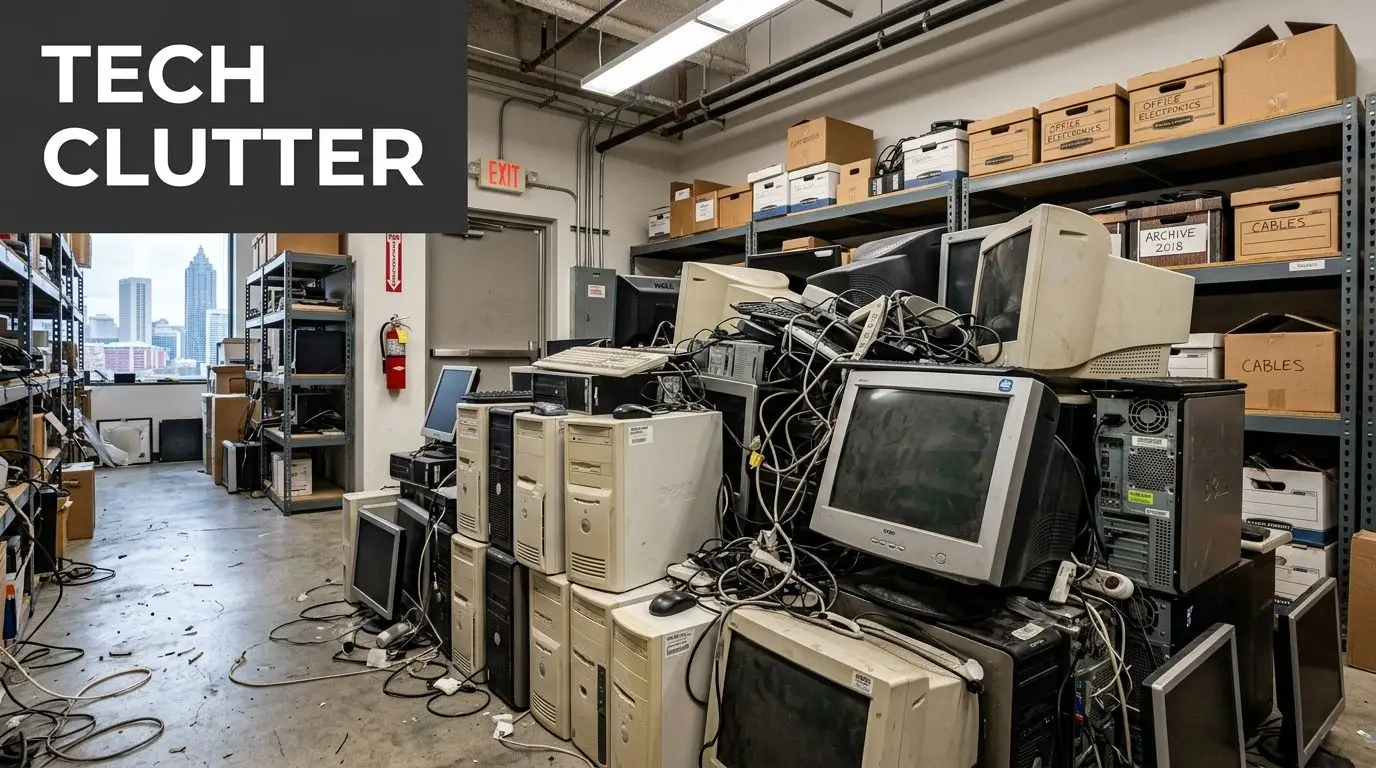
A lot of Atlanta offices have the same problem hiding in plain sight. It starts with a laptop refresh, then a department move, then a server replacement, and suddenly there's a locked closet full of retired desktops, cracked monitors, docking stations, and hard drives nobody wants to touch.
At first, it feels like a storage problem. It isn't. It's a business process problem involving security, compliance, value recovery, and brand risk. If you're a facilities manager, IT lead, operations director, or business owner, the question isn't just how to clear space. It's what businesses in Atlanta should do with old computers without creating a bigger problem on the way out.
The Growing Pile of Old Tech in Your Atlanta Office
In Atlanta, this issue shows up everywhere. A logistics company in South Fulton upgrades dispatch workstations. A law firm in Buckhead replaces partner laptops. A healthcare-adjacent office near Midtown swaps out aging desktops that can no longer keep up with current software. The old devices don't leave the building right away. They collect.
That pile usually contains more than computers. It includes backup drives, tablets, printers, network gear, phones, and equipment with labels still tied to users, departments, and locations. Once assets are out of daily use, control starts to weaken. That's where avoidable mistakes happen.
Why old computers become a business issue
Retired equipment sits in a gray zone. Finance may think it's fully depreciated. IT may consider it inactive. Facilities may be told to hold it until someone decides what to do. In that gap, nobody owns the final step.
That's risky for two reasons. First, old machines still hold data unless someone has documented wiping or destruction. Second, many companies underestimate the environmental side of disposal until they need proof of where the material went.
The wider context matters. The WHO fact sheet on electronic waste) says 62 million tonnes of e-waste were produced worldwide in 2022, and only 22.3% was documented as formally collected and recycled. For an Atlanta business, that means the disposal channel matters as much as the disposal decision.
Practical rule: If a device once connected to your network, stored files, or belonged to an employee, treat it like a governed asset until final disposition is documented.
What gets missed when companies delay action
The usual reasons for delay sound reasonable. Teams are busy. A move is coming. The office cleanout isn't scheduled yet. Nobody knows whether the old units should be sold, donated, or recycled. But delay creates friction and strips value out of the process.
A practical review usually finds hidden issues like these:
- Untracked devices: A desktop may be tagged as retired, but its serial number was never logged for disposition.
- Mixed asset condition: Some machines still have resale value, while others are only suitable for certified recycling.
- Loose media handling: External drives and old server drives are often stored separately, which breaks chain of custody.
- Space pressure: Closets, cage areas, and back offices end up functioning as unmanaged e-waste storage.
Atlanta companies that handle this well don't treat disposal as a cleanup day task. They treat it as part of lifecycle management. That's the difference between a rushed haul-off and a controlled IT asset disposition process that protects the business.
Understanding the Risks of Improper Computer Disposal
Improper disposal isn't just careless. It's expensive in ways most companies don't model clearly enough.
Keeping old machines around too long already carries an operating cost. Microsoft research on older PCs found that old computers cost businesses over US$2,736 each in operational inefficiencies. The more serious blind spot is what happens during retirement. If data-bearing devices leave the building without secure handling, the exposure can exceed the savings a company thought it was getting by cutting corners.
Data risk doesn't end when a computer is unplugged
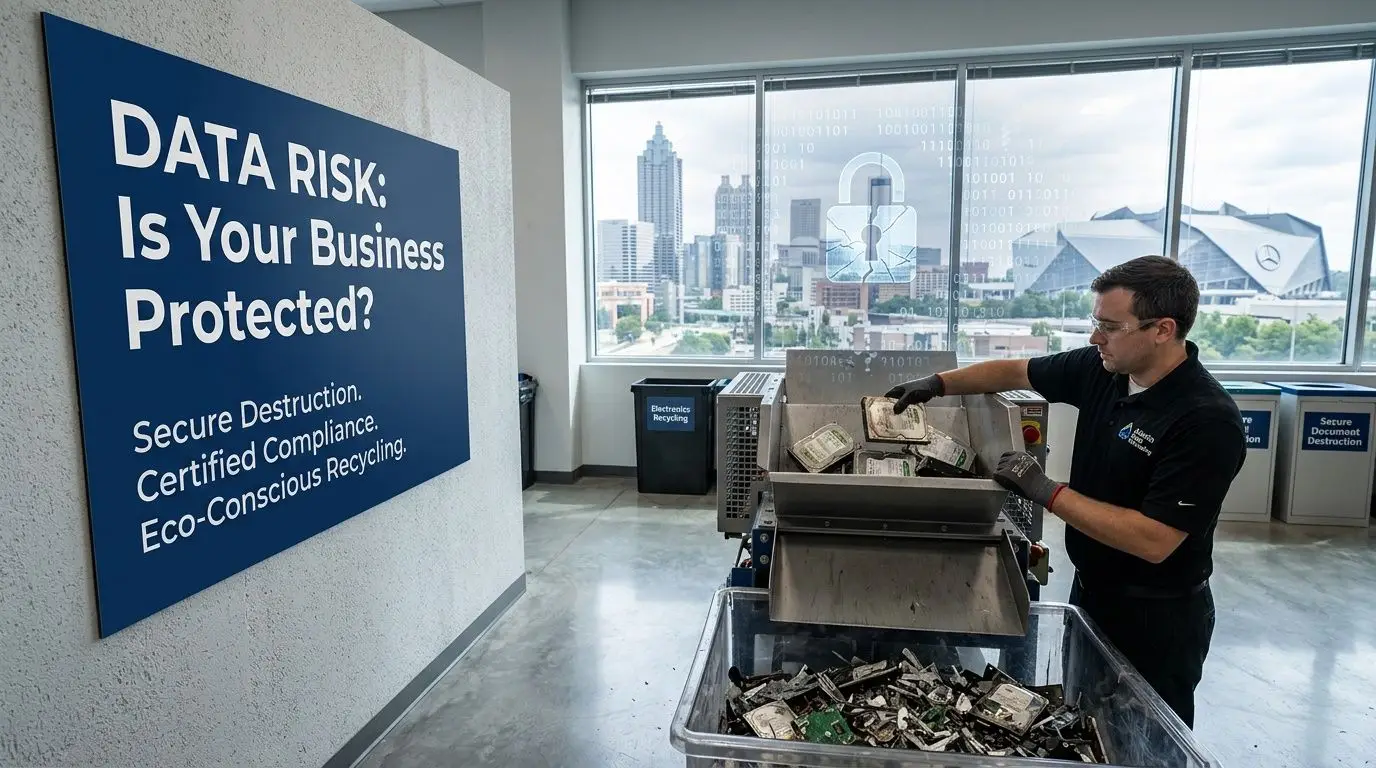
A retired laptop can still contain customer files, saved credentials, browser data, archived emails, contracts, and synced cloud folders. A desktop used by accounting or HR can carry years of sensitive records. Server drives are an even more obvious concern, yet many organizations still focus on removing equipment fast instead of controlling media destruction properly.
Deleting files isn't enough. Sending assets to a generic junk hauler isn't enough. Dropping devices into an informal recycling stream definitely isn't enough.
The right question is simple: can you prove what happened to each data-bearing asset?
If the answer is no, your process is weak.
The wrong vendor creates two problems at once
A non-certified handler creates risk on both sides of the equation. Data may not be sanitized or destroyed to a defensible standard, and hazardous components may move through downstream channels you can't verify.
That matters for regulated businesses, but it also matters for ordinary commercial offices. If your company ever has to answer where a batch of retired computers went, vague assurances won't help. You need records, chain of custody, and a repeatable process.
For a deeper breakdown of those issues, Reworx has a useful guide on the environmental and legal impacts of improper commercial e-waste disposal.
Old equipment isn't harmless inventory. It's a mix of recoverable value, regulated material, and potential liability.
Brand damage starts before a formal incident
Most leaders think about disposal risk only in terms of a major breach or legal event. In practice, reputation damage often starts earlier. Clients ask better questions now. Procurement teams ask how vendors handle data and end-of-life equipment. Sustainability reporting has made waste streams more visible inside organizations too.
That means old computers touch more than IT.
- Facilities teams need documented pickups, safe staging, and clear points of contact.
- IT teams need confidence that sanitization or destruction happened correctly.
- Compliance and legal teams need records that stand up under review.
- Leadership teams need to avoid messy disposal stories that undermine trust.
What works and what doesn't
A few patterns show up repeatedly.
What works:
- Using a documented chain of custody: Every asset moves through a logged process from collection to final outcome.
- Separating data-bearing devices from general scrap: Drives, servers, and storage media need tighter controls.
- Requiring destruction or sanitization records: If there's no paper trail, there's no defensible outcome.
What doesn't:
- Holding equipment indefinitely: Storage rooms become unmanaged risk zones.
- Mixing disposal methods casually: Some devices get donated, others get scrapped, and nobody tracks the split.
- Choosing on price alone: The cheapest pickup often leaves the hardest compliance questions unanswered.
Businesses in Atlanta usually don't need more warnings. They need a disposal process that removes ambiguity.
Creating Your Internal IT Asset Disposition Plan
The companies that handle old computers cleanly have one thing in common. They decide the process before the next refresh happens.
An internal IT asset disposition plan turns a reactive cleanup into a governed workflow. It doesn't have to be complicated, but it does need clear ownership, documented steps, and a disposition path for each class of equipment.
Start with lifecycle timing
Retirement planning often begins later than is commonly realized. The Texas Department of Information Resources PC lifecycle guidance recommends PC replacement cycles of 5–6 years. That kind of schedule helps companies budget predictably and avoid the support headaches that show up when hardware stays in service too long.
A lifecycle policy also solves a common Atlanta office problem. Instead of waiting until a move, merger, or audit forces action, you can forecast when assets will exit service and prepare the disposition stream in advance.
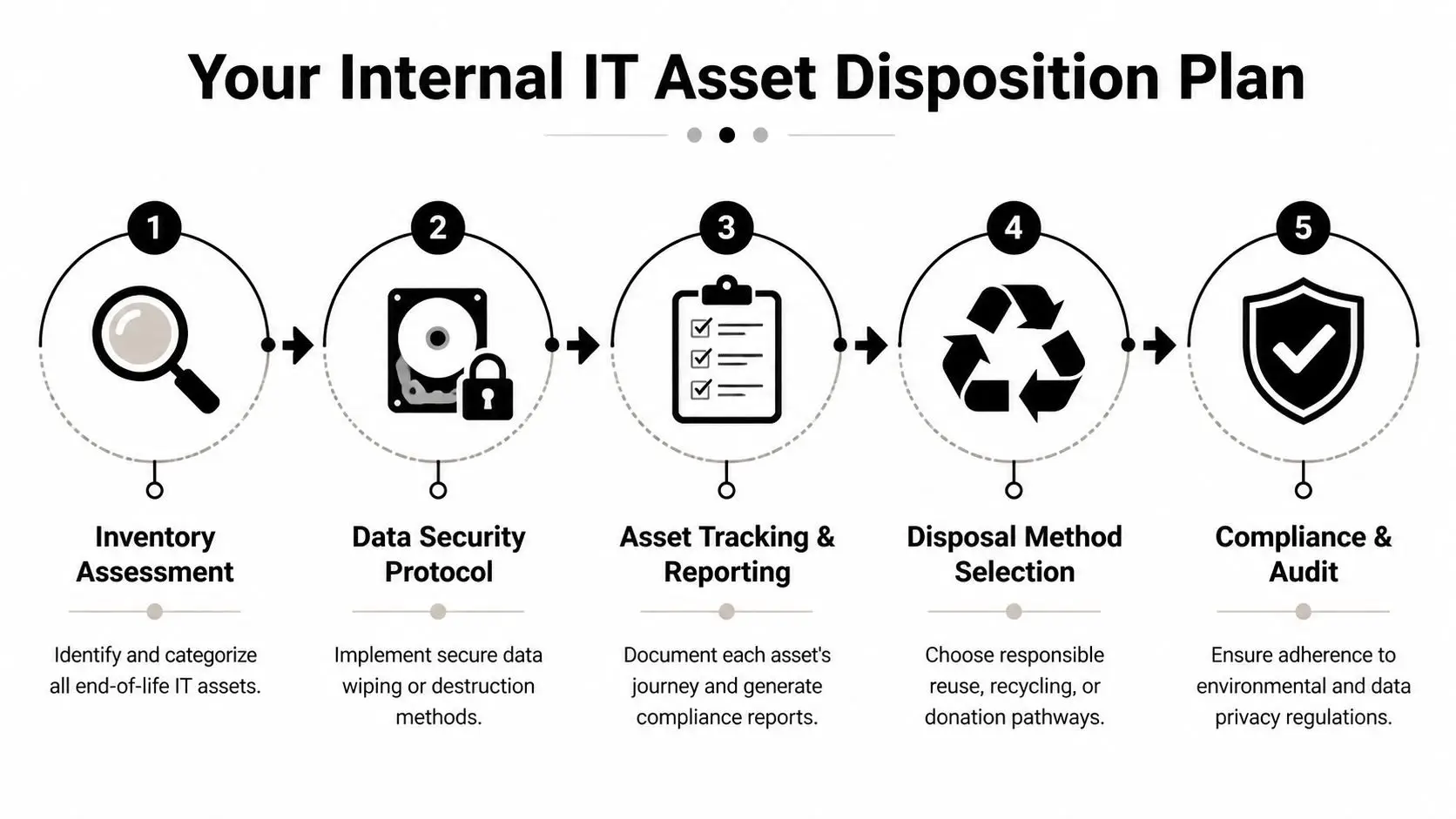
Build the plan around five decisions
An effective internal policy usually answers these five questions:
What assets are in scope
Include desktops, laptops, servers, drives, monitors, tablets, phones, and related peripherals. Don't leave storage media in a separate undocumented process.Who owns the handoff
Decide whether IT, facilities, procurement, or operations triggers disposition. Shared responsibility often means no responsibility.How is data handled
Set a rule for when devices are sanitized and when they are physically destroyed.How are outcomes assigned
Create criteria for reuse, resale, donation, and recycling.What records are required
Keep serial numbers, asset tags, pickup logs, destruction records, and final disposition reporting.
Create an inventory before anything leaves the building
The inventory step is where discipline begins. For each asset, log the serial number, model, type, condition, and whether it contains data. That sounds basic, but many organizations skip it during office cleanouts and regret it later when finance wants reconciliation or IT wants proof that all drives were accounted for.
Use a simple intake structure that your team can maintain:
- Asset identity: Serial number, model, asset tag, department
- Condition: Working, repairable, obsolete, damaged
- Data status: Data-bearing, verified blank, unknown
- Disposition path: Reuse, resale, donation, recycle
- Custody notes: Date moved, by whom, to what secure staging area
Operational note: Unknown data status should never be treated as low risk. If you can't verify a device was sanitized, move it into secure destruction handling.
Put chain of custody in writing
At this stage, many internal plans become vague. "IT will wipe the machines" isn't a procedure. "Facilities will stage the equipment" isn't a custody control. Write down who handles collection, where devices wait, who signs transfer paperwork, and what happens to drives removed from larger systems.
That matters during office relocations, facility cleanouts, and business closures. If your company is winding down a branch, consolidating departments, or vacating space, these practical business closing steps help frame the wider operational checklist around asset handling, surplus removal, and orderly shutdown.
Define the vendor handoff before pickup day
Your internal plan should also say what the outside provider must deliver. At minimum, most business teams should expect secure collection procedures, asset tracking, documented data sanitization or destruction, and reporting suitable for compliance review.
If you need a reference point for shaping that process, Reworx outlines how to implement an IT asset disposition strategy in a way that connects asset control, data security, and end-of-life handling.
A plan's true advantage isn't paperwork. It's speed and consistency. When the next refresh starts, your team already knows what happens to every old computer.
Comparing Your Main Options Resale Donation and Recycling
Once your internal controls are in place, the next decision is strategic. Not every old computer should follow the same path.
Some devices still have market value. Some are better suited for community reuse. Some are obsolete and should move directly into certified recycling. A smart disposition program uses all three routes, but only after assets are sorted by condition, data sensitivity, and operational practicality.
Resale works when the equipment still has life left
A lot of businesses undervalue used hardware because it's no longer useful to them. That's a mistake. Research summarized by ScienceDaily challenged the idea that old computers are worthless, showing that up to 76% of used computers imported to Peru from 2003 to 2007 came from the U.S.
The lesson for Atlanta businesses is straightforward. Functional business-class hardware may still belong in a secondary market, especially when devices are recent enough to be redeployed, refurbished, or sold through an equipment buyback channel.
A resale path usually fits:
- Recently retired laptops: Still usable, commercially relevant, and easier to refurbish
- Business desktops and workstations: Suitable when specs remain practical for secondary users
- Network or server equipment with niche demand: Best handled by specialists who understand resale markets
If you want a quick reality check on how strong refurbished device demand can be, even consumer channels like refurbished iPhones show how active the resale market remains once hardware is tested, graded, and presented correctly.
Donation makes sense when community value matters more than cash recovery
Donation is often the right choice when equipment still works but the administrative effort of direct resale isn't worth the internal time. It can also fit organizations with strong CSR goals, employee engagement initiatives, or digital inclusion priorities.
The important part is discipline. Donation doesn't mean relaxing your standards. Assets still need data handling, inventory control, and documented transfer. Social enterprise recycling programs can be especially useful here because they combine practical disposition with a broader community mission.
Businesses looking at this route can review Reworx's process to donate an old computer and compare that against their own internal policies for approvals, asset release, and documentation.
Donation is a business decision, not a sentimental one. If the device leaves your control, the same security rules still apply.
Recycling is the right answer for obsolete or damaged equipment
Some assets have no realistic second life. They may be broken, too old, incomplete, or too costly to refurbish. In those cases, certified recycling is the correct path because it handles both material recovery and hazardous component management.
This route is especially important for:
- Failed devices: Systems with damaged boards, broken screens, or incomplete assemblies
- Aged mixed lots: Bulk office cleanout material with little residual value
- Sensitive hardware: Assets where destruction and compliant downstream processing matter more than recovery
Comparing Computer Disposition Options for Atlanta Businesses
| Method | Primary Benefit | Best For | Data Security Risk | Consideration |
|---|---|---|---|---|
| Resale | Recovers value from usable equipment | Recent business-class devices in working condition | Moderate unless sanitization and tracking are tightly documented | Requires grading, testing, and market-aware handling |
| Donation | Supports community reuse and social impact | Functional devices where mission alignment matters | Moderate unless the same custody rules are applied as resale | Best when a qualified refurbishing or donation partner manages intake properly |
| Certified recycling | Handles obsolete assets responsibly | Broken, outdated, incomplete, or low-value equipment | Lower when secure destruction or certified sanitization is built in | Focuses on compliance, downstream accountability, and material recovery rather than resale return |
The practical answer for most Atlanta organizations isn't choosing one option forever. It's building a triage process. Recover value where it exists, donate where community benefit aligns, and recycle the rest through a controlled channel.
The Gold Standard Secure Data Destruction and Certified ITAD
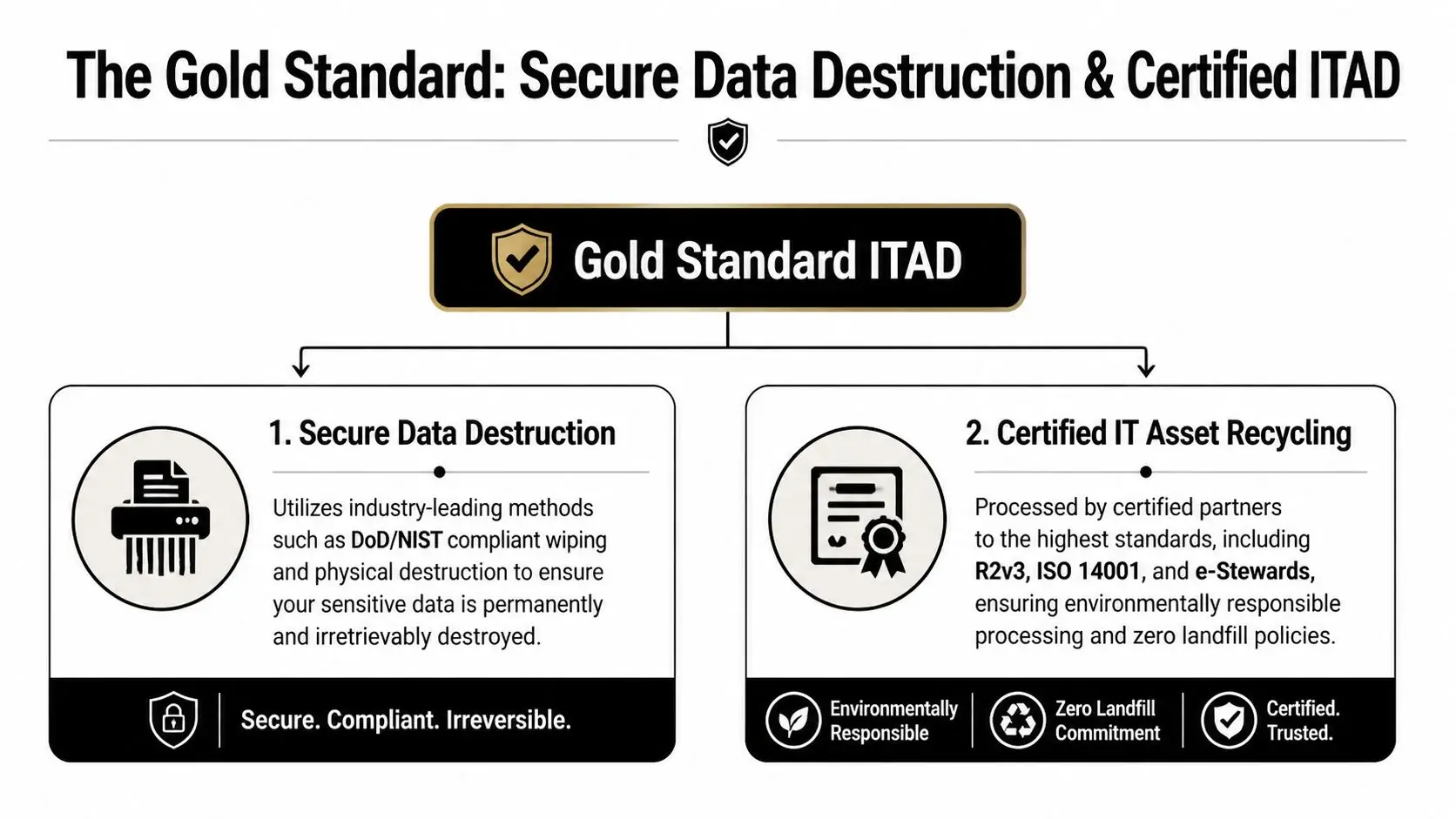
When companies ask what the safest disposal option looks like, the answer is certified IT asset disposition with documented data destruction. That's the professional benchmark because it addresses both sides of the problem. It protects information and it controls environmental handling.
What certified ITAD actually means
The term gets used loosely, so it's worth being precise. According to Reworx's guidance on how to dispose of old computers safely, certified ITAD providers follow R2v3 or e-Stewards standards. Those standards govern how devices are dismantled, how hazardous materials are handled, and how data-bearing assets are either physically destroyed or sanitized through software erasure meeting NIST 800-88 requirements.
For a business customer, that translates into practical controls:
- Manual dismantling and material segregation: Hazardous components aren't handled casually.
- Documented downstream processing: Commodity streams go to vetted processors.
- Defined data destruction methods: Storage media doesn't disappear into a black box.
- Audit-friendly reporting: The process produces records, not verbal assurances.
When shredding is better than wiping
Not every device should be treated the same way. Software sanitization can be appropriate in a managed ITAD workflow, especially when reuse or resale is being considered. Physical destruction makes more sense when the data sensitivity is high, the media state is uncertain, or the organization wants the clearest possible end point.
That distinction matters for legal firms, healthcare-related operations, financial service offices, and any company handling confidential customer information. In those environments, ambiguity is the enemy.
A simple rule helps: if the asset's future use isn't important, secure destruction is usually easier to defend than trying to preserve the device.
Certifications are only useful if the process around them is disciplined
A certificate on a website doesn't solve operational sloppiness. Ask how custody is maintained before pickup, how serial-number reporting works, whether media is tracked separately, and what documentation the provider returns after processing.
Teams that are staging equipment before collection should also tighten their internal controls. Basic warehouse discipline matters. These secure storage tips from Endless Storage are a helpful reminder that temporary holding areas still need access control, organization, and accountability.
What to ask a vendor: Who handles the drives, what standard governs sanitization or destruction, and what records come back to us after the job?
Why NAID AAA matters in data destruction conversations
Data destruction standards often get discussed in broad terms, but procurement teams should ask specific questions about shredding and certification. Reworx provides an overview of NAID AAA certification, which is useful context when you're evaluating how a provider approaches secure media destruction and audit documentation.
What matters in practice is less about jargon and more about proof. A good provider can explain the method, the custody controls, the reporting package, and the final disposition path without hand-waving.
Certified ITAD is the gold standard because it removes guesswork. That is what businesses in Atlanta should do with old computers when the stakes include customer trust, regulatory exposure, and the need for a clean audit trail.
Partner with Reworx Recycling Your Atlanta ITAD Solution
The practical answer for most organizations is to stop treating end-of-life equipment as a side task. Old computers touch facilities, IT, legal, procurement, sustainability, and finance. If those groups aren't aligned, the process becomes slow, inconsistent, and hard to defend.
That is why companies usually need one operating partner that can support office cleanouts, secure data destruction, equipment triage, reporting, and final disposition without forcing the business to coordinate multiple vendors.
Why local execution matters in Atlanta
Atlanta businesses don't all retire equipment the same way. A multi-floor office cleanout in Midtown has different logistics from a warehouse-adjacent operation near the airport. A professional services firm may need small but frequent laptop pickups. A growing company with a server room refresh may need structured decommissioning and tighter chain-of-custody controls.
Local execution matters because timing, staging, building access, loading constraints, and documentation all affect how smoothly the job goes. The closer the provider is to your operations, the easier it is to coordinate practical details that often get overlooked until pickup day.
One process can serve security sustainability and value recovery
A disciplined provider changes the equation. You don't need separate strategies for security, environmental responsibility, and asset recovery. You need a single workflow that sorts assets correctly.
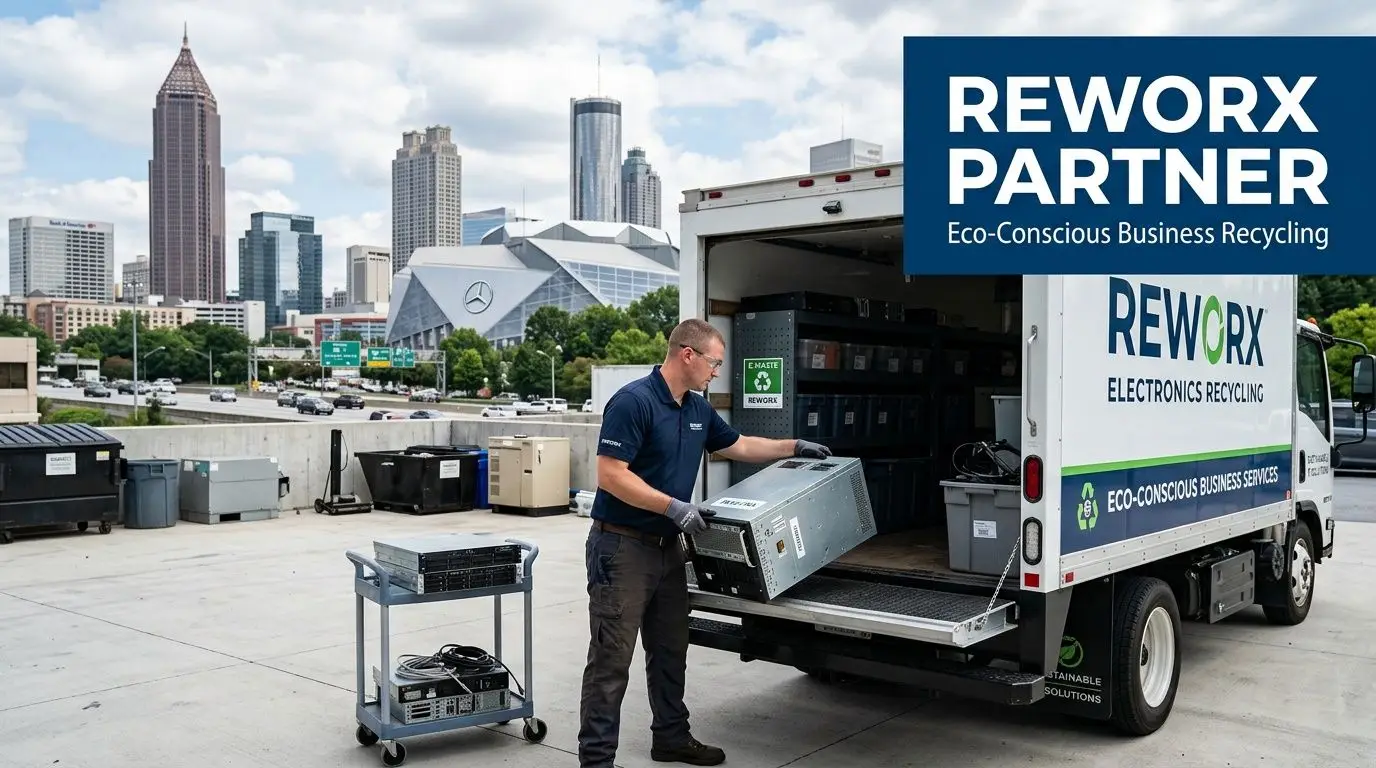
Reworx Recycling is one local option for Atlanta teams that need IT asset disposition services for corporate IT teams. The company handles electronics recycling, secure hard drive shredding, equipment decommissioning, pickups, and donation-oriented reuse pathways as part of a broader ITAD process.
That combination matters because most real-world loads are mixed. One batch may include laptops suitable for reuse, drives that need destruction, obsolete towers destined for recycling, and peripheral equipment from an office cleanout. Treating all of it the same is inefficient. Treating each category correctly is what lowers risk and improves outcomes.
What a facilities manager should do next
If you're responsible for clearing old computers from an Atlanta office, start with control, not hauling.
Use this order:
- Pull an asset list: Even a simple spreadsheet is better than no inventory.
- Separate data-bearing items: Laptops, desktops, servers, and loose drives should be staged deliberately.
- Classify the load: Identify what may be reusable, what should be destroyed, and what belongs in certified recycling.
- Require documentation: Pickup records, chain of custody, and final reporting shouldn't be optional.
- Choose a repeatable partner process: The goal isn't one successful cleanout. It's a standard your company can use every time.
The best ITAD programs are boring in the right way. Nothing gets lost. Nothing sits too long. Nothing leaves without records. That is what businesses in Atlanta should do with old computers when they want fewer surprises and better control.
If your team is staring at a storage room full of retired laptops, desktops, drives, or servers, talk with Reworx Recycling about a practical next step. Whether you need donation-based recycling, secure data destruction, an office cleanout, or a structured IT asset disposition plan, the right process starts with getting the assets identified, secured, and moving through a documented channel.


















