A lot of businesses discover their PCI exposure at the worst possible moment. The office is in the middle of a refresh, old laptops are stacked near the loading dock, a retired point-of-sale terminal is sitting in a storage closet, and someone finally asks a simple question: what data is still on these devices?
That's where PCI DSS compliance stops being an abstract IT topic and becomes a business problem. If a device ever stored, processed, or supported the handling of cardholder data, its end-of-life matters. Decommissioning isn't just a facilities task. It's part of the same security lifecycle as firewalls, access controls, and vulnerability scans.
Many owners think PCI only applies to payment pages, checkout systems, or card terminals in active use. In practice, old infrastructure often creates the bigger blind spot. A forgotten server, a backup drive, or a deinstalled workstation can still hold account data long after the business thinks it's gone. If that hardware leaves your control without proper sanitization and documentation, your compliance story has a hole in it.
Introduction What Is PCI DSS Compliance
A business replaces payment terminals, clears out a back office, and assumes the risk left with the old equipment. It often does not. PCI DSS, short for the Payment Card Industry Data Security Standard, sets the security rules for any organization that stores, processes, or transmits cardholder data. According to the PCI Security Standards Council overview of the standard, PCI DSS is organized around 12 core requirements that cover areas such as network protection, access control, encryption, physical safeguards, logging, testing, and security policies.
That last point gets missed all the time. PCI is not limited to checkout pages, live card readers, or active servers. Cardholder data can remain on backup media, laptop drives, retired point-of-sale devices, and storage arrays long after daily operations move on.
From a risk standpoint, PCI applies across the full life of the data. Collection matters. Storage matters. Disposal matters too. A weak handoff at the end of life can expose the same customer data your firewalls and access controls were built to protect.
Businesses planning a hardware refresh, office cleanout, payment terminal swap, or server retirement should treat the IT asset disposition process as part of PCI control, not a separate facilities task. That means knowing which assets ever touched cardholder data, verifying encryption where it was used, and making sure data is securely erased or destroyed with documentation you can stand behind during an assessment.
Unplugged equipment can still create PCI exposure if recoverable cardholder data remains on it.
That is the practical link between digital compliance and physical security. Many PCI gaps do not come from complex attacks. They come from ordinary oversights, such as a forgotten drive in storage, a mislabeled backup, or a decommissioned terminal sent out without proper sanitization.
Why Compliance Matters Beyond Avoiding Fines
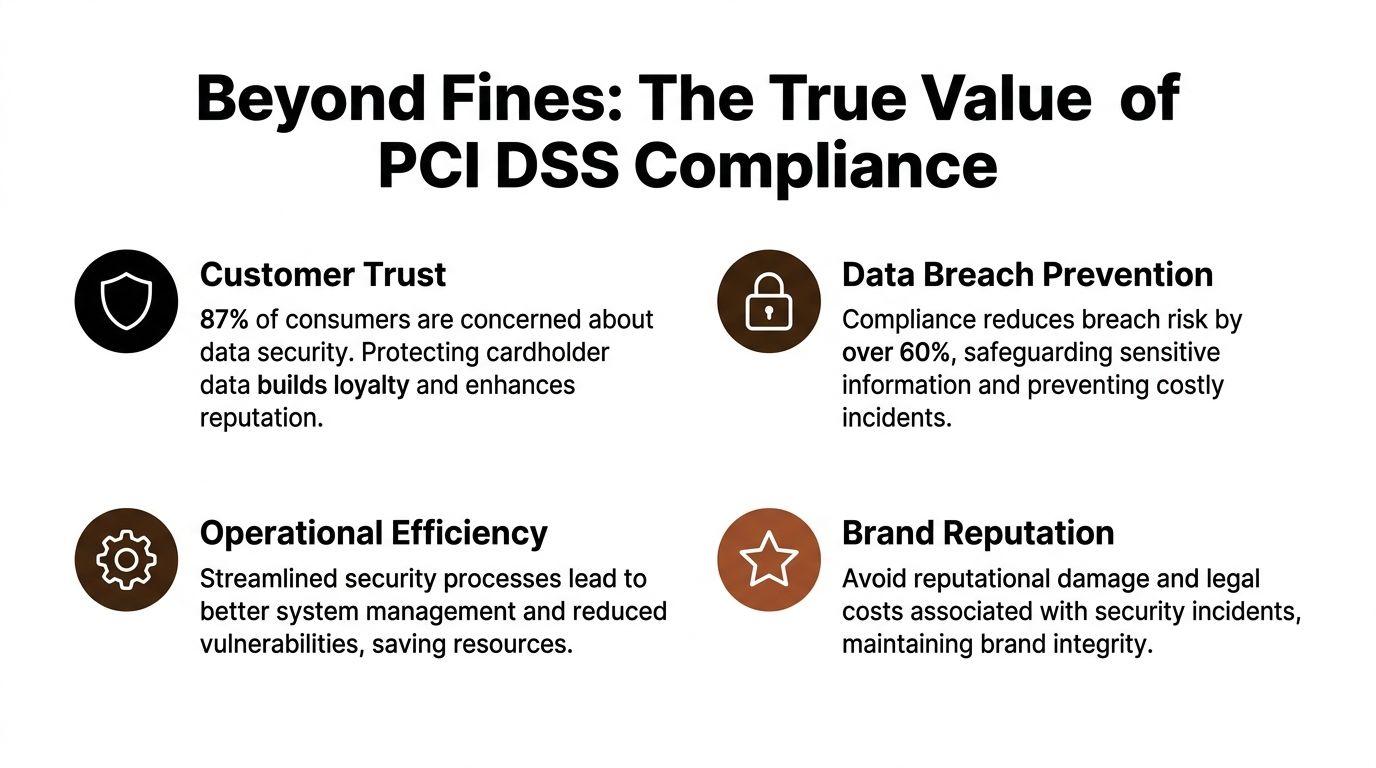
The obvious reason to care about PCI is enforcement. But focusing only on penalties misses the bigger business issue. Cardholder data is tied directly to customer trust. When a payment-related incident happens, the damage isn't limited to an audit response. Sales teams answer hard questions, legal teams get involved, and leadership has to explain why a preventable control gap existed in the first place.
Despite a 167% increase in adoption since 2012, a staggering 80% of organizations are still not fully PCI DSS compliant. This persistent gap highlights a massive risk, as non-compliance can lead to fines from $5,000 to $100,000 per month according to GoAnywhere's PCI compliance statistics.
The real business cost shows up elsewhere
A business can absorb a project delay. It's much harder to absorb a payment data incident that customers remember. PCI discipline supports:
- Stronger customer confidence because payment data handling is controlled end to end
- Cleaner operations because system owners know where data lives and when it must be removed
- Better vendor oversight because disposal, transport, and destruction become documented processes
- Audit readiness because evidence exists before someone asks for it
Those benefits matter whether you run retail locations, healthcare billing systems, hospitality operations, or a growing e-commerce company.
ITAD can break an otherwise solid program
This is the part many teams underestimate. A company may do a decent job securing live payment systems, then undo that work by mishandling retired assets. I've seen organizations lock down production environments but leave wiped-status assumptions completely unverified when old hardware is moved during an office cleanout or facility cleanout.
That's why physical disposal belongs in the same conversation as breach prevention. If equipment leaves the building without a defensible chain of custody, without verified sanitization, or without destruction records, you've created a gap that auditors and attackers both care about. Businesses reviewing disposal workflows should also look at practical data breach prevention controls tied to retired hardware, removable media, and transport handling.
Compliance works best when the business treats it as a trust framework, not a paperwork exercise.
That applies to electronics recycling, secure data destruction, product destruction, and broader IT equipment disposal. If you accept card payments, your compliance posture doesn't end at the checkout screen.
Understanding PCI DSS Requirements and Merchant Levels
A lot of owners hear "PCI DSS" and assume they are walking into a giant technical project. The standard is more practical than that. It sets a baseline for how a business protects payment data while it is collected, stored, transmitted, and eventually removed from old systems and media.

The 12 requirements in plain language
PCI DSS 4.0 is built around 12 core requirements. They cover network security controls, secure system configuration, protection of stored account data, encryption of data sent across networks, malware defenses, secure software practices, access control, user authentication, physical access restrictions, logging, security testing, and documented security policies. The PCI Security Standards Council also requires applicable entities to complete external vulnerability scans at least every 90 days through an Approved Scanning Vendor, as described in its PCI DSS v4.0.1 Quick Reference Guide.
For a business owner, the better question is not "How do I memorize all 12?" It is "Where does cardholder data exist, who can touch it, and how do we prove it stays protected until final destruction?"
Here is a practical way to group the requirements:
| Control area | What it means in practice |
|---|---|
| Secure systems | Harden devices, remove default settings, and keep configurations controlled |
| Protect data | Store less data, encrypt what must stay, and secure transmissions |
| Control access | Limit access to staff with a real business need and verify identity before entry |
| Monitor activity | Log access, review events, and test systems for weaknesses on a defined schedule |
| Set policy | Document responsibilities, train staff, and enforce procedures |
| Protect physical assets | Secure server rooms, media, retired hardware, and disposal handling |
That last category gets missed more often than it should. A company can encrypt live payment data and still create exposure if an old POS terminal, drive, or backup tape leaves the building without verified sanitization and a documented chain of custody. Businesses that use outside destruction or recycling providers should review NAID AAA standards and related handling practices with the same care they apply to firewalls and access controls.
Merchant levels determine how validation is handled
Merchant level affects how a business validates PCI DSS, not whether the business has to protect cardholder data. The four merchant levels are generally tied to annual transaction volume, with Level 1 covering the highest-volume merchants and lower levels covering smaller merchants, including many e-commerce businesses. Fortinet summarizes the common merchant level thresholds and validation expectations in its guide to PCI merchant levels and requirements.
The practical trade-off is simple. Higher-volume merchants usually face more formal outside review, while smaller merchants often validate through self-assessment and required scanning. Smaller scope reduces paperwork and audit burden. It does not reduce breach impact.
- Level 1 merchants usually face the most formal assessment requirements.
- Levels 2 and 3 often have lighter validation paths, but still need evidence that controls are in place.
- Level 4 merchants may have the simplest reporting path, yet they still must secure payment data and the systems that touch it.
A small retailer and a national chain may file differently, but both can fail the same way if retired equipment is handled carelessly.
That is where the physical side of PCI matters. If a payment application once ran on a laptop, server, POS device, or removable media, disposal becomes part of the compliance story. Teams working through assessments, penetration testing, or DSS 4.0 compliance reporting should make sure decommissioned assets are in scope when they map where cardholder data could still reside.
Merchant level changes the validation path. It does not excuse weak disposal controls.
Navigating Audits Assessment and Reporting
Most confusion around PCI doesn't come from the control ideas. It comes from the validation acronyms. Owners hear SAQ, ROC, QSA, ASV, and assume they need a translator before they can even start.
The easiest analogy is tax filing. Some businesses can self-file because their situation is simpler and well-defined. Others need a formal outside assessment because the environment is larger, more complex, or contractually subject to deeper review.
SAQ and ROC are different kinds of proof
A Self-Assessment Questionnaire, or SAQ, is the self-attestation path used by many smaller merchants or simpler environments. It still requires honest scoping and evidence. It is not a shortcut around real controls.
A Report on Compliance, or ROC, is the formal audit-style outcome generally associated with larger or higher-volume organizations. That review is performed by a Qualified Security Assessor, or QSA, who tests whether your controls are designed and operating as required.
Here's the practical distinction:
- SAQ path fits organizations with narrower cardholder data environments and simpler payment handling.
- ROC path fits organizations whose transaction profile or payment ecosystem requires formal external validation.
- QSA involvement becomes important when the business needs an independent assessor to verify control effectiveness.
Reporting is where weak disposal processes surface
Audit preparation often exposes a common issue. Teams can document firewalls, account reviews, and vulnerability scans, but they can't show what happened to retired drives, decommissioned POS units, or backup media. That becomes a reporting problem because disposal is evidence-driven. If it wasn't tracked, witnessed, or documented, it's hard to defend later.
For businesses building an evidence package, a useful companion resource is this overview of DSS 4.0 compliance reporting, which helps frame how security testing and reporting support broader validation.
Auditors don't just want a policy that says data is destroyed. They want records that show who handled the asset, how it was sanitized, and when that happened.
Internal recordkeeping matters here. Businesses that routinely retire systems should maintain asset logs, sanitization records, transport controls, and destruction evidence in a form that stands up during review. A disciplined audit documentation process makes that much easier than trying to reconstruct events after the fact.
Key Controls for the Entire Data Lifecycle
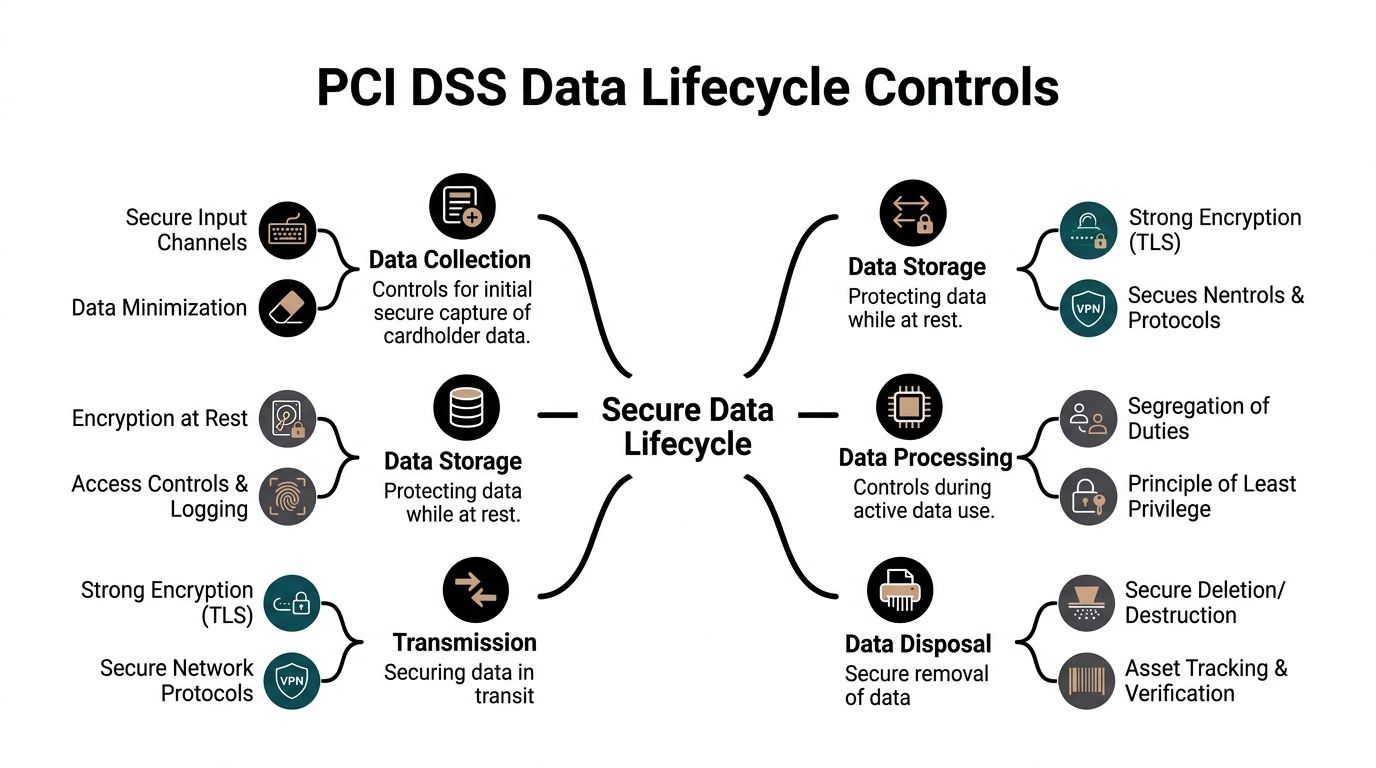
A common PCI failure starts long after the payment is approved. A company locks down its checkout flow, passes scans, and restricts access to the cardholder data environment, then retires an old POS terminal or storage array without confirming what data is still on it. That gap matters because PCI DSS applies across the full life of cardholder data, including the point where hardware leaves service.
Start by storing less
Requirement 3 is straightforward in principle and hard in practice. Store the minimum cardholder data needed for a defined business purpose, protect what must be retained, and get rid of it when that purpose ends. The PCI Security Standards Council's guidance on protecting stored account data is a useful reference here.
That rule has a direct business payoff. Every database table, spreadsheet export, backup set, laptop cache, and archived log that contains account data adds cost, audit scope, and breach exposure. Teams usually discover this the hard way during application upgrades, storage migrations, or hardware retirement.
Secure configurations and encryption still decide the outcome
Requirement 2 and Requirement 3 work together. If systems are left on vendor defaults or built from weak baseline images, encryption controls and access restrictions are easier to bypass. If stored account data is not rendered unreadable with strong cryptography, a lost drive or exposed backup becomes a reportable incident instead of a contained operational mistake.
The Optro explanation of PCI requirements gives a practical summary in its discussion of PCI DSS requirements and secure configuration practices. For business owners, the takeaway is simple. Encryption protects data at rest. Good configuration keeps attackers from reaching it in the first place. You need both.
End-of-life handling is part of PCI, not an operations afterthought
This is the part many teams miss. Deleting files does not reliably remove cardholder data. A quick format does not count as sanitization. Sending retired drives into general surplus or recycling without verification creates a physical security problem that turns into a PCI problem.
Use the disposal method that fits the asset and the business objective:
- Secure wipe fits healthy media that will be reused, but only if the process is validated and recorded.
- Degaussing can fit certain magnetic media where reuse is not needed.
- Physical destruction is often the clearest option for failed drives, mixed media, or any case where the business wants certainty over reuse value.
I usually give clients one rule here. If a device held payment data and nobody can prove it was sanitized, treat it as if the data is still there.
Public-facing payment systems need regular testing
Data lifecycle controls are not limited to storage and disposal. If your environment includes customer-facing payment pages, portals, or connected web applications, those systems need routine testing for external exposure. web application external pentesting is a useful reference for that part of the control stack, especially when the payment environment extends beyond the internal network.
Sensitive authentication data requires stricter handling
PCI DSS draws a hard line around sensitive authentication data. After authorization, items such as CVV values and PIN data must not be stored. The PCI SSC explains this clearly in its Frequently Asked Questions on sensitive authentication data storage under PCI DSS.
That matters during decommissioning because this data often shows up in places no one intended to keep it. Temporary application files, debug logs, legacy payment support servers, backup media, and failed drives are common examples. A documented chain of custody process for retired IT assets connects policy to reality by showing who handled the asset, how it moved, and what happened to the media before it left your control.
A Compliance Checklist for IT Asset Decommissioning
When hardware leaves service, the process should be boring, repeatable, and documented. That's what good compliance looks like. If your team improvises each decommissioning event, you'll eventually miss something important.
Use this checklist before any asset leaves control
Identify every in-scope asset
Build an inventory of servers, desktops, laptops, payment terminals, storage arrays, backup media, and removable drives that may have stored or supported cardholder data. Include devices used by finance, retail, customer service, and any environment connected to payment processing.Classify the data risk
Separate assets that definitely held account data from those that merely touched systems in the cardholder data environment. This helps determine whether secure wipe, physical destruction, or a stricter handling path is appropriate.Choose the destruction method before pickup day
Don't wait until equipment is already palletized. Decide whether the media will be wiped for reuse, destroyed for permanent retirement, or segregated because of legal or business retention requirements.Control access during staging
Retired devices shouldn't sit in unsecured rooms, shared storage areas, or open loading zones. Limit who can touch them and log transfers between teams.Document chain of custody
Record who handled the asset, where it moved, when it moved, and what happened at each handoff. This is the difference between “we think it was destroyed” and “we can prove it.”Get verifiable destruction evidence
Certificates, serial-based logs, and destruction records matter. They close the loop for audit, insurance, internal review, and vendor accountability.
Match the checklist to PCI thinking
A good decommissioning workflow supports several PCI themes at once. It protects stored account data, enforces physical security, restricts access, and supports auditable recordkeeping. Businesses that need a broader planning document can compare their process against a PCI DSS 4.0 requirements checklist to make sure disposal controls aren't isolated from the rest of the program.
Where companies usually go wrong
The failures are rarely exotic. They're operational.
- Assuming deletion is enough when the media was never sanitized
- Letting facilities move hardware alone without IT verification of data status
- Mixing reusable and destroy-only assets on the same pallet with weak labeling
- Skipping documentation because the team trusts the vendor relationship
- Forgetting nontraditional equipment such as kiosks, embedded systems, or specialized devices during office cleanouts or facility cleanouts
If you also manage sustainable recycling, social enterprise recycling, corporate donation programs, or donation-based recycling, the same checklist still applies. Donation and reuse only work when data sanitization is complete and documented first.
Partner with Reworx for Compliant IT Asset Disposition
For companies that need a practical disposal path, the vendor choice matters less than the paper promises and more than the operational controls. You need a provider that can support secure data destruction, maintain custody records, and give you documentation that stands up in an audit file.
That's where Reworx Recycling fits as one option for businesses managing electronics recycling, IT asset disposition (ITAD), secure data destruction, office cleanouts, data center decommissioning, laptop disposal, computer recycling, product destruction, and related end-of-life projects. Its service model includes equipment handling, decommissioning support, and secure hard drive shredding tied to documented disposal workflows.

What to look for in any ITAD partner
Use a simple screening lens:
| Question | Why it matters |
|---|---|
| Can they document custody from pickup to destruction? | PCI depends on controlled handling, not verbal assurances |
| Do they support secure media destruction? | Requirement 3 depends on rendering stored data unreadable or destroying it |
| Can they provide audit-ready records? | Evidence is what closes the compliance loop |
| Do they separate donation, reuse, and destruction streams? | Sustainable outcomes only work when data decisions are clear first |
This is especially important for businesses balancing security with environmental goals. A company may want donation-based recycling, sustainable recycling, or reuse through community programs, but none of that should happen before the media is properly sanitized or destroyed.
The right ITAD process protects cardholder data first, then decides whether the hardware can be reused, donated, or recycled.
Businesses in Georgia that are retiring payment-adjacent hardware often need both sides of the equation. Secure handling for PCI purposes, and responsible downstream processing for sustainability, digital inclusion, and workforce impact. That combination is what turns disposal from a risk event into a controlled business process.
If your business is planning an office cleanout, replacing payment systems, retiring old laptops, or decommissioning servers, Reworx Recycling can help you build a documented, security-first disposal workflow. Donate old equipment, schedule a pickup, or partner on a broader ITAD program that supports responsible recycling, community technology access, and defensible data destruction.