Your team probably needs laptops now, not after a six-month capital review. A department is growing, older systems are aging out, remote staff need dependable hardware, and finance still expects tighter controls on spend. At the same time, security wants clean chain-of-custody, operations wants fewer support headaches, and sustainability leaders want proof that the refresh cycle isn't just pushing more waste downstream.
That's why more companies shop refurbished laptops as a procurement strategy, not a compromise. Done well, refurbished buying can support deployment speed, budget discipline, and environmental goals in the same motion. Done poorly, it creates a mess of inconsistent inventory, weak support, and shortened device life.
The difference usually comes down to procurement discipline. The strongest buyers treat refurbished hardware like part of a full asset lifecycle, from sourcing and validation through support, redeployment, and final disposition.
Why Smart Businesses Now Shop Refurbished Laptops
The old view of refurbished laptops was simple. They were fallback devices for organizations that couldn't afford new systems. That view is outdated.
Enterprise demand has changed the market. According to refurbished computer market projections from Research and Markets, the global refurbished laptop market is valued at approximately USD 8.68 billion in 2026 and is projected to reach USD 10.78 billion by 2030, growing at a 5.6% CAGR. The same source ties that growth directly to enterprise cost management and digital transformation.
For procurement teams, that matters because market maturity changes risk. A more established refurbished ecosystem usually means better testing processes, more standardized grading, stronger logistics, and a wider pool of viable business-class models. If your organization needs Lenovo ThinkPad, Dell Latitude, or HP EliteBook fleets instead of mixed consumer devices, that shift matters.
Budget pressure is only part of the story
Lower acquisition cost gets attention first, but it shouldn't be the only reason to shop refurbished laptops. Businesses also care about:
- Deployment flexibility that helps fill immediate user needs without waiting on longer refresh cycles
- Standardization opportunities when common enterprise models are available in repeatable configurations
- Sustainability alignment that supports internal environmental reporting and device life extension
- Lifecycle value because the essential question isn't just purchase price. It's how long the device remains useful, supportable, and secure
Practical rule: A refurbished laptop is a good business buy only if it's easy to deploy, easy to support, and still worth managing two years from now.
That last point gets missed. A cheap unit with weak battery health, limited support, or no upgrade path often costs more in downtime and replacement churn than a better refurbished unit purchased with discipline.
Refurbished works best inside a lifecycle plan
Smart buyers don't isolate the purchase from the rest of the refresh motion. They look at incoming equipment and outgoing equipment together. That means asking whether the devices fit user roles, whether support will be accessible, and whether replaced assets will move into a clean disposition process.
Businesses evaluating long-term hardware strategy can also review how refurbished desktop computer programs fit broader reuse and refresh planning. The same principles apply to laptops. Procurement quality improves when buying decisions connect to redeployment, asset tracking, and end-of-life handling.
Sourcing Your Fleet From the Right Channel
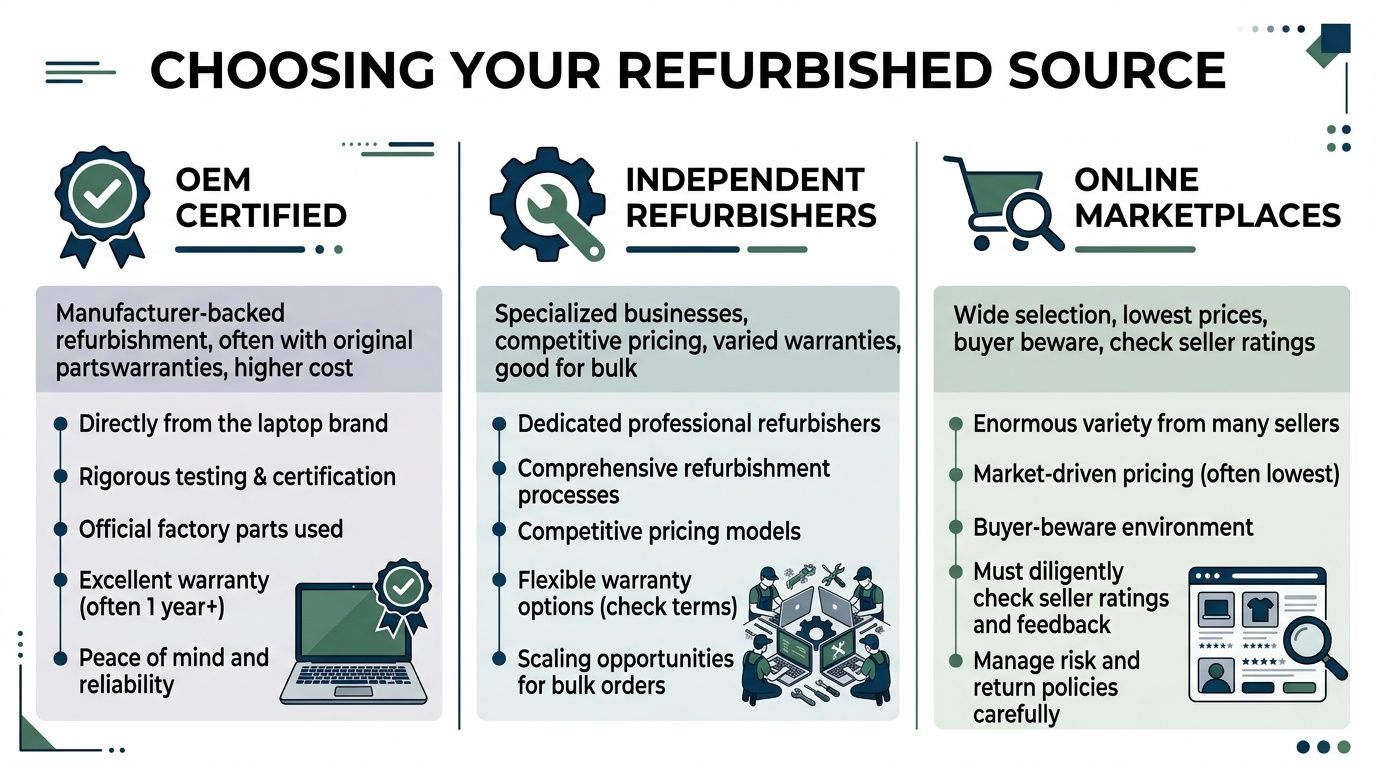
Where you buy matters almost as much as what you buy. In practice, most business buyers end up choosing from three channels: OEM certified programs, independent refurbishers, and online marketplaces. Each can work. Each also creates different operational risks.
OEM certified programs
Dell Refurbished, Apple Certified Refurbished, and similar manufacturer-backed channels usually offer the cleanest consistency. If your priority is standardization, they're often the safest path.
You'll typically get clearer model identification, more predictable refurbishment standards, and support structures that look closer to conventional enterprise procurement. That's useful when your IT team needs fewer surprises during imaging, user assignment, and warranty handling.
The trade-off is narrower flexibility. Inventory can be more constrained, pricing may sit higher than other refurbished channels, and bulk availability may fluctuate by model family.
Independent refurbishers
A strong independent refurbisher can be the best middle ground for SMBs and mid-market teams. These sellers often understand fleet buying better than broad marketplaces do, and they're usually more willing to discuss testing methods, battery thresholds, cosmetic grading, and batch consistency.
This channel tends to work well when you need a practical blend of value and hands-on support. Some independent providers are also better at helping buyers assemble workable lots of similar machines instead of forcing one-off purchasing decisions.
A useful way to evaluate them is with a simple procurement lens:
| Channel | Best for | Main strength | Main risk |
|---|---|---|---|
| OEM certified | Larger rollouts with strict consistency needs | Standardization and manufacturer-backed process | Less price flexibility |
| Independent refurbisher | SMB and mid-market fleets | Personalized service and practical bulk sourcing | Quality varies by operator |
| Online marketplace | Spot buys and nonstandard needs | Broad selection | Inconsistent seller quality |
Businesses reviewing workspace planning alongside device refreshes may also find these tips for furnishing commercial spaces useful, especially when laptop procurement is part of a larger office reconfiguration.
Online marketplaces
Marketplaces can look attractive because selection is broad and pricing can be aggressive. They're useful for one-off purchases, low-risk secondary devices, or backfill situations where speed matters more than long-term uniformity.
But they create the most procurement noise. Listing quality varies. Seller standards vary. Return processes vary. Two devices with the same model name may arrive in very different real-world condition.
Buy from a marketplace only if your team is ready to verify what the listing leaves vague.
That means checking exact CPU generation, RAM layout, storage type, battery expectations, charger inclusion, BIOS status, and seller support process before issuing a purchase order.
A practical channel test
Before choosing a supplier, ask for these details in writing:
- Batch consistency: Are all units from the same model family and configuration?
- Testing scope: What hardware functions are verified before shipment?
- Support ownership: Who handles post-sale issues, the seller or a third party?
- Procurement readiness: Can they support invoices, asset tagging, and business documentation?
A disciplined vendor selection checklist for IT recycling and asset partners can help procurement teams apply the same rigor to sourcing decisions that they already use for other operational vendors.
Decoding Condition Grades for Business Deployment
Condition grades confuse buyers because the labels sound simple, but the truth is often more complex. For a business, the key question isn't whether a laptop is Grade A or Grade B in the abstract. It's whether that condition matches the role.

According to Mordor Intelligence's refurbished computers and laptops market analysis, Grade A units captured 47.95% of the market size in 2025 and are advancing at a 9.92% CAGR through 2031. That preference makes sense in business settings because near-new appearance and full functionality reduce complaints, preserve professionalism, and simplify deployment.
Match the grade to the employee role
A client-facing sales executive, recruiter, or senior leader usually needs a cleaner-looking device. Cosmetic wear influences perception, especially in meetings, on travel, or during presentations.
Back-office, warehouse, training-room, and some developer roles can tolerate more visible wear if performance and reliability are intact. That doesn't mean buying the cheapest stock available. It means separating cosmetic standards from functional standards.
A simple role-based approach works well:
- Grade A for executive, sales, HR, recruiting, and externally visible staff
- Grade B for operations, internal admin, shared stations, and technical users who care more about specs than appearance
- Grade C only when the organization clearly accepts heavier wear and shorter remaining service life
A scuffed lid is often manageable. A dim panel, loose hinge, weak battery, or failing port isn't.
What to inspect beyond the grade label
The grade itself is only a starting point. Ask for the details that affect deployment outcomes.
- Battery condition: A laptop can look excellent and still fail in mobile use if the battery runtime is poor.
- Display quality: Check for pressure marks, dead pixels, uneven brightness, and panel discoloration.
- Keyboard and trackpad wear: Heavy use shows up quickly here and affects user satisfaction on day one.
- Ports and wireless function: USB-C, HDMI, docking behavior, Wi-Fi, and Bluetooth need validation, not assumptions.
- Webcam and microphone: These are business-critical on modern fleets and often overlooked in generic test summaries.
Don't overbuy appearance for the wrong roles
Some teams waste budget by insisting on premium cosmetic condition for every employee. Others go too far the other way and create a visible morale problem by handing worn devices to staff who spend all day in front of clients or candidates.
The better approach is tiering. Assign cleaner assets where perception matters, and buy solid but less pristine units where function carries the day. Organizations that want to improve recovery value later should also think ahead about maximizing value in IT asset disposition, because cleaner, better-documented devices are easier to remarket or redeploy.
Investigating Warranty and Support Structures
Most buyers ask how long the warranty lasts. Fewer ask who actually stands behind it. That's the more important question.
A twelve-month warranty backed by a generic intake process can be less useful than a shorter warranty handled directly by the seller's own technical team. Businesses feel that difference when an employee's primary machine fails and downtime starts spreading into missed work, loaner scrambling, and help desk escalation.
The problem with ghost warranties
The risky version of refurbished support looks fine on paper. There's a warranty term, a returns address, and a support email. But when something breaks, the process gets routed through a generic call center or outsourced queue with little authority to diagnose or resolve.
According to industry checks cited by Discount Electronics, 68% of refurbished buyers face delayed repairs when support is outsourced to generic call centers rather than the original refurbisher, and that leads to a 3x higher abandonment rate of repair requests compared with direct manufacturer support.
That's not a minor inconvenience. In a business environment, delayed repair means idle users, replacement rush orders, and shadow IT workarounds.
Questions worth asking before you buy
Use support questions that expose how the operation really works:
- Who answers the phone or email? If the seller can't explain the support path clearly, that's a warning sign.
- Who authorizes repair decisions? Slow handoffs usually mean outsourced intake and weak ownership.
- Is troubleshooting done by technicians or customer service agents? You want technical triage early.
- How are warranty claims documented for business accounts? Procurement and IT both need visibility.
What matters most: If support is hard to reach before the sale, it won't get better after deployment.
For larger rollouts, support language should also map to business expectations around response times, replacement handling, and escalation responsibility. Teams that need formal accountability should review how service level agreements for operational vendors align with their internal uptime needs before committing to a supplier.
Validating Data Security and Upgrade Potential
Initial price gets attention. Long-term viability determines whether the purchase was smart.
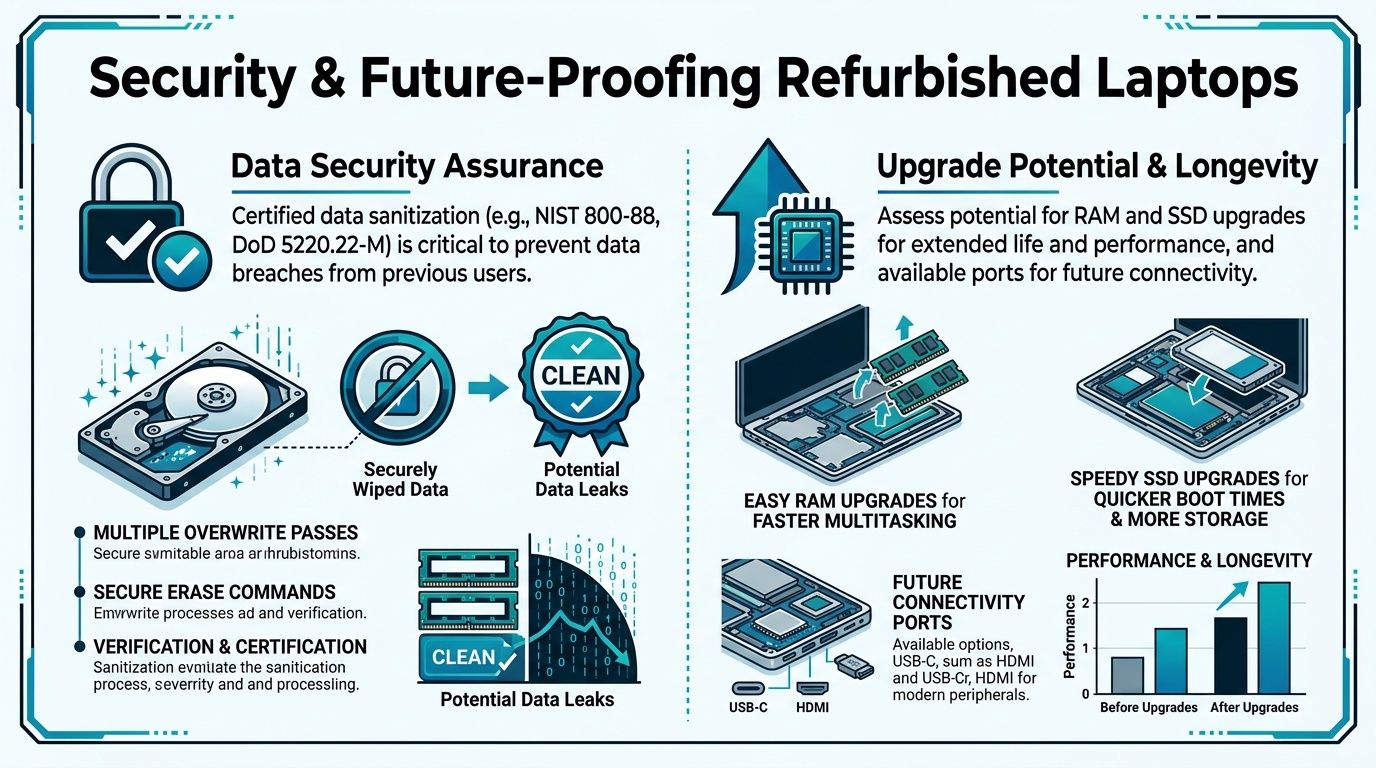
That starts with data security. Any refurbished laptop entering your environment should come from a seller that can clearly explain how prior data was removed, how devices were processed, and how operating systems were reloaded or validated. For business procurement, vague assurances aren't enough. You want documented sanitization practices and a clean handoff process your security team can defend.
Security checks that actually matter
A useful vendor conversation should cover more than “factory reset” language. Ask whether the seller provides documentation for data sanitization, whether BIOS and management locks are verified before resale, and whether the device arrives with a clean, legitimate operating system install.
For your outgoing assets, the standard should be even tighter. Before older laptops leave your custody, IT and compliance teams need a process for media handling, destruction decisions, and chain-of-custody. That's where documented secure data destruction services become part of the same hardware refresh decision, not a separate afterthought.
Watch for upgrade-locked hardware
The second trap is less visible. Many buyers still assume refurbished laptops are naturally upgrade-friendly because older business systems often were. That assumption doesn't hold across a growing share of lower-cost inventory.
Recent data from 2025 shows that 45% of budget refurbished laptops now use soldered RAM/SSD or non-standard battery connectors, which can make future upgrades impossible, according to PC Liquidations' laptop buying guide.
That matters because upgrade flexibility is one of the biggest practical advantages of buying older enterprise hardware. If RAM is soldered, storage is fixed, or batteries use proprietary connectors, your team loses one of the most effective ways to extend device life.
A simple longevity screen
Before approving a model family, validate these points:
- Memory path: Can RAM be expanded later, or is it fixed on board?
- Storage serviceability: Is the SSD accessible and replaceable with standard parts?
- Battery replacement: Can your team source and swap the battery without heroic effort?
- Port relevance: Will the device support current docks, displays, and peripherals?
Buy the laptop your team can still service later, not just the one that looks cheapest today.
Completing the Lifecycle with Responsible ITAD
A smart laptop purchase should always trigger a second question. What happens to the equipment being replaced?
Too many organizations run a careful buying process and then improvise the exit. Old devices pile up in closets, sit in branch offices, move informally between departments, or get hauled away without enough documentation. That's where security, sustainability, and operational discipline start to break down.
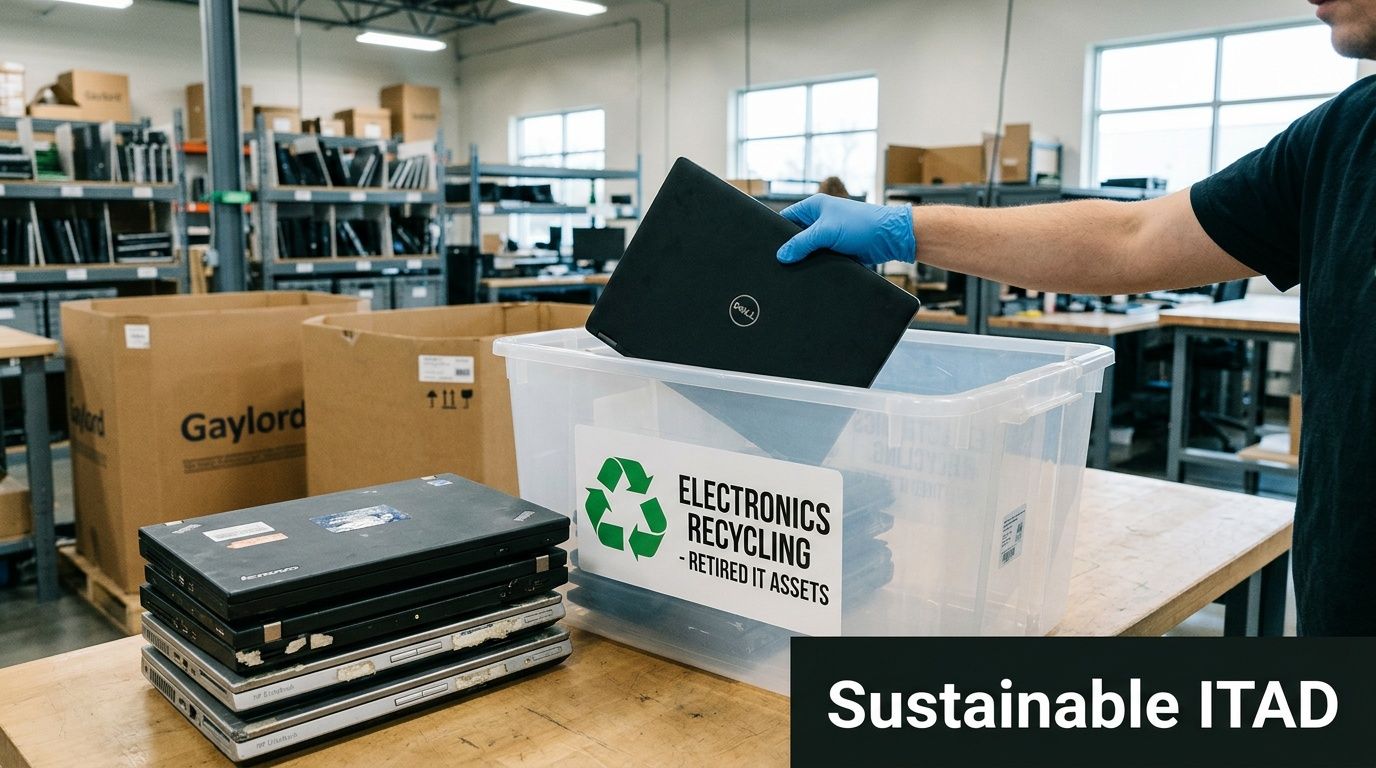
The scale of the issue is hard to ignore. The United States generates approximately 6.9 million tons of electronic waste annually, yet only 15% of this e-waste in North America was formally collected and recycled as of 2019, according to e-waste statistics compiled by SAMR Inc.. For business leaders, that turns disposition into more than housekeeping. It becomes part of risk management and corporate responsibility.
What a sound ITAD plan includes
IT asset disposition, or ITAD, is the controlled process for retiring technology assets. In a business setting, it should cover security, environmental handling, logistics, and documentation.
A usable plan usually includes these components:
- Asset identification: Match what's leaving service to an inventory record, user assignment, and disposition decision.
- Data handling: Decide whether media will be sanitized, shredded, or otherwise destroyed based on policy and risk profile.
- Logistics control: Move assets through collection, packing, pickup, and transport with documented custody.
- Reuse or remarketing review: Determine whether equipment still has internal reuse value, resale value, or donation potential.
- Recycling pathway: Send non-redeployable material into responsible downstream processing instead of ad hoc disposal
Organizations benefit from understanding what IT asset disposition involves in practice. The strongest programs don't treat retirement as a cleanup task. They treat it as a managed operational workflow.
Connect incoming and outgoing equipment
Good procurement teams pair every incoming laptop decision with an outgoing asset action. That creates cleaner inventory management and prevents storage creep.
For example, if a department receives refurbished Lenovo ThinkPad or Dell Latitude replacements, someone should already know:
- which legacy devices are being removed
- whether drives require destruction
- whether any units can be donated or redeployed
- which equipment belongs in electronics recycling
- what documentation procurement, IT, and compliance need to close the loop
That's especially relevant for businesses managing broader projects such as office cleanouts, facility cleanouts, data center decommissioning, or medical equipment disposal alongside laptop refreshes. Once you're moving equipment at scale, improvised disposition gets expensive and risky very quickly.
Why donation-based recycling belongs in the conversation
Not every retired device is scrap. Some equipment still has useful life for community technology access, training, or nonprofit use if it's processed correctly. That's one reason many organizations now look for donation-based recycling and social enterprise recycling options as part of broader sustainability and corporate donation programs.
This approach can support several business goals at once:
- Environmental responsibility through sustainable recycling and reduced landfill impact
- Community impact through technology donation and digital inclusion
- Operational simplicity by consolidating IT equipment disposal, computer recycling, and secure data destruction under a more structured program
For sustainability leaders, the procurement story reaches a more complete state. You aren't just deciding how to shop refurbished laptops. You're deciding whether your organization can manage the full device lifecycle with the same level of discipline at the end that it applies at the beginning.
What works and what fails
In practice, these approaches work:
- Standard refresh triggers tied to user role and device condition
- Approved vendor lists for refurbished procurement and disposition partners
- Documented pickup and chain-of-custody procedures for retired assets
- Clear donation rules that define which equipment is suitable for reuse
- Secure data destruction protocols that are enforced before anything leaves control
These approaches usually fail:
- storing retired laptops “temporarily” without a disposition date
- assigning asset retirement to whoever has space in the storage room
- relying on undocumented wipes or verbal assurances
- buying replacement hardware without a parallel exit plan for the old fleet
A disciplined lifecycle approach turns refurbished procurement into a real business advantage. You control cost, reduce unnecessary waste, support users with fit-for-role hardware, and avoid letting replaced assets become a security or environmental liability.
If your organization is upgrading devices and needs a responsible next step for the outgoing fleet, Reworx Recycling can help you build a cleaner process around electronics recycling, donation-based recycling, secure data destruction, and IT asset disposition. Businesses can donate old equipment, schedule a pickup, or explore a partnership that supports both sustainable recycling and community impact.