A laptop refresh is rarely finished when the new devices arrive. The old fleet often ends up stacked in a storage room, listed as retired in the asset register, and left there because no one wants to make the wrong call on data security, residual value, or disposal rules.
For IT leaders, that backlog is not just clutter. It is an IT asset disposition decision with budget, compliance, and operational consequences. Some systems still have enough life for controlled internal use. Some belong in donation channels. Some should go to resale, parts harvesting, or certified recycling. The right path depends on device condition, data sensitivity, software requirements, labor costs, and any obligations your organization carries under HIPAA, FERPA, or internal retention policies.
Repurposing old laptops works best as a managed program, not an informal cleanout project. Start with inventory and triage. Confirm whether the device is functional, what data may remain on it, whether batteries or storage media need special handling, and whether the unit still fits a business use case after reimaging. If your team also supports community impact goals, a structured laptop donation program for organizations can sit alongside resale and recycling rather than compete with them.
This article focuses on eight practical B2B options. Each one should be evaluated the same way. Measure reuse value against technician time, support burden, security exposure, and chain-of-custody requirements. That framework produces better outcomes than treating every retired laptop as either e-waste or a feel-good donation.
1. Donate Laptops to Educational Institutions and Nonprofits
A common scenario in corporate IT looks like this: a refresh cycle closes, the new fleet is deployed, and a stack of older laptops is still fully usable but no longer meets company standards. For a school district, library system, or workforce nonprofit, those same devices can support online learning, job training, and basic administrative work. Donation makes sense when the hardware is functional, support expectations are clear, and data handling is treated with the same discipline as any other ITAD decision.
Donation also deserves a business case. Extending the life of a working laptop delays disposal, supports ESG and community-impact goals, and can reduce the volume of assets sent straight to recycling. Research on laptop reuse has also shown that secondary deployment often serves schools, nonprofits, and other underserved organizations. That is one reason donation should sit inside a formal asset disposition policy instead of being handled as an informal employee volunteer effort.

What a strong donation workflow looks like
Start with recipient fit, not just device availability.
A laptop that struggles with current enterprise workloads may still be fine for browser-based coursework, office tasks, testing platforms, or community intake work. The match fails when the receiving organization gets mixed models, weak batteries, missing chargers, or devices that require local support they do not have. IT managers should define a minimum donation standard before a single unit leaves inventory.
Use a practical screening process:
- Confirm baseline usability: Boot reliability, keyboard and trackpad function, Wi-Fi, webcam, battery hold, and display quality should meet a defined threshold.
- Group similar devices together: Consistent models lower setup time for the recipient and simplify charger, driver, and spare-parts needs.
- Record configuration details: Capture processor class, RAM, storage type, battery condition, and included accessories.
- Exclude edge-case devices: Units with swelling batteries, cracked hinges, intermittent charging, or storage failures usually belong in parts recovery or recycling, not donation.
Data handling comes next. For organizations subject to HIPAA, FERPA, financial privacy rules, or internal records controls, donation cannot bypass sanitization requirements. If a device previously handled employee records, student information, patient data, or regulated files, complete certified data wiping or destroy the drive before transfer, then retain the disposition records. Chain of custody matters here because the compliance risk sits with your organization until the asset is properly sanitized and documented.
The operating system and software image also matter. A clean install with current updates, basic productivity tools, and removed corporate management agents is usually the safest handoff. Avoid donating machines loaded with expired licenses, orphaned endpoint tools, or custom settings the recipient cannot maintain.
In practice, the strongest programs usually include these operational controls:
- A written acceptance standard for what qualifies for donation
- A sanitization log tied to the asset tag or serial number
- A transfer record or receipt from the recipient organization
- A contact point for deployment coordination, charger matching, and quantity planning
- An end-of-life expectation so the recipient knows whether they must recycle the devices through an approved channel later
For many organizations, working through a vetted partner is the safer route. A structured laptop donation program for schools and nonprofits can simplify pickup, triage, data handling, and downstream reporting. That is often the difference between a donation effort that creates measurable community value and one that creates avoidable support and compliance problems.
2. Convert Laptops to Dedicated Server or NAS Storage Devices
A branch office loses access to a shared folder, and the replacement quote for a new NAS is stuck behind budget review. In that situation, a retired laptop can fill a narrow but useful role if IT treats it as a controlled interim asset, not a substitute for production infrastructure.
This option makes sense when the business needs low-cost local storage, a backup target, or a simple internal service at the edge. It is often a practical fit for small offices, clinics, labs, and shop-floor environments where keeping a few terabytes of files close to users matters more than high performance or rackmount scale.
Where this works well
The best use cases are limited, well-defined, and easy to support:
- Accounting firms: local archives, scan-to-folder storage, and short-term backup repositories
- Healthcare clinics: secondary non-production backup systems with documented access controls
- Creative teams: shared staging space for active media files
- Manufacturing sites: local file caches near equipment or workstations with intermittent WAN connectivity
A lightweight Linux build is usually the right choice because it reduces overhead and extends the usable life of older hardware. In practice, that means keeping the system focused on one job, applying current security updates, and removing anything the business does not need.
What works and what does not
Repurposed laptops handle file sharing, print serving, local backup jobs, and basic internal storage reasonably well. They do not belong in roles that require high availability, audited retention controls, or heavy multi-user workloads.
That distinction matters for risk, not just performance.
A laptop chassis was not designed for years of 24/7 duty in a server closet. Fans clog. Hinges break. Aging batteries swell. Consumer-grade Wi-Fi adapters, power supplies, and old hard drives create failure points that a purpose-built NAS avoids. The savings are real, but so is the maintenance burden.
Set clear guardrails before deployment:
- Start with the best hardware available: prioritize newer units with healthy SSDs and enough RAM for the intended service
- Inspect or remove the battery: any sign of swelling, heat damage, or poor charge behavior is a reason to remove it from a continuous-use deployment
- Use wired networking: Ethernet is more stable and easier to secure than leaving the device on Wi-Fi
- Restrict services: expose only the shares, ports, and admin methods the use case requires
- Encrypt stored data: full-disk encryption and protected admin credentials should be standard
- Back up the backup device: a repurposed laptop used for storage still needs replication or off-device backup
- Document the role in your asset inventory: note who owns it, what data it stores, and when it will be retired
For IT managers, the decision should sit inside the same governance process used for other disposition paths. If the laptop still holds resale value, compare the operational benefit of reuse against the return from an office equipment buyback program. In many cases, the better business decision is to sell newer devices and repurpose only lower-value units that still have reliable components.
For HIPAA or FERPA environments, caution is required. A reused laptop can support a compliant workflow only if encryption, access controls, logging, patching, and final data sanitization are already part of your standard process. If your team cannot maintain those controls, do not place regulated data on the device.
Used well, an old laptop can cover a specific infrastructure gap at low cost. Used carelessly, it becomes one more undocumented system storing business data outside normal controls.
3. Establish Refurbished Laptop Buyback, Resale and Corporate Trade-In Programs
A quarterly refresh ends, and fifty returned laptops land in storage waiting for a decision. Leave them there for six months and the organization loses resale value, creates chain-of-custody gaps, and increases the chance that a device with regulated data sits outside normal controls. A buyback or trade-in program prevents that drift by turning disposition into a scheduled ITAD workflow.
For IT managers, this is a capital recovery decision as much as a sustainability decision. The question is not whether an old laptop can still be used. The question is whether the organization gets more value from resale now, internal redeployment, parts harvesting, donation, or recycling. Newer business-class models often produce the best return when sold quickly through a structured channel instead of being held for ad hoc reuse.
Build a repeatable resale process
Teams that recover value consistently use the same intake, grading, and routing rules every cycle. They tie device returns to refresh schedules, verify ownership, assess condition, and assign each unit to the right path based on age, specs, battery health, and cosmetic wear.
Analysts covering the refurbished computer market expect continued demand from buyers seeking lower-cost devices and from organizations under pressure to reduce e-waste. That supports a practical policy: sell machines while they still meet commercial refurbishment standards, then reserve lower-value units for internal reuse or component recovery.
A workable program usually includes:
- Return control: reconcile serial numbers, assigned users, chargers, and docking accessories at collection
- Technical triage: check boot status, battery condition, display quality, keyboard function, and asset age
- Data sanitization: apply documented wipe or destruction procedures before any device leaves your custody
- Disposition rules: send current, resale-worthy units to buyback or trade-in. Route marginal units to donation, internal spares, or recycled computer parts and component recovery
- Financial reporting: record recovery value, processing cost, and downstream disposition for audit and budget review
Compliance sits at the center of this process. In HIPAA and FERPA environments, resale only works if your team can document custody, sanitization, and final disposition. If a vendor handles refurbishment or remarketing, the contract should define data destruction standards, reporting requirements, and responsibility for devices rejected during processing.
Leadership teams usually make one mistake here. They wait until storage rooms are full.
Delayed disposition weakens trade-in offers, complicates inventory records, and turns a recoverable asset into low-value scrap. A structured equipment buyback program for offices works best when tied to refresh dates, lease returns, office closures, and employee offboarding, not year-end cleanup.
4. Repurpose Laptop Components for Repair and Replacement Parts
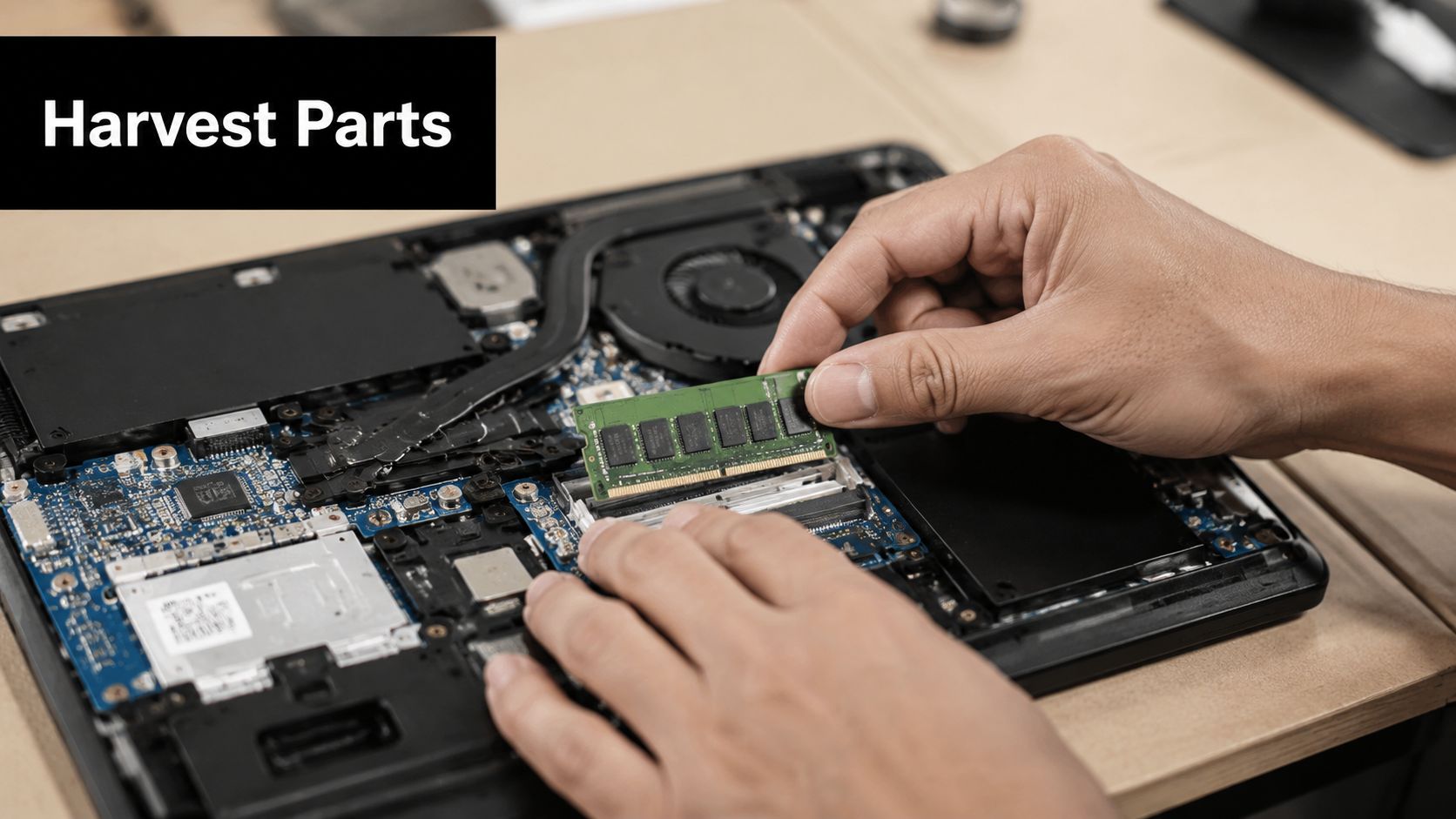
A failed laptop can still shorten repair queues across your fleet. If the motherboard is done but the SSD, RAM, display panel, keyboard, webcam, Wi-Fi card, or power adapter tests clean, that unit can support several more service tickets before it reaches final disposition.
This approach makes sense when your organization runs repeated models at scale. K-12 districts, healthcare systems, call centers, and multi-site employers usually see the best return because one donor device can support many identical deployments. The trade-off is operational overhead. Parts recovery only saves money if your team can test, label, store, and issue components with the same control used for purchased inventory.
Treat harvested parts like managed assets
The value here is speed and cost avoidance. A technician who can swap in a tested fan, keyboard, or screen from internal stock can return a user to service the same day instead of waiting for procurement and shipping. That matters in environments where downtime affects instruction, patient intake, or frontline operations.
It also creates risk if the process is loose. Unverified batteries, unlabeled adapters, and mixed-model screens turn a spares shelf into a failure point. I have seen teams lose the savings because nobody tracked which parts were tested or which models they fit.
A workable component recovery process usually includes four controls:
- Model-level compatibility tracking: record exact part numbers, supported model families, BIOS or firmware dependencies, and any known fit exceptions
- Functional testing before storage: verify drives, memory, displays, keyboards, chargers, and wireless cards before they enter inventory
- Safe handling and storage: use ESD protection, anti-static bags, and secure bins with clear labels
- Battery segregation: remove swollen or damaged lithium batteries immediately and send them to approved battery recycling channels
For HIPAA and FERPA environments, storage devices need extra care. Reuse SSDs or hard drives internally only after documented sanitization and verification, and only when your policy allows redeployment. If your organization cannot maintain that chain of control, recover non-storage components and send the drives for destruction instead.
Set limits on what you keep. Low-value parts with weak failure histories, odd proprietary adapters, and components from one-off models often cost more to manage than they save.
For organizations with a steady flow of retired devices, a structured recycled computer parts recovery program can support the split between internal reuse and responsible downstream recycling. That is often the right model when the help desk wants a lean spares inventory and leadership wants audit-ready disposition records.
This discipline also supports broader IT asset disposition strategy. You reduce emergency part purchases, extend the life of supported devices, and extract more value before final recycling. If some retired units are later reassigned to fixed-function roles, the same standardized fleet can also help streamline restaurant operations and other kiosk-style deployments where interchangeable parts simplify maintenance.
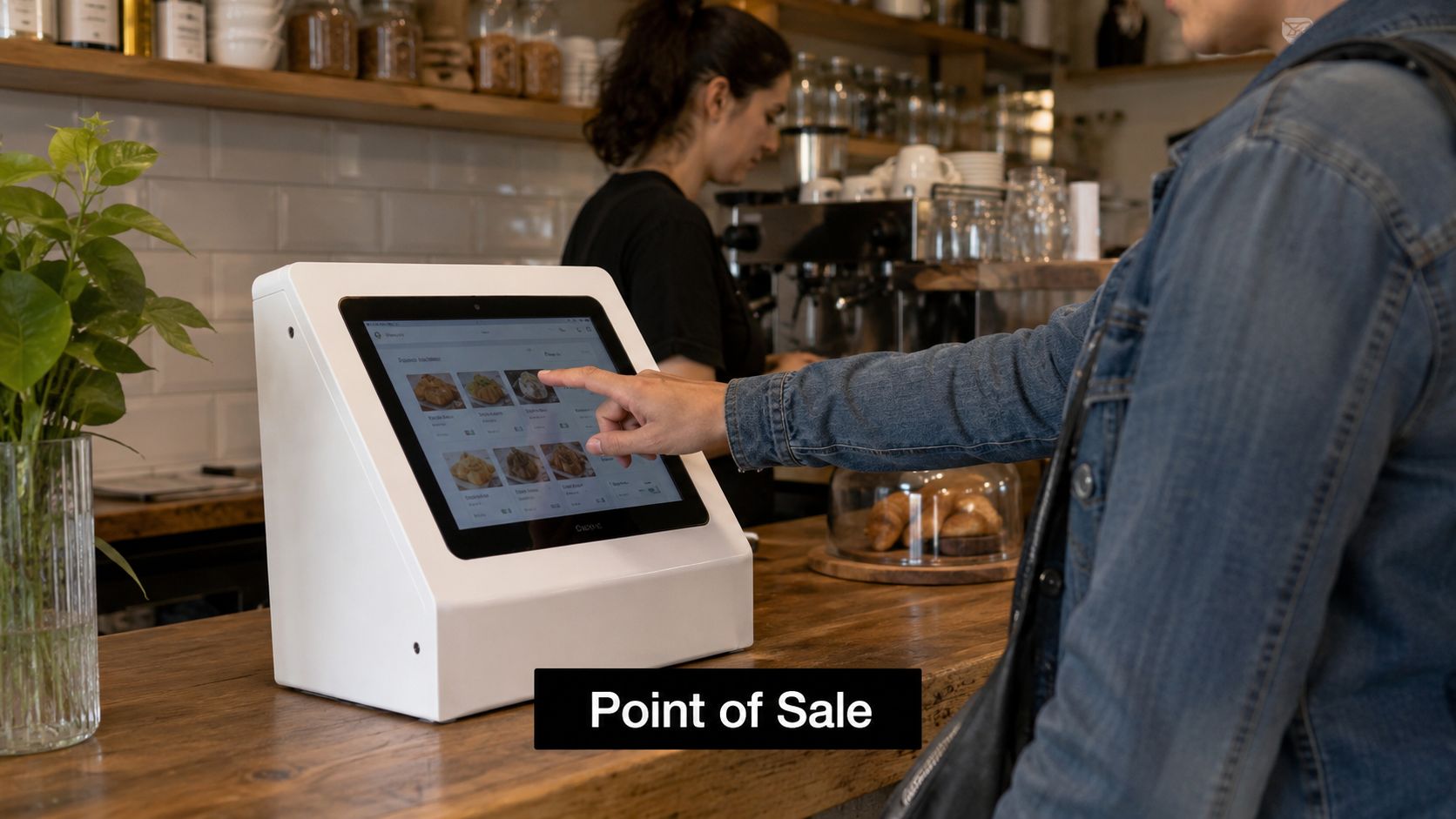
5. Convert Laptops to Specialized Kiosks and Point-of-Sale Terminals
A retired laptop can make a surprisingly capable single-purpose terminal. In retail, hospitality, healthcare, and public-facing office environments, that can mean a patient check-in station, visitor registration kiosk, training terminal, digital catalog, or back-counter point-of-sale support device.
This is one of the best options for older laptops that are still stable but no longer fit standard user expectations. The machine doesn't need to be elegant. It needs to boot reliably, stay locked to one application, and survive daily use.
Good kiosk deployments are boring
That's the goal. A kiosk shouldn't invite exploration. It should launch into one interface, stay there, and recover cleanly after interruptions.
I've seen teams get good results when they treat the laptop like an appliance. They disable unnecessary user accounts, restrict local settings, auto-launch the target app, and use a physical enclosure or stand that protects ports and power connections.
For restaurant and service environments, a repurposed terminal can complement front-of-house workflows when paired with software designed to streamline restaurant operations. The same logic applies in clinics, museums, hotels, and municipal service counters.
The real trade-offs
The advantage is cost containment. The downside is longevity in public use. Consumer laptop hinges, keyboards, and power bricks aren't as rugged as purpose-built commercial kiosks. If the device will be touched by the public every day, use an enclosure and lock down the OS aggressively.
These controls matter most:
- Use kiosk mode: Lock the interface to one app or web session.
- Set remote management: Push updates and restart remotely.
- Plan for thermal load: Enclosures trap heat.
- Protect privacy: Never cache patient, guest, or payment data locally longer than necessary.
For businesses reviewing broader IT equipment disposal and computer recycling plans, kiosk conversion can save newer units for revenue-generating users while giving older hardware one more practical deployment.
6. Establish Device Lending and Circulation Programs for Temporary Access
Many organizations have laptop demand that comes in waves. New hires wait for standard builds. Contractors need short-term devices. Trainers need temporary classroom fleets. Remote staff need a stopgap system during repairs. That's where an internal lending pool earns its keep.
A circulation model works best when you're trying to absorb temporary demand without buying new hardware for every short-lived use case. Laptops that no longer meet executive or power-user expectations can still serve as serviceable loaners for email, browser-based tools, Microsoft 365, and video meetings.
This is especially useful in schools and regulated offices
FERPA-heavy school systems, project-based consulting firms, and public agencies often need controlled temporary access. The devices can be standardized, reimaged after return, and reassigned without becoming part of permanent inventory for a single user.
The strongest programs treat these devices like library assets. They require sign-out records, documented return conditions, and routine wipe-and-redeploy procedures between users.
A practical operating model includes:
- Checkout documentation: User name, purpose, accessories issued, due-back date
- Fast reprovisioning: A known image and scripted re-enrollment
- Return inspection: Charger, webcam, keyboard, and battery checks
- Security reset: Remove user data and tokens before the next assignment
Lending pools fail when nobody owns them. Assign one team, one workflow, and one SLA.
Why this supports ITAD strategy
Circulation programs delay unnecessary purchases while extracting more service life from mid-tier devices. They also create a natural holding stage before final resale, donation, or recycling. For many businesses, that's better than forcing an all-or-nothing choice between redeployment and laptop disposal.
This approach pairs well with office moves, staffing transitions, and merger integration projects, where temporary device needs spike and then disappear. It also supports sustainability reporting because the devices remain in productive use rather than sitting idle in storage.
7. Repurpose Laptops as Personal Computers for Workforce Development and Digital Skills Training
A regional employer is hiring for entry-level admin, support, and operations roles, but local candidates keep missing the same baseline requirement: reliable access to a computer. Repurposed laptops can close that gap if IT treats the effort as a managed workforce pipeline, not an informal donation drive.
This option works best when the organization wants two outcomes from the same asset stream. It extends useful device life, and it supports hiring, community relations, or grant-funded training goals with equipment that still handles web apps, office software, remote learning platforms, and introductory technical coursework.
The operating model matters. Training providers need consistent devices, power adapters, a clean image, and clear support boundaries. A mixed pile of aging laptops with different specs and missing chargers creates more classroom downtime than value.
Before release, sort the fleet by training use case:
- Digital literacy and office skills: Older systems can usually handle browsers, video calls, and productivity apps with a lightweight image.
- Career-transition programs: Mid-range devices are a better fit when learners need resume tools, job portals, collaboration apps, and basic file storage.
- Introductory coding and IT training: Reserve units with higher RAM, SSDs, and working batteries for development environments, virtual labs, or longer class sessions.
- Graphic or media coursework: Do not force underpowered laptops into design tracks. That usually raises support costs and frustrates instructors.
For business and public-sector leaders, the bigger question is governance. If devices will be used in healthcare or education-related training, remove any residual regulated data before redeployment and document the wipe standard. That matters under HIPAA and FERPA, and it matters just as much for internal audit review. Repurposing is still an ITAD decision. The chain of custody, sanitization record, asset status change, and recipient terms should all be documented.
A practical rollout usually includes four steps. Standardize the image. Load only the software the curriculum requires. Record device condition and serial numbers at transfer. Define who handles break-fix support during the program.
Organizations that run technical training can also align this effort with future infrastructure needs. Teams exploring local data processing, lab environments, or distributed compute can connect training initiatives with broader edge computing trends for Atlanta businesses to decide which laptops belong in workforce programs and which should be reassigned to operational roles instead.
For organizations that want to connect reuse with digital inclusion, Reworx Recycling supports access pathways through programs for free computers for low-income communities. That fit is strongest for employers building local talent pipelines and wanting a documented community benefit from retired assets.
Some recipients will still need setup help after receiving a device, so community partners should be ready to refer them to expert home IT support or another local technical resource.
8. Deploy Laptops as IoT Edge Computing and Sensor Data Collection Devices
A retired laptop can fill a real operational gap at the edge. Sites with HVAC systems, packaging equipment, warehouse sensors, access controls, or utility panels often need a nearby device to collect readings, display a dashboard, and keep data flowing during brief network interruptions. In that role, an older laptop can extend asset life and delay new hardware purchases without forcing IT into a full edge infrastructure project on day one.
The fit depends on workload, environment, and risk tolerance. Repurposed laptops work best for pilot programs, secondary monitoring, and non-critical data collection. They are a poor choice for safety systems, regulated production controls, or any process where hardware failure would stop operations or create a compliance issue.
Good use cases are straightforward:
- Local sensor aggregation: Receive data from nearby devices, normalize it, and forward it upstream on a schedule
- On-site dashboards: Show equipment status, environmental readings, or alarm conditions where technicians need them
- Maintenance workstations: Provide access to manuals, diagnostics, and service logs beside the asset
- Short-term edge pilots: Test a building automation or industrial monitoring concept before buying purpose-built hardware
Consumer laptops also come with trade-offs. Battery swelling, worn fans, aging storage, and limited port options are common failure points. Dust, heat, vibration, and unstable power make those problems worse. If a business decides to reuse laptops this way, basic hardening should be part of the plan: remove failed batteries where safe and appropriate, use wired Ethernet instead of Wi-Fi when possible, add surge protection, enable remote management, and place the unit in a clean enclosure or protected cabinet.
Governance matters here because these devices often sit outside the data center but still touch business systems. If the laptop will collect facility data tied to patient spaces, student environments, or other regulated operations, apply the same review you would use for any endpoint that stores or transmits sensitive information. That includes data minimization, access controls, patching standards, logging, and documented retention rules. HIPAA and FERPA concerns usually arise from the data being handled, not from the fact that the device is old.
For IT leaders, the practical question is whether the device saves enough time or capital to justify support overhead. A repurposed laptop makes sense when local processing, temporary buffering, or on-site visibility solves an immediate operational problem at low cost. It makes less sense when uptime requirements, environmental conditions, or long-term maintenance point to industrial edge hardware instead. Teams comparing those paths can use Reworx Recycling's overview of edge computing trends in Atlanta businesses to assess where reused endpoints fit into a broader edge strategy.
Treat the reassignment as an ITAD decision, not a lab experiment. Record the asset transfer, sanitize and reimage the device, restrict software to the defined workload, and assign an owner for updates and failure response. That paperwork is what turns a clever reuse idea into a supportable business process.
8-Option Comparison: Repurposing Old Laptops
| Item | 🔄 Implementation Complexity | ⚡ Resource Requirements | 📊 Expected Outcomes | 💡 Ideal Use Cases | ⭐ Key Advantages | 💡 Actionable Tips |
|---|---|---|---|---|---|---|
| Donate Laptops to Educational Institutions and Nonprofits | Medium, coordination, vetting, compliance | Refurbishment, certified data destruction, logistics | Measurable community impact; extended device life 3–5 yrs; tax documentation | Schools, libraries, nonprofits, CSR programs | ⭐ High social impact; tax benefits; reduced e‑waste | Partner with established nonprofits; document specs; ensure certified data wipes |
| Convert Laptops to Dedicated Server / NAS | High, OS install, network config, maintenance | Technical expertise, upgrades (RAM/SSD), continuous power/cooling | Local backups, reduced cloud costs, data sovereignty; 5–7+ yrs life | Small firms, clinics, agencies needing on‑prem storage | ⭐ Cost‑effective DIY infrastructure; learning platform for IT | Use SSDs, energy‑efficient OS, RAID and monitoring; document configs |
| Establish Refurbished Laptop Buyback / Resale / Trade‑In Programs | High, valuation, compliance, vendor management | Certified refurbishers, asset tracking, logistics, warranties | Recover 30–60% value; scalable revenue; strong ESG metrics | Large enterprises, government, institutions with refresh cycles | ⭐ Significant value recovery; predictable disposition; compliance support | Obtain multiple quotes; use certified vendors (R2/e‑Stewards); track assets and data destruction |
| Repurpose Laptop Components for Repair and Replacement Parts | Medium, dismantling expertise and inventory control | Skilled technicians, ESD equipment, storage and labeling | Lower parts costs (30–70% savings); faster repairs; 2–3 yrs extended device life | IT departments, repair shops, educational labs | ⭐ Major cost savings; improved repair turnaround; reduced supply dependence | Maintain compatibility matrices; follow ESD/battery safety; organize inventory |
| Convert Laptops to Specialized Kiosks / POS Terminals | Medium, hardware mounting and software locking | Protective enclosures, POS/kiosk software, ventilation, remote management | Rapid deployment of terminals; 60–80% hardware cost savings | Retail self‑checkout, hospitality kiosks, patient check‑in | ⭐ Low‑cost terminals; reuse of existing devices; quick pilot rollouts | Invest in quality enclosures; enable remote updates; configure read‑only OS and cooling |
| Establish Device Lending and Circulation Programs | Medium, policies, tracking, and maintenance | Asset management software, maintenance workflows, admin staff | Optimized utilization; lower per‑user costs; contingency device pools | Consulting firms, universities, field teams, loaner programs | ⭐ Greater device utilization; flexible access; reduced capital spend | Implement clear checkout policies, asset tracking, wipe devices between users |
| Repurpose as Personal Computers for Workforce Development & Training | Low–Medium, image/configuration and support | Preinstalled software, licensing (or OSS), support resources | Increased access to training; higher completion/employment outcomes | Coding bootcamps, workforce programs, community colleges | ⭐ High social & training impact; large cost reduction for programs | Align specs to curriculum; preinstall environments; define post‑program ownership |
| Deploy Laptops as IoT Edge Computing & Sensor Hubs | High, integration, hardening, continuous operation | Robust CPUs/RAM, enclosure/hardening, redundant power, IoT platform expertise | Reduced latency/bandwidth; localized analytics; 5–7+ yrs specialized use | Manufacturing, smart buildings, environmental monitoring | ⭐ Affordable edge compute for prototyping and distributed analytics | Use rugged enclosures, redundant power/network, remote monitoring and backups |
Making the Right Choice Repurpose, Resell, or Recycle
A laptop refresh usually leaves IT leaders with three piles. One still has market value. One can serve a second purpose inside the business or through a community program. One needs certified destruction and responsible recycling. The job is deciding which devices belong in each stream before storage closets fill up and chain-of-custody records get messy.
Condition, age, prior use, and data sensitivity should drive that decision. Newer laptops with solid performance, intact batteries, and good cosmetic condition often make the most sense in a buyback, resale, or trade-in program. Mid-life devices that still run reliably are better candidates for donation, lending pools, kiosks, training labs, or other controlled redeployment. Units with failed drives, broken screens, unsupported operating systems, swollen batteries, or missing components usually belong in secure recycling.
A simple age-based screen helps, but it should not be the only filter. Devices under three years old often justify resale because they retain enough residual value to offset refresh costs. Systems in the three-to-five-year range are commonly better suited to internal repurposing or donation, especially if the performance matches the intended workload. Older or damaged equipment tends to cost more to support than it returns in value, which makes recycling the cleaner operational decision.
Compliance often settles the question faster than hardware specs do. In healthcare, education, government, and any business that handles regulated data, the main issue is not whether a laptop can be reused. It is whether your team can document secure sanitization, custody, and final disposition. Mainstream consumer advice on reusing old PCs usually focuses on hobby projects and light upgrades, with far less attention to enterprise decommissioning and privacy controls, as reflected in PCMag's broader old PC reuse article.
That is why repurposing belongs inside your ITAD process. Start with a complete inventory. Classify each device by asset age, hardware condition, licensing status, and the sensitivity of the data it previously handled. Then assign a disposition path: repurpose, donate, resell, harvest for parts, or recycle. Record wiping or shredding actions, transfer dates, receiving parties, and final outcomes. For HIPAA and FERPA environments, that documentation is part of risk control, not admin overhead.
Cost matters, but support burden matters too.
Refurbished laptops can still serve many business and community use cases at a much lower cost than buying new, which is one reason repurposing deserves a place in budget planning. But not every retired machine should stay in circulation. If a device will create repeated help desk tickets, fail security baselines, or require exceptions to your standard image, resale or recycling may be the better choice even if the hardware still powers on.
For Atlanta, Smyrna, and the broader Georgia business community, Reworx Recycling offers a practical path through that decision. The company supports electronics recycling, donation-based recycling, secure data destruction, product destruction, pickup scheduling, and broader IT equipment disposal needs. It can also help during office cleanout, facility cleanout, computer recycling projects, and specialized streams such as medical equipment disposal or laboratory equipment disposal. If your organization is planning a refresh, relocation, or sustainability initiative, partner with Reworx Recycling to assess your inventory, protect data, recover usable value, and direct the rest into responsible recycling. Schedule your business pickup today.
If your business is ready to repurpose old laptops, launch a donation-based recycling program, or plan secure IT equipment disposal, connect with Reworx Recycling. Reworx helps organizations handle electronics recycling, secure data destruction, equipment pickups, and community-focused reuse programs that support digital inclusion and sustainable recycling.