You're clearing a Tucson office, a school cabinet, or a clinic supply room and you find drives nobody inventoried. Some work, some don't, and nobody can confirm what they held. That's the wrong moment to call for a shred truck first. Destruction is a records decision before it's a disposal transaction. Sort what must be retained, what can be sanitized for reuse, and what must be destroyed, then buy Data Destruction Services in Tucson against that decision.
Match Each Storage Device to a Destruction Method
A Tucson clinic manager opens a supply closet during an office cleanout and finds forty retired drives in an unmarked box. There's no log, no owner, and no record of whether they held scheduling files, patient records, or nothing important at all.
That box is common in laptop disposal and IT equipment disposal projects. The mistake isn't finding it. The mistake is applying one wipe, one shredder, or one assumption to every device inside it.
Start With Sensitivity, Media Type and Reuse
The National Institute of Standards and Technology Special Publication 800-88 Revision 1, issued in December 2014 groups sanitization into Clear, Purge, and Destroy. NIST defines sanitization as making access to target data infeasible for a given level of effort, with Clear protecting against ordinary recovery, Purge making recovery infeasible using state-of-the-art laboratory techniques, and Destroy preventing reuse for storage.
That distinction matters for secure data destruction because method follows three facts. How sensitive is the data, what kind of media holds it, and will anyone reuse the device? A working office laptop headed for redeployment doesn't need the same treatment as a failed drive that held regulated records.
| Method | NIST 800-88 category | Best fit | Main limit |
|---|---|---|---|
| Software overwrite | Clear | Working HDDs staying in-house | Does not reliably reach hidden or reserved SSD areas; not for failed drives |
| Cryptographic erase | Purge | Self-encrypting drives and SSDs | Valid only if encryption was enabled from the start |
| Degaussing | Purge | Magnetic HDDs and tape | Destroys drive electronics; unsuitable for SSDs; needs verified equipment |
| Shredding or pulverizing | Destroy | Failed, damaged or high-sensitivity drives and SSDs | Particle size must be specified and output inspected |
| Licensed incineration or melting | Destroy | Media that must leave no recoverable material | Highest cost; requires licensed facility and permitted disposal |
Where Buyers Get This Wrong
The SSD trap causes the most trouble. Deleting files or formatting a drive removes pointers, but it doesn't reliably reach hidden, reserved, or overprovisioned areas where data can remain. Treating a quick format as sanitization leaves exactly the gap an auditor will ask about.
Degaussing creates a different error. It can work for magnetic HDDs and tape, but it's generally unsuitable for solid-state media and typically destroys a magnetic drive's electronics. If you planned to reuse that drive, degaussing ends that plan.
If a drive has failed and you can't verify a logical wipe, don't argue with the evidence problem. Destroy it physically and document the serial number.
Physical destruction is the defensible choice for failed, damaged, inaccessible, or high-sensitivity storage. It removes the reuse question and the hidden-area question at the same time. It isn't automatically the right choice for working equipment with resale or donation value.
Run the Three-Question Test
Ask the same questions for laptops, phones, backup tapes, servers, and copier drives:
- Will it be reused? If yes, you need a verified Clear or Purge method that fits the media. If no, reuse shouldn't drive the decision.
- Does it hold regulated data? Names combined with Social Security numbers, driver's license numbers, medical information, or biometric data raise the required level of assurance.
- Has it failed? A failed drive can't prove a software wipe worked. Route it to Destroy unless you have a verified alternative.
Write the answers down by asset, not by batch guess. NIST supports keeping records of the decision, method, tools, and verification, which creates an auditable trail for IT asset disposition (ITAD). For background on method selection, review what data destruction involves and how methods differ before you ask any provider for a price.
Check Which Tucson and Federal Rules Apply to You
A box of retired laptops from an office cleanout can hold records the organization still has a duty to retain. Check retention schedules, legal holds, and contract requirements before deciding whether to destroy, reuse, or donate any device. If data can be verifiably sanitized and the asset is suitable for reuse, donation may preserve its value. Destruction is for records approved for disposal, not a substitute for that decision.
Arizona's breach-notification framework applies to organizations doing business in the state that own, maintain, or license unencrypted and unredacted computerized personal information. It covers corporations, partnerships, governmental subdivisions, agencies, and other legal entities, as described in the Arizona Attorney General data breach guidance.
Covered information includes a person's first name or initial and last name combined with a Social Security number, driver's license number, taxpayer identification number, medical or mental-health information, or biometric data. If a breach is determined, Arizona generally requires notification within 45 days, subject to law enforcement needs and limited exceptions, according to the Arizona Attorney General data breach guidance.
Why Retired Drives Create Breach Exposure
A missing retired laptop can create exposure if it contains covered personal information. A breach affecting more than 1,000 Arizona residents requires additional reporting to the three largest nationwide consumer reporting agencies and the Arizona Attorney General, as described in the Arizona Attorney General data breach guidance.
Destruction records show that obsolete media went through a controlled process before disposal. They do not resolve a breach that has already occurred or replace encryption and access controls. They document one part of end-of-life handling.
| Organization | Rule that applies | What destruction must show |
|---|---|---|
| Healthcare provider or business associate | HIPAA Security Rule disposal and media-reuse standards | Documented disposal policy and media-level records for ePHI |
| Business holding SSNs, driver's license or medical data | Arizona breach-notification statute | Controlled disposal of computerized personal information with a record |
| Federal contractor handling CUI | NIST SP 800-171 media sanitization requirements | Media sanitized or destroyed before disposal, with a documented method |
| Public agency or school district | Records-retention schedules and public-records rules | Retention checked before destruction; destruction logged by batch |
| Any organization facing litigation or audit | Legal hold | Destruction paused until the hold is released, in writing |
Match the Rule to Your Organization
Healthcare organizations need documented procedures for disposing of electronic protected health information and reusing media under HIPAA's Security Rule. Those procedures also matter when a business associate handles equipment during medical equipment disposal.
Federal contractors handling controlled unclassified information must sanitize or destroy media before disposal under their contract obligations. Public agencies and schools should check retention schedules and public-records requirements before approving a cleanout. The wrong order can turn routine disposal into an improper records destruction.
A pending lawsuit, investigation, or audit can also change the schedule. Pause destruction of affected assets until counsel releases the legal hold in writing. Keeping drives secured for longer is preferable to destroying evidence.
NIST SP 800-88 is not itself a law. It provides a benchmark for assessing whether a sanitization method fits the media and data involved. For statewide context on compliant electronics recycling, review Arizona electronics recycling options for businesses and check that route against your retention rules.
Route Each Retired Asset Before You Choose a Provider
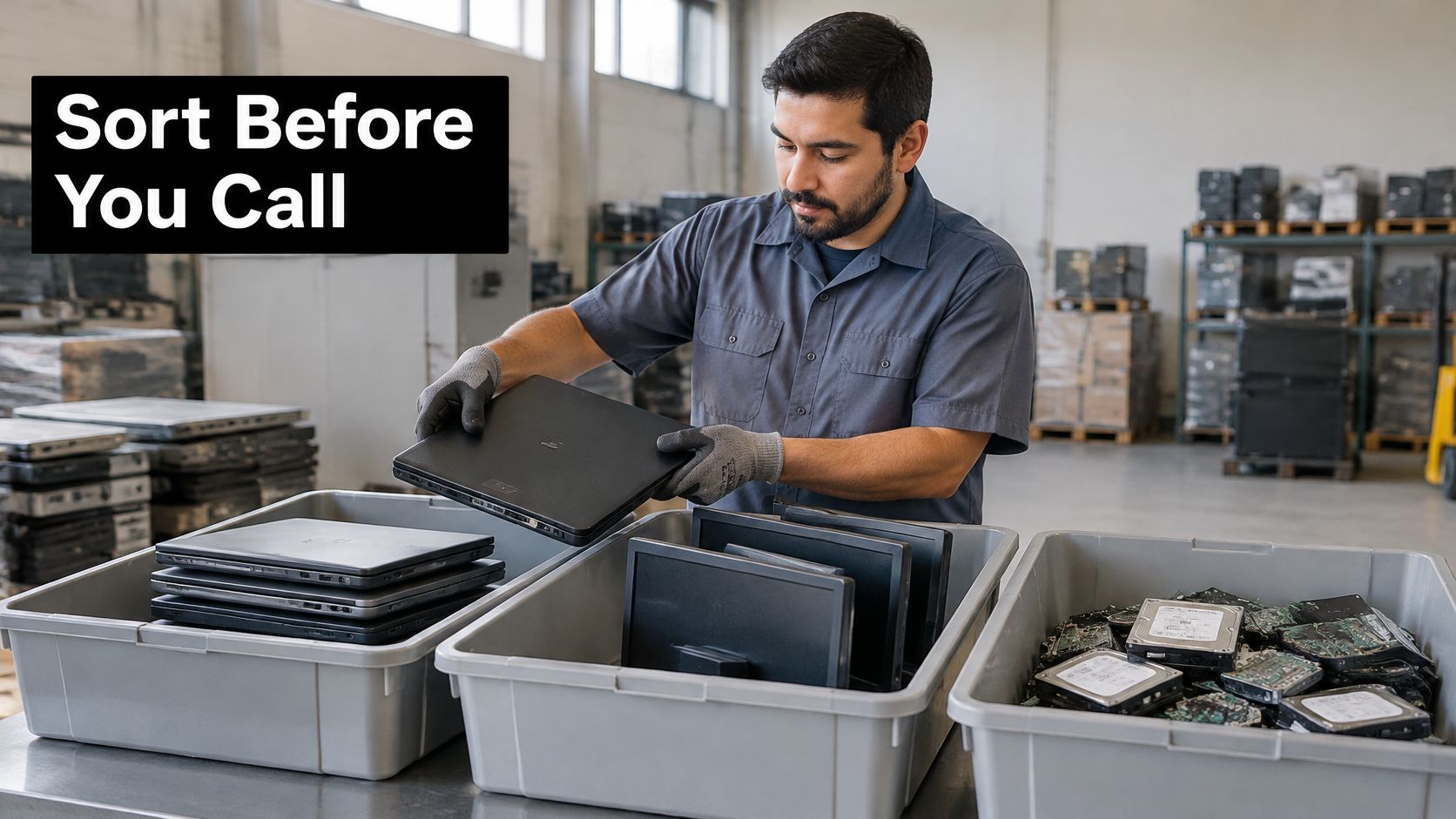
A failed drive turns up during an office cleanout, alongside working laptops, monitors, and loose cables. Decide what records must be retained, then sort each asset by its condition and data risk before contacting a provider. Donation, recycling, and destruction need different handling and records.
Route 1: Donation After Verified Sanitization
Working computers can be reused when their data has been verifiably sanitized. Reuse or donation can be a better outcome than shredding, but only when you can confirm the device is clean and permitted for release.
Donation still requires the full security process: sanitize, verify, record, then release. If the result cannot be verified, keep the device out of the donation pile. Reworx Recycling operates donation-based recycling and corporate donation programs as a social enterprise recycling option for businesses.
Route 2: Electronics Recycling Without Storage
Broken monitors, printers, cables, chargers, keyboards, and other electronics without storage belong in computer recycling or general sustainable recycling, not in a destruction batch. The City of Tucson electronics recycling guidance directs residents to the Los Reales Sustainability Campus Household Hazardous Waste site or community collection events, rather than curbside bins.
That route suits smaller loads. Larger commercial projects, including a facility cleanout, data center decommissioning, or laboratory equipment disposal, may require scheduled business pickup and documentation of downstream handling.
Route 3: Destruction for Unverifiable or Regulated Media
Failed drives, damaged SSDs, unreadable backup media, and devices holding regulated data should go to destruction when their information cannot be verified as safely removed. Apply the same decision to phones, tablets, servers, and removable media, not just laptops.
Routing principle: Reuse beats shredding when the data is verifiably clean. Shredding beats reuse when you can't prove that it is.
Before booking, complete three checks:
- Inventory every asset: Record its make, model, serial number, storage type, condition, and location. Include copier drives, phones, tapes, and loose SSDs found in drawers.
- Confirm retention and holds: Get written clearance from the data owner, records staff, or counsel that retention schedules and legal holds do not block destruction.
- Assign a route and method: Mark each asset for donation, recycling, Clear, Purge, or Destroy, and record who made the decision.
Only after that sort should you shortlist providers, schedule pickup, and file the resulting records. Sorting first can keep reusable equipment out of a destruction batch and prevent unverified devices from being donated.
Vet a Provider on Certification and Chain of Custody
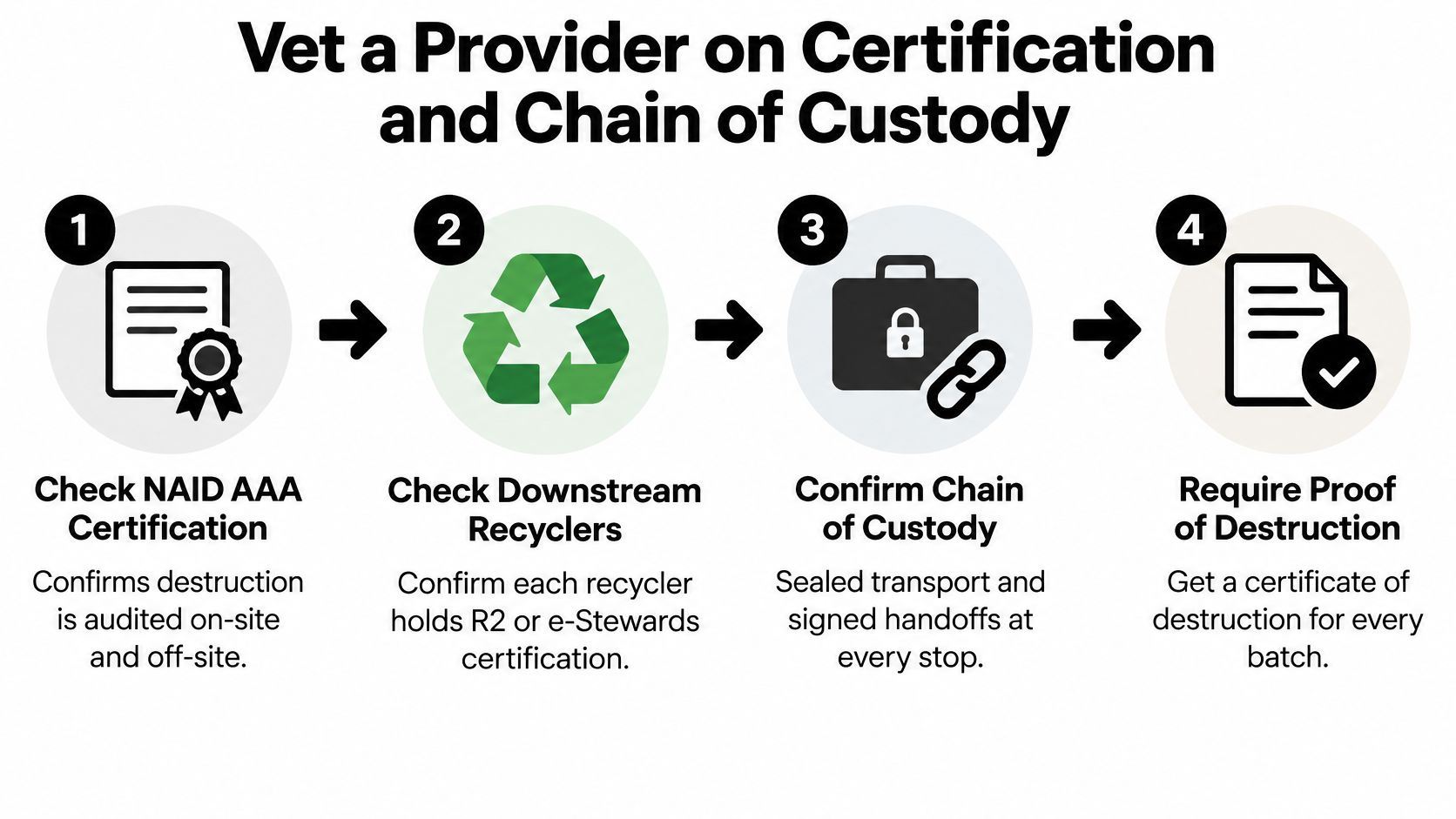
Credentials tell you whether a provider's process is audited or merely described well. Ask for current paperwork before pickup, not after your drives leave the building. Expired certificates and vague answers about subcontractors are useful information.
Credential Questions to Ask First
- NAID AAA certification: Does the provider hold current certification for the specific destruction operation you'll use, on-site or off-site?
- Downstream recyclers: Do the firms receiving shredded residue and non-storage equipment hold R2 or e-Stewards certification, and will the provider name them?
- People and transport: Are staff background-checked, are trucks locked and GPS-tracked, and are containers sealed at your site?
- Insurance and subcontracting: Does the company carry cyber and liability insurance, and will any part of transport, destruction, or recycling be subcontracted?
For context on what that credential audits, review how NAID AAA certification applies to destruction providers and then ask the provider to show its current certificate scope. A logo on a proposal isn't proof.
Walk the Custody Trail Step by Step
A sound process has no unexplained handoff:
- Seal and label at pickup: Containers are sealed in your presence and labeled to your manifest, so later disputes start from a known baseline.
- Reconcile at receipt: The provider counts and scans against your inventory as soon as the load arrives. A gap found days later is harder to resolve.
- Isolate storage-bearing components: Drives and SSDs are separated from monitors, docks, and cables so media doesn't drift into ordinary recycling.
- Destroy with matched equipment: HDDs, SSDs, phones, and tape don't all belong in the same machine or at the same particle size.
- Inspect the output: Staff check for intact platters, memory chips, or recoverable assemblies that indicate the equipment setting was wrong.
- Reconcile serials and exceptions: Every serial is accounted for, and damaged labels or unreadable tags are logged rather than silently dropped.
- Issue a batch certificate: The certificate ties the manifest, method, date, operator, and exceptions to one batch ID you can file.
The gap between steps one and two is where loss usually hides. Consider a manifest listing forty drives where the receiving count finds thirty-nine. A good provider stops, rechecks sealed container numbers, reviews the signed curb log, and contacts you before destruction begins.
In one typical resolution, the fortieth drive is still in a laptop shell your team listed as a bare drive. The provider photographs it, logs the serial as an exception with explanation, removes it under the same batch, and destroys it with the rest. That written exception is stronger evidence than a clean-looking count nobody verified.
Ask who can halt the job when counts don't match. If nobody can answer, the chain of custody is a sales phrase, not a control.
Choose On-Site Shredding, Pickup or Drop-Off
Volume, sensitivity, and staff time should decide the setup. The cheapest route often becomes expensive when your team spends days carrying equipment, rebuilding manifests, or chasing missing serial numbers. The most visible route isn't always necessary for low-risk media either.
On-Site Shredding
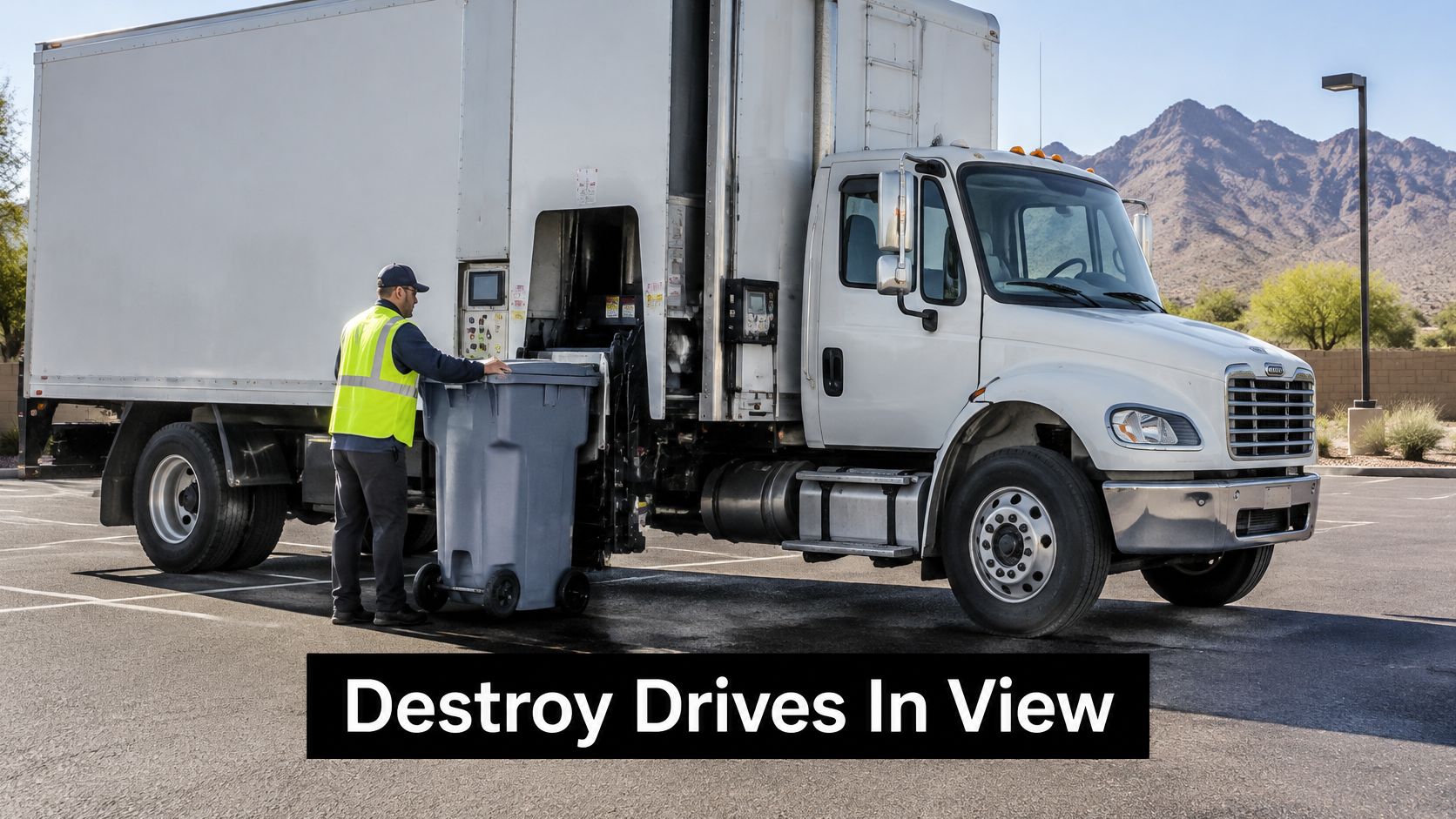
On-site shredding puts the truck in your parking lot and destroys drives in view of your staff. It suits regulated records, product destruction, large refresh projects, and agencies that can't let media leave the property intact.
The trade-offs are crew and truck charges, parking access, noise, and scheduling around patients, students, or customers. Witnessing destruction also isn't the same as verifying every serial, so you still need the pre-destruction log and final certificate.
Sealed Business Pickup
Pickup moves sealed containers to a provider facility for destruction, sometimes with video witnessing or a facility tour. It's often the practical choice for mid-volume refreshes, multi-building campuses, and IT equipment disposal where a truck can't operate on site.
Transit is the risk you must control. Require locked containers, seal numbers recorded at the curb, a named driver, and receipt reconciliation. Without those controls, you're trusting the least visible part of the process.
Drop-Off for Small Counts
Drop-off works for a few laptops or phones when you can bring a count and manifest yourself. Traceability weakens as volume grows because staff time, mixed loads, and informal handoffs creep in. Don't let employees take regulated drives home or store them in personal vehicles overnight.
Choose witnessed on-site destruction when intact media can't leave your control. Choose sealed pickup when you can document every handoff.
Before booking, complete these scheduling steps:
- Request the pickup window in writing: Confirm date, arrival window, Tucson service area coverage, and what happens if the crew is delayed.
- Ask for a named driver: Your front desk should know who is authorized to receive sealed containers.
- Require a serial-level log signed at the curb: Both sides sign the count, seal numbers, and exceptions before the truck leaves.
- Name the interim holder: Decide who secures containers if the crew arrives early or your loading dock is occupied.
Confirm route availability before you promise an internal deadline. Service windows in Tucson vary by provider route, truck type, and whether destruction happens on site.
Compare Quotes Using the Factors That Set Price
Two quotes can show the same per-drive headline and produce very different invoices. One includes serial logging, sealed pickup, destruction to a stated particle size, and a batch certificate. The other treats each of those items as an exception.
Per-drive pricing means little without the destruction level, particle size, pickup distance, documentation, and downstream handling spelled out. Compare totals for the same specification, not slogans.
| Cost factor | Why it moves the price | What to request in the quote |
|---|---|---|
| Media type and count | HDDs, SSDs, tape and phones are priced differently | Itemized count by media type |
| Destruction level | Finer particle size takes more processing | NIST category and stated particle size |
| Pickup distance and vehicle | Mileage, route density and locked trucks | Per-stop fee and minimum charge |
| On-site witness | Truck, crew and hours on your site | Hourly or per-event rate |
| Serial-level inventory | Reconciling each serial takes labor | Serial log included in price |
| Certificate and documentation | Some bundles include certificates, others bill them | Batch certificate included, with sample |
| Environmental disposal | Residue and hazardous components need approved recyclers | Named downstream recycler |
| Compliance extras | Incineration, legal-hold storage, after-hours work | Surcharges listed in writing |
Force an Apples-to-Apples Bid
Give every bidder the same three-line spec. For example, state the count by media type, required NIST category and particle size, pickup or on-site setup, serial log, certificate fields, and downstream recycling requirement. Then compare the full total.
Watch for minimum charges that make a small drop-off unexpectedly expensive. Multi-building campuses should also ask about per-stop fees, waiting time, and charges for rescheduled pickups. A low bid that omits certificates isn't cheaper if your auditor rejects the record.
Ask whether each cost is in the rate card or billed as an exception, and get that answer in writing. Figures change with volume and season, so request a written rate card valid for the contract term rather than relying on a verbal estimate. For background before negotiations, review pricing transparency questions for recycling and destruction services and bring that itemization standard to every bidder.
One more test helps. Ask each provider to price one messy exception, such as an unreadable serial label or a drive found inside a copier. The answer shows whether exception handling is routine or a future surcharge.
Demand a Certificate of Destruction You Can Audit
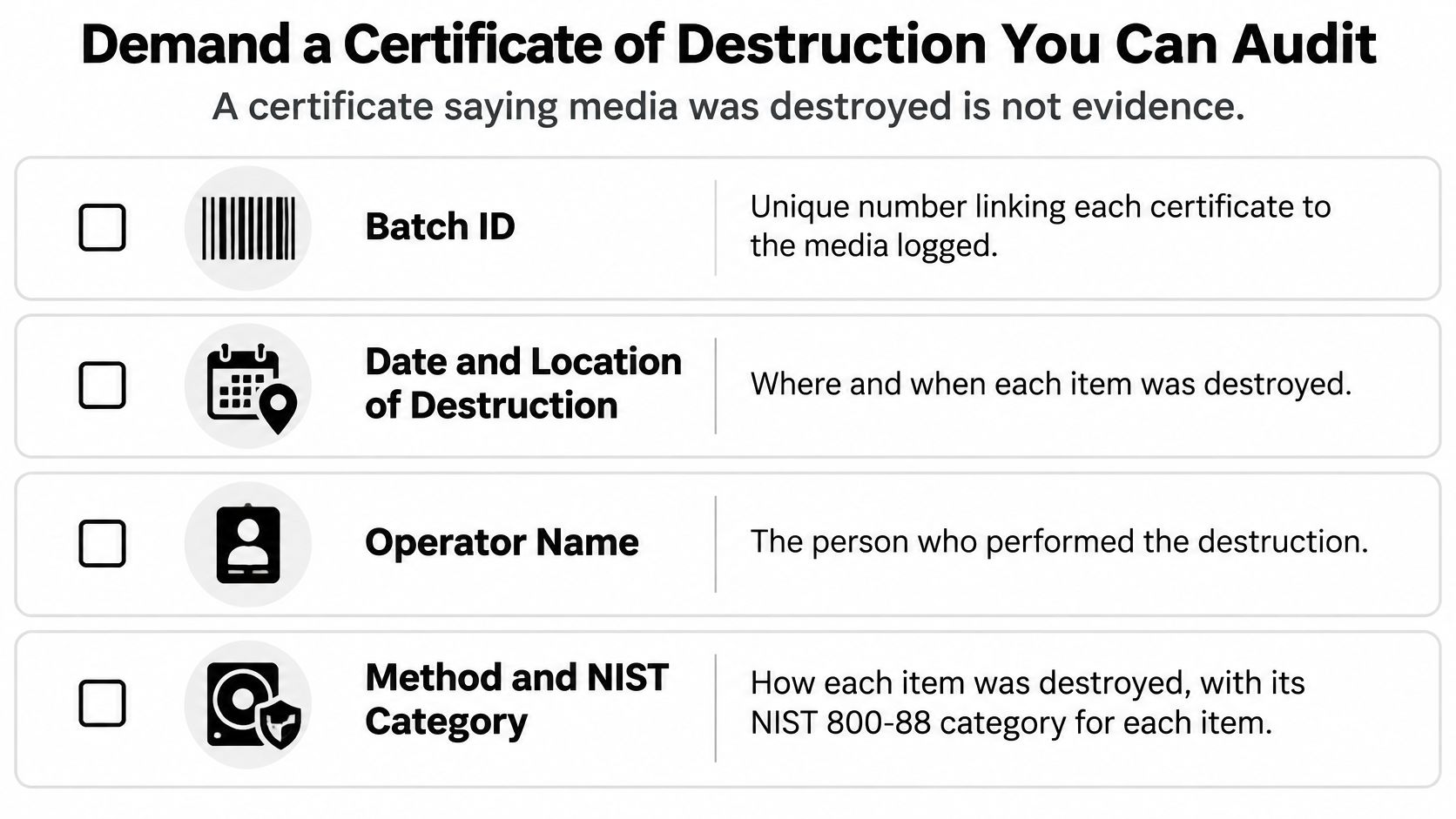
A certificate that says media was destroyed is not evidence by itself. Without batch details, serials, method, and exceptions, it's a receipt with confident wording. Your auditor needs to trace each asset from inventory to final disposition.
Fields That Must Appear
Require these fields before you sign:
- Batch ID: Links the certificate to one manifest, pickup, and destruction event.
- Date and location: Shows where and when each batch was destroyed.
- Operator name: Identifies who performed the work, not just the company.
- Method and NIST category: States Clear, Purge, or Destroy for each item or media group.
- Quantity by media type: Separates HDDs, SSDs, phones, tape, and other storage.
- Serial numbers or asset tags: Proves which specific devices were included.
- Exceptions list: Explains blank labels, damaged serials, count differences, and how each was resolved.
- Photos or video and signature: Supports the record with visual evidence and an authorized sign-off.
Verification Matters More Than the Logo
NIST recommends verification every time sanitization is performed, or representative-sample verification when sampling is appropriate, according to the NIST ITL Bulletin summary of SP 800-88 sanitization guidance. Sampling should, if possible, be done by personnel who didn't perform the original sanitization.
Ask whether verification is internal, independent, sampled, or performed on every item. Also ask how exceptions are resolved and how quickly you'll be notified. For example, a certificate lists 120 drives but three serials are blank and marked as exceptions. A credible provider re-inspects the output and source containers, documents why the labels were unreadable, and issues a corrected record.
Review a sample before pickup using a certificate of destruction for hard drives as a field checklist. File the final certificate with your asset records for as long as your retention schedule requires, ideally before the project team closes the cleanout.
Frequently Asked Questions for Tucson Buyers
Can we wipe and destroy drives in-house?
In-house wiping can work when staff have validated tools, training, and a documented process. It may not be enough when the drive is failing, the wipe tool cannot complete or verify the operation, or the organization cannot retain clear records. In those cases, hold the device securely and use a qualified provider. Physical destruction also requires trained, authorized staff, suitable equipment, and attention to safety and hazardous-material requirements.
Does a donated computer still need destruction?
A computer with verifiably clean storage can be reused or donated, avoiding unnecessary destruction. Sanitize the drive using a method suited to the media, then confirm it succeeded. If the drive fails verification or cannot be accessed, remove it for destruction before the computer leaves your control.
How should a public agency buy this service?
Set the destruction level, particle size, required records, and exception process in the bid. Make the certificate a contract deliverable, and ask bidders to state their rates for the contract term. That makes proposals easier to compare and clarifies what happens when a device cannot be processed as planned.
What if a vendor cannot show current credentials?
Do not release regulated media until the provider supplies credentials that cover the work. A promise to send paperwork later does not establish that the provider is qualified for the job.
What if a device turns up after a batch is destroyed?
Secure it and record it as a separate exception. Identify the data owner, notify your compliance lead, and determine whether it held Arizona-covered personal information and whether breach thresholds may apply. Then process it in a new documented batch.
For an office cleanout, separate reusable laptops, storage devices, and non-storage electronics before arranging service. Review Reworx Recycling for donation, pickup, and secure destruction options, and keep the disposition record with your asset files.