Phoenix businesses can't rely on residential electronics collection, and Arizona lacks a statewide mandatory electronics take-back program, so each organization needs its own IT asset disposition workflow. Start by identifying equipment that holds records covered by A.R.S. § 44-7601, then approve its data treatment, transport, and final destination before booking collection.
You've probably got laptops stacked beneath a shelf, loose drives in a drawer, and a server nobody wants to claim. Facilities needs the closet cleared, finance wants the assets retired, and your security team wants proof that nothing sensitive leaves intact. Your deadline is a logistics problem, but your responsibility doesn't end when the truck departs.
Why IT Asset Disposition Is a Business Workflow, Not a Trash Problem
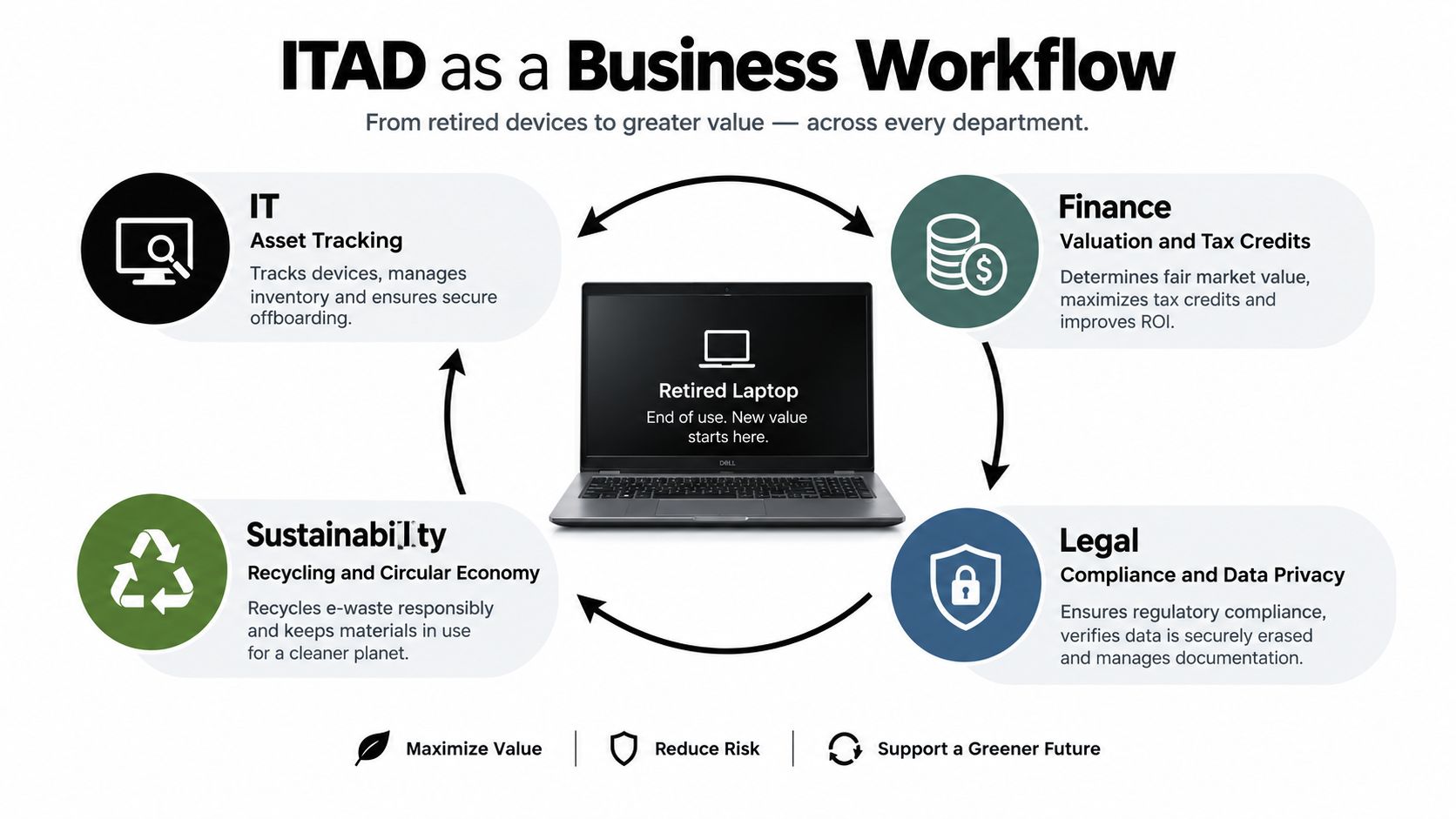
IT asset disposition in Phoenix is a shared business process, not an extension of janitorial service. IT controls the asset inventory and data decisions. Finance approves retirement and value recovery, legal reviews obligations, and sustainability needs evidence of what happened.
A retired laptop passes through several decisions before it's gone. Someone must determine whether it still works, whether another user could use it, what information it contains, and whether its destination is approved. A collection receipt answers none of those questions by itself.
Establish ownership before requesting a truck
Phoenix household collection eligibility generally depends on an eligible residential solid-waste account. Offices, schools, and agencies shouldn't assume those services cover their equipment, particularly without a statewide mandatory take-back program to provide a standard commercial route, as described in this Phoenix commercial computer-recycling overview.
Build the operating procedure around distinct responsibilities:
- Assess and authorize. IT identifies assets, finance approves retirement, and the business owner releases equipment from service.
- Protect information. Security selects the sanitization outcome and determines whether equipment can leave controlled premises before treatment.
- Move and process. Facilities coordinates access and packaging while procurement establishes the vendor's obligations.
- Reconcile and report. The program owner compares collection records with final outcomes and resolves missing or mismatched assets.
Don't let the departments work from separate, incompatible spreadsheets. Use a master register with fields each team can approve, and identify who can authorize an exception when the inventory doesn't match the physical equipment.
Practical rule: A cleared closet is a facilities result. A reconciled asset register with documented outcomes is an ITAD result.
For an urgent office cleanout, isolate unknown equipment rather than guessing about ownership or data sensitivity. Move approved assets forward while an assigned employee investigates the exceptions. That keeps the deadline manageable without turning uncertainty into an undocumented release.
Arizona and Phoenix Rules That Shape Every ITAD Decision
A.R.S. § 44-7601 addresses the information being discarded, not merely the container holding it. It prohibits knowingly discarding covered records containing a person's name combined with sensitive identifiers unless the information is redacted or the record is destroyed. Covered identifiers include Social Security, payment-card, bank-account, and driver-license numbers.
The statute provides civil penalties of up to $500 for a first violation, $1,000 for a second, and $5,000 for subsequent violations arising from one incident, and recognizes compliance through consistent organizational disposal procedures, as set out in Arizona's records-disposal statute.
Apply record controls to electronic storage
Don't limit the review to desktop computers. Treat hard drives, SSDs, removable media, and multifunction-printer storage as possible record containers. Ask the equipment owner what the device processed, not just whether someone remembers saving files on it.
Your approved disposal procedure should translate legal requirements into specific controls. A general instruction to recycle responsibly isn't enough for an employee deciding what to do with an unidentified drive.
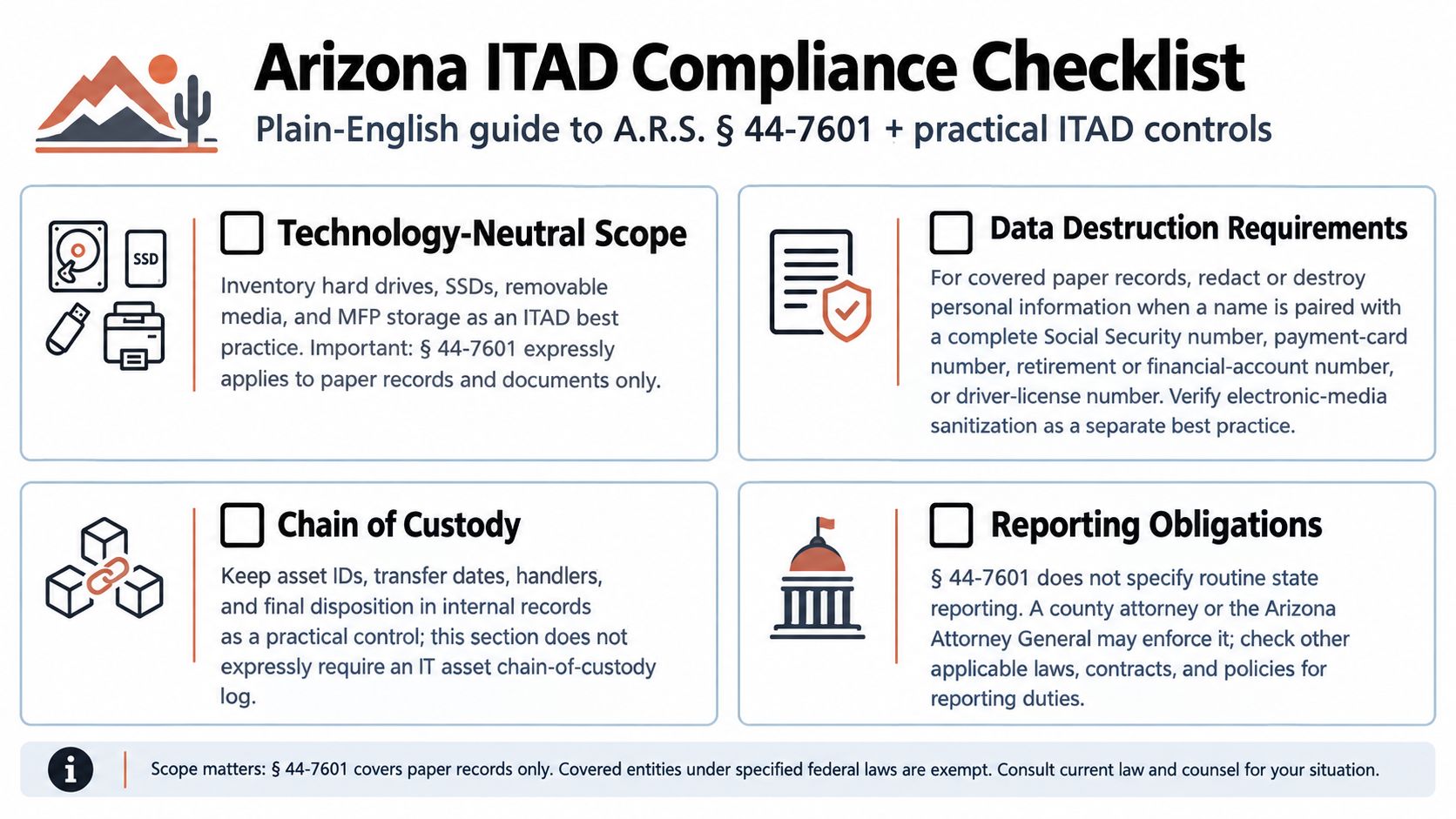
Use the illustration as a planning aid, not as statutory text. Don't infer a universal state-authority reporting requirement from its reporting label. Legal counsel should identify any actual reporting duties that apply to your organization.
An audit-ready file should contain:
- Asset identification. Record serial numbers or unique identifiers and flag equipment containing storage.
- Custody evidence. Document who released, transported, received, and processed each controlled asset.
- Method approval. Record the selected sanitization or destruction treatment and who authorized it.
- Outcome evidence. Match certificates and processing records to the relevant asset identifiers.
Separate compliance evidence from sustainability claims
Phoenix Public Works serves more than 422,000 households, according to the Mesa Community College electronics-reuse and waste-management resource. That public infrastructure matters, but it doesn't replace your commercial disposition controls.
Keep the master disposition file with the designated ITAD owner. Give security access to sanitization evidence, procurement access to contracts and vendor reviews, finance access to retirement and recovery records, and sustainability access to substantiated environmental outcomes. Legal should approve retention requirements rather than letting each department invent its own period.
Use an Arizona electronics recycling service discussion to define commercial scope before requesting pricing. Ask separately about collection, storage-bearing assets, batteries, reuse, and reporting, because a single recycling line item can conceal important exclusions.
Secure Data Destruction Standards That Match Phoenix Risk Profiles
A factory reset isn't an adequate business acceptance criterion. Your security team needs a defined outcome, an appropriate method, and evidence that the treatment succeeded. The fact that a laptop starts at a setup screen doesn't establish what happened to its previous information.
NIST distinguishes clear, purge, and destroy. Clear protects against ordinary, non-invasive recovery; purge makes recovery infeasible using state-of-the-art laboratory techniques while potentially preserving reuse; destroy prevents recovery and makes the media unusable for storage, as explained in NIST's media-sanitization outcome definitions.
| Outcome | Recommended business decision | Reuse implication |
|---|---|---|
| Clear | Consider for lower-risk internal reassignment when approved by security policy | Preserves the possibility of continued use |
| Purge | Prefer for suitable media leaving organizational control when verification supports release | Can preserve media value |
| Destroy | Choose when policy, sensitivity, failed treatment, or uncertainty makes release unacceptable | Ends reuse of the affected media |
Match treatment to information, not hardware appearance
A clean-looking office laptop and a dusty server drive can require different treatments, but appearance tells you nothing useful about sensitivity. Review the information each asset held and its planned destination.
For ordinary office documents, an approved and verified purge may support donation or resale. For regulated or highly sensitive media, my default recommendation is physical destruction unless security explicitly approves a defensible alternative. That's a risk-management recommendation, not a claim that every regulated device legally requires shredding.
The decision must also match the media. Don't accept a vendor's generic wiping description as proof that its method suits every HDD, SSD, or embedded storage component.
Define what successful treatment looks like
NIST's newer guidance treats sanitization as a program decision tied to information sensitivity, security requirements, and disposition, rather than a final deletion task. Use that approach to establish authorization, verification, and exception handling before release, consistent with NIST's risk-based media-sanitization guidance.
Ask vendors to explain their information security standards in operational terms. You need to know what happens when a device won't power on, a sanitization job fails, or a serial number can't be read.
Destroying a drive doesn't automatically require destroying the entire computer. Preserve the chassis when the approved process allows it.
Keep unsuccessful assets in a controlled exception queue. They shouldn't enter resale or donation because the rest of the batch passed.
The Phoenix ITAD Workflow From Inventory to Final Disposition
Start with what you can physically account for. Don't send a vendor an estimate of miscellaneous electronics and expect a defensible final report. The quality of your intake register determines how easily you can reconcile the project later.
Assign an internal owner to every stage and require an explicit handoff. For a small business, the same person may hold several responsibilities, but the approval points should remain distinct.
Build the operating record in chronological order
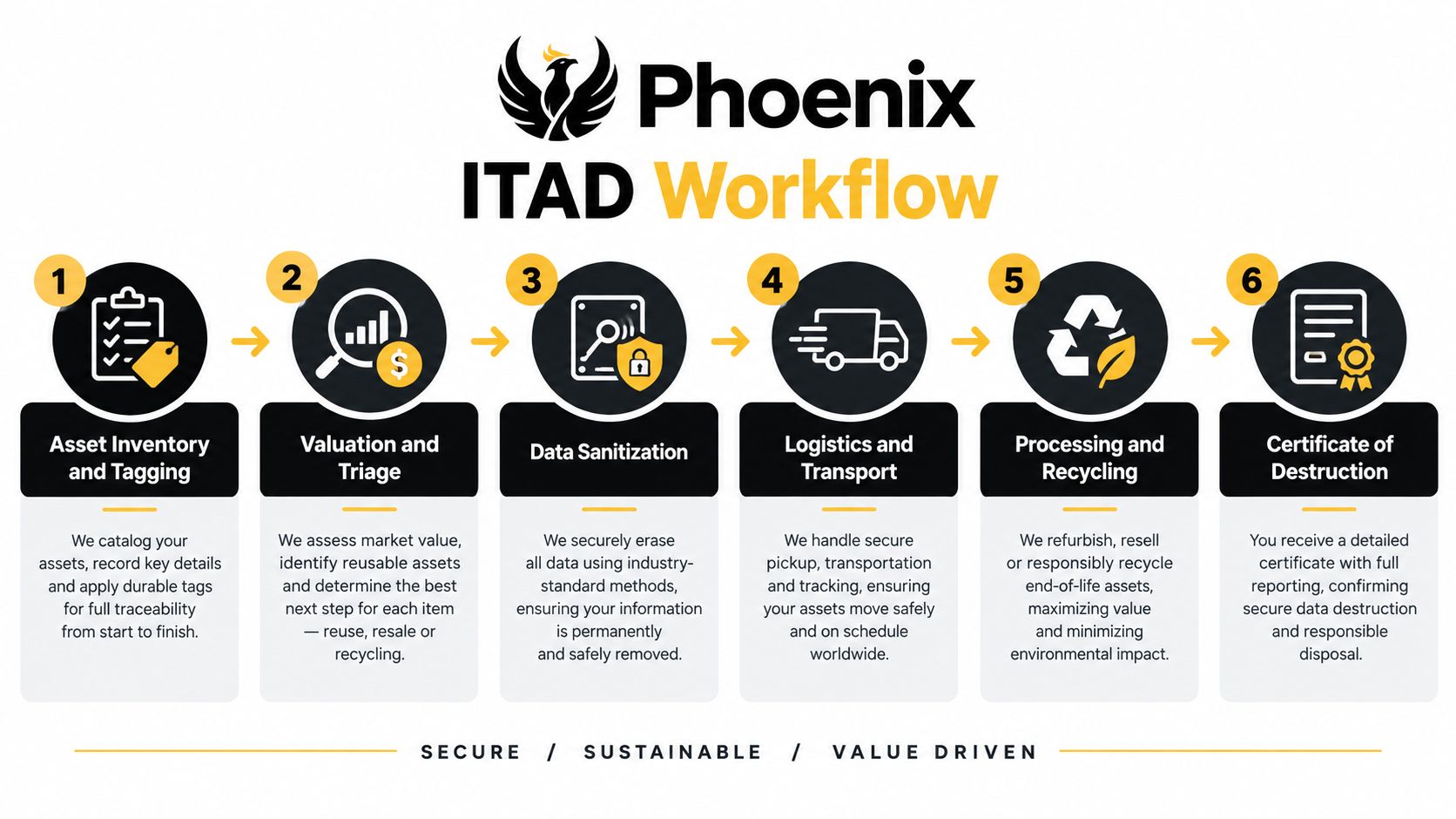
- Inventory and tagging. IT records make, model, serial number, location, condition, storage presence, and assigned business owner. The output is an approved retirement register.
- Valuation and triage. Finance and IT assign proposed destinations and identify equipment requiring testing. Produce a routing worksheet, not an unsupported estimate of resale proceeds.
- Sanitization authorization. Security approves treatment and any off-site processing conditions. Record the decision before transport.
- Collection and transport. Facilities confirms packaging, access, loading arrangements, and the receiving party. Generate a manifest and signed custody transfer.
- Processing. The vendor reports receipts, discrepancies, treatment results, and routing changes. Require approval before substitutions.
- Final reconciliation. The ITAD owner closes each register entry against the appropriate outcome record.
A destruction certificate applies to destroyed media, not automatically to an entire mixed shipment. Reused equipment needs sanitization and destination evidence; recycled material needs processing documentation. Review the proposed chain-of-custody documentation before collection so missing fields don't become a dispute afterward.
Plan transport around the actual estate
For a small batch, ask whether an approved commercial drop-off is available. For an office or facility cleanout, request scheduled business pickup with clear loading responsibilities. For distributed sites, use a consolidated manifest format and site-specific release contacts so equipment doesn't disappear between local collection and central processing.
Data center decommissioning needs an additional release gate. Confirm that required information has been preserved, dependencies have been reviewed, and the system owner has authorized removal. Track storage modules separately when they leave server chassis.
Phoenix's zero-waste business program identifies a participating recycler processing more than 5 million pounds of electronics annually, illustrating the scale of local materials handling in the city's business sustainability guidance. For your load, pre-sort servers, laptops, displays, printers, batteries, and peripherals; flag non-removable batteries and request handling instructions.
Close the project only when count discrepancies and missing outcomes are resolved. Loading-dock signatures are intermediate records, not final disposition.
How to Vet an ITAD Vendor Before Equipment Leaves Your Site
A vendor accepting your equipment hasn't proved it can process it. Phoenix has a concrete reason to distinguish recycling from accumulation: the failure of Closed Loop Refining and Recycling.
Closed Loop leased Phoenix facilities beginning in 2010, collapsed in early 2016, and left approximately 106 million pounds of CRT materials at two properties, according to Resource Recycling's account of the Closed Loop supplier lawsuit. The reported mixing of crushed leaded and unleaded glass complicated recovery and cleanup. For procurement, the lesson is straightforward: verify the endpoint, not just the collection service.
Require evidence behind the processing description
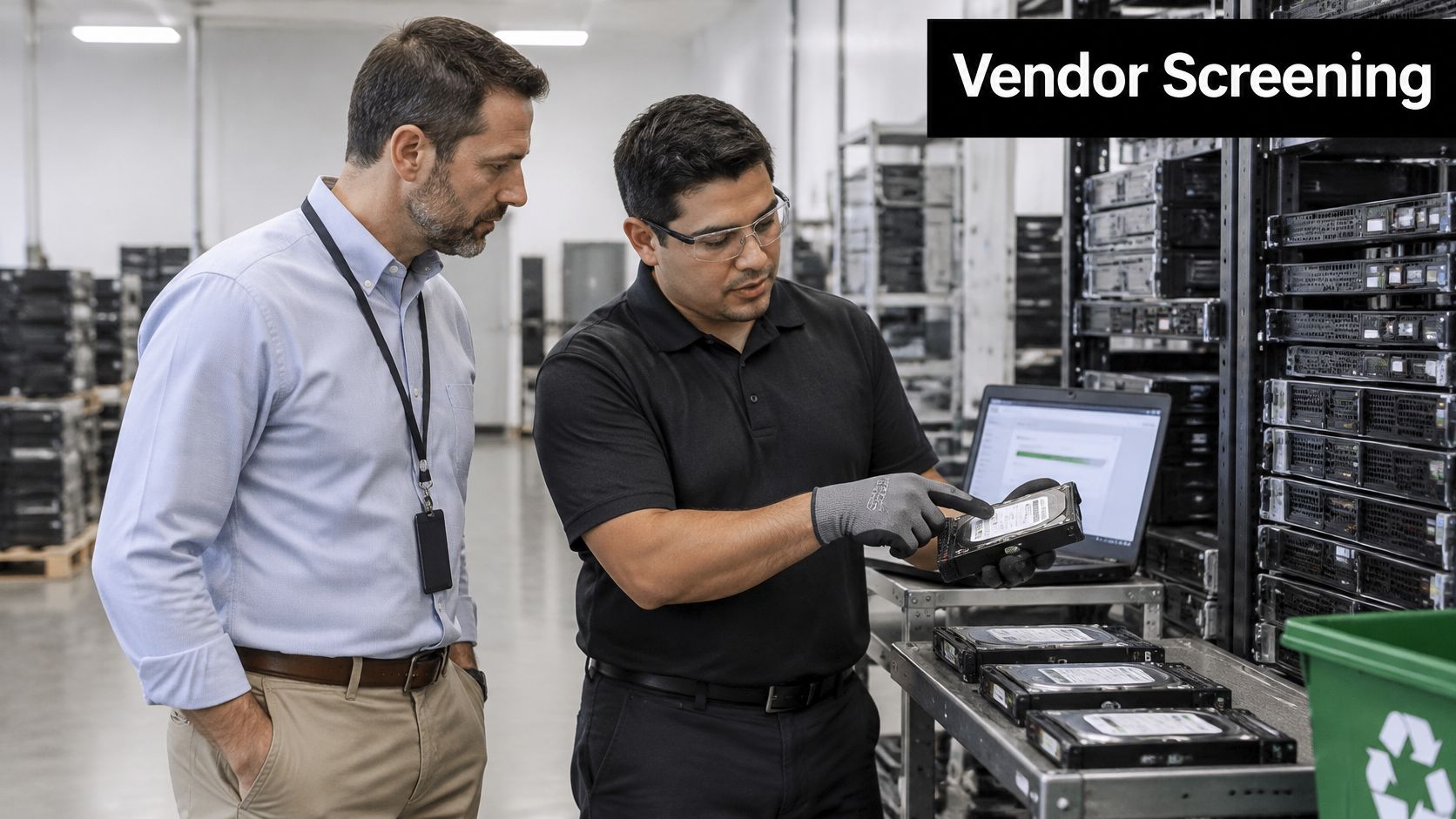
Ask the vendor to walk through your actual equipment categories. A credible answer should distinguish in-house work, subcontracted work, temporary storage, refurbishment, and downstream material recovery. We recycle everything isn't a processing plan.
Give procurement a documented screening checklist:
- Facility review. Request a visit or documented facility walkthrough showing receiving, controlled storage, processing, and outbound material management.
- Capability verification. Ask what the facility can process itself and where unsupported equipment goes.
- Downstream disclosure. Require the identities and roles of downstream partners handling your material.
- Insurance review. Have procurement and legal assess coverage, exclusions, and contractual responsibility.
- Sample records. Obtain a completed manifest, serialized sanitization or destruction record, and final disposition report before signing.
Use explicit ITAD vendor-selection criteria rather than comparing pickup prices alone. Require the same evidence from a donation-oriented operator as from a commercial remarketer.
Disqualify evasive answers
Reject vague processing descriptions, refusal to identify downstream partners, or an inability to provide asset-linked evidence for controlled media. If a vendor advertises certification, verify its current status and scope rather than treating a website logo as proof.
Ask what happens when downstream capacity is unavailable. Your contract should address storage, notification, routing changes, and approval rights instead of letting equipment sit indefinitely.
Procurement test: Ask the vendor to show how an asset on your manifest becomes a documented final outcome. If the explanation stops at collection, keep looking.
Deciding Between Reuse and Destruction for Each Asset
Don't shred useful computers merely to simplify the decision. Don't donate unknown storage merely to improve the diversion report. Make separate decisions about the equipment's utility and its information risk.
Arizona has an established reuse pathway through AZ StRUT, Arizona Students Recycling Used Technology. Its circular-economy program reports 1,142,591 pounds of electronics diverted through recycling, refurbishment, and reuse in 2025, demonstrating that material recovery and equipment reuse can operate together through Arizona's technology-reuse ecosystem.
Separate documents-grade devices from regulated-data assets
Use documents-grade as an internal triage label for devices holding ordinary business information, not as a recognized compliance classification. Those devices still require approved sanitization. The label distinguishes them from equipment holding regulated records, highly sensitive information, or data whose classification remains unknown.
Apply these questions device by device:
| Decision question | What the reviewer should establish |
|---|---|
| Does it retain useful value? | Condition, age, battery health, licensing constraints, and realistic demand |
| Does repair make sense? | Testing and refurbishment effort compared with expected utility or recovery |
| Can its data risk be resolved? | An approved treatment and verifiable result for the relevant media |
| Can its journey be evidenced? | Accountable custody and a documented receiving or processing destination |
Route healthy business laptops toward redeployment, donation, or resale after approved treatment. Send repairable equipment for refurbishment only when someone has accepted the repair scope and expected outcome. Use material recovery when neither continued use nor practical refurbishment is viable.
Preserve equipment value without relaxing release controls
For regulated-data assets, the storage decision should lead. Where destruction is required, remove and destroy the media through the approved process, then evaluate the remaining hardware separately. If storage can't be isolated or treatment can't be verified, security should determine whether broader destruction is necessary.
For documents-grade equipment, verified sanitization can preserve donation potential. Donation does not lower the release standard because the receiving organization serves a community purpose.
Ask for asset recovery options that distinguish buyback, refurbishment, donation, and recycling. Require expected charges and any recovery credits to be itemized; residual value may offset costs, but don't budget against an untested fleet.
Corporate donation programs should also document the intended community pathway. Digital inclusion and workforce development are credible program objectives when usable technology reaches an appropriate recipient, not when equipment merely receives a donation label.
Getting Started With Reworx Recycling in Phoenix
Begin with a bounded project: the decommissioned equipment already awaiting disposition. Don't delay that project while attempting to redesign the organization's entire technology lifecycle. Set a release date, identify the approving employees, and gather the records needed to make a safe decision.
Reworx Recycling is one option for donation-based electronics recycling, equipment decommissioning, asset management, business pickup coordination, and secure hard-drive shredding. The social enterprise's community-oriented approach also supports corporate donation programs, technology access, and workforce-development objectives. Compare the proposed scope with other qualified options using the same security and downstream-review standards.
Prepare a service request a vendor can act on
- Describe the load. Provide asset categories, quantities from your inventory, condition, storage types, and site locations.
- Specify the security requirement. Identify equipment needing secure data destruction and request the proposed treatment, verification, and certificate format.
- Confirm collection arrangements. Request a business pickup or ask whether an approved drop-off route is appropriate. Confirm location, acceptance, fees, packaging, and timing before moving equipment.
- Identify donation candidates. Separate usable equipment for review and ask how recipient routing and donation records will be documented.
Don't assume that a provider's customer drop-off service means it operates a public Phoenix drop-off facility. Confirm local arrangements directly, especially when working with a company headquartered outside Arizona.
Make sustainability reporting defensible
Phoenix's Zero Waste Plan sets targets of 50% waste diversion by 2030 and zero waste by 2050, as stated in the city's published zero-waste plan. Treat those as local goals your program can support, not results your organization has already achieved.
Request separate reporting for reused equipment, recycled materials, and unresolved exceptions. Avoid counting an asset's full weight repeatedly across different outcomes.
Flag medical equipment disposal, laboratory equipment disposal, and product destruction as separate scope questions rather than folding them into ordinary computer recycling. Sustainable recycling and social enterprise recycling should still begin with clear acceptance criteria, secure handling, and evidence of the final destination.
Reworx Recycling offers donation-based IT equipment disposal, pickup coordination, and secure data destruction to help Phoenix organizations retire hardware responsibly. Visit Reworx Recycling to start planning your pickup, donate usable equipment, or discuss a corporate partnership that connects your next technology refresh with digital inclusion and community benefit.