You're staring at a storage room of retired laptops, a lease deadline next month, and a facilities lead asking why the old monitors can't just go out with the trash. That situation is common in Los Angeles, and it's where computer recycling in Los Angeles CA stops being a housekeeping task.
You need three answers at once. Where can these devices legally go, how do you prove the data is gone, and what paperwork will satisfy finance, IT, and an auditor later? The right route depends less on your ZIP code than on who owns the equipment and what records you must keep.
Where to Take Computers in Los Angeles by Situation
The distinction can be easy to miss. Household drop-off and business IT asset disposition are different services, even when they accept the same laptop.
Los Angeles S.A.F.E. centers accept household computers, monitors, printers, and network equipment, but they explicitly do not accept business waste, as the City of Los Angeles S.A.F.E. center household hazardous waste guidance makes clear. A 30-desk office can't fix that by loading retired PCs into personal cars on a Saturday. The equipment is still business waste, and you've created no manifest, no secure data destruction record, and no defensible chain of custody.
Before you choose any site, confirm current hours and eligibility on the City or County program pages and check participating organizations through state listings. Locations, accepted items, and appointment rules change. Don't build an office cleanout plan around an old screenshot or a directory listing you haven't verified this quarter.
Find Your Row First
| Who is disposing | Typical volume | Best channel | Records to keep |
|---|---|---|---|
| Household resident | A few personal devices | City or County S.A.F.E. center or collection event | Optional receipt for your own files |
| Home office or sole proprietor | 1 to 10 mixed devices | Scheduled business pickup from a certified recycler | Itemized receipt listing device types and serial numbers |
| Small or midsize office | 10 to 100 devices, including monitors and peripherals | Commercial pickup with on-site or facility sorting | Asset inventory, pickup manifest and recycling certificate |
| School, university or city department | Hundreds of devices across several sites | IT asset disposition (ITAD) partner with multi-site collection and data destruction | Asset-level inventory, sanitization certificates and custody log |
| Lab or data center decommission | Servers, storage arrays and specialized equipment | ITAD program with per-drive destruction | Full asset register, destruction certificates and transport records |
A resident with two personal laptops belongs in the first row. There's no company data governance issue, no asset register to retire, and usually no one will audit the disposal later.
A sole proprietor is different, even at low volume. That laptop may hold client files, tax records, saved passwords, and licensed software tied to the business. A scheduled pickup with an itemized receipt costs more effort than a household drop-off, but it creates the record you'll want if a client asks how you handled their data.
For a small or midsize office, volume changes the operation. Monitors, docks, printers, phones, and spare drives get separated from their parent computers. Commercial electronics recycling with sorting prevents the classic failure where desktops get documented but a box of loose drives doesn't.
Schools, universities, and city departments add sites and accountability. Devices sit in classrooms, admin offices, warehouses, and remote locations. You need multi-site collection under one IT equipment disposal process, not five unrelated drop-offs.
A data center decommissioning or laboratory equipment disposal project sits at the far end. Servers and storage arrays need per-drive decisions, transport controls, and an asset register that matches what left the building.
Quick test: If the disposal paperwork would carry your company name, use a business channel.
Find your row before you shop for a provider. That one decision determines whether you need a receipt, a manifest, per-drive certificates, or a full facility cleanout plan.
California Rules That Govern Your Old Computers
A facilities manager can retire fifty laptops on a Friday and still create a compliance problem by Monday if the units leave through a household drop-off with no business record. The rule set is not about good intentions. It is about covered screens, authorized handlers, and paperwork that matches who disposed of the equipment.
Start with what counts as covered. California's Covered Electronic Waste (CEW) Recycling Program applies to video-display devices with screens larger than 4 inches that are identified as hazardous waste under state rules, including laptops, tablets, CRT and LCD monitors, plasma televisions, and OLED displays, according to CalRecycle's Covered Electronic Waste program page.
That definition catches people because they think in terms of computers, not displays. A laptop is on the list because of its screen. A desktop tower without a screen can sit on the same desk for six years and still fall outside that specific covered-device category.
California treats unwanted covered electronic devices as universal waste. They cannot go in ordinary trash, and they need routing through an authorized channel. For laptop disposal and monitor refreshes, that is the compliance baseline for a household, a sole proprietor, and a 30-desk office alike; the difference is the record each one needs afterward.
The Trash Ban and the Smashing Rule
The Department of Toxic Substances Control specifically identifies LCD laptop computers and LCD desktop monitors as covered devices that cannot be discarded with household garbage, and it warns that unauthorized parties may not smash or destroy e-waste outside the applicable authorization, as stated on DTSC's covered electronic devices page.
That second point matters during rushed cleanouts. A back-room hammer session is not product destruction. An unlicensed hauler crushing units in a truck is outside the authorization too. If a lease, client contract, or policy calls for physical destruction, use a controlled process under proper authorization and get the outcome documented.
Who Regulates What
CalRecycle administers the CEW program and maintains a directory of participating organizations, while DTSC regulates proper collection, storage, and recycling. Manufacturers of covered devices must provide return and recycling information, submit annual reports, and address design and hazardous-material reduction under the framework summarized on CalRecycle's electronics program page.
For statewide context on how computer recycling fits into broader state programs, review California electronics recycling requirements and covered device rules alongside the state directory before you commit equipment to a vendor.
| Device | On California covered list | Allowed in household trash | Disposal implication |
|---|---|---|---|
| Laptop computer with LCD screen | Yes | No | Authorized e-waste handler only |
| Tablet | Yes | No | Same channel as laptops |
| LCD or CRT monitor over 4 inches | Yes | No | Keep with its computer on one manifest |
| Plasma or OLED display | Yes | No | Specialized handling, confirm with recycler |
| Desktop tower with no screen | Not on the CEW list | Do not guess | Ask recycler how it classifies and records the unit |
| Printer or network switch | Not on the CEW list | Do not guess | Ask recycler, not a display device |
Non-display equipment still carries risk and value. Towers contain storage and batteries. Printers may retain data and consumables. The household center that works for a resident with one laptop often cannot produce the itemized business record an office needs, so ask how each category is classified, handled, and recorded before the pickup.
Every screen device goes to an authorized channel, and you keep the state directory reference with your disposal file.
How to Prepare Each Device and Wipe Its Drives
Good preparation prevents two expensive problems. You don't lose data you still need, and you don't hand a recycler a device that's still enrolled in your network.
Work device by device, not pallet by pallet. Mixed fleets hide exceptions, and exceptions are where accounts, batteries, and loose drives get missed.
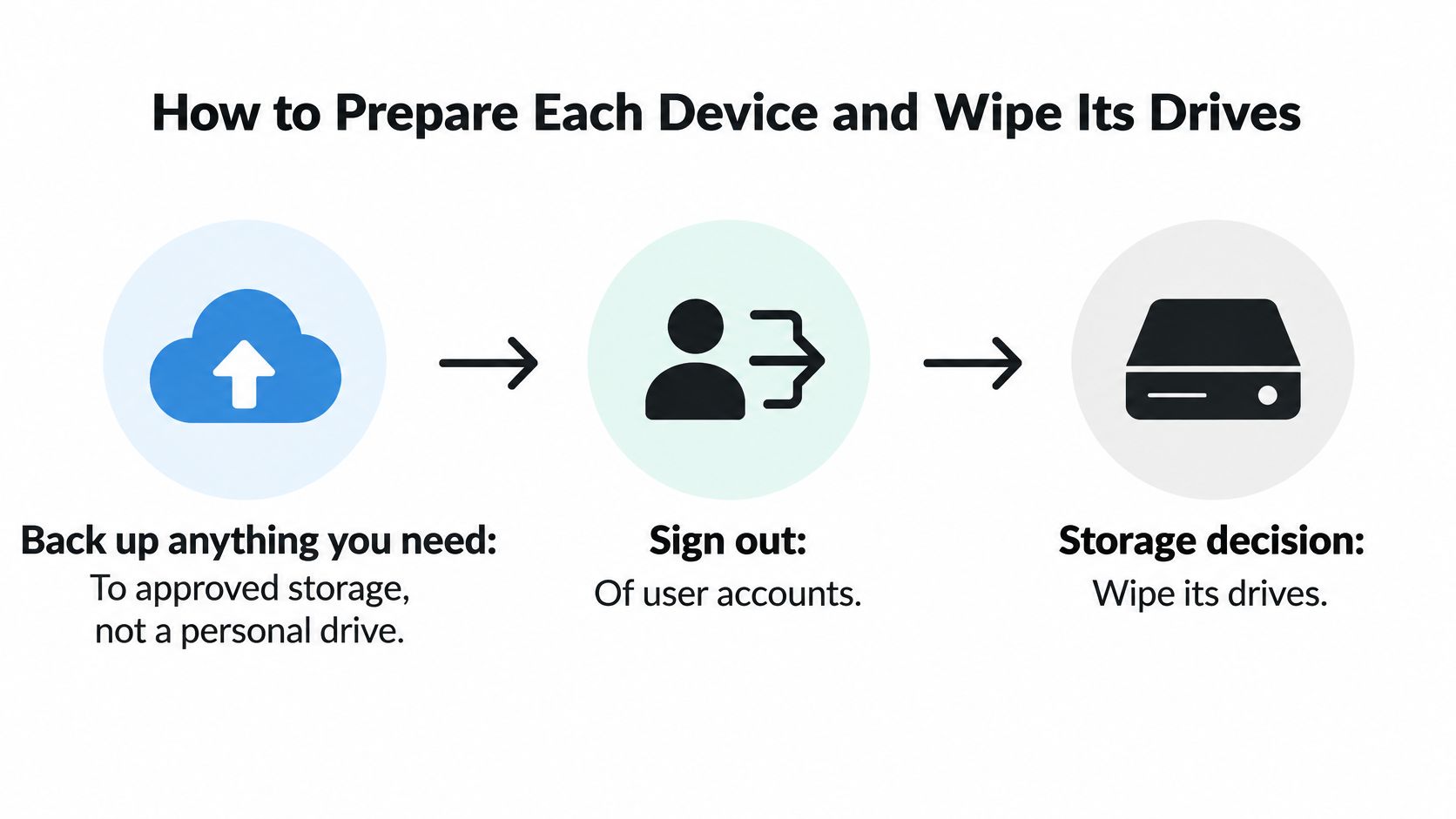
Prepare the Device Before You Touch Storage
- Back up what you need: Move required files to approved storage, not a personal drive. Confirm the backup opens before you release the device.
- Sign out and unenroll: Sign out of user accounts and remove the device from your domain, MDM, and Apple or Microsoft device management. This breaks the link between retired hardware and your live network.
- Remove accessible batteries: Take out batteries that come out safely and bag them separately for hazardous handling. Don't pry open sealed units to chase a battery.
- Tag and record: Apply an asset tag and record it on the paper inventory with the serial number. Paper sounds old-fashioned, but it works when you're standing in a storage room with inconsistent Wi-Fi.
- Bundle the kit: Power down, unplug, and bundle chargers and peripherals with the parent device. A laptop without its charger is harder to test, donate, or resell.
That sequence also helps donation-based recycling. A working, unenrolled laptop with its charger can move into reuse. A locked laptop with no power supply often becomes scrap, even if the hardware is fine.
Deleting Files Is Not Erasure
The most common pitfall is treating file deletion or reformatting as secure erasure. Los Angeles sanitation guidance warns that deleting files alone may not permanently erase data. Deletion often removes pointers to data rather than the data itself, and a quick format can leave recoverable content behind.
Don't let an employee's confidence substitute for a method. If someone says a drive is clean, ask what tool ran, what setting was used, whether it completed, and how the result was checked.
For method selection and tool settings, use practical guidance on wiping a hard drive before recycling as a starting point, then match the method to the media in front of you.
Match the Method to the Storage
| Storage type | Recommended method | Destroy instead when |
|---|---|---|
| Magnetic hard drive, working | Overwrite with a NIST SP 800-88 aligned tool, then verify | Drive has bad sectors, won't finish the overwrite, or holds regulated records |
| Solid-state drive | Manufacturer secure erase or cryptographic erase, overwriting is unreliable | Controller doesn't respond to a secure erase command |
| Self-encrypting drive | Cryptographic erase by destroying the encryption key | Key is lost or the drive won't unlock |
| Failed or unreadable drive | No reliable software erase | Always, shred to the size your recycler certifies |
| Laptop with soldered flash storage | Full reset with encryption verified | Storage can't be verified or device won't reset |
| Server or storage array | Per-drive sanitization before the chassis leaves the site | Any drive that fails verification |
SSDs need special care because wear leveling moves data around the drive. An overwrite can miss blocks the controller has retired or remapped. Use the manufacturer's secure erase or a cryptographic erase where the drive supports it, then verify the outcome.
Encrypted drives create a different decision. Destroying the key can render data inaccessible, but only if encryption was enabled and properly implemented for the data at rest. If you can't establish that, don't pretend the shortcut worked.
Failed drives settle the argument. If a drive won't respond, won't allow access, or won't complete a clean erase, you can't demonstrate logical sanitization. Destruction is the answer, and the certificate needs to say so.
Servers deserve per-drive treatment. Pulling an entire array and recording one chassis serial number leaves gaps. Record each drive, sanitize or destroy each drive, and reconcile the count before the chassis leaves.
The key judgment is whether the drive still responds to a sanitization command and proves it completed.
That judgment affects reuse too. A verified wipe preserves a drive for donation or resale. Destruction ends reuse but closes the risk when verification isn't possible. Choose based on evidence, not habit.
Building a Chain of Custody and Certificate Trail
A pickup receipt that says "one pallet of electronics" won't help you later. You need a custody trail that connects a specific asset to a specific outcome.
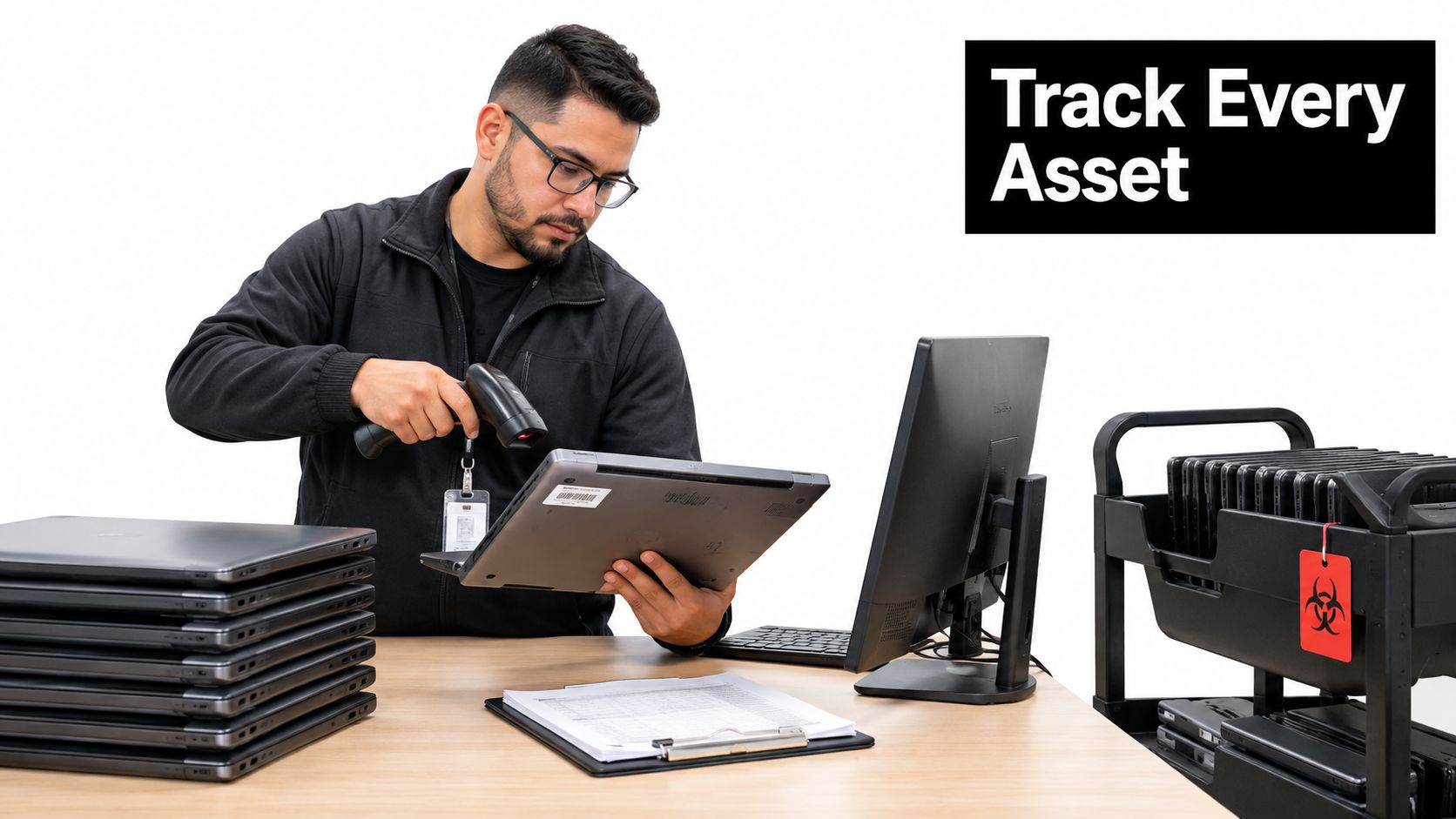
Use this sequence for computer recycling in Los Angeles CA whenever equipment carries business, student, patient, or public-sector data.
- Inventory by serial number: Record every asset before it moves.
- Classify data sensitivity: Flag devices that held regulated, confidential, or public records.
- Quarantine pending sanitization: Keep devices in a locked, labeled area so unprocessed units don't mix with cleared units.
- Remove hazards where safely accessible: Handle batteries and hazardous liquids without damaging sealed equipment.
- Sanitize storage media: Use the method matched to each drive type.
- Verify the result: Check that the operation completed and record failures separately.
- Issue the disposition record: Complete it before dismantling or resale, not weeks later from memory.
Verification Is Not Validation
NIST distinguishes verification, checking that sanitization completed without technical errors, from validation, deciding whether the result is adequate for the data's confidentiality level. Its cited sampling procedure uses two non-overlapping samples per subsection, covering at least 10% of the media when feasible, as described in NIST SP 800-88 media sanitization guidance.
A clean overwrite log on a school laptop verifies the operation ran. Validation asks a harder question. Did that laptop hold student records, and does your policy therefore require destruction rather than reuse?
For higher-risk enterprise, school, or government assets, per-drive verification is preferable to batch sampling alone. Sampling can support a controlled process, but it shouldn't hide individual failed drives inside a large fleet.
What a Useful Certificate Contains
- Asset identification: Serial number and your internal asset tag
- Method used: Overwrite, secure erase, cryptographic erase, or destruction
- Operator and date: Who performed the work and when
- Tool and configuration: Software, device, or destruction equipment used
- Outcome: Pass, fail, destroyed, reused, or recycled
Review what a certificate of destruction for hard drives should document before you sign a service agreement, then request a sample certificate from any provider you're considering. Check that it names individual serial numbers. Bulk language is a warning sign.
Store certificates with the asset register, not in someone's email folder. A Los Angeles city department or public school district may face an audit long after the staff member who booked the pickup has changed roles. The file should explain itself.
What Recycling Costs Versus What You Recover
A resident with two old laptops faces a different invoice than a 30-desk office clearing a storage room. The household route is built for convenience and basic compliance. The office route has to cover labor, transport, sorting, data handling, and records that survive an audit.
California's covered-device program explains part of the spread. Approved recyclers are paid through that system for qualifying devices, and payment terms have changed over time. Treat any old fee or per-pound figure you find online as dated context. The written quote from the recycler governs.
Weight still matters, but condition matters more for recovery. Pallets of older monitors and printers cost money to move even when no one wants the parts. Recent laptops that boot cleanly can offset pickup fees because a reseller can test, wipe, and remarket them.
Decide What Has Recovery Value
Recover value only from resale-grade devices: recent laptops and desktops that boot, pass testing, and run a supported operating system. Everything else goes to recycling, parts recovery, or destruction.
Keep the buyback conversation inside that boundary. A vendor may credit working units while charging for monitors, printers, damaged laptops, and loose peripherals. Get the full load priced before anyone praises the attractive items.
| Route | Typical cost to you | Value you may recover | Best fit |
|---|---|---|---|
| City or County household drop-off | Usually none for residents, check current site rules | None | Residents with a few old devices |
| Scheduled commercial recycling pickup | Pickup or per-device fee, get it in writing | None | Offices needing documented removal |
| Buyback for working equipment | Often waived on accepted units, confirm terms | Cash or credit for resale-grade units | Recent laptops and desktops with market value |
| Donation to a program | Usually none, confirm pickup terms | Possible tax deduction, confirm with a tax advisor | Working equipment for schools and nonprofits |
| Full ITAD service | Fee offset by recovered value on qualifying assets | Net resale value after destruction | Large fleets and data center decommissions |
Before you book, work through cost recovery strategies for retired IT equipment and ask each bidder the same questions.
- Request all-in pricing: Ask for per-pallet or full-load pricing that includes sorting and transport.
- Check pickup thresholds: Ask whether fees change once the job passes a device count or pallet count.
- Separate buyback from destruction: Confirm whether the offer includes secure data destruction or bills it as another line.
- Get donation terms in writing: Confirm receipting before the truck arrives.
- Watch the calendar: Schedule before fiscal year-end if paperwork must land in a specific tax or budget year.
Donation changes the value calculation. Usable equipment routed to schools and community programs supports digital inclusion and workforce development while still removing hardware from your books. For corporate donation programs, the benefit may be mission and documentation rather than cash. Decide which outcome you want before a vendor prices the load as scrap.
How to Vet a Certified Recycler in Los Angeles
A 30-desk office in Los Angeles needs a different paper trail than a resident clearing a garage. A household drop-off can take a laptop, but it usually cannot issue serialized destruction records for a leased fleet.
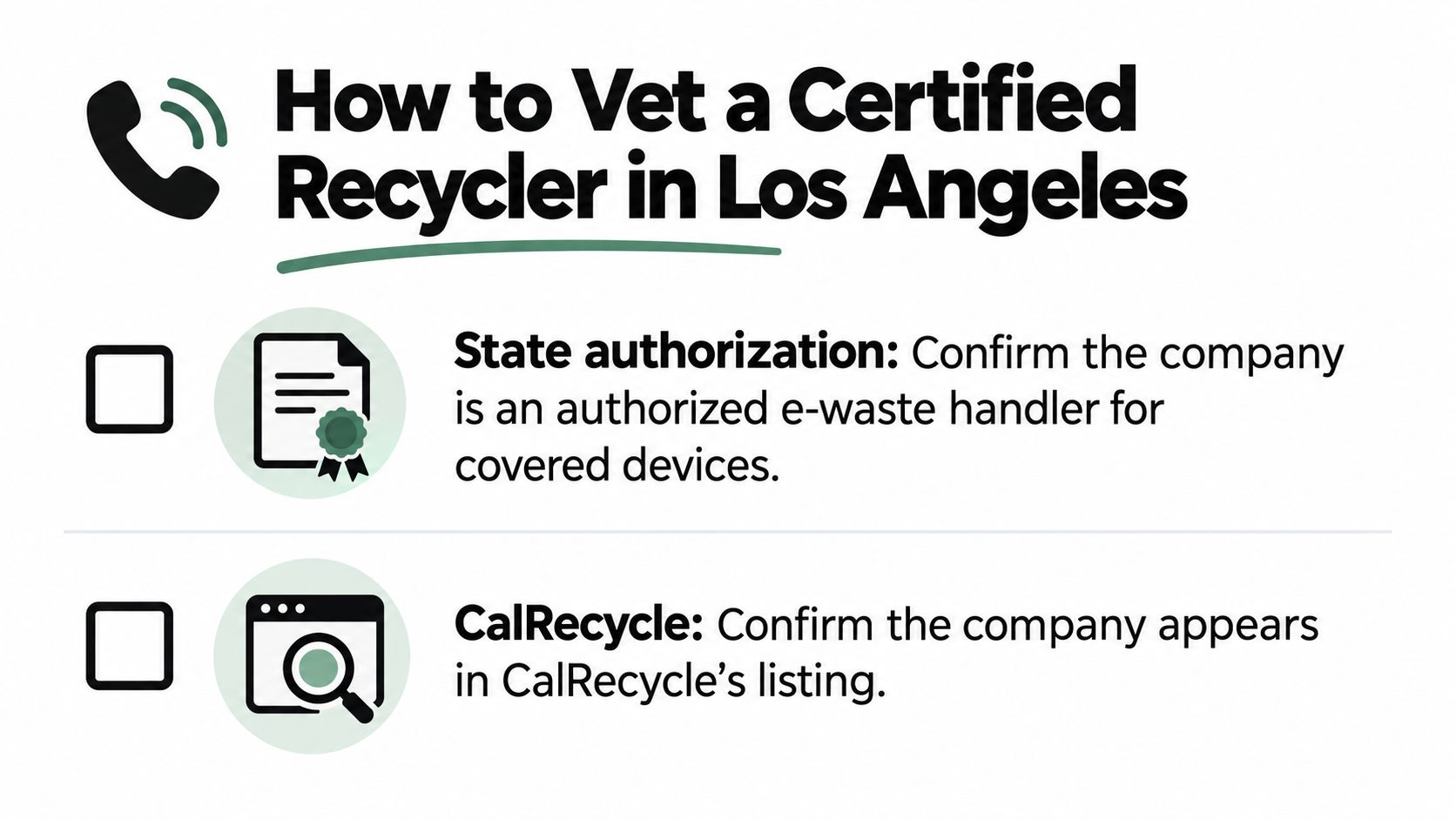
Start with the records you must file, then make the vendor prove each one on a phone call. A credible provider answers plainly and sends samples.
Seven Checks Before You Release Equipment
- State authorization: Confirm the company is an authorized e-waste handler for covered devices and appears in CalRecycle's directory of participating organizations.
- Downstream certification: Ask whether downstream processors hold R2 or e-Stewards certification and request the current certificate number, not a logo.
- Destruction credentials: Ask about NAID AAA certification where destruction services are offered, and request a sample certificate.
- Facilities and subcontracting: Ask where processing happens, which downstream vendors receive material, and how often they're audited.
- Insurance and transport: Request proof of liability coverage and ask how vehicles and loads are secured.
- Pricing clarity: Require a written quote showing pickup fees, per-device or per-pound charges, destruction fees, and buyback terms.
- Logistics fit: Confirm lead time, minimum volume, multi-site collection, and after-hours options for occupied offices or schools.
For background on what credentials cover, review electronic recycling certification and what to verify before you compare bids. Certification names sound similar, but they don't all audit the same activities.
Ask for a reference from another Los Angeles organization with similar volume. A provider that handles ten laptops well may struggle with a medical equipment disposal project, a school refresh, or servers spread across three sites.
Walk away from any buyer who won't name its downstream vendors. That refusal breaks your custody story at exactly the point where material leaves the first facility.
Ask for certificate numbers, sample paperwork, and downstream names before price becomes the deciding factor.
Reworx Recycling is one option to run through this same checklist. Verify its authorization, certifications, destruction records, downstream routing, and pricing in writing before any pickup.
That discipline protects more than compliance. It also prevents reusable equipment from being shredded by default and keeps sustainable recycling tied to documented outcomes rather than marketing language.
Booking a Pickup or Donation Without Delays
Delays usually start before the booking call. The count is wrong, serial numbers are missing, or nobody has decided which devices can leave as donations. A 30-desk office that books first and counts second loses a week to rescheduling.

- Count by type and location: Separate laptops, desktops, monitors, servers, printers, and loose drives, with a line for each site.
- Pull serial numbers: Flag anything with a screen or storage.
- Decide by group: Donate working units, sell resale-grade units, recycle the rest.
- Match the channel to the records you owe: A household drop-off center cannot produce the manifest, certificates, or asset-level reporting a business audit asks for, so office volumes need a commercial pickup or ITAD booking.
- Book and confirm in writing: Set the pickup window and confirm the manifest format before the truck arrives.
- File the records: Store certificates with the asset register.
One more check before you call: who signs for the equipment on your side, and who receives the certificates afterward? Pickups stall when the front desk does not know a driver is coming or the certificates land in an inbox nobody monitors.
Your next step: send your device count, serial-number list, and donate-or-recycle decisions to Reworx Recycling and request a written quote and pickup confirmation. A provider that returns both in writing gives your records file its first entry.