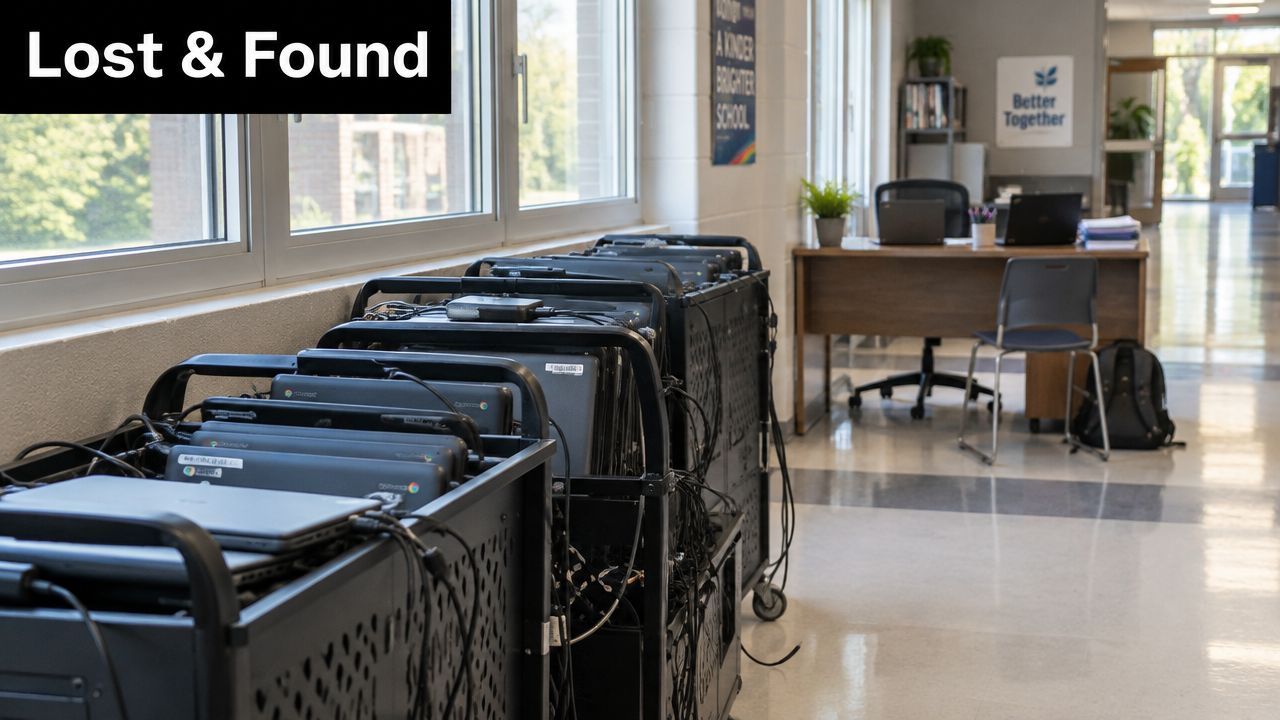
The first week of school has a familiar rhythm. Chromebooks are stacked on carts, chargers are tangled under desks, a teacher is asking where the spare tablet went, and someone in the front office is trying to reconcile what was bought last spring with what's in classrooms today. That gap between what's on paper and what's in the building is where IT asset management for schools either starts to work or starts to drift.
For K-12 leaders, the problem isn't just missing devices. It's that each untracked move creates another little hole in the system, and by the end of the year those holes show up as lost time, weak audit trails, surprise replacement costs, and technology that no longer matches instruction. The fix is a living control system, not a spreadsheet that gets dusted off during inventory season.
Why Schools Lose Track of Technology So Quickly
The first place technology disappears is usually a hallway, a classroom swap, a repair bench, or a cart that moved before anyone updated the record. One device gets loaned out, another comes back with a cracked screen, and a third sits in storage with a label nobody can read anymore. That is how a district ends up with phantom devices, records that say one thing while the building says another.
The daily churn drives the problem
Schools make device movement normal. Students take hardware home, teachers trade carts between rooms, and tech staff collect units for repair, imaging, or end-of-year storage. If those handoffs are logged later, the record falls behind reality, and the gap grows every time someone says, “I'll update it after lunch.”
A 2023 study of schools in Surabaya, Indonesia found that 83% of schools generated e-waste in the IT and communication device category, with annual output ranging from 3 to 24 units per school, or 12.25 to 115.40 kg per school, equivalent to 0.032 to 0.161 kg per student. The same study noted that e-waste handling in all schools failed to meet regulated criteria for specific solid-waste management, and that public-school e-waste was handled under government asset-management rules that required collection and auction procedures before removal. The point for school leaders is simple, device fleets create real end-of-life material flows, and disposal belongs in the same control system as assignment and repair. Surabaya school e-waste study
Practical rule: if a device moved and nobody scanned it, the inventory is already stale.
Why small gaps become budget problems
A missing serial number seems minor until the district is planning replacements, warranty claims, or repairs. Once the record loses trust, staff start checking shelves, drawers, and classrooms by hand, which steals time from help desk work and makes forecasting less reliable. Repair spend turns into panic spend.
For families, this is similar to a daycare label pack for kids. The label works because every item is marked before the daily shuffle begins. School technology needs the same discipline, only with more devices, more users, and more consequences when the label is missing.
A good starting point is to review your process against a practical inventory management checklist for schools. If the same cart, laptop, or hotspot can move three times in a day without a visible record, the system is set up to lose confidence.
What IT Asset Management Really Means in a School District
Think of a school asset register like a library catalog, not a pile of book counts. A library doesn't just know that it owns books, it knows which title exists, where it sits, who borrowed it, and whether it's lost, repaired, or ready to return to the shelf. IT asset management works the same way, except the item is a device and the stakes include instruction, security, and retirement.
The asset register is the system of record
A single continuously updated register should capture device ID, manufacturer, model, serial number, purchase date, warranty expiry, assigned user or department, location, and sensitive-information status. Those fields turn a list into a lifecycle control system, because each device can be traced from acquisition through assignment, use, maintenance, transfer, and disposal. That's how districts stop guessing which classroom has which machine.
The state guidance from Victoria is useful here because it treats inventory as an ongoing control, not a one-time count. It recommends updating the inventory at least annually and pairing it with mobile device management so security status and location can be enforced continuously rather than only during audits. Victoria Department of Education ICT security guidance
Why ownership and status history matter
A device isn't just “in stock” or “deployed.” It might be waiting for imaging, assigned to a student, under warranty, in repair, or marked for retirement. If those status changes aren't recorded, the district loses the history needed to answer simple questions like who had it, when it was last serviced, and whether it still makes sense to keep repairing it.
A school can't manage what it can't name, locate, and date.
That's where lifecycle thinking changes the conversation. Instead of asking whether the district owns enough devices, leaders start asking whether each device has a current owner, a current location, and a current status that reflects reality. For teams looking to connect device records with support operations, managed IT for schools is a useful comparison point because it shows how inventory and service delivery depend on the same source of truth.
For districts that want a cleaner hardware foundation, the internal guide on hardware asset management fits naturally alongside the register itself. It helps frame asset data as something that supports every later decision, not just reporting.
How Scan Based Tracking Keeps Your Inventory Accurate
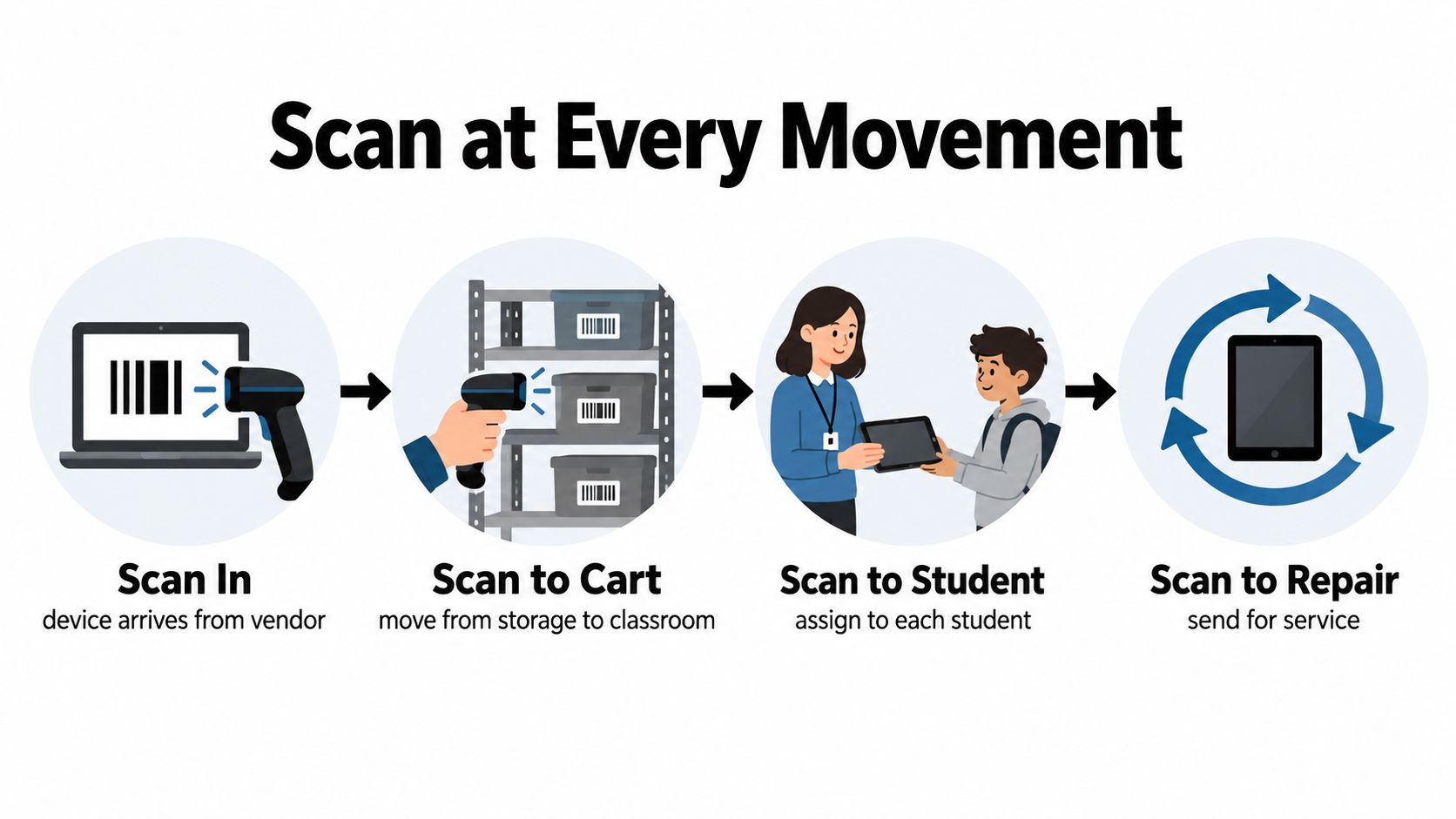
A school inventory stays accurate when every movement gets scanned at the moment it happens. A laptop that is issued, swapped, repaired, transferred, or collected should change status right then. If staff hand off the device first and log it later, the record starts drifting immediately.
Scan points should follow the device, not the calendar
Place scans at the moments when ownership or location changes. That includes warehouse intake, checkout to a classroom, repair intake, reassignment between staff members, and collection at the end of the year. The person making the handoff should scan, because that person is the one who knows the device just changed state.
Waiting until monthly cleanup creates duplicate entries, bad forecasts, and inventory reports nobody trusts. Real-time documentation does the opposite. It gives the technology team a current map of where devices are, which ones are out for service, and which ones are ready for redeployment.
The school asset tracking literature points in the same direction. Digital tracking has been associated with inventory accuracy in the 97 to 99% range and with audit time reductions of about 60 to 75%. That is why barcode and RFID-style workflows often outperform spreadsheet tracking when a district needs dependable control. School asset management and tracking overview
Ownership makes the workflow stick
Scan-based control only works when the workflow is clear. A library media specialist, help desk tech, or campus manager should know exactly when to scan and what status change they are approving. Without that assignment, the process becomes optional housekeeping, and records slip.
Operational habit: no handoff, no handoff record. If the device moved, the system should show it immediately.
A simple way to build the habit is to tie each scan point to one question, who had it, where is it now, and what happened to it. That keeps audits from turning into detective work, because the district is not rebuilding the story after the fact. It is already in the register. For teams setting up that workflow, real-time asset tracking for schools is the right operational model to study.
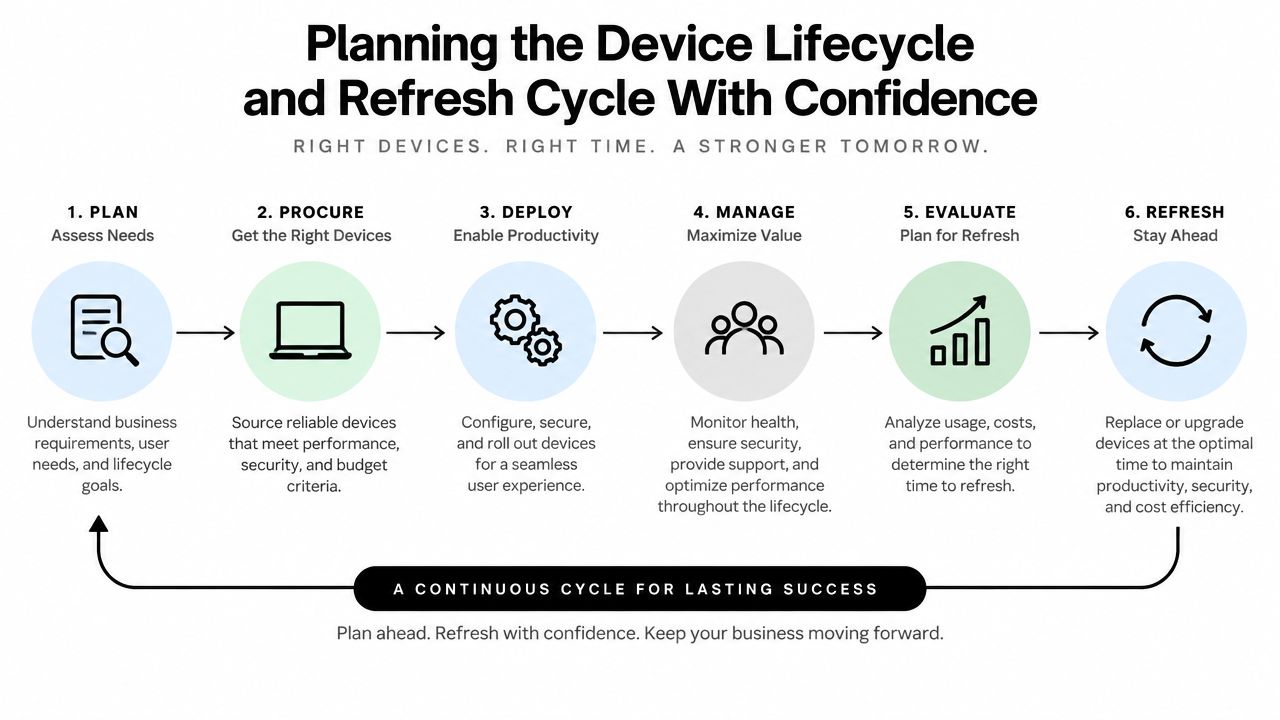
Planning the Device Lifecycle and Refresh Cycle With Confidence
A school device should not be treated like a mystery box that works until it does not. It should move through a clear lifecycle, from purchase and assignment to repair, refresh, and documented disposal. CoSN's lifecycle guidance says most classroom and computing devices have a useful life of 3 to 5 years, and that a five-year replacement cycle works for many classroom technologies. That gives principals and IT staff a practical planning window, and it is more reliable than hoping older equipment can stretch indefinitely. CoSN lifecycle replacement planning
Refresh timing is a financial decision
A lifecycle plan is not just about avoiding old laptops in storage rooms. It connects replacement funding, support labor, and classroom needs to the device's actual service life. The same CoSN and Forrester analysis modeled a four-year lifecycle for Apple devices in K-12 education and found a 48% return on investment, along with 30 hours per year of improved teacher productivity, 35% less device-maintenance and management labor, and residual value of 20% for iPad and 25% for MacBook Air after four years. Those numbers show why refresh planning should follow use and support patterns, not a random calendar date. CoSN lifecycle replacement planning
A district that holds devices too long absorbs more repairs, downtime, and staff frustration. A district that replaces too early gives up residual value and tightens the budget without reason. The middle ground is a planned replacement calendar built from the register itself.
Use age, condition, and support history together
One signal rarely gives the full answer. A device may still power on and still be a poor bet if the battery is weak, the hinge is damaged, or the warranty expired months ago. Age, condition, and support history should sit side by side in the record so leaders can separate devices worth keeping from those that should be scheduled for retirement.
A simple way to sort the fleet is into three groups:
- Stable devices: still working well and inside the planned lifecycle window.
- Watchlist devices: showing repair patterns, battery loss, or rising support needs.
- Replacement candidates: past the useful-life window or too costly to keep in service.
That structure gives principals and operations staff one shared vocabulary. It also makes budget talks clearer, because the district can point to a planned cycle instead of an emergency purchase. For teams that want a practical framework for that lifecycle, the device lifecycle management guide is a useful reference.
Procurement to Disposition Workflows That Actually Work
A school device should move through one clear path, from purchase to classroom use, then to repair, reassignment, and disposal. If any handoff is unclear, the register turns into a mix of guesses, old notes, and missing context. Lifecycle control works best when every step is recorded as it happens.
Build one path for every device
Start at intake. Each device should be entered into the system with its serial number, purchase details, warranty date, and current status before anyone assigns it. That keeps staff from trying to rebuild the record later from cartons, invoices, and memory.
The same chain of accountability should follow the device through assignment, repair, and transfer. When a laptop or tablet moves from one campus to another, the record should show the responsible party, the new location, and the current condition. A policy from Seattle Public Schools says the system of record must track disposition/location, responsible party, age/condition, and eventual disposal across the asset lifecycle. That is the standard to aim for, because it keeps the record useful all the way through retirement. Seattle Public Schools asset disposition policy
Reassignment needs more care than most teams give it
Reassignment is where records most often break down when support tickets and warranty status do not travel with the device. A tablet leaving one grade level and entering another should be treated like a formal transfer, not a casual move. If the next campus gets a device without its service history, it inherits uncertainty instead of a working asset.
A simple check helps here. Before the move is complete, confirm who had the device, where it is going, and what service issues still follow it. That extra step keeps the record aligned with the hardware.
If the system can't show who is responsible for the device today, it isn't a control system yet.
Retirement needs the same discipline. Devices should not sit in storage after they stop serving instruction. They should be marked as disposed, documented, and removed from active counts so the register reflects reality. That final step gives principals and finance staff a clearer view of what is still in service, what is waiting for action, and what has already left the fleet.
Protecting Student Data When Devices Leave Your Schools
A laptop can look finished the moment it leaves a classroom cart, but the data on it may still be recoverable. If the device held student records, staff files, or cached school information, the district has to close that data out before the hardware is recycled, donated, or resold. Deleting files alone does not do that.
Disposal has to be tied to sanitization
A K-12 ITAD guide says retiring school devices that contain student records requires those records to be made unrecoverable before disposal under FERPA (20 U.S.C. §1232g), and it connects that work to NIST SP 800-88 media-sanitation methods. The compliance point is straightforward. A device cannot just be “cleared,” it has to be sanitized so the records it held cannot be recovered. K-12 ITAD refresh and data handling guidance
For teams building a process, what data sanitization means in ITAD gives a plain-language bridge from policy to action. If a device touched student information, the district needs proof that the information was rendered unrecoverable before the device left district control.
That is the same mindset used for a library checkout card. Returning the book is only part of the job. The record has to be cleared too.
Documentation is the compliance proof
Schools should ask for a certificate of destruction or wiping whenever devices are retired, especially if the hardware is being donated or transferred out of the district. An education-sector policy document says donated IT equipment should be wiped to ISO/IEC 21964-1:2018 standards for data destruction, and that a certificate of data destruction or wiping for hard drives should be issued to the donating party on request. That paperwork belongs in the asset record, not in a separate folder that no one checks later. Education-sector e-waste policy guidance
The cleanest practice is to close the loop. When the device is marked disposed, attach the sanitization record to that asset ID. Then the district can show not only that the hardware left the building, but that the data left safely too.
A retired device is only really retired when the records and the hardware are both closed out.
Budgeting for Refresh Cycles and Sustainable Disposal
A refresh budget works best when it follows the device lifecycle from the start. Once a district knows which laptops are aging out, which are broken, and which still have useful life, planning shifts from emergency replacement to scheduled renewal. That makes the work easier for principals, safer for instruction, and cleaner for sustainability planning.
Measure what's actually leaving service
Start with the inventory record. Mark devices that are no longer functional, note the ones waiting for disposition, and keep status fields current so the district can see what is active, pending retirement, or already disposed. School-focused lifecycle guidance now expects schools to track older or non-functional devices and document e-waste disposal practices, because disposal visibility belongs in lifecycle control, not in a separate cleanup project. School IT asset lifecycle guidance
That visibility also helps finance teams turn device counts into a budget line. If a group of devices is nearing retirement, the district can estimate replacement needs, set aside funds earlier, and avoid being surprised by a wave of failures. The question is not only what leaves service, but what it will cost to replace, move, or process responsibly.
Build refresh funding around the full lifecycle
A refresh fund should cover replacement timing, remaining value, support labor, and the disposal path. Recycling, secure destruction, donation, and redeployment all carry different steps, so the budget should reflect the work instead of assuming retirement is free. If a district waits until devices fail at once, the cost shows up in hardware purchases, staff time, and lost classroom access.
For schools that want to connect disposal with community impact, Reworx Recycling is one option that handles electronics recycling and IT asset disposition with secure data destruction and donation-based recycling workflows. That can help districts retire hardware responsibly while keeping usable equipment in circulation where appropriate.
Sustainable disposal also keeps office cleanouts, facility cleanouts, and lab equipment disposal under control during larger refresh waves. When the asset record already shows what is aging out, pickups are easier to schedule, disposal is easier to document, and dead equipment is less likely to sit in storage for another year.