A technology refresh often starts with a practical task. An IT team replaces laptops, a facilities group clears a storage room, or a data center begins decommissioning servers. The retired equipment gets boxed, labeled, and moved out of sight. The files, credentials, customer records, employee information, and proprietary material stored on those devices don't disappear with the hardware.
That's why businesses asking why is data destruction important should treat the answer as more than a cybersecurity concern. Secure data destruction is the control that connects hardware retirement with safe IT asset disposition (ITAD), responsible resale, donation, and recycling. Without verified sanitization or physical destruction, a reusable laptop can become a breach pathway, and a recycling shipment can carry sensitive information outside the organization's control.
The Hidden Risk in Retired Hardware
An office cleanout rarely looks dangerous. Employees place older laptops in boxes, a technician collects desktop towers from desks, and a vendor receives servers, mobile devices, or backup media for processing. The equipment may be powered off, removed from the company network, and marked “retired.” None of those actions proves that the data is gone.
A laptop can still contain browser sessions, cached credentials, payroll files, customer correspondence, source code, or locally stored documents. A server removed during data center decommissioning can hold databases and backups long after the application has moved to new infrastructure. Even equipment that appears damaged may contain storage media that remains readable.
Practical rule: Hardware retirement and data retirement are separate events. Treat them as separate controls in the disposition workflow.
The secondary market creates another point of exposure. A device sent for resale, redeployment, donation, or computer recycling may pass through several hands. Buyers and downstream processors need confidence that the previous owner's information has been removed before the equipment changes custody. Guidance for buyers also makes clear that used technology should be evaluated carefully, which is why resources such as Technovation LLC's used tech tips can help organizations think more critically about equipment history and condition.
A weak process often looks like this:
- Files deleted: The operating system removes visible references, but that doesn't establish irretrievability.
- Factory reset completed: The device returns to a setup screen, while storage may still require formal sanitization.
- Equipment boxed: Physical control changes, but documented custody and destruction status may remain unclear.
- Vendor pickup scheduled: Transportation begins before the organization has confirmed the correct treatment for each media type.
Organizations should document the point at which each asset receives a verified wipe or physical destruction. Reworx Recycling's guidance on why data isn't being destroyed safely is useful context for teams reviewing whether their current retirement process closes the recovery risk.
The True Cost of a Data Breach
The financial case for secure data destruction starts with the cost of what happens when controls fail. IBM reported that the global average cost of a data breach reached USD 4.88 million in 2024, a 10% increase from 2023, and described 2024 as a record high in its Cost of a Data Breach Report. The same reporting found that 70% of breached organizations experienced significant or very significant disruption.
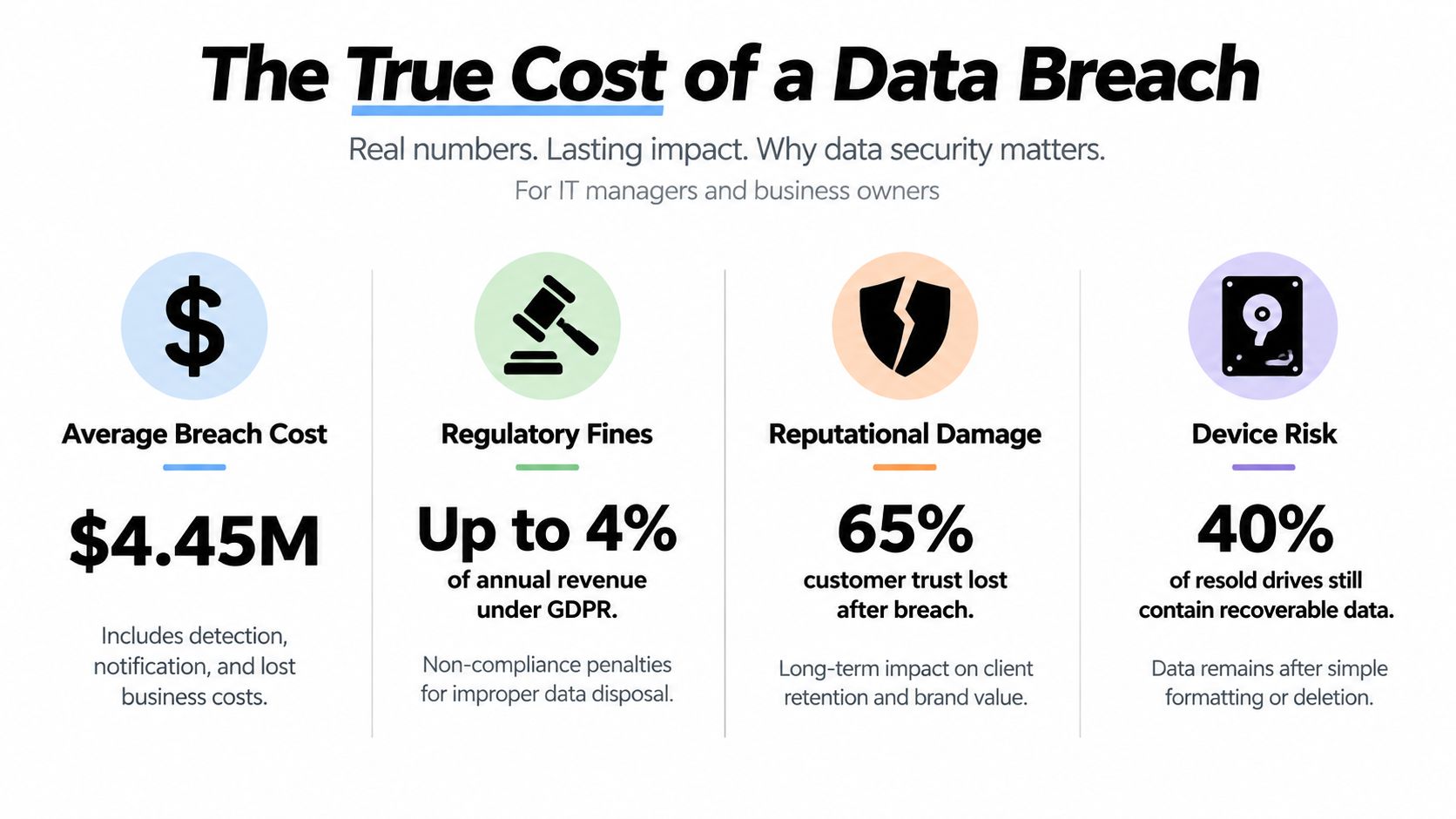
Those figures describe an average across breach scenarios, not a guaranteed invoice for every incident. They do show why one overlooked hard drive deserves executive attention. The loss isn't limited to replacing equipment or paying for a forensic review. A company may need to investigate the device history, determine what information was exposed, notify affected customers, answer regulators, involve counsel, pause operations, and manage communications with business partners.
Where the disruption appears
The direct technical work is only one part of the response. A device-related incident can force teams to reconstruct chain of custody, identify the responsible processor, review retention and access policies, and determine whether other equipment left the organization through the same channel.
The operational consequences can include:
- Incident response: Security and IT staff must preserve evidence, investigate access, and contain related exposure.
- Legal review: Counsel may assess contractual duties, privacy obligations, notification requirements, and potential claims.
- Customer communication: Organizations may need to explain what happened and what protective actions affected people should take.
- Lost business: Employees and leaders spend time responding instead of serving customers, completing projects, or delivering revenue-generating work.
- Reputation pressure: Clients may question whether the organization can protect information throughout the full asset lifecycle.
IBM's reporting specifically connects breach costs with detection, escalation, and lost business costs, which makes prevention more attractive than treating destruction as a low-priority disposal line item. For organizations refreshing equipment regularly, the exposure repeats across laptops, phones, removable media, backup tapes, and retired infrastructure.
A documented process doesn't eliminate every security risk. It does create a defensible control that assigns responsibility before assets leave the organization. Businesses comparing secure wiping, hard drive shredding, and vendor documentation can review how data destruction protects businesses when building a risk-based ITAD policy.
Regulatory Compliance and Legal Obligations
Privacy obligations don't end when a device stops being useful. Organizations remain responsible for protecting information through its lifecycle, including the point at which storage media is sanitized, destroyed, recycled, donated, or sold.
Cornell's media-destruction guidance describes formal handling categories used by the U.S. Internal Revenue Service: Clear, Purge, and Destroy. The methods associated with those categories include overwrite, secure erase, degaussing, shredding, pulverizing, disintegration, and incineration for hard drives. This vocabulary matters because it replaces informal language such as “we wiped it” with a defined treatment and an auditable outcome. Cornell also notes that modern hard disks can challenge conventional forensic recovery after a single wiping pass, reinforcing the need to select a method based on media type and risk.
What proof should look like
Intent isn't enough during an audit or an incident review. A responsible disposition record should connect the asset to the action taken and preserve enough detail for another person to verify the result.
A practical record typically identifies:
- Asset identity: Serial number, asset tag, device category, and storage-media type.
- Ownership and custody: The department releasing the equipment, the carrier or processor receiving it, and the handoff history.
- Sanitization decision: Whether the asset was cleared, purged, or destroyed, and why that method matched its risk.
- Completion evidence: A certificate of destruction or sanitization record tied to the specific asset.
- Final disposition: Reuse, resale, donation, material recovery, or destruction of the remaining components.
NIST's media sanitization guidance states that residual data can be recovered from retired media and recommends methods that make recovery infeasible. For physical destruction, NIST requires recovery to be impossible even with state-of-the-art laboratory techniques. That standard gives IT managers a useful test: don't ask whether ordinary users can open the files. Ask whether the selected process makes reconstruction infeasible at the level required by the organization's risk profile.
Legal and sustainability requirements can overlap. The New York compliance guidance referenced by Cornell states that private information must be rendered irretrievable and that digital storage media shouldn't be placed in ordinary trash or recycling bins. Teams can also use regulation guidance from ESG Consulting as a broader starting point when reviewing regulatory responsibilities. Reworx Recycling's overview of data security compliance offers another practical reference for organizations documenting their disposal controls.
The Myth of the Formatted Hard Drive
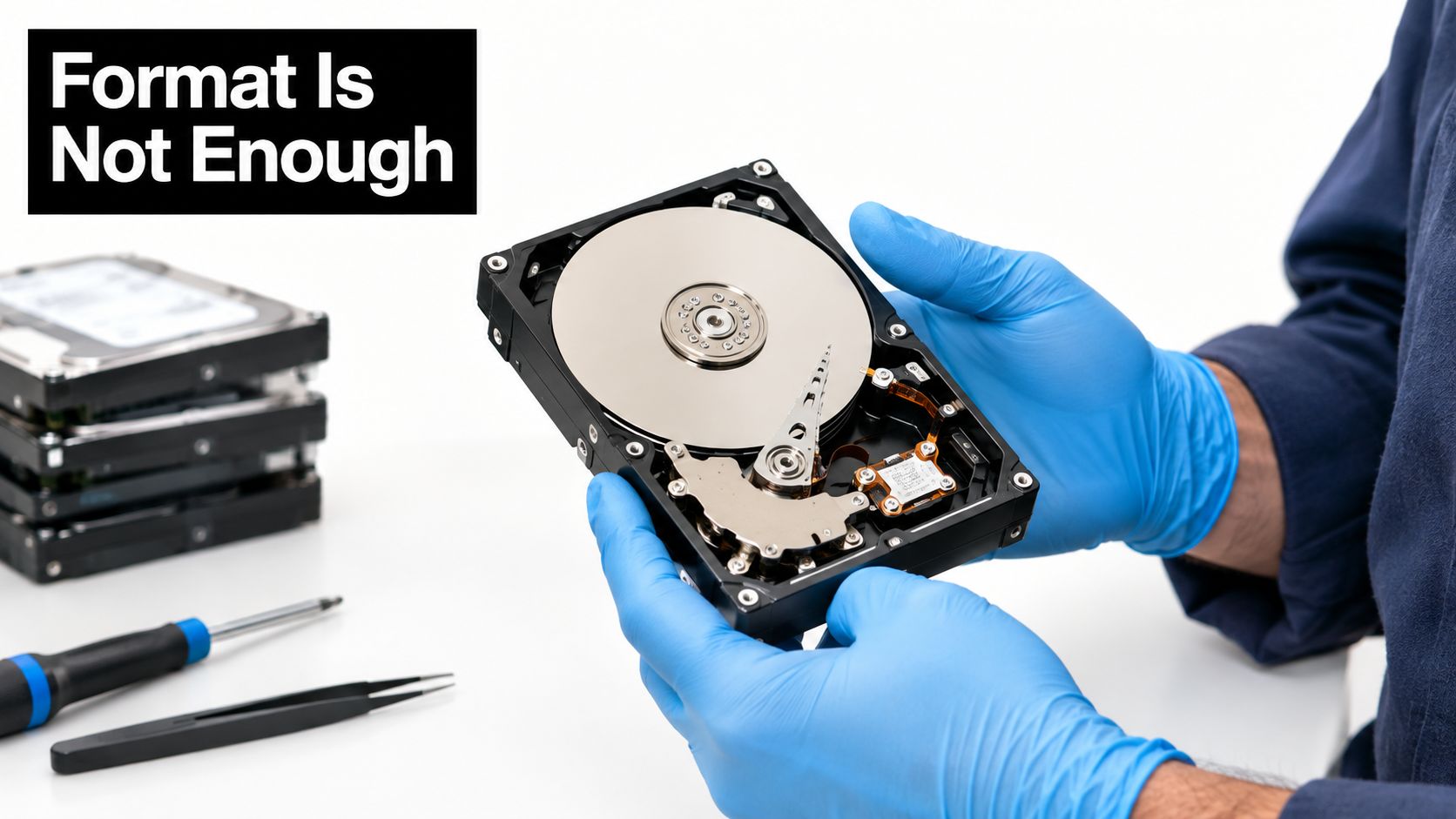
Formatting changes how a computer organizes a drive. It doesn't automatically prove that every underlying data area has been sanitized. Deleting a file or restoring a device to factory settings can remove visible access while leaving recoverable remnants, depending on the storage technology and the process used.
That distinction is easy to miss during a busy office cleanout. A laptop boots to an initial setup screen, so someone marks it ready for donation. A hard drive appears empty, so it goes into a recycling pallet. The visible interface creates confidence that the storage is clean, but appearance isn't evidence.
Forensic recovery changes the decision
Empirical research published in 2025 examined formatted or vendor-sanitized storage and found residual personally identifiable information on 1 of 3 hard drives, with 28,691 files totaling 152.20 GB recovered. Those findings are reported in the forensic storage research. The result doesn't mean every formatted drive contains recoverable information. It does show why a basic format or vendor claim shouldn't replace a defined, verifiable sanitization process.
The potential contents can be more sensitive than an old folder of documents. Recovered material may include personal information, financial records, credentials, email archives, development files, or configuration data. A buyer looking for inexpensive used equipment may discover the information accidentally, or an attacker may specifically target devices that passed through resale and recycling channels.
A clean-looking setup screen is a user experience. It isn't a certificate of destruction.
The correct response depends on the intended disposition. If a device will be reused, the organization needs a documented software or device-level sanitization method appropriate to the storage medium. If the drive is damaged, encrypted status is uncertain, or the data classification requires a higher assurance level, physical destruction may be more appropriate.
Teams that need to distinguish deletion from proper sanitization can review how to wipe a hard drive before approving equipment for resale, donation, or laptop disposal.
Environmental Impact and Responsible ITAD
Secure data destruction can support sustainability when it helps organizations keep usable equipment in circulation. A business may hesitate to donate laptops or resell networking equipment because it fears exposing data. That concern is valid, but destroying every device by default can eliminate reuse opportunities and increase the flow of electronics into recycling and waste channels.
Verified sanitization creates a safer path. Once an organization can show that data has been irreversibly removed, functional equipment may be redeployed internally, donated through a community program, or sold into a controlled secondary market. Data destruction is therefore an enabler of the circular economy, not merely a defensive security task.
The environmental stakes are substantial. The Global E-waste Monitor reported that global e-waste reached a record 62 million tonnes in 2022, equal to 7.8 kilograms per person, while only 22.3% was formally collected and recycled in an environmentally sound manner. Those figures appear in the Global E-waste Monitor. The remaining material faced weaker recovery controls, informal handling, or potential landfill leakage.
Security and sustainability can reinforce each other
A mature ITAD program separates assets by condition, data risk, and recovery potential:
- Reusable laptops and desktops: Apply verified sanitization, test the equipment, and route it to redeployment, resale, or donation.
- Damaged storage media: Use physical destruction when software verification isn't reliable or the media can't support a trustworthy sanitization command.
- Servers and infrastructure: Combine controlled decommissioning, asset tracking, data-center procedures, and responsible material recovery.
- Medical or laboratory equipment: Address both embedded storage and the equipment's environmental and operational handling requirements.
- Office and facility cleanouts: Prevent mixed loads from obscuring which items contain data-bearing components.
Donation-based recycling adds a social dimension. A social enterprise recycling partner can help businesses move functional equipment toward digital inclusion, community technology donations, and workforce development while routing unusable material to responsible recovery. That approach supports corporate donation programs without asking sustainability leaders to accept undocumented data risk.
Choosing the Right Data Destruction Method
There isn't one destruction method that fits every asset. The right decision depends on the storage medium, data classification, device condition, final disposition, and evidence the organization must retain.
NIST SP 800-88 Rev. 2 groups sanitization into Clear, Purge, and Destroy. It also states that multi-pass overwriting isn't needed and that, for many hard-disk-drive use cases, a single overwrite pass or a dedicated sanitize command is sufficient. The practical implication is important: organizations can avoid outdated multi-pass requirements when a current standard and suitable device command provide the required assurance.
Media Sanitization Methods Compared
| Sanitization Tier | Method Overview | Best Use Case | Hardware Reusability |
|---|---|---|---|
| Clear | Applies logical techniques such as supported overwriting or secure erase within the normal storage environment. | Lower-risk reuse where the device and media support a validated process. | Usually preserved |
| Purge | Uses a stronger device-specific sanitization command, cryptographic erasure, or another approved technique intended to make recovery infeasible. | Business equipment containing sensitive information that may be reused or resold. | Often preserved |
| Destroy | Physically shreds, pulverizes, disintegrates, or otherwise renders the storage component unusable. | Damaged media, uncertain device behavior, high-risk information, or requirements demanding physical destruction. | Storage device not preserved |
Cryptographic erasure can be useful when encryption has been properly implemented and key management supports reliable key destruction. It shouldn't be treated as a universal shortcut. If encryption status, key custody, or device behavior can't be verified, the organization needs another method.
Physical destruction is decisive, but it has a clear trade-off. Shredding removes the possibility of reuse for that storage component, which means the organization gives up residual value and must rely on responsible material recovery. It may still be the correct option for failed drives, untrusted firmware, damaged media, or assets subject to strict handling requirements.
Decision point: Preserve the device only when the sanitization result can be verified. Otherwise, preserve security by destroying the storage media.
Organizations managing mixed equipment should create a disposition matrix before collection. Include HDDs, SSDs, flash media, mobile devices, backup tapes, servers, and specialty equipment. A provider's process should explain how each category is handled and what documentation follows. Reworx Recycling's explanation of what data destruction means can help teams frame that conversation.
Partnering for Secure and Sustainable Disposal
A reliable ITAD workflow begins before the truck arrives. Assign an owner, identify data-bearing assets, separate reusable equipment from failed media, and define the required evidence. That preparation prevents a common failure mode, where a mixed pallet leaves the building before anyone confirms which devices require wiping, shredding, or special handling.
The partner should make custody visible. Ask how equipment is tagged, transported, received, processed, and reconciled. Certificates of destruction should identify the relevant assets rather than offering only a general statement that a batch was handled. For reusable devices, request sanitization records that show the method and completion status.
What to evaluate
- Process control: The provider should explain how it handles laptops, servers, mobile devices, drives, tapes, and equipment with embedded storage.
- Evidence: Certificates, asset-level records, and chain-of-custody documentation should support internal reviews and external audits.
- Disposition judgment: The partner should distinguish between reuse, resale, donation, material recovery, and physical destruction instead of destroying everything automatically.
- Environmental handling: Electronics should move through responsible recycling channels rather than ordinary trash.
- Social impact: A donation-based recycling model can connect usable equipment with community technology needs and workforce development.
- Operational range: Services may include electronics recycling, pickup coordination, medical equipment disposal, laboratory equipment disposal, product destruction, and facility cleanout support where appropriate.
Reworx Recycling is a donation-based electronics recycling and ITAD social enterprise based in Smyrna, Georgia. Its services include business pickups, equipment decommissioning, secure hard drive shredding, data destruction, equipment buyback options, and recycling support. For corporate sustainability leaders, that combination can connect secure disposition with responsible material recovery and community technology donations.
The business case is straightforward. A documented process reduces uncertainty around retired assets, protects the organization's information, preserves reuse opportunities where appropriate, and keeps environmental responsibility in the same conversation as security. Secure data destruction isn't an isolated final step. It's the gate that determines whether an asset can safely continue its useful life or must move into controlled destruction and recycling.
Reworx Recycling helps businesses manage secure data destruction, electronics recycling, IT equipment disposal, business pickups, equipment decommissioning, and donation-based recycling for usable technology. Visit Reworx Recycling to review practical guidance, then schedule a pickup or discuss a documented ITAD and equipment donation program for your organization.