Every business has one. A forgotten closet full of retired laptops, a shelf of network switches nobody wants to touch, or a row of decommissioned servers still sitting in the rack because no one has time to sort out what happens next. That inventory doesn't just take up space. It ties up cash, creates audit headaches, and can turn into a data security problem if old devices sit around unmanaged.
The problem usually starts small. A few spare monitors stay after an office move. A batch of end-of-lease laptops waits for approval. A refresh project leaves behind access points, printers, docking stations, and hard drives with no clear owner. Then the pile becomes normal, and normal becomes risk.
Good inventory management fixes that. The strongest programs don't stop at purchasing, receiving, and replenishment. They control the full asset lifecycle, including redeployment, retirement, data destruction, resale review, donation, and responsible electronics recycling. That matters even more for IT-heavy organizations, where the “inventory” includes serialized devices, data-bearing assets, warranty status, location history, and compliance requirements.
The best practices for inventory management aren't complicated in theory. The hard part is applying them consistently when operations are busy and old equipment keeps flowing in from multiple sites. Below are 10 practices that are effective in practice, especially for businesses managing laptops, servers, mobile devices, networking gear, and other electronics that eventually need secure end-of-life handling.
1. Asset Tagging and Tracking Systems
If assets don't have a unique identity, they disappear into the process. That's true in a warehouse, in a school district, and in an ITAD workflow.
Tagging every device at intake or procurement creates a chain of custody that people can follow. In practice, that means barcodes, QR codes, RFID, or another consistent ID system tied to a record with serial number, asset owner, device type, location, and status. When teams skip this step, they usually rely on spreadsheets, memory, or hand-marked labels. That breaks fast.

In IT asset disposition, tagging matters even more because the same laptop may move through intake, triage, data destruction, testing, resale review, donation routing, and recycling. If one handoff isn't recorded, the whole audit trail gets weaker. That's why many organizations build their process around scanning, not manual updates. Reworx Recycling discusses that wider lifecycle discipline in its guide to IT asset management best practices.
Make scanning part of the workflow
A tag only helps if staff use it. The best systems require a scan at every status change: received, quarantined, wiped, shredded, tested, packed, redeployed, or recycled. A school district moving carts between campuses might use QR labels. A corporate IT team handling lease returns may rely on barcode asset stickers from procurement through retirement.
A practical setup usually includes:
- Durable labels: Choose tags that can survive transport, warehouse handling, and dusty equipment rooms.
- Defined scan points: Require scans at intake, movement, and disposition so location history stays current.
- Fallback procedures: Keep a process for damaged tags, unreadable serial numbers, and incomplete manifests.
Practical rule: If a device changes hands or location, someone should scan it before the move is considered complete.
For larger operations, software helps, but the habit matters more than the platform. Tools such as the Enasys asset tracking system show the value of tying scans to a live record instead of treating inventory as a static list.
2. First-In, First-Out Processing
FIFO sounds basic, but it's one of the easiest controls to break once backlog starts building. Staff naturally grab what's closest, what's easiest, or what belongs to the loudest internal stakeholder. That creates aging inventory and inconsistent handling.
For standard stock, FIFO reduces the chance that older items sit too long. For IT assets, it also lowers the risk that devices containing sensitive data remain in limbo. A pallet of retired desktops waiting in a corner isn't just old inventory. It may be a security issue, especially if drives haven't been sanitized or destroyed yet.
Old assets become expensive assets
A good FIFO process starts at receiving. Equipment needs a dated intake record, a clearly marked staging area, and a visual sequence that makes queue-jumping obvious. In healthcare, public sector, and enterprise refresh projects, that discipline keeps mixed loads from getting buried under newer arrivals.
Teams often make FIFO work with simple controls:
- Chronological staging: Place received items in dated zones by week or batch.
- Escalation triggers: Flag equipment that's nearing the maximum acceptable hold time.
- Separate lanes: Keep urgent data-bearing assets on a faster secure path without breaking overall queue discipline.
One common mistake is treating everything as equal. A box of keyboards can wait. A stack of encrypted laptops awaiting final disposition usually shouldn't. FIFO works best when the process keeps chronological order as the default, then creates limited exceptions with documented approval.
Secure destruction workflows especially need that discipline.

If your team can't answer which assets have been waiting longest, the queue is already out of control.
3. Regular Cycle Counts and Physical Audits
A quarterly review sounds orderly until a missing pallet of laptops turns into a week of manual reconciliation. By then, the problem is rarely just the count. It is usually a breakdown in receiving, internal transfers, staging discipline, or disposition logging.
Cycle counts keep those errors small. Instead of waiting for a full physical inventory, teams verify selected assets on a fixed schedule and investigate variances while the trail is still fresh.
For IT asset disposition, count frequency should follow risk. Data-bearing devices, serialized network equipment, mobile hardware, and high-value parts need tighter verification than commodity accessories. Reworx Recycling outlines that point well in its article on why IT inventory audits matter before recycling.
Count what creates exposure
A useful cycle count program is not built around what is easiest to count. It is built around what creates security, financial, and compliance exposure if it goes missing. In practice, that usually means counting A-items more often, but the end-of-life stage changes the priority list. A retired switch may have modest resale value and still deserve close attention because of configuration data, chain-of-custody requirements, or client reporting obligations.
That is why physical audits matter even in organizations with good system records.
If a device is marked received but is not in the cage, on the shelf, or in the destruction queue, the record is incomplete. If a batch was combined, split, or moved to another area without an update, the audit should catch it before the gap reaches certificate, billing, or compliance reporting. Teams that need defensible downstream documentation usually tie count verification to batch review and hard drive certificate of destruction documentation, not just to a location check.
Repeated count variances usually point to a process failure, not bad luck.
The follow-up matters as much as the count itself. A missing asset can trace back to an unreadable tag, an unscanned transfer, mixed staging, or equipment that was picked up for testing and never returned to inventory status. Treat each recurring variance as a root-cause review. Otherwise, teams keep correcting records without fixing the reason they drift.
4. Data Destruction Scheduling and Tracking
Standard inventory management advice usually falls short because, while most guides talk about reorder points and carrying costs, they don't spend enough time on devices that are leaving service but still contain sensitive information.
Data-bearing equipment needs its own lane. Hard drives, SSDs, servers, copiers, firewalls, and certain medical or lab systems shouldn't sit mixed into general e-waste. They need secure staging, clear status codes, controlled access, and documented destruction or sanitization steps. If that flow is informal, you can't prove what happened to the device.
Treat data destruction like a status-driven inventory event
In mature programs, a device doesn't move from “received” to “gone.” It moves through a tracked sequence such as received, verified, pending destruction, destroyed, and certificate issued. That sequence matters for audits, client reporting, and internal accountability.
For organizations that need proof, Reworx Recycling outlines the value of a certificate of destruction for hard drives. That documentation is strongest when it ties back to a batch log or asset list that was verified before processing.
Three controls make the biggest difference:
- Secure segregation: Keep data-bearing devices separate from general recycling intake.
- Documented chain of custody: Record who handled the asset, when, and at what stage.
- Release control: Don't allow assets to leave the secure area until the required destruction step is complete and logged.
A lot of companies assume the risk ends once old equipment leaves the office. It doesn't. The risk ends when the organization can verify that data destruction happened according to policy.
5. Just-In-Time Processing and Batch Management
JIT gets oversimplified. In reverse logistics and electronics recycling, it doesn't mean running with no buffer and hoping the trucks arrive on cue. It means processing in a way that reduces unnecessary dwell time while matching staffing, floor space, transport capacity, and client commitments.
When teams over-collect, they create their own bottlenecks. A full storeroom of unprocessed devices looks productive from the outside, but it usually means capital, labor, and security controls are tied up in backlog. In office cleanouts or data center decommissioning work, that backlog can expand fast.
Don't confuse volume with flow
The most effective operations schedule pickups and processing windows together. A quarterly laptop refresh, for example, should have a planned intake date, triage capacity, secure destruction slots, and outbound recycling or donation routing already mapped. That's batch management doing its job.
What tends to work well:
- Coordinated pickup schedules: Align client collections with available intake and processing capacity.
- Category batching: Process similar assets together when the handling method is the same.
- Visible queue management: Use a dashboard or shared tracker so operations can see which batches are stalled.
What usually fails is accepting every load immediately without regard to downstream capacity. That creates mixed inventory, rushed grading, and devices sitting longer than anyone intended.
Batch work should shorten lead time, not hide delays.
JIT in ITAD is really about disciplined flow. You want enough flexibility to handle urgent pickups, but not so much open-ended intake that every secure area becomes overflow storage.
6. Condition Assessment and Grading at Intake
Not every retired device belongs in the same stream. Some still have reuse value. Some are suitable for donation after testing. Some should go straight to material recovery. If you don't grade at intake, you lose time later and often lose value.
A practical grading process starts with consistent criteria. Cosmetic condition, power-on status, missing components, battery state, screen damage, and lock status all affect the next step. Without standard grading, one technician calls a laptop reusable while another sends the same model to recycling.
Standardize the decision before the device moves
Photos, forms, and quick diagnostics help. A short intake checklist is often enough to separate “reuse candidate” from “parts only” or “recycle only.” For organizations evaluating whether replacement is necessary, refurbished equipment can also be part of the broader lifecycle strategy, and Reworx Recycling touches on that in its guide to buying a refurbished laptop.
A reliable grading workflow usually includes:
- Visual standards: Use illustrated examples for cracked screens, casing damage, and missing accessories.
- Basic functional checks: Confirm power, boot behavior, and obvious faults where practical.
- Photo capture: Keep images for disputed condition, client review, or buyback support.
The trade-off is speed versus precision. If intake staff spend too long testing every item, the dock backs up. If they rush without standards, good devices get undervalued and bad devices clog resale channels. The answer is to separate rapid triage from deeper testing. Intake should route. Detailed diagnostics can happen later on assets that qualify.
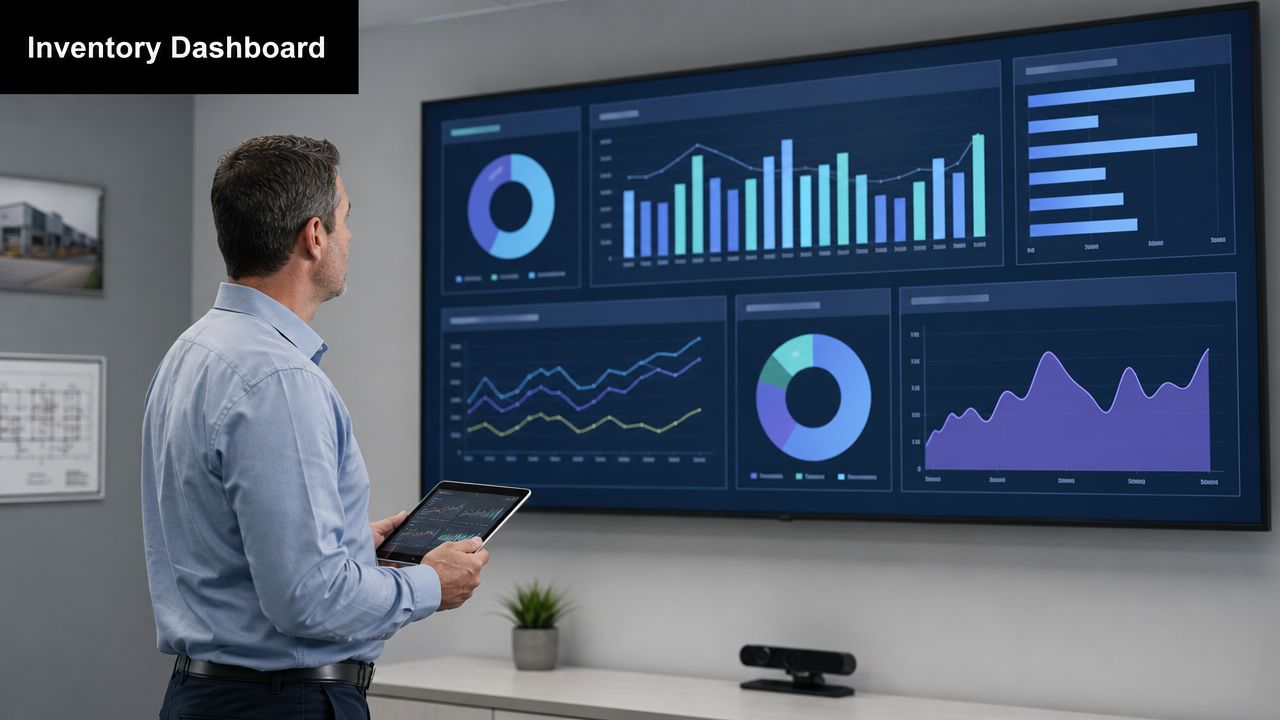
7. Real-Time Inventory Visibility and Reporting Dashboards
At 4:30 p.m., a client asks for a disposition update on 200 returned laptops. Operations says the load is in intake. The data destruction team says part of it is still waiting for chain-of-custody review. Finance has a different count in its spreadsheet. That kind of mismatch is common when asset status lives in separate files instead of one live system.
For end-of-life IT assets, status changes fast and the consequences exceed those of ordinary stock control. A device can be received, quarantined, cleared for wipe, held for client approval, routed to resale, or sent to recycling within days. If the dashboard lags behind the floor, teams make the wrong decision with good intentions. That is how reusable equipment gets scrapped, pickup schedules slip, and clients start questioning the audit trail.
Build one source of truth for disposition status
A useful dashboard answers operational questions without a meeting. Which serial numbers are still in secure hold? What batches have missed SLA? Which site has equipment on hand but not yet reconciled in the system? Where are assets waiting too long between wipe, testing, and final disposition?
Useful dashboards usually show:
- Status by disposition stage: Received, quarantined, pending audit, pending wipe, tested, approved for resale, donated, recycled.
- Location visibility: Site, cage, pallet, rack, vehicle, or downstream processor.
- Time-in-stage reporting: Aging by queue so bottlenecks show up before they become client escalations.
- Exception alerts: Duplicate serials, missing chain-of-custody steps, or assets moved without a recorded status change.
The trade-off is detail versus speed. If staff have to enter too many fields, updates fall behind the physical flow. If the system is too simple, the dashboard looks clean but hides the risk. In practice, the best setup captures a short list of required status changes in real time, then adds deeper reporting in the background.
This also ties directly to collection planning. If inbound shipments from branch offices arrive without accurate visibility, the dashboard starts wrong and stays wrong. Better reverse logistics planning for e-waste programs improves reporting before the assets even hit the dock.
One live record with controlled updates beats separate spreadsheets from IT, facilities, finance, and the recycler every time. In ITAD work, real-time visibility is not about prettier charts. It is how teams keep custody clear, disposition defensible, and recovery value from slipping through the cracks.
8. Reverse Logistics Network Optimization
Inventory management isn't only about what happens inside your building. It also depends on how assets get back to you in the first place.
Reverse logistics becomes a real bottleneck when organizations collect equipment from multiple offices, clinics, campuses, or branch sites. If pickups are inconsistent, packaging rules are unclear, or handoffs are poorly documented, inventory arrives late, damaged, or without a usable manifest. Then intake starts with cleanup instead of control.
Reworx Recycling addresses that broader collection challenge in its article on optimizing e-waste management with reverse logistics. For businesses handling office cleanouts, laptop disposal, or medical equipment disposal across several locations, that planning matters as much as the recycling step.
Convenience drives compliance
When return paths are easy, staff follow them. When they're confusing, equipment stays in closets. That's why regional drop-off options, scheduled business pickups, and standard packaging instructions often improve inventory quality before the load even reaches the processor.
A better reverse logistics network usually has:
- Defined intake channels: Pickup, drop-off, project-based collection, or mail-back.
- Clear handoff rules: Manifest requirements, box labeling, and chain-of-custody expectations.
- Routing discipline: Pickup schedules that reduce unnecessary trips and mixed loads.
One of the biggest misses I see is designing the process around the recycling facility's convenience instead of the client's operating reality. If branch offices don't have pallets, loading docks, or trained staff, your process has to account for that.
9. Environmental and Regulatory Compliance Tracking
A retired laptop leaves one office with a handwritten pickup note, arrives at a processor in a mixed pallet, and disappears into a generic recycling record. That is not just a disposal problem. It is an inventory control failure with compliance exposure attached.
End-of-life IT inventory carries obligations that standard stockroom processes rarely cover well. Batteries may require separate handling. Storage media may require documented destruction. Certain devices need proof of downstream processing, not just proof that they left the building. If the record stops at “removed from service,” the inventory trail is incomplete.
Track compliance at the asset and load level
The practical fix is to build compliance fields into the inventory record before assets move. Each item or shipment should carry a documented disposition path, the approvals tied to that path, and the records needed to defend that decision later. For ITAD programs, that usually means tying serial numbers, asset tags, destruction status, shipment IDs, and downstream vendor documents together in one audit trail.
A strong program usually defines:
- Disposition categories: Redeployment, resale, donation, destruction, recycling, or hazardous materials handling.
- Required records by category: Asset list, chain-of-custody details, data destruction certificates, bills of lading, and downstream processor documentation.
- Approval rules: Who can authorize write-off, transfer, donation, or destruction.
- Exception handling: What happens when an asset is missing a serial number, contains a swollen battery, or arrives outside the expected manifest.
Sustainability reporting gets tested in practice. If a company reports responsible recycling or donation outcomes, it should be able to show which assets went into each stream and what happened after pickup. That level of traceability matters for internal audit, customer commitments, and environmental reporting.
For teams managing multi-site retirements, standardized intake and disposition records also reduce administrative drift. Systems built for order and workflow coordination, such as the Multi Product Ordering API, are a useful reminder that structured transaction data matters most when there are multiple item types, approval paths, and fulfillment outcomes to track.
The mistake I see most often is treating compliance as a document folder outside the inventory system. Keep it inside the asset record, tied to the physical item and its final disposition. That is how you prove control at end of life, not just process volume.
10. Demand Forecasting and Capacity Planning
A 2,000-device refresh rarely fails because the wipe process is weak. It fails because the volume arrives before the operation is ready for it.
End-of-life inventory is more predictable than many IT teams assume. Refresh schedules, lease returns, site closures, merger activity, warranty expirations, and budget deadlines all create visible demand signals. Teams that track those signals early can reserve floor space, line up transport, schedule data destruction capacity, and adjust staffing before retired assets start stacking up in hallways or loading docks.
Good forecasting at this stage is less about perfect math and more about planning for the right constraints. In ITAD, those constraints usually include secure storage, technician time, packaging materials, transportation windows, and downstream processing capacity. A forecast that only counts units misses the operational reality. One pallet of laptops, one rack of servers, and one batch of damaged lithium battery devices create very different handling requirements.
Use different planning rules for different asset streams:
- High-value serialized devices: Laptops, servers, mobile phones, and network gear need tighter volume forecasting because chain of custody, data destruction timing, and resale recovery are directly affected.
- Project-based surges: Office closures, data center exits, and large refresh events should be planned as capacity events, not routine intake.
- Low-value mixed electronics: Peripherals and cable lots usually matter less for financial recovery, but they still consume dock time, gaylords, and recycling throughput.
I have seen teams forecast pickup volume correctly and still miss capacity because they did not break the mix down by asset type and disposition path. Fifty desktops headed to recycling are operationally different from fifty encrypted laptops that need audit-ready data destruction records before release.
For teams coordinating replacement purchases alongside retirements, systems that keep requests, timing, and fulfillment data connected can make planning more accurate. The Multi Product Ordering API is one example of how structured order data supports better coordination across multiple item types and schedules.
The practical goal is simple. Match inbound end-of-life volume to the people, space, and processing steps required to move assets out securely, on time, and with full documentation. Forecasting does that job best when it is tied to actual retirement triggers, not treated as a generic inventory exercise.
Top 10 Inventory Management Practices Comparison
| Practice | Implementation Complexity 🔄 | Resource & Speed ⚡ | Outcomes & Impact 📊⭐ | Ideal Use Cases | Quick Tip 💡 |
|---|---|---|---|---|---|
| Asset Tagging and Tracking Systems | Moderate, policy, tagging standards, system integration required | Hardware (tags/scanners), inventory software, staff training; moderate ongoing cost | High traceability, audit trails, loss reduction; ⭐⭐⭐ | ITAD facilities, enterprise multi-site inventories, compliance-driven operations | Standardize tags, choose durable materials, integrate with ERP |
| First-In, First-Out (FIFO) Processing | Low, procedural changes and staging enforcement | Minimal hardware; requires organized staging space; fast to operate once established | Prevents backlog/obsolescence, ensures timely destruction; ⭐⭐ | Time-sensitive destruction, regulated retention timelines, steady intake flows | Use visual staging and automated alerts for aging items |
| Regular Cycle Counts and Physical Audits | Moderate, scheduling, reconciliation processes and protocols | Labor-intensive; trained counters and mobile counting tools; can slow operations during counts | Improves data accuracy, detects discrepancies early; ⭐⭐ | Operations needing inventory accuracy, audit-compliant facilities | Focus on ABC items, use mobile apps and document variance thresholds |
| Data Destruction Scheduling and Tracking | High, strict segregation, chain-of-custody and certification workflows | Specialized destruction equipment, secure areas, trained personnel; higher per-item processing time | Legally defensible proof of destruction; reduces breach liability; ⭐⭐⭐⭐ | Healthcare, finance, government, enterprise clients with regulatory mandates | Automate certificates, segregate data-bearing devices, audit processes regularly |
| Just-In-Time (JIT) Processing & Batch Management | High, coordination with clients, routing and batch planning | Scheduling software, logistics coordination; reduces storage but needs reliability | Lowers holding costs and handling, improves cash flow when aligned; ⭐⭐ | Bulk pickups, scheduled client programs, capacity-constrained facilities | Establish regular pickup windows and maintain small buffer capacity |
| Condition Assessment & Grading at Intake | Moderate, training and standardized grading criteria needed | Skilled assessors, basic functional test tools, photo documentation; may slow intake | Accurate valuation and routing for resale vs. recycle; maximizes recovery; ⭐⭐⭐ | Buyback/refurbishment centers, resale programs, valuation workflows | Use illustrated grading guides, photos, and QC spot-checks |
| Real-Time Inventory Visibility & Reporting Dashboards | High, software implementation and integrations required | Inventory/BI software, data feeds, user training; speeds decision-making | Immediate transparency, faster bottleneck identification; ⭐⭐⭐ | Multi-site operations, client-facing tracking, capacity planning | Build role-based dashboards and enforce data input standards |
| Reverse Logistics Network Optimization | High, network design, partner coordination and routing complexity | Consolidation points, partner contracts, routing tools; upfront cost, long-term savings | Reduces pickup cost, expands coverage and responsiveness; ⭐⭐ | Geographically dispersed customers, scaling service areas | Analyze customer density and leverage existing logistics partners |
| Environmental & Regulatory Compliance Tracking | High, documentation, certification and audit management | Compliance staff, tracking systems, audit costs; ongoing resource commitment | Ensures legal compliance, ESG reporting, certifiable credibility; ⭐⭐⭐ | Enterprise, government, education clients requiring certified recycling | Maintain a compliance calendar and assign accountable owners |
| Demand Forecasting & Capacity Planning | Moderate, requires data analysis and scenario modeling | Analytics tools, historical data, forecasting skills; prevents reactive staffing | Better staffing and capacity alignment; reduces peak backlogs; ⭐⭐ | Seasonal volume management, strategic growth planning, peak cycles | Use 3–5 years of data, segment demand, and update forecasts quarterly |
Turn Your Inventory Plan into Action
Implementing these best practices for inventory management changes the job from reactive cleanup to controlled lifecycle management. That shift is valuable in any business, but it's especially important when your inventory includes IT assets, data-bearing devices, and equipment that can't sit in storage until someone has time to deal with it. The longer old devices remain unmanaged, the harder it becomes to maintain accurate records, protect data, recover value, and support sustainability goals.
The biggest improvement most organizations can make is broadening their definition of inventory management. It isn't just about what comes in and where it sits. It also includes what gets redeployed, what gets repaired, what gets held for audit, what needs secure data destruction, and what should move into donation-based recycling or certified electronics recycling. Those exit decisions deserve the same discipline as purchasing and replenishment.
In practice, the strongest programs share a few traits. They maintain one reliable asset record. They count often instead of waiting for annual surprises. They segment assets by risk and value. They set clear handling rules for data-bearing equipment. And they plan the end-of-life path before storage areas fill up with retired hardware. That's what keeps an office refresh, a facility cleanout, or a data center decommissioning project from turning into a messy backlog.
For many businesses, partnering with an IT asset disposition provider is the most practical way to close the loop. A partner can help with intake visibility, secure data destruction, chain-of-custody documentation, reverse logistics, and responsible downstream processing. Reworx Recycling is one relevant option for organizations that need support with electronics recycling, IT equipment disposal, computer recycling, secure data destruction, and donation-focused reuse pathways that align with community impact.
If you're reviewing your current process, start with the areas that create the most risk. Audit where retired devices accumulate. Check whether data-bearing assets are tracked to final disposition. Look at how often records are reconciled with physical inventory. Then build the controls that keep those problems from coming back. Inventory discipline is rarely about one big fix. It's about repeatable habits that make every asset movement visible, accountable, and easier to manage.
When that system is in place, you don't just reduce clutter. You gain better security, cleaner reporting, stronger compliance, and a more sustainable way to handle the full lifecycle of your technology.
If your business is preparing for a technology refresh, office cleanout, data center decommissioning, or ongoing IT asset disposition needs, Reworx Recycling can help you build a more secure and sustainable end-of-life process. Reach out to donate old equipment, schedule a pickup, or explore a partnership that supports responsible recycling, community technology access, and long-term inventory control.