Wiping a hard drive is a critical final step in the IT asset lifecycle. It involves more than simply hitting 'delete'; it requires using specialized software or physical destruction to permanently overwrite or destroy data, rendering it completely unrecoverable. For any business managing IT equipment disposal, this is a non-negotiable process to prevent sensitive information from leaving your control when a device is retired, donated, or recycled.
Why 'Deleting' Files Isn't Secure for Businesses
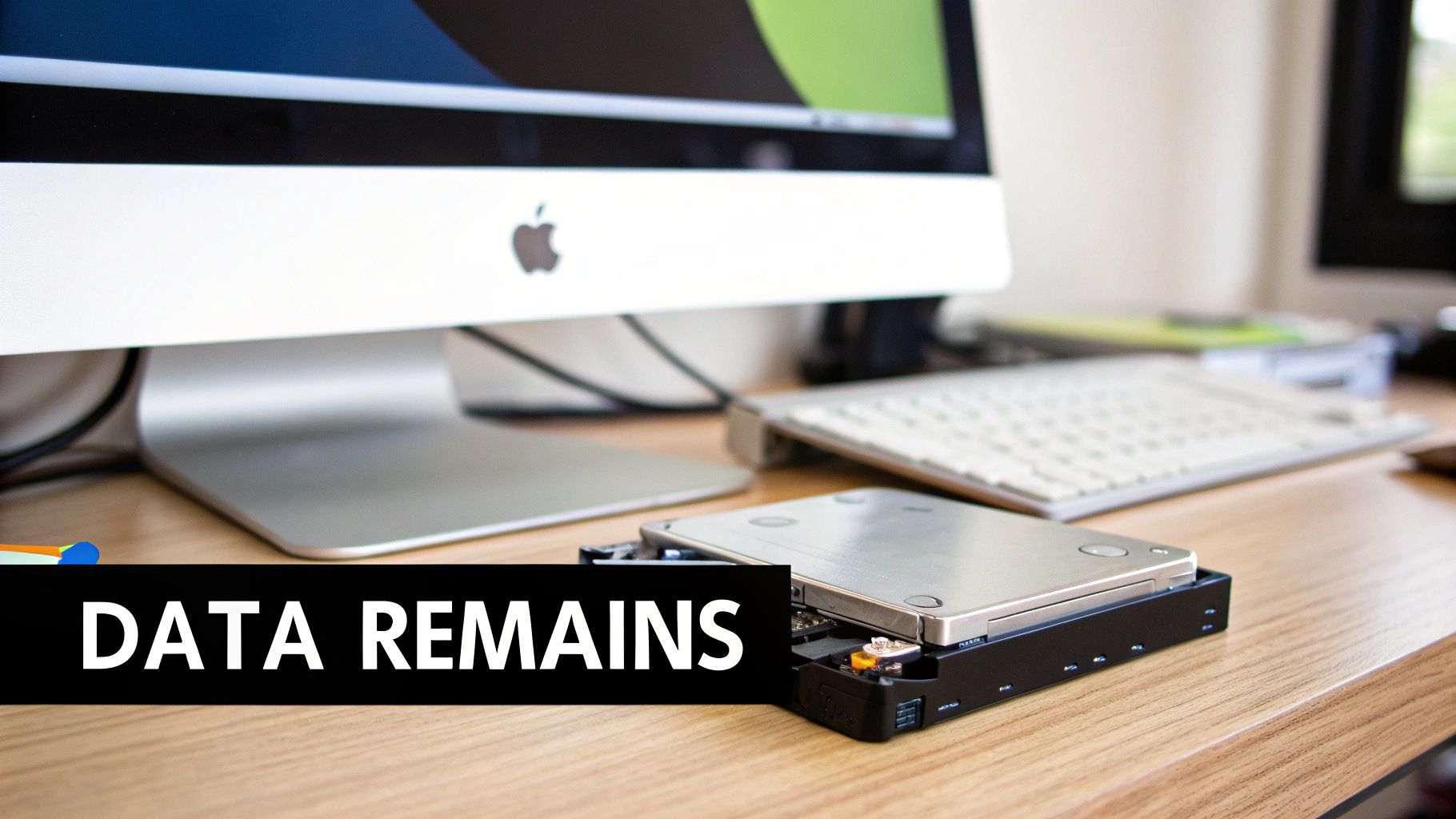
The sense of security after formatting a drive can be dangerously misleading. In reality, deleting files or reformatting a hard drive merely removes the pointers to your data. The information itself often remains, vulnerable to recovery by determined individuals.
The Illusion of Deletion
When you drag a file to the trash and empty it, the operating system doesn't actually erase the data. It simply marks the space that data occupies as "available" for new information. Until that space is overwritten, the original data is still present and can be retrieved.
Think of it as removing a card from a library's card catalog. The book itself remains on the shelf, accessible to anyone who knows how to find it without the catalog's guidance. For a business, this represents a significant data breach vulnerability.
Understanding Data Remanence
This lingering, recoverable data is known as data remanence. Even a "quick format" on a drive is insufficient. It typically rebuilds the file system but leaves the underlying data untouched and accessible with basic data recovery software.
Consider a business upgrading its office computers. A quick format might seem adequate, but it could leave years of sensitive files exposed, including:
- Client contracts and financial records
- Confidential strategic business plans
- Employee records containing personally identifiable information (PII)
- Proprietary product schematics or corporate trade secrets
This is precisely the risk that a professional social enterprise like Reworx Recycling is designed to eliminate through secure IT asset disposition (ITAD). For a deeper understanding, explore our guide on how to safely destroy data on old computers.
The consequences of improper data disposal are not just theoretical. Failing to securely erase data can lead to costly data breaches, severe regulatory penalties, and lasting damage to your company's reputation.
The Growing Demand for Secure Data Destruction
The need for professional data destruction is surging as businesses become more aware of these risks. The global hard drive destruction service market reflects this, demonstrating a clear trend toward outsourcing this critical security function to ensure compliance and peace of mind. Businesses recognize that a formal process for wiping hard drives isn't just a best practice—it's an essential component of modern IT security and risk management.
Choosing Your Method: Software Wiping vs. Physical Destruction
When a drive reaches its end-of-life, IT managers face a crucial decision: software wipe or physical destruction? This isn't merely a technical choice; it's a strategic one that balances security requirements, cost-effectiveness, and your company's sustainability goals. The optimal answer depends on the data's sensitivity, the drive's condition, and the intended next step for the asset.
The Case for Software Wiping
Software wiping, also known as data erasure or overwriting, uses specialized programs to write patterns of meaningless data over every sector of a hard drive. Because this process preserves the hardware, it's the ideal choice for equipment intended for reuse, resale, or donation.
Different standards dictate the rigor of the wipe. While the older DoD 5220.22-M standard involved multiple passes, the current industry benchmark is the NIST 800-88 Clear guideline. A single, secure pass performed correctly is sufficient for most business applications.
For IT professionals handling non-critical drives, open-source tools like Darik's Boot and Nuke (DBAN) are a popular choice. In a corporate environment, however, commercial software is preferred for its ability to provide certified, auditable erasure processes and detailed reports for compliance records.
The primary advantage of software wiping is its support for the circular economy. A properly wiped drive can be redeployed internally, sold to recover value, or donated through a social enterprise like Reworx Recycling to support digital inclusion initiatives.
However, software wiping has limitations. The process can be time-consuming, especially for large-capacity drives. It is also less reliable for modern Solid-State Drives (SSDs) due to wear-leveling and over-provisioning technologies, which can leave data fragments in inaccessible blocks.
When Physical Destruction Is Non-Negotiable
Physical destruction is the definitive method for ensuring data is unrecoverable. By rendering the drive completely useless, it provides the ultimate guarantee of data security. When risk tolerance is zero, destruction is the only acceptable path.
This approach is essential in several key scenarios:
- Drives with Highly Sensitive Data: Trade secrets, classified information, patient health records (PHI), or extensive customer financial data.
- Damaged or Non-functional Drives: If a drive cannot be powered on or accessed by software, destruction is the only secure disposal option.
- SSDs with Complex Data Storage: Physical shredding is the most effective way to guarantee complete data elimination from solid-state media, bypassing the challenges of software erasure.
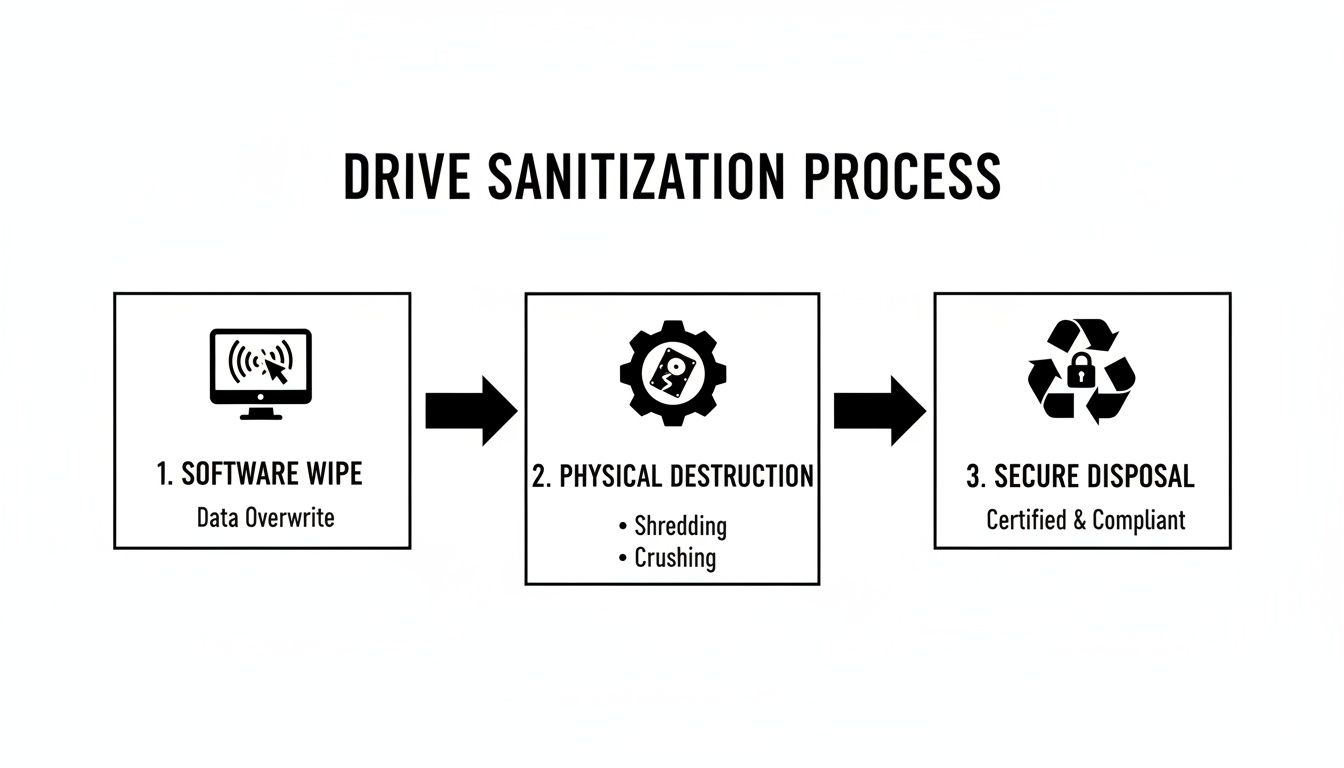
The main methods of physical destruction are degaussing and shredding. Degaussing uses a powerful magnetic field to scramble the drive's magnetic platters, instantly erasing all data. Shredding involves feeding the drive into an industrial machine that grinds it into small metal fragments. You can learn more about certified and documented secure hard drive shredding services to see how this process works.
A Head-to-Head Comparison
Choosing the right approach requires a clear assessment of your specific needs. The process for a retiring fleet of office laptops will differ significantly from decommissioning a data center server.
To simplify this decision, here's a breakdown of the key factors for each method.
Data Sanitization Methods at a Glance
This table offers a quick comparison to help you decide whether software-based wiping or physical destruction is the right fit for your security needs, drive type, and asset reuse goals.
| Method | Best For | Key Advantage | Key Disadvantage | NIST 800-88 Level |
|---|---|---|---|---|
| Software Wiping | Reusable drives, donated equipment, internal redeployment, non-sensitive data | Enables asset reuse and value recovery; environmentally friendly | Time-consuming; less effective on SSDs; requires functional hardware | Clear |
| Physical Destruction | End-of-life drives, damaged hardware, highly sensitive data, all SSDs | Guarantees 100% data destruction; fast process per drive | Prevents asset reuse; generates e-waste if not recycled properly | Destroy |
Ultimately, a robust IT Asset Disposition (ITAD) strategy often employs both methods. A partner like Reworx Recycling can help you implement a blended approach, applying software erasure to viable assets for donation while providing certified physical destruction for drives that pose a security risk. This strategy maximizes both data security and positive community impact.
How to Wipe a Hard Drive Using Software Tools
Once you’ve determined that software wiping is appropriate for your retired assets, the process requires careful execution. This is a hands-on task where precision is key to avoiding costly mistakes.
Let’s consider a common scenario: an IT team is preparing a batch of 50 laptops for a corporate donation program. These devices contain years of standard business data. While not top-secret, you need assurance that customer lists and internal communications are securely erased before the laptops are handed over.
Preparing for the Wipe
First, you need the right tool: a bootable USB drive. A long-standing industry favorite for this purpose is Darik's Boot and Nuke (DBAN). It’s a free, standalone utility designed specifically for data sanitization.
Here’s the basic workflow to prepare your tool:
- Download the DBAN ISO file: This is the disk image you will use.
- Use a USB writer tool: Software like Rufus or BalenaEtcher will "burn" the ISO file onto a flash drive, making it bootable.
- Label the drive clearly: A simple label reading "DBAN WIPE TOOL" can prevent accidental wiping of the wrong machine during a busy decommissioning project.
With your bootable USB prepared, you can begin the process on the target computers.
Executing the Data Wipe
This stage requires sharp focus. The goal is to interrupt the computer's normal startup sequence and force it to boot from your USB drive instead of its internal hard drive.
To do this, you'll need to access the BIOS or UEFI settings on each laptop, typically by pressing a key like F2, F12, or DEL immediately after powering it on. Once inside, navigate to the boot menu and set the USB drive as the primary boot device.
After the machine boots from your DBAN drive, a text-based menu will appear. This is the point of no return.
Pro Tip from the Field: When wiping multiple computers, establish an assembly line. One technician can boot the machines and start the wipe, while another follows behind to verify completion. For long wipes, running the process overnight maximizes your team's productivity.
Within DBAN, you must carefully identify the correct hard drive to wipe. While straightforward on a laptop with a single drive, a mistake on a desktop or server with multiple drives could be catastrophic. Always double-check the drive model and size before proceeding.
After selecting the drive, choose a wiping method. Although DBAN offers complex, multi-pass options, a single-pass wipe (writing zeros across the drive) is sufficient for most business data and aligns with the NIST Clear standard.
Verification and Knowing When to Call for Help
Once the wipe begins, the software will display a progress screen. The most critical part is the "Pass" message at the end, confirming that the entire drive was successfully overwritten. Do not skip this verification step.
However, software wiping has its limitations. It can be slow and, as noted, is not always the best choice for modern SSDs. These challenges are why many organizations opt for physical destruction. The growing demand for secure destruction highlights a key point for IT managers: software erasure is just one tool in the toolbox, and sometimes physical destruction is the more prudent and secure option.
While DBAN is excellent for basic, non-certified wiping, it lacks an audit trail. If your compliance framework requires a formal Certificate of Data Destruction, or if you are handling highly sensitive information, it's time to engage certified professionals. For a deeper look at what this entails, review our guide to secure data destruction.
A partner like Reworx Recycling can manage the entire process—and liability—for you. We use industrial-grade software and shredders to provide guaranteed, fully documented data sanitization that meets the most stringent industry standards.
Meeting Data Sanitization and Compliance Standards
For any modern business, compliance is a legal and financial shield. Simply deleting files from a hard drive is insufficient; data must be wiped according to established industry standards to avoid serious penalties, particularly when handling regulated information.
The gold standard for data sanitization in the U.S. is NIST SP 800-88 Rev. 1, published by the National Institute of Standards and Technology. Originally a government guideline, it is now the de facto rulebook for private sector IT Asset Disposition (ITAD). It outlines three distinct methods for media sanitization, each corresponding to a different level of risk.
Translating NIST Standards for Business
Understanding these levels is key to making informed, risk-based decisions for your company's retired assets.
- Clear: This is a software-based overwrite designed to prevent basic, non-invasive data recovery attempts. It is suitable for internal computer transfers, such as redeploying a laptop to another employee.
- Purge: This method employs more advanced techniques that make data recovery infeasible, even with state-of-the-art laboratory equipment. This should be the standard when donating or selling old equipment on the secondary market.
- Destroy: This is the final step where the storage media is rendered completely and permanently unusable through shredding, incineration, or pulverization. It is the mandatory choice for drives that held top-level trade secrets, vast amounts of financial data, or were too damaged to be properly purged.
Choosing an inadequate level can have severe consequences. Using the "Clear" method on a drive containing sensitive customer PII before donation, for instance, creates a significant liability for your organization.
Connecting Sanitization to Regulatory Compliance
These NIST standards provide the practical framework for meeting the data disposal requirements of major regulations.
For instance, healthcare organizations subject to HIPAA must ensure Protected Health Information (PHI) is rendered unreadable and indecipherable before an asset leaves their control. Similarly, companies handling data of EU citizens must comply with GDPR, which mandates the secure erasure of personal data upon request or when its purpose is fulfilled.
The bottom line is that achieving—and more importantly, proving—compliance requires a documented, repeatable, and auditable process that can withstand scrutiny.
A primary motivator for getting this right is avoiding the devastating aftermath of a data breach. Understanding the true cost of a data breach provides a powerful financial incentive to solidify your data disposal processes. The expenses from fines, lawsuits, and brand damage far exceed the investment in a secure ITAD program.
The Role of a Certified ITAD Partner
Engaging a certified ITAD provider is a strategic move that pays significant dividends. Managing this process in-house can drain IT resources and introduce substantial risk if not executed perfectly every time. A professional partner eliminates the guesswork and assumes the liability.
At Reworx Recycling, our entire process is built to meet these strict standards. We offer certified data destruction services that align with NIST guidelines, ensuring your business remains compliant.
Upon completion, we provide an official Certificate of Data Destruction. This document serves as your proof of compliance, detailing the serial numbers of the sanitized drives and the method used. It is the auditable record needed to demonstrate due diligence to regulators, auditors, and stakeholders. To learn more about what this certification means for your business, discover our process for issuing a Certificate of Destruction for hard drives. It is the simplest path to complete peace of mind.
Building Secure Wiping into Your ITAD Strategy
Wiping a hard drive should never be an afterthought. When data destruction is treated as a last-minute task, it invites unacceptable risk. Instead, it must be a formal, documented step within your comprehensive IT Asset Disposition (ITAD) policy. This transforms a potential liability into a structured, auditable, and secure process.
A robust ITAD plan provides a complete end-of-life roadmap for every piece of technology your company owns. It shifts your team from reactive cleanouts to a proactive system that protects data, recovers value, and supports corporate sustainability goals. The objective is to establish a repeatable workflow that minimizes risk from the moment a device is taken offline.
Creating a Detailed Asset Inventory
The foundation of any strong ITAD strategy is a precise inventory. You cannot protect what you do not track. This begins with creating and maintaining a detailed asset inventory.
This inventory must go beyond a simple list of device types. For effective security and management, it should include:
- Unique Asset Tag: Your internal identifier for each device.
- Serial Number: The manufacturer's unique ID.
- Device Type: Laptop, desktop, server, mobile phone, etc.
- Data Sensitivity Level: A clear classification (e.g., Low, Medium, High) indicating the type of information stored on the device.
This classification is crucial. A laptop from the finance department requires a different sanitization protocol than a conference room PC used for presentations. Documenting this upfront allows you to assign the appropriate data destruction method later.
An effective ITAD policy is a living document, not a static file. Review and update it annually to adapt to new technologies, evolving data privacy laws, and changes within your business.
Assigning Sanitization Methods and Maintaining Custody
With a clear inventory, you can establish disposition rules. This is where you formally link each asset to a specific sanitization method based on its data sensitivity. For example, your policy might mandate that all "High Sensitivity" devices undergo physical destruction, while "Medium Sensitivity" assets are sanitized using a NIST Purge-level software wipe.
This step eliminates ambiguity and ensures consistent security. The next critical element is maintaining a strict chain of custody—a documented trail recording every individual who handles an asset, from an employee's desk to its final disposition.
A broken chain of custody is a major security vulnerability, creating opportunities for devices to be lost, stolen, or improperly processed. A secure ITAD workflow documents every handoff, tracks assets during transit to a facility like Reworx Recycling, and culminates in a Certificate of Destruction as verifiable proof of secure handling.
The Bigger Picture: E-Waste and Responsible ITAD
Integrating these practices is about more than data security; it's a vital part of corporate responsibility. The scale of the e-waste problem is enormous. With global e-waste generation growing, hard drives from business IT refreshes are a significant contributor. You can explore more about this global challenge to understand the urgent need for responsible ITAD programs.
By implementing a formal ITAD strategy, your organization moves beyond simple disposal. You create a system that not only protects sensitive data but also ensures retired assets are handled in an environmentally sound manner. Partnering with a social enterprise like Reworx Recycling becomes a powerful tool in this effort. We help you implement a secure, compliant ITAD process that transforms your end-of-life equipment into a resource that supports community programs and promotes digital inclusion.
Partner with Reworx for Guaranteed Security and Sustainability
Understanding the theories of secure data disposal is one thing; implementing them effectively is another. Once you have assessed the risks and complexities, the next logical step is to find a practical, reliable solution. This is where a robust IT Asset Disposition (ITAD) policy transitions from a document into a secure, real-world operation.

Choosing a certified partner like Reworx Recycling is about more than outsourcing a task—it's about offloading the logistical burden and legal liability associated with data destruction. Instead of dedicating your team's valuable time to managing an in-house wiping process, you gain a partner singularly focused on executing this critical job flawlessly.
We deliver guaranteed data destruction that meets and exceeds industry standards, ensuring your organization remains fully compliant.
A Comprehensive Approach to Data Security
When you work with Reworx, you are implementing a complete security protocol for your end-of-life assets. We have developed a flexible suite of services to handle any scenario your business may encounter.
Our services include:
- Secure On-Site Shredding: For maximum security, we bring our industrial-grade shredders to your facility, allowing you to witness the physical destruction of your most sensitive hard drives.
- Certified Software Wiping: For assets destined for reuse or donation, we use professional software to perform NIST-compliant data erasure, complete with full verification reporting.
- Auditable Chain of Custody: From the moment our team arrives for a scheduled pickup, we maintain a strict, documented chain of custody, ensuring your assets are secure at every stage.
This multifaceted approach guarantees that whether a drive is wiped for reuse or physically shredded, the process is secure, fully documented, and aligned with your risk management strategy.
More Than Just Recycling A Social Enterprise Model
What truly distinguishes Reworx Recycling is our mission. We are not just a recycling company; we are a social enterprise committed to creating a positive community impact. When you choose us for your IT equipment disposal, you are doing more than solving an operational challenge.
By partnering with Reworx, you transform retired corporate assets into a powerful force for good. Your old laptops, desktops, and servers help support our digital inclusion programs, providing vital technology to underserved communities and empowering local workforce development initiatives.
This model allows your business to achieve its security and sustainability targets while enhancing your corporate social responsibility profile. Every Certificate of Destruction we issue is more than a guarantee of data security—it’s proof of your company's commitment to the community. You can learn more about Reworx Recycling's secure data destruction and see how we protect your information while creating social value.
Ready to turn your IT asset disposition into a strategic advantage? Contact Reworx Recycling today to schedule a pickup or discuss a partnership. Let’s work together to protect your data, champion sustainability, and make a real difference in your community.
Common Questions About Wiping Hard Drives
Even with a solid strategy, specific questions often arise when it's time to decommission old drives. Here are answers to some of the most common inquiries from IT managers and business owners.
Is Wiping an SSD Different From an HDD?
Yes, this is a critical distinction. Traditional software overwriting methods effective for Hard Disk Drives (HDDs) are often unreliable on Solid-State Drives (SSDs). This is due to SSD technology called wear-leveling, which distributes data writes across all memory cells to extend the drive's lifespan. A standard wiping tool may miss data fragments scattered across the drive.
To securely erase an SSD, a different approach is needed:
- Cryptographic Erasure: This is the fastest and often most secure method. It works by destroying the encryption key used to protect the data, instantly rendering everything on the drive unreadable.
- Manufacturer Utilities: Most major SSD manufacturers provide their own free software tools specifically designed to securely wipe their drives and reset them to a factory state.
- Physical Destruction: When you need absolute, undeniable proof that the data is gone, nothing beats physical destruction. For SSDs, shredding is the only way to be 100% certain the data is unrecoverable.
Does a Factory Reset Actually Wipe a Hard Drive?
No, not in a manner that provides genuine data security. A factory reset is designed to revert a device's software and operating system to its original settings. It makes your files disappear from view, but it does not overwrite the data on the drive.
This is like removing a book's table of contents—the chapters are still there, just harder to find. The underlying data can often be easily recovered with widely available software. For true business data security, you must use a proper data erasure method that meets a recognized standard like NIST 800-88.
How Long Does It Take to Wipe a Hard Drive?
The time required can vary significantly based on several factors. A multi-pass software wipe on a large-capacity HDD could take many hours, often running overnight for a single drive. The drive's speed and the complexity of the overwriting pattern also play a significant role.
Conversely, physical destruction is extremely fast on a per-drive basis. Degaussing takes only a few seconds, and industrial shredders can process dozens of drives in minutes. The decision comes down to balancing your time, security needs, and whether the asset has potential for reuse.
Navigating the complexities of data destruction is a non-negotiable part of modern IT asset management. For guaranteed security, auditable compliance, and a sustainable approach, partner with Reworx Recycling. Let us help you protect your data while making a positive community impact. Explore our services and articles on our recycling blog.