
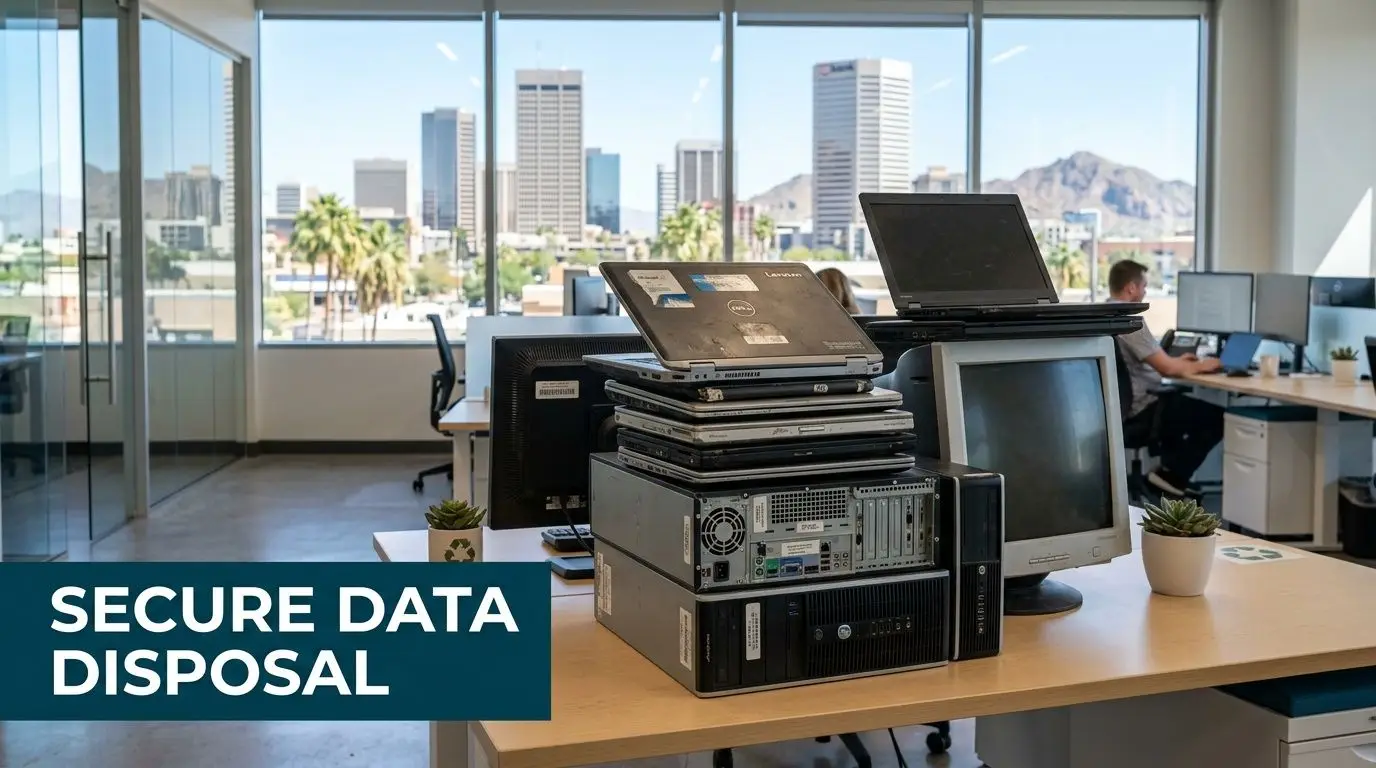
A lot of Phoenix companies are in the same spot right now. They’ve finished a laptop refresh, cleared a server room, or shut down a branch office, and now there’s a growing pile of retired equipment sitting in a storage closet. The devices look harmless. The risk isn’t.
Old laptops, failed hard drives, decommissioned servers, backup appliances, and office desktops often still hold client files, employee records, credentials, or regulated data. If those assets leave your building without a documented process, you’re exposed on two fronts at once. You’ve created a data security problem and an electronics recycling problem.
That’s why Data Security and Electronics Recycling in Phoenix has become a board-level operations issue rather than a facilities afterthought. In this market, where data centers, healthcare organizations, financial firms, schools, and multi-site businesses all retire IT equipment at a steady pace, secure IT asset disposition has to be deliberate, documented, and easy to repeat.
Why Data Security Is Critical in Phoenix Electronics Recycling
A Phoenix business doesn’t need to be a hyperscale operator to have a real disposal risk. A law office replacing desktops, a medical practice retiring backup drives, and a manufacturer clearing out handheld scanners all face the same basic problem. They can’t treat retired devices like ordinary trash or generic scrap.
The scale of the problem is larger than many teams realize. The U.S. generates approximately 50 million tons of e-waste annually, and the EPA reports that only 15-20% is recycled. The U.S. also discards 26 million computers yearly, which matters in a market like Phoenix where obsolete equipment can carry sensitive data if it’s handled poorly, according to Phoenix e-waste recycling data compiled here.
What Phoenix companies usually get wrong
The most common mistake isn’t malicious. It’s procedural. Equipment gets stacked in a back room during an office cleanout, a facilities team schedules a general haul-away, or IT assumes a basic wipe happened years ago and moves on.
That breaks chain of custody before anyone notices.
A practical starting point is to treat every retired asset as if it still contains live data until documented otherwise. That includes drives from copiers, firewalls, storage arrays, phones, and lab or medical systems that many organizations forget to classify as data-bearing devices. Teams that want a detailed overview of the controls involved can review secure handling during the e-waste recycling process.
Practical rule: If you can’t show who possessed the device, how the data was destroyed, and where the material went after processing, you don’t have a defensible ITAD program.
Why the Phoenix market raises the stakes
Phoenix has a mix of conditions that make disciplined electronics recycling more important. The metro supports major corporate operations, growing data infrastructure, healthcare systems, education networks, and public sector entities. That means more retired equipment, more sensitive information at end of life, and more pressure to prove responsible handling.
For business leaders, the takeaway is simple. Secure data destruction isn’t separate from electronics recycling. It is the first requirement of responsible recycling. If your ITAD process starts with transportation or resale discussions before data risk is addressed, the workflow is backward.
The companies that handle this well usually do three things consistently:
- They inventory before pickup: Asset type, serial number, user group, and data-bearing status are identified before anything leaves the site.
- They choose destruction methods by media type: Hard drives, solid-state media, and mixed office equipment aren’t processed the same way.
- They insist on documentation: Certificates, audit trails, and downstream accountability matter as much as the physical pickup.
That’s the difference between clearing space and effectively reducing risk.
Choosing Your Data Destruction Method
A Phoenix company closing a branch office can have 40 laptops to clear. A healthcare practice replacing storage arrays may have only a few devices, but the risk is much higher. The right destruction method depends on what the media holds, whether the device still has reuse value, and what proof your team will need after pickup.
Method selection is where secure ITAD either holds up or breaks down. If an SSD gets treated like a desktop hard drive, or reusable laptops get shredded before anyone checks their resale potential, the business loses either control or value.
Three methods that matter
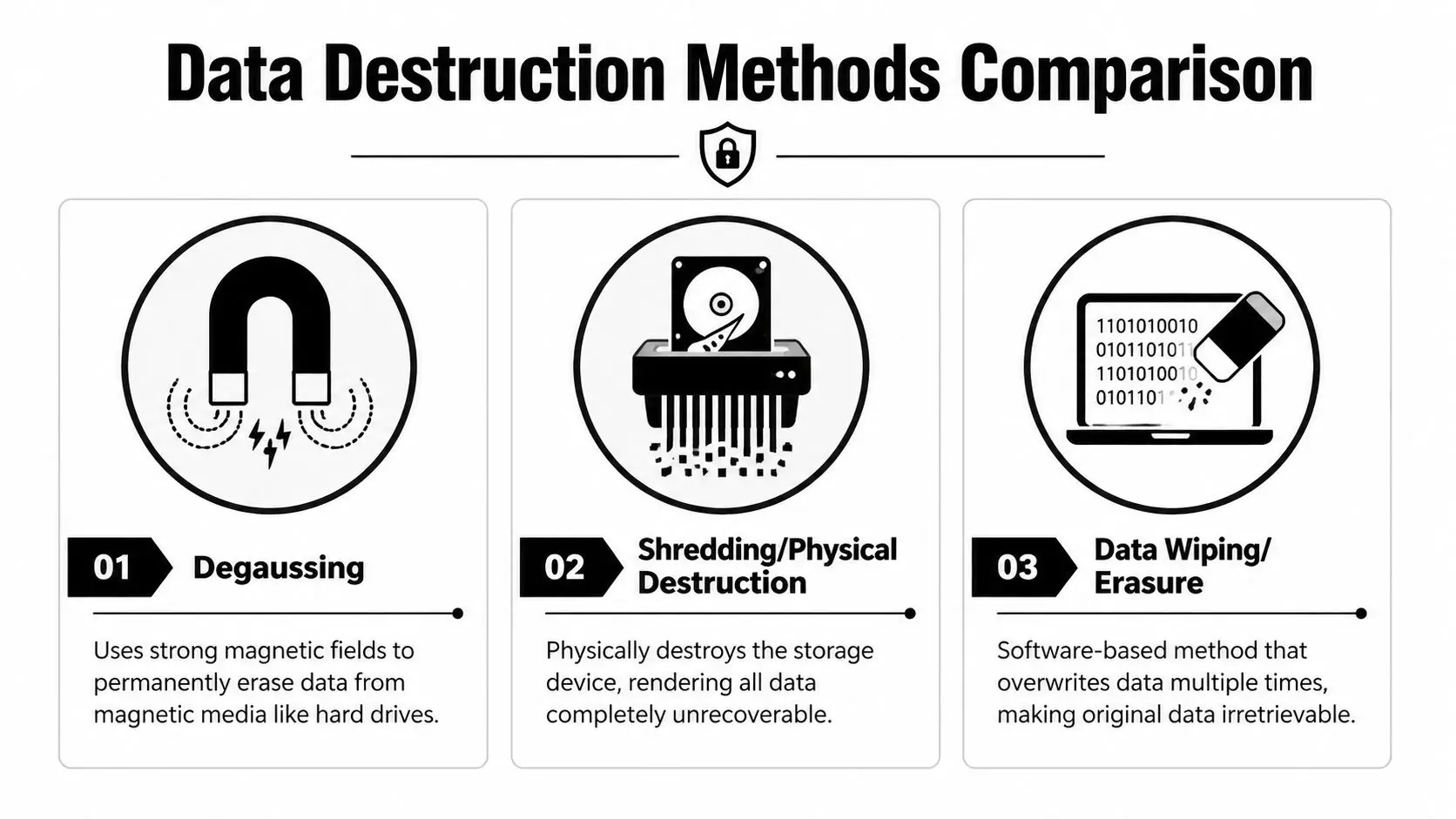
Degaussing applies a strong magnetic field to magnetic media such as traditional hard disk drives and some tape formats. It is fast and irreversible for compatible media. It also destroys the drive’s ability to function, so it is a destruction choice, not an asset recovery strategy.
Physical shredding reduces the device to fragments. It is the cleanest option for failed drives, media from highly sensitive environments, and devices that should never re-enter circulation. For organizations that want final destruction with documented handling, hard drive shredding services in Phoenix are often the right fit.
Data wiping or erasure uses software to overwrite data so the device can be reused, resold, or donated. This is usually the best route for working laptops and desktops with remaining market value, but only if the process is validated and the media passes health checks.
A practical rule helps. Use wiping when you want value recovery and the device is suitable for reuse. Use degaussing for magnetic media that is headed for destruction. Use shredding when certainty matters more than residual value.
According to Phoenix hard drive destruction guidance, degaussing applies over 15,000 Gauss pulses to HDDs, hard drive shredding reduces media to particles under 0.5g, up to 40% of data can remain intact on improperly wiped drives, and breach costs average $4.45M.
Data Destruction Methods Compared
| Method | Best For | Security Level | Verification |
|---|---|---|---|
| Degaussing | Magnetic hard drives in bulk, especially when reuse isn’t needed | High for compatible magnetic media | Service records and destruction documentation |
| Shredding | Failed drives, highly sensitive assets, mixed lots headed for final destruction | Very high because the device is physically destroyed | Certificate of destruction and asset-level tracking when provided |
| Data wiping or erasure | Reusable laptops, desktops, and storage devices that still have resale or donation value | Strong when properly validated and matched to the media | Erasure reports, serialized logs, and audit-ready records |
How to choose without overcomplicating it
Start with the media type. Traditional HDDs can be wiped, degaussed, or shredded. SSDs and flash-based storage usually call for validated erasure or physical destruction, since degaussing does not work on non-magnetic media. Embedded storage in phones, copiers, printers, and network gear should be identified early, because teams often miss those assets during office cleanouts.
Then look at business value. A three-year-old laptop fleet may justify tested erasure and resale. A damaged server drive from a finance or healthcare workload usually does not. In Phoenix, I often see companies wait too long to make that call, then end up mixing reusable gear with destruction-only material at pickup. That creates confusion, slows processing, and lowers recovery value.
For enterprise projects, a layered approach usually makes the most sense. Wipe reusable endpoints. Degauss magnetic media scheduled for retirement. Shred anything failed, highly sensitive, or unsuitable for secondary use.
What works and what doesn’t
What works:
- Match the method to the media: HDDs, SSDs, tapes, and embedded flash storage need different handling.
- Set reuse rules before pickup: Decide in advance which assets can be remarketed, donated, or destroyed.
- Require evidence: Erasure reports, serialized inventories, certificates of destruction, and chain-of-custody records should all be available.
What doesn’t:
- Treating deletion as destruction: Deleted files are often recoverable.
- Using one policy for every asset class: That approach ignores how different media store data.
- Making the decision during the cleanout: By that stage, devices are already moving and mistakes get more expensive.
The strongest Phoenix ITAD programs treat data destruction as a controlled operational step, not a last-minute disposal task. That is how businesses reduce exposure, preserve remarketing value where it makes sense, and keep the process defensible if a customer, regulator, or internal auditor asks questions later.
Mapping Compliance for Phoenix Businesses
Phoenix companies operate under a mix of industry rules and local realities. Healthcare organizations think about HIPAA. Financial firms worry about GLBA and records handling. Schools and public agencies manage student or constituent data with their own retention and privacy obligations. All of them eventually face the same end-of-life question. How do you prove that retired electronics were handled correctly?

The Phoenix market adds pressure because of its infrastructure footprint. Phoenix is ranked third in U.S. data center leasing activity, and Arizona still lacks a statewide e-waste mandate, relying instead on voluntary ADEQ programs. At the same time, HB 2146 can expose businesses to fines up to $500,000 for inadequate data sanitization before disposal, based on the City of Phoenix data center and recycling context described here.
Voluntary recycling doesn’t mean low liability
Many organizations get tripped up. They hear that Arizona doesn’t have a statewide electronics recycling mandate and assume disposal decisions are mostly operational. They aren’t. Even without a broad statewide e-waste ban, a business can still create serious exposure if regulated data leaves the organization on retired devices.
That’s why a local recycling page like Arizona electronics recycling services matters less for its existence and more for what it implies. Your provider needs a workflow built around data controls, documentation, and final disposition, not just collection.
How the legal logic works in practice
The law usually doesn’t care whether the incident began with a server refresh, branch closure, data center decommissioning, or office cleanout. It cares whether protected information was left accessible and whether the company acted reasonably.
That puts pressure on four operational choices:
- Asset identification: You need to know which devices may hold regulated or confidential data.
- Sanitization standard: The destruction method has to fit the device and your compliance obligations.
- Custody records: Movement from room to truck to processor can’t be vague.
- Retention of proof: Certificates and reports need to be stored where legal, compliance, and IT can retrieve them later.
The companies that stay out of trouble don’t rely on verbal assurances from haulers or recyclers. They build a paper trail before the first pallet moves.
Phoenix-specific trade-offs
In Phoenix, I’d separate projects into two buckets. One is routine retirement, such as employee laptop turnover or small office upgrades. The other is concentrated retirement, such as facility closures, healthcare equipment replacement, or data center decommissioning.
Routine projects fail when teams are casual. Concentrated projects fail when teams move too fast.
If you’re handling either category, the practical standard is the same. Document the assets, define the destruction path, confirm custody, and keep the evidence. Compliance doesn’t begin when an auditor asks for records. It begins when the first retired device is tagged for removal.
How to Verify Your ITAD Partner Is Secure
A vendor’s sales language won’t protect your company. Documentation will. In Phoenix, where many providers offer pickup, recycling, resale, and destruction under the same umbrella, due diligence has to go deeper than “we recycle responsibly” or “we erase all data.”
The first question is whether the provider’s controls map to recognized standards. The second is whether they can prove those controls were followed on your specific assets.
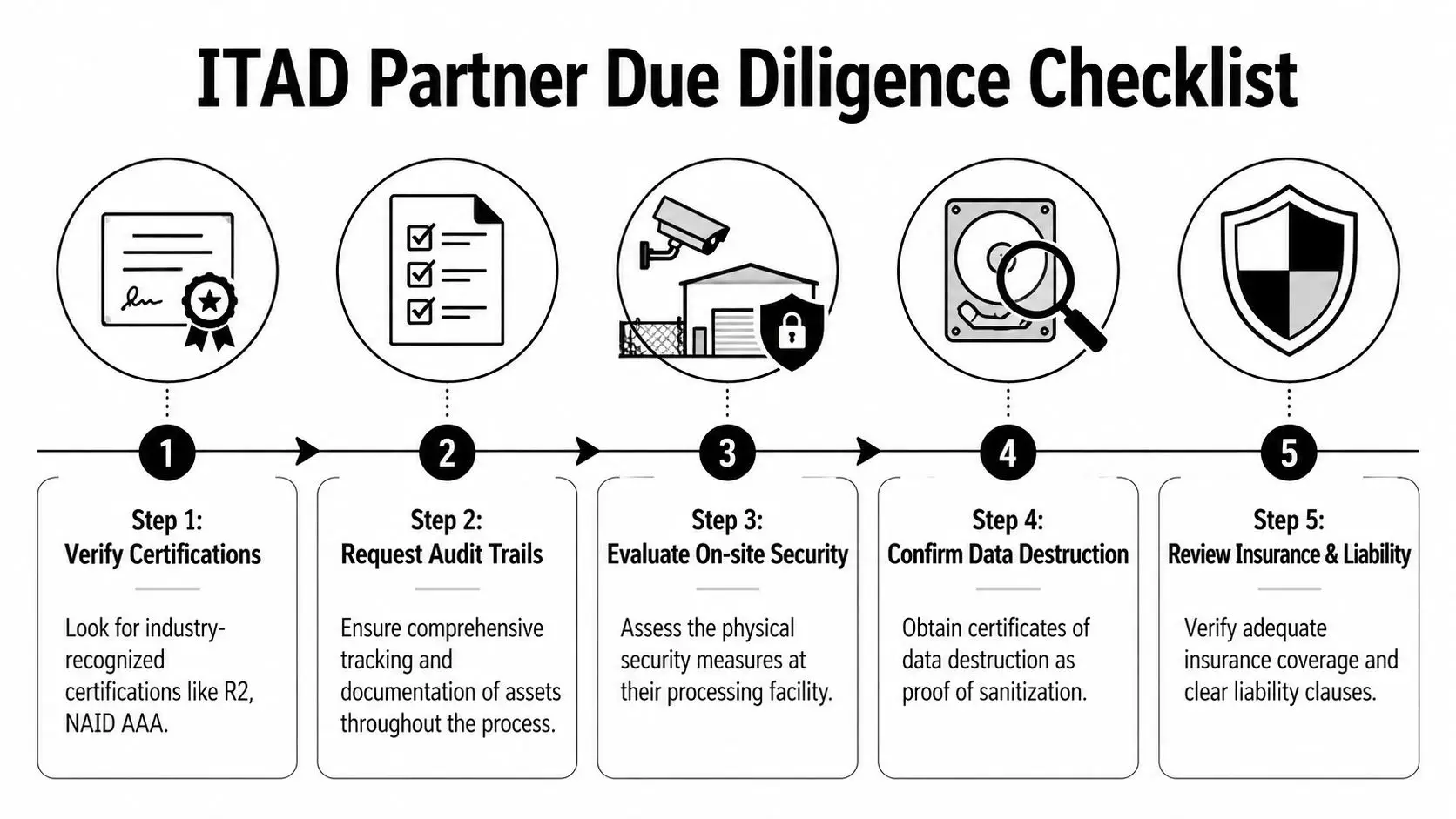
According to Phoenix guidance on R2v3-based data destruction, R2v3 certification requires data destruction aligned with NIST 800-88 guidelines, including multi-pass overwriting or physical shredding, and verifiable chain-of-custody tracking from R2v3 vendors has been shown to reduce fines for compliance violations by 80-90% in HIPAA and DoD reports.
What certifications mean in plain language
R2v3 matters because it ties together data security and responsible material handling. It’s not just about recycling output. It’s about process discipline.
NAID AAA matters when data destruction is central to the engagement. It signals that the destruction workflow itself has been audited against a recognized standard.
Certifications aren’t magic, though. They only matter if the provider can connect them to your job with asset logs, service records, and final reporting. If you’re reviewing a processor that advertises secure destruction, ask whether their controls align with the expectations described in NAID-certified data destruction services.
The checklist I’d use before signing anything
Confirm current certifications
Ask for the exact certification status and scope. Don’t rely on logo pages alone.Review chain-of-custody detail
Find out when assets are scanned, labeled, weighed, or serialized. General pickup slips aren’t enough for regulated environments.Ask how exceptions are handled
Failed drives, unlabeled equipment, or mixed pallets should trigger a defined process, not improvisation.Require destruction proof
A certificate of destruction should be standard. If serialized reporting is available, ask for it.Check downstream accountability
The job isn’t complete when your equipment leaves the dock. You need to know how the processor manages final recycling and outbound material streams.
If a provider can’t clearly explain where your devices go, who handles them, and what record you receive at the end, keep looking.
Red flags that deserve immediate scrutiny
Some warning signs show up early:
- Vague answers about subcontractors: If downstream vendors are unclear, your risk doesn’t disappear. It shifts.
- One-size-fits-all destruction claims: Different media types require different handling.
- No sample reporting: Serious providers can show you the shape of the paperwork before the project starts.
- Pickup-first, process-later sales approach: Security planning should happen before logistics, not after.
Disciplined buyers separate operational convenience from genuine risk control. A secure ITAD partner doesn’t just remove equipment quickly. They create evidence that your organization handled retirement correctly.
Building Your ITAD Program From SMB to Enterprise
A workable ITAD program shouldn’t feel like an enterprise-only project. It should scale. A twenty-person office in Midtown Phoenix needs a process it can follow. A large healthcare network or data-heavy corporate campus needs deeper controls, but the logic is similar. Inventory, secure handling, verified destruction, and clear reporting.

That matters because smaller organizations often struggle the most. An Arizona Department of Environmental Quality report noted that 68% of SMBs in Maricopa County mishandle e-waste because NIST reporting requirements are unclear, according to local Phoenix SMB recycling guidance.
A simple workflow for SMBs and schools
Smaller organizations usually don’t fail because they ignore risk. They fail because nobody owns the process end to end. The fix is to make the workflow short enough that it is completed.
Start with a practical sequence:
Create a retirement list
Don’t overbuild this. Record asset type, location, and whether the device stores data. That alone will clean up a surprising amount of confusion.Separate reusable equipment from destruction-only equipment
Working laptops, desktops, and certain peripherals may still support donation, refurbishment, or value recovery. Failed drives and high-risk media should move directly into the destruction path.Schedule a controlled pickup or drop process
Keep devices in one secure area until transfer. Don’t scatter them across offices, cubicles, or loading docks.Collect and store final records
Finance, IT, and operations should all know where certificates and pickup records live.
SMBs also benefit from setting one policy that covers office cleanouts, laptop disposal, and occasional facility cleanouts. If every event becomes a one-off project, mistakes pile up.
A more mature model for enterprises and data-heavy organizations
Larger Phoenix organizations should build ITAD into lifecycle management instead of treating it as cleanup. That means tying retirement controls to procurement, security, facilities, and ESG reporting.
A stronger enterprise workflow usually includes:
Serialized tracking
Track assets by serial number wherever practical, especially for servers, storage, laptops, and network equipment. This gives legal and audit teams a real record rather than a generalized shipment summary.
On-site decision points
For sensitive environments, decide in advance which assets require on-site destruction, which can be moved for off-site processing, and which may enter a remarketing or donation stream after validated erasure.
Cross-functional approval
Security, compliance, and facilities shouldn’t work from separate assumptions. The destruction standard, chain-of-custody expectations, and reporting format should be agreed before the project starts.
The most reliable ITAD programs are boring by design. People know the steps, exceptions are documented, and nobody improvises in the loading area.
ESG and donation planning
Many organizations want more than compliant disposal. They want sustainable recycling, community impact, and proof that usable equipment was diverted responsibly. That’s where a provider such as Reworx Recycling can fit into the process, particularly for organizations evaluating donation-based recycling, business pickups, secure data destruction, and corporate donation programs as part of a wider IT asset disposition strategy.
What to avoid at any size
The bad habits are consistent across company size:
- End-of-quarter cleanouts with no inventory
- Assuming IT wiped everything months ago
- Allowing facilities or movers to control data-bearing assets without clear instructions
- Keeping certificates in someone’s inbox instead of a retained compliance folder
An ITAD program doesn’t need to be complicated to be defensible. It needs to be assigned, repeatable, and documented. That’s true whether you’re retiring ten laptops or decommissioning a full room of infrastructure.
Partnering with Reworx for Sustainable Impact in Phoenix
Phoenix organizations are being pushed in two directions at once. They need tighter control over data-bearing equipment, and they need better reporting on where retired electronics go. Those pressures are converging in ITAD.
The reporting gap is real. A SERI study showed that only 35% of Arizona facilities provide full chain-of-custody reports, which is especially relevant as Phoenix businesses face more ESG scrutiny tied to growing e-waste from AI data center activity, according to Arizona chain-of-custody reporting context here. For a company trying to support SEC disclosures, internal sustainability targets, or procurement standards, that gap matters.
Why the social enterprise angle changes the conversation
A standard recycler can remove equipment. A capable ITAD partner should also help your organization decide what can be securely destroyed, what can be responsibly recycled, and what can still serve a useful life through donation-based recycling or refurbishment.
That’s where a social enterprise model adds practical value. If a provider supports technology donations, digital inclusion, and workforce-related community outcomes, your company gets more than a compliance event. You get a documented end-of-life process that can also support internal sustainability goals and external community commitments.
Businesses looking for a localized service path can review computer recycling in Phoenix, Arizona when comparing pickup options, donation pathways, and secure handling expectations.
What a useful partner relationship should look like
For Phoenix businesses, a strong relationship usually includes these traits:
Pickup planning that matches business operations
Office cleanouts, data center decommissioning, branch refreshes, and recurring laptop retirement projects don’t all move on the same schedule.Transparent reporting
You should know what was received, how it was processed, and what documentation you’ll retain.A clear path for reusable equipment
Secure reuse can support both value recovery and community benefit when devices are suitable for remarketing or donation.No confusion about final disposition
Teams need confidence around no-landfill and zero-export expectations when those commitments matter to ESG reporting.
The local advantage for Phoenix organizations isn’t just proximity. It’s finding a partner whose process can satisfy IT, compliance, sustainability, and facilities at the same time. That’s what turns electronics recycling from a reactive cleanup task into a managed business function.
Your Next Step Toward Secure and Responsible Recycling
Retired electronics create risk long before they leave your building. The critical work begins when your company decides that a laptop, server, copier, drive, or lab device is no longer needed. From that moment forward, the question is whether you can control the chain of custody, choose the right data destruction method, and keep the records that prove it.
For Phoenix businesses, that standard isn’t optional. The local mix of data center growth, regulated industries, office turnover, and ESG pressure makes informal disposal a poor bet. Good ITAD practice is simpler than many teams expect, but it does require discipline. Inventory the assets. Separate reuse from destruction. Choose methods based on media and risk. Keep the paperwork.
The organizations that do this well don’t wait for an audit, breach review, or facility shutdown to get serious. They build a repeatable process now, while the project is still manageable.
If your team is preparing for a technology refresh, office cleanout, data center decommissioning, or ongoing computer recycling program in Phoenix, the next move is to map your current workflow and close the gaps before equipment starts moving.
If you’re evaluating a partner for secure electronics recycling, donation-based recycling, or IT equipment disposal in Phoenix, Reworx Recycling is a practical place to start. Reach out to schedule a pickup, discuss secure data destruction, explore corporate donation programs, or build a documented ITAD process that supports both compliance and community impact.


















