

Choosing your next business internet partner in Atlanta usually starts the same way. Someone in operations is tired of flaky calls, the finance team wants clearer pricing, leadership wants room to grow, and IT gets handed the search for “telecom services near me” with a deadline attached. In a metro area as competitive and spread out as Atlanta, that search turns up everything from fiber and cable to fixed wireless and enterprise transport, which sounds helpful until you have to compare real trade-offs.
The practical issue isn’t only which provider can light up your office. It’s whether that service fits how your business runs, how fast it can be installed, what kind of backup path you need, and what happens to the old modem, firewall, phones, switches, and cabling you’re replacing. Too many teams treat provider selection and equipment retirement as separate projects. That’s where avoidable risk creeps in.
This guide keeps the list focused. You’ll see seven real options businesses in Atlanta commonly consider, plus the part most provider roundups skip: what to do with legacy telecom gear once the upgrade is done. If your broader communications stack is also under review, it helps to look at how businesses transform company communication with VoIP alongside internet access decisions.
1. AT&T Business
AT&T Business is one of the more flexible choices for Atlanta companies that might start with straightforward broadband and later move into Dedicated Internet Access, Ethernet, or managed network services. That matters if you’re opening a second office, supporting heavier cloud traffic, or planning a more controlled cutover from old infrastructure.
The service lineup is broad. You can look at business fiber where available, dedicated internet for stricter uptime requirements, and add-ons like managed Wi-Fi, static IPs, managed routing, and wireless backup. For teams standardizing voice and network design at the same time, it’s also useful to think about unified communications for teams instead of treating internet and calling as separate purchases.
Where AT&T Business fits best
AT&T tends to make the most sense for companies that need room to scale without changing providers every time requirements change. That includes legal offices, healthcare practices, multi-site service businesses, and growing back-office operations that expect their bandwidth and reliability needs to rise.
A few practical strengths stand out:
- Broad service ladder: You can move from standard business connectivity into more controlled enterprise options without rebuilding your vendor list.
- Useful network add-ons: Static IPs, managed routing, and backup connectivity are available for businesses with remote access, hosted systems, or site-to-site needs.
- Good fit for staged upgrades: If your office is replacing aging phones, edge devices, and access equipment in phases, AT&T’s range can support a gradual migration.
The trade-off is predictability. Pricing often depends on the exact building, construction requirements, and contract term. Installation windows for new fiber or dedicated circuits can also be longer than teams expect, especially when they’re moving into a building that isn’t already prepared.
Practical rule: Don’t approve a provider based on metro-wide assumptions. Validate the exact suite, demarc location, and install path before signing.
If you’re replacing routers, access points, or other network hardware during the move, fold end-of-life planning into the project from day one. Reworx Recycling offers corporate e-waste solutions that help businesses retire telecom and IT equipment without leaving surplus hardware piled in a closet after cutover.
You can review current AT&T offerings at AT&T Business Fiber and internet services.
2. Comcast Business
A common Atlanta scenario looks like this: the lease is signed, staff move in next week, and the business needs internet fast enough to run cloud apps, phones, guest Wi-Fi, and card processing without waiting on a longer carrier build. Comcast Business often makes the shortlist in that situation because cable-based business service is widely available and usually faster to turn up than a custom dedicated circuit.
I usually recommend Comcast first for locations that need a practical primary connection now, not a perfect long-term network design on day one. That includes medical offices, retail stores, local branches, and smaller professional firms that need business support, predictable installation, and a path into higher-tier services later. The appeal is straightforward. You can often get online without the construction timelines that come with fiber builds or dedicated internet access.
The trade-off is upload performance and consistency under heavier business use. A standard office using Microsoft 365, web apps, VoIP, and routine video calls can run well on Comcast. A site pushing large files upstream, syncing large data sets to the cloud, or relying on constant offsite backup should compare Comcast carefully against fiber-based options before signing a term agreement.
Here is the practical way to evaluate it:
- Strong fit: Single-site offices and branch locations that need business internet installed quickly.
- Watch closely: Workloads with heavy upstream traffic, strict application latency requirements, or a large number of concurrent calls and meetings.
- Best buying move: Ask for the exact serviceability and SLA options at your specific suite, not just the building address.
Comcast can also make sense as part of a staged upgrade. A business may start with cable internet to get the site operational, then move to a higher-assurance circuit later as traffic, uptime requirements, or compliance needs increase. That phased approach works well if you treat the connectivity project and the hardware retirement project as one job, not two separate tasks.
Before the cutover, decide what happens to the old firewall, modem, phones, switches, and spare access points. Teams often finish the install and leave decommissioned gear sitting in storage for months. Reworx outlines that process in its guide to IT asset disposition for retired telecom and network equipment, which is useful if your refresh includes devices with stored credentials, client data, or lease return requirements.
You can compare current plans and services at Comcast Business for small business.
3. Verizon Business Internet
Verizon’s 5G Business Internet is usually the first option I bring up when a client needs connectivity fast or needs a serious backup path without waiting on a wired install. It isn’t the right answer for every headquarters location, but it can solve a very specific problem well: getting a business online quickly.
In Atlanta, that makes Verizon especially relevant for temporary offices, newly leased spaces, construction trailers, event operations, and businesses that want a secondary circuit for SD-WAN or failover. The installation friction is usually lower than a fresh fiber build, and that changes project timelines.
Best role for Verizon in a business network
I don’t usually position fixed wireless as the automatic first choice for every core office. I do recommend it when the business needs one of three things: a rapid turn-up, a backup path, or an interim service while waiting on permanent wired delivery.
That’s where Verizon tends to be useful:
- Rapid deployment: Good when your site can’t wait for trenching, inside wiring, or carrier construction.
- Backup design: Strong option as a secondary connection behind a primary wired circuit.
- Flexible operations: Helpful for organizations with changing locations or temporary workspaces.
The weak spot is consistency. Wireless performance depends on local radio conditions, building characteristics, and network load. For some offices that variability is acceptable. For latency-sensitive, always-on production traffic, it may be better used as a secondary path than a primary one.
Treat fixed wireless as a design choice, not a shortcut. It’s excellent in the right role and frustrating in the wrong one.
There’s another issue worth addressing at the same time. Telecom and networking equipment often gets replaced during fast rollouts, and teams assume the old gear is harmless because it looks low value. That’s risky. Reworx offers secure data destruction services for hardware that may still hold logs, credentials, configurations, or stored data.
You can evaluate current service details at Verizon 5G Business Internet.
4. T-Mobile for Business Internet
A branch opens in a leased suite, the staff arrives Monday, and the fiber order is still weeks out. T-Mobile for Business Internet is often the practical fix for that situation. It fits organizations that need service fast, want simpler buying terms, or expect the site itself to change over time.
The value is speed and lower deployment friction, but the trade-off is less predictability than a good wired circuit. That matters less for a small office running SaaS apps, email, web traffic, and routine voice use. It matters a lot more for sites with heavy uploads, persistent VPN traffic, large file sync jobs, or systems that are sensitive to latency swings.
A practical fit for transitional and mobile operations
T-Mobile tends to make the most sense where portability and setup time carry real business value. Retail pop-ups, temporary project offices, small branches, and field-heavy teams are common examples. For those sites, waiting on construction can cost more than accepting some performance variability.
Use it with a clear role in mind:
- Good for fast activation: Useful when the business needs connectivity before a wired provider can deliver.
- Reasonable for lighter office workloads: A workable option for cloud applications, collaboration tools, and day-to-day business traffic.
- Less suited to demanding primary use cases: Test carefully if the site depends on stable throughput for voice, video, large transfers, or always-on production systems.
There is also a provider mix issue that buyers sometimes miss. T-Mobile may be attractive for the immediate internet turn-up, while the long-term design still points to fiber or a dedicated circuit once the location proves out. That staged approach can be smart. It keeps the opening timeline intact without forcing a permanent network decision too early.
The other side of that upgrade is cleanup. Wireless-first rollouts often leave behind old gateways, failover devices, retired laptops used for provisioning, and miscellaneous network gear with stored credentials or configuration data. Build asset retirement into the project plan and use a documented corporate computer recycling process so the new service launch does not create a disposal problem later.
You can check current business internet options at T-Mobile for Business Internet Services.
5. Google Fiber for Small Business
Google Fiber is the cleanest option on this list when you can get it. The catch is simple. Availability is selective, so the quality of the offering matters less if your building isn’t on-net.
For small businesses that are in a covered Atlanta building or neighborhood, Google Fiber is attractive because the plans are usually easier to understand than custom enterprise quotes. Symmetrical service, no data caps, and contract-light buying all make procurement easier.
Why businesses like it when it’s available
Google Fiber tends to appeal to companies that don’t want a drawn-out negotiation. Creative agencies, software teams, production offices, and professional firms often like the straightforward model. If the building is already lit, installs can also be relatively painless compared with a new custom build.
The main trade-offs are practical, not technical:
- Excellent on-net experience: Strong option for businesses that can qualify at the address.
- Transparent buying process: Less pricing ambiguity than many enterprise carriers.
- Limited footprint: You still need a backup plan if your building isn’t served.
This is also where sustainability planning should show up earlier than it usually does. Upgrading to better connectivity often means pulling out legacy access gear, old Wi-Fi hardware, outdated desktops, and surplus office electronics. That waste stream is larger than many businesses think, and provider-focused search results rarely explain what to do with it responsibly.
Field note: The best telecom upgrade projects include asset retirement in the budget and timeline before the installer arrives.
Reworx details the broader consequences through its page on the environmental impact of electronic waste. That’s a useful starting point for sustainability managers, office administrators, and IT teams trying to connect telecom upgrades with electronics recycling and donation-based recycling goals.
You can verify service availability and plan details at Google Fiber for Small Business.
6. Lumen Technologies
Lumen sits in a different category from most quick-search “telecom services near me” results. This is less about plug-and-play office internet and more about enterprise-grade connectivity, transport, and network design for organizations that care about consistency across multiple locations.
If you’re managing a distributed business, a regional healthcare network, a logistics operation, or a public-sector environment, Lumen is worth serious consideration. Dedicated internet, Ethernet, Fiber+ Internet where eligible, SD-WAN, and managed security services put it in the conversation when broadband alone isn’t enough.
Where Lumen earns its place
Lumen works best for businesses that need policy consistency, stronger service commitments, and broader network architecture support. I’ve seen that matter most when one site can’t become the weak link for the rest of the organization.
It’s a stronger fit when you need things like:
- Multi-site standardization: Useful for organizations that want one network strategy across several offices.
- Enterprise support model: Better aligned with teams that need proactive monitoring and managed options.
- More than internet access: Good when SD-WAN, transport, and security need to be part of the same conversation.
The downside is cost and complexity. Small businesses shopping purely on monthly price often find Lumen heavier than necessary. Availability also depends on fiber routes and whether your site is favorable for service delivery.
There’s a bigger project-management point here. Institutional network upgrades often create a surprisingly messy end-of-life stream. Schools, government agencies, and larger enterprises remove telecom closets in batches, not one modem at a time. Existing provider lists rarely address that at all, even though bulk retirement is where compliance and logistics issues get harder.
That gap is one reason organizations pair connectivity upgrades with a dedicated IT asset disposition partner such as Reworx Recycling, especially when office cleanout, facility cleanout, secure data destruction, and sustainable recycling all need to happen on the same timeline.
You can review Lumen’s service portfolio at Lumen internet and network services.
7. Zayo
Zayo is for buyers who already know they’re not shopping for a basic branch-office internet plan. If your Atlanta operation needs dense metro fiber, transport, cloud on-ramps, dark fiber, or high-capacity dedicated connectivity, Zayo belongs on the list.
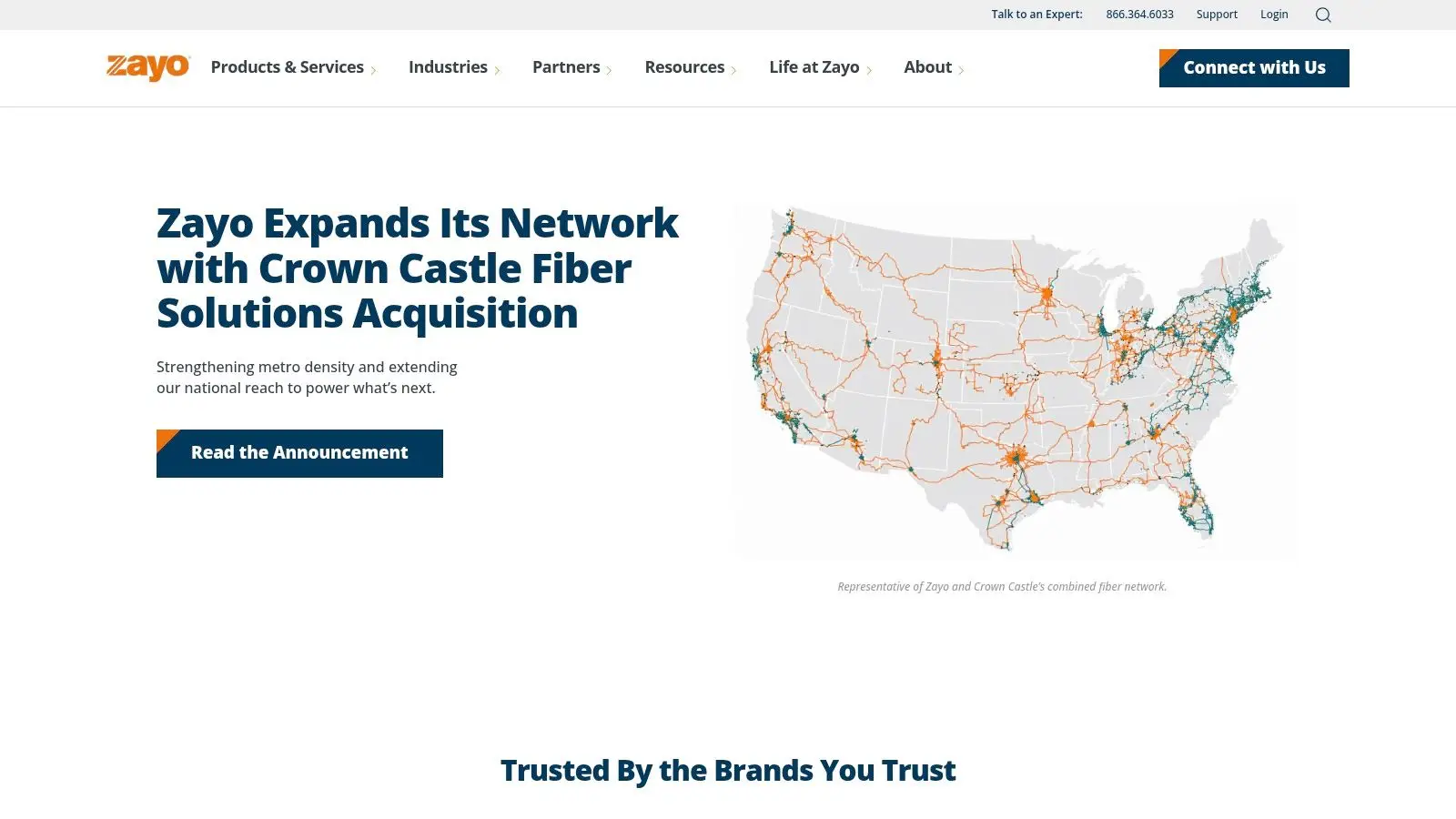
This is the kind of provider enterprises, campuses, carriers, and public-sector entities evaluate when the conversation is about infrastructure depth, not just monthly internet service. For data-heavy environments, low-latency design and custom capacity can outweigh simplicity.
Strong for custom fiber projects
Zayo’s value shows up when a standard retail business connection won’t solve the problem. Think data-center interconnects, campus-wide architecture, public-sector networks, or organizations that need private fiber options and transport flexibility.
The strengths are clear:
- High-capacity services: Suitable for demanding workloads and specialized network designs.
- Metro and data-center reach: Helpful for businesses that care about route options and cloud connectivity.
- Serious enterprise fit: Better aligned with institutions than very small offices.
The trade-off is equally clear. This usually involves custom quoting, project-based installs, and lead times that need active management. If you only need a simple internet line for a single office, Zayo may be more carrier than you need.
There’s also a lifecycle issue that becomes more important at this level. Major network refreshes often retire racks of gear, transport hardware, optics, phones, servers, UPS units, and old edge equipment all at once. That’s where a professional recycling and ITAD plan stops being a nice-to-have and becomes part of responsible execution.
The broader market trend points the same way. Guidance around telecom upgrades still tends to focus on speed and affordability while overlooking secure disposal of replaced networking hardware, even though organizations upgrading services often generate routers, modems, switches, and cabling that need proper handling. Reworx Recycling is well positioned for that handoff through electronics recycling, IT equipment disposal, product destruction, and decommissioning support tied to the actual upgrade project.
You can explore enterprise connectivity options at Zayo.
Local Telecom Providers, 7-Way Comparison
| Provider | Implementation complexity 🔄 | Resource requirements ⚡ | Expected outcomes 📊 ⭐ | Ideal use cases 💡 | Key advantages ⭐ |
|---|---|---|---|---|---|
| AT&T Business | Medium–High, fiber/DIA builds can require address qualification and longer installs | Moderate, CPE, contracts, possible construction; managed service options | High reliability and scalable speeds (up to 5 Gbps where lit); SLA options | Growing SMBs to enterprises needing SLA-backed Internet and managed services | Strong metro footprint, scalable DIA/fiber, LTE/5G failover |
| Comcast Business | Low–Medium, coax tiers quick; DIA requires more setup | Low–Moderate, simpler for cable; higher for DIA hardware and SLAs | Fast downstream (gig tiers); coax upload lower; symmetrical with DIA | Businesses needing fast turn‑up or locations without fiber | Wide availability, rapid installs, competitive promos and price-locks |
| Verizon Business Internet (5G) | Low, rapid turn‑up for fixed‑wireless where coverage exists | Low, wireless CPE; minimal construction | Quick deployment; variable throughput with radio conditions; good backup option | Primary where 5G UWB is available or rapid secondary/SD‑WAN backup | Fast deployment, portable/rapid backup, predictable pricing tiers |
| T‑Mobile for Business Internet | Low, simple/self‑install options and quick setup | Low, wireless CPE; occasional partner fiber requires address check | Predictable pricing and fast turn‑up; throughput may vary by load | Small businesses needing quick primary or backup connectivity; limited fiber addresses | Simplified plans, multi‑year price guarantees, partner fiber where available |
| Google Fiber (GFiber) for Small Business | Low in on‑net buildings; limited footprint requires address verification | Low–Moderate, straightforward provisioning when lit | Symmetrical multi‑gig performance, no data caps, transparent pricing | Small businesses in lit buildings wanting simple, high‑performance service | Clear pricing, high symmetric speeds, quick installs on‑net |
| Lumen Technologies | Medium–High, enterprise designs, custom quotes common | High, integration, managed SD‑WAN/security, proximity to Lumen fiber matters | Enterprise‑grade uptime and consistent performance; SLA and monitoring options | Multi‑location enterprises needing managed networking and secure edge services | Large backbone, managed services, strong enterprise support |
| Zayo | High, project‑based builds, custom engineering and lead times | High, dark fiber/wavelength/Ethernet provisioning and project resources | Very high capacity and low latency (up to 100G); tailored transport | Carriers, large enterprises, campuses, data centers and E‑Rate projects | Dense metro fiber, dark fiber/wavelength options, DC/cloud on‑ramps |
Complete Your Tech Upgrade with a Responsible Finish
Picking the right provider is only half the job. The other half starts the day the new service is approved, because every telecom upgrade leaves behind something: old gateways, phones, wireless equipment, batteries, cabling, racks, spares, and sometimes entire closets full of hardware no one wants to own anymore.
That’s the gap most “telecom services near me” roundups miss. They help you compare fiber, cable, and wireless options, but they don’t tell you what to do when the cutover is complete and your team is staring at equipment that may still contain configurations, logs, credentials, or storage media. For a business, that’s an operational issue, a security issue, and often a sustainability issue at the same time.
The better approach is to treat procurement and retirement as one project. Before installation day, decide which devices are being returned to the carrier, which have resale or buyback value, which require secure data destruction, and which should go into certified recycling or donation-based recycling channels. That avoids the common pattern where retired equipment sits in storage for months, labels fall off, and no one is fully sure what can be reused or destroyed.
This matters even more for organizations with compliance obligations. Healthcare groups, schools, public agencies, and multi-location businesses can’t rely on casual disposal methods when retiring networking and endpoint hardware. They need documented handling, clean chain-of-custody processes, and a partner that understands decommissioning as part of the upgrade lifecycle.
Reworx Recycling fills that role well for Atlanta-area organizations and beyond. As a social enterprise recycling partner based in Smyrna, Reworx supports electronics recycling, secure data destruction, IT asset disposition, computer recycling, office cleanout projects, and larger decommissioning efforts. That gives businesses a way to complete a telecom refresh without sending usable equipment to landfill or leaving sensitive assets unmanaged.
The cleanest telecom project isn’t just the one with the fastest install. It’s the one where the old environment is retired just as carefully as the new one is deployed.
If you’re replacing a few office phones, refreshing a network closet, handling laptop disposal during a provider migration, or planning a broader data center decommissioning effort, bring Reworx into the plan early. The result is simpler logistics, better documentation, less storage clutter, and a more responsible finish.
Once you’ve selected your next provider, close the loop properly. Work with Reworx Recycling to retire old telecom and IT equipment through a secure, sustainable process that supports community impact as well as operational risk reduction.
If your business is upgrading connectivity, don’t let old hardware become the last unresolved part of the project. Reworx Recycling can help you handle retired telecom gear, computers, office electronics, and data-bearing devices through secure, sustainable recycling and ITAD services. Whether you need a pickup, data destruction, equipment decommissioning, or support for corporate donation programs, contact Reworx to complete your upgrade responsibly.


















