A network change usually starts with a bandwidth complaint and ends with a much bigger project. The sales team wants faster uploads to cloud apps. Finance wants a cleaner contract. IT wants fewer outages and better escalation paths. Facilities wants the install done without tearing up half the building. Then the migration begins, and suddenly you’re also dealing with retired routers, old firewalls, legacy phones, decommissioned switches, and a closet full of gear nobody wants to own.
That’s why telecom selection can’t be treated like a speed test plus a monthly price comparison. It affects uptime, remote work quality, failover planning, security architecture, and how cleanly you can transition off old infrastructure. In a market as large and active as U.S. telecom, with an estimated value of USD 468.08 billion in 2023 and projected CAGR of 6.6% from 2024 to 2030, the hard part isn’t finding options. The hard part is choosing the right fit among local telecom companies that serve very different business needs.
For most business buyers, a few criteria matter immediately. Is the service SLA-backed or just best effort? Do you need symmetrical speeds because your team lives in Microsoft 365, Google Workspace, VoIP, cloud backups, or CAD file sync? Do you need path diversity, such as fiber plus a wireless backup? Do you need static IPs, managed security, or clean handoff into your own firewall stack? If you’re also planning IoT or edge connectivity, it helps to understand how access choices interact with reliable LoRaWAN systems and other low-bandwidth field networks.
The list below focuses on practical trade-offs. Some providers are strong for quick turn-up. Some are better for enterprise circuits, data center interconnects, or multi-site resilience. Just as important, a provider change should trigger an end-of-life plan for the hardware you’re replacing. That’s where disciplined IT asset disposition, secure data destruction, and donation-based electronics recycling should be part of the same project, not an afterthought.
1. AT&T Business
A common scenario goes like this. An IT manager is replacing an aging cable circuit at a regional office, facilities wants cleaner demarc and rack space, and sustainability is asking what happens to the retired gateway, firewall, UPS network card, and old voice hardware after cutover. AT&T Business often enters that conversation early because it can cover both the immediate access need and a larger WAN plan if the site grows.
AT&T is usually a strong fit for businesses that want one provider with broad local availability and a clear upgrade path. At the low-friction end, business fiber works well for offices running Microsoft 365, VoIP, cloud backups, and routine VPN use. At the higher-control end, Dedicated Internet Access gives buyers an SLA-backed circuit with clearer performance and support commitments.
Where AT&T fits best
AT&T tends to make sense when your team needs:
- Symmetrical business fiber: A better match for cloud-heavy offices than asymmetric access.
- Static IP options: Useful for site-to-site VPNs, remote administration, cameras, and hosted services.
- Room to scale: A site can start with business internet and move to DIA, Ethernet, or a broader multi-site design later.
The trade-off is service class. Shared business fiber can be a good operational choice, but it does not replace a dedicated circuit for sites that carry revenue-critical traffic, support latency-sensitive applications, or need tighter restoration terms. If AT&T offers both at your address, compare them by risk tolerance, not by monthly price alone.
Procurement teams should also ask sharper install questions than they do with smaller providers. Is the building already lit, or will construction be required? Where is the handoff delivered? What power, rack space, and cabling changes are needed on your side? Those details affect timeline, internal labor, and whether the migration stays clean.
Asset retirement belongs in the same project plan. A telecom change often leaves behind managed routers, LTE failover devices, PBX components, and switches with saved credentials, call records, or network configs. Before decommissioning, define custody, data sanitization, and downstream handling. If any drives or storage media are involved, build in a secure hard drive shredding process for retired network and telecom equipment so disposal does not become the weak point in an otherwise well-run upgrade.
Use AT&T when coverage, service tiers, and long-term scalability matter more than getting the simplest quote on day one.
Visit AT&T Business.
2. Comcast Business

A facilities or IT manager usually feels the appeal of Comcast Business on day one of a move, opening, or carrier replacement. The building is already serviceable, the install window is shorter than a new construction fiber project, and operations wants the site live fast. In that situation, Comcast often makes the shortlist for a simple reason. It can solve the immediate connectivity problem without waiting on a longer network build.
That speed is the main selling point, but it is not the whole decision. Comcast gives buyers a practical path from cable-based business internet to higher-tier fiber or Ethernet services at some locations. For organizations that want internet, voice, and security add-ons under one contract, that can reduce procurement friction and simplify support ownership.
Where Comcast fits best
Comcast is usually a strong fit for businesses that need:
- Fast activation at already serviceable addresses
- A mainstream provider for branch offices or small to midsize locations
- Bundled voice and connectivity services under one vendor
- A near-term internet solution while a larger network plan is still being evaluated
This is often a procurement win, not just a network win. A site can get online quickly while the team validates long-term needs, budget, and whether the location will justify a dedicated circuit later.
What to examine before signing
The trade-off is performance consistency and service design. Cable can work well for standard office traffic, but it deserves a closer look if the site depends on large outbound transfers, frequent cloud backups, video-heavy collaboration, or voice systems that are sensitive to jitter and packet loss. Ask for clarity on the actual handoff, modem or gateway responsibilities, static IP options, and support escalation path before treating one Comcast quote as interchangeable with another.
Pricing also takes work to compare correctly. Promotional rates, bundled products, contract length, and equipment charges can make a low monthly number look better than it is. Normalize every bid around total recurring cost, installation charges, term commitments, and what your team must supply or replace on site.
A fast install loses value if it leaves behind a mess in the telecom closet.
That point matters more than buyers often admit. Comcast migrations frequently replace gateways, voice hardware, edge appliances, and older network components that may still store credentials, call logs, or configuration data. IT, facilities, and sustainability teams should plan decommissioning in the same project schedule as activation, including chain of custody, asset pickup, and downstream recycling. If your organization is trying to reduce disposal risk and waste at the same time, review the environmental impact of electronic waste from retired IT and telecom gear before those devices leave the building.
If a Comcast rollout displaces data-bearing equipment, coordinate secure hard drive shredding for business equipment before disposal. That keeps the provider change from creating a preventable data handling problem after the new circuit is already live.
Visit Comcast Business.
3. Verizon Business
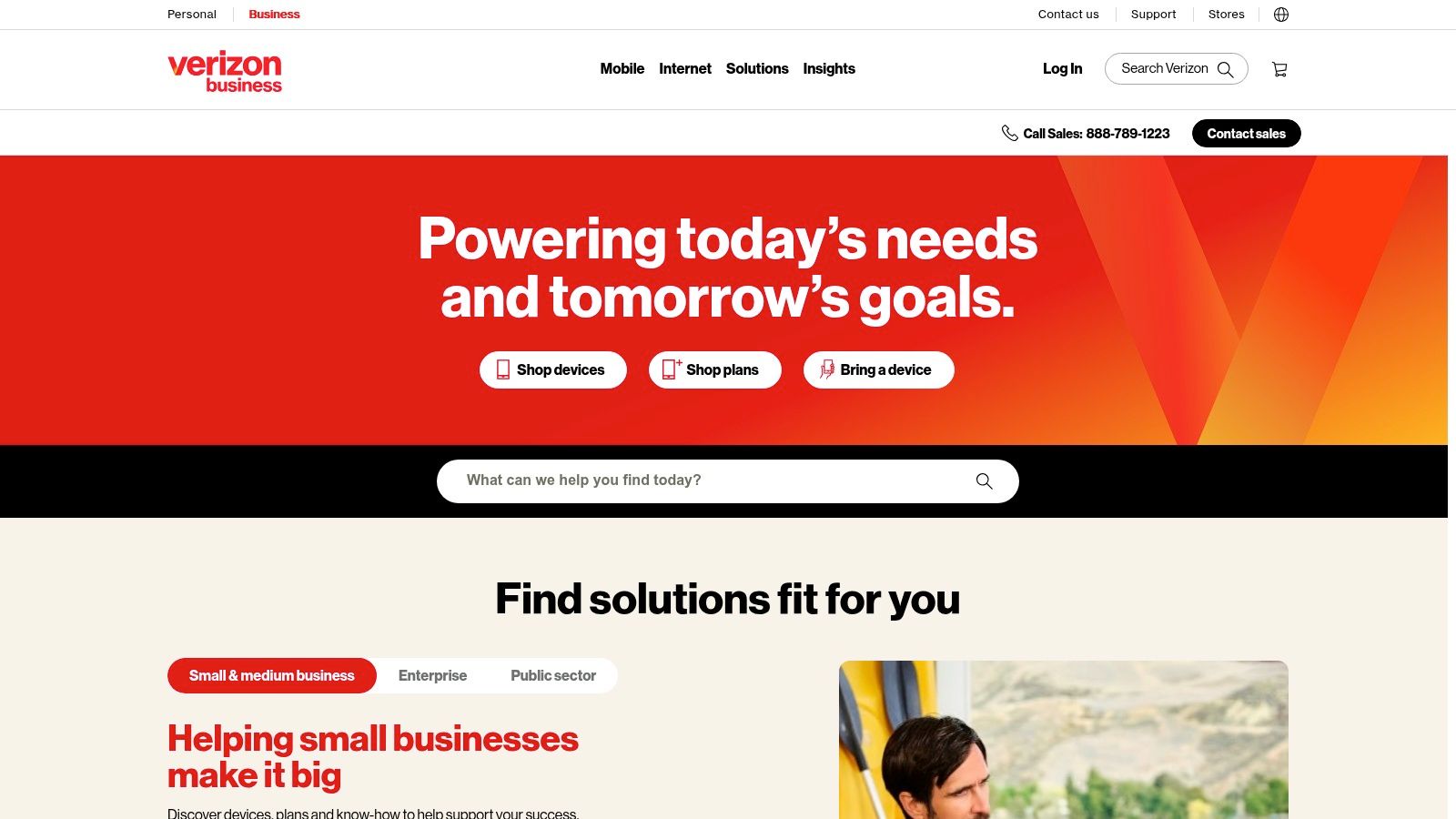
A branch office loses its primary circuit on a Monday morning, and the business does not have 90 days to wait for a new fiber build. That is the situation where Verizon Business usually enters the conversation. Its strength is speed and deployment flexibility, especially for teams that need connectivity at locations where construction, landlord approvals, or site conditions slow down wired service.
For IT and facilities managers, Verizon is often less about replacing fiber everywhere and more about giving the network another option. 5G Business Internet can work well for branch sites, temporary spaces, field operations, and recovery scenarios where getting online quickly is more important than getting the cleanest possible performance profile.
Best use cases for Verizon
Verizon is a strong fit for organizations that need practical deployment speed and operational separation from their primary carrier. Common examples include:
- Temporary offices and project sites
- Backup connectivity for critical locations
- Smaller sites with moderate bandwidth needs
- Rapid recovery after a service outage
It can also make sense for companies that want mobile service, security, SD-WAN, and internet access under one provider. That approach can simplify procurement and support, but it also concentrates more services with a single vendor. Teams should weigh convenience against the risk of putting too much of the communications stack in one place.
Trade-offs with 5G business internet
Wireless business internet works best when the site and the workload match the access method. Performance can shift based on signal quality, local congestion, building materials, and antenna placement. For call centers, high-volume transaction sites, and locations running latency-sensitive applications all day, fiber usually remains the safer primary connection.
I also advise teams to test failover conditions, not just activation. A wireless backup line only helps if the router, power path, mounting location, and handoff design are ready before an outage happens.
Field note: Wireless backup works best when it is physically and operationally separate from the primary service. If both paths still depend on the same closet power issue or the same damaged riser area, the backup may fail for the same reason.
A Verizon rollout can also shrink the amount of on-site telecom hardware. That sounds cleaner on paper, but it often leaves behind retired routers, switches, desk phones, and UPS units that still need a documented disposition process. IT, facilities, and sustainability teams should decide early which assets will be reused, wiped, remarketed, or sent to a recycler, and they should account for the environmental impact of electronic waste from retired telecom equipment before those devices pile up in storage.
Visit Verizon Business.
4. One Ring Networks
A site is ready to open, the ISP construction date slips again, and the business still needs phones, payment systems, cameras, and guest Wi-Fi live by the end of the month. That is the kind of situation where One Ring Networks enters the conversation.
One Ring stands out for buyers who need connectivity options that fit real building constraints, not just a standard fiber order form. Its mix of fixed wireless and fiber services can help when a project is blocked by landlord approvals, trenching delays, riser congestion, or limited carrier access in the building. For IT and facilities teams, that flexibility can shorten deployment time and add a physically different path for resilience.
What makes One Ring different
The practical advantage is install speed and design flexibility.
One Ring is often worth evaluating for:
- Construction trailers, temporary offices, and event sites
- Multi-tenant buildings where new wired service is slow or difficult to deliver
- Locations that need a secondary connection with different physical dependencies
- Teams that want a provider with metro-level knowledge of access constraints
That local operating model matters. Buyers are not just comparing bandwidth and monthly price. They are comparing how fast a provider can survey the site, secure access, place equipment, and support a deployment that does not fit a clean suburban office template.
Limits to verify before you sign
Fixed wireless can perform well, but only if the site survey is honest and detailed. Line-of-sight, roof rights, mounting rules, power availability, grounding, and cable path into the demarc all need validation early. If any of those items are unresolved, the order can stall or the final design can end up weaker than expected.
Support structure also deserves scrutiny. Ask who owns and manages the customer premises equipment, how outages are escalated after hours, and what weather exposure means for the link in your area. A good wireless deployment feels engineered. A weak one feels improvised.
I also recommend involving facilities and sustainability managers before cutover, not after it. A One Ring deployment may replace older carrier routers, firewall appliances, phones, antennas, UPS units, or network gear that has been sitting in closets waiting for a decision. Those assets need a documented chain of custody, data handling review, and a clear plan for reuse, resale, or recycling with a qualified partner such as Reworx Recycling.
Procurement note: If One Ring is being added as a faster interim service or a diverse backup path, write the exit plan for the old equipment into the project scope. That prevents retired telecom hardware from becoming a storage problem six months later.
One Ring is a practical option for businesses that need connectivity built around site conditions and deployment speed, not just long-term circuit availability.
Visit One Ring Networks.
5. GFiber (Google Fiber) Business
A small office is replacing an aging cable connection, several desk phones, and a neglected closet full of old network gear. GFiber Business often appeals in that situation because the buying process is easier than a custom carrier engagement. If the building is eligible, the service is usually straightforward to understand, price, and deploy.
That simplicity has real value for IT and facilities teams. Published pricing and symmetrical fiber make budgeting easier, and the service profile fits day-to-day cloud traffic well. File sync, video meetings, SaaS access, VoIP, and VPN use all benefit from stable upstream capacity, not just fast downloads.
Where GFiber is strongest
GFiber Business fits best for:
- SMBs that want predictable monthly costs
- Teams that need symmetrical fiber without a long procurement cycle
- Offices centered on cloud apps, collaboration, and hosted voice
- Sites that need static IP support on eligible plans
The trade-off is scope. GFiber works well for businesses that need strong internet access, but it is not designed to solve every enterprise networking requirement. Organizations with strict uptime language, custom routing expectations, or broader WAN design standards may still need DIA or a more customized carrier relationship.
Coverage also decides the outcome. GFiber can be an easy yes at one address and a non-option a few blocks away, or even in a neighboring suite if the building has not been fully enabled. Check serviceability early, then verify building access, riser conditions, and demarc details before treating the project as a quick win.
There is another operational point that buyers often miss. A provider change usually leaves equipment behind. Old modems, routers, switches, phones, UPS units, and structured cabling components tend to pile up after cutover unless someone owns the retirement plan. Teams replacing older telecom infrastructure during a GFiber rollout should pair procurement with a documented data center decommissioning and IT asset disposition process in Atlanta so equipment removal, data handling, and recycling do not become an afterthought.
GFiber is often the easiest recommendation in this group when the address qualifies, the business wants clean pricing, and the network requirement is high-quality business internet rather than a fully engineered enterprise circuit.
Visit GFiber Business.
6. Lumen (CenturyLink) – Business Internet and DIA

A common scenario looks like this. The IT team is replacing an aging circuit, facilities is trying to clean out a crowded server room, and leadership wants a provider that can support more than a single office internet handoff. That is where Lumen usually enters the conversation.
Lumen fits buyers who need dedicated internet access, Ethernet, cloud connectivity, or wider WAN support across several locations. It is often a better match for enterprise environments than for price-first SMB shopping, especially when the business has colocation relationships, hybrid infrastructure, or stricter performance and support requirements.
Where Lumen fits best
Lumen is worth serious consideration when the project includes:
- SLA-backed dedicated internet
- Connectivity to data centers or colocation facilities
- WAN, edge, or multi-site network design
- A mix of office, cloud, and infrastructure connectivity needs
The practical trade-off is procurement effort. Lumen deals often require more discovery, more building-level validation, and more quote comparison than a standard broadband order. Serviceability can change by address, suite, building conduit access, and demarc conditions, so teams should verify those details early instead of assuming fiber on the street means fiber to the rack.
This also changes how managers should plan the cutover. A Lumen migration often sits inside a broader infrastructure change, such as retiring old routers, voice gear, UPS units, cross-connect hardware, or cabling that no longer belongs in the room. IT, facilities, and sustainability managers should treat carrier replacement and asset retirement as one workstream, with a documented reverse logistics process for retired network and telecom equipment so pickup, chain of custody, and recycling do not get pushed to the end.
Another useful point for buyers: do not judge Lumen only by legacy CenturyLink impressions. As noted earlier, legacy access-line declines and older copper-era experiences do not tell you much about the quality of a current DIA, Ethernet, or fiber-based enterprise service. Evaluate the actual product, local support path, installation scope, and contract terms for your building.
Decision lens: Choose Lumen when the requirement includes dedicated internet, multi-site design, or data center adjacency, and build the retirement plan for old telecom hardware into the same project schedule.
If the move to Lumen is tied to a server room shutdown or infrastructure consolidation, coordinate the physical removal work at the same time. Businesses in metro Atlanta that are retiring racks, cabling, storage, and core network gear should line up data center decommissioning support in Atlanta before obsolete equipment starts collecting in closets, staging areas, or vacant suites.
Visit Lumen.
7. Zayo

Zayo is not a casual SMB internet buy. That’s the first thing to understand. It’s most relevant when your business needs carrier-grade transport, dark fiber, wavelengths, or serious route diversity across sites and data centers. If your current procurement process includes words like peering, interconnect, low-latency transport, or custom lateral build, Zayo is in scope.
For enterprises, cloud-heavy environments, and organizations with multiple critical sites, Zayo can solve problems the mainstream business broadband market doesn’t address well. That includes complex handoffs, high-capacity transport, and physically diverse design options that support resilience goals.
When Zayo is the right tool
Zayo makes sense for:
- Dedicated internet with strong engineering involvement
- Data center interconnects and metro fiber transport
- Wavelength and dark-fiber requirements
- Multi-site environments where route diversity matters
This category also lines up with analytics maturity. In telecom analytics, Mobile Network Operators account for 61.22% of market share as of 2025, largely because they can operationalize data at scale. Buyers don’t need to copy that scale, but they should expect carrier-grade providers to support more disciplined network visibility and planning than low-touch SMB services usually offer.
Where buyers get surprised
Zayo often surprises first-time buyers on process and price. Services are customized, design conversations are deeper, and off-net construction can take time. If you need a simple branch office line by next week, this is probably not the right place to start.
But if your business is replacing brittle legacy circuits with something built for growth, resilience, and interconnectivity, Zayo can be one of the more capable options among local telecom companies serving the region. The key is matching ambition to need. Don’t buy a metro fiber platform for a workload that just needs ordinary office internet.
A Zayo deployment often coincides with broader logistics work. New transport and core architecture can mean old optics, routers, patching gear, racks, and shipping workflows all need to be unwound cleanly. That’s when a documented reverse logistics plan for retired IT equipment becomes part of the telecom project, not a separate facilities headache.
Visit Zayo.
Comparison of 7 Local Telecom Providers
| Provider | Implementation Complexity 🔄 | Resource Requirements ⚡ | Expected Outcomes ⭐📊 | Ideal Use Cases 💡 | Key Advantages ⭐ |
|---|---|---|---|---|---|
| AT&T Business | Medium, shared PON installs quickly; DIA requires quotes and possible construction | Moderate–High, fiber builds, business CPE, SLA provisioning | High reliability and symmetrical multi‑Gbps; predictable performance with DIA SLAs | SMBs needing symmetrical bandwidth; enterprises needing SLA-backed circuits and static IPs | Wide Atlanta footprint, published fiber tiers, DIA with SLA and static IP options |
| Comcast Business (Xfinity) | Low–Medium, coax quick; on‑net fiber/DIA requires quotes | Low for coax; Medium–High for fiber/DIA and bundled services | Scalable performance; fast turn‑up when address is serviceable; SLA available on DIA | SMBs migrating from coax to fiber, customers wanting bundled services and LTE backup | Strong local presence, broad product catalog, fast activation when on‑net |
| Verizon Business | Low for 5G fixed wireless; Medium for wired enterprise services | Low, minimal build for FWA; dependent on signal strength and site equipment | Rapid deployment; variable throughput/latency vs fiber; good for backup or light primary use | Rapid installs, temporary sites, diverse‑path backup, mobile‑centric deployments | Fast deployment, mobility portfolio, multi‑service (SD‑WAN, security) options |
| One Ring Networks | Low–Medium, fixed wireless rapid; fiber options require design/quotes | Moderate, rooftop access, line‑of‑sight, POP proximity; temporary setups possible | Fast turn‑up and redundancy; gig+ wireless feasible but LOS‑dependent | Events, construction sites, pop‑ups, redundancy while waiting for fiber builds | Rapid deployment, flexible short‑term packages, local support and path diversity |
| GFiber (Google Fiber) Business | Low where infrastructure exists, simple published plans and installs | Low, standardized installs and clear plan structure; limited availability | Predictable symmetrical 1–2 Gbps with transparent pricing; no enterprise SLA equivalent | Businesses in GFiber‑served neighborhoods needing predictable, affordable symmetry | Simple published pricing, good value, static IP options on certain plans |
| Lumen (CenturyLink) | Medium–High, enterprise provisioning and data‑center integrations | High, carrier equipment, SLA processes, possible data‑center work | Carrier‑grade reliability and enterprise features (DIA, NaaS); good for colo connectivity | Enterprises, colo customers, organizations needing Internet On‑Demand or carrier services | Enterprise portfolio, SLA support, strong data‑center/backbone integrations |
| Zayo | High, engineered carrier builds, wavelengths and dark fiber projects | Very High, dark fiber/wavelengths, construction, customized configs | Very high capacity, route diversity and carrier‑grade SLAs for critical transport | Large enterprises, data‑center interconnects, customers needing high‑capacity or dark fiber | Highly customizable solutions, strong peering presence, wavelengths and dark fiber options |
From Procurement to Disposal A Complete IT Lifecycle Plan
Signing the new telecom contract feels like the finish line, but it usually marks the start of the harder operational work. Circuits have to be installed. Failover has to be tested. Firewalls need reconfiguration. Voice paths need validation. And somewhere in that process, old routers, switches, servers, access points, phones, and security appliances become surplus.
That surplus creates risk fast. Retired telecom and network hardware often contains saved credentials, IP schemes, VPN settings, certificates, call routing data, and internal documentation. If equipment leaves the building without proper handling, you can create a security problem long after the new service is up and stable. Environmental exposure is part of the same picture, which is why businesses should align their disposal process with EPA guidance on sustainable management of electronics.
The timing matters. If you wait until after migration to figure out IT asset disposition, the old gear usually ends up in one of three places. It sits in a closet for years. It gets handed to a general junk hauler that isn’t equipped for data-bearing devices. Or it gets moved informally between departments with no chain of custody. None of those outcomes helps IT, facilities, procurement, or sustainability teams.
A better approach is to treat carrier migration and hardware retirement as one coordinated project. As soon as the new provider is selected, identify what equipment will be replaced, what has resale or reuse potential, what must be destroyed, and what should be donated or recycled through a controlled process. This is especially important during office cleanouts, facility cleanouts, data center decommissioning, or branch consolidations where telecom gear is mixed with laptops, monitors, UPS systems, and older network infrastructure.
That planning is more important now because telecom change isn’t happening in a stable legacy market. Rural broadband expansion is accelerating through public funding, including the Internet for All initiative at $65 billion and the BEAD program at $42.5 billion, while execution still depends on workforce availability that many operators struggle to secure. For business customers, that means timelines can move, installs can shift, and old infrastructure may sit longer than expected. A disposal plan protects you when project sequencing gets messy.
Reworx Recycling fits into this part of the lifecycle. As a Smyrna-based social enterprise focused on donation-based electronics recycling and IT asset disposition, Reworx helps organizations retire outdated equipment through services that include secure data destruction, hard drive shredding, pickups, equipment decommissioning, and responsible downstream recycling. That’s relevant whether you’re replacing a few branch routers or clearing out a much larger environment tied to network modernization.
The social enterprise model also gives sustainability leaders a stronger story to tell internally. Some retired devices and peripherals can be refurbished and directed toward community benefit rather than treated only as waste. That supports digital inclusion and workforce development goals while still keeping data security and environmental compliance at the center of the process. For many organizations, that combination is easier to defend than a disposal-only approach with no reuse pathway.
Practically, the workflow should look like this. Select the provider based on fit, not just speed. Map the cutover and backup design. Inventory the legacy assets that will be displaced. Separate data-bearing equipment from commodity peripherals. Schedule secure pickup and documented disposition with a qualified partner before the migration creates clutter and confusion.
That applies well beyond standard office internet changes. If your organization is also handling computer recycling, laptop disposal, medical equipment disposal, laboratory equipment disposal, product destruction, or a broader corporate donation program, the network project can be the trigger to clean up years of deferred end-of-life work. It’s often the first moment when IT, facilities, and sustainability teams are already aligned around change. Use that moment.
The best telecom decision isn’t just the line that performs well on day one. It’s the provider choice that supports a clean, secure, resilient transition from old infrastructure to new. And the best transition plan includes a clear exit strategy for the hardware you no longer need.
If your business is replacing telecom or network equipment, Reworx Recycling can help you plan secure data destruction, donation-based recycling, pickup logistics, and responsible IT equipment disposal so the upgrade doesn’t leave behind a security or sustainability problem.