Your team notices the problem before finance does. Video calls freeze. Cloud apps hang. A file upload that should take minutes drags into the afternoon. The phones may still ring, but the business doesn’t feel connected.
That’s a common turning point for companies evaluating telecom services in Los Angeles. A creative firm in the Arts District may blame a large media upload. A warehouse operation near LAX may see the issue when inventory systems lag. A school, clinic, or city office may first feel it through dropped calls, unstable Wi-Fi, or a building with dead cellular zones.
Most buyers treat this as a simple carrier decision. It isn’t. In Los Angeles, your telecom choice affects uptime, collaboration, mobility, and how cleanly you can scale across locations. It also creates a second problem that many teams ignore until too late. Every upgrade leaves behind routers, switches, handsets, cabling, firewalls, DAS components, and old voice gear that have to be removed, tracked, and retired properly.
That’s why smart telecom planning starts earlier than most organizations think. It starts when you define service needs, evaluate redundancy, and ask what happens to the hardware you’re replacing.
Your Business Runs on Data But Your Internet Can't Keep Up
A lot of telecom projects begin with a complaint that sounds small.
The accounting team says the ERP feels slow every afternoon. Your marketing staff can’t push large files to clients without retrying. A manager says the office phones sound fine some days and choppy on others. Nobody uses the phrase “infrastructure risk” at first. They just say the internet can’t keep up.

In Los Angeles, that frustration gets amplified by distance, building complexity, and fast-changing business requirements. One office may need rock-solid connectivity for cloud applications. Another may need clean voice quality for a busy call flow. A third may need reliable failover because downtime stops fulfillment, dispatch, or patient scheduling.
Why the problem spreads fast
Businesses rarely run on a single connection anymore. Internet access now supports:
- Voice traffic through VoIP and cloud calling
- Core applications such as Microsoft 365, Google Workspace, and browser-based line-of-business tools
- Security systems including cameras, access control, and remote monitoring
- Guest and employee Wi-Fi inside larger office or mixed-use facilities
When one connection struggles, everything stacked on it struggles too.
Practical rule: If your connection supports phones, cloud apps, cameras, and remote users, it’s no longer “just internet.” It’s operational infrastructure.
Some teams start by shopping for a faster circuit. Others look for a provider bundle. Both approaches can help, but neither is enough if you don’t also define uptime needs, support expectations, and retirement plans for the gear coming out of service.
A useful starting point is to review business telecom solution options near Los Angeles with the same discipline you’d use for any other operational dependency. That means thinking past installation day.
Decoding the Telecom Landscape in Los Angeles
Los Angeles gives businesses more telecom choices than many markets, but more choice can create more confusion. The options sound technical. The practical question is simpler: what kind of connectivity fits how your business works?
Los Angeles is a major telecom market. ZoomInfo’s Los Angeles telecommunications company ranking shows top local companies including Garrett Aviation Services at $409.3 million in revenue, with FITI USA at $154.6 million and CuraTel at $124.4 million. The same verified data notes that California’s wireless telecommunications carriers industry comprises 2,737 businesses as of 2026, which shows how dense and competitive the broader market is.
What the main options really mean
Think of each service type as a different transportation model.
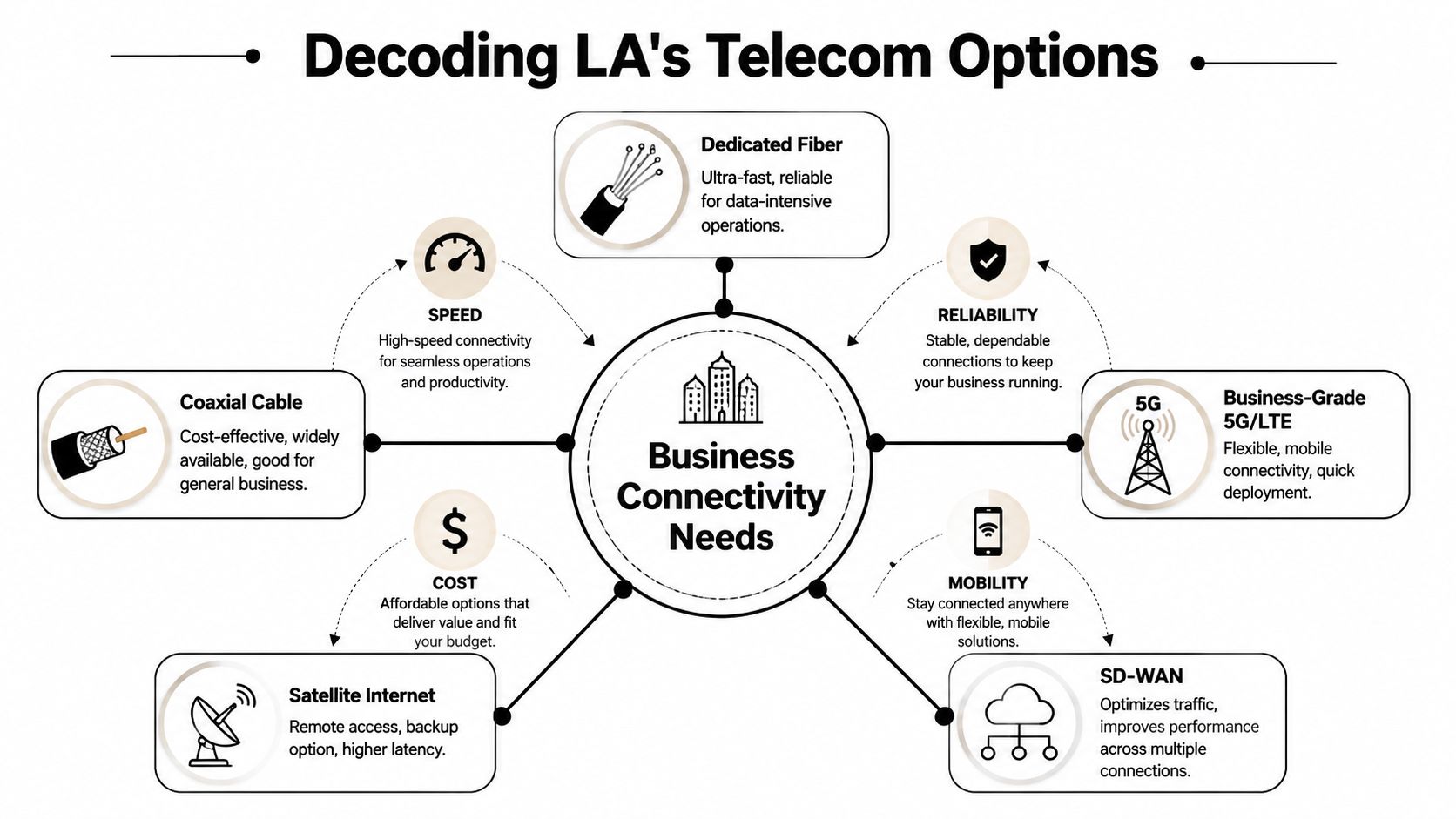
Dedicated fiber is the private express lane. It’s built for businesses that move a lot of data, rely on cloud systems all day, or can’t afford unstable performance. If your office handles large media files, frequent backups, or site-to-site traffic, fiber usually gives the cleanest path.
Business-grade 5G or LTE is more like a flexible citywide courier network. It can be fast to deploy, useful for temporary sites, and valuable as failover. It’s often a strong fit for field operations, branch offices, construction trailers, or organizations that need mobility.
Coaxial cable internet works for many offices that need business connectivity without highly customized architecture. It’s common, familiar, and often simpler to install.
Satellite internet can fill gaps in harder-to-serve locations or act as a backup path, but teams need to evaluate application fit carefully.
SD-WAN isn’t a circuit by itself. It’s the traffic manager. It helps route application traffic across multiple links so that voice, critical apps, and general browsing don’t all compete the same way.
Why Los Angeles changes the decision
Geography matters here. A downtown office tower, a campus in the Valley, and a logistics facility serving port-related operations may all face different installation realities. Building access, carrier presence, in-building wiring, and failover options can vary sharply from one property to the next.
LA County’s digital equity challenge also shapes the map. An ArcGIS StoryMap on tech equity reports that 270,000 households lacked home computers and 425,000 were without broadband access as of 2020, which highlights how uneven access remains across the county even inside a major metro area.
A provider’s coverage map doesn’t tell you what performance will look like inside your suite, across your building, or during a cutover.
The simple way to match service to need
Use this lens when evaluating telecom services in Los Angeles:
- If your work is upload-heavy: prioritize fiber and ask about symmetrical performance.
- If your team is distributed: look at a primary circuit plus wireless failover.
- If you run multiple sites: evaluate SD-WAN to control application traffic.
- If your building has indoor cellular problems: ask whether DAS or small cell integration is part of the design.
That last point matters more than many buyers expect. In dense commercial buildings, your telecom environment isn’t only internet and phones. It may include indoor cellular coverage systems tied into your network backbone.
How to Choose the Right Telecom Provider for Your Business
Most provider comparisons fail because they focus too much on brand names and not enough on operating reality. A small design studio and a port-adjacent logistics company may both buy internet access, but they shouldn’t grade providers on the same scorecard.

In Los Angeles, professional telecom installations place strong emphasis on redundancy. Los Angeles low-voltage telecom installation guidance describes deployments that use both copper cabling and single-mode or multi-mode fiber optic structured cabling to support unified voice, data, and PoE networks with fail-safe design in mind.
Start with business continuity, not price
If you’re choosing between providers, ask one blunt question first: what happens when the primary path fails?
For some businesses, a brief outage is frustrating. For others, it stops revenue, service delivery, dispatch, or production. That difference should shape the contract, the architecture, and the installation plan.
A practical scorecard usually includes:
- Redundancy design: Is there a credible failover option, or just a promise to restore service quickly?
- Building fit: Does the provider understand the property’s wiring, risers, demarc location, and access constraints?
- Support model: Will you get a named account contact, local coordination, or a generic ticket queue?
- Security alignment: Can the service fit your firewall, VPN, remote access, and segmentation requirements?
Two businesses, two very different choices
A Silver Lake creative agency may care most about upload stability, clean VoIP, and support that doesn’t require layers of escalation. That team may prefer a simpler bundle with responsive support and a backup wireless path.
A larger logistics operation near the Port of Los Angeles may need a tougher design. It may require primary and backup connectivity, segmented traffic, and more rigorous cutover planning because a failed migration can disrupt shipments, phones, cameras, and warehouse systems at once.
Don’t buy telecom the way you buy office supplies. Buy it the way you buy continuity.
Regional expertise can matter too. National providers may offer scale, but a regional or specialized firm may understand local property conditions, carrier handoffs, and installation friction better. During a site walk, that difference becomes obvious fast.
If you’re building a shortlist, it helps to compare local telecom companies serving business environments rather than relying only on national advertising. The right provider is the one whose network and support model fit your risk profile.
Managing Telecom Costs and Service Level Agreements
The monthly bill is only the visible part of telecom spend. The larger cost often shows up elsewhere: installation surprises, hardware dependencies, poor response times during outages, and internal labor wasted managing avoidable service problems.
A better way to evaluate telecom services in Los Angeles is to treat the contract as an operating document, not a sales brochure. The headline speed matters. The recovery terms matter more.
What to inspect in the SLA
The phrase “up to” belongs in consumer marketing, not in a business decision. Your team should focus on what the provider commits to, how incidents are handled, and what remedy exists when performance drops below expectations.
| Metric | Standard Business SLA | Mission-Critical SLA | Why It Matters |
|---|---|---|---|
| Uptime commitment | General availability language | Tighter written commitment with defined remedies | Protects against vague promises |
| Latency expectations | Broad or limited detail | Clear thresholds tied to application performance | Voice and cloud apps depend on stability |
| Packet loss terms | Sometimes omitted | Explicitly addressed and monitored | Small losses can disrupt calls and sessions |
| Mean time to repair | Best-effort restoration | Defined response and restoration targets | Tells you how long disruption may last |
The costs most buyers miss
Telecom total cost of ownership includes more than service fees. It can also include:
- Installation and buildout charges: especially when the building needs new pathways or coordination
- Provider equipment dependencies: routers, handoff devices, voice appliances, or managed hardware
- Internal IT labor: project management, cutover support, after-hours testing, and user support
- Downtime risk: lost productivity, failed transactions, and backlog after an outage
Some organizations save money on paper by accepting a lower monthly rate, then spend more cleaning up poor support and weak service protections.
If the SLA is vague, the provider has room to define “acceptable” after the outage starts.
There’s another hidden cost during telecom transitions. Routers, firewalls, voice systems, and storage media often contain configuration data, credentials, logs, and call records. Before any return, resale, or recycling step, teams should understand secure data destruction practices for Los Angeles organizations so the end of the contract doesn’t create a new security problem.
The Hidden Lifecycle of Your Telecom Upgrade
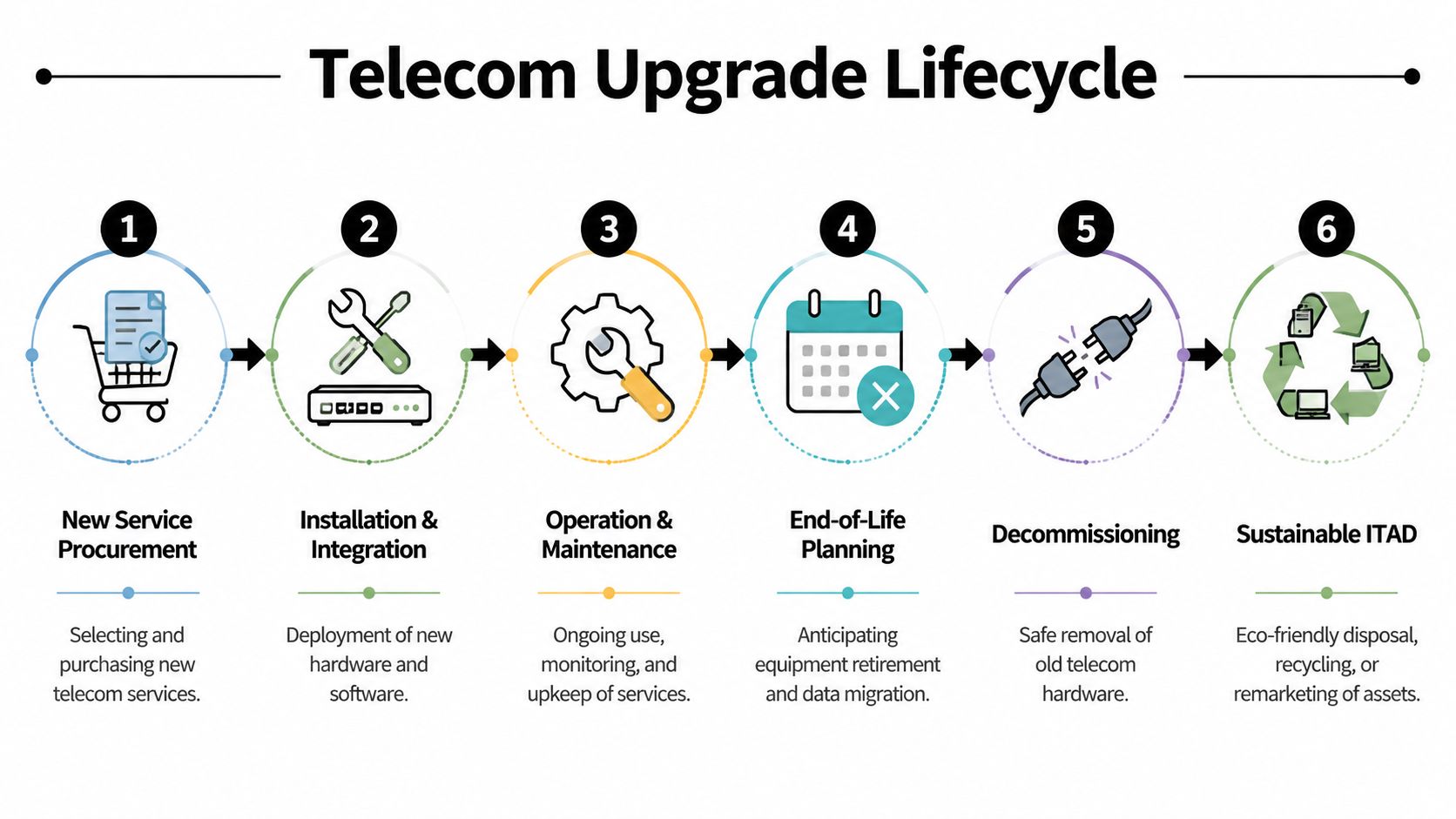
A telecom upgrade doesn’t end when the installer leaves. That’s when the second half of the project begins.
You approve a new circuit. The provider installs handoff equipment. Your team replaces edge hardware, retires old voice gear, and moves users to a new environment. Then someone asks an uncomfortable question: what are we doing with the old routers, switches, handsets, cabling, and backup appliances?
That question often arrives too late. By then, retired equipment may be stacked in a closet, left in a server room corner, or handed off informally without a clear chain of custody.
Why procurement decisions create disposal problems
Every upstream decision shapes downstream disposal.
If you move from legacy voice to cloud calling, you may retire PBX hardware, desk phones, gateway devices, and structured cabling components. If you add SD-WAN, you may replace edge appliances at multiple sites. If you improve cellular coverage inside a building, the project may touch RF gear, power components, and network hardware at the same time.
The challenge gets sharper in underserved areas now receiving new broadband attention. Los Angeles County’s May 2024 WeLink partnership announcement states that the effort targets 275,000 households in East LA, Boyle Heights, and South LA with $25 per month plans across 68 square miles. The same verified data notes that only 28% of census blocks have fiber-to-the-home, competition is near-zero at 0.02%, and the county’s broader plan aims for 100 Mbps low- or no-cost service for low-income residents.
Those upgrades are positive. They also create real equipment turnover inside nearby schools, offices, agencies, and community-serving facilities.
What gets overlooked during migration
Teams usually track installation milestones. They often don’t track retirement milestones with the same care.
Common misses include:
- Devices with stored data: firewalls, routers, unified communications gear, and appliances
- Mixed equipment streams: telecom hardware, general IT assets, batteries, RF components, and cabling
- Temporary dual environments: old and new systems may run in parallel, which complicates ownership and removal
- No defined disposition path: equipment gets stored because no one approved a compliant exit plan
A business phone cutover can be smooth and still leave a cleanup mess behind. If your team is troubleshooting legacy handsets, trying to map closet inventory, or searching for a smart fix for business phone issues, that’s often a sign the upgrade is being treated as a service change instead of a full lifecycle event.
The cleanest telecom projects are planned backward. Buyers decide not only what goes in, but also what must come out, who owns the removal, and how data-bearing equipment will be handled.
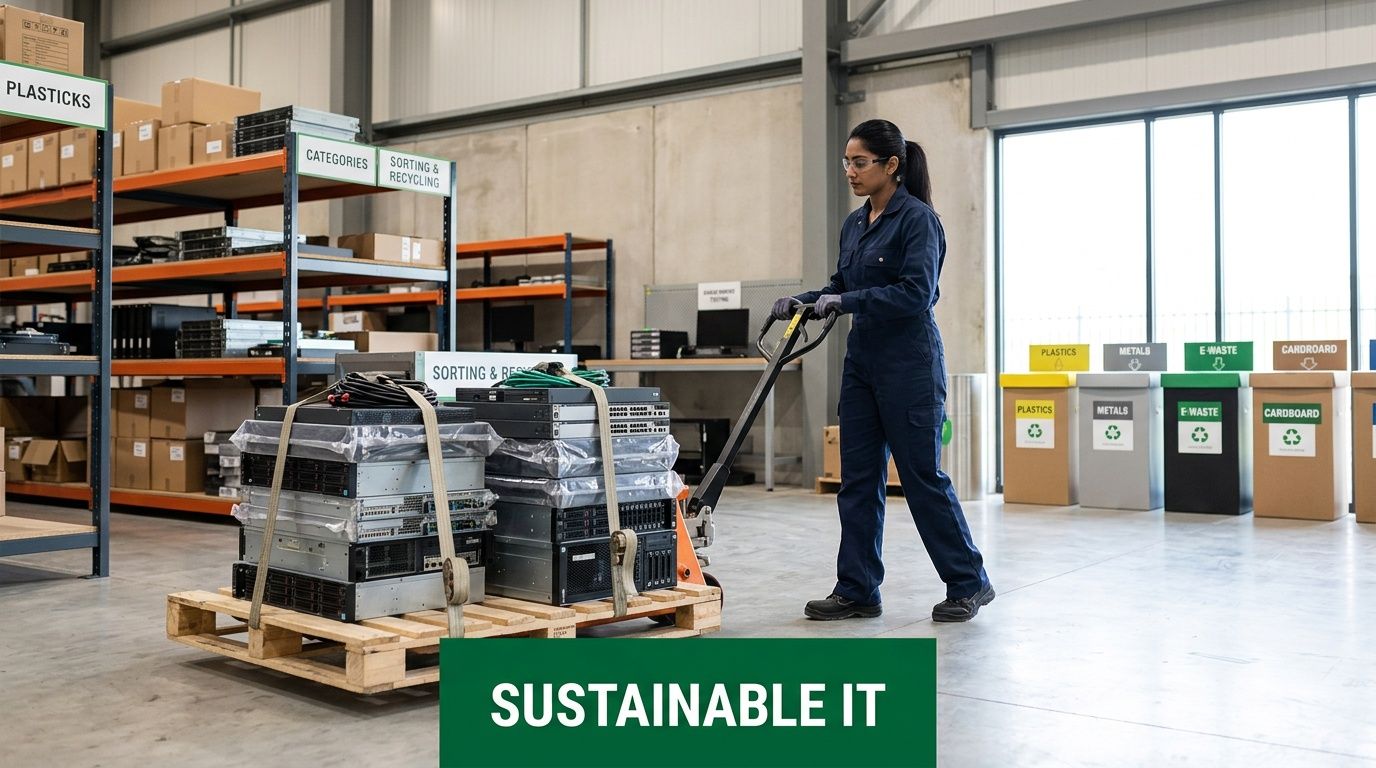
Sustainable ITAD for Retiring Telecom Hardware
Retired telecom hardware shouldn’t be treated like generic office junk. Network appliances, call systems, RF components, and cabling infrastructure can carry security, compliance, and environmental obligations that ordinary disposal processes don’t address.
That’s where IT asset disposition (ITAD) becomes part of the telecom conversation. The goal isn’t just to get old gear out of the building. It’s to retire it in a way that protects data, documents custody, and supports sustainable recycling.
What requires special handling
Not every telecom refresh involves only modems and phones. Some Los Angeles sites also include indoor coverage systems and integrated building technology.
WCC Tech’s DAS and cellular infrastructure overview describes how complex telecom environments in Los Angeles combine RF, cellular, and IT networking components. Verified data tied to that source notes that when Distributed Antenna Systems (DAS) are upgraded, the retired equipment requires specialized electronics recycling and secure data destruction to support RF safety compliance and reduce data leakage risk.
That matters for:
- Office cleanout projects where old desk phones, switches, and edge hardware have piled up
- Facility cleanout efforts involving wiring closets, IDFs, MDFs, and mixed electronics
- Data center decommissioning tied to network modernization or site consolidation
- Product destruction and secure data destruction when gear shouldn’t re-enter secondary use
- Computer recycling and laptop disposal that happen alongside a broader telecom transition
A practical retirement workflow
A responsible disposition plan usually follows a disciplined sequence.
- Inventory first. Identify routers, firewalls, switches, handsets, DAS components, servers, and storage-bearing devices before removal starts.
- Separate data-bearing from non-data-bearing assets. A patch panel and a firewall don’t carry the same risk.
- Document chain of custody. Especially important for regulated industries, public entities, and multi-site organizations.
- Choose the right disposition path. Some assets may be remarketed, some donated, some dismantled, and some destroyed.
- Confirm sustainable recycling. Telecom hardware contains materials that shouldn’t end up in general waste streams.
A router pulled from a branch office can expose far more than connectivity settings. It may reveal network structure, credentials, VPN details, and historical logs.
For organizations planning a refresh, relocation, or multi-site retirement project, it helps to work from a clear Los Angeles IT asset disposal strategy for business equipment. That keeps the telecom project aligned with security, sustainability, and facilities operations instead of leaving cleanup to chance.
Build a Future-Proof and Responsible Telecom Strategy
The best telecom decisions in Los Angeles are lifecycle decisions. They account for service quality, redundancy, building fit, support, contract clarity, and what happens to equipment at end of life.
That approach matters even more in a region where access and infrastructure are uneven. LA County’s tech equity StoryMap reports 270,000 households without computers and 425,000 without broadband. When businesses retire usable devices and telecom-related hardware responsibly, donation and reuse channels can support digital inclusion while reducing waste.
A future-proof plan should answer five questions clearly:
- What connectivity does the business need
- How will the network fail over when something breaks
- What SLA terms protect operations
- Which retired assets contain data or regulated components
- Who owns disposition from removal through final documentation
That last question is the one many teams skip. It shouldn’t be an afterthought. If your company is budgeting for telecom services in Los Angeles, it should also budget time and governance for retirement, secure handling, and recovery of surplus value where appropriate.
Businesses that want a more disciplined approach can review asset recovery and end-of-life planning options as part of procurement, not after the equipment room fills up. That’s how you reduce risk, support sustainability goals, and avoid turning a network improvement into a disposal problem.
If your business is planning a telecom refresh, office cleanout, facility cleanout, or broader IT equipment disposal project, Reworx Recycling can help you turn retired equipment into a responsible outcome. Explore donation-based recycling, secure data destruction, pickup scheduling, and corporate donation programs that support sustainable recycling and community impact while keeping old telecom and IT hardware out of landfills.