If you're shopping for telecommunications services in Chicago, you're probably also juggling a bigger project than "getting better internet." Maybe you're opening a second office, moving a team into a downtown suite, replacing an aging phone system, or trying to stop complaints about dropped calls and slow cloud apps. In most cases, the telecom decision is really an operations decision.
Chicago businesses face a wide mix of options. A firm in the Loop may have several fiber carriers in the building, while a warehouse, school, clinic, or branch office elsewhere may have fewer practical choices. That gap is where many buying mistakes happen. Teams compare speeds, skim a contract, and miss the network design, support model, installation details, and end-of-life plan for the equipment being replaced.
A smarter approach treats telecom as a full lifecycle project. You choose the right service, verify how it will be installed, prepare users for the cutover, and make a responsible plan for the old routers, switches, phones, firewalls, and cabling coming out of service.
Decoding Modern Telecom Services for Your Business
Chicago buyers often hear a string of terms that sound similar but solve different problems: fiber, business broadband, MPLS, and SD-WAN. If you don't sort them out early, it's easy to buy a service that looks good on a quote sheet but doesn't fit how your business works.
Four common service types in plain language
Fiber optic service is the closest thing to a dedicated express route for data. It's built for organizations that rely heavily on cloud platforms, large file transfers, voice traffic, video meetings, and predictable performance. Law firms, healthcare groups, financial offices, and multi-user businesses often prefer fiber because it supports heavy use with less friction.
Business broadband is more like driving on city streets. It can work well, it's often easier to procure, and it's a practical fit for lighter usage or smaller locations. But performance can feel less consistent during busy periods, and support expectations may differ depending on the service tier.
MPLS works like a private highway reserved for approved traffic. Companies with multiple locations have used it for years to connect offices and prioritize important applications. It's especially relevant where traffic control and consistency matter more than flexibility.
SD-WAN acts like a smart traffic manager sitting above your connections. It doesn't replace internet access by itself. Instead, it helps route traffic across available links more intelligently. If one link degrades, SD-WAN can steer application traffic another way based on policy. That's why many organizations moving toward cloud services consider it.
Practical rule: Buy the service that matches your business workflow, not the service with the most impressive brochure language.
A simple way to think about it:
- Fiber fits businesses that need fast, steady performance for core operations.
- Broadband fits sites where cost and basic connectivity matter more than tight performance control.
- MPLS fits organizations that want a more controlled private network between locations.
- SD-WAN fits companies that need flexibility across several locations, providers, or circuit types.
What Chicago businesses usually get wrong
Many teams compare only bandwidth. That misses the bigger issue. A customer support center, medical office, or trading-related operation may care less about peak speed and more about stable call quality, predictable application response, and clean failover during an outage.
Another common mistake is buying a premium circuit for a building that still has weak internal cabling, poor Wi-Fi design, or old edge hardware. Your provider may deliver a solid handoff, but users still experience a bad network because the in-building environment wasn't part of the project.
For IT managers who want a stronger grounding in networking terms before evaluating carrier proposals, a practical refresher like CompTIA Network+ exam preparation can help clarify concepts such as routing, switching, redundancy, and transport types.
Businesses that need local context often start by reviewing a broader view of telecommunications company options near Chicago so they can map service types to real procurement choices.
Chicago Business Telecom Services Comparison
| Service Type | Ideal For | Key Benefit | Common Drawback |
|---|---|---|---|
| Fiber optic | Cloud-first offices, data-heavy teams, multi-user sites | Strong speed and consistency | Availability can vary by building |
| Business broadband | Small offices, backup circuits, lighter usage sites | Simpler and often easier to order | Performance may be less predictable |
| MPLS | Multi-site organizations with controlled private traffic | Traffic prioritization and network consistency | Less flexible for cloud-heavy strategies |
| SD-WAN | Distributed businesses, hybrid environments, cloud adoption | Smarter routing across multiple links | Needs thoughtful design and management |
A quick decision lens
If your business has one office and mainly needs dependable internet and hosted voice, fiber or broadband may be enough. If you operate several locations and need traffic rules between them, MPLS or SD-WAN deserves a closer look. If you're in transition, such as moving from private circuits to internet-based architectures, you may even use a mix.
The best telecom design usually isn't one product. It's a combination that matches office layout, application mix, support expectations, and growth plans.
Navigating the Chicago Telecom Provider Landscape
Chicago's market isn't just big. It's layered. National carriers, cable-based business providers, specialized fiber operators, and building-specific options all compete in different ways. That matters because the right provider for a Loop office may not be the right provider for a manufacturing site or a suburban branch tied to Chicago operations.

Why Chicago matters as a telecom market
Chicago remains a major center for wireless and wireline services. The U.S. telecom market was estimated at USD 468.08 billion in 2023 and is projected to reach USD 725.68 billion by 2030 at a 6.6% CAGR, driven by 5G rollout, according to telecommunications services market data summarized by Statista. For local businesses, that scale shows up in constant equipment refresh cycles, new access options, and more pressure to retire old hardware properly when upgrades happen.
Large national names such as AT&T, Verizon, Comcast, and T-Mobile shape much of the buying market in Chicago. But provider strength is often hyperlocal. One carrier may have excellent building access in one district and limited practical options in another.
Provider availability changes block by block
A business in a modern downtown tower may have multiple carriers already present in the riser. That can shorten deployment time and improve pricing advantage. A business in an older property may face more construction work, landlord approvals, or limited path diversity.
Industrial corridors create another set of issues. The building may have the space for equipment and strong business need, but fewer nearby facilities from carriers. That doesn't always rule out service. It just changes cost, install complexity, and the need for realistic timelines.
Here are the local variables worth asking about early:
- Building status: Is your building already lit by the provider, or will they need to build in?
- Access path: Does the site support diverse entry paths, or is there a single point of failure?
- Landlord process: Will management require engineering review, insurance certificates, or after-hours access windows?
- Backbone alignment: Does the provider connect efficiently to the cloud platforms and regional facilities your team uses?
Don't evaluate carriers by brand name alone
Brand recognition helps, but it doesn't answer the practical questions that affect user experience. Support responsiveness, install coordination, escalation quality, and honesty during service qualification matter just as much as raw network footprint.
A provider can look strong on paper and still be a poor fit if the local handoff is messy, the account team disappears after contract signature, or the quote leaves out key construction assumptions. Ask who owns the project after the sale. Ask how tickets escalate. Ask whether they support your type of environment regularly.
Chicago businesses comparing local options can also review telecom services near their location to frame discussions around service availability, not just marketing claims.
A good Chicago telecom provider doesn't just sell access. They help your team navigate the building, the install, the support path, and the upgrade cycle.
Evaluating Unified Communications and Managed Services
Once the connection is in place, the next decision is what runs on top of it. That's where VoIP, UCaaS, and managed services come in. These aren't "extra features" in the casual sense. For many businesses, they're what employees experience every day.
What changes when you move from old phones to UCaaS
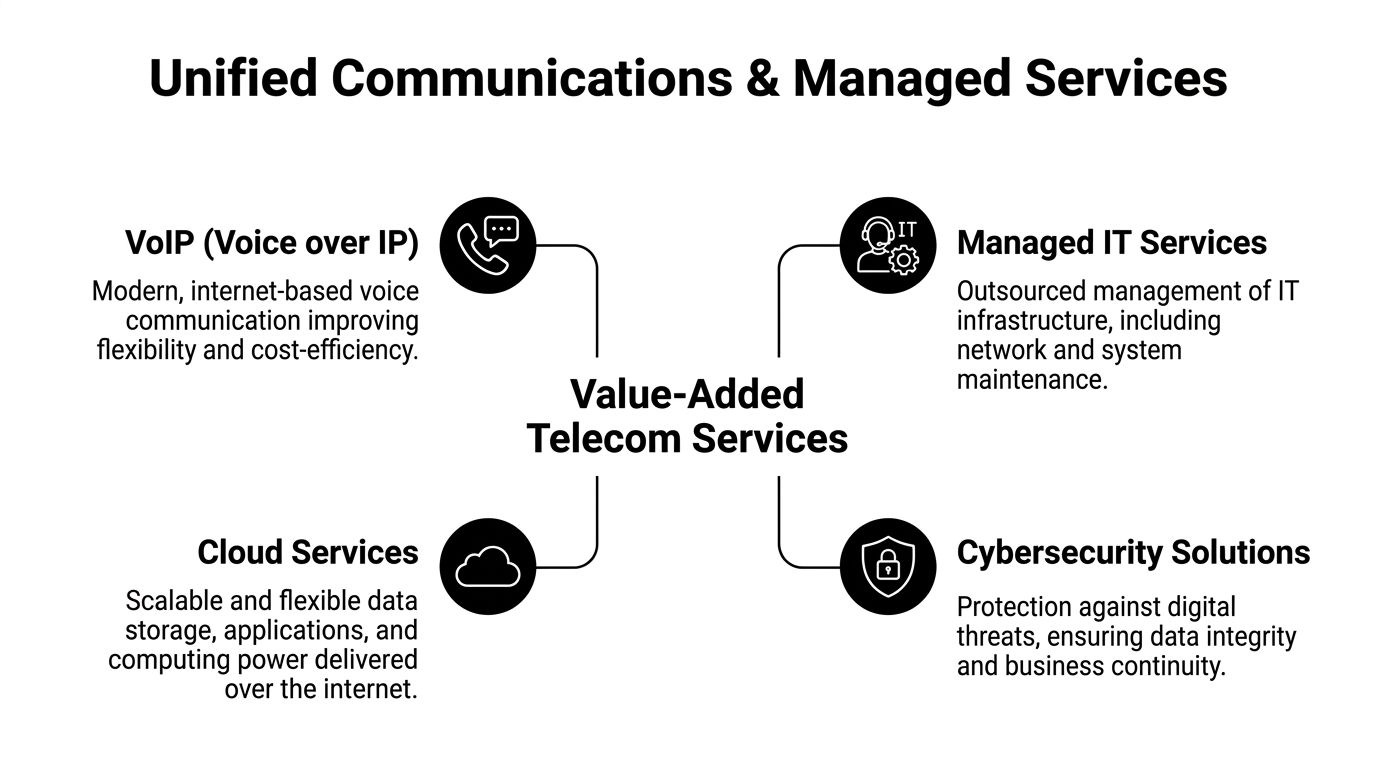
A traditional phone system usually lives in one place and depends on local hardware. VoIP, or Voice over IP, shifts calling onto your data network. UCaaS, or Unified Communications as a Service, goes further by combining calling, messaging, meetings, presence, and collaboration into one service model.
That matters in Chicago offices where hybrid work is now normal. Employees may answer calls from a desk phone, laptop, or mobile app without the old split between "office phone" and "remote phone." Reception, call routing, voicemail, and team collaboration become easier to standardize across locations.
Where managed telecom services earn their keep
Some organizations want full control over network policies and voice systems. Others want their internal team focused on business systems, not carrier tickets, edge device updates, and circuit troubleshooting. Managed telecom services can take those recurring tasks off your plate.
That support often includes:
- Network monitoring: The provider watches link health, alerts, and performance trends.
- Configuration management: Moves, adds, changes, and policy adjustments don't sit in an internal backlog.
- Issue coordination: Your team doesn't have to chase multiple vendors when voice quality drops.
- Security oversight: Providers can help maintain a cleaner operating posture for internet-facing services.
A good managed model is especially useful if you have multiple offices, a lean IT team, or a growing mix of cloud apps and communication tools.
Match the service to the way people work
VoIP and UCaaS aren't only about replacing handsets. They affect conference rooms, remote collaboration, customer experience, and daily support habits. If your team relies on presentation spaces, training rooms, or executive boardrooms, the communication platform should align with the room technology as well. A practical companion resource is Home AV Pros' guide to business AV, which helps connect conference room design choices with communication workflows.
Before signing, ask three plain questions:
- How do employees place and receive calls today?
- Which meetings need room-based audio and video to work smoothly?
- Who will own user onboarding, troubleshooting, and change requests after launch?
The better your workflow map, the easier it is to choose between a basic hosted phone service and a broader unified communications platform.
Businesses comparing communication stacks in the Chicago market can use local telecom solutions guidance as a starting point for aligning connectivity, voice, and management support.
Key Criteria for Selecting Your Telecom Provider
A provider proposal can look polished and still hide risk. The safest way to compare bids is to break them into a few practical categories: service commitments, network fit, support quality, and total project impact.

Read the SLA like an operator, not a shopper
An SLA matters only if it describes what happens when service degrades. Look for clear language around uptime, response handling, service restoration, and escalation. If the contract talks broadly about "best effort" support without meaningful remedies, treat that as a warning sign.
The question isn't whether the provider promises reliability. They all do. The question is whether the promise is measurable and whether your team can act on it when something breaks.
Ask harder questions about the local network
Chicago businesses often focus on the front-end quote and skip the local engineering details. That's risky. Your provider's route into the building, handoff design, and familiarity with older infrastructure can affect performance and cutover quality.
For enterprises still touching legacy systems, demarc work can be important. T1 operates at 1.544 Mbps, and for some legacy environments proper demarc extension remains essential. Without a proper extension, signal attenuation can raise bit error rates and cause dropped VoIP calls. During fiber migrations, downtime can cost $5,400 per minute, according to the context provided in this Chicago data center and demarc extension reference. That isn't just an engineering issue. It's a business continuity issue.
Use a side-by-side evaluation checklist
When teams compare providers, I recommend scoring each one against the same list instead of reacting to the sales presentation.
- Installation realism: Did the provider clearly state construction assumptions, access needs, and dependencies on your landlord?
- Support path: Can you identify who answers after-hours tickets and how escalations work?
- Scalability fit: Can they support another floor, another branch, or a temporary site without redesigning everything?
- Legacy awareness: Do they understand your current PBX, firewall, carrier handoff, and any transitional needs?
- Commercial clarity: Are recurring charges, one-time charges, and contract terms easy to audit?
If a quote is hard to compare, it's hard to manage later.
Price isn't the same as total cost
The lowest monthly figure can turn into the most expensive option if install delays, support friction, or redesign work pile up. Cheap service that causes user disruption, repeated tickets, or messy failovers has a real operational cost even when the invoice looks attractive.
Chicago companies reviewing local carriers can use nearby telecom company criteria to structure a more disciplined vendor short list.
Planning Your Telecom Installation and Migration
The selection decision gets most of the attention. The migration is where projects either settle in cleanly or create weeks of frustration. Good telecom work depends as much on sequencing as it does on technology.
Start with the building and the existing environment
Before anyone schedules a cutover, verify where the current circuits enter, where the carrier handoff will land, what rack space is available, and whether power, cooling, and cabling are ready. In Chicago high-rises, that also means syncing with building management early. Delays often come from access approvals, riser rules, and work-window restrictions rather than from the carrier itself.
An internal audit should also capture:
- Current services in use
- Phone numbers and call flow dependencies
- Firewall and router roles
- Conference room and specialty device needs
- Any old equipment that must stay live temporarily
Run the migration in controlled stages
The smoothest migrations don't try to change everything at once. They phase the work so your team can isolate problems quickly.
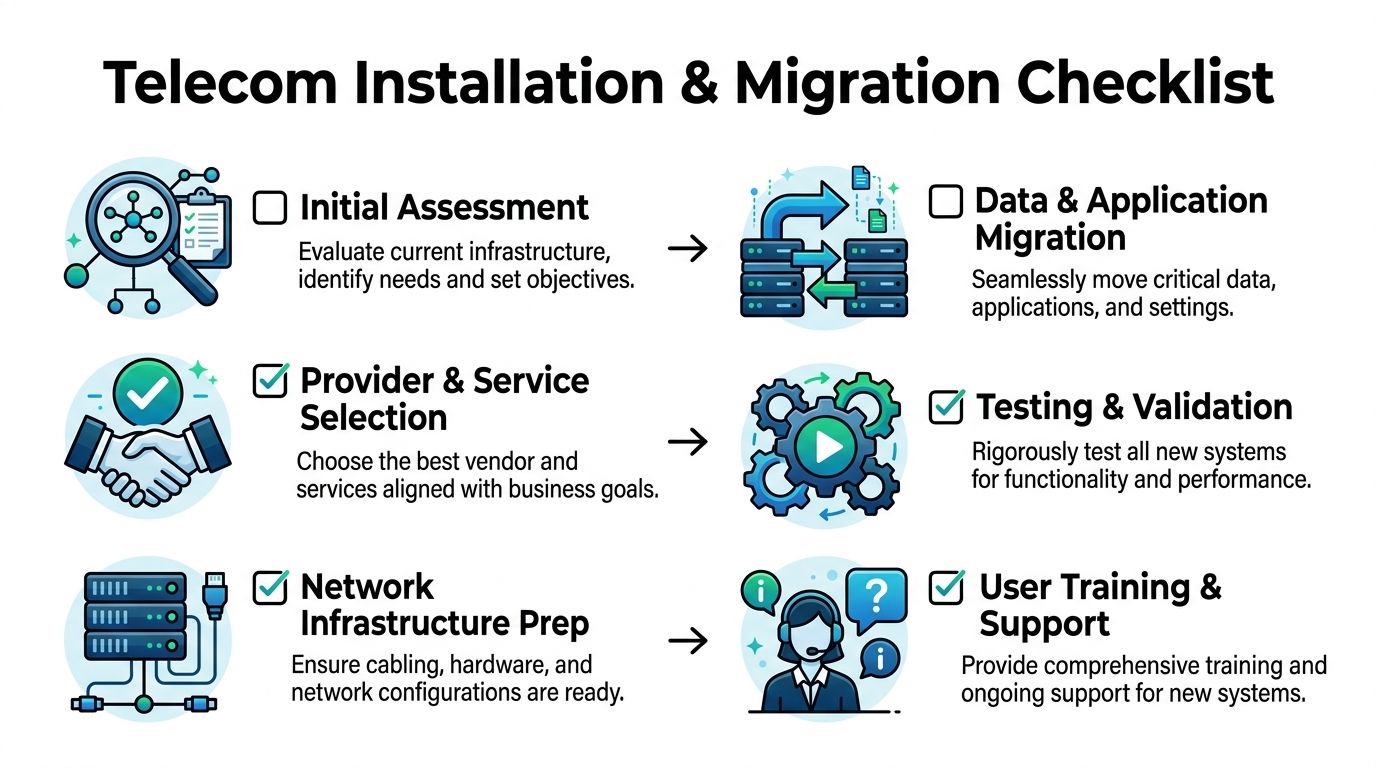
- Assess the current state. Document circuits, equipment, call paths, user groups, and critical applications.
- Lock the target design. Decide what stays, what goes, and what transitions in phases.
- Prepare infrastructure. Rack gear, label ports, validate cabling, and test internal readiness before the carrier cutover.
- Migrate services carefully. Number porting, voice routing, and application changes should follow a written sequence.
- Test before broad release. Verify calls, failover behavior, internet access, VPN access, and user workflows.
- Support the first days after launch. Keep technical contacts available while users settle into the new setup.
Communicate more than you think you need to
Most telecom migrations fail socially before they fail technically. Employees don't know when phones will change, who to call for help, or whether old devices should be unplugged. A short communication plan solves a lot of avoidable confusion.
Use plain instructions. Tell users what changes, when it changes, what to do if something doesn't work, and where support will sit during the first live days. For front-desk staff, call-heavy departments, and executives, provide direct outreach rather than a generic email.
A migration succeeds when end users feel informed and supported, not when the project team says the circuit tested fine.
The Final Step Responsible Telecom Equipment Disposal
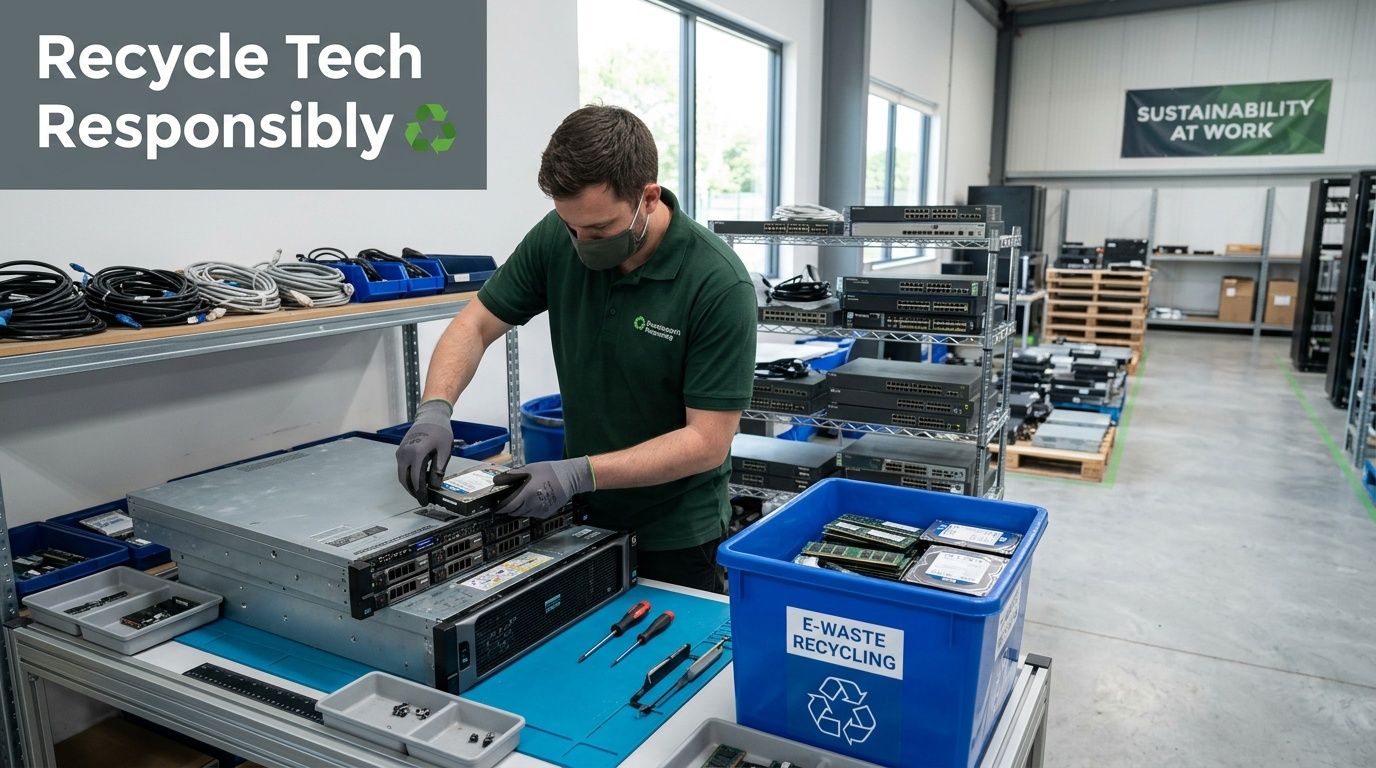
Telecom upgrades create a hidden second project. Once the new service is working, the old hardware is still sitting in closets, racks, drawers, and branch offices. That equipment may include routers, switches, firewalls, desk phones, wireless gear, modems, UPS units, handsets, and miscellaneous storage media. If nobody owns the retirement process, it lingers. Then it becomes a security, compliance, and sustainability problem.
Old telecom gear still carries risk
Many teams assume telecom hardware is less sensitive than laptops or servers. That's a mistake. Network and voice devices can retain configuration files, credentials, call data, IP assignments, contact records, management settings, and other operational details. Even when the data seems limited, it can still expose your environment.
That means retirement shouldn't be handled as an office cleanout task. It belongs inside the same governance process as broader IT asset disposition, secure data destruction, and electronics recycling.
Chicago's telecom growth also creates more hardware turnover
Broadband expansion is a good thing for access and modernization. But upgrades also mean older equipment has to go somewhere. As local initiatives push more new infrastructure into service, the volume of retired routers, modems, and switches rises too.
A useful framing comes from Chicago digital divide and broadband expansion coverage, which notes that this kind of hardware turnover contributes to "digital pollution." It also notes that national e-waste totals 6.9 million tons annually. For Chicago organizations, the takeaway is simple: every telecom refresh should include an end-of-life plan before the first device is unplugged.
What responsible disposal actually looks like
Responsible disposal isn't one act. It's a chain of custody.
- Inventory the removed assets: Record what's being retired, from edge switches to VoIP handsets.
- Separate reuse from scrap: Some gear may have resale, redeployment, donation, or parts value. Some won't.
- Sanitize data-bearing devices: Storage components and systems with retained configuration data need secure handling.
- Document the process: Facilities, IT, procurement, and compliance teams should be able to show what left service and how it was processed.
- Choose a qualified recycling path: Dumping mixed electronics into general waste or informal channels creates avoidable risk.
Why this matters beyond compliance
Disposal isn't only about checking a box. It affects how your business is perceived internally and externally. A company that spends heavily on modern telecom but treats removed equipment as an afterthought undercuts its own operational discipline.
This is especially relevant for organizations with ESG goals, public reporting expectations, grant-funded upgrades, or internal sustainability targets. Telecom modernization generates visible waste streams. Staff notice if old hardware piles up in hallways and storage rooms. Leadership notices if projects close without documentation. Auditors notice when asset records don't line up.
Field advice: If you can't answer where the retired gear is, who handled it, and whether data was destroyed, the project isn't finished.
Donation, reuse, and social impact deserve a seat at the table
Not every removed device is reusable, and not every asset should be donated. But many organizations miss the middle ground between "keep it forever" and "throw it away." A structured disposition program can sort equipment by condition and channel appropriate items toward reuse, recovery, or responsible recycling.
That's where donation-based recycling, computer recycling, laptop disposal, office cleanout, facility cleanout, product destruction, and broader sustainable recycling strategies intersect. The same planning mindset used for circuit design should apply to end-of-life management. The process should be intentional, documented, and aligned with both security and community goals.
For businesses that are retiring telecom and adjacent IT assets, it's worth reviewing practical guidance on disposing of IT equipment responsibly so the final stage gets the same attention as provider selection.
Build disposal into the original telecom project plan
The cleanest projects assign disposal ownership early. Someone should be responsible for coordinating removed equipment from day one. That usually means collaboration between IT, facilities, procurement, and any outside migration partner.
A workable closeout plan includes:
- A removal schedule tied to the migration sequence
- A temporary storage location with restricted access
- A decision tree for reuse, donation, resale, shredding, and recycling
- A final documentation package for audit and internal records
When teams do this well, they avoid the common ending where excellent new connectivity goes live while old devices sit in limbo for months.
Chicago businesses have every reason to treat responsible disposition as part of telecom strategy. The city sits in a major telecom market, businesses upgrade frequently, and infrastructure expansion keeps pushing more hardware into circulation and then out of service. If you plan for that reality early, you reduce security exposure, avoid waste, and close the project with the same discipline you brought to the procurement phase.
If your organization is upgrading telecom, cleaning out old network gear, or planning a broader IT refresh, Reworx Recycling can help you turn the last step into a responsible one. Their donation-based recycling approach supports secure data destruction, electronics recycling, IT equipment disposal, and community impact through technology reuse. If you're ready to donate old equipment, schedule a pickup, or build a more sustainable disposition program, Reworx Recycling is a practical partner to start with.