Your team needs more machines. New hardware pricing doesn't fit the budget. Staff still need dependable laptops and desktops for onboarding, remote work, training rooms, and back-office roles. That's usually the moment when someone starts searching for older computers for sale.
That search is reasonable. It can also go wrong fast.
In business procurement, used hardware only works when you treat it as a lifecycle decision, not a bargain hunt. The right purchase can extend budget, support sustainability goals, and keep usable equipment in circulation. The wrong purchase can introduce unstable drives, Windows 11 compatibility problems, undocumented data exposure, and an end-of-life problem you've delayed.
Why Smart Businesses Are Buying Used Computers
The budget pressure is real, but that isn't the only reason companies are buying used systems. Procurement teams are also under pressure to reduce waste, stretch refresh cycles intelligently, and put more hardware into service without expanding capital spend in the same way they would for all-new fleets.
That shift is no longer niche. The global refurbished computers and laptops market is projected to grow from USD 9.61 billion in 2025 to USD 16.71 billion by 2031, driven by corporate sustainability mandates and the need for cost-effective hardware, according to Mordor Intelligence's refurbished computers and laptops market outlook.
Where used hardware makes sense
Mid-sized businesses usually see the strongest fit in a few practical categories:
- Secondary user roles that don't need top-spec devices
- Temporary expansion for project teams, contract staff, and seasonal operations
- Training and lab environments where standardization matters more than premium performance
- Spare pool planning so IT can replace failed endpoints quickly without buying new every time
Used hardware also supports environmental objectives. Keeping a business-grade desktop or laptop in productive use for another cycle reduces unnecessary disposal pressure and helps organizations align procurement with broader electronics recycling and sustainable recycling goals.
For companies building internal reuse and donation-based recycling programs, this matters on both ends of the lifecycle. Buying refurbished systems can complement future IT asset disposition (ITAD) planning, especially when your organization also expects to retire its own fleet responsibly later.
Why “cheap” is the wrong lens
A strong used-hardware program isn't about finding the lowest listing price. It's about buying equipment with enough remaining life to justify deployment, support, and future retirement.
Practical rule: Buy used devices for the job they need to do, not for the discount they appear to offer.
The best buyers define acceptable age, processor generation, storage condition, firmware status, and supportability before they contact sellers. That creates a filter. It also keeps procurement from inheriting devices that operations teams can't standardize.
If your team is comparing inventory, it helps to review examples of refurbished desktop computers for business use as a baseline for what commercial-grade listings should include. A serious listing should identify core specs clearly, describe condition accurately, and show whether the hardware has been processed for resale rather than merely pulled from a closet.
Evaluating Sourcing Channels for Business Hardware
A used computer is only as good as the process behind it. The same model can be a smart buy from one channel and a recurring problem from another.
How the channels differ
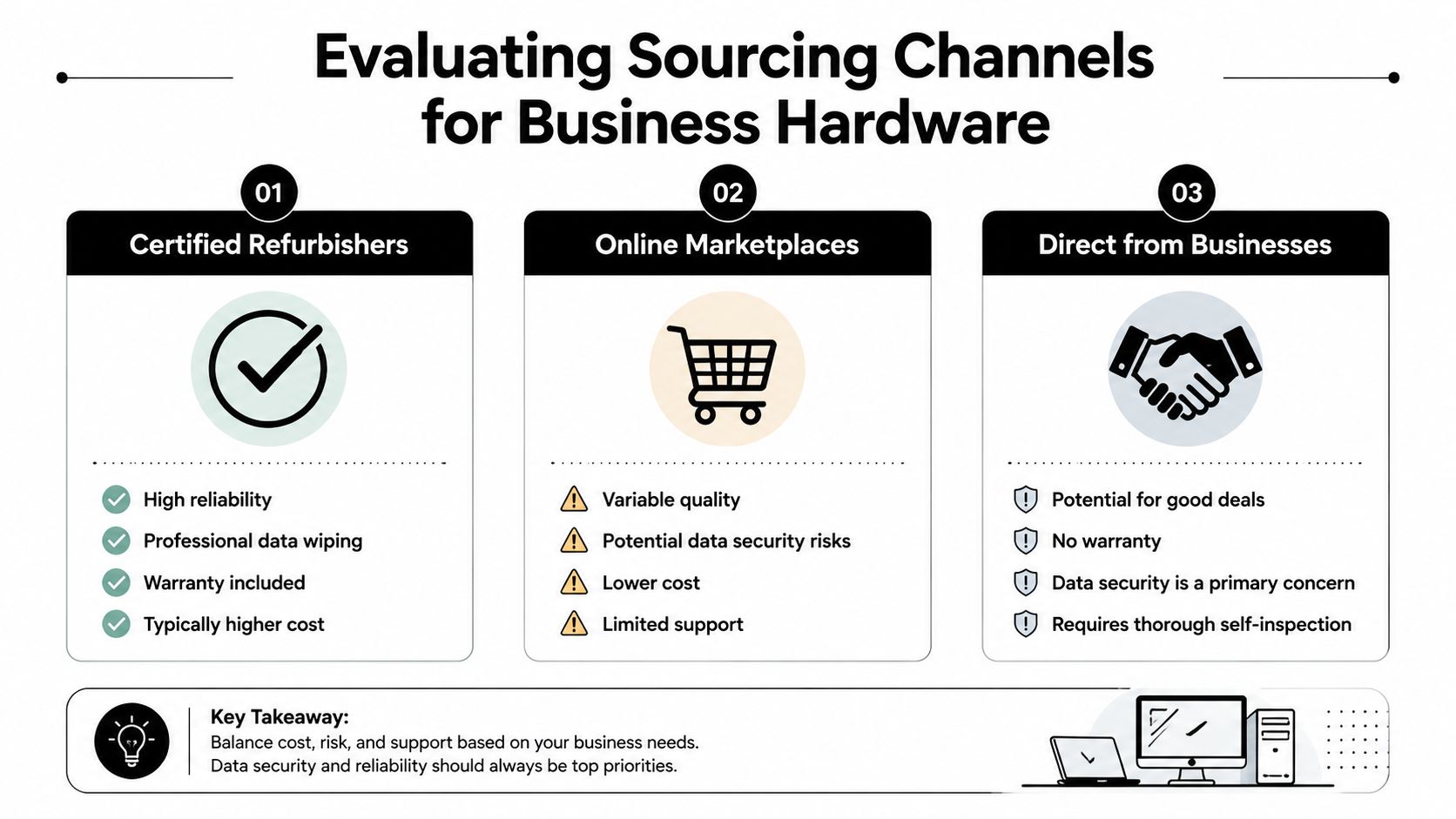
The three channels most buyers consider are certified refurbishers, online marketplaces, and direct purchases from businesses clearing out equipment.
| Channel | Best use case | Main strength | Main risk |
|---|---|---|---|
| Certified refurbishers | Standard business deployments | Better consistency and process | Higher pricing |
| Online marketplaces | One-off buys and opportunistic sourcing | Broad selection | Variable condition and support |
| Direct from businesses | Bulk local acquisitions | Potentially attractive inventory | Inconsistent testing and unclear sanitization |
Certified refurbishers usually fit businesses that need repeatable results. Their biggest advantage isn't that every machine is perfect. It's that they tend to process inventory in a structured way. That often means cleaner imaging, clearer grading, and more predictable device classes.
Online marketplaces can work when a buyer has strong internal technical review capability. They're less forgiving if your team needs ten or fifty near-identical units with the same firmware state and battery quality. Listings also vary widely in how much they disclose.
Direct-from-business purchasing can be worthwhile, especially during office cleanout, facility cleanout, or relocation events. But this channel expects more due diligence from the buyer. When hardware comes straight from a prior user environment, you may be inheriting unknown maintenance history, missing accessories, and inconsistent storage handling.
What matters most in a B2B purchase
For business buyers, four criteria usually decide whether a source is usable:
- Consistency across units so imaging, deployment, and support stay manageable
- Bulk availability for teams that need standardized rollouts
- Documentation quality including serials, specs, and condition notes
- Clear chain of custody for storage devices and data handling
A seller that can't explain how drives were handled usually can't explain much else about the equipment either.
Warranty terms also deserve a hard look, but the primary challenge is operational friction. A short and clear warranty can be more useful than a vague promise of support. The same goes for lot composition. Mixed generations in one batch may look harmless in a listing and become painful when your team tries to patch, image, and secure them.
Businesses sourcing older computers for sale in quantity should also ask whether the supplier can support future reverse logistics. Some organizations start by buying used assets and later realize they need a structured way to resell or retire their own surplus. Reviewing office equipment buyback options can help procurement teams think beyond the initial transaction and build a more coherent lifecycle program.
The Essential Pre-Purchase Inspection Checklist
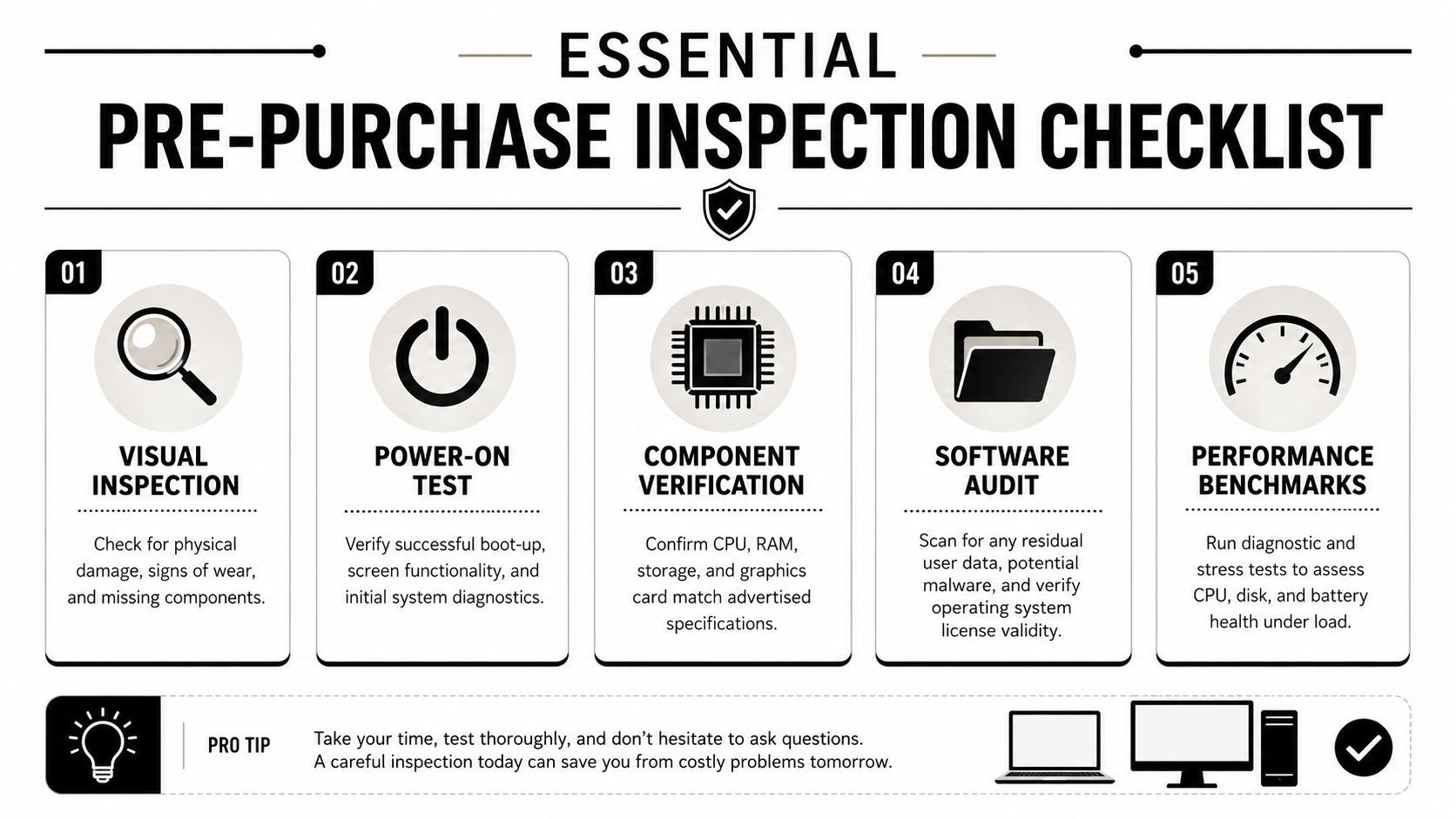
Most mistakes happen before the invoice is signed. Buyers accept seller screenshots, power-on photos, or a vague statement that a system is “tested.” For business use, that isn't enough.
Start with storage health
Storage is the first component I'd verify in any used system because it's one of the most common failure points and one of the easiest places to miss a bad buy.
An essential step is verifying storage health via SMART data. Systems with a Power-On Hours count over 15,000 for HDDs or 12,000 for SSDs face a 3x higher failure rate, which can drop resale value by 40% if the drive isn't replaced, according to Alibaba's used desktop buying guide.
Use CrystalDiskInfo and review more than the overall health color.
Check these fields carefully:
- Reallocated Sector Count should be 0
- UDMA CRC Error Count should be under 5
- Wear Leveling Count for TLC SSDs should be under 85%
- Power-On Hours should be evaluated against the thresholds above
A machine with a healthy processor and memory can still become a support ticket factory if the drive is near failure. If the rest of the unit is worth buying, replacing the drive before deployment is often smarter than trying to squeeze one more quarter out of tired storage.
Confirm modern firmware readiness
The next screen to check is firmware. Too many buyers focus on CPU and RAM and ignore whether the device can live comfortably in a modern managed environment.
Motherboards with updates pre-2020 may lack TPM 2.0 enablement needed for Windows 11. The same source notes that systems become much more marketable when the CPU is officially 8th-gen Intel or newer, or AMD Ryzen 2000 or newer, with TPM 2.0 enabled, Secure Boot capable, and UEFI firmware confirmed.
That matters because unsupported or awkwardly supported hardware increases labor. You may save on purchase price and spend the difference in workaround time.
Run thermal and stability checks
For desktops and workstations, I also want to see behavior under load, not just at boot. HWiNFO64 is a practical tool here.
Use a short load test and verify:
| Check | Acceptable result |
|---|---|
| Idle CPU temperature | 45°C or lower |
| Sustained load CPU temperature | 85°C or lower |
| GPU temperature under load | 80°C or lower |
| +12V rail variation | Within ±5% |
The benchmark guidance in this desktop resale inspection video also flags ±10% on the +12V rail as dangerous PSU failure risk. It notes that buyers lose interest quickly in units that fail these tests, while upgraded systems that pass attract stronger resale outcomes.
If a seller won't allow thermal checks, assume they don't want you to see how the machine behaves after the first five minutes.
Don't ignore the physical clues
Physical condition still matters, but not for cosmetic reasons alone. Scorch marks on motherboard edges, bent CPU socket pins, and damaged ports tell you how the machine was treated. They also point to future return risk.
A practical inspection routine should include:
- Exterior review for cracked housings, damaged hinges, and swollen batteries
- Port testing for USB, video output, Ethernet, and charging behavior
- Internal inspection where possible for dust load, corrosion, and tampering
- Service tag verification against manufacturer portals for warranty or recall history
- Spec match confirmation so the installed components match the listing
Mitigating Data Security and Compliance Risks
Many used-hardware discussions stop at condition and price. For business procurement, that misses the biggest risk.
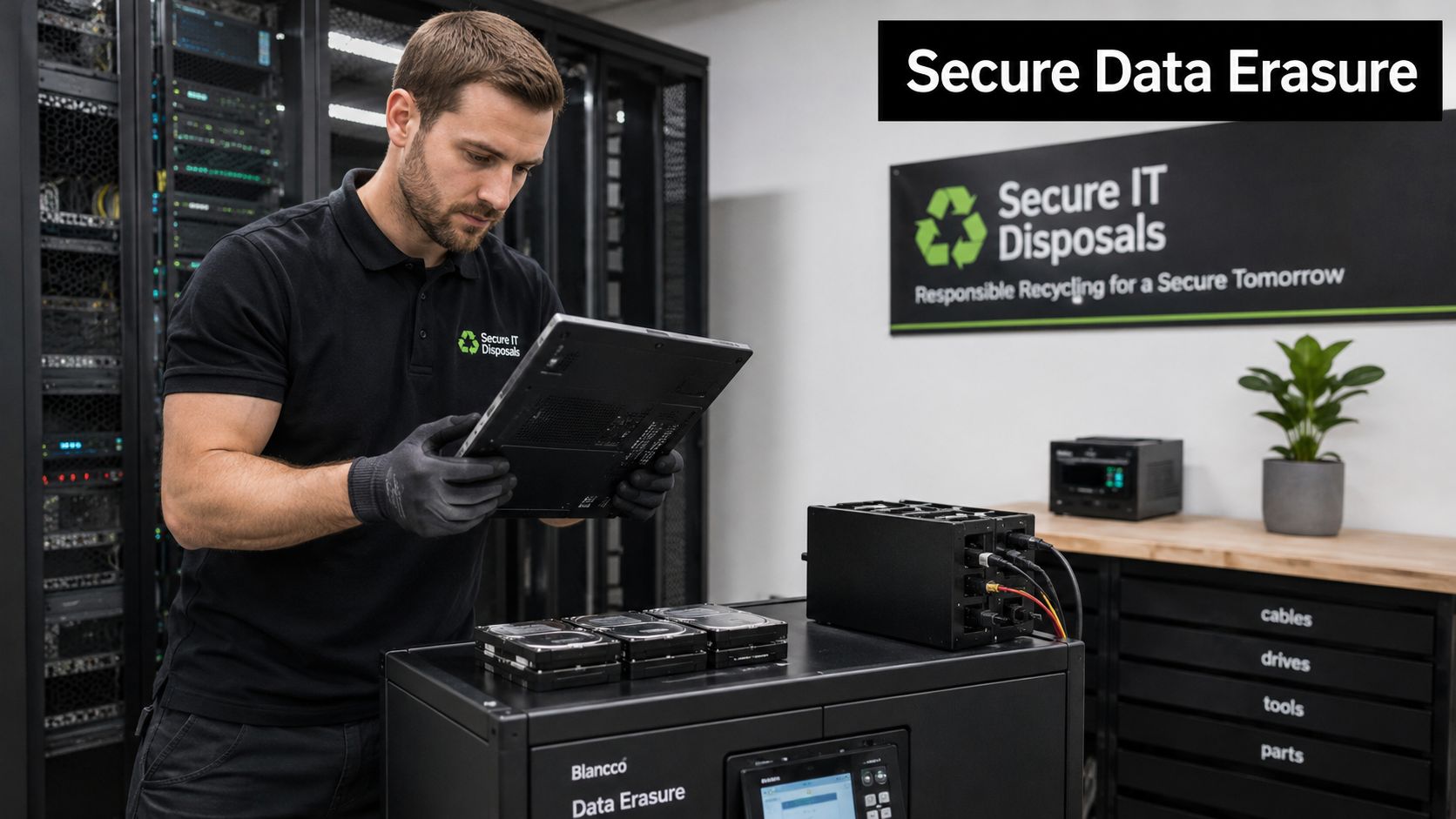
Recent e-waste audits reveal that 45% of discarded corporate devices still contain recoverable sensitive data, yet marketplace listings for older computers rarely include certified data destruction documentation, creating a major risk for buyers, as noted in this discussion referencing those audit findings on used office computers and residual data risk.
Why formatting isn't enough
A wiped-looking machine isn't the same as a verifiably sanitized one. Reinstalled operating systems, deleted partitions, and quick formats don't prove compliant media sanitization. They only prove that someone changed what's visible.
For regulated industries, schools, healthcare-adjacent operations, and public sector environments, this matters immediately. A device purchased into your environment can carry inherited exposure if prior data wasn't destroyed properly. Even if no breach occurs, the absence of documentation creates audit and legal headaches you didn't need.
The minimum question to ask a seller is simple: Can you document how the storage media was sanitized?
What to require before purchase
A business buyer should ask for:
- Method of sanitization aligned with recognized practice such as NIST 800-88
- Asset-level documentation tied to serial number or drive identifier
- Chain-of-custody clarity showing who handled the device before resale
- Exception handling notes for drives that were removed, destroyed, or replaced
Buy the paperwork as much as the hardware. Without documentation, data destruction is just a claim.
Some procurement teams separate sourcing and compliance into different conversations. That creates blind spots. Storage handling belongs in the purchase review from day one, alongside processor generation and warranty terms.
If your organization needs a benchmark for what documented sanitization should look like, review providers that specialize in secure data destruction for retired IT assets. Even when you're buying rather than retiring equipment, that standard helps you evaluate whether a seller's process is credible.
Analyzing True Cost Versus Hidden Financial Risks
The invoice price is the easy number. The harder question is what the hardware will cost after deployment.
Used laptop prices recovered in 2023, but the depreciation rate for used IT equipment still averaged approximately 3.5% per month, requiring rapid turnover to maximize value, according to Computerwoche's reporting on second-hand PC resale economics.
What belongs in the real cost model
A practical cost review should include more than acquisition price:
- Deployment labor for imaging, patching, battery checks, and remediation
- Parts replacement exposure for storage, memory, power supplies, or adapters
- User downtime when older units fail during active use
- Support complexity if the batch includes mixed generations or inconsistent firmware
- Residual value timing because used equipment loses value quickly if you hold it too long
A lower-priced lot can become expensive when the machines require custom handling. That's especially true for small IT teams. If each system needs hands-on troubleshooting before it can join the fleet, the labor bill starts replacing the purchase discount.
A better way to compare options
Use a simple three-part filter.
| Question | Why it matters |
|---|---|
| Can the unit be deployed with minimal rework | Labor often erodes the savings first |
| Can it stay in service without frequent interruption | Reliability affects staff productivity |
| Can it be retired cleanly later | Exit planning protects residual value and compliance |
Transparency aids the process. Procurement teams should ask for test records, battery or drive replacement disclosures, and condition grading definitions up front. If the seller can't explain pricing logic, you can't model total cost confidently.
For buyers trying to compare options without guesswork, a provider's approach to transparent ITAD and recycling pricing is a useful reference point. Good pricing documentation doesn't just help at disposal time. It teaches procurement what hidden cost categories to look for before buying.
Planning for the Next End-of-Life Cycle with a Partner
The smartest used-hardware buyers think about disposal before deployment. That sounds backward until you've managed enough refresh cycles to see the pattern. Every procurement decision creates a future logistics decision.
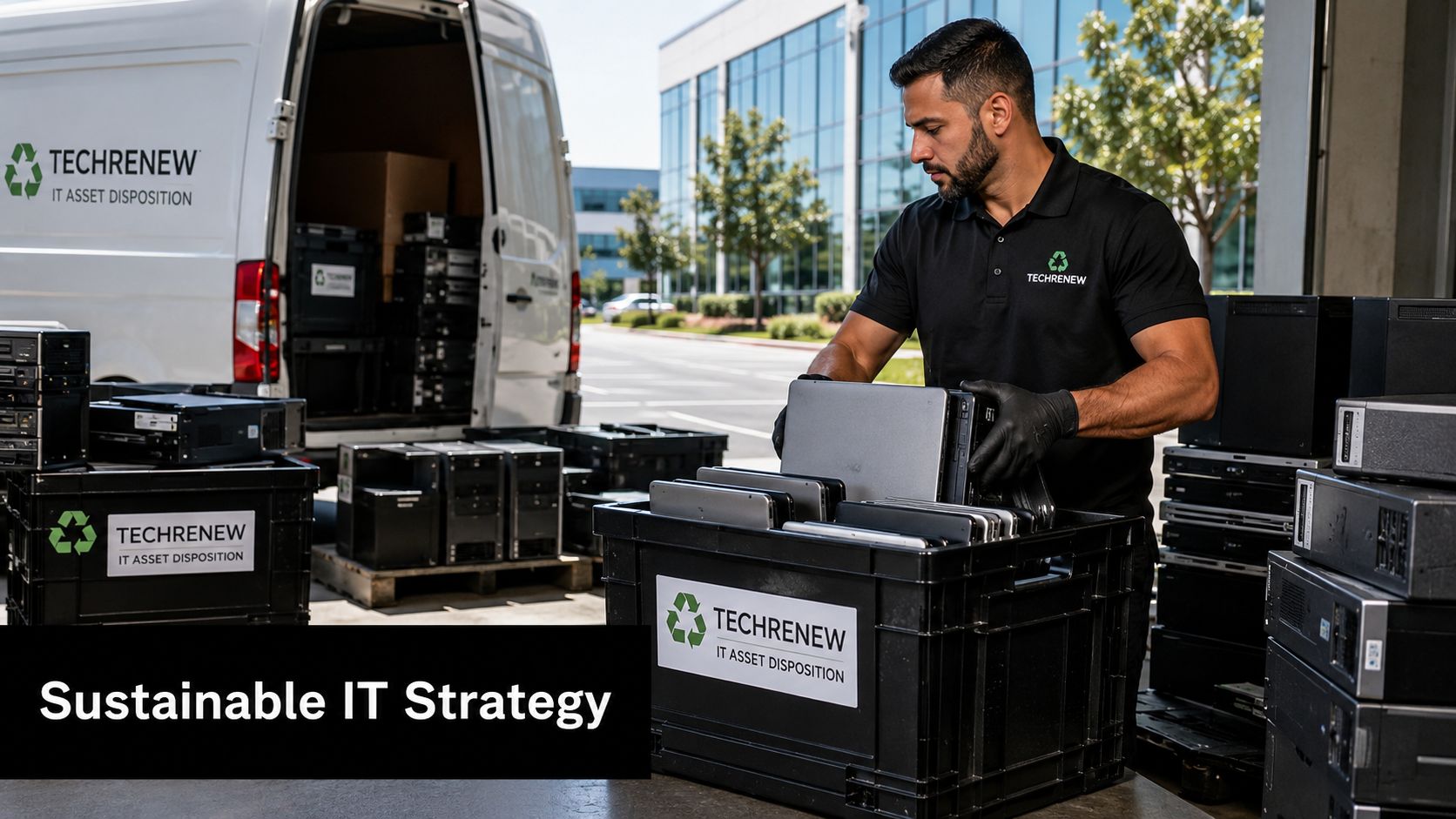
Procurement and disposition belong together
When a company buys older computers for sale, it should already know what happens when those assets age out again. That means defining reuse paths, donation-based recycling options, electronics recycling controls, and secure downstream handling before the machines ever hit production.
This is also where IT, facilities, compliance, and sustainability teams need the same plan. A used fleet that supports business needs today can become tomorrow's office cleanout problem if nobody owns the exit process. The better model is to treat purchase, use, recovery, and end-of-life as one managed chain.
For CIOs building that broader governance model, ITAM solutions for CIOs offers useful context on how asset management supports lifecycle visibility and decision-making.
What a strong partner relationship looks like
A capable end-of-life partner should help with more than pickup. The relationship should support:
- Asset triage so reusable equipment is separated from true scrap
- Secure data handling with documented destruction workflows
- Reverse logistics coordination for offices, schools, and distributed sites
- Donation pathways when equipment still has practical community value
- Environmental accountability through responsible downstream recycling
That model is especially relevant for organizations with corporate donation programs, data center decommissioning needs, laptop disposal volume, medical equipment disposal questions, or occasional product destruction requirements tied to branded hardware and peripherals.
A used-computer purchase is successful only if the next owner, and the final processor, are part of the plan.
If you're evaluating partners for long-term lifecycle support, it helps to use structured vendor selection criteria for ITAD and recycling services rather than choosing on pickup convenience alone. The right partner reduces risk at both ends of the hardware lifecycle. They help you source more responsibly today and retire equipment more responsibly later.
If your business is managing aging laptops, desktops, servers, or mixed office electronics, Reworx Recycling can help you build a cleaner lifecycle strategy through electronics recycling, secure IT equipment disposal, donation-based recycling, and community-focused reuse. Whether you need to donate old equipment, schedule a pickup, support an office cleanout, or build a long-term ITAD partnership, their team offers a practical path that protects data, supports sustainability goals, and keeps usable technology working for people longer.