As your organization plans its next technology refresh or office cleanout, stacks of old laptops, servers, and hard drives represent more than just clutter. They hold a hidden liability. Every retired device carries a ghost of your company's data, from client records to financial files to internal communications that should never leave your control.
Deleting files doesn't solve that problem. Reformatting doesn't solve it either. If your team handles electronics recycling, IT equipment disposal, laptop disposal, data center decommissioning, or a broader facility cleanout, the right question isn't whether data was “removed.” It's whether recovery is infeasible under a recognized standard.
That's why data sanitization methods matter so much in real-world ITAD. They sit at the intersection of compliance, operational risk, hardware value recovery, and sustainability. NIST defines media sanitization as a process that renders access to target data on storage media infeasible for a given level of effort, and that definition is still the practical benchmark that should be aligned to when retiring business devices, medical equipment, or storage media tied to product destruction and secure data destruction programs.
For business owners, IT managers, and sustainability leaders, this isn't just a security task. It's part of responsible IT asset disposition. A strong process protects your brand, supports reuse where appropriate, and keeps old equipment out of the wrong hands. It also fits cleanly with broader Steel City IT data security recommendations around lifecycle controls.
Reworx Recycling works in this space as a donation-based recycling and social enterprise recycling partner, helping organizations manage computer recycling, office cleanouts, corporate donation programs, and secure data destruction with a practical, documented approach. If you're making decisions on what to wipe, what to shred, what to verify, and what can still be reused, these are the methods worth understanding.
1. Hard Drive Shredding and Physical Destruction
A branch office shuts down, the servers are boxed for pickup, and three failed drives from finance systems never completed a wipe cycle. In that situation, physical destruction is usually the clearest decision. It removes any debate about recoverability and gives the business a defensible answer if a client, regulator, or auditor asks how the media was handled.
Shredding fits assets with little or no reuse value, especially failed drives, damaged media, and storage that held regulated or high-risk data. Once the platters, chips, and controller components are destroyed, the device is out of circulation. That finality matters in healthcare, legal, financial, and public-sector environments where uncertainty creates exposure.
Where Shredding Fits Best
Under NIST SP 800-88, media sanitization includes clearing, purging, destroying, and disposal. For the highest security requirements, physical destruction is the method that goes beyond clearing or purging and removes the media from service entirely. In practice, this is often the right call when the drive cannot be reliably sanitized through software, when its condition is unknown, or when chain-of-custody risk outweighs any resale return.
I also see shredding chosen during data center decommissions and office closures because it simplifies decision-making. Teams do not have to spend labor testing questionable drives, documenting wipe exceptions, or defending edge cases later. They can route known high-risk media into a destruction workflow and preserve time for assets that still have reuse potential.
Practical rule: If the drive is dead, unstable, encrypted with weak key control, or tied to sensitive data that could create legal or contractual exposure, physical destruction is usually the easier method to justify.
For organizations with ESG goals, shredding can still support sustainable recycling if the downstream process separates and recovers material responsibly. The trade-off is straightforward. You gain maximum certainty on data destruction, and you give up hardware reuse value. That is a business decision, not just a technical one.
Execution matters as much as the method. A certified ITAD partner should capture serial numbers where possible, maintain chain of custody, destroy media to the required standard, and issue audit-ready records. If your program needs that level of documentation, Reworx Recycling provides certified hard drive destruction services as part of broader electronics recycling and IT asset disposition workflows.
2. NIST-Compliant Software Erasure (Secure Wiping)

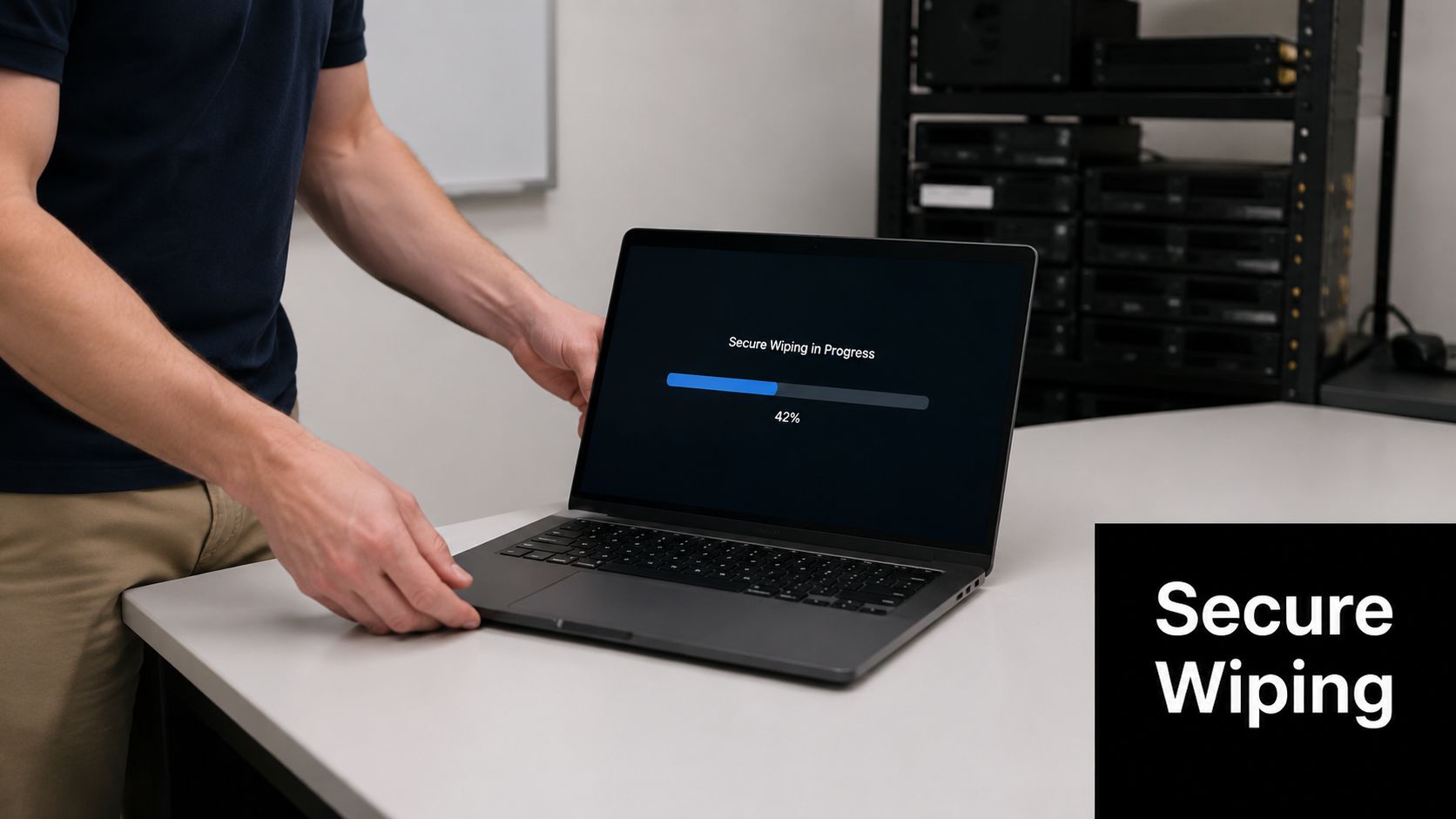
Software erasure is the method that preserves options. If you want to redeploy devices internally, donate them, resell them, or include them in a corporate donation program, wiping is usually the first method to evaluate. It removes data while keeping the hardware usable, which makes it important for donation-based recycling and social enterprise recycling models.
But “wipe” is where many teams get sloppy. Basic deletion and factory reset aren't sanitization. They only change what the operating system sees. Proper software erasure follows a defined process, targets the storage media directly, and produces records that auditors and security reviewers can use.
Why Verification Matters More Than Intent
A practical wiping program starts with device inventory and serial capture, then applies the right NIST-aligned technique by media type. For standard hard drives, overwriting remains a familiar option. For SSDs, the details matter much more because older habits from HDD workflows don't always translate.
The same NIST-focused overview notes that verified sanitization is a formal process, not a one-click delete. It also describes overwriting magnetic disks with at least a single write pass and performing at least two write passes for SSDs as part of a verified sanitization approach in that framework. Documentation and follow-up testing are part of what makes wiping defensible, not just operational.
A good use case is a school district or midsize company retiring employee laptops that still have value. Wipe the drives properly, verify completion, then move the devices into remarketing, computer recycling, or donation channels. That's better for both the budget and the waste stream.
- Use it for reuse: Internal redeployment, employee refresh cycles, and laptop disposal programs that keep equipment in circulation.
- Use it for donation: Sanitized devices can support digital inclusion rather than going straight to destruction.
- Use it with records: Keep serial numbers, wipe logs, and technician signoff tied together.
If you're evaluating a service provider, ask how their process maps to NIST categories and what proof they deliver after completion. Reworx Recycling includes certified hard drive destruction options for organizations that need either verified wiping, physical destruction, or both as part of IT asset disposition.
3. Degaussing (Magnetic Erasure)
A common failure point in office closures and data center cleanouts is treating every retired drive as if it were the same type of media. A degausser can be the right tool for the job, but only when the device stores data magnetically and your team has confirmed that before processing starts.
Degaussing uses a controlled magnetic field to scramble the recorded patterns on magnetic media. For backup tapes, certain legacy hard drives, and older archive environments, it remains a valid sanitization method. In the right workflow, it is fast, repeatable, and useful when reuse is off the table and the priority is clear destruction of magnetic data.
Its main limitation is media specificity. It is ineffective on SSDs, USB flash media, and other flash-based storage, and it cannot serve as a universal replacement for software erasure or physical destruction across a mixed asset stream.
Best Used for Legacy Magnetic Media
The best fit is a business that still has a meaningful volume of magnetic storage. That includes banks retiring tape libraries, hospitals clearing older backup systems, government departments closing records rooms, and enterprises disposing of archived HDD inventory from a server refresh.
Teams can run into trouble when they apply a magnetic-era method to flash-based equipment. That mistake shows up in mixed loads from laptop refreshes, branch closures, and warehouse cleanouts, where magnetic drives, SSDs, USB devices, and embedded flash often arrive together. If the intake process does not separate media types early, the sanitization plan breaks before the work even starts.
That is a management issue, not just a technician issue.
A sound ITAD program identifies the media first, then assigns the method. Degauss magnetic media that has been positively verified. Send reusable systems with supported storage to verified erasure. Route unsupported or high-risk devices to destruction. For organizations that need documented chain of custody and final reporting, that decision should tie back to device-level records and a formal hard drive certificate of destruction.
Policy also matters on the compliance side. If your written process references NIST categories or internal retention controls, degaussing cannot sit in the document as a catch-all disposal step. It needs clear scope, approved device types, operator controls, and evidence that the method matched the media received. The same discipline shows up in vendor governance and third-party data handling reviews such as Haulier.AI data handling standards.
Degaussing still has a place. It is a specialized choice for organizations with confirmed magnetic media, strict destruction requirements, and no reuse objective. For everyone else, especially businesses retiring mixed modern equipment, it should be one option inside a broader decision framework rather than the default.
4. Secure Data Destruction Certificates and Audit Documentation
The destruction method gets the attention. The certificate is what saves you during an audit, vendor review, or legal dispute. If your team can't prove what happened to each device, the sanitization process is weaker than it looks on paper.
That's why documentation belongs in the same conversation as physical shredding, wiping, and degaussing. A certificate of destruction or erasure should map specific devices to a date, method, and responsible provider. Batch-level statements are often too vague for serious compliance work.
What Strong Documentation Looks Like
A healthcare provider retiring endpoint devices, a retailer disposing of POS hardware, or a legal office closing a branch all need the same thing. They need records that connect serial-numbered assets to a documented sanitization outcome. Internal asset records should match the partner's reporting, and both should be easy to retrieve later.
The NIST-aligned media sanitization guidance referenced earlier also notes that the IRS requires every third piece of physical electronic media to be randomly sampled and tested after sanitization to verify the appropriate destruction of sensitive data. That detail underscores the broader point. Verification and recordkeeping aren't optional extras in regulated environments.
Keep the records in a system your security, compliance, and facilities teams can all access when needed. That's especially important if your organization handles office cleanouts, data center decommissioning, laboratory equipment disposal, or medical equipment disposal across multiple sites.
- Capture serials: Device-level tracking beats generic lot descriptions.
- Retain method details: The record should state whether the asset was cleared, purged, or destroyed.
- Store for the long term: Audit requests often arrive well after a refresh cycle ends.
For businesses that want formal proof tied to secure data destruction, Reworx Recycling provides a hard drive certificate of destruction that supports audit-ready ITAD records. It's also smart to align those records with your vendor privacy posture and written handling controls, similar to the approach reflected in Haulier.AI's data handling standards.
5. Cryptographic Erasure (Encrypted Data Destruction)
A common end-of-life problem looks like this. The security team wants proof that data is unrecoverable, the infrastructure team wants assets turned around quickly, and finance wants to preserve resale value where possible. Cryptographic erasure can satisfy all three, but only if encryption and key management were in place long before the device entered the disposition queue.
The method is straightforward. If the data is strongly encrypted and the encryption keys are securely destroyed, the remaining data is no longer readable in practice without overwriting the media itself. For IT managers, that makes cryptographic erasure less of a technical shortcut and more of a policy decision about how the organization deploys encryption, stores keys, and documents retirement workflows.
It fits best in environments that already run encrypted laptop fleets, virtualized infrastructure, storage arrays, or self-encrypting drives. In those settings, key destruction can reduce processing time and preserve hardware for reuse, redeployment, or remarketing. That cost and sustainability upside matters, especially for companies trying to avoid unnecessary physical destruction of still-usable equipment.
SSD behavior is one reason this method deserves serious consideration. Traditional overwrite methods can be less predictable on flash media because wear leveling and controller behavior may prevent writes from touching every physical location in the same way they would on a spinning disk. If a policy still treats HDDs and SSDs as if they sanitize identically, it creates a significant policy gap rather than a minor technical footnote.
If your security policy says “wipe all drives” but never distinguishes between HDD and SSD behavior, the policy is behind the hardware.
There is a real trade-off, though. Cryptographic erasure is only defensible when the organization can prove encryption was active, keys were managed correctly, and key destruction was executed and recorded under controlled procedures. If those controls are weak, software erasure or physical destruction may be the safer choice from a compliance and litigation-risk perspective.
This is why business leaders should treat cryptographic erasure as a selective method, not a default one. It is often a strong fit for NIST-aligned programs focused on speed, asset recovery, and encrypted media, but it depends on operational discipline upstream. Reworx Recycling supports organizations assessing those controls as part of broader data breach prevention strategies and IT asset disposition planning, particularly when reusable devices need a documented retirement method that aligns security, compliance, and value recovery.
6. Forensic Data Verification and Post-Destruction Testing
A regulator asks for proof that retired drives were sanitized, not just processed under policy. At that point, the question is simple. Can a qualified examiner recover data from the sampled devices or not? Forensic verification answers that question with evidence, not assumptions.
This method belongs in higher-risk disposal programs, especially for devices that stored regulated personal data, legal records, product design files, financial information, or executive communications. The goal is not to test every asset in every truckload. The goal is to confirm that the sanitization method, operator workflow, and exception handling produce defensible results.
Why Sampling and Testing Matter
A sanitization program can pass an internal checklist and still fail under forensic review. Failed overwrites, incorrect tool settings, chain-of-custody breaks, and mislabeled assets all create exposure that only shows up when someone tests the result. That matters in audits, breach investigations, client due diligence, and cyber insurance reviews.
According to a 2024 study on text dataset sanitization, current PII removal methods often leave enough residual context for attackers to infer original information. The study examined text datasets rather than retired hardware, but the operational lesson still applies. The term “sanitized” only becomes equivalent to “non-recoverable” when the organization verifies the outcome.
Forensic testing gives decision-makers a way to measure whether a destruction standard is working as designed. A healthcare network might validate a sample of wiped drives from a hospital refresh. A pharmaceutical manufacturer might test media pulled from lab systems before release to downstream recycling. A law firm might require post-process review for storage tied to litigation holds or privileged client matters.
Useful verification practices include:
- Test the highest-risk categories first: Executive devices, HR laptops, finance systems, and media tied to regulated or contractual data.
- Treat exceptions as process failures, not routine retries: If a wipe aborts or a device cannot be read consistently, move it to an alternate destruction path and document why.
- Attach test results to the asset record: Verification only helps during an audit if the findings, serial numbers, method used, and final disposition are traceable.
For business leaders, this is less about technical curiosity and more about control validation. Post-destruction testing adds cost and time, so it usually makes sense as a sampling discipline for sensitive asset classes rather than a blanket requirement across all retired hardware. A certified ITAD partner such as Reworx Recycling should be able to define that scope, execute the testing, and preserve the documentation needed to support compliance reviews.
7. Thermal Destruction and Incineration
Thermal destruction is the last-resort option. It uses extreme heat to obliterate the media and the hardware itself. If physical shredding is already final, thermal treatment is even more absolute, and that's exactly why it belongs only in narrow use cases.
Most businesses won't need it. For a standard laptop disposal project, office cleanout, or routine computer recycling stream, thermal destruction is excessive. It destroys reuse potential, complicates downstream material recovery, and introduces environmental compliance questions that many organizations would rather avoid.
Reserve It for Exceptional Risk
This method makes sense when the sensitivity level is so high that the organization wants no residual media left to analyze at all. Think classified systems, highly restricted defense projects, or niche cases where a policy explicitly requires destruction beyond standard means.
Even then, the environmental side can't be ignored. Global e-waste generation reached 62 million tonnes in 2022, with only 22.3% formally collected and recycled. When a business chooses a destruction method that eliminates reuse and material recovery, that decision should be justified by a real risk requirement, not habit.
That's the trade-off with thermal methods. Security assurance is high, but sustainability value is low. For most corporate environments, shredding or verified software erasure will meet the practical need with less collateral waste. Sustainability leaders should push for that conversation before a destruction path becomes default policy.
A good internal policy will state that thermal destruction is reserved for exceptional categories, approved by security leadership, and supported by environmental compliance review. If you don't draw that line clearly, teams may overuse the harshest option because it feels safest.
8. Data Destruction Services and Managed Disposal Programs
Most organizations don't fail at data sanitization because they picked the wrong buzzword. They fail because execution breaks down across inventory, pickup, chain of custody, media identification, verification, reporting, and final recycling. That's why managed programs are often the most practical choice.
A good ITAD partner handles the operational burden end to end. Devices are collected, logged, routed to the right sanitization method, documented, and then moved into reuse, donation-based recycling, or responsible downstream recycling. That's much easier to govern than a patchwork of internal spreadsheets, ad hoc movers, and one-off destruction events.
What a Managed Program Solves
This matters even more as the e-waste stream grows. The documented global collection and recycling rate for e-waste is projected to decline from 22.3% in 2022 to 20% by 2030, while total e-waste volume rises to an estimated 82 million tonnes. If businesses don't build disciplined disposition workflows now, more assets will end up in uncontrolled channels.
For a business leader, the right managed partner should reduce uncertainty in four areas:
- Security controls: Chain of custody, device tracking, method selection, and proof of sanitization.
- Operational simplicity: Pickup scheduling, office cleanout support, and handling for mixed equipment types.
- Reuse and donation options: Devices that can be sanitized and repurposed shouldn't be destroyed by default.
- Environmental responsibility: Sustainable recycling, community impact, and diversion from landfill matter to procurement and ESG teams.
Reworx Recycling naturally fits. As a donation-based recycling and social enterprise recycling organization, Reworx helps businesses manage electronics recycling, IT equipment disposal, product destruction, facility cleanout projects, and secure data destruction while also supporting technology donation, digital inclusion, and workforce development. Companies that want one partner for both compliance-minded sanitization and community-minded reuse can work through secure data destruction services as part of a broader ITAD program.
8-Method Data Sanitization Comparison
| Item | Implementation Complexity 🔄 | Resource Requirements ⚡ | Expected Outcomes 📊 | Ideal Use Cases 💡 | Key Advantages ⭐ |
|---|---|---|---|---|---|
| Hard Drive Shredding and Physical Destruction | High 🔄, industrial shredders, logistics, chain-of-custody | High ⚡, certified facility, trained staff, transport | Complete physical destruction; unrecoverable fragments | End-of-life devices, classified data, strict compliance | ⭐⭐⭐⭐⭐ Absolute irrecoverability; auditable certificates |
| NIST-Compliant Software Erasure (Secure Wiping) | Medium 🔄, validated tools, automated workflows, verification | Low–Medium ⚡, erasure software, technician time, power | Secure multi-pass overwrites; device reusable | Reuse/resale, donations, large-scale refresh programs | ⭐⭐⭐⭐ Cost-effective; preserves hardware value; audit logs |
| Degaussing (Magnetic Erasure) | Medium–High 🔄, specialized degaussers, facility shielding | High ⚡, powerful magnets, certified equipment, trained operators | Rapid erasure of magnetic media (HDDs, tapes); electronics disabled | Legacy HDDs, tapes, non-functional drives | ⭐⭐⭐⭐ Fast; works on non-functional drives; high confidence for HDDs |
| Secure Data Destruction Certificates and Audit Documentation | Low–Medium 🔄, tracking, record workflows, chain-of-custody | Low ⚡, secure records systems, archival storage | Legally defensible proof of destruction; audit trail | Regulated industries requiring compliance evidence | ⭐⭐⭐ Provides legal proof; supports audits and liability reduction |
| Cryptographic Erasure (Encrypted Data Destruction) | Medium–High 🔄, full-disk encryption, key management policies | Medium ⚡, KMS/HSMs, secure key lifecycle processes | Instant logical destruction by key deletion; scalable to petabytes | Cloud, data centers, encrypted enterprise storage | ⭐⭐⭐⭐ Near-instant at scale; low physical cost; SSD/cloud friendly |
| Forensic Data Verification and Post-Destruction Testing | High 🔄, forensic procedures, write-blocking, expert analysis | High ⚡, lab-grade tools, certified technicians, time-intensive | Independent verification that no recoverable data remains; detailed report | High-risk assets, litigation support, regulatory validation | ⭐⭐⭐⭐ Verifiable assurance; detects sanitization failures |
| Thermal Destruction and Incineration | Very High 🔄, industrial furnaces, environmental controls, permits | Very High ⚡, energy, emissions controls, hazardous waste handling | Total obliteration to ash/slag; absolute irrecoverability | Highest-security/classified destruction requirements | ⭐⭐⭐⭐⭐ Ultimate certainty; works on all media types |
| Data Destruction Services and Managed Disposal Programs | Low–Medium 🔄, vendor selection, logistics coordination, SLAs | Variable ⚡, depends on service scope, pickups, and volume | End-to-end sanitization with certificates, recycling, buyback options | SMBs, distributed organizations, organizations outsourcing ITAD | ⭐⭐⭐⭐ Turnkey scalability; compliance-focused; reduces internal burden |
Choosing Your Partner for Secure & Sustainable ITAD
The right data sanitization method depends on three things. What data lived on the device, what type of media you're dealing with, and what happens to the hardware next. Once you frame the decision that way, the options get clearer.
If the device is headed for reuse, NIST-aligned software erasure or cryptographic erasure may be the best fit, provided the media type and controls support it. If the drive is damaged, failed, or tied to higher-risk information, physical destruction is usually easier to defend. If you're dealing with legacy magnetic media, degaussing may still belong in the mix. If the environment is highly sensitive, forensic verification and stronger documentation should be part of the process, not an afterthought.
That's the strategic layer many businesses miss. Data sanitization methods aren't just technical tasks delegated to whoever is clearing storage closets. They are business decisions tied to compliance, client trust, cybersecurity posture, sustainability policy, and value recovery. The same office cleanout can include assets that should be wiped and donated, drives that must be shredded, and equipment that needs product destruction with a full audit trail.
For most organizations, building that capability entirely in-house is difficult. You need inventory discipline, chain-of-custody controls, media-specific procedures, and reporting that stands up to internal and external review. You also need a realistic plan for what happens after sanitization. Reuse, donation, resale, recycling, and disposal shouldn't be handled as unrelated workflows.
That's where a qualified ITAD partner adds value. Reworx Recycling is one relevant option for businesses that want secure data destruction combined with electronics recycling, donation-based recycling, and responsible downstream handling. The company's model also aligns with corporate donation programs and community impact goals, which matters if your leadership team wants retired equipment to support something beyond a landfill diversion metric.
A sustainable ITAD program doesn't mean taking unnecessary risk with data. It means choosing the least destructive method that still matches the security requirement, then documenting it properly. In practice, that often means preserving reusable equipment through certified wiping, destroying only what should be destroyed, and keeping records that answer hard questions later. Businesses that do this well usually end up with stronger compliance posture, cleaner refresh cycles, and less friction between IT, facilities, legal, and sustainability teams.
If you're reviewing vendors, ask direct questions. How do they differentiate SSDs from HDDs? What certificates do they produce? How do they manage pickups and chain of custody? What happens to sanitized devices that still have life left in them? Those questions matter more than marketing language.
Security teams also benefit from outside validation in adjacent areas, including offensive testing and control review. For organizations looking at the broader risk picture, a white-label pentest partner can complement stronger endpoint retirement and disposal practices.
If your business is planning an office cleanout, technology refresh, data center decommissioning, or ongoing IT equipment disposal program, consider partnering with Reworx Recycling. You can donate old equipment, schedule a pickup, or build a secure and sustainable recycling workflow that protects data, supports community technology access, and keeps retired assets moving through a more responsible end-of-life process.