You've got a storage closet, a pallet, or a locked cabinet full of retired drives from your last refresh, and nobody can tell you which ones held patient records, card data, or employee files. That's the normal starting point for hard drive shredding in Fort Smith, AR. Don't treat it as a cleanup task. Treat it as the last security control on assets that have already left production, and demand paperwork that proves it worked.
Why Fort Smith Organizations Need Hard Drive Shredding
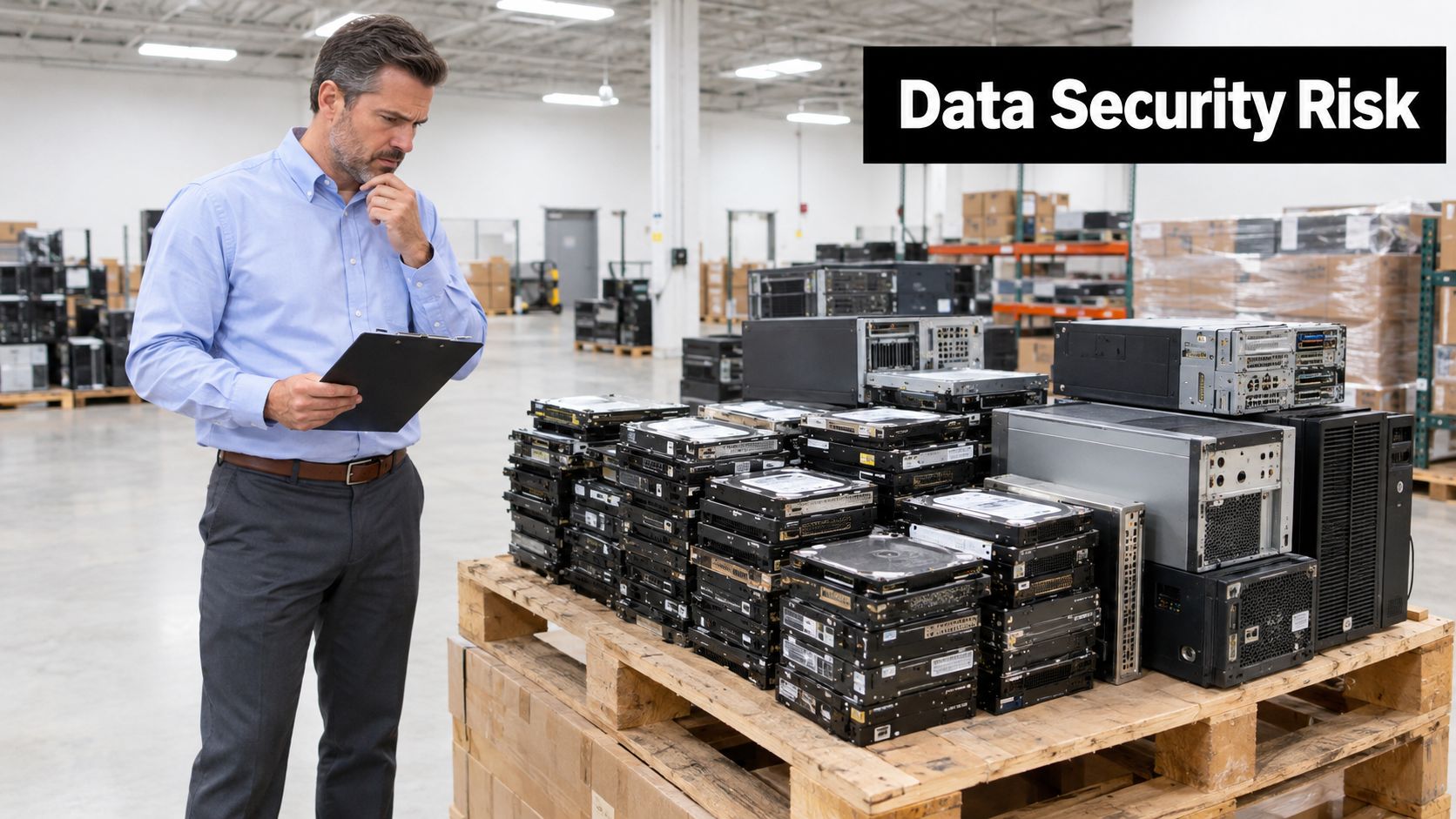
A Fort Smith retailer replaces point-of-sale terminals. A clinic decommissions imaging workstations. A logistics firm retires dispatch laptops and a small server. In each case, the hardware is obsolete, but the drives still hold recoverable customer, patient, student, and employee information. Powering a device off doesn't erase that risk.
Fort Smith's business mix makes this routine, not rare. The U.S. Census Bureau recorded 89,142 residents in Fort Smith on April 1, 2020, and 2022 reference data shows approximately $2.554 billion in retail sales, $1.749 billion in health-care and social-assistance receipts, and $638.931 million in transportation and warehousing receipts, alongside 2,246 employer firms. Those sectors refresh computers, servers, storage, and point-of-sale systems on a predictable cycle.
Put Destruction on the Refresh Calendar
Don't wait until an office cleanout forces a rushed decision. Build secure data destruction into every laptop disposal, facility cleanout, merger, closure, and data center decommissioning project from the start. When you plan patching, backups, and replacement budgets, plan IT asset disposition (ITAD) at the same time.
Most small and mid-sized organizations don't own destruction equipment, and they shouldn't need to. What they do need is a scalable process that works for a handful of drives and for a pallet. That process starts with inventory, controlled custody, and a vendor who can document what happened to each serial number. Start with your local options for electronics recycling programs serving Arkansas businesses and separate two decisions early: which equipment can be sanitized and reused, and which media must leave service permanently.
Practical rule: If you can't name the drives, where they're staged, and who has custody today, you're not ready to call a shredder yet.
My recommendation is direct. Stop storing retired drives indefinitely because you're unsure what to do. Indefinite storage isn't a control. It's an expanding pile of unmonitored records in a room that probably isn't audited like a server room.
What Hard Drive Shredding Actually Does
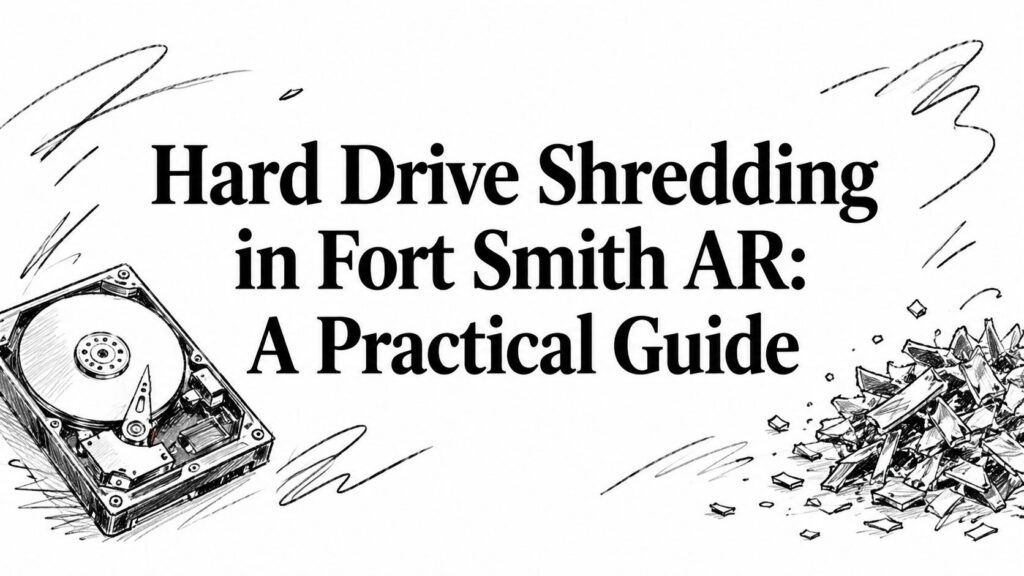
Think of a traditional hard drive as a stack of circular platters. Data sits on those platters as magnetic patterns. Delete a file or reformat the drive and you're mostly changing pointers, not necessarily removing every pattern. Shredding attacks the physical medium itself. An industrial shredder cuts housings, platters, and data-bearing components into fragments so the original recording surface can't be reassembled and read in sequence.
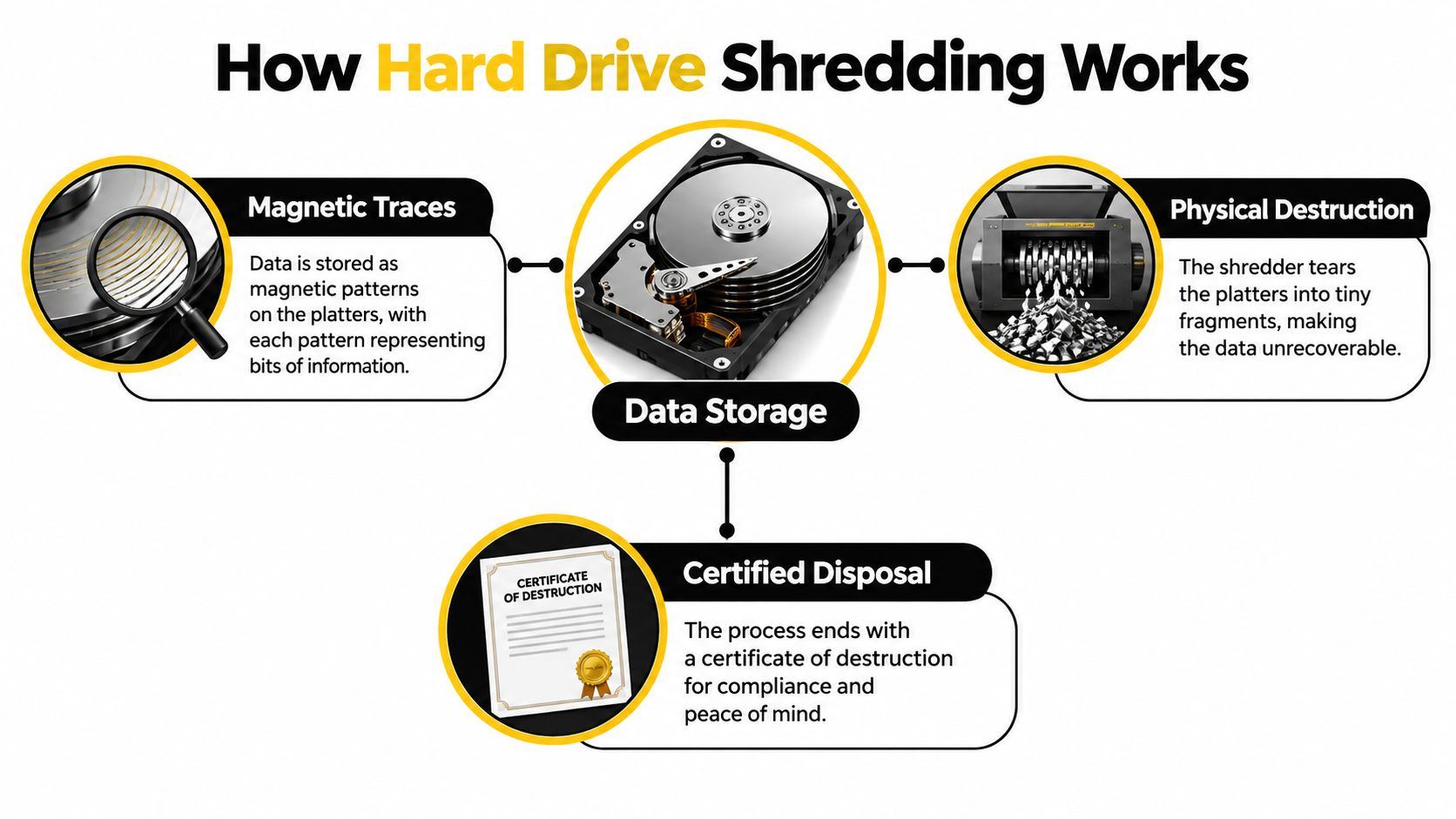
That distinction matters. A torn page can be taped back together. Confetti can't be read as a document. Particle size is the confetti question, and you should ask your vendor to specify it instead of accepting a claim that a drive was "destroyed."
Clear, Purge, Destroy
NIST frames media sanitization around clear, purge, and destroy. Clear and purge methods are intended to remove data while potentially leaving media usable, depending on the technique. Destroy leaves the medium unusable for future storage and aims to make recovery infeasible. Shredding sits in that destroy category when it's specified and validated correctly.
The technical anchor is specific. NIST media-sanitization guidance lists shredding among possible physical-destruction methods alongside disintegration, incineration, pulverizing, and melting, and ties an earlier specification to nominal edge dimensions of 5 millimeters and a surface area of 25 square millimeters for certain shredded or disintegrated residues. Don't misread that benchmark as a universal pass for every device and every shredder. It's a reminder that outcome matters, not just machine noise.
Shredding Isn't Recycling
Electronics recycling and product destruction overlap after the data-bearing component is handled, but they're not the same job. Recycling recovers materials and manages downstream handling. Destruction proves a particular drive, identified by serial number, can no longer serve as a recovery target. Your certificate should describe both the method and the outcome. If it only confirms pickup for computer recycling, it doesn't prove sanitization.
You're not buying fragments. You're buying a defensible chain from identified media to specified destruction to documented disposition. Anything less is disposal with better marketing.
Onsite Versus Offsite Shredding Compared
Onsite shredding brings a mobile shredder to your dock or parking area. Your staff can watch identified drives enter the machine, and you close the custody question on the spot. Offsite shredding moves sealed, documented drives to a destruction facility. It can be more practical for larger batches, limited dock space, or projects where you don't want destruction activity disrupting patients, students, or customers.
Neither option is automatically safer. Onsite work with sloppy intake is worse than offsite work with serialized custody, sealed containers, controlled transport, and a precise certificate. Judge the control system, not the truck.
| Criterion | Onsite Shredding | Offsite Shredding |
|---|---|---|
| Custody | Drives stay under your observation until destruction | Custody transfers must be documented at every handoff |
| Witnessing | Staff can witness destruction directly | You rely on intake records, seals, and facility controls |
| Operations | Needs space, scheduling, and staff time on site | Less disruption at your facility |
| Volume fit | Strong for sensitive batches and contract-driven witnessing | Often better for pallet-scale IT equipment disposal |
| Audit evidence | Certificate can be reconciled the same day | Certificate timing depends on facility processing |
Match the Option to the Risk
Choose onsite when contracts require witnessing, when data sensitivity is high, or when your organization can't tolerate a transport interval. Choose offsite when you have large volumes, a strong serialized manifest, and a vendor whose transport and facility controls you have reviewed. Review how witnessed onsite hard drive destruction is structured before you decide that a mobile visit is necessary.
Arkansas law raises the stakes for either path. Arkansas law requires businesses to take reasonable steps to destroy or arrange for the destruction of customer records containing personal information that are no longer retained, and breaches involving more than 1,000 individuals can require Attorney General notification when there is a reasonable likelihood of harm.
You're accountable for the records, even when a vendor holds the drives. Outsourcing the machine doesn't outsource the decision.
Ask one blunt question for both models: how will you prove, serial by serial, that the drives you received are the drives you destroyed? If the answer is vague, keep looking.
Preparing Drives for Shredding Without Losing Your Audit Trail
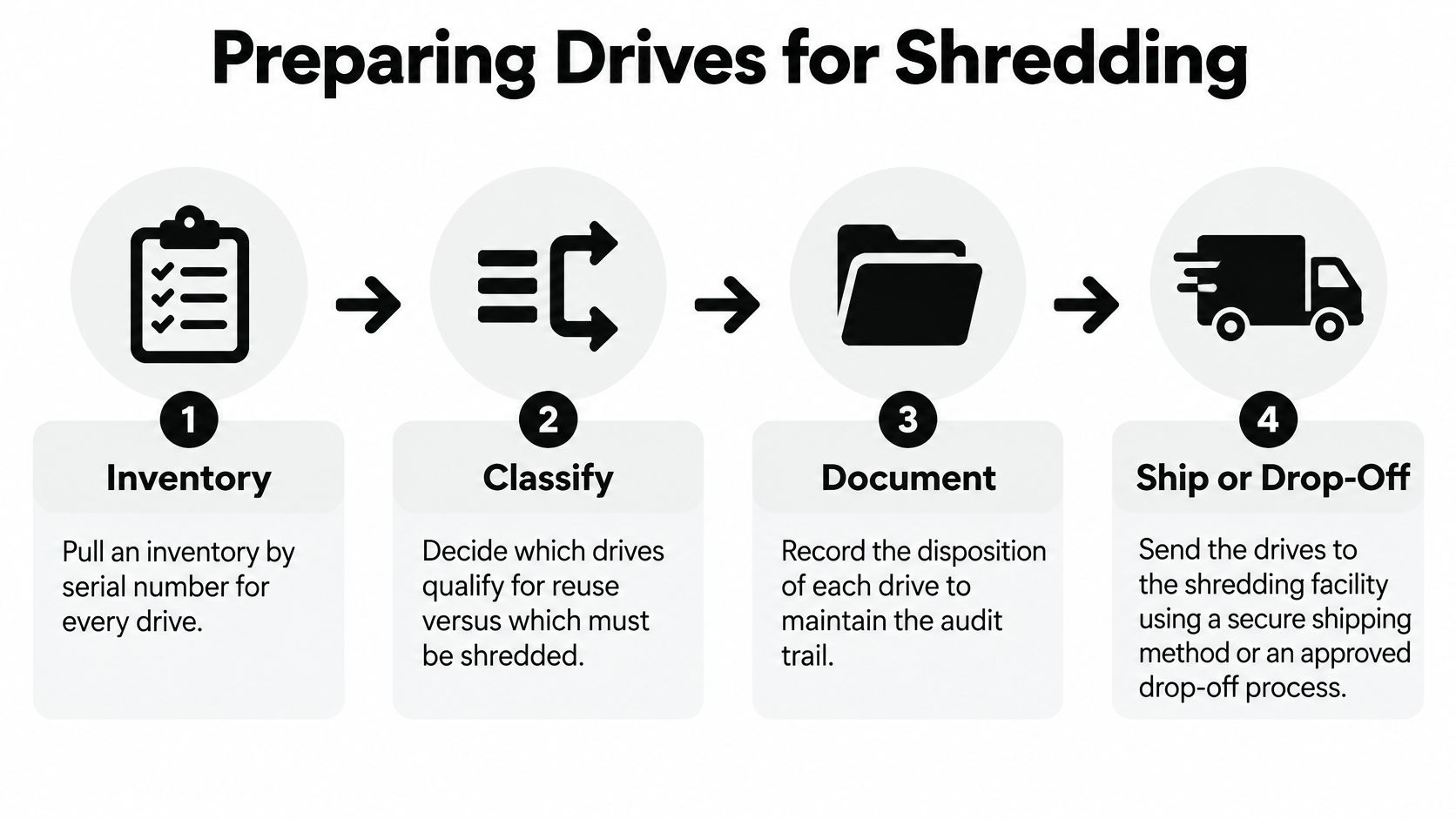
Start before you pull a single drive. Build the inventory while assets are still identifiable. Record asset ID, serial number, media type, source system, data sensitivity, encryption status, and condition. A spreadsheet created after drives are loose in a bin is reconstruction, not inventory.
A Workflow That Survives Questions
- Inventory first: Capture serial numbers and match each drive to its host asset record.
- Classify the media: Separate HDDs, SSDs, removable media, and backup devices. They aren't technically identical.
- Decide reuse or destroy: Approve sanitization for reuse only where sensitivity, condition, and validation support it.
- Stage under control: Label containers, limit access, and keep drives locked until witnessed destruction or documented pickup.
- Reconcile at handoff: Count and scan against the manifest. Resolve exceptions before the truck leaves.
Don't waste technician time wiping a failed drive that can't communicate reliably and is already approved for destruction. Software needs a working interface. Physical destruction doesn't depend on drive health. NIST SP 800-88 states that physical-destruction residue must provide reasonable assurance that data cannot be reconstructed, and EPA federal-equipment guidance directs agencies to complete media sanitization, remove external media, document disposition, and physically destroy media that cannot be processed by software.
What the Certificate Must Confirm
Review a sample before you sign anything. A useful certificate of destruction for hard drives should connect each serial number to the device type, destruction method, particle outcome where applicable, date, location, and responsible technician or witness. A one-line statement covering an unnamed batch isn't an audit trail.
Keep the intake manifest, custody transfers, certificate, and downstream disposition records together. When finance retires the asset, IT should be able to close the same record with evidence, not memory.
Pricing, Pickup, and Drop-Off Options in Fort Smith
Price isn't just a per-drive number. You're paying for intake, serialization, custody, transport or mobile equipment, destruction, certification, and downstream material handling. A cheap quote that skips serialized records can cost far more during an audit, a customer security review, or an incident investigation. Compare vendors on the same scope, in writing.
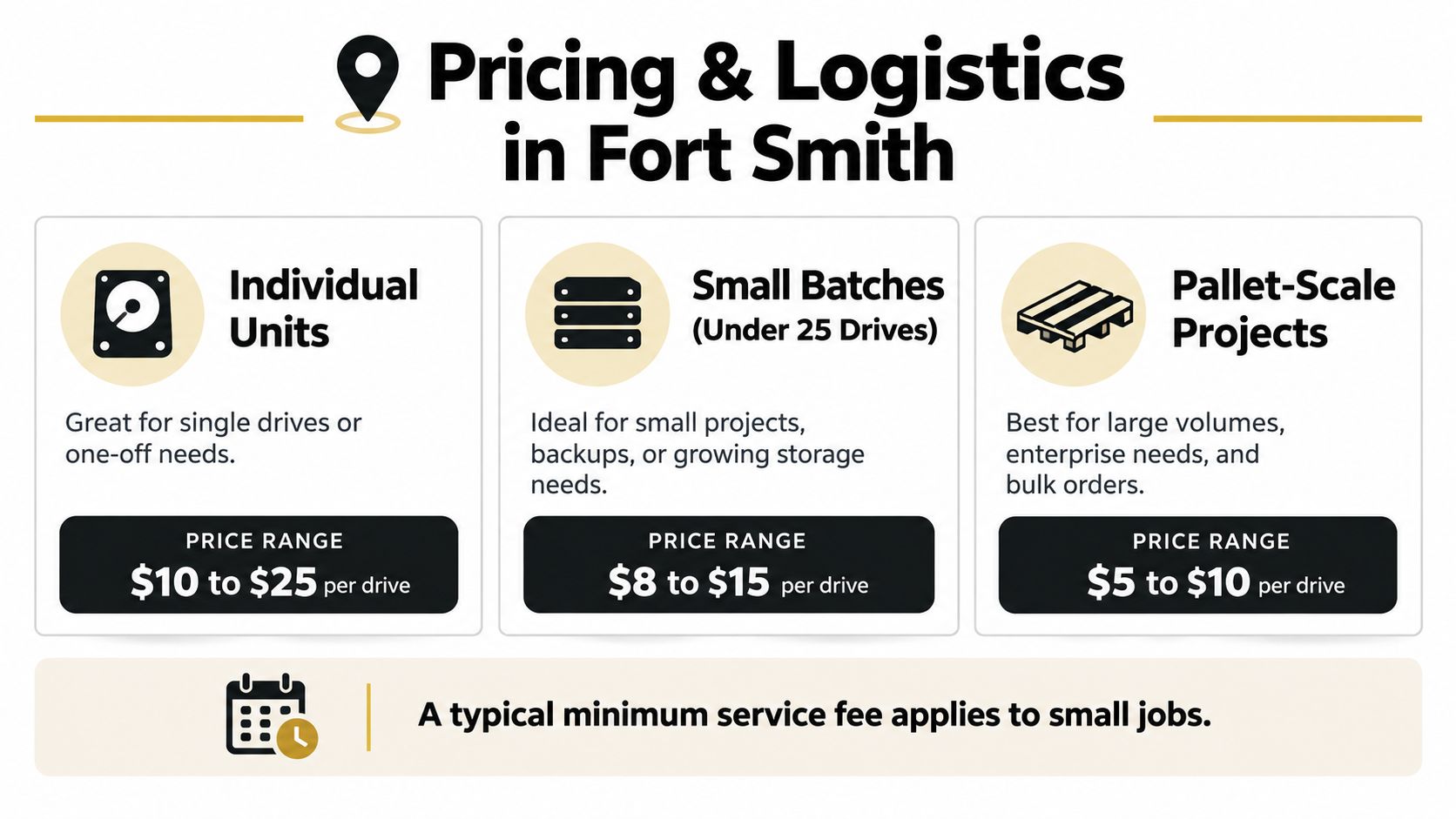
Volume changes the economics because setup and transport are spread across more units. A small batch may carry a minimum service charge. A pallet-scale office cleanout, laboratory equipment disposal project, or medical equipment disposal project should be quoted as a complete ITAD workflow, not as loose drives plus surprise fees. Ask whether pickup, containers, serialization, certificates, and recycling documentation are included.
Don't Assume Residential Drop-Off Works for Business
Fort Smith organizations get tripped up here. Fort Smith's Solid Waste Services Department does not accept electronic waste from businesses and directs commercial organizations to the Sebastian County Regional Solid Waste Management District, while state database listings identify the Fort Smith Landfill as accepting hard drives among other electronics for residential, reseller, business, institution, and manufacturer users. Verify eligibility, fees, accepted categories, transport rules, and documentation before your team loads a vehicle.
A municipal or county pathway may solve material drop-off without solving secure data destruction. Confirm who takes custody, whether drives are serialized, what destruction method is used, and what certificate you receive. If nobody can answer, use a dedicated B2B provider for business electronics recycling in Fort Smith.
Reworx Recycling is one option to evaluate for donation-based recycling, business pickup, secure destruction, and broader IT equipment disposal. Put it through the same questions you'd put to any vendor. A social enterprise recycling model can support technology donations, digital inclusion, and workforce development, but community value never substitutes for a serialized audit trail.
Budget test: If two quotes differ, find the missing control before you celebrate the saving. It's usually serialization, transport security, or certification detail.
How to Choose a Hard Drive Shredding Vendor
Give procurement a specification, not a slogan. Require the vendor to identify media types, approved methods, custody controls, certificate fields, downstream handlers, and exception handling. Ask for sample documents with customer details removed. A serious provider won't be offended. A weak one will change the subject to price.
Five Buying Criteria That Matter
- Certification scope: Ask what R2, NAID AAA, e-Stewards, or other credentials cover, which facility and processes are included, and whether the certificate is current.
- Serialized chain of custody: Require intake scanning, sealed transport where applicable, documented handoffs, and reconciliation before destruction.
- Certificate format: Confirm each record links serial number, media type, method, date, and final disposition.
- Downstream transparency: Identify where shredded material and non-data-bearing equipment go after processing.
- Insurance and accountability: Confirm coverage, incident notification duties, subcontractor use, and who owns an exception when counts don't match.
Use written vendor selection criteria for ITAD and destruction services so sales claims don't replace evidence.
Technical competence matters because "shred everything" isn't a complete media program. NIST's SP 800-88 Rev. 2 FAQ warns that pulverizing and shredding can be inadequate for medium- and high-security data because modern storage devices can have high data density and layered writing depths, and identifies stronger options such as approved degaussing for magnetic media and melting or smelting for other media including solid-state drives. Your vendor should ask what media you have before prescribing a method.
Disqualify vendors who won't describe their equipment and output, who offer only batch certificates, or who can't explain how SSDs differ from HDDs. Also disqualify anyone who treats donation, resale, and destruction as interchangeable. In a defensible corporate donation program, reusable equipment is sanitized and documented first. Media approved for destruction never drifts into reuse because it looks valuable.
Common Questions Fort Smith Businesses Ask About Drive Shredding
Does an Encrypted Drive Still Need Shredding
Not always. If encryption was properly implemented, keys are controlled, and cryptographic erase can be executed and validated, reuse may be defensible. If you can't prove key history or the drive held highly sensitive unencrypted data at some point, destroy it. Don't let a checkbox that says "encrypted" substitute for evidence.
Are SSDs Just Smaller Hard Drives
No. SSDs store data differently from magnetic HDDs, and wear leveling and overprovisioning can complicate software-based assumptions. Require a media-specific method and documentation. For some sensitivity levels, shredding alone may not be the strongest approved option.
That caution reflects current direction. NIST's September 2025 SP 800-88 Rev. 2 shifted away from prescribing one universal technique and instead emphasizes an enterprise media-sanitization program, validation, sensitivity-based decisions, and alignment with current standards such as IEEE 2883 and NSA specifications.
What Happens to the Shredded Metal
After destruction, fragments enter downstream materials processing through the vendor's recycling chain. Ask who receives them and what documentation closes that leg. Sustainable recycling matters, but it starts after data-bearing media have been handled under the approved sanitization decision.
Can Donation-Based Recycling Still Be Auditable
Yes, if the workflows stay separate. Equipment approved for donation gets validated sanitization and a disposition record. Drives approved for destruction get serialized destruction and a certificate. Mixing those streams without records is where programs fail. Donate working, sanitized systems where policy allows it. Shred failed, sensitive, or unverifiable media. Don't blur the line to make a project sound greener.
Fort Smith businesses, clinics, schools, and agencies can work with Reworx Recycling to plan serialized hard drive shredding, schedule a business pickup, or build a donation-based ITAD program for equipment that still has community value. Bring your drive inventory, ask for a sample certificate before you commit, and schedule the pickup that closes your audit trail instead of leaving retired media in storage.