Your refresh project just finished on paper. In reality, retired laptops are stacked in a hallway, monitors are blocking a storage room, and facilities wants everything gone by Friday. Someone suggests calling whoever can arrive first with a truck.
That's where most IT equipment recycling problems begin. The equipment leaves, but you can't prove which drives were sanitized, which serial numbers were reused, or where hazardous components went. Build the evidence chain first, and the pickup becomes the easiest part.
Why IT Equipment Recycling Demands More Than a Pickup Truck
A corporate refresh rarely leaves one tidy pile of equipment. It may include laptops with customer records, servers with multiple drives, loose batteries, damaged displays, networking gear, docking stations, and peripherals with no data. Sending everything out as a single bulk load erases distinctions that determine how each item should be handled and what evidence you need to retain.
The scale explains why informal handling falls apart. Global e-waste reached 62 million tonnes in 2022; only 22.3% was documented as formally collected and recycled, and generation is projected to reach about 82 million tonnes by 2030, according to the United Nations-backed Global E-waste Monitor 2024 summary. For a corporate program, the relevant question is what happened to each asset, not how much material left the site.
Where Risk Actually Enters
Risk often begins before equipment reaches a recycler. An unlogged laptop gets boxed, a data-bearing server is mixed with commodity scrap, or a driver signs for pallets rather than identified assets. When serial numbers are lost in bulk handling, certificates issued later cannot establish what happened to each device.
- Data exposure: Drives leave your control before sanitization decisions are recorded.
- Lost value: Functional equipment is scrapped without a reuse assessment.
- Weak compliance evidence: Tonnage reports do not show how downstream vendors handled equipment.
- Reputational exposure: Devices may enter undocumented resale or disposal channels.
Practical rule: If you cannot map an asset from intake to final disposition, you have a shipping record, not a recycling record.
A defensible evidence chain connects each stage: inventory, sensitivity classification, sanitization, vendor selection, controlled logistics, and reconciled disposition. The same control logic applies to computer recycling after an office cleanout, data center decommissioning, laboratory equipment disposal, and routine laptop disposal. The records should make it possible to trace an item from the first handoff to its final route, whether it is reused, donated, or recycled.
You can start without enterprise software. Assign consistent asset identities, record who accepts responsibility at every handoff, and keep documentation that remains usable when staff change. A donation-based recycling partner can be part of the program, provided the evidence chain is established before equipment reaches the loading dock.
Building the Asset Inventory and Sensitivity Classification
Start at the device, not the pallet. Create one row for every data-bearing asset and every higher-value item, then assign a batch record only to low-risk peripherals such as keyboards, cables, and stands. This is the foundation for IT equipment disposal that can survive an internal audit.
Capture serial number, asset tag, make, model, storage type, storage presence, condition, location, and assigned disposition pathway. Photograph damaged equipment when condition affects resale, donation eligibility, or safe handling. Note missing drives explicitly instead of leaving the field blank.
Build Your Source of Truth
Export what already exists from your ITSM, MDM, procurement system, or spreadsheet, then verify it physically. Systems miss loaners, retired spares, equipment stored under desks, and servers removed during earlier projects. A structured asset inventory management process helps reconcile those records before boxing begins.
Don't let facilities pack first and ask IT to reconstruct the list later. Label each verified device, scan or record its identifier, and place it in the correct staging group immediately. That one habit prevents most reconciliation failures.
Classify Data Sensitivity Before Disposition
Next, assign each storage-bearing device to a sensitivity tier based on the information it may contain, not just the department name printed on an old label.
| Tier | Typical examples | Handling implication |
|---|---|---|
| Public | Kiosk systems, devices with no business records | Standard verification and disposition controls |
| Confidential | Employee laptops, finance or customer systems | Approved sanitization with device-level evidence |
| Regulated | PHI, sensitive PII, legal or laboratory records | Preselected method, tighter custody, formal validation |
This approach aligns with guidance that policies should connect information-classification levels to acceptable methods such as clear, purge, or destroy, define evidence requirements, assign responsibilities, and require training, as described in the NIST SP 800-88 Rev. 2 FAQ.
Also record an early condition route: redeploy, refurbish, resell or donate, harvest parts, recycle, or destroy. It's provisional, and testing can change it, but an initial route stops functional devices from being damaged during handling. Keep displays, batteries, and hazardous components identifiable as separate streams.
A blank field is not a neutral answer. It tells the next handler that nobody checked.
Close intake only when every device has an identifier or an exception note, a sensitivity tier, a storage status, and a named owner for unresolved items. That completed list becomes the manifest you'll reconcile at the end.
Choosing the Right Sanitization Method for Every Device
Forget choosing one company-wide answer such as wipe everything or shred everything. Secure data destruction depends on storage technology, encryption status, data sensitivity, verification capability, and intended disposition. An encrypted executive laptop, a RAID server, and a workstation used for patient records shouldn't automatically receive the same treatment.
Use the NIST model of clear, purge, or destroy as the decision frame. Then match the method to the actual media in front of you.
Match the Method to the Media
- Traditional hard drives: Software-based clearing or purging may be appropriate when the process completes successfully and verification supports reuse.
- SSDs and flash media: Don't assume overwriting or degaussing works. Controller behavior and overprovisioned areas can make logical erasure unreliable, a limitation explained in NIST SP 800-88 Rev. 2 media sanitization guidance.
- Encrypted drives: Cryptographic erase works only under stringent conditions. Encryption must have protected the data before sensitive information was stored, the module and algorithm must meet applicable requirements, and all relevant keys must be permanently zeroized.
- Failed or unverifiable media: Choose physical destruction when you can't confidently sanitize or verify the result.
Review the practical distinctions between approaches through documented data sanitization methods before approving reuse or donation. A method that protects data while preserving a working laptop is useful. A method that's merely familiar isn't automatically defensible.
Separate Verification From Validation
Verification confirms the operation completed without technical failure. Validation is the organizational decision that the evidence is strong enough to accept the remaining confidentiality risk. Treating a software success message as both is a common and expensive shortcut.
For every device, retain the asset identifier, method, operator, timestamp, errors or anomalies, and verification result. Record failed drives as exceptions and route them to destroy, not into a maybe pile. A certificate of recycling doesn't prove sanitization occurred before recycling.
Audit test: Pick any serial number from the manifest. You should be able to produce its method, result, and next destination without asking the technician to remember.
Apply extra caution with copiers, NAS units, servers, medical workstations, and removable media hiding inside larger equipment. The asset is cleared only when every storage component has been addressed. If one component can't be verified, component-level destruction may preserve the reusable device while removing the specific risk.
That balance matters. Indiscriminate shredding destroys recoverable equipment, while informal wiping leaves exposure. The right answer is asset by asset, with evidence attached to each decision.
Vetting Vendors and Negotiating the ITAD Contract
Plenty of vendors can remove equipment. Fewer can prove what happened after removal. When you're selecting an IT asset disposition (ITAD) partner, you're buying downstream control and usable evidence, not just transportation.
Ask how the vendor itself processes equipment and which work goes to subcontractors. Brokers may collect assets and resell them through channels you never approved. A credible partner names its downstream processors, explains material outcomes, and can reconcile serial numbers to reuse, parts recovery, recycling, or destruction.
Compare Evidence, Not Sales Language
Certifications such as R2v3, e-Stewards, and ISO 14001 are useful screening signals, but don't stop at logos. Ask what scope is certified, which facility holds the certification, how downstream vendors are audited, and what reports you'll receive. Compare candidates using consistent vendor selection criteria so procurement and IT score the same risks.
| Evaluation point | Strong answer | Warning sign |
|---|---|---|
| Chain of custody | Serial-level intake, handoffs, and reconciliation | Pallet counts only |
| Data security | Defined sanitization methods and exception handling | Verbal assurance that drives are wiped |
| Downstream handling | Named processors and material outcomes | Unspecified resale or export channels |
| Reporting | Units and weight by pathway | Single landfill-diversion total |
| Commercial model | Reuse and destruction priced transparently | Incentives favor shredding functional assets |
Put the Controls in Writing
Your agreement should define chain-of-custody duties, approved sanitization methods, evidence formats, named downstream processors, restrictions on resale, incident notification, insurance, liability, and your right to audit. Specify whether certificates are issued per asset, per drive, or per batch. Those aren't interchangeable.
Also define what happens when counts don't match. Require exception reporting before project closure, not after you've paid and archived the paperwork. For product destruction, document acceptable proof and whether witnesses, photographs, or serialized records are needed.
If a vendor can't explain where a specific laptop goes next, don't use volume pricing to talk yourself into the risk.
Watch for vague statements about overseas demand, guaranteed recovery values without condition grading, or reports built entirely around weight. Weight matters for material processing. It doesn't prove data destruction, reuse, or responsible electronics recycling.
Before signing, run a small pilot load and inspect the resulting evidence pack. You'll learn more from one reconciled pilot than from a polished capabilities deck.
Planning Logistics, Staging, and Chain of Custody
Most failed projects don't collapse because the policy was wrong. They collapse because equipment sat in an unsecured room, boxes were relabeled at the dock, and nobody checked serial numbers before the truck door closed.
Create a secured staging area with restricted access and separate zones by disposition pathway. Keep data-bearing devices apart from peripherals and commodity scrap. Segregate batteries, displays, reusable equipment, and hazardous components so handlers aren't making sorting decisions while loading.
Control Every Handoff
Verify identifiers before boxing. Seal or label containers with references that connect back to the manifest, then document who released the equipment, who received it, when custody changed, and how it was transported. Good chain of custody documentation turns those handoffs into evidence instead of memory.
That discipline responds to a real global control gap. In 2022, Europe documented 42.8% formal collection and recycling while African countries recorded less than 1%, according to the ITU Global E-waste Monitor 2024 publication page. Your organization can't fix global systems, but it can keep its own assets out of undocumented channels.
Choose the Right Pickup Model
- Active office or school: Use scheduled, low-disruption collection with labeled staging and serial verification before removal.
- Data center decommissioning: Use palletized handling, rack-level inventories, controlled dock access, and reconciliation by serial number where feasible.
- Facility cleanout: Expect unrecorded assets. Build discovery time into the plan and update the manifest before anything leaves.
- On-site destruction: Use it when custody or sensitivity requirements justify witnessed processing, then reconcile destroyed media to source devices.
- Off-site processing: Require sealed transport, documented receipt, and final disposition reporting tied to intake records.
The messy cases need patience. A closed branch may contain abandoned desktops with no tags. A school storage room may mix Chromebooks, chargers, projectors, and broken displays. Slow down, create temporary identifiers, photograph groups, and assign an owner to unknowns. Don't hide uncertainty by writing miscellaneous electronics on the manifest.
Finish with reconciliation. Compare final serial numbers and weights against the original inventory, investigate exceptions, and document approved explanations. Percentage of assets reconciled to a disposition record is a stronger success measure than tonnage because it exposes missing equipment instead of burying it in totals.
Comparing Reuse, Buyback, Donation, and Recycling Pathways
Disposition works best as a sequence. First ask whether the device can be redeployed. Then consider repair, employee buyback, resale, donation, parts harvesting, and finally material recovery for equipment that can't function safely or economically.
The order matters because reuse preserves the work already invested in a complete product. In 2024, R2-certified facilities processed more than 657,000 metric tonnes of electronics, with 25% by weight reused, including more than 92 million whole electronics, according to Sustainable Electronics Recycling International's 2024 impact report. SERI estimated reuse avoided approximately 4.45 million metric tonnes of carbon, compared with about 15,362 metric tonnes avoided through recycling, according to the same SERI impact summary referenced in that sentence.
Avoid Two Opposite Mistakes
Shredding everything feels safe, but it can eliminate usable equipment and recoverable value. A 2025 survey found up to 47% of devices destroyed for data-security reasons were still functional, while 25% of laptops and desktops and 19% of data-center assets were refurbished without certified data erasure, according to Blancco's 2025 enterprise device security findings.
That's the trade-off to manage. Don't destroy value unnecessarily, and don't preserve value by skipping defensible erasure. Use certified processes, then route equipment according to condition and demand through structured asset recovery solutions.
Route by Condition and Control
- Redeploy: Current, supportable equipment that meets internal standards after sanitization and imaging.
- Buyback or resale: Functional assets with market demand, graded through approved channels.
- Corporate donation programs: Working equipment that can support schools, nonprofits, digital inclusion, or workforce programs after data controls are complete.
- Parts harvesting: Nonfunctional devices with usable screens, memory, power supplies, or other components.
- Sustainable recycling: Broken, obsolete, or hazardous equipment that requires documented material processing.
Schools can redirect surplus devices to community access programs instead of storing them until batteries fail. Hospitals can separate reusable nonclinical workstations from regulated systems requiring stricter controls. Municipalities can use scheduled collections to keep office electronics out of general waste.
Report units and weight by pathway, recovered resale value, estimated avoided emissions where your partner provides a transparent method, sanitization method, and final destination. Don't claim reuse merely because equipment was diverted from landfill. Diversion says where it didn't go. It doesn't prove who used it next.
Launching the Program, Tracking Results, and Partnering with Reworx Recycling
Bring IT, facilities, procurement, compliance, and sustainability into one kickoff before equipment moves. Assign one project owner, agree on the inventory format, and decide who can approve exceptions. Most confusion disappears when those roles are settled early.
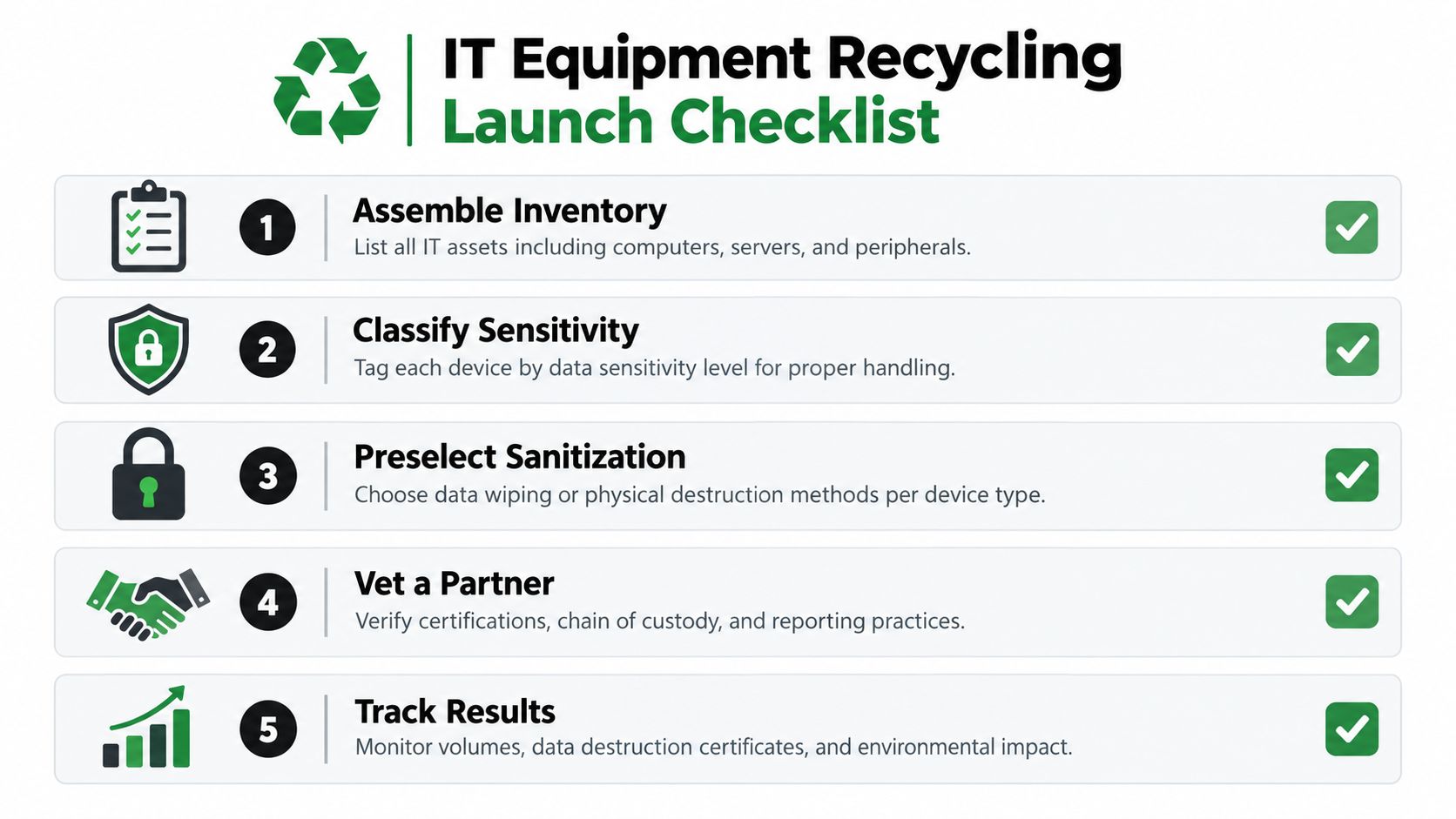
Use a Launch Checklist
- Assemble the inventory: Verify serial numbers, storage status, condition, and location.
- Classify sensitivity: Tag public, confidential, and regulated media before staging.
- Preselect sanitization: Assign clear, purge, or destroy by device and media type.
- Vet the partner: Confirm custody controls, downstream reporting, insurance, and audit rights.
- Execute and reconcile: Sign manifests at handoff, close exceptions, and archive evidence by asset.
For healthcare and medical equipment disposal, treat data-bearing devices as compliance assets until sanitization is complete. The HIPAA Security Rule requires policies for final disposition of electronic PHI and removal of electronic PHI before media reuse, and covered entities may not abandon PHI in publicly accessible containers, according to U.S. Department of Health and Human Services HIPAA disposal guidance. Apply the same custody discipline during clinic closures, renovations, and laboratory equipment disposal.
Measure What an Auditor Would Ask
Track assets reconciled, reuse share, recycling share, destruction share, recovered value, certificates collected, open exceptions, and downstream completion. Review results by site and device category so one strong office cleanout doesn't hide weak controls at another location. Retain the evidence pack with the project record, not in a technician's email.
Closing standard: The project isn't complete when the truck leaves. It's complete when every asset has a disposition record or an approved exception.
As one option for implementation support, Reworx Recycling provides donation-based electronics recycling, business pickups, IT equipment disposal, secure hard drive shredding, equipment buyback, and facility cleanout support for offices, schools, and public agencies. Its social enterprise recycling model connects usable technology with community benefit while nonfunctional equipment enters documented recycling pathways.
Start with your next refresh, relocation, or storage-room backlog. Build the inventory, protect the data, preserve usable value, and make every final outcome traceable.
Ready to retire business technology without losing control of data or reusable value? Partner with Reworx Recycling for donation-based electronics recycling, secure IT equipment disposal, scheduled business pickups, and documented data destruction. Visit Reworx Recycling to donate usable equipment, schedule a pickup, or plan your next corporate ITAD project.