
Your team is probably dealing with this right now. Old laptops are stacked in a storage room, retired servers are sitting in a cage, and someone has already asked whether a quick wipe is enough before the next office cleanout. In Dallas, that question matters more than most companies realize because hardware retirement isn't just an IT housekeeping task. It's a security event, a compliance event, and an environmental decision at the same time.
For operations leaders, compliance managers, and IT teams, Hard Drive Shredding Services in Dallas for Companies should be part of a wider end-of-life process. The strongest programs don't stop at destruction. They combine secure data handling, documented chain of custody, responsible recycling, and selective value recovery through IT asset disposition.
Why Software Wipes Aren't Enough for Dallas Businesses
A lot of companies still assume a wiped drive is a safe drive. It isn't.
In Dallas, 78% of all wiped hard drives still retain accessible data, which is why physical destruction matters for business equipment retirement, especially in a city with heavy concentrations of finance, healthcare, logistics, and corporate services, according to Dallas data destruction guidance. If you're relying on basic formatting or a routine wipe before disposal, you're leaving risk behind on the platter.
What companies often get wrong
The problem usually starts with good intentions and weak execution. An internal team decommissions PCs, runs a software wipe, and assumes the risk is gone. Then the drives sit in a closet for months, get mixed into surplus equipment, or leave the building without tight documentation.
That gap creates three separate issues:
- Security exposure: Sensitive emails, financial records, HR data, contracts, and internal documents can remain on retired drives.
- Compliance exposure: If a regulator or customer asks how the data was destroyed, "we wiped it" isn't enough without process evidence.
- Operational exposure: When companies treat old equipment as scrap instead of controlled assets, accountability breaks down.
Practical rule: If a drive held regulated, confidential, or strategically important data, assume disposal requires physical destruction unless your policy clearly documents another verified method.
A software wipe still has a place inside an asset disposition workflow. It can help during triage, internal redeployment, or layered controls. But for drives that are leaving your custody permanently, hard drive shredding is the cleaner control because it doesn't depend on whether the wipe ran correctly, whether the drive had bad sectors, or whether someone skipped a verification step.
Why Dallas companies should treat this as an operations issue
Dallas businesses handle a lot of distributed equipment. Corporate campuses, branch offices, healthcare locations, legal teams, and warehouse operations all generate retired devices. That scale makes inconsistency dangerous. One site follows procedure. Another site improvises.
If you're reviewing retirement procedures, it helps to compare internal wiping practices against a more defensible destruction standard. This overview of wiping a hard drive is useful because it shows where wiping fits and where it falls short in a real disposal context.
The practical takeaway is simple. A wipe may remove data logically. Shredding removes the drive physically. When the question is "Can anyone recover this later?" physical destruction is the control that closes the loop.
Choosing Your Shredding Method On-Site vs Off-Site Destruction
The right shredding method depends on what you're protecting, how much material you have, and how tightly you need to control visibility during the destruction event. Most Dallas companies end up choosing between on-site shredding and off-site shredding. Neither is universally better. Each fits a different operating model.
How to decide
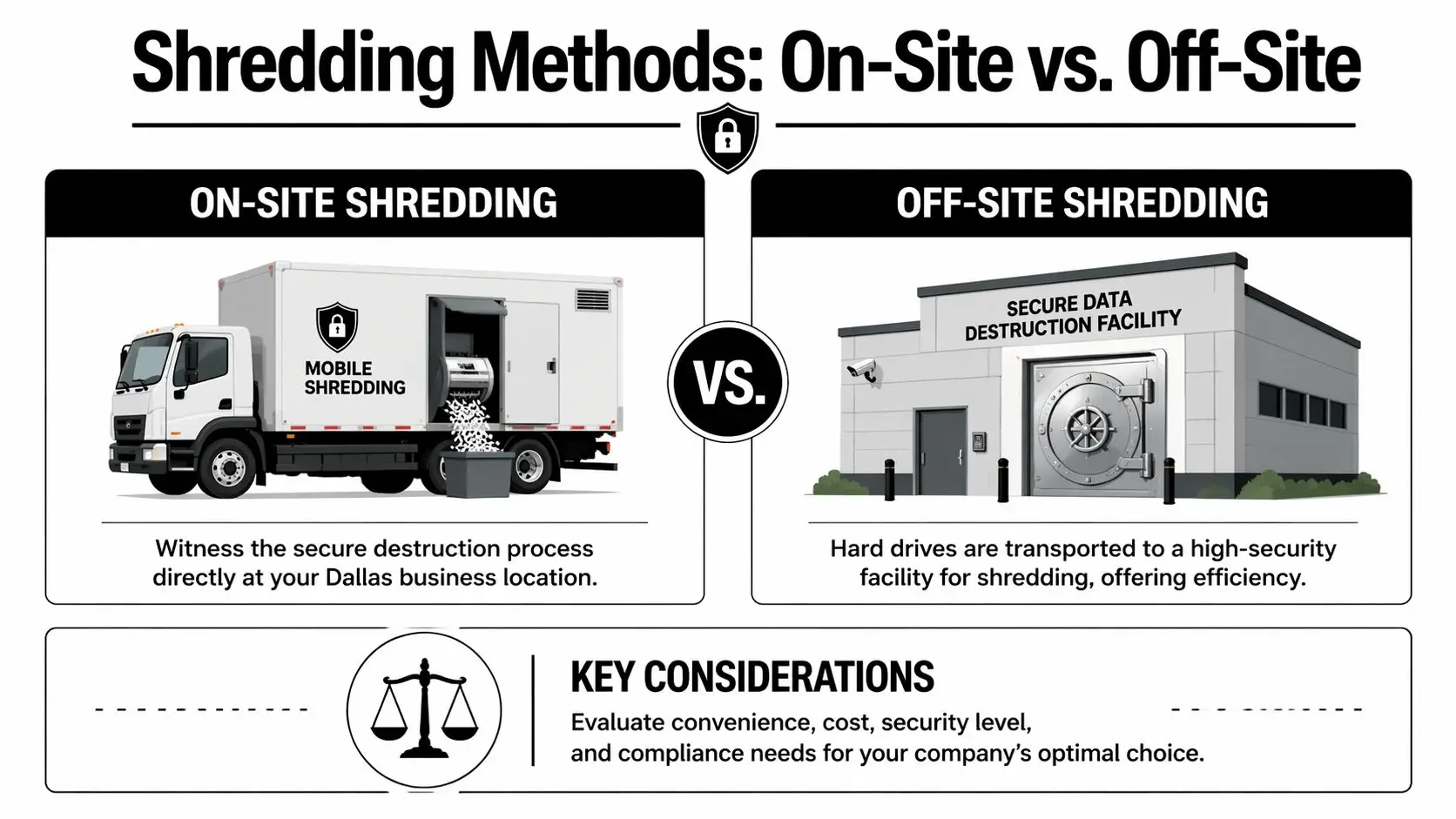
On-site destruction works well when your priority is direct oversight. A financial firm in Uptown, a legal office downtown, or a healthcare group with strict internal controls may want staff to witness the process at the loading dock or inside a secure service area. That reduces handoff anxiety and can simplify internal signoff.
Off-site destruction usually fits bulk programs better. If you're clearing a data room, closing a regional office, or retiring a large amount of equipment from a suburban campus, moving drives under documented custody to a secure facility can be more efficient.
Here is the clearest way to compare them:
| Feature | On-Site Shredding | Off-Site Shredding |
|---|---|---|
| Visibility | Staff can witness destruction at the company location | Destruction happens at a secure facility |
| Chain of custody comfort | Strong option for teams that want drives destroyed before leaving site | Strong option if transport, logging, and intake controls are well documented |
| Best fit | Higher-sensitivity environments, executive preference, audit-heavy programs | Bulk collections, scheduled cleanouts, multi-site consolidation |
| Operational impact | Requires access planning, staging, and space for the truck or crew | Requires secure packaging and transfer coordination |
| Efficiency | Good for direct control | Good for scale and centralized processing |
What works in practice
I've seen Dallas teams overcomplicate this decision. They focus on the truck versus the facility when they should be focusing on custody, documentation, and execution discipline.
What matters most is whether the provider can show:
- Documented intake: Serial number tracking or asset logging before destruction
- Controlled handling: Locked containers, sealed transport, and signed transfers
- Clear proof: A certificate tied to the assets collected
- Recycling downstream: Destroyed media shouldn't end up in landfill channels
On-site is usually the best answer when internal stakeholders need to see destruction happen. Off-site is often the better answer when volume, scheduling, and facility efficiency matter more.
If your team is weighing witnessed destruction against centralized processing, this page on on-site hard drive destruction is a practical reference for what to ask about before booking a service.
The mistake to avoid is choosing purely on price. The better question is: which method gives your company the strongest control over risk with the least disruption to operations?
Decoding Compliance and Your Certificate of Destruction
Most compliance failures in data destruction don't come from bad intentions. They come from thin documentation.
Dallas companies have had to tighten end-of-life controls for years because hard drive destruction became essential after regulatory milestones like NIST SP 800-88 (2006) mandated secure erasure beyond basic formatting, as noted in this data destruction overview. That changed the standard from "we deleted it" to "we can prove how it was destroyed."

What compliance means in plain English
Standards such as HIPAA, FACTA, GLBA, and NIST 800-88 all point toward the same operational expectation. If your organization stores sensitive information, you need a defensible process for disposing of the media that held it.
That means your destruction program should answer four basic questions:
- What assets were destroyed
- Who handled them
- When and where destruction occurred
- What method was used
If your vendor can't support those answers in writing, your audit file is weak.
What to look for on the certificate
A good Certificate of Destruction isn't decorative paperwork. It's evidence. During an audit, investigation, or internal review, it's the document that shows your company followed procedure.
Look for these details:
- Asset identification: serial numbers or another inventory method tied to the destroyed media
- Destruction method: wording that makes clear the drives were physically destroyed
- Date and location: when the service occurred and where custody changed or destruction took place
- Provider identification: the entity that performed the destruction
- Authorized confirmation: a signature or equivalent formal validation
Audit mindset: If a regulator read this certificate six months from now, would they understand exactly what happened to the drives?
Your certificate also needs to line up with your own internal policy. If retention schedules are vague, even a strong destruction event can create problems. For teams reviewing that policy layer, this guide to building a compliant data retention policy is a useful companion resource because it connects destruction timing to governance.
If you need to benchmark what proper proof should include, this reference on a certificate of destruction for hard drives is a practical place to start.
The key point is simple. Compliance isn't the shred alone. Compliance is the shred plus the documentation that proves it happened correctly.
From Your Office to Recycled Material The Shredding Journey
A professional shredding event should feel controlled from the first touch to the final downstream recycling handoff. If it feels casual, the process is wrong.
What the process should look like
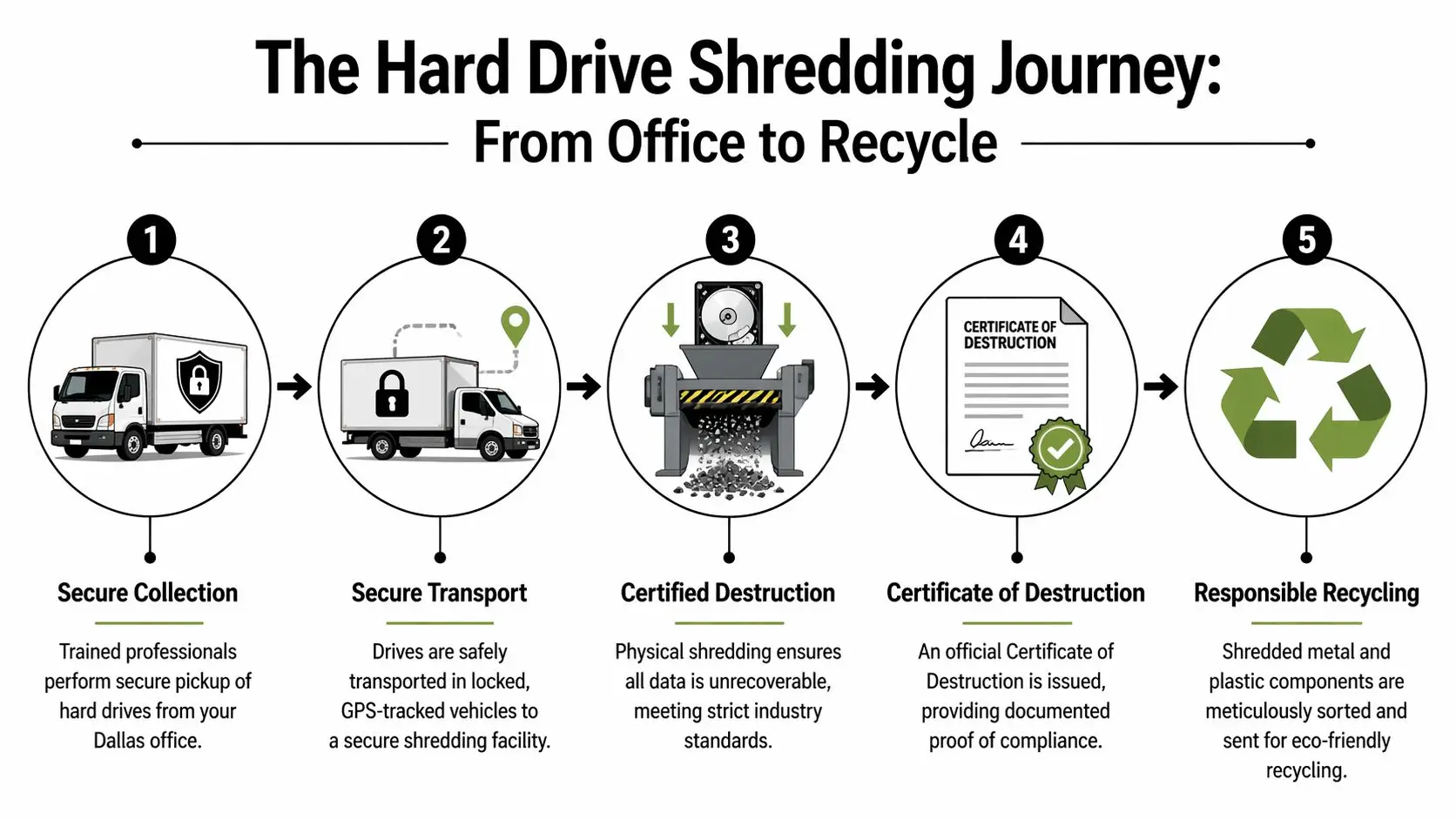
The first step is secure collection. Drives are counted or scanned, matched against an inventory list when available, and placed into controlled containers. If the job is on-site, the path from your office floor to the shred truck should be short, supervised, and documented. If it's off-site, custody logs matter more because transport becomes part of the control environment.
Then comes the destruction phase. According to hard drive security process guidance, industrial NSA/CSS 9-1 approved shredders reduce drives to particles of 2mm or smaller, rendering forensic recovery impossible and achieving 100% data irrecoverability success rates per provider certifications. That's why professional shredding is so different from drilling, smashing, or trying to bend a drive in-house.
What happens after the shred
After destruction, the fragments don't just disappear into a waste stream. In a proper program, the material moves into recycling channels where metal and other recoverable components are separated for responsible processing.
The sequence usually looks like this:
- Collection and verification: assets are received, logged, and held under control
- Destruction: industrial shredding reduces the media to unrecoverable fragments
- Documentation: the provider issues proof of destruction tied to the service event
- Material recovery: shredded output goes to approved recycling streams instead of disposal
The strongest vendors treat the drive as both a data risk and a material stream. They don't stop at destruction. They finish the recycling chain.
That final point matters in Dallas, where many companies are under pressure to improve both security controls and sustainability reporting. A hard drive is a data-bearing asset first, but it's still electronic waste after destruction. Your process should address both realities.
A Practical Checklist for Preparing Your Company's Hard Drives
Most shredding projects go smoothly when the client does a little prep work first. The problems usually come from preventable issues: mixed asset piles, missing internal approvals, or no one on-site who can confirm what should and shouldn't be destroyed.
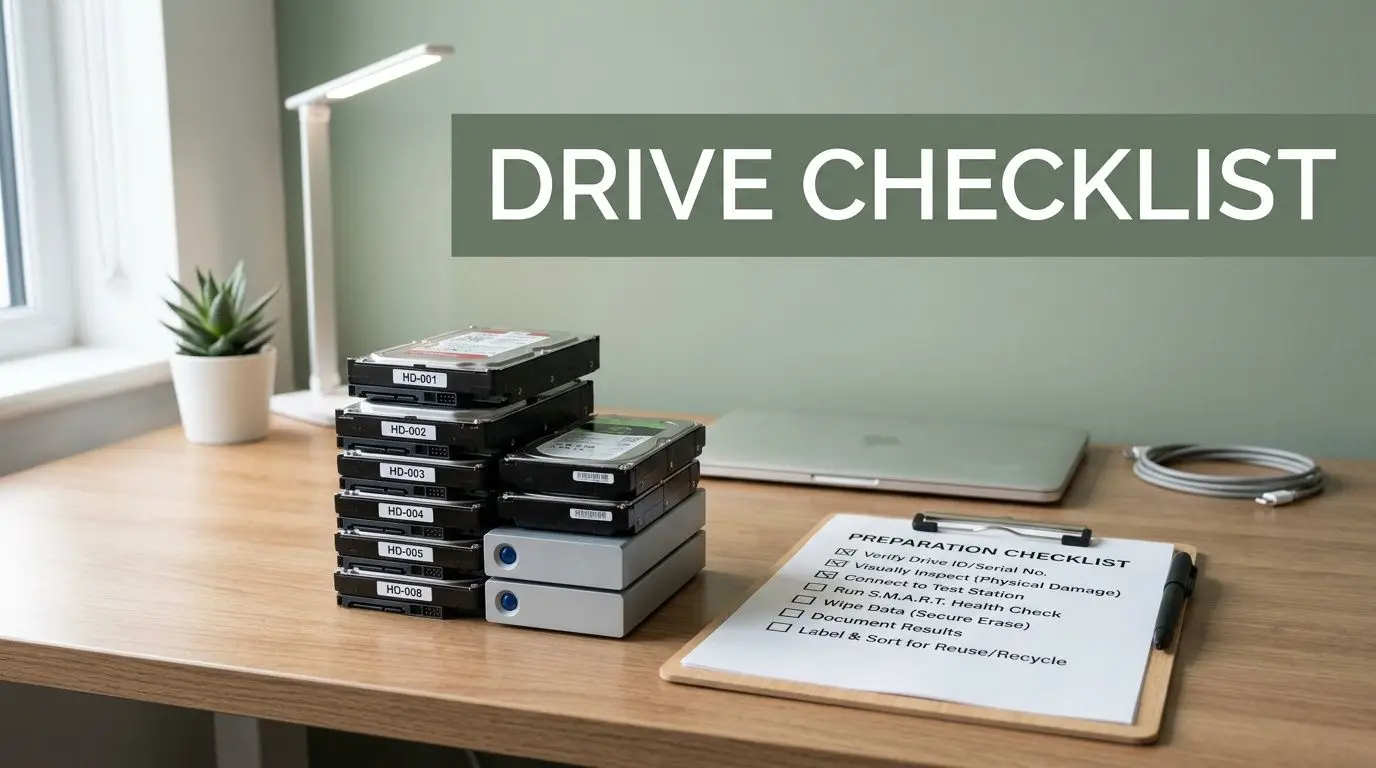
Before the pickup or service date
Start with a simple internal review. Identify which drives are approved for destruction, which devices still need legal hold review, and which assets may belong in a broader ITAD workflow instead of immediate shred.
Use this checklist:
- Build an internal inventory: Record asset tags, serial numbers, device type, and current location if you have them.
- Separate destruction from redeployment: Don't let reusable devices get mixed into the shred pile by accident.
- Confirm ownership: Make sure leased equipment, vendor-owned gear, or employee devices are identified before pickup.
- Choose a secure staging area: Use a locked room, cage, or supervised storage point until the handoff occurs.
- Assign one owner: One facilities, IT, or compliance contact should approve the final count and service scope.
On the day of destruction
The handoff itself should be structured. Your team should know who escorts the crew, who signs paperwork, and who verifies that the collected assets match the internal list.
A few practical habits help:
- Remove loose accessories and non-target scrap from the area.
- Keep drives and media grouped by site, department, or project if reporting matters internally.
- Hold back any asset with unresolved retention questions.
- Review the service documentation before the truck leaves or before transport starts.
If your company can't tell which drives are approved for shredding before the vendor arrives, the project isn't ready yet.
For teams that want a straightforward prep reference, this guide to hard drive shredding essential steps is useful because it matches the way real cleanouts happen. The more organized your staging and records are, the easier it is to get a clean certificate and a defensible audit trail.
Preparation also protects value. Once a drive is shredded, that decision is final. That's why mature programs review equipment first, then decide what should be destroyed, what should be recycled whole, and what may still have remarketing or donation potential.
Beyond Destruction Integrating Shredding with Sustainable ITAD
Many Dallas vendors stop too early. They destroy the drives, issue the paperwork, and call the job complete. For some assets, that is complete. For the broader environment of retiring business technology, it usually isn't.
A better model treats shredding as one control inside IT asset disposition, not the whole strategy. That means separating media that must be physically destroyed from equipment that still has reuse, resale, parts recovery, or donation value. The distinction matters because it affects security, cost recovery, sustainability reporting, and community impact.
Where shredding fits inside a larger program
Storage media often needs final destruction. Other components may not. Memory, processors, network gear, displays, peripherals, and complete systems can move through testing, parts harvesting, refurbishment, or responsible recycling depending on condition and policy.
According to Dallas shredding and ITAD market context, a full ITAD strategy can offset costs by 20-40% through resale of components like RAM and CPUs, and U.S. enterprises recovered an average of $1,200 per server in 2025 via certified ITAD. That's the trade-off many companies miss when they apply a shred-everything mindset to all retired hardware.
The practical model that works
For most businesses, the smartest sequence looks like this:
- Classify assets first: Decide what contains sensitive media, what can be remarketed, and what should be recycled.
- Destroy the data-bearing components: Hard drives and other storage media go through secure destruction when policy requires it.
- Recover value from the rest: Servers, components, and usable equipment enter approved ITAD channels.
- Document environmental handling: Keep downstream records for sustainability and vendor governance.
- Consider social impact: Donation-ready equipment can support digital inclusion when it meets quality and policy requirements.
This is the point where one provider may handle more than the shred alone. Reworx Recycling’s sustainable IT asset disposition services describe that broader approach, including secure data destruction, electronics recycling, pickups, and ITAD workflows that support responsible equipment retirement.
The community angle matters too. Donation-based recycling and social enterprise recycling give companies a way to align equipment disposition with broader corporate responsibility goals. Instead of sending every retired asset straight to low-value recycling, you can route eligible equipment toward reuse while still locking down the drives and sensitive media that pose risk.
For Dallas companies managing office relocations, data center decommissioning, laptop disposal, medical equipment disposal, laboratory equipment disposal, product destruction, facility cleanout work, or recurring electronics recycling, the strongest outcome usually comes from asking a bigger question: not just "How do we destroy these drives?" but "How do we retire this technology responsibly from end to end?"
If your business is planning a hardware refresh, office cleanout, or secure data destruction project, Reworx Recycling is one option to evaluate for donation-based recycling, IT equipment disposal, computer recycling, and hard drive shredding within a broader ITAD program. The practical next step is to review your retired assets by category, separate what needs physical destruction from what may still hold reuse value, and schedule a pickup or partnership conversation around a documented, sustainable disposition plan.


















