
Your Houston office finishes a technology refresh on Friday. By Monday, the spare room is full of retired laptops, failed servers, loose hard drives, backup media, and a few desktops no one wants to claim. The equipment looks inactive, but the risk isn't. Payroll files, customer records, emails, contracts, patient data, and internal plans may still be sitting on those drives.
That’s where many businesses get stuck. They know they shouldn’t toss storage devices into a generic recycling stream, but they aren’t sure what “certified” destruction requires, how Texas rules fit with national standards, or what proof they need to keep if an auditor asks questions later.
Houston businesses face this problem across industries. Healthcare groups, engineering firms, manufacturers, law offices, schools, energy companies, and growing mid-market teams all accumulate aging devices faster than most disposal policies keep up. Secure disposal isn’t just an IT housekeeping task. It’s part of a broader robust cybersecurity strategy, because weak end-of-life controls can undo strong controls everywhere else.
Certified Hard Drive Destruction Services in Houston help close that gap when the provider follows documented procedures, tracks assets correctly, and gives your company the evidence to prove what happened to every device. Businesses that need a local IT asset disposition workflow often start with secure IT asset disposition services in Houston for businesses because the disposal decision usually affects compliance, logistics, and sustainability at the same time.
Introduction Your First Step Towards Ironclad Data Security in Houston
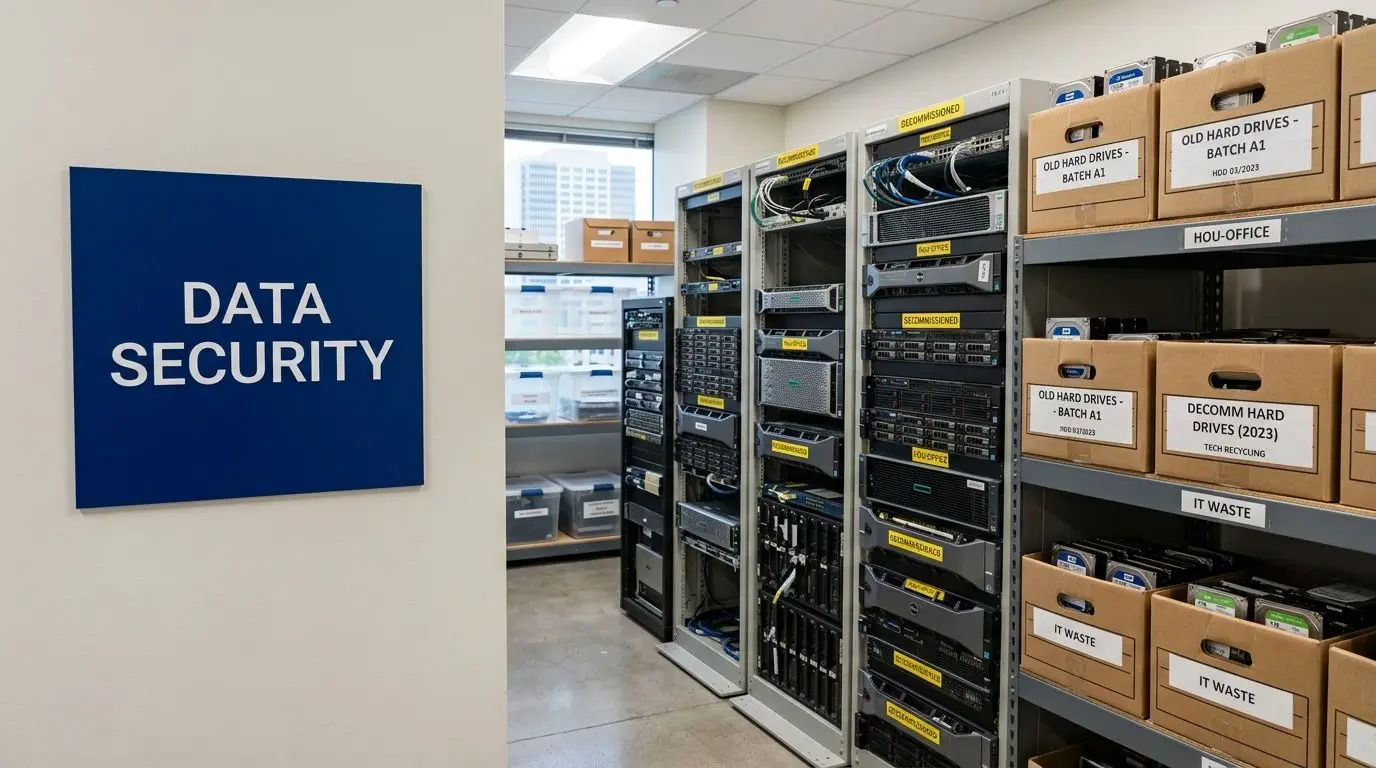
A common mistake is treating old hard drives like ordinary surplus equipment. They aren’t. A dead laptop can still hold live data. A boxed-up server can still expose your company if someone retrieves the drives before they’re sanitized or shredded.
Houston makes the issue more urgent because many local businesses handle regulated or operationally sensitive information. A medical practice may store patient files. A financial office may keep account records. An engineering company may have proprietary drawings and internal bids. Even a basic HR workstation can hold tax documents, Social Security numbers, and disciplinary records.
Why this problem lingers longer than people expect
Most businesses don’t fail because they intended to be careless. They fail because disposal gets fragmented. Facilities may remove furniture, IT may stack devices for “later,” and leadership assumes someone else verified data destruction. That handoff gap is where problems start.
Certified destruction closes that gap with a formal process. The provider inventories devices, controls custody, applies the right sanitization method, and issues documentation your company can keep for audit and legal purposes.
Old equipment isn’t harmless inventory. It’s regulated information waiting for a decision.
The practical goal is simple. You want your retired media to leave your control through a process that is traceable, appropriate for the data involved, and documented well enough that you can defend it later.
The High Stakes of Improper Hard Drive Disposal
A Houston office relocates over a weekend. Desks are cleared, old laptops are boxed, and a stack of retired drives goes out with surplus equipment. Three months later, a customer asks whether one missing device was ever destroyed. If no one can answer with records, the risk is already real.
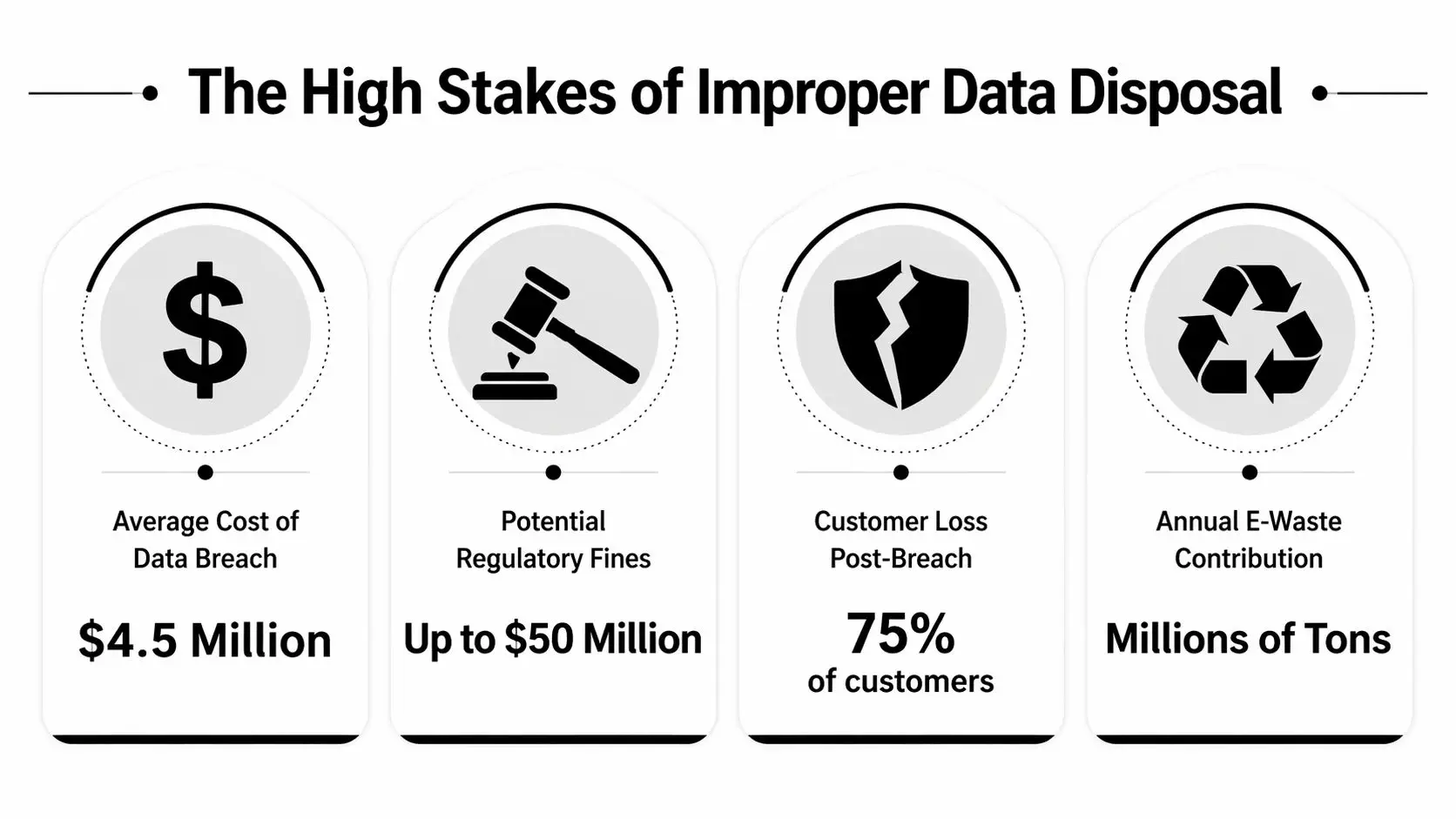
Improper hard drive disposal creates exposure on three fronts at once. Legal liability, business disruption, and loss of trust. A discarded drive is less like scrap metal and more like a filing cabinet that still has a lock on it. If the contents can be recovered, your company may still be responsible for every record inside.
A drive pulled from storage, a resale lot, or a mixed recycling stream can contain patient data, payroll records, contracts, internal email archives, or design files. The central question is not only whether someone viewed the data. It is whether your business can show that it used a defensible process to retire the device. That distinction matters in audits, insurance reviews, customer disputes, and breach response.
The Texas angle many generic guides miss
National standards give you the baseline. Texas law shapes how that baseline plays out in practice.
Many articles stop at HIPAA, PCI, or general references to NIST. Houston businesses need a narrower lens. They need to know how a recognized destruction standard fits into Texas-specific duties around protecting personal information and disposing of devices in a way they can defend later. That is the gap generic guides often leave open.
For a business owner, the practical takeaway is simple. NIST tells you what good sanitization looks like. Texas rules raise the stakes if your process fails to protect resident data. One is the playbook. The other is the local enforcement context. Treating disposal as only an IT cleanup task misses both.
That is why companies often look for certified hard drive destruction services in Houston instead of a basic hauling vendor. The goal is not just to remove equipment from the office. The goal is to reduce legal exposure with a process that matches national guidance and holds up under Texas scrutiny.
What business risk looks like in the real world
Improper disposal usually comes from broken process, not dramatic misconduct. The weak points are ordinary.
- Untracked storage: retired drives sit in a cabinet or warehouse with no inventory, no access log, and no deadline for destruction.
- Pickup without serial-level records: equipment leaves the building, but your team cannot match each device to a destruction event.
- Recycling before sanitization: the environmental side gets handled, but the data side does not.
- Generic paperwork: the vendor provides a receipt for a pallet, not proof tied to specific assets.
Each failure works like a missing link in a chain. One missing link is enough to break the chain. If a regulator, customer, or cyber insurer asks what happened to a particular drive, broad assurances will not answer the question.
Practical rule: If you cannot identify the device, the method used, and the date it was destroyed, your documentation is probably too weak.
Reputation damage starts before any formal penalty
Owners often assume disposal problems become serious only if a regulator gets involved. In practice, trust can erode first.
A client who hears that retired devices left your control with recoverable data will not draw a neat line between "active breach" and "poor disposal." They will see a company that lost control of sensitive information at the last stage of the asset lifecycle. Procurement teams notice that. Security questionnaires get harder. Contract renewals can stall while your staff tries to reconstruct what should have been documented from the start.
Businesses reviewing broader data security challenges often focus on cloud settings, phishing, or access control. Those risks are real. End-of-life media belongs in the same risk discussion because the underlying issue is identical. Sensitive data existed, and the organization failed to control it all the way to disposal.
For Houston companies, improper hard drive disposal is not an administrative loose end. It is a preventable security and compliance failure with local consequences.
What Certified Data Destruction Really Means
A Houston company can box up old drives, hand them to a recycler, and still end up with a compliance problem. The difference usually comes down to one question. Can the provider show, with recognized standards and traceable records, that your data was destroyed in a way that fits both the device and your legal obligations?
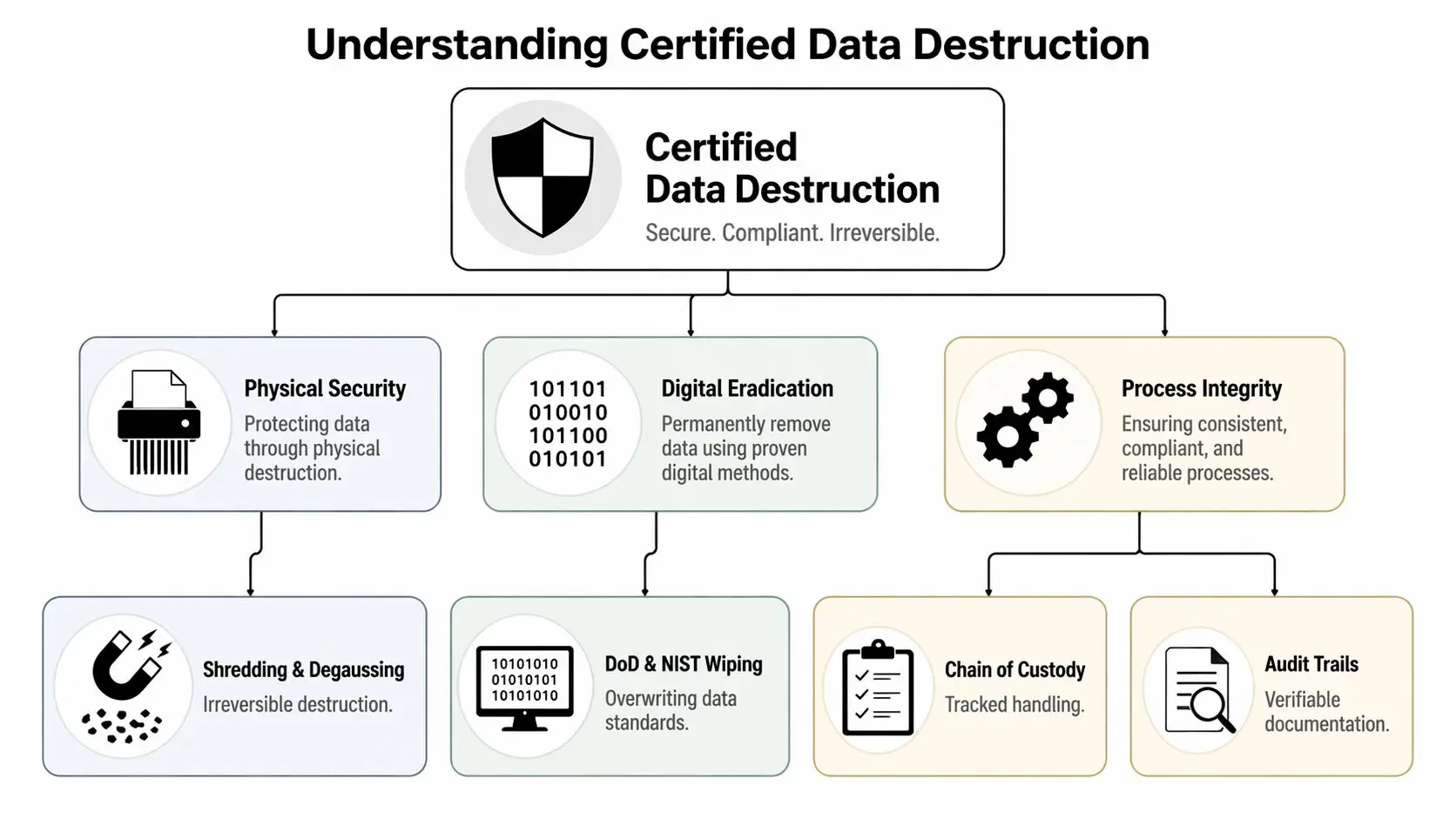
“Certified” should mean more than “we wiped it” or “we shredded it.” In practice, certified data destruction means using a recognized standard, choosing the right sanitization method for the media, controlling the chain of custody, and producing records that stand up to an audit. For Houston businesses, that standard-setting role usually starts with NIST SP 800-88 Rev. 1 from the National Institute of Standards and Technology, then extends to your actual regulatory exposure in Texas.
That gap matters. NIST gives you the national playbook for sanitizing media. Texas law can shape what happens if sensitive data is exposed because disposal was handled poorly. For example, Texas organizations often review destruction practices alongside breach response and data handling duties under Texas HB 8 and the related Texas data breach requirements summarized by the Texas Attorney General. A provider that only talks about shredding equipment, without connecting the process to documentation and legal risk, is leaving out half the job.
NIST gives you three methods, not one
NIST separates media sanitization into Clear, Purge, and Destroy. That framework helps business owners avoid a common mistake. They assume every retired drive should be treated the same way.
It should not.
The right method depends on what happens to the device next, what kind of data it held, and whether the media will stay under your control.
Clear is for controlled internal reuse
Clear uses logical techniques, such as overwriting, to remove data from addressable storage locations. It is best understood as cleaning a device for continued use inside your own environment, where you still control the hardware and the users.
A whiteboard comparison helps here. Clear works like thoroughly erasing the writing so your own staff can use the board again. The board remains in service. The previous content is removed for practical internal reuse.
For a business refreshing laptops and reassigning them to another employee, Clear may be appropriate. For drives leaving your custody, it often is not enough.
Purge is stronger and often better when control is ending
Purge applies more resistant sanitization methods, including techniques such as cryptographic erase or degaussing where appropriate. The goal is to make data recovery far less feasible, especially when equipment will leave the organization.
Generic articles often stop at “follow NIST,” overlooking the crucial decision. A Houston company has to connect that NIST method to its actual risk. If a device is headed to resale, recycling, donation, lease return, or a third-party processor, the question is no longer just “Was something done?” The question is whether the method matched the fact that your physical control ended.
For many organizations, Purge is the dividing line between internal asset handling and true disposition security.
Destroy is the final option when reuse is off the table
Destroy means the media itself is physically rendered unreadable. Shredding is the example business owners know best, but the point is not the machine. The point is the outcome. The storage media can no longer be relied on for any future use, and the data is not recoverable through normal means.
For highly sensitive media, federal guidance becomes more specific. The NSA/CSS Evaluated Products List for storage device sanitization equipment sets technical expectations for approved destruction equipment, including particle-size requirements for certain media types. If a vendor cites NSA-level destruction, it should be able to identify the equipment standard it follows and show that its process matches that claim.
That level of destruction is often chosen for drives that held regulated personal information, legal files, health data, financial records, or proprietary business information. It also makes sense when a device is damaged, encrypted status is uncertain, or software sanitization cannot be verified with confidence.
Certification also means process control you can prove
Method is only one piece of certification. Process control is the other.
A credible provider should be able to document which asset was received, how it was identified, what sanitization method was used, when destruction occurred, and how that result was recorded. Industry expectations for secure destruction programs are reflected in standards such as i-SIGMA's NAID AAA requirements for secure information destruction providers. Those programs focus on operational controls such as scheduled audits, access restrictions, employee screening, and documented procedures.
That is what business owners should listen for during a vendor conversation. Ask whether serial numbers are logged. Ask whether certificates of destruction identify specific assets, dates, and methods. Ask whether the facility is monitored and whether media stays under documented custody from pickup through final processing. If the answers stay vague, the service may be disposal, but it is not certification in the compliance sense.
The practical takeaway is simple. Certified destruction is a risk-management process, not a truck with a shredder. NIST tells you how sanitization should be selected and performed. Texas compliance concerns tell you why documentation, custody, and defensible procedures matter if something is ever questioned later.
On-Site vs Off-Site Destruction A Houston Business Guide
Once a company decides it needs certified destruction, the next question is practical. Should the drives be destroyed at your location or at the provider’s facility? Both approaches can work. The better choice depends on your risk tolerance, building logistics, media volume, and audit needs.
Houston businesses often face this choice during office cleanouts, post-merger consolidations, equipment refreshes, and data center decommissioning projects. A downtown legal office may value witnessed destruction. A large corporate campus may prioritize efficient bulk handling.
A side-by-side comparison
| Feature | On-Site Destruction | Off-Site Destruction |
|---|---|---|
| Visibility | Your team can witness the destruction at your location | You rely on documented transport and facility procedures |
| Chain of custody comfort | Strong for organizations that want minimal movement before destruction | Strong if the provider uses secure collection, transport, and intake verification |
| Best fit | High-sensitivity media, executive concern, regulated environments, smaller or urgent batches | Larger volumes, multi-device projects, facility cleanouts, centralized processing |
| Logistics | Requires truck access, scheduling, and enough room to stage media safely | Requires coordinated pickup and secure transport to the destruction site |
| Operational disruption | May create short-term activity at your site | Moves more of the process away from your daily operations |
| Documentation needs | Still requires serial tracking and certificates | Still requires serial tracking and certificates |
When on-site destruction is the better call
On-site destruction works well when leaders want direct visibility. A mobile shred truck arrives, your team verifies the assets, and the drives are destroyed before they leave the premises. That can reduce anxiety for boards, compliance officers, and security teams because the most sensitive step happens in front of them.
It also helps when internal policy values witnessed disposal. If your company has strict rules around patient records, legal files, confidential bids, or government-related information, on-site service may align better with the culture of control your team expects.
Businesses looking for that model often begin by reviewing on-site hard drive destruction services so they can compare operational fit before choosing a provider.
When off-site destruction makes more sense
Off-site destruction can be the smarter option for larger projects. If you’re clearing a warehouse of retired devices, closing a branch office, or processing mixed streams of computers, phones, copiers, drives, and peripherals, a specialized facility may handle the job more efficiently.
A controlled facility can also support broader ITAD work. Devices can be inventoried, sorted, sanitized where appropriate, destroyed where required, and routed into responsible downstream recycling. For businesses with sustainability goals, that broader workflow often matters.
Houston-specific decision points
A provider can offer both service models and still not be the right fit. You need to think through local execution:
- Building access: Can a mobile truck reach your loading area or garage?
- Staging space: Do you have a secure place to hold media before pickup?
- Project size: Are you destroying a few failed drives or clearing a full server room?
- Witness requirements: Does leadership need to observe the process directly?
- Business continuity: Will on-site activity interrupt clinic hours, office traffic, or warehouse flow?
Pick the service model that lowers risk in your actual environment, not the one that sounds strongest in a brochure.
For many Houston organizations, the answer isn’t ideological. It’s situational. Some use on-site destruction for especially sensitive drives and off-site processing for the broader electronics recycling and IT equipment disposal workflow.
The Unbroken Chain Your Guide to Custody and Certification
A Houston company can do everything right at the moment of destruction and still have a compliance problem if no one can account for what happened before that final step. A hard drive sitting in an unsecured closet, riding in an unlogged pickup, or changing hands without documentation creates a gap. Regulators, auditors, clients, and legal counsel all focus on that gap.
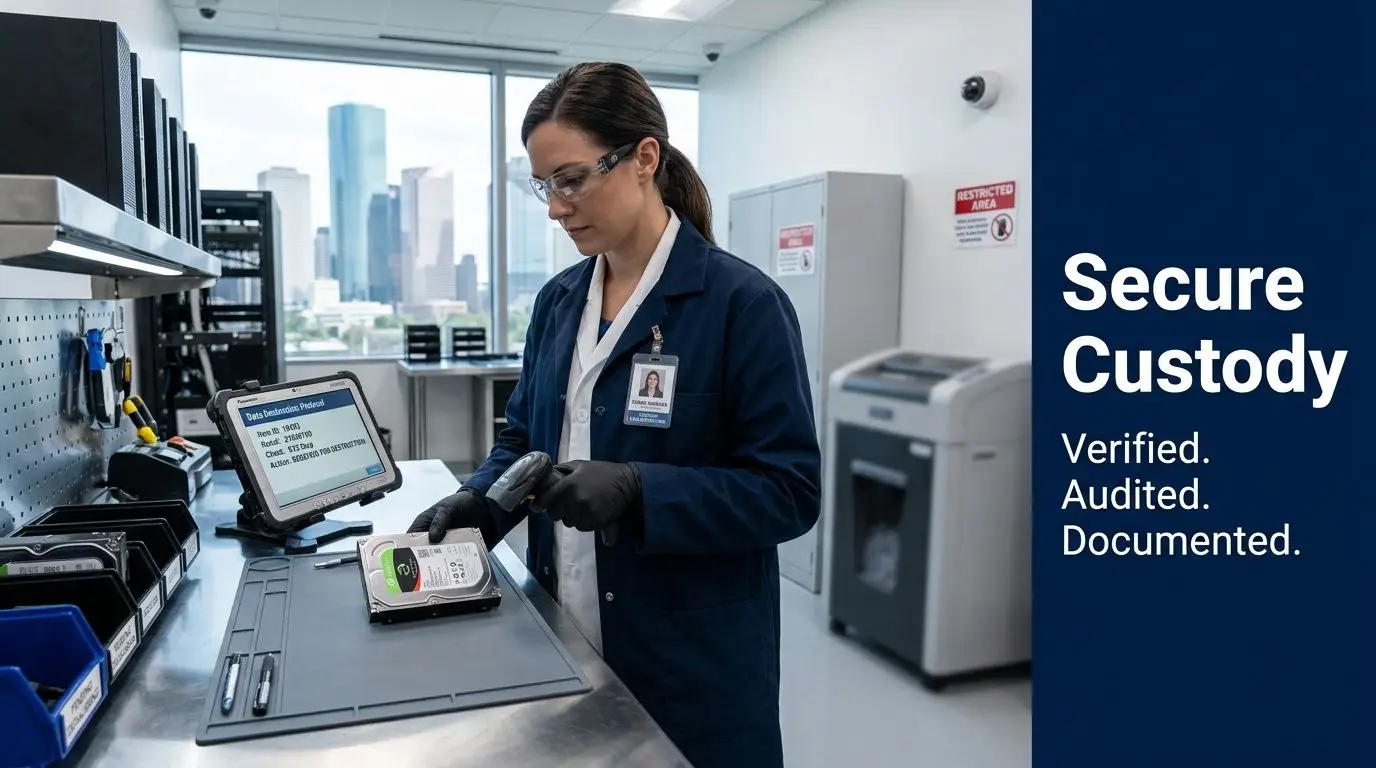
Chain of custody is the record that closes it. It shows who controlled the media, when possession changed, how the items were identified, and how the final outcome was verified. For Houston businesses, that record does more than satisfy internal policy. It helps connect national guidance such as NIST SP 800-88 Rev. 1 with Texas disposal duties under laws such as HB 8, which expects businesses to take reasonable steps to protect personal identifying information during disposal.
What a controlled custody process looks like
A good custody process starts before pickup. Your team identifies which devices are approved for destruction, who can release them, and where they will wait until collection. Locked bins, sealed carts, and restricted staging areas matter because loose media has a way of drifting. One drive left on a desk can defeat an otherwise careful process.
At pickup, the provider should create an inventory that supports later proof. For hard drives and other media, serial number tracking is the cleanest method because it ties the record to a specific asset, not a rough count. If a vendor only documents "40 drives collected," you still do not know whether your failed server drive or your payroll backup drive was in that batch.
The same logic applies after the truck leaves. You want to know who handled the load, where it went, whether access was limited, and how the destruction event was recorded. The National Security Agency's guidance on media destruction devices shows how formal destruction programs rely on approved methods and controlled handling, not just the final shred.
The Certificate of Destruction is your proof file
A certificate works like the signed closing packet in a real estate transaction. The building may already be sold, but the paperwork is what proves the transfer happened correctly.
Your Certificate of Destruction should connect the date, method, service location, and the media processed. In stronger programs, it also ties back to serial numbers, work orders, pickup logs, and witness records. That level of detail matters if a customer asks for proof, a cyber insurer reviews your controls, or a Texas privacy dispute forces you to show that disposal was handled reasonably.
If you want a practical reference, review what belongs on a proper certificate of destruction for hard drives. The goal is simple. Your records should stand on their own months later, even if the employee who scheduled the job has left your company.
A simple custody checklist
Use this checklist to test whether your process would hold up under scrutiny:
Internal release control
Assign specific staff who can approve devices for destruction and sign the handoff.Asset identification
Record serial numbers or another traceable identifier for each drive or media item when appropriate.Secure staging and transport
Confirm how media is stored before pickup, how it is secured in transit, and who is authorized to handle it.Controlled processing environment
Ask how the provider limits access, supervises staff, and documents the destruction event, whether it happens on-site or at a facility.Final proof package
Review the certificate format, inventory report, and any supporting logs before the first project begins.
If your file only shows that equipment left the building, it does not show that the data risk ended.
Vetting Houston Providers Key Questions and Red Flags
A Houston company replacing laptops, retiring servers, or clearing out a storage room can hand a vendor dozens of devices in a single pickup. On paper, that looks like a routine disposal job. In practice, it is a transfer of legal risk. If one provider treats those assets like scrap metal and another treats them like regulated data-bearing equipment, the difference shows up later in audit questions, customer disputes, and breach response costs.
That is why vendor screening should look closer to supplier due diligence than junk removal. A qualified destruction partner should be able to connect national guidance, such as NIST 800-88, to the practical documentation and disposal discipline Texas businesses need under laws like HB 8. Many generic providers can talk about shredding. Fewer can explain how their process helps a Houston business prove it acted reasonably and securely.

Questions that separate strong providers from weak ones
Ask questions that force the provider to describe its process in plain terms, not marketing language.
How do you apply NIST 800-88 to different media types?
A strong provider should explain when it uses sanitization, when it recommends physical destruction, and why the method changes based on the device.How does your process support Texas disposal and privacy obligations?
The best answer ties technical destruction to business records. You want to hear how inventory logs, certificates, and custody records help support a defensible disposal decision.Do you track assets by serial number or another unique identifier?
Device-level accountability matters more than a generic receipt that only lists weight or pallet count.Can our team witness destruction or review your facility controls?
Transparency is a useful test. Providers with disciplined operations usually have a clear way to handle reasonable oversight requests.What screening, training, and access controls apply to employees?
Secure destruction is not only about machines. It also depends on who handles the media and how tightly those people are supervised.How do you handle data stored outside traditional hard drives?
Phones, SSDs, copiers, servers, laptops, and networking gear can all hold sensitive information. A one-size-fits-all answer should raise concern.
Red flags you should take seriously
Some problems show up before the first pickup.
| Red flag | Why it matters |
|---|---|
| Vague compliance language | Claims like “fully secure” or “industry standard” avoid the real question, which is what standard the provider follows and how it documents that work |
| No sample certificate or inventory report | If you cannot review the proof package in advance, you cannot judge whether it will satisfy internal, legal, or customer requirements |
| Pricing framed only around weight | Weight can matter for recycling. It does not show which specific devices were destroyed |
| Unclear answers about subcontractors or transfer points | Every extra handoff creates another place where custody can weaken |
| Resistance to operational questions | A provider that avoids discussing process, training, or facility controls is asking you to accept risk without evidence |
Why SSDs require sharper questions
Solid-state drives deserve special attention because they do not behave like older spinning hard drives. Data may be distributed across memory cells, managed by controller logic, and affected by features such as wear leveling and overprovisioning. That can make verification more complicated if a provider talks about all media as though it can be handled the same way.
A simple way to view it is this. Destroying a box of paper and erasing a whiteboard are both forms of cleanup, but they do not work the same way and they do not leave the same proof behind. SSDs create a similar distinction in ITAD. The provider should be able to explain why certain devices are sanitized, why others are physically destroyed, and how it confirms the chosen method fits the risk.
Ask follow-up questions here.
- How do you identify SSDs, hybrid drives, and embedded flash storage before processing?
- When do you recommend physical destruction instead of logical sanitization?
- How do you handle encrypted devices or equipment that may contain multiple storage components?
- What evidence can you provide that the destruction method matched the media type?
If the answer sounds identical for every device category, the provider may be running a recycling operation with a data-destruction label attached, rather than a true risk-controlled ITAD process.
The best vendor conversations sound specific, documented, and repeatable.
A practical short list for final selection
Before you sign, ask the provider to show you five things:
- A named standard that guides sanitization and destruction decisions
- A Texas-ready documentation package that supports disposal review, not just operational convenience
- A clear workflow for intake, tracking, processing, and final reporting
- Media-specific decision rules for SSDs, laptops, mobile devices, and multifunction equipment
- A downstream recycling plan that explains what happens after data destruction is complete
That last point matters for Houston businesses balancing security, procurement requirements, and sustainability goals. A good provider should help you reduce data risk and handle end-of-life equipment responsibly. Those are not competing priorities. They are part of the same control system.
Conclusion Partner with Reworx for Secure and Sustainable ITAD
Certified Hard Drive Destruction Services in Houston aren’t just about breaking a drive. They’re about controlling the full end-of-life process so your business can prove it handled data responsibly. That means matching the destruction method to the risk, maintaining custody from release through final processing, and keeping documentation that stands up to internal review, customer scrutiny, and compliance questions.
The practical takeaway is that national standards and Texas obligations need to work together. NIST gives businesses a defensible technical framework. Texas-specific disposal expectations raise the bar on how clearly providers should document that work. When those two pieces connect, disposal becomes a risk-management function instead of an afterthought.
That’s also where ITAD becomes bigger than compliance. A well-run process protects confidential information, supports electronics recycling, keeps reusable equipment out of landfills when appropriate, and helps businesses treat office cleanouts, laptop disposal, product destruction, and data center decommissioning as part of a responsible operational strategy.
For organizations that want both security and community impact, Reworx Recycling offers a strong fit. As a donation-based recycling and social enterprise recycling partner, Reworx helps businesses handle secure data destruction, IT equipment disposal, computer recycling, and sustainable recycling in a way that also supports technology donation, digital inclusion, and workforce development.
If your business is planning a device refresh, office cleanout, data center decommissioning, or secure media purge, Reworx Recycling can help you build a compliant, well-documented, and sustainable end-of-life strategy. Reach out to donate old equipment, schedule a pickup, or explore a long-term partnership for electronics recycling and IT asset disposition that protects your data while supporting community impact.


















