
Most Atlanta businesses don’t call a data destruction vendor because they’re excited about end-of-life IT. They call because an office move is underway, a laptop refresh just landed, a server closet is packed with old gear, or compliance has started asking uncomfortable questions.
That’s usually the moment the risk becomes visible. Those retired hard drives, SSDs, phones, backup devices, and decommissioned servers still hold customer data, employee records, financial files, contracts, credentials, and internal communications. If they sit in storage too long, leave the building without controls, or go through informal disposal, the problem shifts from “cleanup” to “exposure.”
The High Stakes of Unmanaged Data in Atlanta's Business Landscape
An Atlanta company closes a floor after a lease reduction, clears out a storage room, and stacks retired laptops, failed drives, and old network gear for pickup. Everyone sees surplus equipment. An auditor, plaintiff's attorney, or cyber insurance carrier sees something else. Unverified data exposure, broken chain of custody, and no proof that sensitive information was ever destroyed.
That risk is expensive. IBM's Cost of a Data Breach Report has consistently shown that breaches carry multimillion-dollar consequences, with higher costs in regulated industries. In metro Atlanta, that hits close to home. Healthcare systems, financial firms, law offices, schools, logistics operators, and growth-stage tech companies all retire devices loaded with regulated or business-critical data.
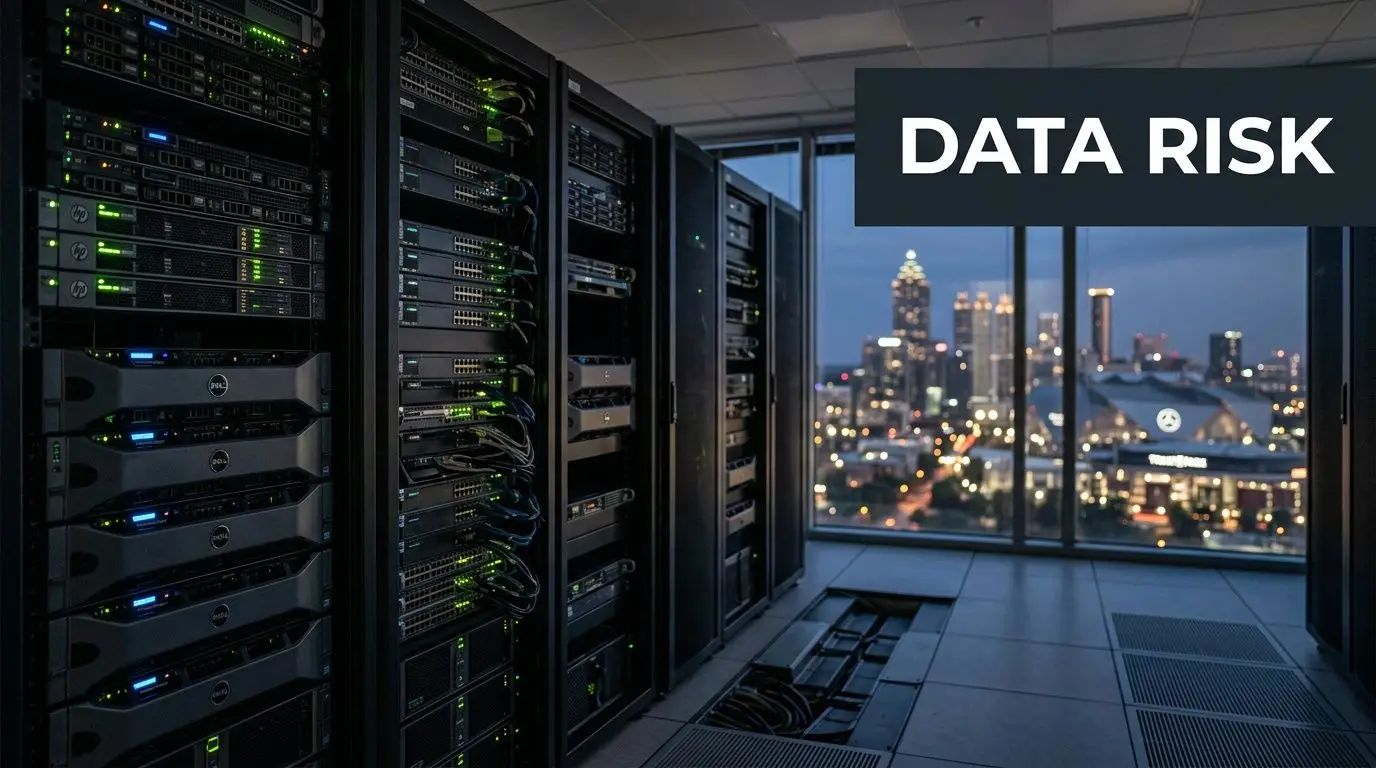
The core problem often begins with routine operations. Equipment gets replaced faster than it gets processed. A few drives from a storage upgrade sit in a cabinet. Phones from terminated employees stay in a box waiting for someone in IT to sort them. During a move or renovation, facilities staff may send everything out as scrap because the business needs the space back.
I have seen that handoff create more risk than the original technology refresh.
Old equipment is still a live liability. If a device stored customer records, employee information, credentials, financial files, contracts, or internal email, its age does not matter. A dead motherboard does not matter either. Until the business has documented sanitization or destruction, that device should be treated like any other sensitive asset.
This is one of the most common gaps in IT asset disposition. Security teams often focus on active endpoints and production systems. Disposal gets treated as an operations task. From a risk standpoint, disposal is part of the security program, and it needs the same discipline as access control, logging, and incident response.
Atlanta adds a practical complication. Many businesses here operate across multiple offices, clinics, campuses, warehouses, and remote employee homes. Once retired assets start moving informally between those locations, accountability gets weaker. Serial numbers go missing. Pickup dates get fuzzy. Devices intended for erasure get mixed in with equipment that should have been physically destroyed.
Professional data destruction solves that by putting controls around the entire retirement process. The value is not just destruction. The value is inventory accuracy, sealed chain of custody, method selection, certificates, and records that hold up in an audit or legal review. That matters if your company has to answer questions from compliance, insurers, customers, or a board member after the fact.
There is also a business trade-off to manage. Some assets should be wiped and remarketed because they still have resale value. Others should be shredded because the media is damaged, the data is too sensitive, or the compliance burden is too high. The right provider helps you make that call asset by asset instead of defaulting to the most expensive option every time.
For Atlanta companies, the stronger approach is to treat data destruction as one part of a responsible IT retirement program. That means protecting data, documenting every step, and keeping reusable equipment in circulation when it makes sense. Businesses comparing local options can review Atlanta ITAD and business recycling services if they want a model that combines secure handling with environmental and community impact.
Decoding Data Destruction Methods for Your Assets
Most confusion in this area comes from one bad assumption. People think there’s a single “data destruction” method that works for every device. There isn’t. The right method depends on the media type, the condition of the asset, the sensitivity of the data, and whether you want to preserve any reuse or remarketing value.
The approach mirrors paper shredding. Sometimes a simple strip cut works for low-risk drafts. Sometimes you need cross-cut destruction for confidential files. Sometimes you don’t shred at all because the document must be archived and handled differently. Digital media follows the same logic. The method has to fit the asset.
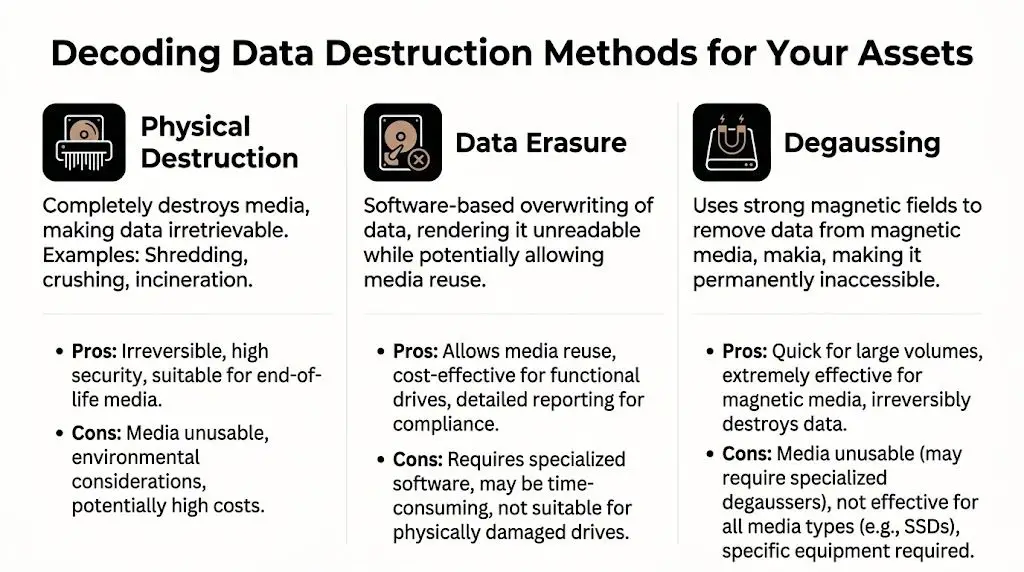
Physical destruction
Physical destruction is the blunt instrument. It destroys the media itself so the data can’t be recovered through normal means. In business settings, that usually means shredding, crushing, or similar mechanical destruction.
This is often the right choice for failed drives, obsolete media, and assets that are too risky or impractical to process through software erasure. It’s also the default answer when the business wants certainty and doesn’t care about preserving the hardware.
A key point for modern fleets is SSD handling. Atlanta hard drive shredding guidance notes that many experts now recommend physical destruction for SSDs because traditional wiping may not be sufficient, and a 2026 NIST update emphasizes multi-stage shredding for SSDs. That’s one of the biggest gaps I see in internal disposal planning. Teams apply old hard-drive logic to newer flash media and assume the same process still works.
Software sanitization
Software sanitization is the method to use when the device is still functional and you want to preserve value. A proper erasure process overwrites data so it can’t be recovered, while keeping the drive or device available for redeployment, resale, donation, or remarketing.
For businesses with newer laptops, desktops, and enterprise hardware, this method often makes financial sense. You reduce security risk without automatically turning every asset into scrap. That’s especially useful during refresh cycles where some equipment still has serviceable life.
Here’s the practical split:
| Method | Best fit | Main trade-off |
|---|---|---|
| Software sanitization | Functional devices with resale or donation potential | Requires the media to be operable and the process to be validated |
| Physical destruction | Failed, obsolete, or high-risk media | Eliminates reuse value |
| Degaussing | Magnetic media such as certain legacy drives or tapes | Limited use for modern mixed-device fleets |
Degaussing
Degaussing uses a strong magnetic field to disrupt data on magnetic media. It still has a role, particularly for some tapes and older magnetic storage, but it’s not the universal answer many assume it is.
For most Atlanta businesses today, degaussing is a niche tool rather than the foundation of the program. Modern environments are mixed. You may have HDDs, SSDs, mobile devices, and removable media all in one retirement batch. That usually calls for a hybrid process, not one machine and one rule.
If a vendor can’t explain which method they’d apply to HDDs, SSDs, mobile devices, and failed media separately, keep looking.
The best conversations with vendors are specific. Ask how they handle dead drives, encrypted laptops, removable media, phones, storage arrays, and devices headed for donation. If your team is evaluating shredding for drives and related media, review what’s involved in hard drive shredding services before you decide that everything should be destroyed by default.
Navigating Compliance and Certifications in Georgia
Most businesses don’t need a lecture on the full text of every regulation. They need to know what regulators, auditors, customers, and legal counsel will ask them to prove. In practice, that proof comes down to process, custody, and documentation.
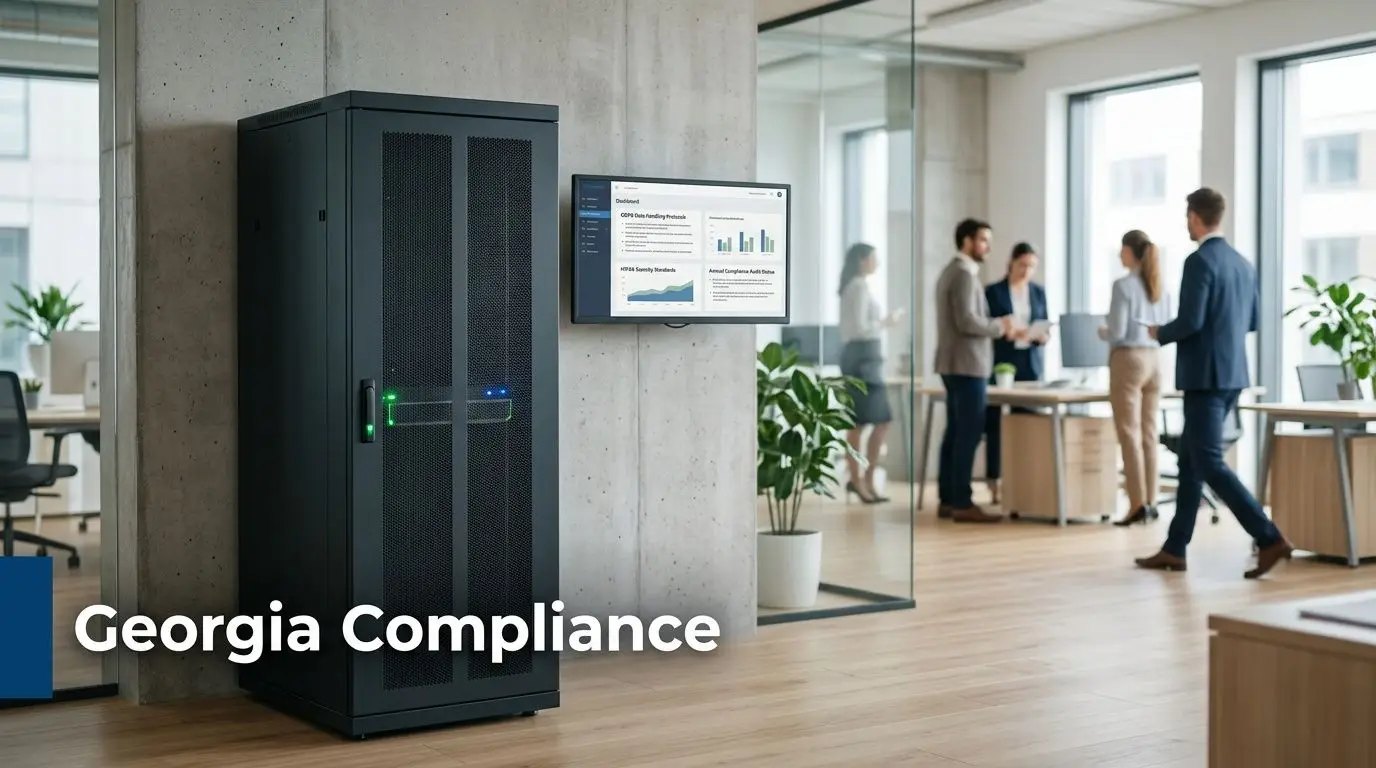
Healthcare organizations think in terms of HIPAA. Financial and publicly accountable organizations may focus on SOX or FACTA. Global or multi-jurisdiction operations may also have GDPR or CCPA considerations in the background. The labels vary. The operational requirement doesn’t. You need a defensible way to show that data-bearing devices were identified, controlled, and sanitized or destroyed appropriately.
What NIST 800-88 means in practice
The benchmark most serious ITAD and destruction programs use is NIST 800-88. That framework matters because it gives organizations a recognized standard for deciding whether media should be cleared, purged, or destroyed.
According to data center decommissioning guidance tied to NIST 800-88, secure data sanitization succeeds through a 90% planning and 10% execution approach, and certified providers achieve over a 99% success rate in data eradication compared to 85% for non-certified vendors, citing NAID data. That’s the strongest argument for treating planning as a control, not an administrative chore.
Planning means identifying every data-bearing asset before pickup. It means deciding in advance which assets can be sanitized and which must be destroyed. It means assigning custody and document ownership inside your business. When teams skip those steps, the “destruction event” may still happen, but the compliance story is weak.
Why certification matters
Certification isn’t a marketing badge if it’s backed by audited controls. It should signal that the provider follows repeatable procedures around chain of custody, operational security, and destruction verification.
For a Georgia business, that affects several practical questions:
Employee handling
Who can touch your assets, and under what controls?Process discipline
Does the provider follow a documented methodology or improvise by load type?Audit evidence
Will you receive records detailed enough for internal review and external scrutiny?
Compliance teams don’t just want to know that destruction happened. They want to know how it happened, who controlled it, and what evidence remains.
What your file should contain
At minimum, your records should support these points:
- Asset identification with model and serial references where available
- Chosen disposition path such as sanitization, shredding, or other destruction method
- Chain of custody from internal release through final processing
- Final certificate or equivalent record retained in an accessible compliance file
That documentation is often the difference between a clean audit response and a scramble. Businesses managing electronics retirement alongside broader sustainability and office disposal workflows can also align these controls with Georgia electronics recycling planning, so compliance and environmental handling don’t split into separate programs.
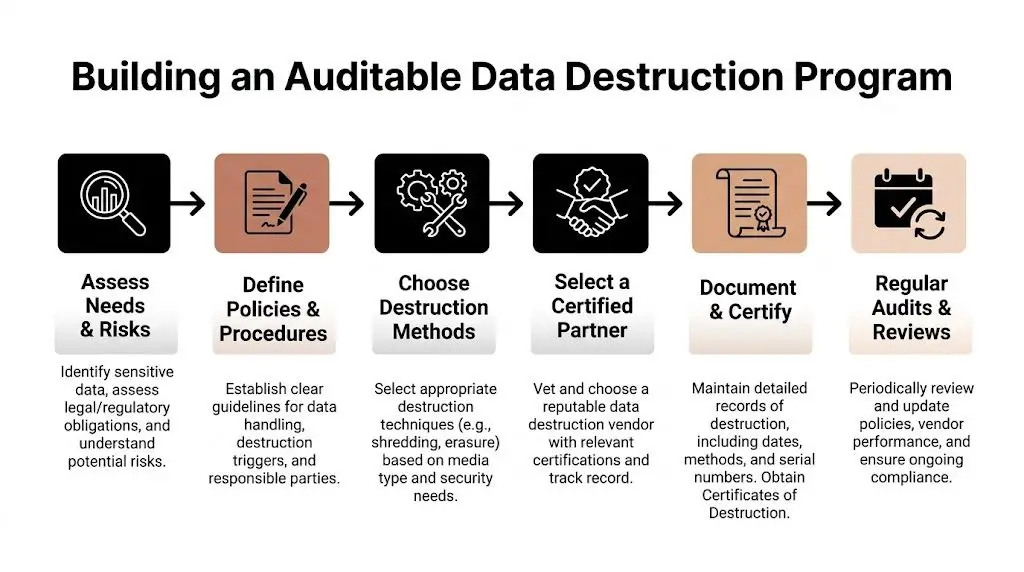
Building an Auditable Data Destruction Program
A solid destruction program starts long before a shred truck arrives or a pallet leaves the office. The businesses that do this well don’t rely on memory, informal handoffs, or one person “keeping an eye on it.” They build a routine that another manager could audit six months later and still understand.
The backbone of that routine is chain of custody. If you can’t show where an asset was, who controlled it, and what happened to it, your process is weak even if the drive was eventually destroyed.
Start with an internal release process
Before assets leave a floor, branch office, clinic, or server room, create a release checklist. The checklist should name the department, date, responsible employee, asset count, and known serial numbers. If a device is damaged and can’t be powered on, note that too.
This sounds simple, but it fixes a common problem. Teams often know they shipped “about twenty laptops and some drives.” That’s not useful later. A defendable process names exactly what moved and when it moved.
A practical internal workflow usually includes:
- Inventory first with serial capture where possible
- Segregation by method so reusable devices don’t get mixed with destruction-only media
- Secure staging in a locked area before pickup
- Signed transfer when the provider takes possession
Treat the Certificate of Destruction as a legal record
A proper Certificate of Destruction isn’t a generic receipt. It should connect the shipment you released to the result you paid for. The strongest versions include serialized inventory, method of destruction, date, and supporting identifiers such as photos or batch references.
According to onsite destruction market guidance, on-site mobile shredding allows clients to witness destruction, eliminates transit risks, and a tamper-proof Certificate of Destruction with photos and serialized inventory provides an immutable audit trail confirming 99.999% data irretrievability. That’s why the certificate belongs in your compliance records, not buried in accounts payable.
Keep the certificate where legal, compliance, IT, and procurement can all retrieve it. If the only copy lives in one person’s inbox, it will disappear when you need it.
Build the program around exceptions
Most failures happen at the edges. A dead drive gets set aside. A small remote office ships devices directly. A facility cleanout includes a box of unknown media nobody logged. Your written process should address those exceptions in plain language.
A workable policy answers questions like:
| Scenario | Policy response |
|---|---|
| Failed drive from a production server | Route to physical destruction |
| Working laptops from a user refresh | Evaluate for sanitization and reuse |
| Unknown media found during cleanout | Quarantine, identify, then assign method |
| Remote office assets | Use documented pickup and transfer instructions |
If your team needs a model for the final record, a destruction certificate template is useful for checking whether your current paperwork is detailed enough.
How to Choose Your Atlanta Data Destruction Partner
Price matters, but it shouldn’t be the first filter. If you choose a vendor on a simple per-pound quote and ignore method fit, custody controls, and reporting quality, you can end up buying a cheap service that creates an expensive internal problem.
For many Atlanta businesses, the primary decision is between a transactional hauler and a risk management partner. Those aren’t the same thing.

On-site versus off-site
This is usually the first serious trade-off. Georgia shredding service analysis states that on-site shredding can cost 25-40% more than off-site, but reduces breach risk by 60%. That doesn’t mean on-site is always the right answer. It means the decision should follow data sensitivity, not habit.
For highly regulated or high-profile environments, on-site witnessed destruction often earns its premium because it removes transit from the risk equation. For lower-sensitivity asset streams, off-site processing may be acceptable if custody and documentation are strong.
Ask the vendor to explain the operational case for each option. If the answer is just “whatever’s cheaper,” they’re not advising you. They’re taking an order.
Questions worth asking in the first call
Use the first conversation to test how the provider thinks. Good vendors answer precisely. Weak ones stay vague.
How do you handle different media types
Ask specifically about HDDs, SSDs, backup media, and mobile devices.What does your chain of custody look like
You want named steps, not general assurances.What documentation do you issue after service
Ask whether the final package includes serialized inventory and destruction details.Can you separate assets for reuse from assets for destruction
That distinction affects value recovery and sustainability.What happens downstream
Destroyed media still becomes e-waste. You need to know how remnants are recycled.
A provider who can’t clearly describe downstream handling probably isn’t managing the full risk. They’re only managing the pickup.
Evaluate process fit, not just vendor personality
A lot of selection mistakes happen because the sales process feels smooth. Smooth doesn’t equal controlled. One way to improve your evaluation is to use the same discipline you’d apply in other outsourced business functions. This short guide on how to choose the right service partner is about marketing agencies, but the framework applies well here too. Clarify scope, compare process maturity, and judge whether the provider’s working style fits your actual operating environment.
The added value of a social enterprise model
There’s also a strategic layer many procurement teams miss. Data destruction doesn’t have to sit apart from your sustainability and community goals. A provider can support secure retirement while also helping you route eligible equipment into donation-based recycling, responsible reuse, or broader IT asset disposition planning.
In Atlanta, Reworx Recycling is one example of that model. It offers secure hard drive shredding, equipment destruction, Certificates of Data Destruction, electronics recycling, and pickup support while operating as a donation-based social enterprise. For businesses trying to align secure data destruction, electronics recycling, and corporate donation programs, that can simplify vendor management.
The strongest partner for your business is the one whose controls match your risk profile, whose logistics fit your footprint, and whose downstream handling supports both compliance and responsible disposal.
Logistics, Environmental Impact, and Final Steps
A common failure point shows up after approval, not before it. An Atlanta company finishes an office move, stacks retired laptops and loose drives near the loading dock, and assumes the pickup team will sort it out. That is how custody gaps happen. It is also how reusable equipment gets destroyed unnecessarily, and how scrap handling decisions create avoidable environmental exposure.
Execution needs an operations plan, not just a work order.
In practice, a well-run project starts with location-level control. A business maps what is sitting in Buckhead, Midtown, Downtown, a warehouse in South Fulton, or a satellite office along the perimeter. IT identifies data-bearing assets, facilities controls access and staging, and the destruction provider confirms pickup windows, container needs, and reporting requirements before the truck arrives. That preparation reduces labor time, prevents mix-ups, and keeps the chain of custody intact.
What a smooth pickup process looks like
Good pickups are built in advance. Assets should be staged by type, inventoried at the level your risk profile requires, and packed in a way that matches the processing method. Loose drives, backup tapes, and phones should not ride out with general office surplus. Devices marked for reuse or donation should be separated from media that must be destroyed, especially if your company wants to recover value or support community reuse instead of sending everything to scrap.
For smaller companies, the volume is lower but the discipline should be the same. Ten laptops and three failed SSDs can create the same audit problem as a 500-seat refresh if nobody can show what left the office, how it was handled, and what happened next.
Useful habits include:
- Separate data-bearing assets from monitors, cables, and other non-data equipment during cleanouts
- Flag items that need special handling such as failed SSDs, mobile devices, and older removable media
- Coordinate IT and facilities so pickups happen under controlled access, not as part of a general junk haul
- Store final records in one place with asset inventories, shipping logs, and Certificates of Destruction
Environmental handling affects business risk
Physical destruction closes the data exposure issue. It does not close the disposition issue. The shredded remnants, circuit boards, batteries, and mixed electronics still need to be processed through responsible downstream channels.
That matters because the e-waste stream keeps growing worldwide, while formal recycling still trails far behind generation rates, according to the Global E-waste Monitor. For Atlanta businesses, the takeaway is practical. If a vendor can destroy media securely but cannot explain where the resulting material goes, the job is only half done.
The EPA’s electronics donation and recycling guidance is a useful baseline for internal policy. If phones and tablets are part of your retirement stream, this guide on how to securely wipe data when recycling mobile phones can also help employees understand what should happen before devices are handed over to IT.
Companies that want one process for data protection, responsible recycling, and community benefit should also review the broader environmental impact of electronic waste. That is where a social enterprise model stands out. A provider such as Reworx Recycling can fit secure destruction into a wider IT asset retirement program that includes electronics recycling and donation-based diversion. For many Atlanta businesses, that means fewer vendors to manage, better documentation, and a cleaner link between compliance work and ESG goals.
The final step is record closure. Confirm that inventory exceptions were resolved, certificates match what was picked up, and internal asset registers were updated. If any device changed disposition along the way, from destruction to reuse, or from reuse to destruction, that change should be documented before the project is considered complete.
Frequently Asked Questions About Data Destruction
Do we need shredding for every device?
No. Some devices should be sanitized so they can be reused, donated, or remarketed. Others should be physically destroyed because they’re failed, obsolete, or too risky to process any other way. The right answer depends on media type, condition, and the business value of the asset after processing.
Are SSDs harder to handle than old hard drives?
Yes, often they are. SSD architecture changes the sanitization discussion, which is why many businesses now default to physical destruction for flash-based storage when certainty matters. If your fleet includes both HDDs and SSDs, make sure your vendor doesn’t apply one blanket method to both.
Is on-site destruction worth the extra cost?
Sometimes. If your devices hold highly sensitive or regulated data, witnessed on-site destruction may be worth the premium because it removes transit from the risk path. If the data exposure is lower and the custody process is strong, off-site can still be workable.
The mistake is treating this as a commodity hauling decision. It’s a risk decision first, then a pricing decision.
What should be on a Certificate of Destruction?
At minimum, it should identify what was processed, when it was processed, and how it was processed. Stronger certificates also include serialized inventory, photos, and references that tie the certificate back to the original shipment or pickup.
If a certificate is vague, your audit trail is vague.
How does data destruction fit into IT asset disposition
It’s one part of IT asset disposition (ITAD), not a separate side task. A proper ITAD program decides which assets can be redeployed, sold, donated, recycled, or destroyed. Data destruction is the control that makes those other pathways safe.
That matters for companies managing laptop disposal, computer recycling, medical equipment disposal, laboratory equipment disposal, office cleanout work, facility cleanout projects, and product destruction under one operational umbrella.
Can data destruction support CSR and ESG goals too
Yes, if the provider can separate reusable assets from destruction-only media and route the remainder into responsible recycling. Businesses often assume they must choose between security and sustainability. They don’t. The stronger approach is to build both into the same retirement process.
What’s the biggest mistake businesses make?
They wait too long and let surplus devices pile up without ownership. Once assets are spread across departments, closets, and storage rooms, inventory quality drops and informal disposal becomes more likely. Set a recurring process, assign responsibility, and document each event the same way every time.
If your team is planning an office upgrade, data center decommissioning project, or routine IT refresh, Reworx Recycling can be part of a practical next step. Review the company’s resources, schedule a pickup, or explore donation-based recycling options so your business can retire old equipment securely, recycle responsibly, and support community impact at the same time.


















