
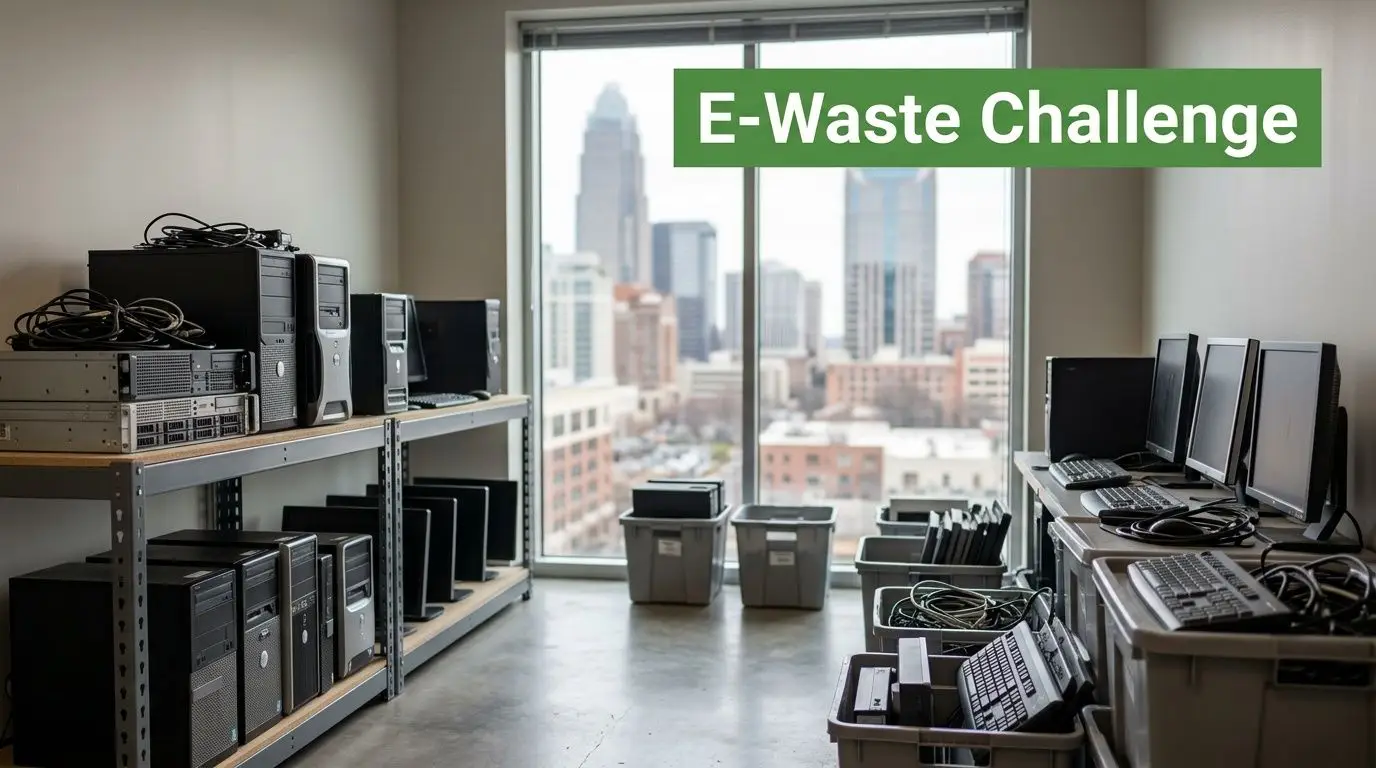
A Charlotte facilities manager usually sees the problem at the same moment. The rollout is done, users have their new laptops, the server room has been refreshed, and now a back room is packed with retired desktops, monitors, docks, printers, and storage devices nobody wants to touch until “later.”
Later is where risk starts.
For Charlotte businesses, old electronics aren’t just clutter. They sit at the intersection of data security, environmental compliance, storage cost, and brand responsibility. If your team handles a tech refresh, office move, data center cleanup, medical equipment disposal project, or facility cleanout without a clear IT asset disposition plan, small mistakes become expensive ones.
That’s why Electronics Recycling for Businesses in Charlotte needs to be treated as an operations discipline, not an afterthought. The companies that handle it well create chain-of-custody, protect data, recover some residual value, and route usable equipment into socially responsible channels instead of dumping everything into a scrap stream.
Navigating E-Waste Compliance and Opportunity in the Queen City
An Uptown office finishes a workstation upgrade. Finance wants the room cleared. IT wants every serial number accounted for. Legal wants proof that no data leaves the building unprotected. Facilities wants the pickup to happen without disrupting tenants, loading docks, or security procedures.
That’s a normal Charlotte scenario.
The problem gets harder when the pile isn’t uniform. A few late-model laptops may still have resale or donation value. Old monitors may need straightforward recycling. Network gear may still carry configuration data. Printers and multifunction devices often get overlooked, even though they can store sensitive information too.
Charlotte businesses operate inside North Carolina’s statewide electronics recycling framework, and the compliance backdrop matters. As noted in this Charlotte electronics recycling guide, the EPA estimates that only 15-20% of e-waste is recycled nationally, which means a large share still ends up in landfills or incinerators. That gap is exactly why businesses need documented disposal practices instead of informal cleanouts.
What works in practice
The strongest programs start with a simple rule. Don’t move retired equipment out of service until three things are defined:
- Ownership is clear so nobody argues later about leased assets, departmental devices, or employee-purchased peripherals.
- Data status is known so drives, phones, tablets, and embedded storage don’t leave your control prematurely.
- Disposition path is assigned so equipment is reused, refurbished, donated, remarketed, or recycled on purpose.
Practical rule: If a device ever touched company credentials, customer records, financial data, or internal systems, treat it like a controlled asset until destruction or sanitization is documented.
A lot of businesses still think “recycling” means loading everything on a truck and getting it out of sight. That’s not a strategy. It’s just transfer of risk.
A better approach is to pair environmental compliance with value recovery and community benefit. If your team is sorting through end-of-life computers and related equipment, Reworx offers guidance on how to recycle old computers in a way that aligns disposal, donation-based recycling, and responsible downstream handling.
Where the opportunity is
Old hardware can support more than a cleanup goal. A structured office cleanout or ITAD project can help you:
- Reduce legal exposure tied to unmanaged drives and devices
- Support sustainable recycling instead of landfill risk
- Improve storage discipline by clearing dead inventory
- Create social impact when reusable equipment enters donation-based recycling channels
The businesses that do this well don’t treat e-waste as junk. They treat it as a controlled exit process for technology.
The First Step Your Guide to Auditing Assets and Securing Data
Most failed electronics recycling projects fail before the truck arrives.
They fail in the audit stage, when nobody knows exactly what’s in scope. They fail again when teams assume a quick format or factory reset equals secure data destruction. In Charlotte industries like healthcare, finance, legal, education, and advanced manufacturing, that assumption is dangerous.

A stronger process starts with inventory discipline and follows through with the right sanitization method for the media involved.
Build the inventory before you touch the pile
Your audit should identify each device as an asset, not as “miscellaneous electronics.” At minimum, capture:
- Asset tag or internal ID if your company uses one
- Manufacturer and model
- Serial number
- Device type such as laptop, desktop, server, switch, phone, tablet, printer, or monitor
- Storage presence including HDD, SSD, flash media, or embedded memory
- Physical condition
- Business unit or location
- Planned disposition such as reuse, resale, donation, destruction, or recycling
This isn’t bureaucratic overhead. It’s the basis of chain-of-custody.
When assets move from desks to staging, from staging to pallet, and from pallet to processor, every handoff should be traceable. If a device later goes missing, your record should show where it was, when it moved, and what was supposed to happen to it.
For teams tightening this process, Reworx has a useful primer on IT inventory audits before recycling. The main operational value is simple: when the audit is clean, every step after it gets faster.
Pick the right data destruction method
Not every asset needs the same treatment. A workstation with no drive doesn’t need the same handling as a database server. A phone fleet isn’t processed like a box of keyboards.
According to this analysis of secure e-waste recycling and data destruction, a sound process includes a pre-processing audit, choosing a sanitization method aligned with NIST 800-88 Clear/Purge, and using industrial shredding when physical destruction is required. The same source notes that certified programs achieve 97% zero-landfill diversion, and that weak vendor due diligence can contribute to breaches with an average cost of $4M.
Here’s the practical breakdown:
| Method | Best fit | Main advantage | Main limitation |
|---|---|---|---|
| Software wiping | Reusable drives and redeployable equipment | Preserves asset value | Must be verified and documented |
| Degaussing | Magnetic media that won’t be reused | Fast for certain media types | Not suitable for every device or storage type |
| Physical shredding | High-risk or end-of-life media | Strong finality | Eliminates reuse potential |
Don’t confuse formatting with sanitization
A file deletion, quick format, or operating system reset doesn’t meet the standard most businesses need. Those actions may make the device look empty to a user, but they don’t necessarily make the data unrecoverable.
If your policy says data must be unrecoverable, the process has to be provable, not assumed.
That matters even more when your organization occasionally needs to recover data from a drive before retirement. In those cases, it helps to separate data recovery from asset disposition. If a device may contain records needed for legal, operational, or continuity reasons, professional data recovery services can be part of the decision tree before you authorize destruction.
A short decision path that works
Use this sequence for most business environments:
- Identify data-bearing devices first
- Decide whether the asset has reuse or remarketing value
- Choose wiping when reuse is realistic
- Choose shredding when risk is high or hardware is at end of life
- Require serialized reporting and destruction documentation
This is the point where many Charlotte businesses stop trying to manage ad hoc laptop disposal and computer recycling through office staff alone. Once you have mixed assets, multiple departments, and regulated data, the process needs formal controls.
Understanding Charlotte's E-Waste Compliance and Regulations
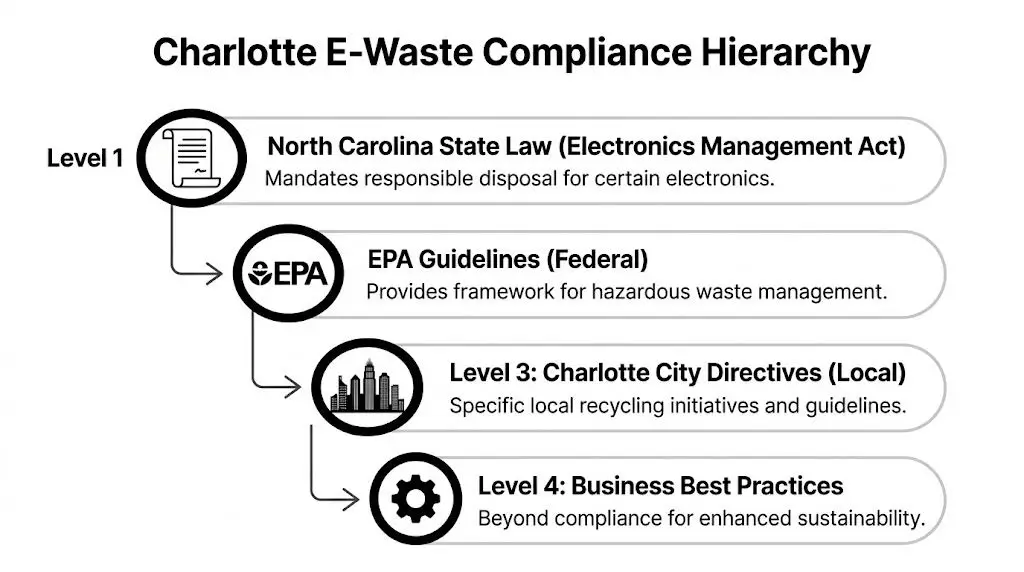
Compliance in Charlotte isn’t one rule. It’s a stack of obligations. State requirements, environmental handling rules, internal records policy, customer data obligations, and vendor controls all sit on top of each other.
If your recycler can’t explain that stack in plain language, they probably shouldn’t be handling your assets.
What Charlotte businesses actually need to verify
The biggest misunderstanding I see is this: companies assume “secure recycling” is a marketing phrase that means the same thing everywhere. It doesn’t.
As outlined by STS on Charlotte electronics recycling compliance, a major gap for businesses is understanding certification differences. The source specifically notes that audited certifications such as NAID AAA, e-Stewards, and R2 provide verifiable proof of compliance, which matters for government agencies, schools, enterprises, and organizations being asked for no-landfill proof.
That distinction matters because certifications address different parts of the risk picture.
R2 and e-Stewards
These are the certifications most buyers look for when they want evidence that electronics are handled through documented environmental and operational controls. They’re relevant when you care about downstream accountability, material handling, and overall ITAD process quality.
NAID AAA
This matters most when secure destruction of data-bearing media is central to the project. If hard drive shredding, chain-of-custody, or documented destruction is part of your requirements, this credential belongs in the conversation.
Internal documentation
Even with a certified vendor, your own records still matter. Keep asset lists, pickup records, destruction certificates, and disposition reports together. If audit, legal, or procurement asks for proof later, you don’t want those documents scattered across inboxes.
Chain-of-custody is the real operating control
Chain-of-custody sounds legalistic, but it’s practical. It answers five basic questions:
- What asset was released
- Who released it
- When it moved
- Who received it
- What final action occurred
Without that trail, your company may know equipment left the building, but not whether it was recycled, exported, resold, dismantled, or abandoned.
The safest recycler isn’t the one with the best sales language. It’s the one that can document every transfer and every outcome.
For companies dealing with mixed electronics, batteries, peripherals, and related waste streams, the rules also overlap with broader waste handling. Reworx publishes useful context around universal waste management, which helps facilities teams think beyond just laptops and servers.
Certified partner versus uncertified hauler
Here’s the practical comparison:
| Decision point | Certified ITAD-style partner | Uncertified scrap-style operator |
|---|---|---|
| Data handling | Documented process | Often vague or informal |
| Reporting | Asset-level and destruction records are more likely | Often limited to pickup receipt |
| Downstream visibility | Better documented | Frequently unclear |
| Compliance posture | Easier to defend internally | Harder to validate |
A socially responsible partner adds one more layer. Instead of viewing every asset as scrap, they evaluate what can be refurbished, redeployed, or donated. That matters for CSR teams, but it also matters operationally because reuse decisions should happen before commodity recycling decisions.
Streamlining Logistics From Your Office to Responsible Recycling
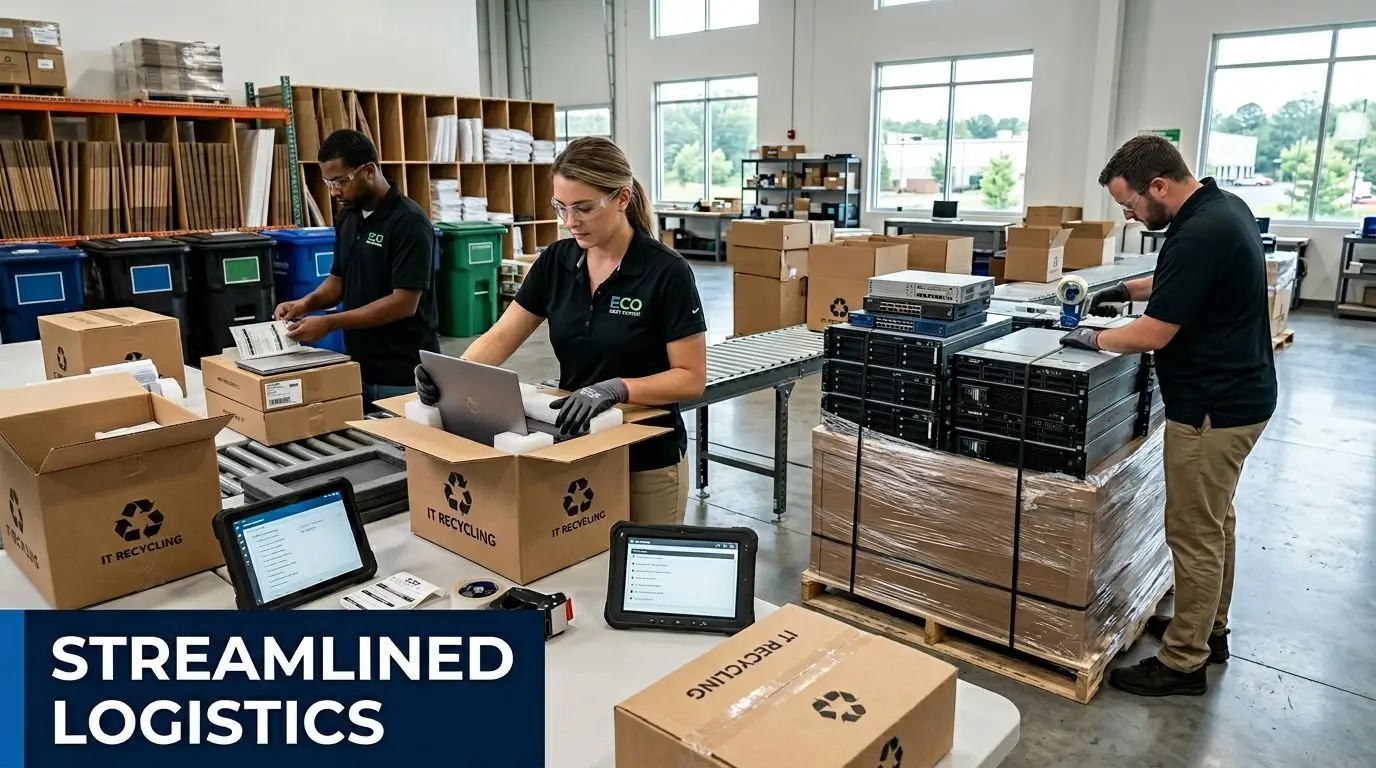
Once the audit is done and disposition is approved, the next bottleneck is logistics, a stage where good plans get derailed by bad staging, poor packaging, and rushed loading dock coordination.
Facilities managers usually don’t need more theory here. They need a clean pickup plan.
Package by asset type, not by convenience
Mixed gaylords and random boxes create problems. They slow intake, increase breakage, and make serialized verification harder.
Use a staged approach:
- Laptops and tablets go in boxed lots with screens protected and power accessories separated if you want easier evaluation for reuse.
- Desktops and small form factor units should be stacked securely on pallets or in uniform cartons, not loosely piled.
- Servers and rack equipment need heavier palletization and clear labeling by rack, room, or business unit.
- Monitors should be upright, cushioned, and separated enough to avoid cracked panels.
- Loose drives and data-bearing media should stay in locked containers or sealed custody bins when possible.
Decide pickup versus drop-off based on risk and volume
For business electronics recycling, drop-off sounds simple but often isn’t. It shifts handling to your staff, complicates custody, and doesn’t scale well for office cleanouts, product destruction, or data center decommissioning.
Pickup is usually better when you have any of the following:
- Multiple departments contributing assets
- Serialized inventory
- High-value gear
- Data-bearing devices
- Large or awkward items
- Building access and dock scheduling constraints
One practical issue for Charlotte SMBs is threshold pricing. Some providers charge for smaller pickups and only waive fees above certain item counts, while others are more flexible. That’s why logistics planning should include a quote review, not just a service menu skim.
What happens after the truck matters more than the truck
A proper ITAD workflow doesn’t end at collection. According to this overview of improper electronics disposal risks, manual dismantling separates plastics, precious metals, and glass and can divert 85-90% of materials from landfills, while working with non-certified recyclers carries up to a 70% risk of illegal export and potential EPA fines under RCRA exceeding $50,000.
Those are backend issues, but they should shape your frontend vendor decision.
Field advice: Ask what happens after pickup. If the answer stays vague, the risk stays yours.
For operations teams that want to tighten routing, dock scheduling, and movement from site to processor, Reworx has a practical article on reverse logistics for e-waste management. The main lesson is that fewer unplanned touches usually mean fewer custody gaps.
A logistics sequence that keeps projects under control
- Stage assets by type and by risk level
- Label pallets, boxes, and custody containers clearly
- Coordinate with building management before pickup day
- Separate reusable assets from end-of-life scrap
- Confirm what documents will be issued after processing
This applies whether you’re handling laptop disposal from a South End office, laboratory equipment disposal from a research site, or a larger facility cleanout with mixed IT and non-IT electronics.
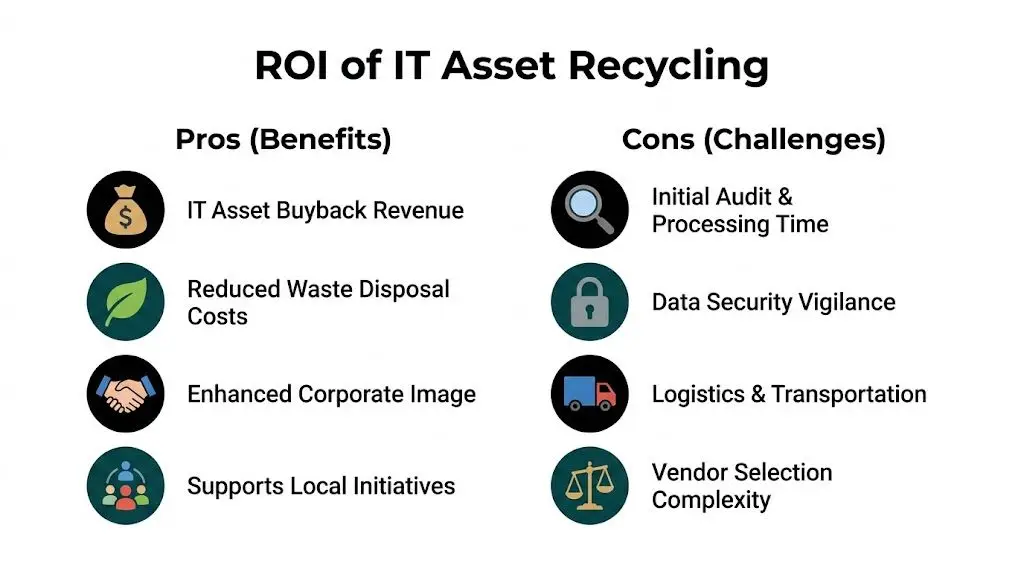
Calculating the Financial and Social ROI of Your IT Assets
A lot of Charlotte businesses still budget electronics recycling as a pure expense. That’s understandable, but it’s incomplete.
The right question isn’t “What will this pickup cost?” The better question is “What value do we preserve, what risk do we avoid, and what impact do we create through the disposition path we choose?”
Start with the direct financial side
Not every asset is worthless at retirement. Some laptops, network equipment, mobile devices, and business-class desktops still hold market value if they’re collected in good condition and processed correctly.
That’s why hybrid models matter. As noted in this review of Charlotte pickup thresholds and recycling fee differences, some providers charge for pickups under 100 items, while others offer free service structures. The same source notes that refurbishment and resale models can offset costs through 10-20% value recovery in the form of community rebates or similar returns.
That changes the economics of an office cleanout.
If your process crushes everything into a commodity stream, you lose the chance to separate reusable equipment from low-value scrap. If your process evaluates assets first, your organization may reduce disposal costs and recover some value from devices that still have useful life.
Cost comparison should include avoided loss
The invoice from a recycler is only one line in the total cost picture. You also need to weigh:
- Internal labor spent sorting and moving unmanaged assets
- Storage space taken by retired equipment
- Risk exposure from undocumented devices
- Lost resale opportunity when reusable assets are mishandled
- Brand and audit friction when sustainability reporting lacks evidence
For smaller organizations, I recommend treating this like any other operational improvement project. Build a simple dashboard. Count pickups, resale credits, avoided disposal fees, and documentation completion. If your team already tracks marketing or operational outcomes through goal-based reporting, the logic behind tracking SMB ROI is a useful reminder that results become clearer when you define the outcome before the process starts.
The social return is real, and often undercounted
Donation-based recycling and social enterprise recycling distinguish themselves from basic scrap removal.
When usable equipment is refurbished for community benefit, your company doesn’t just reduce waste. It contributes to digital access, local support efforts, and a more credible sustainability story. For employee-facing CSR, that often matters as much as a narrow line-item savings number.
A socially responsible ITAD model can also improve internal alignment. Facilities gets space back. IT gets controlled data destruction. Finance sees buyback or offset potential. Sustainability gets measurable diversion and reuse. Community relations gets a stronger story than “we hauled it away.”
Responsible IT equipment disposal works best when reuse is evaluated first, destruction is documented second, and recycling is the final path for what truly has no remaining life.
Reworx serves as a valuable option for businesses seeking both value recovery and mission alignment. Its IT asset recovery services center on evaluating retired equipment for reuse, recovery, and responsible end-of-life handling rather than treating every asset as immediate scrap.
A practical ROI lens for Charlotte businesses
Use four buckets:
| ROI bucket | What to measure |
|---|---|
| Recovered value | Buyback credits, resale offsets, reusable inventory |
| Avoided cost | Less storage, fewer disposal fees, less internal handling |
| Risk reduction | Better documentation, stronger data destruction records |
| Community impact | Donation pathways, digital inclusion, visible sustainability outcomes |
That’s the full business case for electronics recycling, computer recycling, secure data destruction, and sustainable recycling in a B2B environment. The project only looks like a cost center when you ignore everything except the pickup fee.
Your Charlotte Electronics Recycling Checklist and Final Steps
Most electronics recycling projects go smoothly when the checklist is clear and ownership is assigned. Problems show up when teams skip one step because the loading dock appointment is already booked.
Use this as your working list for Charlotte business recycling, ITAD planning, laptop disposal, office cleanout work, and equipment decommissioning.
The checklist
- Create the asset inventory with serial numbers, models, asset tags, device type, and business unit.
- Identify every data-bearing device before anything leaves a desk, closet, rack, or storage room.
- Choose the sanitization method based on whether the asset will be reused, remarked, donated, or destroyed.
- Separate reusable equipment from scrap so potential value isn’t lost in bulk handling.
- Vet the recycler’s certifications and reporting and confirm what chain-of-custody documents you’ll receive.
- Plan packaging and pickup logistics around dock access, pallet needs, and building rules.
- Request certificates and final reporting and store them with internal disposition records.
- Review the project after completion so the next tech refresh runs faster.
What strong execution looks like
A good outcome is boring in the best way. Assets are tagged. Data destruction is documented. Pickup happens on schedule. Reports match the inventory. Reusable gear gets evaluated properly. End-of-life material goes into a responsible downstream process.
A weak outcome usually looks rushed. Devices are uncounted, mixed together, and handed off on trust.
Charlotte businesses don’t need more reminders to recycle. They need a disciplined path for electronics recycling for businesses in Charlotte that protects the organization and supports broader sustainability goals. If you’re planning computer recycling, secure data destruction, medical equipment disposal, product destruction, or a facility cleanout, treat the project like controlled infrastructure work, because that’s what it is.
Frequently Asked Questions for Charlotte Businesses
What's the difference between R2, e-Stewards, and NAID AAA certifications, and why does it matter for my business?
They cover different risk areas. R2 and e-Stewards are commonly used to validate broader electronics recycling and ITAD process controls, including environmental handling and downstream accountability. NAID AAA is especially relevant when secure media destruction and documented data handling are central to the job.
For your business, the issue isn’t the label alone. It’s whether the certification matches the risk in your asset mix. If you’re decommissioning servers, retiring storage, or handling devices from regulated departments, audited certifications give procurement, compliance, and leadership something they can verify instead of just trust.
My business only has a few items to recycle. Do I still need a professional service, and what are the costs for small-batch recycling?
Sometimes yes, especially if any of those items hold data or need documented disposition. A small batch can still create a big problem if it includes old laptops, phones, external drives, or multifunction devices.
Fee structures vary. Some Charlotte-area providers charge below certain pickup thresholds, while others offer free options depending on service model and asset type. The right decision depends on volume, item mix, data risk, and whether any equipment may still qualify for refurbishment, resale, or donation-based recycling.
We are a school or medical facility in Charlotte. Are there special compliance rules we need to follow for our old equipment?
Yes. Schools, healthcare organizations, and other public-facing institutions usually need tighter controls around documentation, asset tracking, and data handling. The standard is higher because the data sensitivity is higher.
You should expect more than a basic haul-away receipt. Ask for chain-of-custody records, destruction reporting where needed, and clarity on certifications. This is one reason the market has matured. According to IBISWorld’s analysis of the U.S. electronic goods recycling industry, the industry is projected to grow at a CAGR of 8.0% to $28.1 billion by 2024, and that growth is helping certified recyclers offer broader services such as ITAD, secure data destruction, and rebate opportunities for business clients.
For Charlotte organizations, that’s good news. It means you’re no longer limited to basic computer recycling. You can choose a partner that handles documentation, secure workflows, sustainable recycling, and value recovery in one process.
If your business is planning electronics recycling, secure data destruction, computer recycling, or a larger IT equipment disposal project, Reworx Recycling is worth contacting for a structured conversation about pickup planning, donation-based recycling, and responsible IT asset disposition. A good next step is to review your asset list, define the data-bearing devices, and line up a documented disposition path before the next upgrade cycle turns into another storage-room problem.


















