If you're planning an office cleanout, replacing network gear, or shutting down a server room, you're probably looking at hardware in terms of logistics. Laptops need to be boxed. Switches need to come out of racks. Printers, badge readers, tablets, and specialty devices all need a destination.
What usually gets missed is the less visible part of retirement. Devices don't just store files. They also store the rules, settings, pairings, credentials, and communication history that let them talk to other systems. Those communication protocols shape what data may still be sitting on a device long after its daily use has ended.
That matters for IT asset disposition (ITAD), secure data destruction, electronics recycling, and compliance. A retired access point may still contain Wi Fi settings. An industrial controller may retain serial communication parameters. A medical device or lab instrument may keep network endpoints, logs, and user settings that reveal far more than most disposal checklists account for. During data center decommissioning, facility cleanout, laboratory equipment disposal, or laptop disposal, understanding how devices communicate helps you decide what must be isolated, wiped, destroyed, documented, or donated.
The Hidden Lifecycle of Your IT Assets
An IT manager at a growing company usually sees the same pattern. First comes the upgrade. Then comes the pile. A few racks of retired servers from a data center decommissioning project. A cart full of employee laptops after a refresh. Old VoIP phones from an office cleanout. Wireless scanners from a warehouse. Maybe even specialized devices from a clinic, test lab, or production floor.
At that moment, most organizations ask two questions. Can we recycle this responsibly, and has the data been removed?
Those are the right questions, but they often stop too early. A server can hold obvious business data, yet a smaller device can still hold something just as useful to an attacker or an auditor. Network names, prior pairings, protocol settings, broker addresses, access rules, and machine level communication details can survive retirement if nobody checks for them. That's why the end of an asset's life is really part of its full operating story, not a separate disposal event.
A good example is a mixed environment cleanup. Finance hands over laptops for computer recycling. Facilities removes smart building controls. Operations retires handheld scanners. Engineering disconnects test equipment. Each category may rely on different communication methods, which means each category leaves behind different kinds of digital residue.
Old hardware isn't only a storage problem. It's a systems knowledge problem.
That hidden lifecycle is why disposal planning works better when the team understands how devices connected while in service. A practical starting point is to review the broader lifecycle of IT equipment from acquisition to recycling. Once you look at retirement that way, electronics recycling, secure data destruction, product destruction, and corporate donation programs become part of the same risk management process.
Where businesses get caught off guard
- Network devices look harmless after shutdown: They may still retain saved routes, management settings, or credentials.
- Peripheral devices seem low risk: Barcode scanners, Bluetooth tablets, and smart displays often keep pairing and configuration data.
- Legacy equipment gets overlooked: Older serial and industrial assets may contain settings that map directly to production workflows.
- Specialty assets fall outside standard IT lists: Medical equipment disposal and laboratory equipment disposal often involve devices that don't fit ordinary laptop or server workflows.
Understanding How Devices Communicate
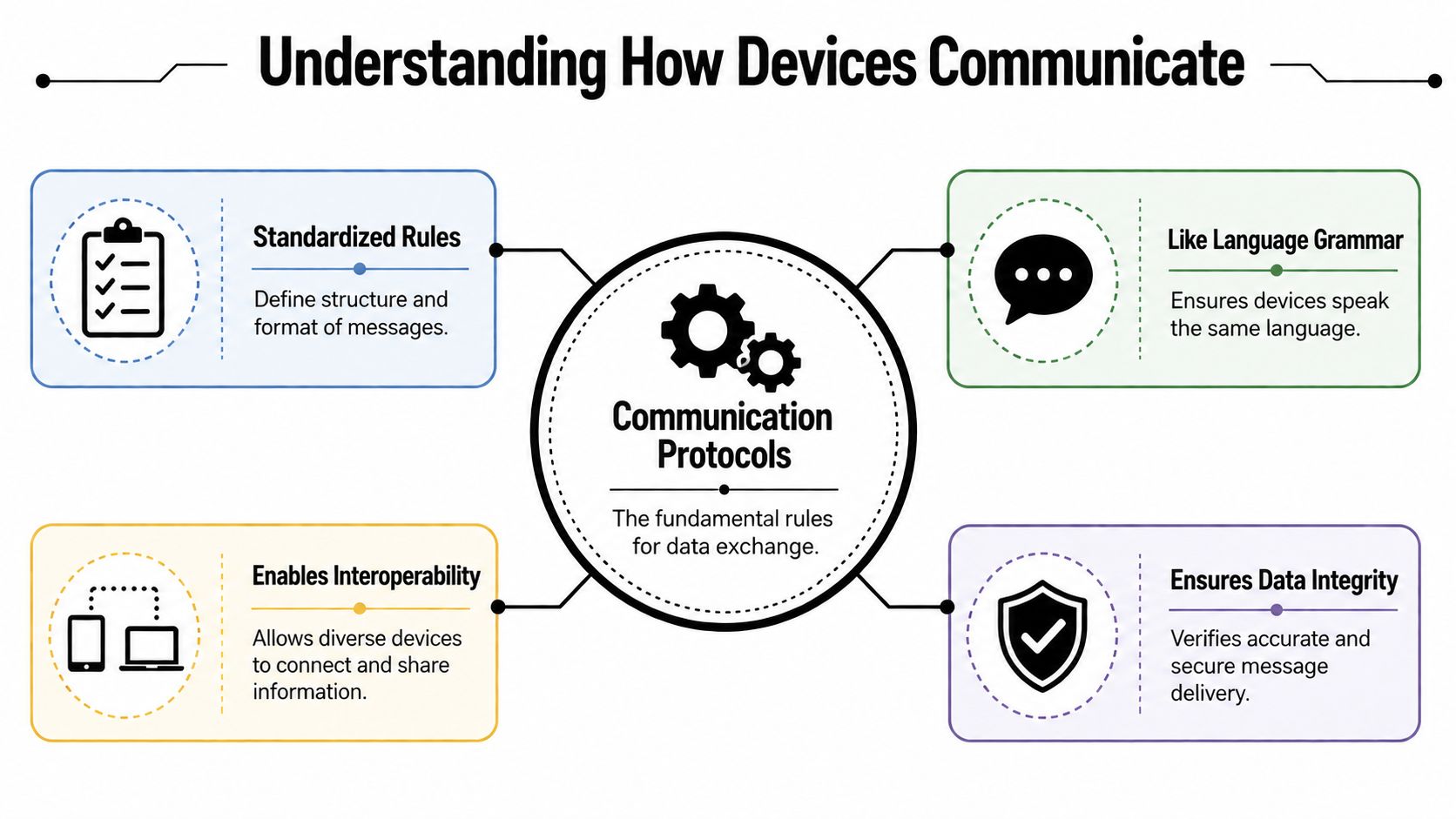
A protocol is just a set of rules for exchanging information. Think of it as grammar for machines. If two devices don't agree on the format, timing, and meaning of messages, they can't communicate reliably.
That sounds abstract, but the idea is simple. One device needs to know when a message starts, what the message means, whether it arrived correctly, and what to do next. Communication protocols define those rules so a laptop can talk to a printer, a sensor can report to a controller, or a server can exchange data with a cloud service.
A plain language way to think about protocols
If language has vocabulary and grammar, digital communication has structure and rules. Some protocols focus on moving data reliably. Others focus on how devices discover each other, how they identify themselves, or how they package messages.
In business settings, that means one device might use one protocol to get online, another to send telemetry, and another to exchange commands with a nearby accessory. A single asset can use several protocols at once. That's one reason standard wipe procedures sometimes miss important details. The device may contain more than documents and login accounts. It may also contain communication settings from multiple layers.
The OSI model without the textbook headache
The easiest way to organize this is the OSI model. The Open Systems Interconnection model remains the most common communications model, breaking communications into seven functional layers to enable scalable and interoperable networks. This standard, foundational to all wired and wireless protocols including Ethernet and Bluetooth, grew out of early 1970s research by Bob Kahn and Vint Cerf which led to the Transmission Control Program (TCP), the bedrock of the modern internet according to this overview of communication protocol foundations and the OSI model.
You don't need to memorize all seven layers to make better ITAD decisions. What matters is knowing that communication happens in stacked parts. One layer may deal with physical signaling. Another may manage addressing. Another may handle the application itself.
Practical rule: If a device communicated in service, assume it may retain settings from more than one layer of that communication stack.
Why business teams should care
For business owners and IT managers, protocols aren't just an engineering topic. They affect:
| Business concern | Protocol-related reality |
|---|---|
| Secure data destruction | Devices may retain communication settings even after basic reset steps |
| Compliance | Logs, credentials, and endpoints can reveal sensitive operations |
| Donation-based recycling | Reusable equipment needs proper sanitization before redeployment |
| Office and facility cleanout | Mixed device types require different retirement methods |
| Sustainable recycling | Safe reuse depends on understanding what the device still contains |
When you're planning IT equipment disposal, the useful question isn't only "Does it have a drive?" It's also "How did it communicate, and what did it keep?"
Common Protocols in Your Business Environment
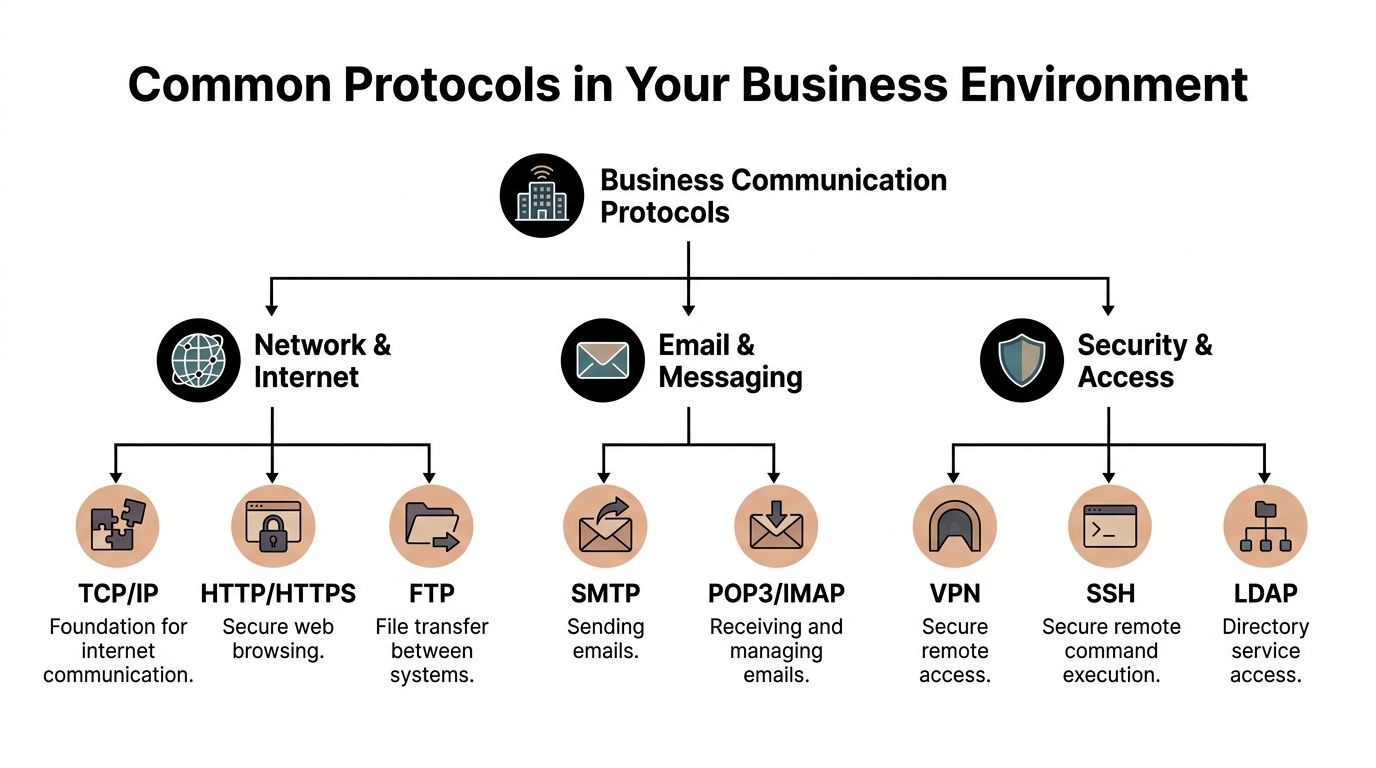
Most companies use more communication protocols than they realize. Some are obvious, like the protocols behind web traffic or email. Others reside within industrial systems, badge readers, medical devices, or smart building controls.
The practical value of knowing them is straightforward. Once you know how a device communicated, you can make a better call about secure data destruction, redeployment, product destruction, or donation-based recycling.
Network and internet protocols in office environments
These are the protocols most business teams encounter daily, even if they never name them.
- TCP and related internet traffic: These support routine communication between workstations, cloud tools, business apps, and internal systems.
- HTTP and HTTPS: These handle web sessions, dashboards, portals, and browser-based administration.
- Email protocols: Mail systems rely on different protocols to send, receive, and sync messages across devices.
- Remote access protocols: VPN and secure administration tools support offsite management and vendor access.
These systems often leave traces in browsers, local clients, saved certificates, cached credentials, and device management settings. During an office cleanout or laptop disposal project, those traces matter as much as the user files people remember to archive.
For organizations sorting communications hardware alongside computers, this can include VoIP handsets and related gear. Teams comparing telecom retirement and disposal planning often find it useful to review adjacent infrastructure topics, such as this look at VoIP service providers and related business communications environments.
Wireless protocols in modern workplaces
Wireless communication expands convenience and expands the attack surface.
Wi Fi connects laptops, printers, tablets, access points, conference room systems, and building devices. Bluetooth handles headsets, scanners, keyboards, mobile accessories, and proximity tools. In many offices, these pairings happen once and then get forgotten. The device keeps the memory.
That means a retired tablet, scanner, or conference room controller may still contain network names, prior trusted devices, and setup history. In donation-based recycling or corporate donation programs, those details need attention before anything is reused.
Devices that never held customer files can still expose how your environment was built.
Industrial and operational protocols
Many decommissioning projects often become complicated. Manufacturing, utilities, transportation, and facilities systems often rely on different communication approaches than office IT.
Modbus is the most widely implemented industrial communication protocol, a position tied to its long market presence, simplicity, openness, and broad vendor support, according to PTC's overview of industrial communication protocols. That same source notes that Modbus RTU is commonly used for legacy systems and Modbus TCP/IP for modern networks. It also states that in IIoT environments, MQTT has become the dominant lightweight messaging protocol for machine to machine communication, especially where networks are unstable or low bandwidth.
Here is where readers often get confused. A protocol like Modbus or MQTT isn't just "traffic on the wire." It usually corresponds to real devices and real settings:
| Protocol type | Where you may find it | What may remain on retired assets |
|---|---|---|
| Modbus RTU | PLCs, controllers, legacy industrial panels | Device addresses, serial settings, register maps, control parameters |
| Modbus TCP/IP | Modern industrial gateways and networked automation devices | IP configuration, polling relationships, system mappings |
| MQTT | IoT sensors, smart metering, IIoT gateways | Broker settings, topic structures, certificates, access controls |
| USB and local interfaces | Peripherals, test gear, embedded systems | Device trust records, transfer settings, usage logs |
The physical layer still matters
In legacy and industrial settings, don't ignore the wiring standard underneath the protocol. RS485 is an electrical standard for multi-point serial communication using differential signaling over two wires. It supports distances of up to 4000 feet (1200 meters), data rates reaching 10 Mbps, and allows up to 32 devices on a shared bus, according to this explanation of industrial communication standards including RS485. It's foundational for systems such as Modbus RTU.
That matters in practice because an old controller or gateway may not look like a high priority cyber asset, yet it can reflect the structure of a whole production segment. For ITAD, that's a disposal issue and an operational intelligence issue at the same time.
The Data Security Risk in Retired IT Assets
Most disposal mistakes don't happen because a company ignored data security. They happen because the company defined "data" too narrowly.
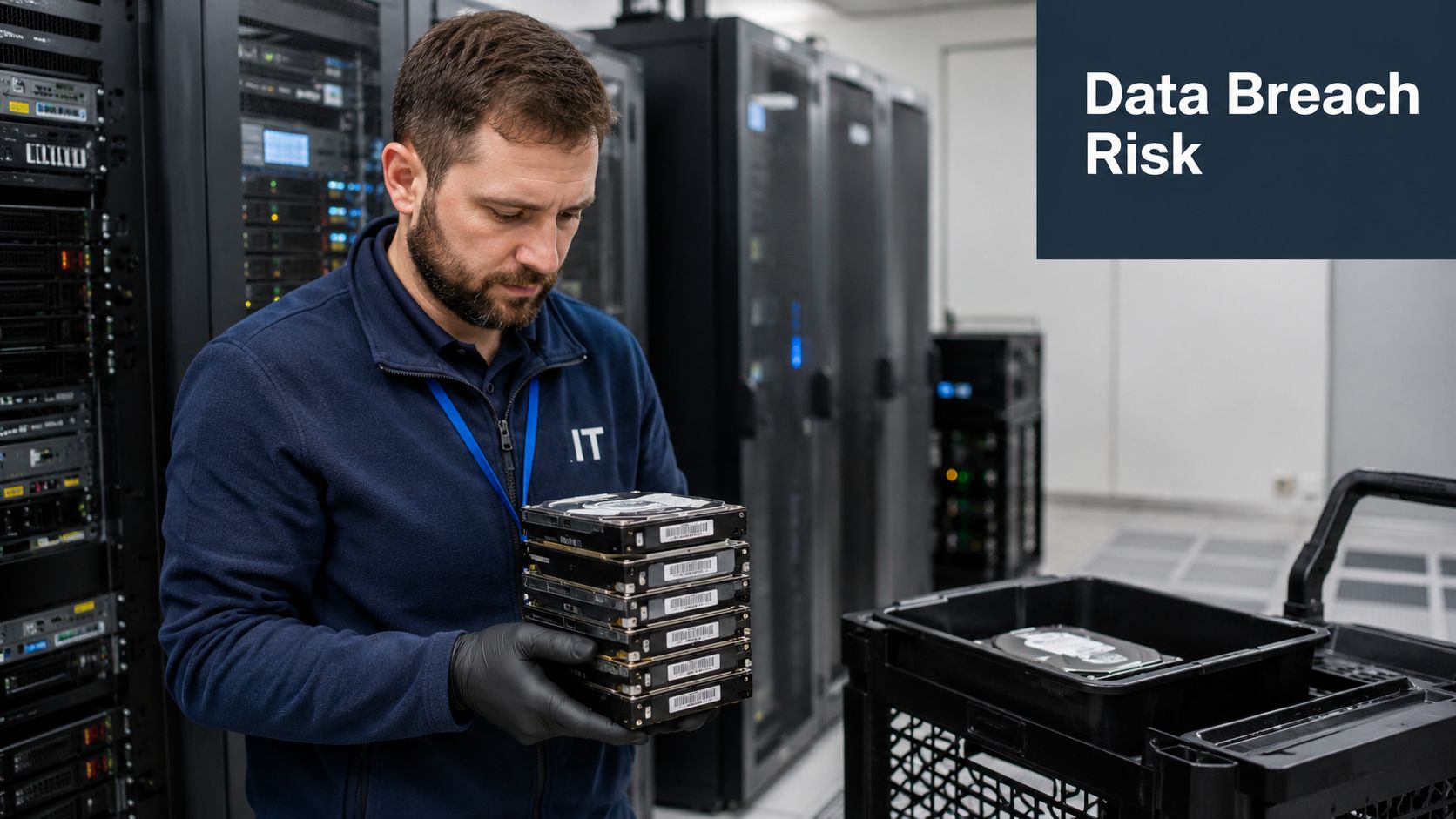
A retired device can reveal far more than stored files. Communication settings can expose wireless credentials, network architecture, pairing history, authentication material, service endpoints, and operational relationships between machines. Standard reset procedures don't always remove that information completely, especially on embedded systems, industrial assets, and specialty equipment.
Why this risk is getting harder to ignore
The scale of retirement is already enormous. In 2022, the world generated 62 million tonnes of e-waste, averaging 7.8 kg per person. This represents an 82% surge from 34 million tonnes in 2010, according to global e-waste statistics compiled by EMEW. More retired devices means more chances for configuration data, credentials, and communications residue to leave your control.
This is one reason secure data destruction belongs inside electronics recycling decisions, not after them. If the retirement volume is growing, small process gaps become repeated exposure points.
What residual protocol data can look like
The risk isn't limited to one device category. It shows up differently depending on what the equipment did in your environment.
- Wireless devices: saved Wi Fi profiles, remembered Bluetooth pairings, trusted peripherals
- Network appliances: management settings, admin access methods, certificates, logs
- Industrial devices: register maps, serial settings, polling structures, endpoint details
- IoT and smart equipment: broker addresses, topic structures, authentication artifacts
- Specialty devices: workflow settings, interface configurations, user mappings
A company can wipe laptops carefully and still miss a switch, badge system controller, smart display, or lab instrument that contains sensitive operational clues.
A factory reset often removes convenience data for the next user. It doesn't always remove forensic value for the wrong one.
Why compliance teams should care
Residual protocol data can create two separate problems. First, it can give unauthorized parties a map of your environment. Second, it can undermine audit readiness if you can't prove that connected devices were decommissioned with the same rigor as servers and PCs.
That concern applies across office equipment disposal, facility cleanout, medical equipment disposal, and data center decommissioning. It also applies when equipment is being donated rather than shredded. Reuse is valuable, but only after proper sanitization.
If your team is building a broader awareness program around retirement risk, this guide to protecting data in Sheffield from Steel City IT is a useful outside read because it frames data protection as an operational habit rather than a one-time event. For a closer fit to end-of-life workflows, it's also worth reviewing data security in IT asset disposition best practices, especially when multiple device classes are leaving service at once.
An Operational Checklist for Secure Decommissioning
Once protocol-related risk is visible, the next step is operational discipline. Decommissioning works best when teams stop treating disposal as a single handoff and start treating it as a controlled process with checkpoints.
The checklist below is practical for office IT, distributed sites, clinics, labs, warehouses, and production environments. It applies to electronics recycling, computer recycling, secure data destruction, product destruction, and selective donation.
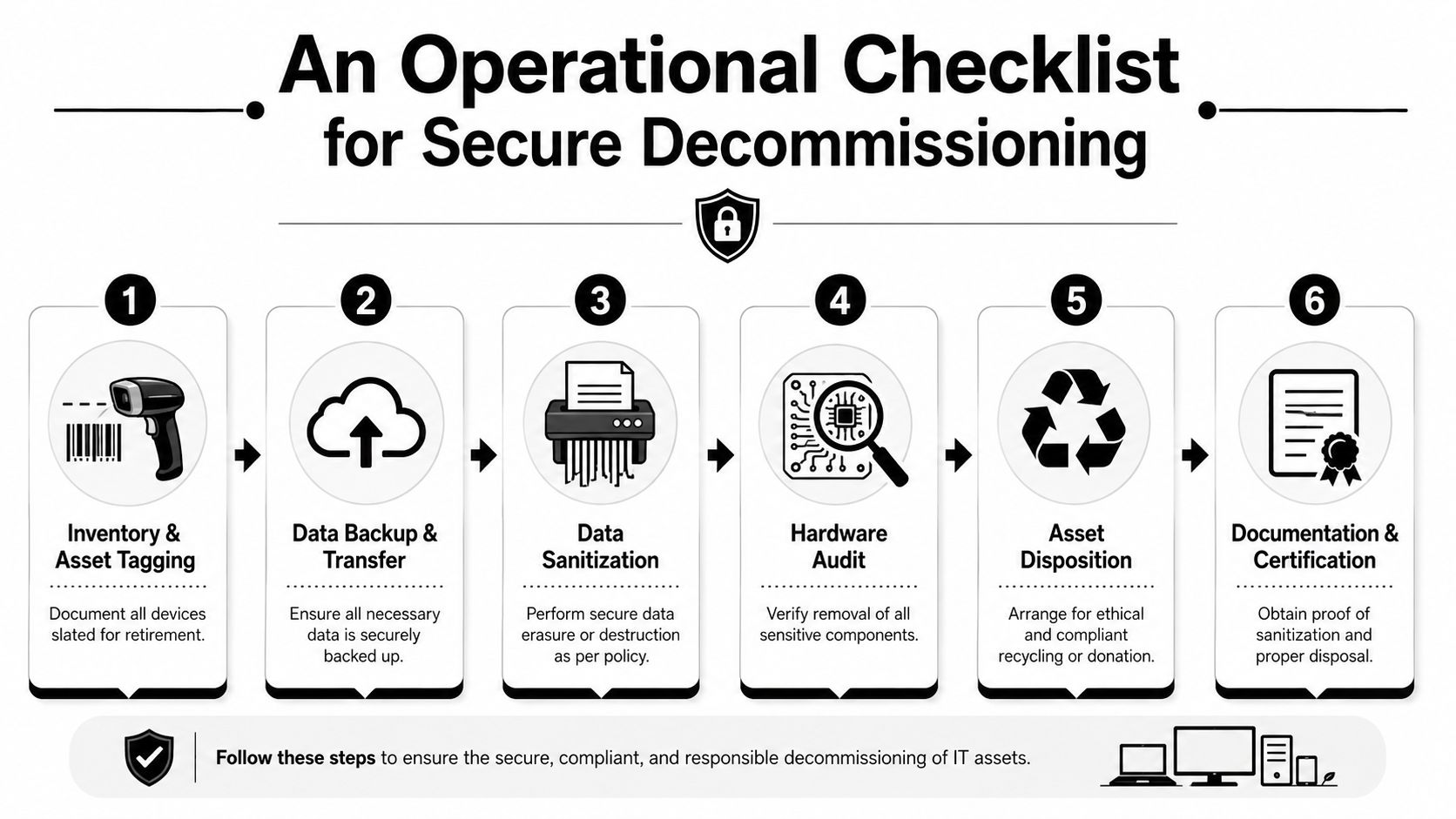
Start with communication aware inventory
Before anything is unplugged, document what each asset is and how it connected.
List device type and role
Note whether the asset is a laptop, switch, sensor gateway, medical unit, PLC, printer, tablet, or storage system.Record communication methods
Identify Ethernet, Wi Fi, Bluetooth, serial, USB, or industrial protocol use. This step often reveals hidden assets that don't appear on standard endpoint lists.Tag risk level
A kiosk with browser access isn't the same as a production gateway or a medical analyzer. Grouping assets by communication exposure makes later decisions faster.
A communication-aware inventory also helps with chain of custody. The team knows what left service, what required wiping, and what needed destruction rather than reuse.
Isolate before you erase
Many organizations rush to wiping and skip the safer first move. Disconnect the asset from active networks and companion systems.
That means removing live access before configuration changes begin. Devices that still talk to brokers, controllers, wireless peers, or remote management systems can keep exchanging data during the retirement window if no one isolates them first.
Field note: Isolation prevents active communication. Sanitization removes residual information. They aren't the same task.
Remove stored configuration and access material
Protocol knowledge demonstrates its value. Don't stop at user files.
- Clear network settings: remove saved wireless profiles, certificates, management interfaces, and remote access settings.
- Reset pairings and trust relationships: check Bluetooth accessories, mobile peripherals, and attached field devices.
- Review embedded storage: many appliances and specialty systems store logs or configuration snapshots in non-volatile memory.
- Check application-layer settings: IoT and industrial assets may contain broker details, topic permissions, or addressing schemes.
For teams handling racks and infrastructure, a more detailed server decommissioning checklist can help align these steps with data center workflows.
Match the method to the asset
Not every device should be handled the same way. Some can be sanitized and redeployed. Some can support corporate donation programs after proper data removal. Others should go directly to destruction.
A short comparison helps:
| Asset scenario | Typical disposition path |
|---|---|
| Reusable business laptops with verified sanitization | Donation, redeployment, or resale support |
| Failed storage media or high-risk drives | Secure shredding or physical destruction |
| Legacy network appliances with uncertain wipe capability | Product destruction or restricted recycling |
| Specialized devices with embedded configs | Case-by-case review before donation-based recycling |
| Mixed load from office cleanout or facility cleanout | Segregate by risk, then process accordingly |
One provider some organizations use for this workflow is Reworx Recycling, which handles electronics recycling, secure hard drive shredding, IT asset disposition, pickups, and equipment decommissioning. In practice, the value of a partner isn't branding. It's whether they can separate reusable assets from high-risk ones, preserve documentation, and execute secure data destruction without breaking chain of custody.
Don't separate environmental compliance from security compliance
These issues belong together. Unsound e-waste recycling can release up to 1,000 different chemical substances into the environment, including neurotoxicants like lead and mercury, according to the World Health Organization's fact sheet on e-waste). That's why responsible electronics recycling and medical equipment disposal should be part of the same operational checklist as sanitization and documentation.
A process that protects data but mishandles hazardous materials is incomplete. A process that recycles ethically but skips secure data destruction is also incomplete.
Finish with proof
Your final deliverable isn't only an empty room or a cleared rack. It's documentation.
Keep records of:
- Asset counts and identifiers
- Disposition method
- Data destruction method
- Pickup and transfer details
- Certificates or downstream documentation
If your business ever needs to answer a customer, regulator, insurer, auditor, or internal security team, those records matter as much as the recycling outcome itself.
Partner with Reworx for Responsible ITAD
Communication protocols seem invisible until old equipment starts leaving your environment. Then they become very real. They affect what a device remembers, what risk it carries, and how carefully it needs to be decommissioned.
That's the connection many disposal plans miss. IT asset disposition isn't only about moving hardware out of a building. It's about identifying digital residue, protecting business information, supporting compliance, and making sure sustainable recycling doesn't create avoidable security exposure. That applies to laptop disposal, office cleanout projects, data center decommissioning, laboratory equipment disposal, medical equipment disposal, and product destruction decisions alike.
For organizations building a mature retirement process, a broader guide to global IT asset disposition practices is a useful next step. It helps frame decommissioning as an operational discipline rather than a one-time cleanup event.
The other important point is that responsible retirement can still support community impact. Donation-based recycling and social enterprise recycling models make more sense when devices are properly inventoried, sanitized, and routed according to risk. That's how businesses can support digital inclusion and workforce development without compromising data security.
If your organization is planning electronics recycling, secure data destruction, IT equipment disposal, computer recycling, or a full facility cleanout, explore how Reworx Recycling supports responsible retirement through pickups, donation-based recycling, and documented ITAD workflows. Businesses can donate old equipment, schedule a pickup, or build a long-term recycling partnership that protects data and supports communities.