Every growing business ends up with a waste blind spot.
It starts small. A box of used batteries under the facilities desk. A stack of spent lamps in the maintenance room. Retired laptops waiting for approval. A few old phones in IT. Then the pile becomes a system, except no one designed it.
That's where risk creeps in. The problem isn't just clutter. It's misclassification, broken chain of custody, damaged devices with exposed components, and in the case of electronics, data sitting on assets no one has properly retired. A business can run a disciplined purchasing process and still lose control at the back end.
A universal waste system fixes that by turning scattered disposal habits into a managed program. It gives facilities, EHS, operations, and IT a shared process for identifying waste, storing it correctly, documenting it, and moving it offsite through approved channels. For electronics, it also forces a separate conversation about data destruction and IT asset disposition.
Scale matters. Large waste operators deal with this every day. Universal Waste Systems, Inc. in California manages over 45,000 tons of solid waste annually, which shows how much material modern organizations and municipalities have to control and divert responsibly (ZoomInfo profile for Universal Waste Systems, Inc.).
Most companies won't handle anything close to that volume. But the operational lesson is the same. If you don't define ownership, storage rules, labeling, pickup triggers, and vendor controls, waste management becomes informal. Informal systems fail under audits, building inspections, office moves, and technology refreshes.
From Clutter to Compliance An Introduction
The universal waste problem usually shows up in ordinary places.
A facilities manager finds unlabeled lamp boxes near janitorial supplies. An office manager has old keyboards and docking stations mixed with trash-room overflow. IT has a locked closet full of laptops, tablets, and hard drives that nobody wants to touch until the next refresh project. Each pile came from a reasonable decision made in the moment. None of it adds up to a compliant program.
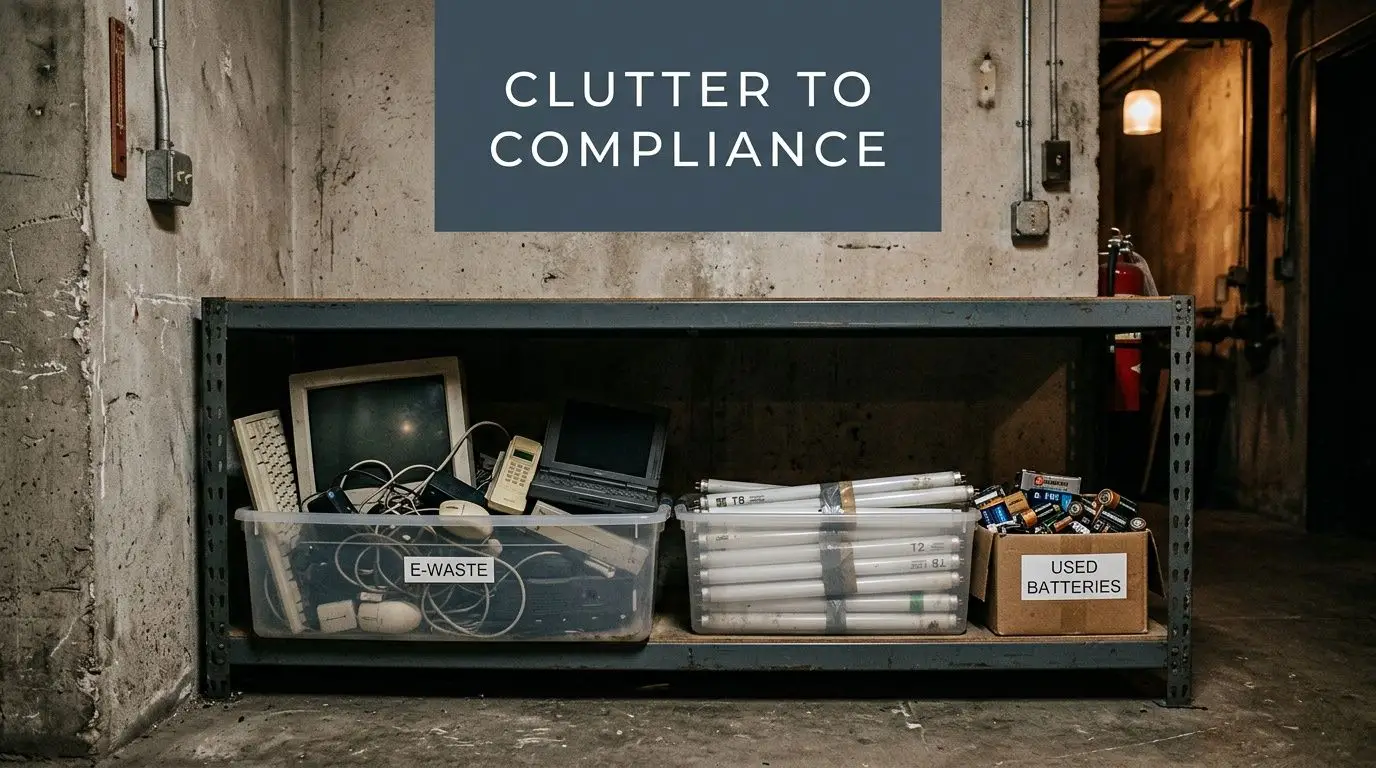
The practical shift is to stop treating waste as leftover housekeeping. Treat it as an operating process with owners, containers, dates, records, and clear handoffs.
What disorder usually looks like on the ground
In most facilities, the warning signs are easy to spot:
- Mixed streams: batteries, lamps, and electronics end up in the same corner because staff only know they shouldn't go in the trash.
- No start dates: containers exist, but no one can say when accumulation began.
- Weak access control: anyone can drop off anything, including broken devices with data-bearing media.
- Ad hoc pickups: shipments happen when the area feels full, not when policy says it's time.
Those issues create two kinds of exposure. One is environmental and regulatory. The other is operational. Teams lose time hunting for ownership, reconciling assets, and explaining inconsistent practices after the fact.
Practical rule: If your waste area depends on employee memory, you don't have a system yet.
A strong universal waste system gives the business a repeatable method. Materials are identified early. Containers are selected on purpose. Employees know where items go and what not to do. Pickup decisions follow written triggers, not hallway conversations.
Why electronics complicate an otherwise simple program
Lamps and batteries are already enough to require discipline. Electronics add a different risk profile.
A retired laptop isn't just material to recycle. It may contain regulated data, internal files, saved credentials, or storage media that require a documented disposition path. That's why companies that think they've solved waste management often discover they've only solved half of it. They built a storage program, not an end-of-life governance program.
The businesses that manage this well usually do three things consistently:
| Operational habit | What it prevents |
|---|---|
| Separate waste categories at the point of generation | Cross-contamination and mislabeling |
| Restrict access to accumulation areas | Casual dumping and asset loss |
| Use documented outbound handoffs | Disposal gaps and audit disputes |
This is the primary benefit. A universal waste system doesn't just clean up a room. It reduces ambiguity.
Decoding Universal Waste Regulations
The federal framework is a good place to start because it gives businesses a common baseline.
Under the EPA's Universal Waste Program in 40 CFR Part 273, certain commonly generated hazardous wastes can be handled under simplified rules rather than the full hazardous waste structure. The EPA also distinguishes between a small quantity handler, which accumulates less than 5,000 kg, and a large quantity handler, which accumulates 5,000 kg or more. Universal waste may generally be stored for up to one year under the program (EPA Universal Waste Program).
That sounds straightforward until a business starts mapping actual waste streams. Federal categories are limited. State expansion is where confusion begins.
For a practical overview of how this applies in operations, many businesses start with guidance on universal waste handling requirements.
Federal categories you need to recognize
The federal list is narrower than many people assume.
| Waste Category | Common Examples |
|---|---|
| Batteries | Rechargeable and certain hazardous batteries |
| Pesticides | Recalled or collected pesticide products |
| Mercury-containing equipment | Devices that contain mercury components |
| Lamps | Fluorescent and other qualifying lamps |
| Aerosol cans | Qualifying aerosol cans under the program |
If your site generates these items, your universal waste system should identify them at the point of discard, direct them into the right containers, and keep them segregated from trash and scrap streams.
Handler status drives the level of control you need
A lot of internal confusion comes from skipping the handler-status question.
If your facility is under the small quantity threshold, the program is simpler. If you're at or above the large quantity threshold, the administrative burden rises. That affects how tightly you need to manage accumulation, shipment planning, and records. Even when a site stays below the threshold, it's smart to build processes as if scrutiny will increase. Growth, seasonal cleanouts, and multi-site consolidations can change your volume profile quickly.
The cleanest programs don't wait for a regulator to force structure. They build structure before volume makes mistakes expensive.
Where electronics fit, and why that matters
At this point, many standard universal waste guides stop being useful.
The federal universal waste rule clearly covers items like batteries and lamps. Electronics often sit outside that simple federal picture and move into state-specific programs. The EPA notes that states can add categories, including electronics, and the verified background on the federal program highlights examples such as electronics in several states, including California, as part of state expansion under universal waste frameworks.
That means a company with offices in multiple states can't assume one electronics rule applies everywhere. A battery collection SOP may transfer well across sites. A laptop disposal SOP often won't. The result is a fragmented compliance map where EHS, facilities, and IT have to coordinate instead of operating in silos.
The safest approach is to treat federal universal waste rules as your floor, then layer state-specific electronics requirements and internal data-security controls on top.
Designing Your Central Accumulation Area
A written policy won't save a poorly designed room.
Your central accumulation area needs to work on an ordinary Tuesday when staff are busy, not just during an audit walk-through. If the area is hard to access, short on containers, or unclear to new employees, waste will drift back into closets, loading docks, and maintenance shelves.
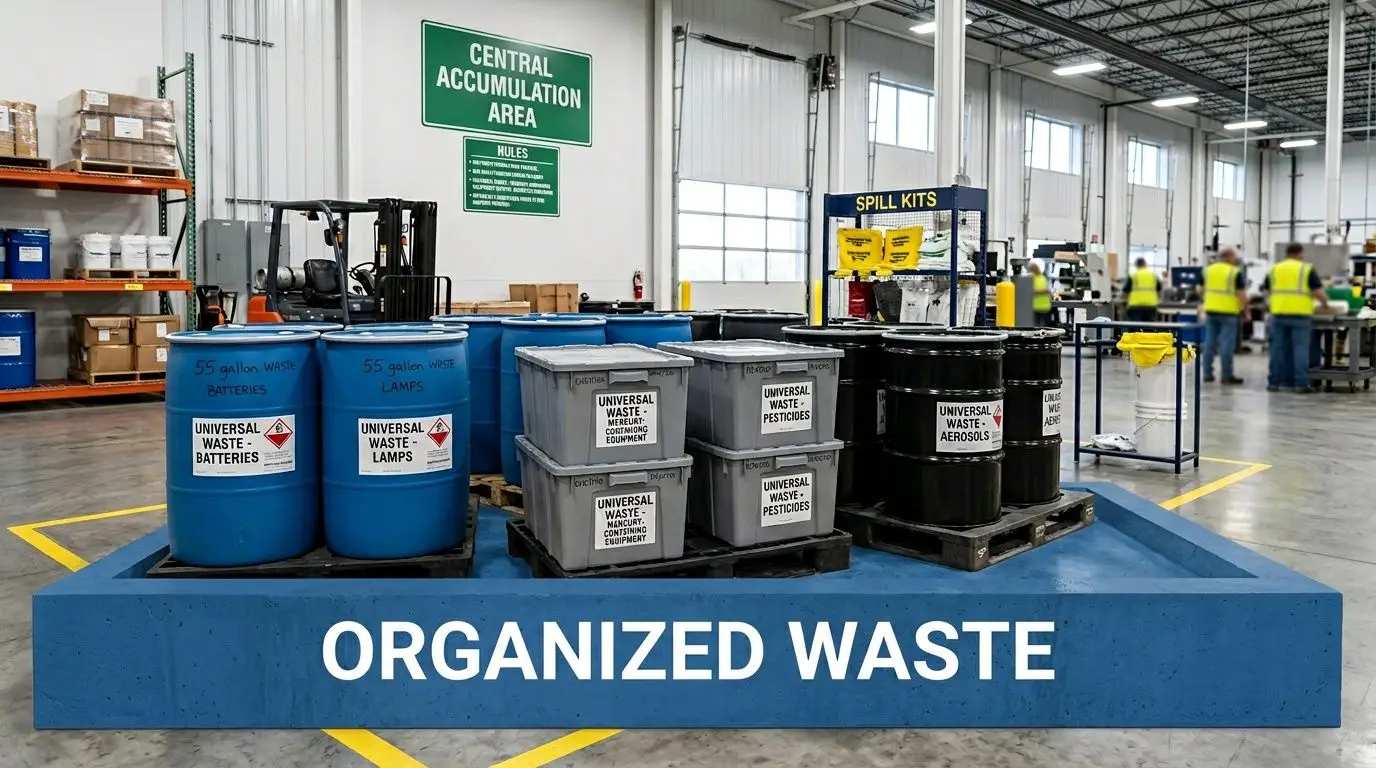
Pick the room before you pick the bins
The right space usually has a few traits in common:
- Controlled access: limit entry to trained staff, facilities, EHS, or IT.
- Indoor protection: keep materials out of weather and away from high-traffic loading activity where damage is more likely.
- Enough clearance: staff need room to move carts, stage outbound pallets, and inspect containers.
- Separation capability: don't force lamps, batteries, and electronics to share the same footprint if different handling needs apply.
Space pressure is real, especially in city offices, schools, and public buildings. The useful lesson from equipment design is compactness with control. Material from NASA's Universal Waste Management System states that the system reduced volume by 75%, and the verified application to facility design notes that businesses can apply similar thinking through compactors and smart storage, with potential 30% efficiency gains in space-limited facilities (NASA UWMS technical document).
That doesn't mean every site needs a compactor. It means dead air, poor stacking, oversized containers, and awkward access usually signal a design problem.
For sites that need distributed collection before items reach the main area, a managed electronic recycling drop-off box program can help keep small devices from piling up at desks and reception counters.
Build containment around the waste stream, not convenience
A common mistake is buying one container style for everything.
Lamps need protection from breakage. Batteries need containment that reduces the chance of shorting or leakage. Electronics need stable staging that protects screens, ports, and drives while preserving any asset tags needed for disposition. The container should match the waste, not the purchasing department's desire to standardize one box type.
Use plain labeling that staff can understand at a glance. Mark the waste type clearly. Add the accumulation start date according to your internal procedure. Don't rely on color alone. People rotate, contractors come and go, and labels need to survive normal warehouse wear.
Layout choices that hold up
The best accumulation areas usually follow a simple flow:
- Receiving zone: where items first arrive and get checked for proper category.
- Segregated storage: separate, labeled spaces for each universal waste stream.
- Exception area: a spot for damaged, broken, or questionable items pending review.
- Outbound staging: pallet or carton space for the next shipment.
A cramped room creates bad behavior. Staff will stack incompatible items together if the layout leaves them no better option.
A good area should let a supervisor answer four questions in under a minute: What is this? Who put it here? When did accumulation begin? Where does it go next?
If the room can't answer those questions visually, redesign it before you write more policy.
Establishing Compliant Workflows and Training
Storage is only one part of the program. The system succeeds or fails in motion.
Waste is generated at desks, labs, maintenance shops, classrooms, clinics, breakrooms, and server rooms. If each department improvises its own handoff, the central area becomes a museum of inconsistent decisions. That's why the strongest universal waste system is built from workflows, not posters.
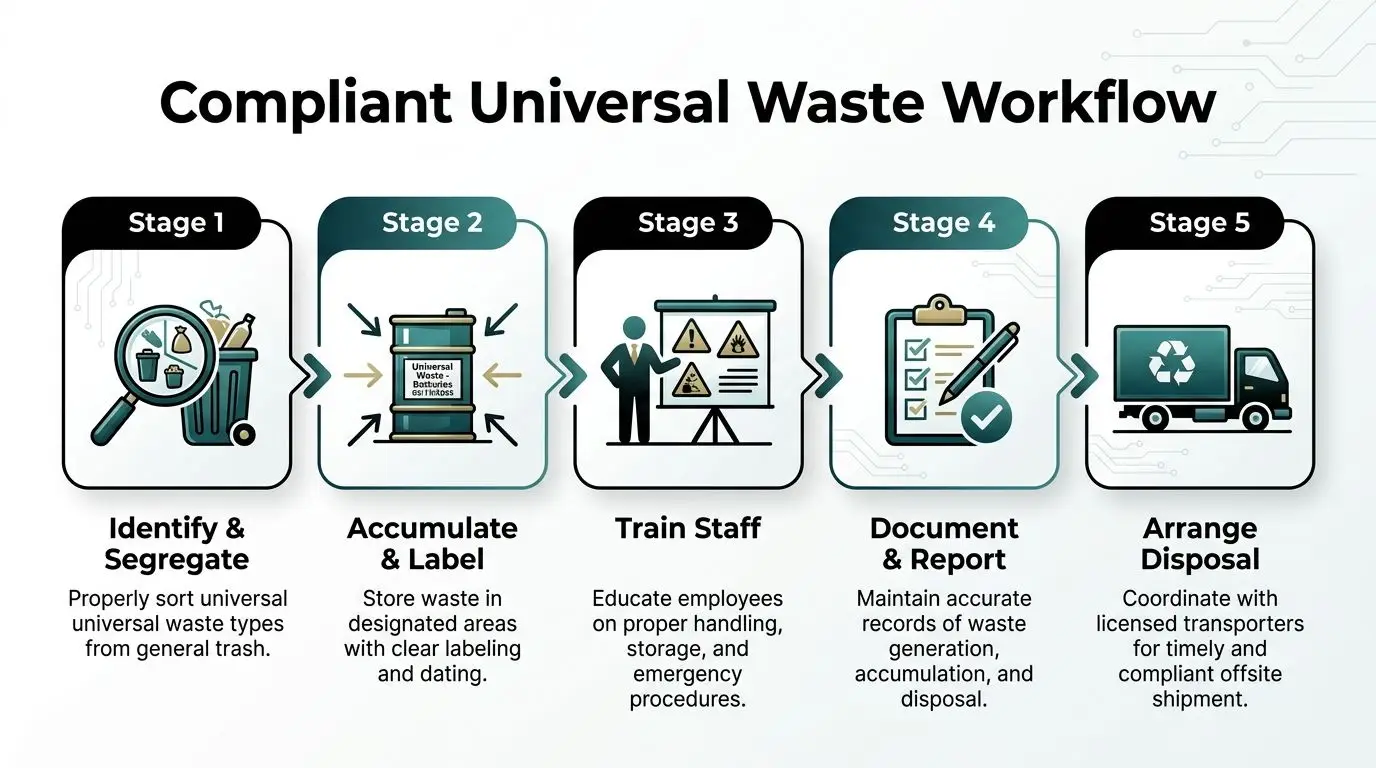
Write SOPs for the moments where errors happen
Most mistakes occur before waste reaches the central area. Staff guess where to place items. They overfill a box. They tape up a damaged lamp carton without reporting breakage. They leave retired electronics in unsecured offices because pickup isn't scheduled yet.
Your standard operating procedures should cover the actual handoffs:
- Generation point: who identifies the item as universal waste and what they do first.
- Initial segregation: which temporary containers or satellite points are approved.
- Internal transfer: who can move waste to the main area and on what schedule.
- Container closure and labeling: what gets marked, by whom, and when.
- Outbound coordination: who authorizes shipment and what documents must be retained.
Don't overcomplicate the paperwork. A one-page SOP that people use is better than a thick binder nobody opens.
Training needs to be role-based
A receptionist who accepts devices from employees doesn't need the same depth of training as an EHS manager or IT technician. But each person still needs enough instruction to avoid creating risk.
Focus training on role-specific decisions:
| Role | Training focus |
|---|---|
| General employees | What items are universal waste and where they go |
| Facilities and maintenance | Container use, labeling, breakage response, internal transfers |
| IT staff | Device intake, asset tracking, secure staging, data-bearing media controls |
| Supervisors | Record review, pickup triggers, vendor coordination, escalation paths |
The reason for this discipline goes beyond housekeeping. Verified guidance for TRUE Zero Waste shows that certification requires businesses to document waste by weight and calculate diversion rates, that facilities can achieve over 90% diversion, and that 25% fail initial audits due to inconsistent data tracking (TRUE Zero Waste rating system).
That lesson applies even if certification isn't your goal. Weak workflows produce weak records. Weak records unravel under review.
Field note: If your team can't explain how an item moves from office floor to outbound shipment, your documentation won't survive an audit.
Keep one record set, not three
Many organizations split the paperwork. Facilities tracks lamps. EHS tracks regulated materials. IT tracks retired assets. That sounds logical until nobody can assemble a full chain of events.
A better model is a single operating record for each waste stream with shared ownership. The record can be simple, but it should show:
- Item type or category
- Date placed into accumulation
- Location
- Responsible department
- Shipment or pickup reference
- Final documentation received
For electronics, tie this record to the asset list if applicable. For batteries and lamps, tie it to container counts or weight records according to your internal program. Don't create parallel logs unless a specific operational reason demands it.
Useful workflow design also means giving staff practical references. Teams that manage retired hardware often benefit from documented IT asset management best practices so the universal waste process doesn't drift away from the asset lifecycle.
Audits should be short and frequent
Annual reviews are too slow. Problems accumulate unnoticed when no one checks labels, dates, training gaps, and container condition until year-end.
A short recurring audit catches the issues that matter:
- Look at dates: containers should show consistent accumulation information.
- Check labels: wording should be visible and specific enough to prevent confusion.
- Inspect condition: damaged boxes and overfilled containers need immediate correction.
- Review exceptions: broken items and questionable materials shouldn't sit unresolved.
- Match records to reality: what's on the floor should match what's in the log.
The best training programs use these audit findings as refreshers. That keeps the universal waste system alive instead of turning it into a policy everyone signed once and forgot.
Integrating Electronics and IT Asset Disposition
A generic universal waste system often fails at this point.
A lamp is a waste item. A retired laptop is a waste item, a potential asset, and a security event. Treating both through the same lens creates blind spots. Businesses often build a solid universal waste process for batteries and lamps, then under-manage the electronics stream because it sits between facilities and IT.
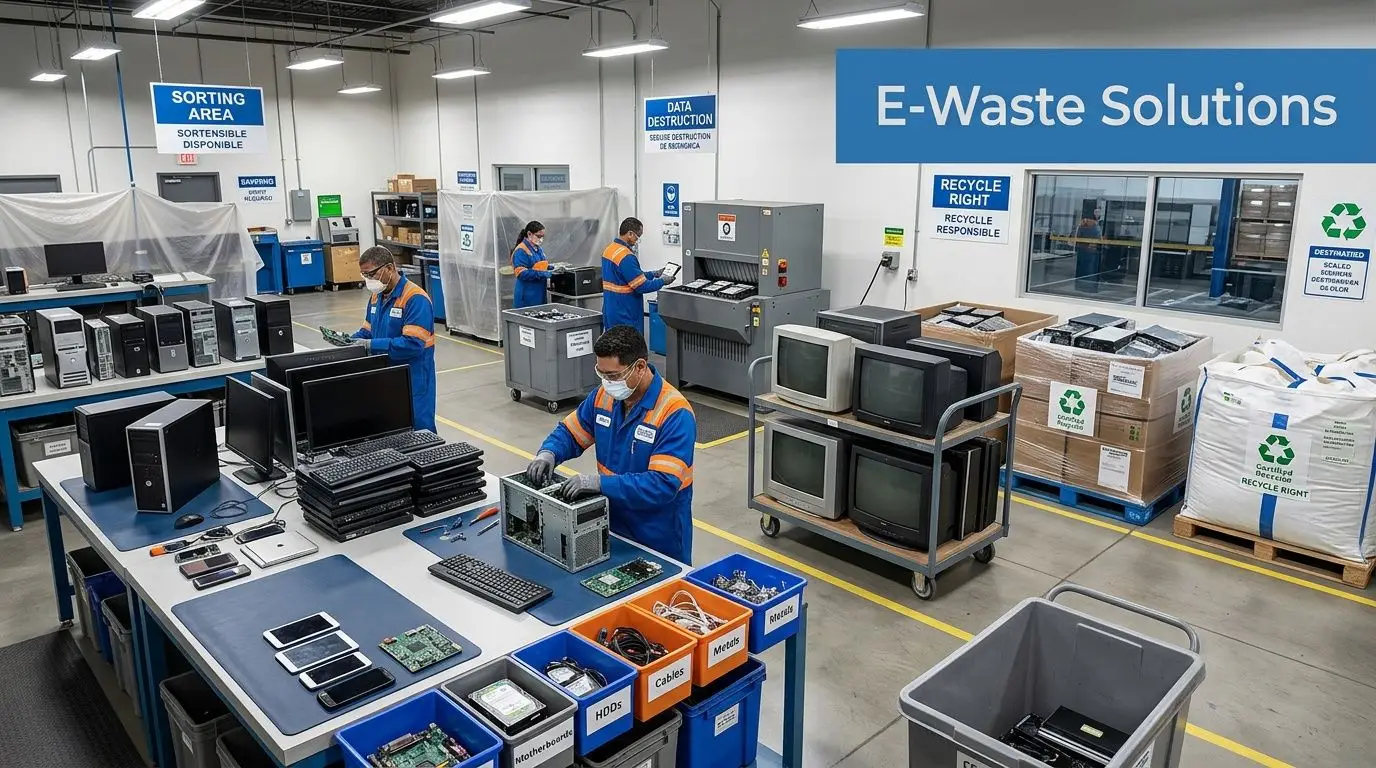
Why electronics need their own sub-system
Electronics have at least four added variables:
- Data: drives, solid-state storage, and embedded memory require secure handling.
- Asset status: some equipment still has redeployment, resale, or donation potential.
- State rules: electronics regulation can differ by jurisdiction.
- Chain of custody: businesses need a documented path from collection through disposition.
That complexity is one reason smaller organizations stall. Verified background for this topic notes a significant guidance gap for SMBs and that 70% cite regulatory uncertainty as a barrier when integrating e-waste into universal waste systems, while federal rules cover items like lamps and batteries and electronics remain more fragmented under state requirements (UWS South Gate background page used in verified data).
In practice, that uncertainty shows up in familiar ways. Devices sit in storage because no one is sure whether they should be wiped, sold, donated, dismantled, or shipped as scrap. Facilities teams don't want custody of data-bearing assets. IT teams don't want to own environmental compliance. So nothing moves.
Build the electronics path around control points
A workable electronics process usually starts before an item becomes waste.
Create a decision tree for retired devices:
- Is the device data-bearing?
- Does it have redeployment value internally?
- Does it have remarketing or donation value?
- If not, what recycling path meets state and internal requirements?
This is the point where IT asset disposition, or ITAD, becomes part of the universal waste system rather than a separate afterthought. If you need a baseline explainer for stakeholders, a plain-language resource on what IT asset disposition means can help align facilities, IT, and compliance teams around the same process.
What works and what usually fails
What works is controlled intake, asset logging, secure storage, documented data destruction, and a clear decision on reuse, donation, resale, or recycling before the device leaves your custody.
What fails is the halfway model. That's where a company labels electronics as "recycling," stores them in a locked room, and assumes the label itself solved the problem. It didn't. You still need a chain of custody, approved disposition path, and records that connect the asset to its final outcome.
Electronics shouldn't enter your waste system anonymously. Once labels, serials, and users are lost, recovery and accountability get harder.
For organizations that want one partner to handle the electronics portion, Reworx Recycling provides donation-based electronics recycling, secure data destruction, pickups, equipment decommissioning, and ITAD support. That can fit as the electronics sub-process inside a broader universal waste system while facilities continues to manage non-electronic universal waste streams.
The reason that model works is simple. It respects the fact that e-waste isn't just another box in the accumulation area. It's a controlled disposition workflow with environmental, security, and social-impact implications.
Donation, recovery, and destruction are not the same decision
Businesses often combine these choices too early.
Some devices should be physically destroyed because the media risk or device condition warrants it. Some should be processed for reuse or parts recovery. Others may be suitable for donation through structured corporate donation programs, especially when the organization wants an end-of-life path that supports community access to technology.
Those are different decisions with different documentation needs. Your universal waste system should recognize that distinction instead of collapsing every device into "recycle."
Partnering with Certified Recyclers for Disposal
At some point, your internal controls end and a vendor's controls begin.
That handoff is where many businesses either close the compliance loop properly or lose visibility. A recycler or ITAD vendor shouldn't be chosen because they answer the phone quickly or offer a convenient truck route. They should be chosen because they can explain their downstream process, document what they do, and support the level of security your waste stream requires.
Questions worth asking before you ship anything
Start with process, not marketing.
- What certifications do you hold? Ask for current documentation and scope.
- How do you handle downstream vendors? You want a clear answer, not vague assurances.
- What documentation do you issue after service? Certificates matter for audits and internal closeout.
- Can you support on-site needs? Some programs need pickups, office cleanouts, or drive destruction.
- How do you separate reuse from destruction? That decision shouldn't be accidental.
If a vendor can't walk you through chain of custody in plain language, keep looking.
A useful screening step is to review how the provider presents its electronic recycling certification and compliance approach. The wording on a website isn't enough by itself, but it helps you identify whether the company understands audit trails, environmental controls, and data-sensitive material handling.
Match the vendor model to the waste stream
Different waste streams need different service models.
For a routine office environment, scheduled pickups may be enough. For a data center decommissioning, you may need coordinated packing, serialized tracking, and documented media handling. For schools, labs, healthcare operations, or multi-floor office cleanouts, the limiting factor is often labor, staging, and secure internal movement before the truck even arrives.
The right disposal partner reduces internal friction. The wrong one adds a second project on top of the first.
The final measure is documentation. You should receive records that allow your organization to show what left, when it left, who handled it, and how the disposition was completed. Without that, the universal waste system stays operationally incomplete even if the room is empty.
Frequently Asked Questions on Universal Waste
Can broken lamps or damaged devices stay in the same area as intact items
They can be managed in the same overall program, but don't treat them as routine inventory. Create an exception area and require supervisor review so damaged items don't get mixed into normal outbound handling.
Do electronics automatically count as universal waste everywhere
No. Federal rules clearly address specific categories like lamps and batteries, while electronics often depend on state rules and internal data-security requirements. Multi-state businesses should avoid one-size-fits-all assumptions.
How much paperwork is enough
Enough to reconstruct the path from generation to offsite disposition. If a manager can't match the item, the date, the storage point, and the final disposition record, the documentation is too thin.
Who should own the program
One department should own the policy, but execution usually spans facilities, EHS, operations, and IT. Shared work is fine. Unclear ownership isn't.
When should a company bring in an outside partner
Bring one in when electronics, data-bearing assets, office cleanouts, or recurring pickups start creating uncertainty. That's usually the point where informal handling stops being manageable.
If your business is trying to bring batteries, lamps, retired computers, and other electronics under one controlled process, visit Reworx Recycling to explore practical guidance, donation-based recycling options, secure data destruction support, and pickup solutions for a cleaner universal waste system.