The nearest recycling drop-off isn't automatically the safest destination for retired business technology. Fayetteville organizations need to distinguish between a location that accepts an item and a documented IT asset disposition (ITAD) process that protects data, tracks custody, and proves where equipment went.
That distinction matters for laptops, desktops, servers, monitors, printers, networking hardware, and removable media. A convenient handoff may solve transportation, but it may not answer the questions an auditor, procurement team, public-records officer, or customer will ask later: Who received the device? Was the storage media sanitized? Was the equipment reused, resold, dismantled, or sent to material recovery? What certificate supports the final disposition?
The Hidden Risks Behind Convenient Drop-Off
A nearby recycling point can solve the transport problem while leaving the security and audit questions unanswered. Fayetteville's permanent recycling drop-off locations accept recyclable materials, but the city says they are not intended for electrical items such as computers, televisions, radios, microwaves, or VCRs. Improper disposal can result in fines, according to the city's recycling and facilities guidance. An office cleanout therefore needs a controlled destination, not just a convenient route.
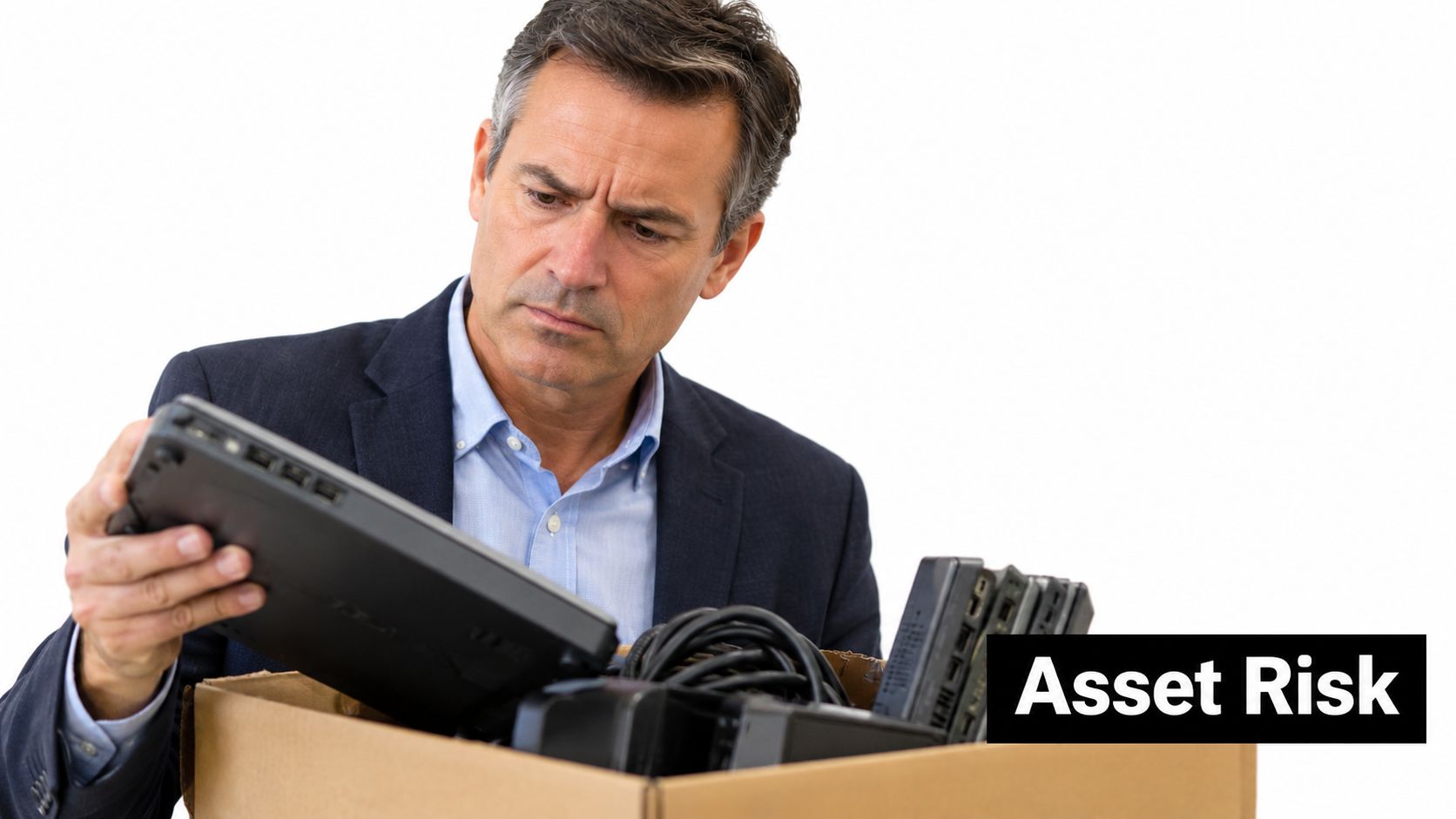
Arkansas DEQ's directory lists Fayetteville-area collection points for monitors, laptops, desktops, hard drives, printers, scanners, phones, and televisions. Use the directory to identify possible outlets, then verify the controls behind each one. An accepted-material category does not establish secure data destruction, resale screening, chain-of-custody documentation, or a certificate of recycling.
What a drop-off receipt does not prove
A drop-off receipt proves transport, not data security. A household location may suit an individual device without business information. Business equipment can contain customer records, employee details, patient files, student data, financial records, government information, and credentials saved in browsers or applications.
A factory reset provides no reliable record that all information has been removed. Data may remain outside visible partitions, and a receipt for a laptop or monitor says nothing about the drive's later handling.
Practical rule: Check the location, the data-security process, and the downstream processor separately.
Before releasing equipment, ask whether the provider records serial numbers at intake, separates devices during processing, documents failed erasures, and issues a final disposition record. If those answers are unclear, transportation is documented while the organization retains a security and audit gap. Reworx's explanation of why data isn't being destroyed safely reinforces the need to examine the full disposition process.
The global volume of discarded electronics adds context. The Global E-waste Monitor reports that 62 billion kilograms of e-waste were generated globally in 2022. Only 22.3%, or 13.8 billion kilograms, was documented as formally collected and recycled in an environmentally sound manner in its 2024 executive summary. A Fayetteville business cannot control that worldwide flow, but it can require records showing where its own equipment went.
Preparing IT Assets for Secure Recycling and Reuse
Good IT equipment disposal starts before the truck arrives. A facilities or IT manager should create a controlled staging area where retired assets remain under organizational custody until they're inventoried, classified, and assigned a disposition path.
Keep working laptops, obsolete peripherals, servers, printers, and damaged equipment visibly separated. Don't place personal devices in the same pallet as corporate assets, and don't put loose batteries into a shipment. The processor's accepted-material rules should determine how batteries, lamps, toner, and other regulated or potentially hazardous components are removed and packaged.
Build the intake queue
A workable preparation routine looks like this:
Create an inventory. Record the manufacturer, model, serial number, asset tag, assigned owner, location, and basic condition. Photograph unusual equipment or damaged labels before movement.
Classify the media. Mark laptops, desktops, servers, external drives, USB devices, backup tapes, and other storage media according to confidentiality and disposition risk. A printer or monitor may require a different handling decision from a server or removable drive.
Isolate pending assets. Use a locked room, cage, or controlled section of the loading area. Access should be limited to named employees and the pickup team.
Separate value paths. Place potentially reusable laptops and desktops in one queue, parts candidates in another, and material-recovery equipment in a third. This prevents functioning equipment from being buried in a mixed load.
Prepare handoff records. Give the transporter or processor a manifest that can be reconciled against the assets released. Retain a copy with the pickup date and responsible employee.
Arkansas environmental authorities warn that electronics can contain lead, mercury, and cadmium, which may become hazardous when discarded in household trash and compacted in landfills through the state's e-waste guidance. That makes an office cleanout more than a decluttering exercise. It's a material-handling task with environmental and information-security consequences.
Match preparation to the equipment
Remove accounts, activation locks, and organization profiles before reuse when policy permits, but don't confuse account removal with media sanitization. Preserve encryption keys only when the approved disposition process requires them, and document who authorized the action.
Printers may contain internal storage, servers may contain multiple drive arrays, and networking equipment can retain configuration details. Reworx's guidance on how to prepare company electronics for recycling can help teams turn an unstructured pile into a controlled pickup.
The objective is a staged, identifiable queue. If an asset can't be matched to a serial number, owner, or disposition status, place it in an exception area instead of releasing it with the verified inventory.
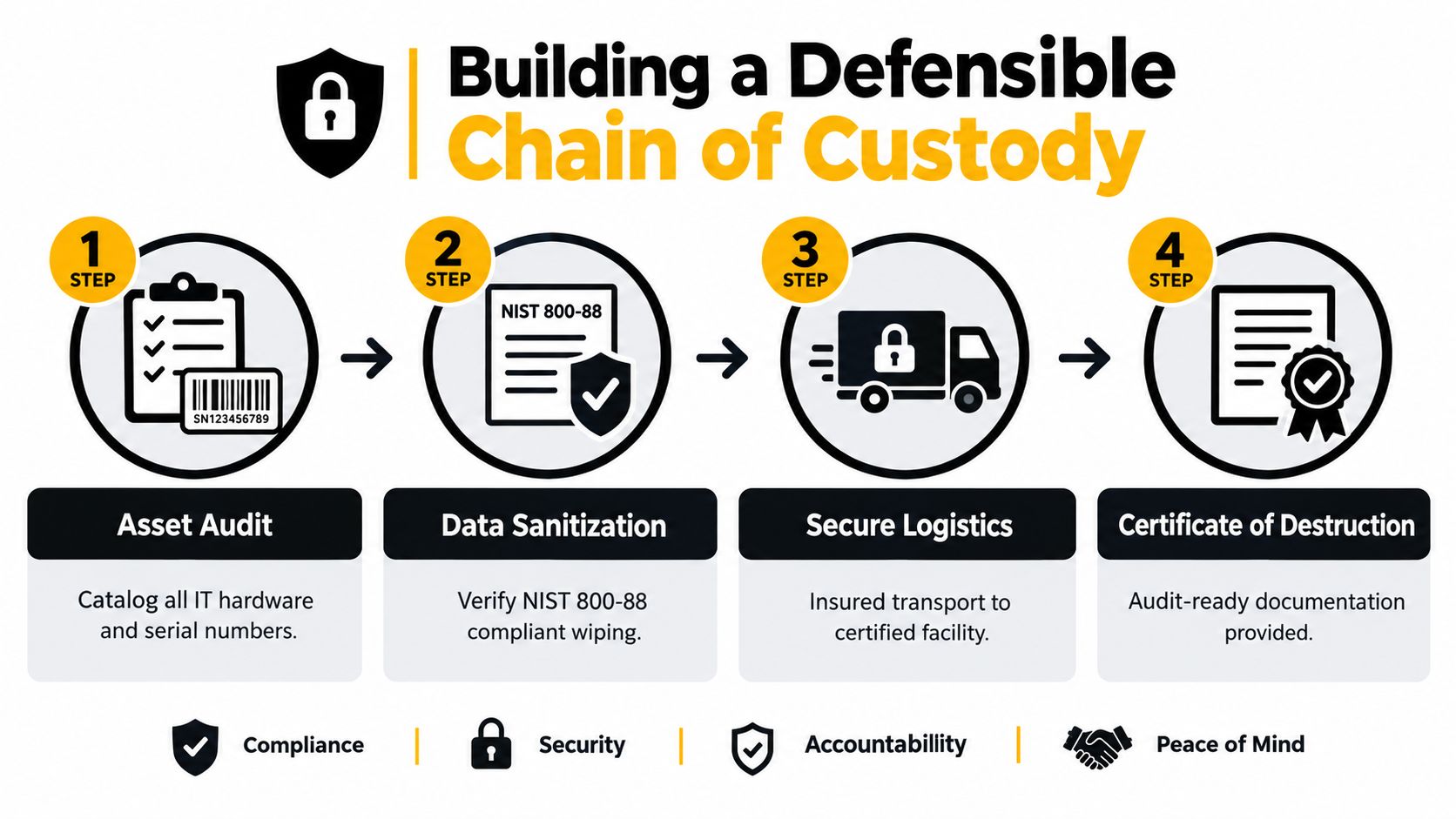
Building a Defensible Chain of Custody
A defensible chain of custody connects the asset leaving an employee's desk to its final outcome. The record should show what the organization owned, what it released, who accepted it, what happened to its storage media, and which certificate closed the transaction.
NIST SP 800-88 Rev. 1 defines three sanitization outcomes: Clear, Purge, and Destroy. The appropriate choice depends on the media, the sensitivity of the information, and whether the organization plans to reuse, resell, or dismantle the device.
Understand the three outcomes
Clear applies a logical technique intended to address user-accessible data. Purge uses a stronger technique designed to make recovery infeasible using state-of-the-art laboratory methods. Destroy renders the media unusable, which may involve physical destruction when risk or media condition makes reuse inappropriate. NIST's media sanitization guidance explains the distinctions and the need to select a method suited to the media.
Verification matters as much as the command that starts the process. NIST recommends checking pseudorandom locations across both user-addressable and reserved areas, because checking only a limited visible region can miss residual data. A factory reset, deleted user profile, or erased visible partition doesn't automatically satisfy that standard.
Put controls around every release
Use 100% serial-number reconciliation at intake and release. The record should identify exceptions rather than hide them, including failed erasures, encrypted drives, damaged media, missing labels, and unknown device identities.
For government, education, healthcare, and financial environments, failed verification should trigger escalation to a stronger purge or physical destruction. Repeating an uncertain method without changing the risk decision only creates a longer audit trail for the same weakness.
A practical release packet should include:
- Asset manifest: Serial number, asset tag, model, owner, and condition.
- Custody record: Pickup date, releasing employee, carrier or processor, and receiving confirmation.
- Sanitization result: Method, status, verification outcome, and exception details.
- Final disposition: Reuse, resale, donation, parts recovery, material recovery, or destruction.
- Certificate: A media-disposition or destruction certificate tied to the asset identifiers.
EPA guidance for transferring or donating used electronics says organizations must protect information stored on hard drives, memory, external disks, CDs, USB drives, paper, and tapes. Its electronics-management guidance also notes that recognized certification programs assess security practices alongside environmental and worker-safety controls. A certificate isn't a substitute for a sound process, but without one, an organization may struggle to prove what happened after pickup.
Reworx provides chain-of-custody documentation for electronics recycling, an example of the kind of evidence businesses should request from any provider. The standard should be the same whether the load contains a single laptop or a data-center decommissioning project.
Choosing Between Basic Recycling and Secure IT Asset Disposition
A nearby drop-off point can make equipment disappear quickly, but convenience does not establish the right disposition or prove secure handling. A working laptop may retain more value through controlled redeployment, donation, or resale than through immediate material recovery. A broken printer, depleted battery, or obsolete peripheral may require a different processing stream from a tested desktop.
Arkansas DEQ's Fayetteville listings include residential and business or institutional users and accept categories such as laptops, desktops, monitors, hard drives, and printers. Those listings indicate potential acceptance, not the correct lifecycle decision. Evaluate function and data risk first, then select reuse, parts harvesting, material recovery, or destruction.
Compare the pathways
| Pathway | Appropriate when | Main control |
|---|---|---|
| Redeployment | The device meets an internal user's performance and security requirements | Verified sanitization, reconfiguration, and ownership records |
| Donation | The equipment can support community access or digital inclusion | Data destruction, recipient screening, and transfer documentation |
| Resale | Residual value justifies testing and controlled resale | Secure erasure, grading, and clear downstream records |
| Parts harvesting | Components remain useful while the complete unit does not | Component identification and media-specific handling |
| Material recovery | Reuse is impractical or the equipment is damaged or obsolete | Processor acceptance rules and documented downstream processing |
| Product destruction | Risk, condition, or policy rules out reuse | Destruction evidence tied to the original asset |
Small IT and telecommunications equipment includes laptops, mobile phones, routers, and GPS devices. The Global E-waste Monitor reported that this category reached approximately 5 billion kilograms in 2022, while only 22% was documented as formally collected and recycled in the same report. The practical lesson is straightforward: removing devices from an office does not prove environmentally sound recycling.
Let risk and value drive the decision
Separate working laptops from obsolete peripherals before pickup. Test equipment that may be reused, but keep data controls ahead of resale pressure. A functioning drive containing confidential records still requires approved sanitization before anyone assesses its market value.
For monitors, printers, batteries, and servers, use separate checks. Does the item contain storage? Does it need special packaging? Can the processor accept its current condition? Will the vendor report material recovery separately from reuse? A server decommissioning project may involve rack removal, drive identification, and controlled transport. A monitor load may place greater emphasis on safe handling and downstream processing.
The cost comparison should cover transportation, labor, testing, residual-value recovery, data risk, and environmental outcomes. A per-pound quote can conceal sorting labor, missing serial numbers, failed erasures, and undocumented downstream handling. Ask for those costs before approving the work.
Reuse can defer processing of a complete device, but it transfers risk if data destruction is incomplete. For Fayetteville organizations, the better question is: which documented outcome protects the information, captures the remaining value, and keeps the material out of an inappropriate waste stream?
Selecting a Certified ITAD Provider in Northwest Arkansas
A provider's truck and weight ticket don't tell you enough. Fayetteville businesses should evaluate an ITAD partner by the evidence it produces, the decisions it makes with reusable equipment, and the visibility it provides after the load leaves the facility.
Start with certifications and process controls, but verify what they mean in practice. Ask for sample certificates, a redacted chain-of-custody packet, media-sanitization procedures, and an explanation of how the company handles exceptions. A provider that can't show its records before the contract is signed may not produce stronger records afterward.
Questions for the RFP
Include questions that force the vendor to describe actual work:
- Inventory control: Will every device be recorded by serial number at intake and matched at release?
- Data security: Which Clear, Purge, or Destroy methods are available for different media?
- Verification: How does the provider verify erased data across user-accessible and reserved areas?
- Exceptions: What happens to failed erasures, damaged drives, encrypted media, and unidentified assets?
- Downstream processing: Which processor receives non-reusable equipment, and what evidence comes back?
- Value recovery: How are tested assets screened for donation, resale, redeployment, or parts harvesting?
- Reporting: Will the organization receive pounds received, inventoried assets, verified sanitization results, reuse, material recovery, landfill disposal, and turnaround time?
- Certificates: Are certificates tied to the original serial numbers and final disposition status?
Use the provider's answers to distinguish a basic electronics recycler from a secure ITAD service. The latter should be able to discuss secure data destruction, equipment decommissioning, product destruction, reverse logistics, and downstream material recovery without treating them as one generic service.
Evaluate the complete cost
A low pickup price may not be low after internal labor, sorting, drive exceptions, certificate chasing, and unresolved assets are included. Compare the total process cost with residual value recovery and risk reduction. Don't assign value to equipment that hasn't been tested, and don't count “recycled” as a complete outcome unless the provider explains what that means for the specific asset.
Reworx Recycling is a donation-based electronics recycling and IT equipment disposal social enterprise based in Smyrna, Georgia. Its listed services include customer drop-off, business pickups, equipment decommissioning, IT asset management, recycling consultations, secure hard-drive shredding with data destruction, and equipment buyback options. Fayetteville organizations can review its Arkansas ITAD services as one option while comparing providers on documentation, security, downstream handling, and community impact.
The social-enterprise model adds another evaluation dimension. A provider may route suitable equipment toward technology donations, digital inclusion, and workforce development while sending non-reusable assets through material recovery. That only works when reuse decisions follow verified sanitization and the organization receives records that support the outcome.
Closing the Loop with Responsible Donation and Community Impact
Fayetteville's waste strategy gives businesses a local reason to improve electronics disposition. The city's solid-waste reduction, diversion, and recycling master plan targets 40% diversion from landfills by 2027, compared with a reported current diversion rate of 18%, and calls for increased commercial and residential recycling participation through its climate and energy program.
Businesses can support that direction by separating usable technology from true scrap. Donation-based recycling can move a tested laptop toward community use, while sustainable recycling routes damaged or obsolete equipment to material recovery. Both pathways need secure data destruction and a final disposition record.
Make donation part of the lifecycle
A corporate donation program should begin with the same discipline as a conventional ITAD project. Inventory the equipment, identify storage media, remove organizational access, sanitize the data, and document the recipient or downstream processor. Do not donate an apparently functional laptop just because it still powers on.
For nonprofits and community programs, operational planning matters too. Organizations managing donated technology may need help tracking restricted gifts, program costs, and grant-related obligations. Tools for grants and restricted funds can help nonprofit partners organize those financial requirements, while the donating business focuses on asset records and data protection.
Fayetteville employers, schools, healthcare organizations, public agencies, and facilities teams should define success beyond pounds removed. Useful measures include the number of inventoried assets, the share with complete serial records, verified sanitization results, reuse, material recovery, landfill disposal, and pickup-to-certificate turnaround. A strong program should aim for no unidentified storage devices released from custody and no asset left without a final disposition status.
Choose the next action deliberately
A small business may need laptop disposal and a scheduled pickup. A university may need campus-wide computer recycling, secure storage, and separate handling for research equipment. A public agency may need procurement-ready certificates, exception reporting, and destruction evidence. A healthcare organization may require stricter escalation for failed verification.
Reworx can support businesses considering a laptop donation program alongside broader electronics recycling and IT asset disposition. Its mission connects responsible equipment retirement with environmental stewardship, technology donations, digital inclusion, and workforce development.
The practical standard is simple: don't judge a program by how close the drop-off point is. Judge it by whether the organization can account for every asset, protect every storage medium, document every handoff, and explain the environmental and community outcome.
Reworx Recycling offers business pickups, equipment decommissioning, secure hard-drive shredding, data destruction, and donation-based electronics recycling for organizations retiring IT equipment. Visit Reworx Recycling to plan a Fayetteville-area pickup, donate usable technology, or discuss a documented ITAD program.