A record 62 billion kilograms of electronic waste was generated worldwide in 2022, and only 22.3% was documented as formally collected and recycled in an environmentally sound manner, according to the Global E-waste Monitor findings published by ITU. That gap matters when you search for Hard Drive Destruction Near Me, because a retired drive creates two obligations at once. You have to make the data unrecoverable, and you have to keep the remaining metal, circuit boards, and electronic material out of a landfill. Proximity solves neither problem on its own.
Why Retired Hard Drives Need Professional Destruction
Most searches start after a practical trigger. An office move, a server refresh, a data center decommissioning project, or a storage room full of laptops forces a decision nobody budgeted time for. The drives look inert, but they can still hold customer records, business files, authentication data, and cached credentials.
Verizon's 2025 report analyzed more than 22,000 security incidents, including 12,195 confirmed data breaches, and found credential abuse accounted for 22% of breaches while exploitation of vulnerabilities accounted for 20%, as summarized in Verizon's 2025 Data Breach Investigations Report announcement. In its small-business snapshot, 88% of breaches involved the use of stolen credentials. Those figures don't measure discarded drives specifically. They do explain why storage media that may contain credentials shouldn't be treated as scrap.
Deletion Is Not Sanitization
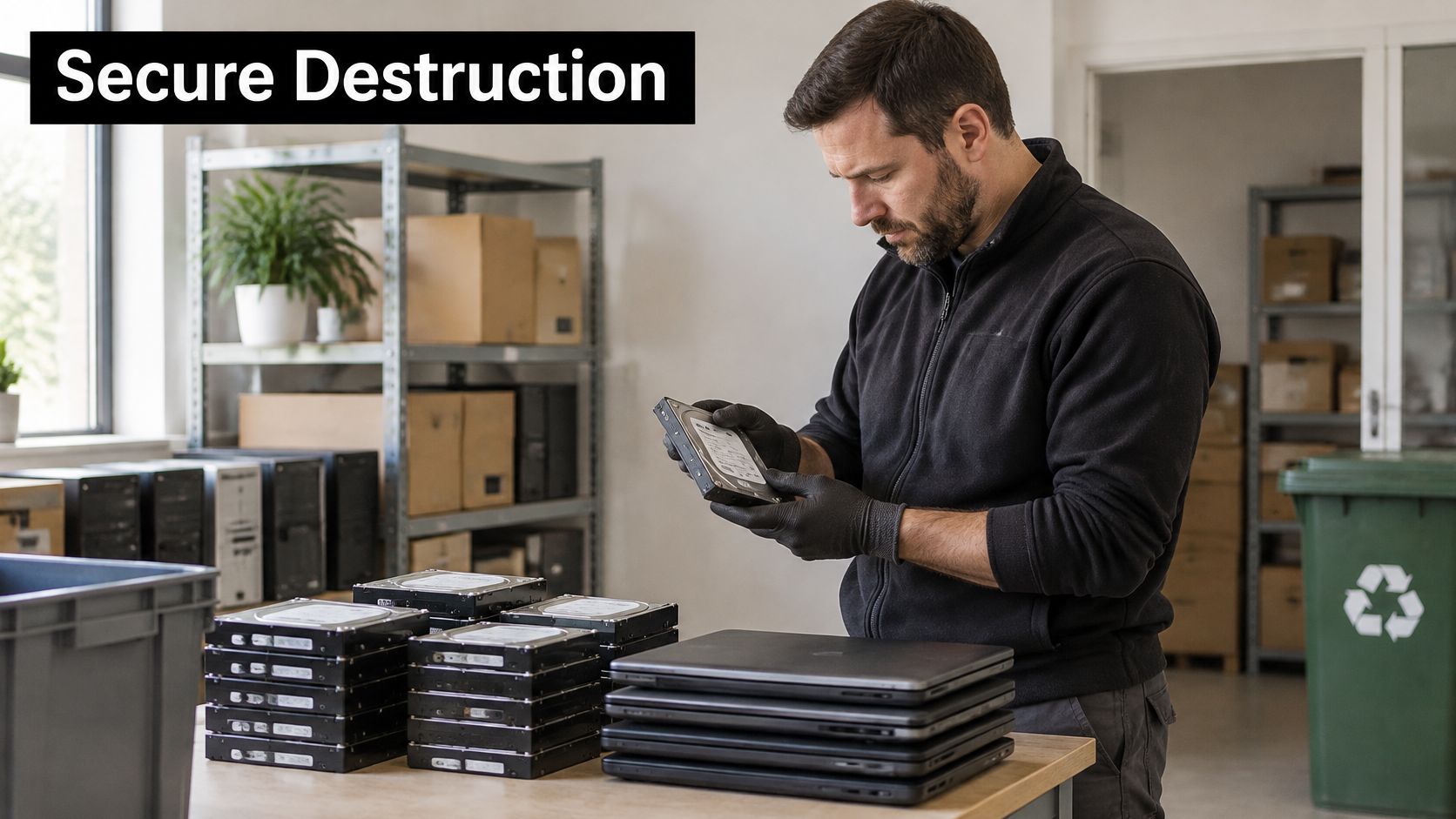
Deleting files or running a standard operating system reset doesn't give you the same assurance as a documented sanitization or physical destruction process. A reset is designed to prepare a device for a new user, not to produce evidence that prior data can't be read or reconstructed. If you can't state what method was applied to a specific serial number, you don't have a defensible record.
Working rule: Treat every retired drive as inside your information-security boundary until you hold a disposition record for that exact asset.
Put the Drive Inside IT Asset Disposition
Professional IT equipment disposal starts before anyone picks up a shredder. Inventory the drive, classify its sensitivity, restrict access while it waits and during transport, then destroy or sanitize it with an approved method. Retain the evidence with the asset register.
That sequence matters for computer recycling, laptop disposal, server retirement, and external disks alike. The device type changes. The accountability question doesn't. Who had the drive, what happened to it, and can you prove the outcome months later when an auditor, customer, or insurer asks?
Choosing Between Drop-Off, On-Site, Degaussing, and Wiping
Method selection should follow two questions. Do you intend to reuse the medium, and how sensitive is the data? If reuse is off the table and the data is confidential, physical destruction is usually the cleanest answer. If a working laptop will be refurbished and donated, a purge method may preserve value without preserving the data.
NIST Special Publication 800-88 distinguishes clear, purge, and destroy. Clear uses logical techniques to protect against simple, non-invasive recovery, purge makes recovery infeasible with state-of-the-art laboratory techniques while potentially preserving the device, and destroy makes recovery infeasible and leaves the medium unusable for future storage, as defined in NIST SP 800-88 Revision 1.
Sanitization Options for Hard Drives
| Option | Sanitization Outcome | Reuse Possible | Best Fit |
|---|---|---|---|
| Wiping | Clear, using logical overwrite or factory functions | Yes | Working devices planned for internal redeployment or donation after verification |
| Degaussing | Purge for magnetic media | Generally no for the degaussed HDD | Magnetic drives that won't be reused and need laboratory-level resistance |
| On-site shredding | Destroy | No | Regulated, confidential, or witnessed jobs where media shouldn't leave the premises intact |
| Drop-off destruction | Destroy, at the provider facility | No | Small batches from an office cleanout where documented custody starts at intake |
Wiping is the cheapest path to reuse, but it's also the easiest to do badly. A failed drive won't accept commands reliably, and a software process needs verification that the operation completed without error. If the drive can't be read back and checked, don't call it wiped.
Degaussing only makes sense for magnetic storage. It doesn't transfer to flash-based SSDs, and it typically ends the drive's working life anyway. Buyers sometimes pay for degaussing plus shredding when their policy requires both. That's defensible if the policy says so, but paying twice without a policy reason adds cost, not evidence.
On-site shredding trades money for control. You watch the media get destroyed and you remove transport risk, but you need space, power, scheduling, and someone competent to reconcile serial numbers before drives enter the machine. Drop-off reverses that trade. It's simpler for a handful of drives, provided intake logging starts the moment you hand them over.
Reworx Recycling, a Smyrna, Georgia electronics recycling and IT asset disposition (ITAD) partner, offers free customer drop-off, business pickups, and secure hard drive shredding with data destruction. That's a useful model to compare against because one provider covers the small drop-off job and the larger scheduled pickup. Whichever local provider you choose, match the option to the outcome in the table, not to the shortest drive.
Tracking Drives From Pickup to Destruction
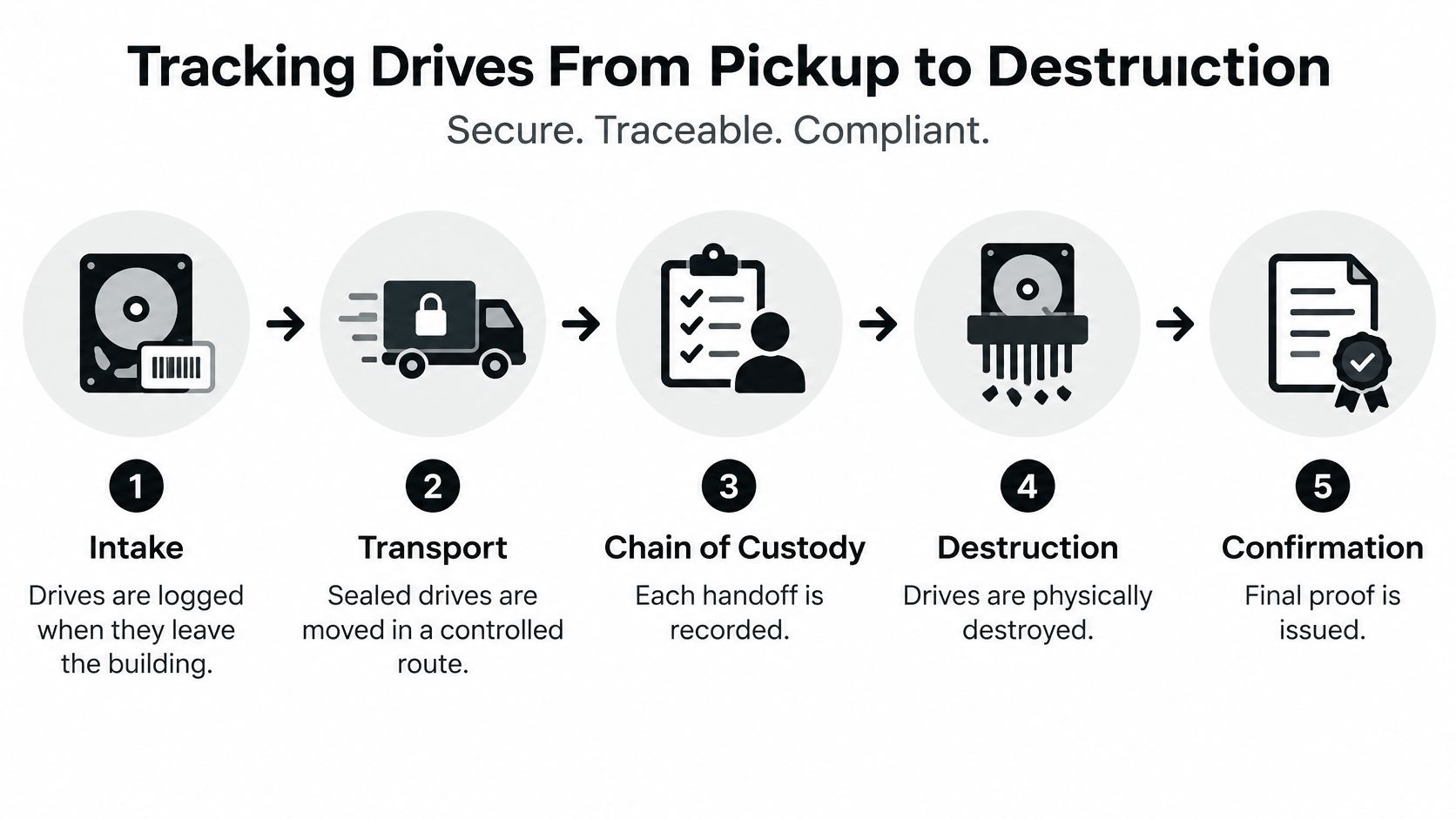
The most common failure in secure data destruction isn't the shredder. It's the gap between a drive leaving your building and a record showing it was destroyed. During that gap, media can sit in an unsecured cage, ride in an unlogged vehicle, or get mixed into a bulk load before anyone records a serial number.
A provider should be able to walk you through custody without improvising. Ask who touches the media, where it's stored, how exceptions are handled, and what happens if a count doesn't reconcile.
The Custody Path in Five Checkpoints
- Intake manifest: Record asset type, serial number, source location, and condition before drives leave, or at the moment of handoff for drop-off work.
- Sealed transport: Move drives in locked or tamper-evident containers on a controlled route, with the driver identified on the manifest.
- Restricted storage: Hold media in an access-controlled area, separated by client and work order, until destruction.
- Serial reconciliation: Match every serial number to the work order before destruction, and quarantine damaged or unidentifiable media as exceptions instead of guessing.
- Destruction record: Close the loop with method, date, operator, and the serialized list that entered the batch.
Onsite destruction compresses steps two and three. Offsite processing extends them, which isn't automatically worse, but it does require stronger documentation. EPA guidance says electronics-management programs should assess environmental, worker-health, and security practices of entities and downstream handlers, and it identifies data security and asset management as relevant services, as described on the EPA electronics management research and initiatives page. Apply that idea to every handoff, not just the final recycler.
What Good Documentation Looks Like
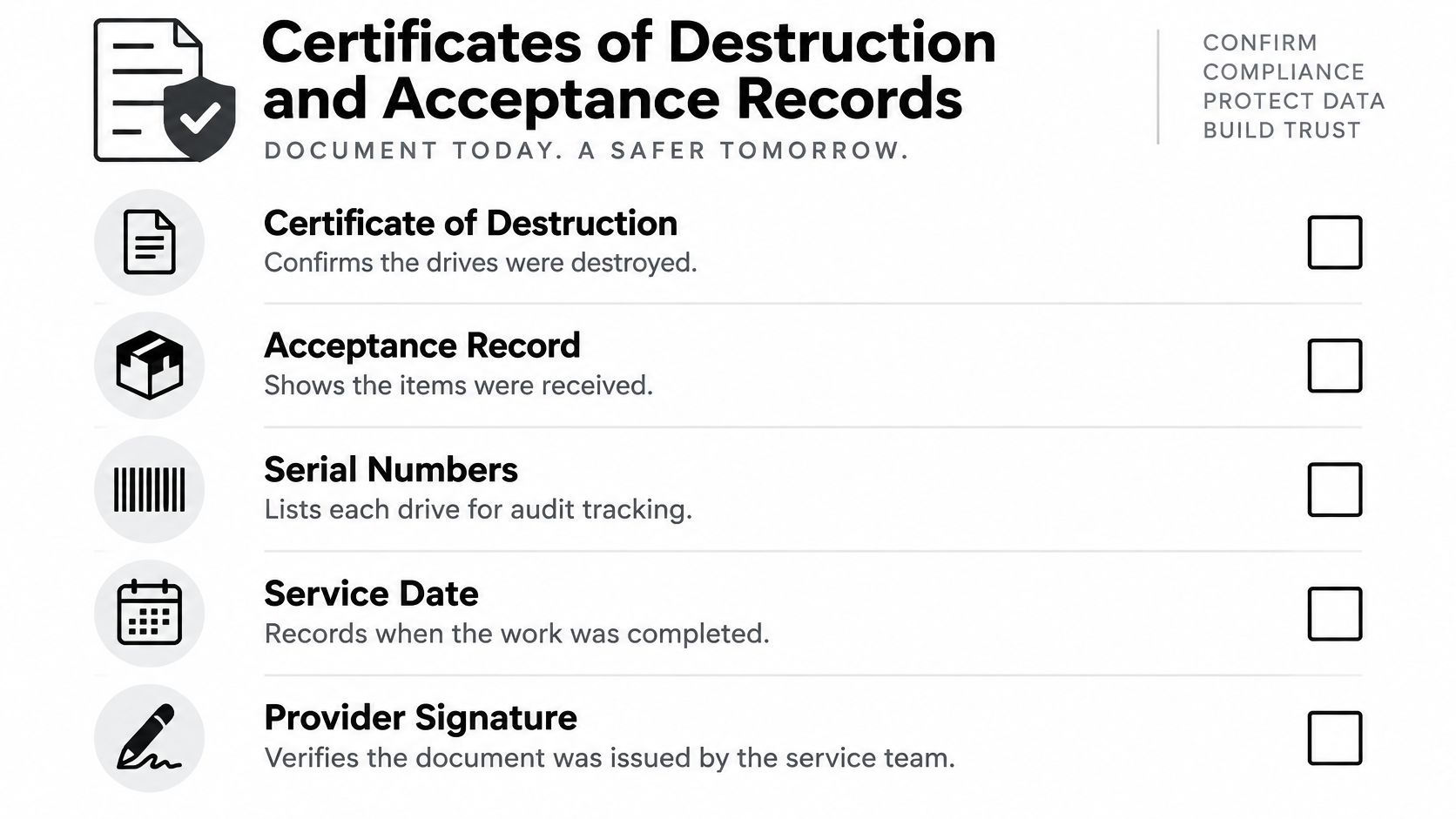
Ask to see sample chain of custody documentation for retired media before you book. A certificate that lists individual serial numbers proves far more than a batch certificate that confirms a weight or a count. If a drive is lost before destruction, a batch record won't tell you which asset is missing or what data it held.
A shredding video shows a machine running. A reconciled custody record shows your drive entered that machine.
Distributed offices, schools, municipalities, and hybrid-work fleets add one more complication. Drives arrive from homes, field sites, and closed offices with inconsistent labels. Insist on intake logging at each collection point, not a single count at the end. Facility cleanout projects fail on exactly this point, because volume tempts everyone to palletize first and inventory later.
Equipment Standards Behind the Word Shredded
Shredded is a description, not a specification. Two providers can use the same word and produce very different particle sizes, and particle size determines whether magnetic storage is actually sanitized.
NSA guidance states that hard-drive shredders don't sanitize magnetic storage unless they achieve particles nominally 2 millimeters or smaller, and approved destruction devices are evaluated for their ability to deform platter assemblies within 30 seconds or less, as set out in the NSA evaluated products list for hard disk drive destruction devices. The same guidance warns that a crusher or punch by itself may damage a drive without necessarily making recovery infeasible.
Why a Bent Casing Proves Little
A crushed enclosure looks destroyed. The platters inside may still be largely intact, and intact platter surface is what a recovery attempt needs. NSA's routine approach requires platter deformation or an appropriately sized disintegration process, with degaussing or other approved controls where applicable. Judge the internal outcome, not the external damage.
Generic industrial shredders create a similar problem. They're built for throughput, not for a defined particle output on storage media, so fragments can exceed the size that sanitation requires. Bigger fragments also complicate downstream sustainable recycling, because mixed material is harder to separate cleanly.
Specifications to Request Before Booking
- Equipment specification: Ask for the make, model, and rated media dimensions, then confirm your drives fit that rating.
- Output criterion: Request the particle-size or deformation standard in writing, not a verbal assurance.
- Media-type scope: Confirm magnetic HDDs and SSDs are separated and processed under criteria appropriate to each.
- Batch proof: Require evidence that every serialized drive entered the destruction batch, plus an output sample or inspection record.
Providers that offer certified hard drive destruction with documented equipment standards should answer those four points without hesitation. If a vendor can't state an output specification, you're buying a promise. Measurable physical outcomes and documented verification carry more weight than any unsupported success percentage.
Certificates of Destruction and Acceptance Records
At audit time, nobody asks to see the shredder. They ask for records. The certificate is where a physically effective job either becomes defensible evidence or stays a vendor's assertion.
NIST distinguishes verification, confirming the selected operation completed without error, from validation, your organization's formal decision that the result meets its confidentiality requirements. For destructive methods, verification relies on inspecting the immediate physical outcome because the media is no longer operational and software readback isn't possible. NIST also recommends documenting the sanitized asset and retaining a certificate of media disposition, as explained in NIST SP 800-88 Revision 2. Verification belongs to the operator. Validation belongs to you, and you can't outsource it.
A Practical Acceptance Checklist
- Serial recorded first: Capture the serial number before destruction, since labels don't survive the process.
- Work order match: Tie each asset to the authorized work order and source location.
- Method and equipment: Name the destruction method and the machine used.
- Remnant inspection: Visually inspect output against documented criteria and record who inspected it.
- Exceptions quarantined: Hold unidentifiable or failed media aside with a written disposition, never folded into the completed count.
- Certificate retained: File the completed certificate of destruction for hard drives with the asset register, with operator and date data.
Teams that manage penetration testing already understand this discipline. Organizing records the way you'd organize audit-ready pentest evidence means each finding, or in this case each asset, maps to a dated, attributable record. That mapping is what an auditor tests.
A vendor status of destroyed, without serial reconciliation and inspection criteria, doesn't survive that test. Neither does a certificate issued before exceptions are resolved. Close exceptions first, then validate, then file.
Regulatory Duties for Consumer Data and Donated Equipment
Donating equipment feels like the opposite of disposal. Under federal rules, it isn't. Transferring a laptop to a school, reselling a server, or giving drives to a recycler all move media that may store consumer information, and your obligations travel with your decision, not with the hardware.
The Federal Trade Commission's Disposal Rule applies to any business or individual that uses consumer reports for a business purpose, including organizations that maintain or possess information derived from those reports. It requires reasonable and appropriate measures to prevent unauthorized access to or use of the information during disposal, and for electronic media, examples include destroying or erasing files and storage media so the information cannot be read or reconstructed, as the FTC explains in its guidance on disposing of consumer report information.
Due Diligence When You Hire a Provider
The FTC identifies concrete steps for vetting a disposal provider. Review an independent audit of the provider's disposal practices. Check references from comparable clients. Require certification from a recognized trade association where available.
Those checks fit naturally into procurement. Ask how the provider documents data security compliance across disposal and donation workflows, and request sample certificates before signing. A provider that resists reference checks or can't produce an audit trail is asking you to absorb its risk.
Donation and Resale Still Count as Disposal
Federal regulations define disposal broadly enough to include discarding, abandoning, selling, donating, or transferring any medium, including computer equipment, that stores consumer information. That definition appears in the FTC Disposal Rule federal register notice for 16 CFR Part 682. Donating old laptops doesn't eliminate the obligation merely because the equipment leaves your premises.
Sanitize or physically destroy storage media before donation or resale, and retain evidence of the process. That applies to customer, employee, patient, financial, and credit-report information, and it applies equally to medical equipment disposal and laboratory equipment disposal where devices carry embedded storage. Sector-specific rules may add requirements beyond the Disposal Rule. Confirm those with your own counsel instead of assuming one federal rule covers your corporate donation programs.
Pricing, Volume, and Booking a Local Pickup
There's no honest single rate for Hard Drive Destruction Near Me, because the work varies more than the search term suggests. Five drives dropped off in a box and a pallet of mixed media from a data center decommissioning project are different jobs with different documentation burdens.
What Actually Drives the Quote
- Volume: Per-drive handling drops as serialized batches grow, but only if the inventory arrives clean and sorted by media type.
- Pickup versus drop-off: A scheduled business pickup adds routing, labor, and secure transport that a counter drop-off doesn't.
- Documentation level: Serialized certificates, witnessed destruction, and exception reporting take operator time, and that's time you're paying for.
- Mixed loads: HDDs, SSDs, tapes, and loose devices from an office cleanout need sorting before destruction, which slows intake.
- Value recovery: Surplus hardware with resale or donation value can offset service cost through buyback or refurbishment.
Ask for pricing transparency on pickup, documentation, and destruction variables in the quote itself. A line-item estimate lets you see whether you're paying for transport, serialization, or destruction, and it makes competing bids comparable. A single lump sum hides exactly the variables you'll argue about later.
Reworx Recycling operates from Smyrna, Georgia with free customer drop-off, convenient business pickups, equipment decommissioning, secure hard drive shredding with data destruction, and equipment buyback for surplus hardware. Its model is donation-based recycling run as a social enterprise recycling operation, so equipment that can be refurbished supports technology donations, digital inclusion, and workforce development instead of going straight to material recovery. Drives that can't be reused still get destroyed and recycled. The social outcome depends on the device, and destruction decisions should still follow data sensitivity first.
Before booking, count your drives, note the media types, photograph serial labels if labels are fragile, and decide whether you need onsite witnessing or offsite documentation. That preparation shortens intake and prevents the most common surprise charge, sorting a mixed pallet. Then schedule the pickup, confirm who signs the manifest, and agree on when certificates arrive relative to payment.
The cheapest quote usually removes documentation. The most expensive one sometimes adds witnessing you don't need. Pay for the audit trail your data requires, keep the certificate with the asset register, and your product destruction, facility cleanout, and routine refresh work will hold up long after the truck leaves.
Reworx Recycling helps businesses, schools, and agencies retire drives and IT equipment with secure hard drive shredding, documented disposition, free drop-off, business pickups, and buyback options, while channeling reusable technology into community donation and digital inclusion programs. If you're planning an equipment refresh, an office cleanout, or an ongoing ITAD program, visit Reworx Recycling to donate old equipment, schedule a pickup, or start a partnership.