Dropped calls during a client meeting usually get blamed on “the internet.” They shouldn’t. In most Dallas offices, recurring telecom problems come from a stack of decisions that no longer fit the business: the wrong circuit type, an aging phone system, weak failover planning, poor contract terms, or old network gear that stayed in service too long.
That’s why telecom upgrades need a broader lens. If you’re reviewing telecommunications services Dallas providers, the work isn’t just picking a faster connection or replacing desk phones. It’s defining what the business needs, comparing vendors on the right criteria, negotiating terms that won’t punish growth, managing cutover without disruption, and retiring old equipment without creating a security or e-waste problem later.
Is Your Current Telecom Service Holding Your Dallas Business Back
Monday at 8:15 a.m., the sales team is on a client call, accounting is pushing files to the cloud, and your warehouse manager is trying to reach a driver. Voice quality breaks up, one app stalls, and nobody can tell whether the issue sits with the carrier, the firewall, or old switching gear that should have been replaced two budget cycles ago. By noon, productivity has already taken the hit.
That pattern usually points to a telecom environment that no longer fits the business. Dallas gives companies plenty of carrier and infrastructure options, so recurring instability often comes back to service design, contract sprawl, poor support alignment, or equipment that stayed in place long after the original deployment made sense.

The warning signs worth taking seriously
The first signs are rarely dramatic. They show up as routine friction that teams start to accept:
- Repeated workarounds: Staff fall back to mobile hotspots, personal phones, or consumer messaging apps just to keep work moving.
- Billing confusion: Finance sees charges for circuits, licenses, or features that no one can clearly tie to a user, site, or business need.
- Growth friction: Adding a new location, remote staff, or temporary workspace takes too long and involves too many manual fixes.
- Support gaps: Tickets get closed after service returns, but nobody addresses why the issue happened.
- Old hardware everywhere: Routers, switches, firewalls, handsets, and edge devices remain in production because replacement feels disruptive or expensive.
Dallas firms often inherit telecom decisions during mergers, office moves, or leadership changes. I see this often after a company acquires a branch office or relocates into a larger space. The inherited setup may still function, but function is not the same as fit.
One practical test helps. If your staff has a standard workaround for bad call quality or unstable connectivity, the problem is already operational.
A useful early step is comparing how local telecom companies in Dallas package support, coverage, and business services. Smaller organizations should also review how different small business phone systems are structured before assuming the cheapest monthly quote will stay cheapest after add-ons, support tiers, and handset costs.
What a proper upgrade should solve
A telecom upgrade should fix more than speed complaints. It should reduce daily friction, make billing easier to audit, and remove old hardware without creating a security problem on the back end.
| Area | What good looks like |
|---|---|
| Connectivity | Stable performance for voice, cloud apps, and collaboration tools |
| Operations | Fewer tickets, clearer ownership, faster troubleshooting |
| Financial control | Predictable billing and fewer surprise charges |
| End of life | A clear plan for retiring replaced equipment securely |
That last category gets ignored too often. Companies spend real time planning installation and cutover, then leave retired phones, switches, and network appliances stacked in a closet with configs still loaded and storage media still inside. A telecom project is not finished until the old equipment is decommissioned, data-bearing devices are handled correctly, and the disposal path meets both security and environmental requirements.
Defining Your Telecom Needs Before You Shop
Most telecom buying mistakes happen before the first vendor meeting. A company asks for “better internet” or “new phones” without deciding what better means in day-to-day operations. That creates vague proposals, uneven pricing, and expensive mismatches.
Start with the workload, not the carrier.
Audit what your business really uses
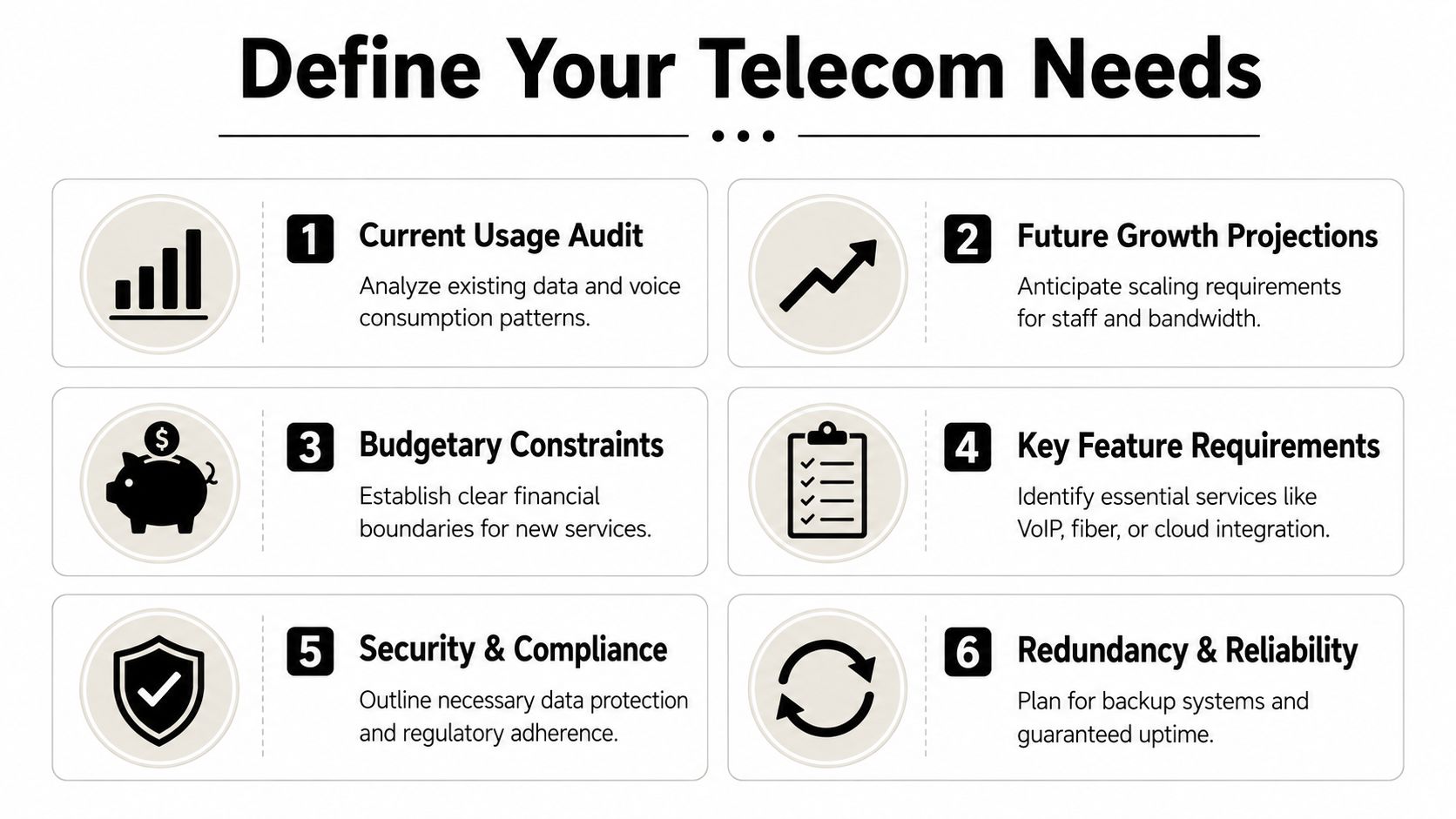
Review the services your staff depends on every day. For some Dallas companies, that’s mostly VoIP, Microsoft Teams, CRM access, and file sync. For others, it includes warehouse scanners, VPN traffic, security cameras, guest Wi-Fi, SIP trunks, point-of-sale devices, or traffic between offices and data centers.
Create a simple working list:
- Critical apps first. Identify the platforms that can’t tolerate downtime or latency.
- Voice next. Count concurrent calls, not just total users.
- Location patterns. A downtown office, a distribution site, and remote staff won’t use the network the same way.
- Peak timing. Ask when traffic spikes happen. Morning sync, end-of-month reporting, and all-hands video meetings matter more than average usage.
If your team wants a simple external reference for voice planning basics, this guide to small business phone systems is useful for framing how call flows, features, and business size affect selection.
Separate must-haves from nice-to-haves
A lot of proposals look attractive because they bundle features your team won’t use. The stronger approach is to split requirements into categories.
- Mission-critical: Primary connectivity, call reliability, security controls, failover, and support responsiveness.
- Operationally helpful: Call recording, analytics dashboards, mobile app integration, and contact center features.
- Optional: Extras that look good in demos but won’t affect delivery, service, or customer experience.
Use this step to challenge assumptions. A law office may need call continuity and retention workflows more than flashy collaboration features. A logistics operator near DFW may care more about branch connectivity and uptime during shipping windows.
Don’t let the provider define your needs for you. Sales engineers are useful, but they’re still selling their preferred architecture.
A practical local issue also matters here. An estimated 7.92% of Broadband Serviceable Locations in Texas remain unserved, mainly in suburban and rural areas, and businesses expanding into those areas may need to factor in fiber deployment timelines or hybrid 5G and fiber approaches as legacy copper and coax are decommissioned, according to Lightyear’s Dallas dark fiber overview.
That affects Dallas-area firms opening satellite sites outside the urban core. A location that looks close on a map may still have very different service options.
Build a requirement sheet vendors can’t dodge
Before you ask for quotes, write a one-page requirement sheet that includes:
- Sites and users: Offices, remote staff, and any planned additions
- Connectivity type: Fiber, fixed wireless backup, or hybrid setup
- Voice environment: Hosted VoIP, SIP, call queues, hunt groups, and porting needs
- Security expectations: Segmentation, admin access control, and vendor responsibilities
- Support model: Hours, escalation path, local dispatch expectations
- Growth assumptions: New seats, added locations, and expected hardware refreshes
You’ll have better vendor conversations if you enter them with a clear scope. If you’re still mapping local options, this overview of a telecommunications company near me can help narrow the shortlist.
Evaluating Vendors in the Dallas Telecom Market
A Dallas provider can look excellent in a proposal and still create expensive problems six months later. I see this when a business signs based on monthly price, then finds out support is routed through multiple subcontractors, failover was described loosely, and retired hardware is nobody’s responsibility.
Vendor review should filter out those risks before signature.
Check the network, not just the brochure
Dallas has dense carrier presence, multiple interconnection points, and plenty of providers competing for the same buildings. That helps buyers, but it also makes reseller offers harder to separate from providers with direct operational control. Ask each vendor to explain, in plain language, how service gets from their network to your suite, your branch sites, and your cloud platforms.
Ask questions such as:
- Where is the last-mile handoff?
- What redundancy is available at my address?
- What happens if the local loop fails?
- Is failover automatic or manual?
- Who owns the fiber, and who is reselling it?
- What is the local support path when an outage occurs?
Those answers expose real differences. A provider that owns little of the path may still be the right fit, but you need to know where accountability breaks down during an outage.
Score vendors on decision criteria that matter
Use a weighted scorecard and force every vendor into the same framework. It keeps the evaluation tied to operating reality instead of sales style.
| Evaluation area | What to look for |
|---|---|
| Service fit | Does the proposal match your requirement sheet without padding it? |
| Support model | Named contacts, escalation clarity, local coordination |
| Contract flexibility | Upgrade paths, relocation options, renewal language |
| Technical design | Redundancy, routing options, handoff clarity, voice architecture |
| Billing clarity | Easy-to-audit quotes and invoice structure |
| Equipment plan | Ownership, replacement cycle, return obligations, and end-of-life handling |
Procurement discipline matters here. Telecom vendors support business-critical traffic, voice systems, and site connectivity. They should be reviewed with the same care you would apply to any high-impact supplier. This DataLunix guide to mastering supplier risk is a useful reference for building that lens into your buying process.
If a provider cannot explain support ownership, outage escalation, hardware responsibility, and exit terms in plain language, expect confusion after go-live.
Look for local engineering credibility
Sales engineers can make almost any design sound clean on paper. The better test is what happens when install dates slip, a port order stalls, or a firewall change breaks voice quality at one site and not another.
During vendor review, ask who handles:
- circuit turn-up issues
- handset deployment problems
- firewall or router coordination
- structured cabling dependencies
- post-cutover troubleshooting
Then ask for the operating model behind those tasks. Is the work done by the carrier, a master agent, a subcontracted field tech, or your internal team? Dallas businesses with more than one office should also ask how the vendor handles moves, adds, and changes after the initial install. Day-two support is where weak providers become expensive.
One more point gets missed during shortlisting. The hardware lifecycle matters. If a vendor replaces phones, switches, routers, or edge appliances, ask what happens to the old equipment, who wipes data, who documents chain of custody, and whether disposal meets your internal policy. Businesses comparing providers can use this overview of telecom services near me to frame those questions early, instead of treating decommissioning as an afterthought.
Negotiating Your Contract and Understanding Local Regulations
Most telecom overspending doesn’t come from the base rate. It comes from the parts of the agreement buyers skim because the install date feels more urgent than the paperwork.
That’s backwards. A mediocre contract can erase the value of a strong technical design.

Clauses that deserve line-by-line review
Read these sections with real care:
- Auto-renewal language: Many businesses miss notice windows and get locked into another term.
- Early termination terms: Ask what happens if you relocate, consolidate, or close a branch.
- Service credits: Credits that are hard to claim are mostly symbolic.
- Installation scope: Clarify what the vendor includes, what the building owner controls, and what triggers change orders.
- Equipment ownership: Confirm whether you’re leasing, buying, or expected to return hardware.
- Rate protections: Promotional pricing without renewal guardrails often becomes a budgeting problem later.
A contract should also identify who is responsible for number porting delays, inside wiring issues, and third-party coordination. If nobody owns those details on paper, your team will own them in practice.
What to ask for before you sign
Negotiation doesn’t always mean lower price. It often means lower operational risk.
Ask for:
- A named account lead who stays attached after installation.
- Clear escalation paths for outages and chronic service issues.
- Growth flexibility so adding users, handsets, or sites doesn’t trigger punitive repricing.
- Relocation language that reflects the reality of Dallas office moves and suburban expansion.
- Invoice detail standards that let finance verify every active charge.
A cheap monthly rate with rigid contract terms usually becomes expensive at the first business change.
Texas businesses should also expect telecom bills to include taxes, fees, and surcharges that aren’t obvious from the headline quote. The exact bill structure varies by service type and provider, so the practical move is simple: ask the vendor to show a sample invoice before signature and walk through every recurring and nonrecurring line item.
Don’t leave hardware terms vague
Telecom contracts often bury hardware details in appendices or order forms. That’s where problems start later.
Review this checklist before approval:
| Contract point | Why it matters |
|---|---|
| Return conditions | Prevent surprise charges for missing or damaged gear |
| Replacement obligations | Clarify who pays when equipment fails |
| Configuration access | Make sure your IT team can get what it needs |
| End-of-term process | Avoid rushed removals and asset confusion |
This is also the stage where you should plan the retirement path for replaced assets. If old firewalls, switches, phones, or appliances are coming out, someone needs to own inventory, chain of custody, and disposition.
Planning a Seamless Service Migration and Cutover
A good migration barely registers with customers. Internally, though, it should be managed like a real project with owners, testing, and rollback discipline.
Rushed cutovers fail for predictable reasons. Ports don’t complete on time. VLAN assumptions are wrong. Old handsets weren’t fully mapped. The ISP and phone vendor each say the other side owns the issue.
Build the migration around business risk
Start by identifying what can’t go down and when. For some teams, that’s inbound sales calls. For others, it’s warehouse connectivity, patient scheduling, remote access, or payment workflows.
Then define the migration window around those realities.
- Operational blackout periods: Month-end close, major client launches, audits, and events
- Critical dependencies: Security systems, call queues, SIP trunks, and branch failover
- Ownership map: Internal IT, facilities, cabling vendors, carrier project manager, voice vendor
The key is sequencing. Install first. Test second. Cut over only after the test results match the intended design.
Use a phased checklist, not a single launch date
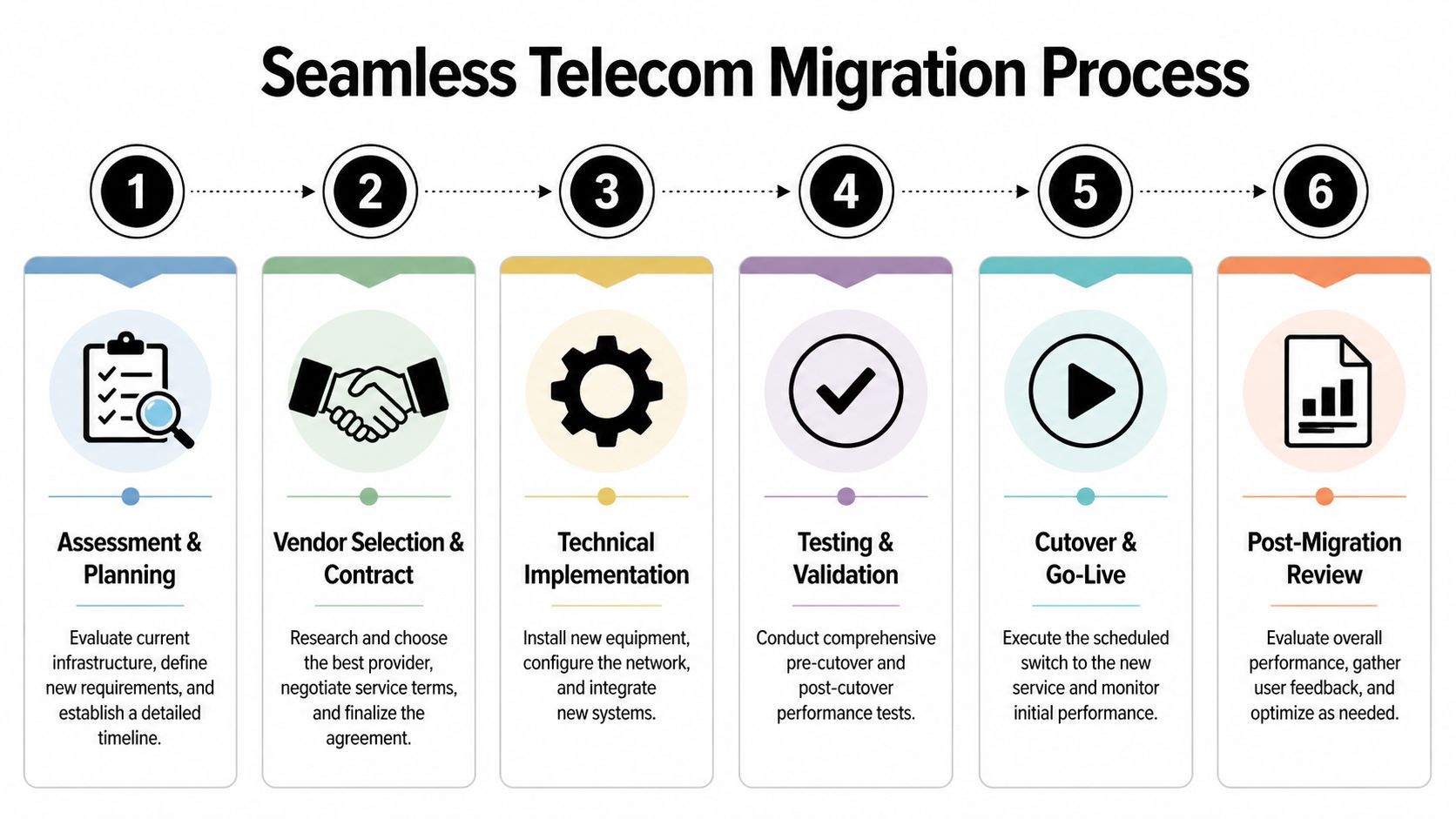
A practical migration plan usually looks like this:
Pre-cutover validation
Confirm circuits, hardware staging, carrier demarcation, rack space, power, labeling, and admin access.Voice and data testing
Test calling paths, voicemail, failover, conferencing, call routing, and application performance.User readiness
Provide a short reference for new handsets, softphone apps, call forwarding, and support contacts.Go-live day controls
Staff the cutover with internal decision-makers and vendor contacts who can approve fast changes.Post-cutover observation
Watch ticket patterns, call quality, latency complaints, and site-specific anomalies.
The rollback plan is part of the launch plan. If you don’t have one, you’re not ready to cut over.
Keep old and new assets organized during the switch
Migration day creates clutter fast. New equipment arrives before old equipment leaves. Storage closets fill with handsets, access points, cords, and unlabeled boxes. That’s where inventory discipline matters.
Track:
- What was removed
- Which location it came from
- Whether it stores data or credentials
- Whether it belongs to you or the provider
- Whether it is slated for reuse, return, or disposal
This is especially important during office consolidations and moves. If your telecom change overlaps with a workplace transition, planning the physical side early reduces confusion. This guide on office relocation and technology planning is a useful reference for that crossover.
Stabilize before you declare success
After cutover, don’t measure success by “the phones worked this morning.” Measure it by whether the environment is supportable.
Look for these signs of a stable migration:
| Signal | What it indicates |
|---|---|
| Low ticket volume after launch | Users can work without heavy support |
| Clean call routing | Porting and queue setup were handled correctly |
| Consistent cloud access | Core network settings match production needs |
| Accurate asset list | Old and new hardware are both accounted for |
A migration is finished only when the service is stable and the retired equipment is controlled.
Completing the Cycle with Responsible Equipment Decommissioning
This is the step most telecom projects skip. New service is live, everyone is relieved, and the old routers, firewalls, switches, handsets, and edge appliances get stacked in a closet “for later.”
Later is where security and environmental problems start.
Why old telecom gear is still a risk
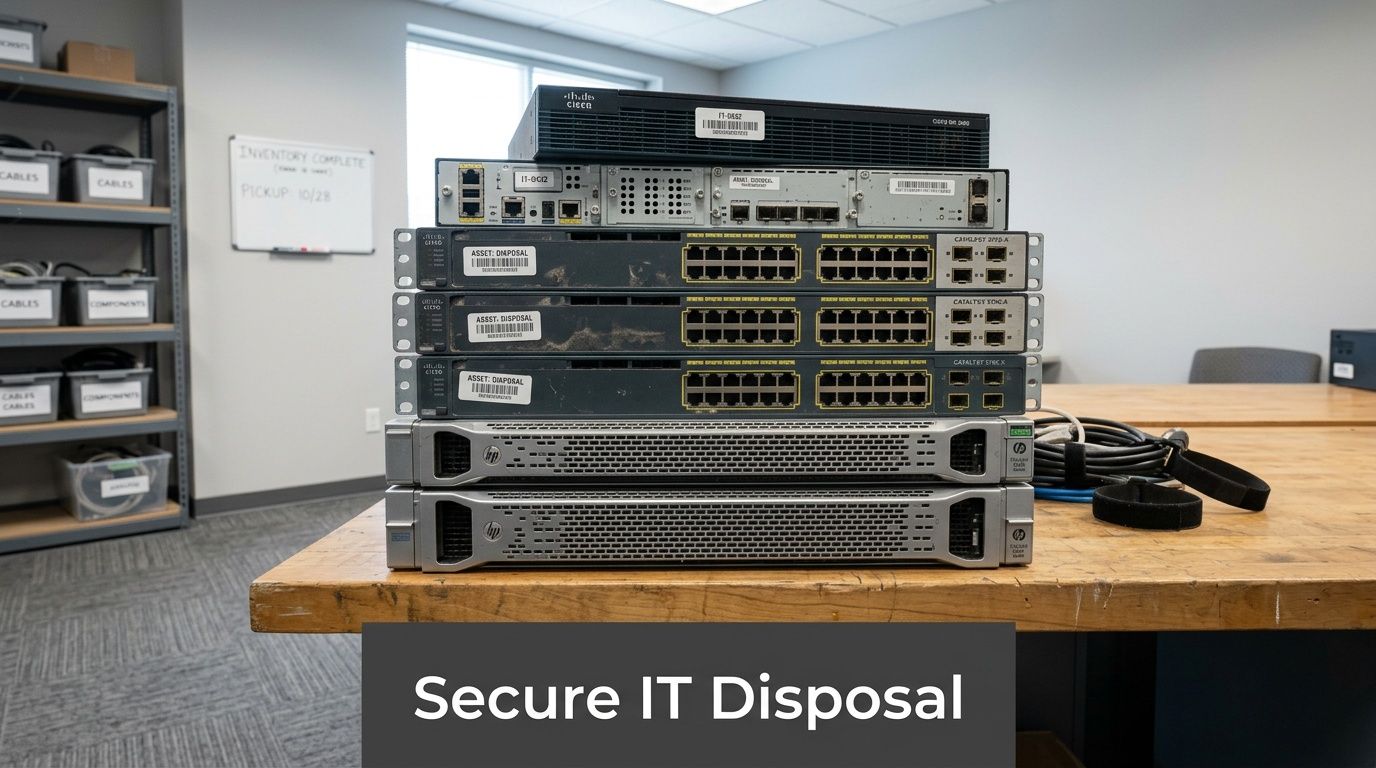
Retired telecom equipment may hold more than people think. Admin credentials, network configurations, cached data, phone books, security settings, and storage media can all survive long after a device leaves production.
That means a telecom upgrade isn’t complete until you answer three questions:
- What exactly was removed
- Does any of it hold sensitive data or access information
- Who has custody of it right now
A casual office cleanout is not an IT asset disposition process. It’s just movement.
Dallas has a real downstream e-waste issue
Dallas-area digital inclusion efforts are valuable, but they also create a hardware lifecycle issue that many organizations overlook. Programs that distribute computers to underserved households often don’t include a clear plan for recycling the legacy devices being replaced, which creates a hidden e-waste and data security risk, as noted in AT&T’s Dallas digital divide initiative context.
That matters for businesses too. Every telecom refresh, branch closure, and network modernization project creates a wave of displaced equipment. If that equipment isn’t tracked and processed correctly, the business takes the risk.
Old network gear isn’t harmless because it’s unplugged. It’s still an asset until it’s documented, sanitized, and dispositioned.
What responsible decommissioning looks like
A disciplined retirement workflow should include:
Inventory capture
Record serials, model families, and original locations before equipment leaves the site.Data and configuration review
Flag devices with storage, saved credentials, or exported config files.Secure data destruction
Use a process appropriate to the asset type, especially for anything with drives or persistent storage.Segregation by outcome
Separate items for reuse, return to vendor, resale, parts harvesting, recycling, or destruction.Documentation
Keep internal records of chain of custody and disposition decisions.
For organizations handling larger refreshes, this operational checklist for decommissioning office equipment is a strong starting point.
Tie disposal to sustainability, not just cleanup
Responsible decommissioning also supports broader goals. It reduces landfill exposure, strengthens internal controls, and gives sustainability leaders a clearer story about how equipment is handled at end of life.
Terms like electronics recycling, IT equipment disposal, computer recycling, secure data destruction, IT asset disposition, product destruction, office cleanout, facility cleanout, and sustainable recycling stop being marketing language and become operating requirements. For some organizations, the scope may also extend into data center decommissioning, laptop disposal, medical equipment disposal, or laboratory equipment disposal depending on what shares the same asset retirement process.
Businesses that prefer a community-oriented model often also evaluate donation-based recycling, social enterprise recycling, and corporate donation programs as part of the disposition mix, especially when they want environmental responsibility tied to community impact.
Frequently Asked Questions About Dallas Telecom Upgrades
How early should a Dallas business start a telecom upgrade?
Start earlier than you think you need to. The technical order is only one part of the timeline. Site readiness, provider coordination, number porting, internal approvals, and hardware staging all take time. If the project involves an office move, a branch opening, or replacing multiple vendors at once, give the planning stage room.
Should we choose one telecom provider for everything?
Not always. A single provider can simplify support and billing, but it can also concentrate risk. Many businesses do better with a primary provider for core services and a separate backup path for resilience. The right answer depends on your sites, application mix, and how costly downtime is for your operation.
What equipment usually gets overlooked after cutover?
Desk phones are obvious, so teams usually remember them. The items that get missed are older firewalls, small switches in remote closets, LTE backup devices, retired access points, power bricks, edge appliances, and anything left in MDF or IDF spaces after a rushed install. Do a physical walk-through after migration. If it’s still on a shelf, in a rack, or in a storage room, it still needs a disposition decision.
If your Dallas business is upgrading connectivity, replacing phones, clearing out old network gear, or planning a larger IT refresh, Reworx Recycling can help you handle the final step responsibly. Their team supports electronics recycling, secure data destruction, IT equipment disposal, and pickup planning so outdated telecom hardware doesn’t turn into a storage, security, or sustainability problem.