
Your New York office is replacing laptops, retiring monitors, and clearing out a server closet before a move or refresh. The equipment is stacked in a conference room, your IT team is busy, and nobody wants to make the wrong call with devices that still hold company data.
That’s the primary challenge behind Electronics Recycling for Businesses in New York. This isn’t just a hauling problem. It’s a mix of legal compliance, data security, internal coordination, and cost control. A rushed pickup or vague recycler can create more risk than the old hardware itself.
Most business managers need a process that’s simple to run and defensible if anyone asks questions later. You need to know what can be donated, what should be remarketed, what must be shredded, and how to document every step. Done right, end-of-life IT becomes organized, secure, and useful to the business instead of a recurring headache.
Understanding New York's Strict E-Waste Regulations
A New York office cleanup can turn into a compliance problem faster than many managers expect. Once retired electronics are set aside for disposal, they fall under rules that are stricter than ordinary waste handling.
New York prohibits businesses from sending covered electronic waste to landfills, and the Department of Environmental Conservation can enforce penalties of up to $25,000 per violation per day, according to this overview of New York e-waste rules. The same source notes that New Yorkers generate more than 400,000 tons of e-waste each year and explains that certain larger for-profit and nonprofit organizations can be charged by manufacturers for recycling services.

For a mid-sized business, the primary issue is not just whether old devices leave the building. It is whether the company can show that each asset was handled through a legitimate, documented process. That distinction gets overlooked during office moves, equipment refreshes, and storage-room cleanouts, especially when facilities, IT, and finance are all involved but no one owns final disposition.
What the law means for businesses
The practical rule is straightforward. End-of-life electronics from business operations cannot go out with general trash.
That pushes companies toward a more formal chain of custody. You need a recycler or ITAD partner that can accept the right device categories, document pickup, and process equipment in a way that stands up to internal audit or regulator questions later. This becomes more important once servers, laptops, phones, or network gear are part of the load, because disposal and data risk usually travel together.
Keep these points in mind:
- Landfill disposal is prohibited for covered electronics: Business e-waste belongs in an approved recycling stream, not the trash.
- Penalties are real: DEC enforcement risk increases when there is no documented vendor, no inventory, or no proof of downstream handling.
- Cost responsibility can vary by organization size: Some larger businesses and nonprofits may not have the same no-charge recycling options people assume exist for households or very small generators.
- Records matter: Pickup logs, asset counts, and disposition documentation are part of compliance, not extra paperwork.
Why smaller organizations still need a formal process
Smaller offices often have weaker controls, not lower exposure. A 75-person company with one overextended IT manager can have more practical risk than a large enterprise with a mature asset disposition policy.
I see the same pattern repeatedly in New York. Devices are held for reuse, then forgotten. A department move happens, someone calls a junk hauler, and mixed electronics leave the site without a clear inventory. At that point, the business has lost control of both compliance and data handling.
Practical rule: If a device ever connected to your network, stored employee or customer information, or used removable media, keep it in a controlled disposition process until final handling is documented.
That applies to more than laptops and servers. Monitors, printers, tablets, VoIP phones, switches, firewalls, docking stations, and other retired peripherals still need correct sorting and documented transfer.
Where local execution usually breaks down
Failures usually come from process gaps, not bad intent. Facilities may book a pickup based on speed. IT may assume devices were wiped earlier. Finance may not realize some assets still have resale value. The result is a load leaving the building with weak records, unclear data status, and no credible recovery plan.
A qualified recycling partner fixes that by bringing structure to the handoff. In New York City, that means understanding building access, loading dock constraints, pickup windows, covered device categories, and what documentation a business manager should receive after removal. Companies planning a city pickup should work with a provider that understands New York City electronics recycling logistics.
For mid-sized companies, that partner also helps address two issues that rarely get enough attention early on. First, data-bearing devices need a defensible disposition path, even if they look obsolete and worthless. Second, some retired equipment still has remarketing or parts value, which can offset program costs if the recycler knows how to separate scrap from recoverable assets.
A simple compliance test
Before anything leaves your site, answer four questions:
- Who approved the disposition decision
- Which assets are included in the pickup
- Whether any device contains data
- What documentation you will receive after processing
If those answers are vague, stop the load-out and fix the process first. In New York, good intentions do not protect a business. Controlled handling and clear records do.
Preparing Your IT Assets for Secure Recycling
Most recycling problems show up before the truck arrives. Equipment isn’t tagged, departments submit partial lists, chargers are mixed with trash, and nobody knows which devices still work. Preparation fixes that.
New York City’s programs achieved a 60% reduction in improperly disposed e-waste from 2005 to 2017, and DSNY reported 24.4 thousand tons of electronics recycled in FY2021, according to ERI’s summary of city results. For businesses, that scale shows why organized intake and sorting matter. The city can process a lot. Your job is to send assets into that system in a controlled way.
Start with an internal asset sweep
Don’t begin in the warehouse. Begin with records.
Pull your asset register, purchasing list, or endpoint management report and compare it with what’s on site. For an office cleanout, include conference rooms, reception areas, storage closets, home-office returns, and any area where old gear gets parked temporarily.
Then sort items into practical groups:
- Data-bearing devices: laptops, desktops, servers, mobile devices, external drives
- Non-data electronics: monitors, keyboards, mice, cables, docking stations
- Network and specialty hardware: switches, firewalls, access points, lab gear, medical peripherals
- Unidentified items: anything without tags, labels, or a clear owner
Build a pickup-ready manifest
A good manifest does two jobs. It helps operations run cleanly, and it helps leadership make decisions about reuse, donation, resale, or destruction.
Use a simple working table like this:
| Asset Tag | Device Type (e.g., Laptop, Monitor) | Brand/Model | Condition (Working, Damaged) | Data-Bearing? (Y/N) | Designated for (Recycle, Resale, Donate) |
|---|---|---|---|---|---|
This doesn’t need to be perfect on day one. It needs to be usable. If you can identify the device, its condition, and whether it holds data, you’re already far ahead of the average office purge.
For teams that want a more structured handoff, this guide to preparing your company’s electronics for recycling is a useful reference point before scheduling pickup.
What to separate before pickup day
Don’t hand your recycler one mixed pile and hope for the best. Separate equipment physically so your chain of custody starts on site, not after transport.
Use staging areas such as:
- Secure zone: locked area for laptops, desktops, servers, and drives awaiting data destruction
- Remarketing zone: newer working equipment with possible resale or donation value
- Standard recycling zone: monitors, cables, accessories, and broken peripherals
- Exception zone: swollen batteries, damaged equipment, or specialty devices that need review
The cleaner your internal sorting is, the cleaner your reporting and value recovery will be later.
A practical checklist for office moves and refreshes
When I see projects go smoothly, it’s usually because one person owns the checklist. Not the whole program. Just the checklist.
Use this sequence:
- Freeze last-minute adds: set a cutoff so random devices don’t appear during loading.
- Tag unknown equipment: if ownership is unclear, label it before it leaves.
- Pull accessories together: power supplies and docks can affect reuse value.
- Flag damaged units separately: broken screens and battery issues shouldn’t get mixed into general pallets.
- Confirm data-bearing status: if there’s any doubt, treat the item as data-bearing.
- Photograph staged loads: useful for internal records and vendor reconciliation.
Preparation is where you keep a recycling job from turning into an inventory dispute. It also gives you options. Some assets belong in recycling. Some still have value. Some should be donated. You can’t make those calls well if everything starts as a pile.
Ensuring Compliant and Secure Data Destruction
A common New York handoff looks safe on the surface. Devices are boxed, the pickup is scheduled, and everyone assumes the recycler will handle the rest. The exposure usually starts earlier, with one missed laptop, an old copier hard drive, or a stack of backup media nobody classified correctly.
Data destruction deserves its own process because the risk is different. Recycling deals with material recovery and legal disposal. Data destruction deals with privacy, breach liability, contract exposure, and whether your company can prove it handled retired equipment properly.
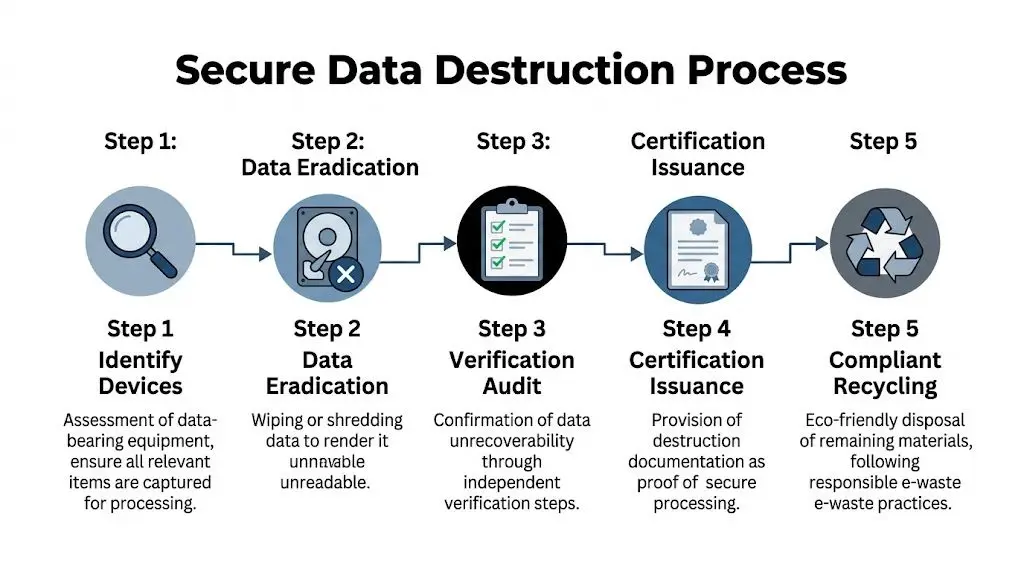
Mid-sized companies get caught here more than they should. They often have enough devices, users, and regulated information to create serious exposure, but they may not have a formal IT asset disposition workflow. In practice, that leads to informal decisions about what gets wiped, what gets shredded, and who is responsible once assets leave the office.
Deleting files is not enough
A deleted folder, factory reset, or fresh operating system install does not show that business data is unrecoverable. It only changes what the next user sees.
For retired business equipment, the standard questions are straightforward. Can the vendor sanitize media using a recognized method such as NIST 800-88? Can it physically destroy media that should not be reused? Can it document what happened to each device or drive?
Those answers matter most for equipment that gets overlooked in office cleanouts:
- Laptops and desktops with local user profiles
- Servers and storage arrays
- External hard drives and backup media
- Multifunction printers and copiers with internal storage
- USB drives, memory cards, and test devices from IT closets
If there is any doubt, treat the item as data-bearing until someone qualified clears it.
Wipe or shred depends on the asset
The right method depends on reuse value, media condition, and risk tolerance. A newer laptop headed for resale may be a good candidate for verified wiping. A failed drive, damaged SSD, or media that held sensitive employee or client information often belongs in physical destruction.
That trade-off matters for cost recovery. Shredding everything may simplify the decision, but it can also destroy resale value on working equipment. Wiping everything to preserve value sounds attractive, but it can be the wrong call for failed media or higher-risk data sets. Good ITAD programs make that decision deliberately, not by habit.
Ask for a process that covers four controls:
- Identification of all data-bearing assets
- A documented decision on wipe versus physical destruction
- Chain-of-custody tracking from pickup through processing
- Final destruction records tied back to the assets released
Standards worth asking about
You do not need to memorize acronyms, but your vendor should be able to explain them clearly. NIST 800-88 is the common reference for media sanitization. NAID AAA often comes up when companies evaluate destruction practices and operating discipline.
I usually tell clients to skip broad questions like "Is your process secure?" and ask these instead:
- How do you record serial numbers, asset tags, or drive counts?
- Which devices are wiped, and which are physically destroyed?
- What happens to failed media that cannot be sanitized?
- When do you issue a certificate of destruction?
- Who has custody of the assets from pickup to final processing?
If your project includes on-site destruction, it helps to understand the kind of secure data destruction equipment used in industrial shredding environments so you can assess whether a vendor’s method matches your risk profile.
Security check: If the answer is “we handle all erasure later at the warehouse,” ask what controls apply before that point, who has access, and how the chain of custody is recorded.
Documentation is what protects your company
The most important file in a disposal project may be the one nobody asks for until months later. If counsel, an auditor, a customer, or your cyber insurer wants proof, vague statements about responsible recycling will not help.
Useful records are specific:
| Document | Why it matters |
|---|---|
| Pickup manifest | Shows what left your site and when |
| Chain-of-custody record | Shows who handled the assets at each step |
| Certificate of destruction | Confirms destruction was completed |
| Final disposition report | Confirms whether assets were destroyed, recycled, or remarketed |
Keep those records with the same discipline you apply to other compliance documents. If a serial-numbered device disappears from the paperwork, someone on your side may have to explain that gap later.
A structured provider can reduce that risk by keeping pickup, tracking, destruction, and reporting in one documented workflow. Reworx explains that process in its secure data destruction services, which is useful for teams that need security controls without building a full internal ITAD program.
Good vendors do not just say they meant well. They show exactly how media was controlled from your office to final destruction.
How to Choose the Right Certified Recycling Partner
Not every recycler is built for business ITAD. Some are set up for public drop-offs. Some specialize in scrap recovery. Some can move a large volume of equipment but provide thin documentation. Others are strong on compliance but weak on logistics.
That’s why vendor selection should be treated like risk management, not just procurement.
What to compare side by side
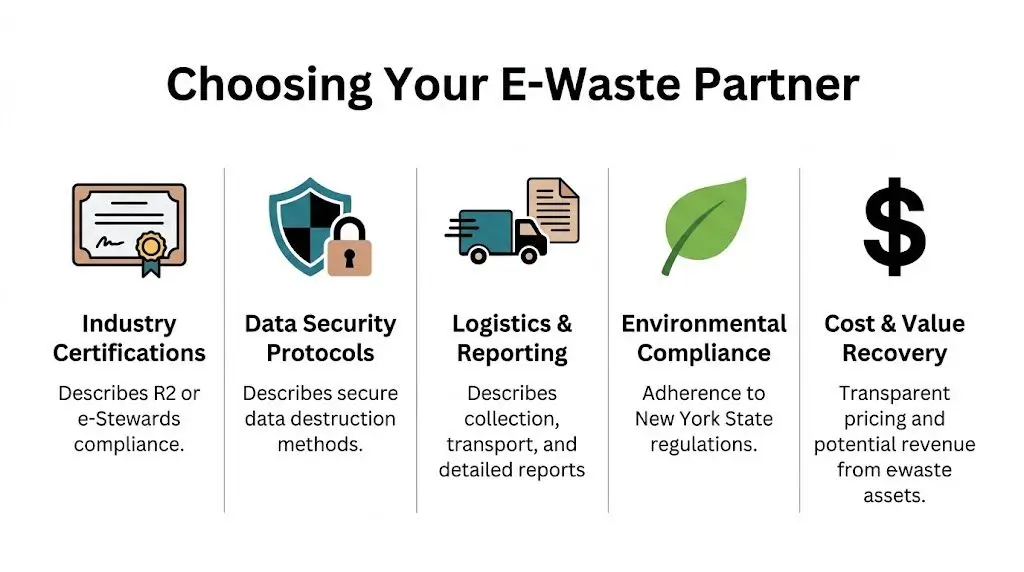
A practical comparison usually comes down to five factors. Price matters, but it shouldn’t be the first filter.
| Criteria | What to look for | Red flag |
|---|---|---|
| Industry certifications | R2 or e-Stewards, plus clear process controls | “We follow best practices” with no specifics |
| Data security protocols | Defined wiping and shredding procedures | No chain-of-custody explanation |
| Logistics and reporting | Pickup planning, manifests, post-service reports | Verbal promises only |
| Environmental compliance | Clear downstream handling and legal awareness | Mixed waste hauling approach |
| Cost and value recovery | Transparent charges and buyback logic | Pricing that changes after pickup |
Certifications are useful, but not enough
R2 and e-Stewards matter because they signal that a vendor takes environmental handling and process control seriously. But certification alone doesn’t answer your operational questions.
You still need to know how the vendor handles your exact project. Can they manage a multi-floor office cleanout? Do they separate donation candidates from scrap? Can they support product destruction, data center decommissioning, or medical equipment disposal if your asset mix is complex?
A strong business recycler can explain workflow in detail. A weak one stays abstract.
Conventional recycler versus social enterprise recycler
There’s also a meaningful difference between a standard recycler and a donation-based social enterprise model.
A conventional recycler typically focuses on collection, dismantling, material recovery, and resale channels. That can work well if your priority is narrow and transactional.
A social enterprise recycling partner adds another layer. Equipment that still has useful life may support donation pathways and community impact, instead of moving straight to commodity processing. For companies with ESG, digital inclusion, or corporate donation goals, that changes the value of the relationship.
One option in that category is Reworx Recycling, which provides business electronics recycling, IT asset disposition support, secure handling, and donation-based recycling services. If you’re building a vendor checklist, this guide to selecting a reliable e-waste recycling partner is a practical starting point.
A good partner doesn’t just remove equipment. They help you decide which assets should be destroyed, which can be remarketed, and which may still do good elsewhere.
Questions that reveal whether a vendor is ready
Skip generic sales language and ask operational questions:
- What happens to working laptops after pickup?
- How do you separate donation candidates from scrap?
- How do you document serial-number-based destruction?
- Can you explain your downstream vendors?
- What does your final reporting package include?
- How do you handle mixed loads with servers, monitors, batteries, and accessories?
The right partner should answer cleanly, without deflecting into marketing language.
What works and what doesn’t
What works is due diligence before the first pallet leaves your office. Review the process, the documents, the exception handling, and the communication cadence.
What doesn’t work is choosing based on convenience alone. Free or cheap pickup can be expensive later if reporting is weak, devices disappear into a vague downstream network, or your internal team can’t reconcile what happened to the load.
In New York, the right recycler is part compliance partner, part logistics operator, and part documentation engine. If any one of those pieces is weak, the whole program gets harder to defend.
Managing Logistics and Recovering Value from Old Tech
Once your assets are identified and your recycler is vetted, the work becomes operational. Many businesses often assume the process is simple. Put equipment on pallets, schedule a truck, and move on.
In reality, logistics and value recovery are tied together. The way you stage, label, transport, and document equipment affects both security and the money you can recover.
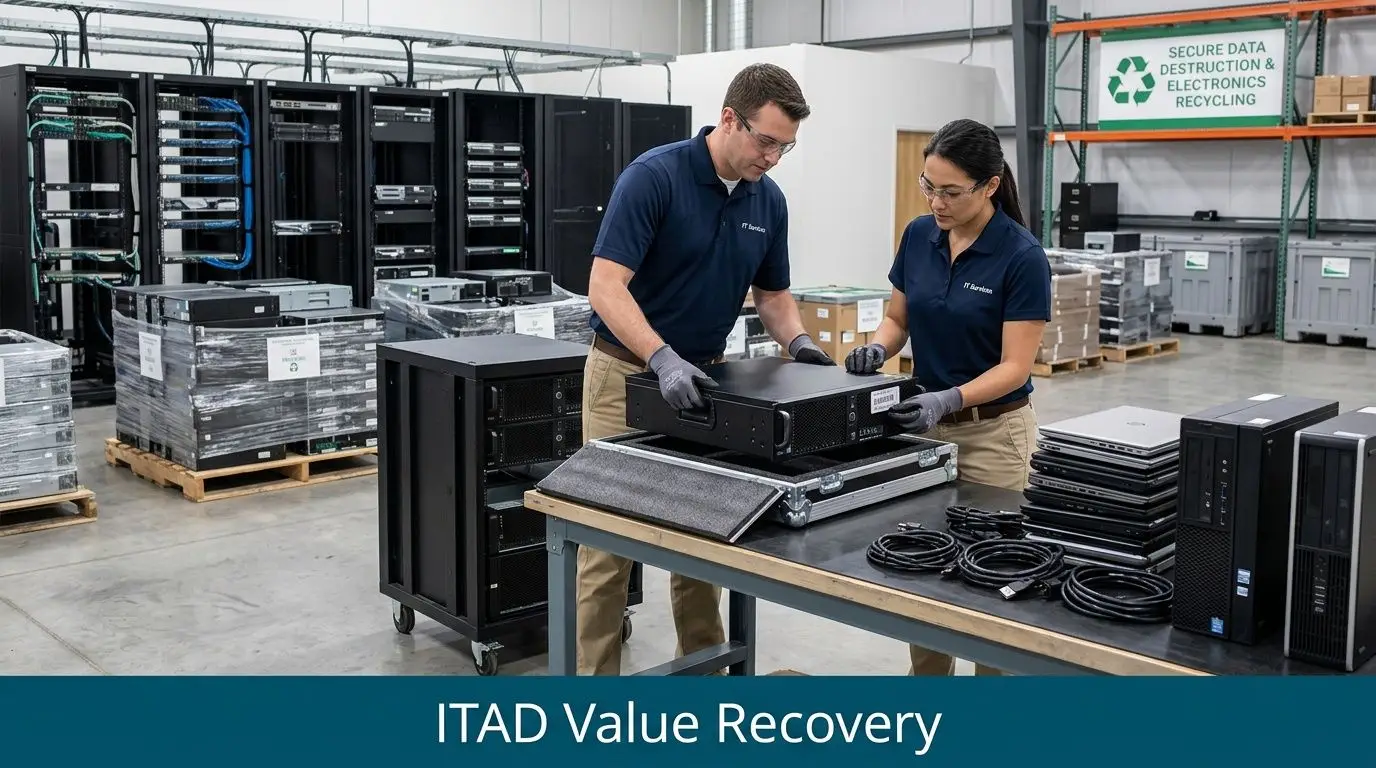
According to this New York commercial recycling guide, businesses can expect $0.20 to $0.50 per pound for mixed e-waste disposal, while many New York SMBs lose over $10,000 annually by undervaluing assets like used laptops, which can have an average resale value of $150 each.
How a clean pickup process protects value
A pickup should start with a manifest and end with reconciliation. If either side is missing, you lose control.
For a standard office refresh, the sequence usually looks like this:
- Pre-pickup review: confirm asset categories, access requirements, loading conditions, and any devices that require special handling.
- On-site collection: segregate data-bearing items from general electronics before loading.
- Manifest signoff: both sides should agree on what’s being transferred.
- Transport under custody controls: especially important for storage media and servers.
- Post-processing report: confirms what was recycled, destroyed, resold, or donated.
If you’re scheduling a larger project, such as a lab closure or data center decommissioning, insist on a more detailed statement of work. Bulk jobs create more exceptions, and exceptions are where value leaks.
Which assets usually have recovery potential
Not every device belongs in the commodity stream. Recent-model business laptops, desktops, tablets, servers, networking gear, and some specialized equipment may qualify for remarketing or buyback.
A few practical examples:
- Working laptops: often the first place to look for resale value
- Business desktops: value depends on age, specs, and condition
- Servers and network gear: can hold value if the generation is still in demand
- Monitors and accessories: usually lower recovery potential, but can support complete lots
- Damaged or obsolete hardware: often better routed directly to recycling
The key is triage. If everything gets treated as scrap, scrap is all you’ll get paid for.
Budgeting without surprises
Many teams struggle because they only ask, “What’s the pickup cost?” The better question is, “What’s the net outcome after recycling charges, labor, and asset recovery?”
That means comparing:
| Cost or return area | What to evaluate |
|---|---|
| Mixed e-waste fees | Per-pound disposal for low-value material |
| Labor and packing | Internal time, palletizing, and building access |
| Data destruction charges | Whether included or billed separately |
| Buyback credits | Which assets qualify and how value is calculated |
| Reporting and compliance | Included documentation versus add-on charges |
A transparent provider should explain why some items cost money to process while others produce value. That’s normal. A mixed load rarely moves in one financial direction.
Operational habits that improve results
The best-performing projects usually follow a few habits:
- Hold pickups after inventory review: don’t let unidentified equipment ride for convenience.
- Separate resale candidates early: working laptops shouldn’t get mixed with broken scrap.
- Keep accessories with systems when useful: power adapters and docks can help remarketing.
- Document damages before transport: avoid disputes about condition later.
- Assign one internal owner: cross-functional projects drift when ownership is split.
For organizations looking to balance recycling costs with remarketing returns, asset recovery solutions are worth evaluating as part of a broader ITAD process.
Old tech isn’t automatically waste. In many businesses, it’s a mix of liability, recyclable material, and recoverable value. The job is to separate those categories before someone prices the whole load like scrap.
Logistics done well makes everything else easier. Your records are cleaner, your security process is stronger, and finance gets a result that reflects the actual condition of the assets instead of a rough guess.
Building a Sustainable Corporate Recycling Program
One successful pickup is useful. A repeatable internal program is better. It reduces confusion during every refresh cycle, gives managers a clear approval path, and keeps old equipment from accumulating in closets and storage rooms.
The strongest programs treat electronics recycling as an operating process, not a once-a-year cleanup.
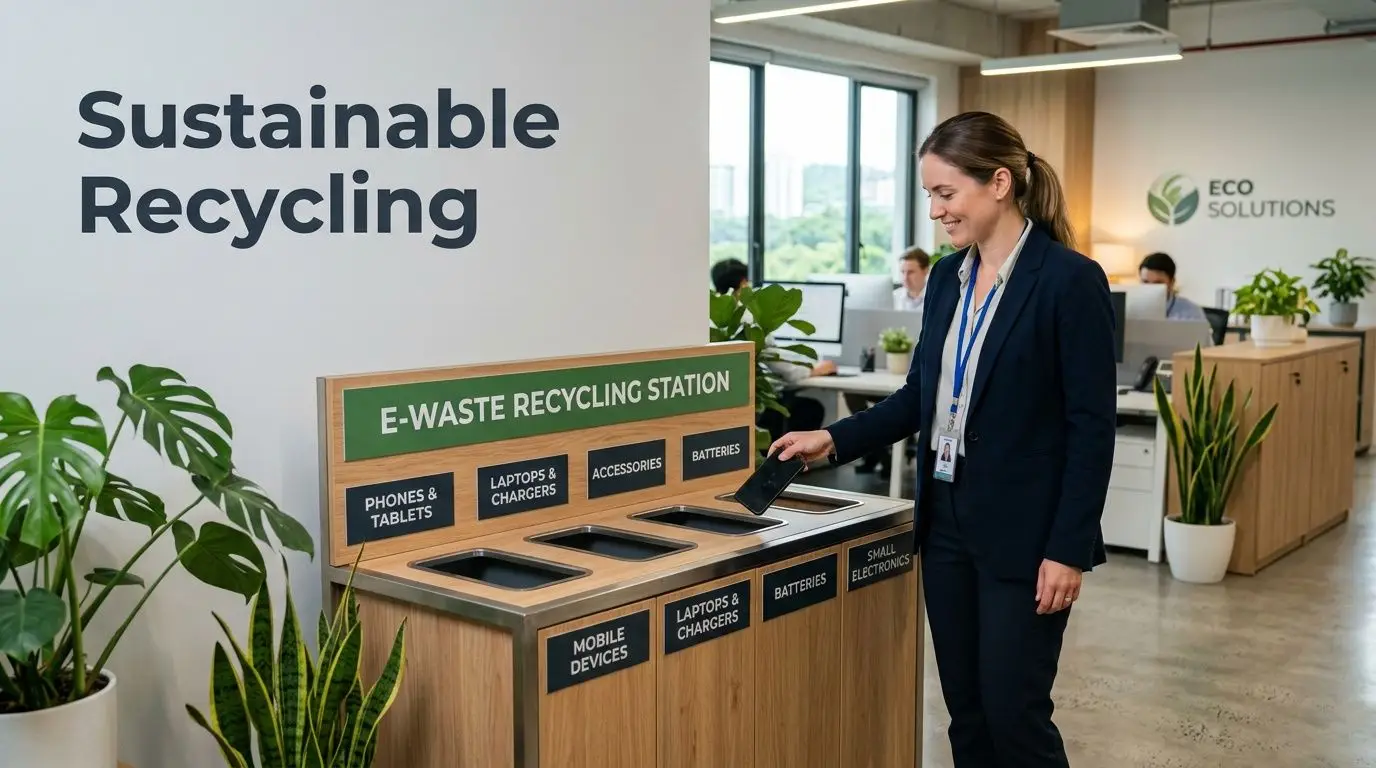
According to this corporate recycling program guide, top e-waste programs recover 90%+ of rare earths and metals and can yield 10-15% of original asset value via buybacks. The same source warns that poor employee training can lead to 30-40% improper disposal of complex devices, and inadequate vendor due diligence is a leading cause of DEC fines and data breaches.
Put policy in writing
A working policy doesn’t need to be long. It needs to answer routine questions before they become ad hoc decisions.
At minimum, define:
- Who owns the process: IT, facilities, procurement, or a shared governance group
- What equipment is covered: laptops, monitors, phones, network gear, lab devices, accessories
- When disposition starts: refresh cycle, employee separation, office move, device failure
- How data-bearing equipment is handled: custody, approval, destruction method, documentation
- Which disposition paths exist: redeploy, donate, resell, recycle, destroy
Train employees on the parts that matter
Most staff don’t need a lecture on recycling policy. They need a few concrete instructions they can follow.
Focus training on behavior:
- Don’t put electronics in regular trash or building waste streams
- Don’t leave retired laptops in unsecured storage
- Don’t move old devices offsite without approval
- Use the designated request path for pickups and office cleanouts
- Flag anything that may contain data, even if it seems minor
Good training is specific. Employees need to know what to do with an old laptop on Friday afternoon, not just what the policy says in theory.
Measure outcomes that help management decide
If the program never produces usable information, it won’t stay organized. Leadership doesn’t need vanity metrics. They need numbers and records that improve decisions.
Useful metrics include:
| KPI | Why it matters |
|---|---|
| Total diverted weight | Tracks how much material avoided improper disposal |
| Share handled through approved vendors | Shows process control |
| Value recovered through buybacks | Connects ITAD to finance |
| Certificates and reports received | Confirms documentation completeness |
| Donation-ready equipment identified | Supports community and CSR goals |
Build around refresh cycles, not emergencies
The easiest way to sustain a program is to connect it to events that already happen. New laptop rollout. Office relocation. End-of-year budget use-it-or-lose-it purchases. Server retirement. Lease expiration.
Set a standard operating rhythm:
- Quarterly asset review
- Pre-refresh inventory reconciliation
- Disposition approval
- Pickup scheduling
- Final reporting archive
That rhythm keeps your team from improvising under pressure.
What a durable program looks like
A durable program is boring in the best way. People know where equipment goes. IT knows which vendor to call. Facilities knows how to stage loads. Finance knows how credits are handled. Legal or compliance can pull records if needed.
That consistency is what turns electronics recycling from an occasional disruption into a normal business function. It also gives your organization room to support sustainable recycling, corporate donation programs, and social enterprise recycling goals without sacrificing operational control.
Conclusion Take the Next Step with Reworx Recycling
New York businesses can’t afford to treat old electronics casually. The right process protects your organization on three fronts. It keeps you aligned with state disposal rules, secures data before devices leave your control, and gives you a better shot at recovering value from equipment that still has life left in it.
The businesses that handle this well usually do the same things consistently. They inventory before pickup. They separate data-bearing assets from general electronics. They vet vendors carefully. They keep records that hold up later.
A mission-driven partner can make that process easier, especially when your goals include compliance, reuse, community impact, and sustainable disposition. If your team is planning a technology refresh, office cleanout, or ongoing ITAD program, now’s a good time to formalize the process instead of waiting for old equipment to pile up again.
If you're ready to simplify business electronics recycling, plan a secure pickup, or explore donation-based ITAD options, connect with Reworx Recycling to start the conversation.


















