
Your Phoenix team is probably feeling the telecom problem before anyone formally names it. Calls sound inconsistent, video meetings lag at the worst times, remote staff complain about VPN performance, and every new hire seems to expose another weak spot in the network. When people search for business telecom services near me, they usually aren't browsing casually. They're trying to remove an operational constraint.
In Phoenix, that decision should be treated as more than a carrier swap. A telecom upgrade touches internet access, voice systems, security, wiring, cloud access, old handsets, retired firewalls, and the stack of outdated gear sitting in a closet after the cutover. If you handle only the front end, you risk buying better service while leaving cost leakage, security exposure, and e-waste behind.
Your Telecom Upgrade Starts Here
Phoenix businesses aren't upgrading in isolation. The U.S. Internet Service Providers industry comprised 1,630 businesses as of 2026, marking 3.6% year-over-year growth from 2025, according to IBISWorld's ISP industry data. That matters because it reflects a broader shift. More companies are treating connectivity as core infrastructure, not a background utility.

A practical telecom project has two tracks running at the same time. One track is procurement: finding the right provider, the right circuit, the right voice platform, and the right support model. The other is lifecycle management: deciding what happens to old phones, switches, routers, access points, cabling leftovers, and storage-bearing hardware when the new environment goes live.
Why this is a business project, not a line item
When a Phoenix office outgrows its current setup, the symptoms show up everywhere. Sales loses call quality. Operations struggles with shared systems. Finance sees recurring invoices that no one can fully explain. Facilities gets pulled into install logistics. IT inherits all of it.
That's why the smartest teams define the project end to end. They map the upgrade, assign ownership, and include decommissioning in scope from day one. If you're assessing options locally, telecom solutions for nearby businesses can help frame the bigger operational picture.
Practical rule: If your telecom decision only covers activation of new service, it's incomplete. The real project starts before install day and ends only when old services are disconnected and old hardware is retired responsibly.
What Phoenix companies should expect
Phoenix is a growth market. Businesses here need systems that can support branch offices, hybrid teams, warehouse operations, clinics, light industrial facilities, and back-office cloud workloads without constant workarounds.
The strongest approach is simple. Define what the business needs, pressure-test providers against those needs, negotiate service terms carefully, run migration like a controlled project, and close the loop on secure disposal. That sequence protects uptime, budget, and reputation.
Defining Your Business Telecom Needs
Most companies start provider conversations too early. They ask for quotes before they know what they're buying. That's how businesses end up with circuits that are oversized, voice features no one uses, or support packages that don't match the internal IT team's actual capability.
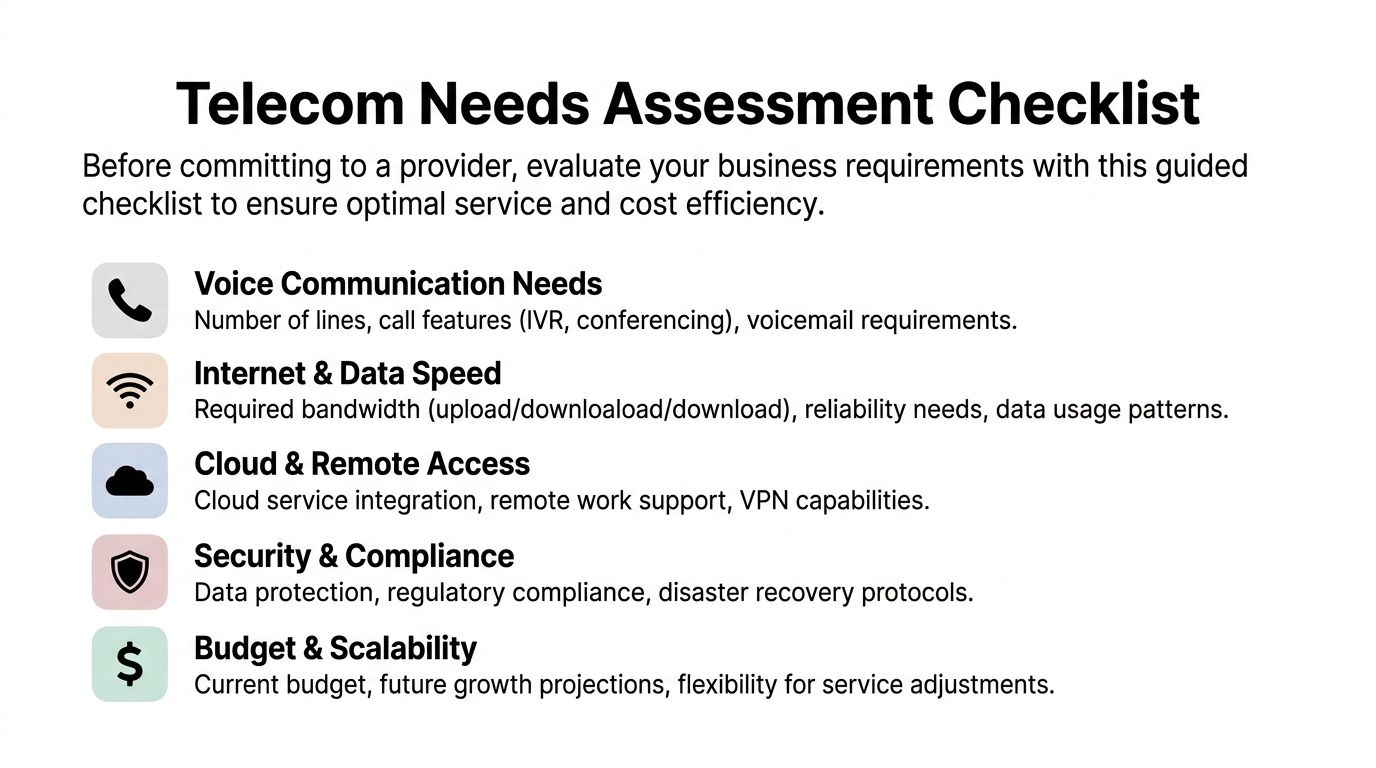
Start with a written needs assessment. Keep it short, but make it specific.
Audit connectivity before you price it
Internet planning should begin with usage patterns, not advertised speeds. A law office using cloud document platforms has a different profile than a distributor syncing inventory systems all day. A healthcare admin site handling imaging and remote coordination has different tolerance for latency and packet loss than a basic front office.
Ask questions like these:
- Who works where: How many employees are on-site, hybrid, or fully remote on a normal week?
- Which applications are critical: Does the business depend on Microsoft 365, Salesforce, hosted ERP, cloud backups, VoIP softphones, or remote desktop sessions?
- What causes pain now: Is the issue raw bandwidth, Wi-Fi congestion, poor circuit reliability, or weak support when outages happen?
- What growth is likely: Are you adding staff, opening another location, or increasing camera, IoT, or guest network demands?
A surprising number of telecom problems are really broader IT coordination problems. Teams that need a clearer view of adjacent infrastructure issues may also benefit from guidance on addressing common small business IT problems, especially when telecom performance is tied to aging local equipment and weak support processes.
Separate voice requirements from internet requirements
Voice gets bundled into telecom discussions, but it deserves its own review. A front desk that needs hunt groups, call routing, voicemail to email, and after-hours handling shouldn't be evaluated the same way as a small professional office that mostly uses mobile devices.
Use a simple split:
| Area | Questions to answer |
|---|---|
| Phone system | Do you need desk phones, softphones, or both? Do calls need to ring multiple users or locations? |
| Compliance features | Do you need call recording, retention controls, or admin visibility? |
| Business continuity | If the office loses connectivity, where should inbound calls go? |
| User experience | Will staff actually use the platform, or will they bypass it with personal mobiles? |
A phone platform that looks good in a demo can still fail in a live environment if call routing, failover behavior, and admin controls aren't documented in advance.
Decide what support model fits your team
Some Phoenix companies want a carrier and nothing more. Others need a managed relationship because they don't have internal bandwidth to coordinate circuits, voice changes, tickets, handsets, and post-install cleanup.
Write down the boundary between your team and the provider. Who owns vendor escalation? Who manages handset deployment? Who trains staff? Who validates invoices after the cutover? Those answers shape the right service model more than any sales brochure does.
Finding and Vetting Providers in the Phoenix Area
Phoenix gives buyers an advantage that many markets don't. There are an estimated 45 business fiber internet providers available citywide, according to Lightyear's Phoenix business fiber overview. Competition matters because it gives your team room to compare not just price, but install realism, service quality, contract flexibility, and network fit.

The same Phoenix market data identifies major players such as CenturyLink, Lumen Technologies, and Verizon, and notes that SRP Telecom offers 1,800 route miles of dark fiber across Greater Phoenix with 99.99%+ uptime. That doesn't mean every provider fits every site. It means businesses can approach selection with more options.
What different provider types tend to do well
Local vetting gets easier when you group providers by role instead of brand awareness.
- Large incumbents often suit multi-site companies that want broad coverage, standardized billing, and familiar procurement processes.
- Fiber-focused operators can be strong choices when the site needs more customized connectivity or future expansion headroom.
- Regional specialists may offer more responsive account management, especially for businesses that don't want to be one small customer in a national queue.
- Dark fiber and infrastructure-oriented providers fit organizations with advanced internal network needs or specific data center interconnection requirements.
Sales conversations should get sharper at this stage. Don't ask only what they sell. Ask how they deliver it at your address.
Questions that expose the real fit
Use provider meetings to test operational maturity.
- Address reality: Is the quoted service on-net, near-net, or dependent on construction?
- Installation ownership: Who coordinates building access, demarc extension, and inside wiring responsibilities?
- Support path: What happens when your office manager opens a ticket at 8:00 a.m. and service is impaired?
- Scalability: Can bandwidth, voice seats, or failover services be adjusted without forcing a full contract restart?
- Security and third-party dependence: Which parts of service delivery rely on subcontractors or partner infrastructure?
Vendor selection isn't just technical. It's risk management. If your procurement team needs a stronger framework for evaluating supplier exposure, CTO Input's vendor risk guide is a useful companion to telecom due diligence.
Build a shortlist with evidence, not impressions
Good shortlists usually have three providers, not ten. More than that creates noise and slows decisions.
Use this comparison model:
| Provider factor | What to verify |
|---|---|
| Network fit | Whether the site can actually receive the proposed service without surprise delays |
| Commercial fit | Contract terms, pricing clarity, and flexibility for changes |
| Operational fit | Ticketing quality, escalation path, install coordination, and account management |
| Lifecycle fit | How the project handles old hardware, security, and transition cleanup |
If your telecom refresh also includes retiring networking hardware or storage-bearing devices, this is the point where security planning needs to enter the conversation. Businesses looking at telecom changes alongside equipment retirement in Arizona can review data security and electronics recycling in Phoenix as part of that broader risk picture.
The Procurement Checklist for Contracts and SLAs
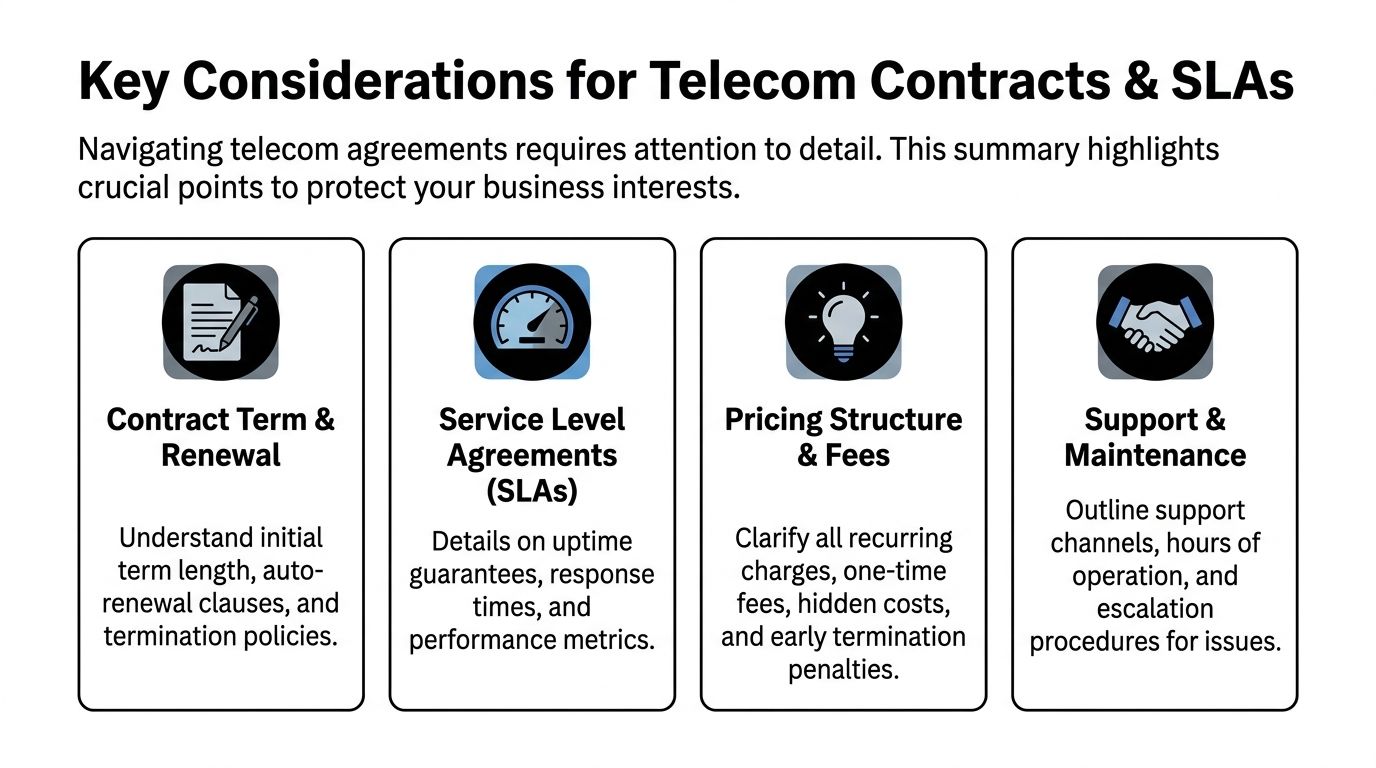
A polished proposal can still hide a bad contract. Telecom providers know buyers often focus on monthly price and install date, so that's where the sales motion stays. Exposure usually sits in renewal language, support commitments, service credits, and change fees.
Treat the contract review as a procurement exercise, not paperwork cleanup.
Read the service schedule before the signature page
Many teams review the order form and stop there. That's a mistake. The details that govern credits, restoration obligations, maintenance windows, and early termination often live in attached exhibits or service schedules.
Check these items closely:
- Term length: Make sure the initial commitment matches your actual planning horizon.
- Renewal behavior: Watch for auto-renew clauses and narrow cancellation windows.
- Price mechanics: Confirm recurring charges, install fees, voice licensing costs, and any future escalators.
- Change orders: Clarify what happens if you move suites, add users, or need temporary services during buildout.
- Support obligations: Require plain language on response, escalation, and remediation handling.
Don't let uptime language do all the work
Uptime guarantees matter, but they don't tell the whole story. A provider can advertise strong availability and still leave your users with poor call performance, long support loops, or vague restoration commitments.
Review the SLA with operational use in mind:
| SLA area | Why it matters |
|---|---|
| Availability commitment | Shows the provider's baseline reliability promise |
| Latency, jitter, and packet loss language | Affects voice and video experience, not just whether the circuit is technically up |
| Response and restoration terms | Determines how quickly real people engage when service degrades |
| Credit process | Tells you whether remedies are automatic or require a documented claim |
If the provider can explain the SLA only in marketing language, push harder. The teams that support your circuit should be able to explain how incidents are triaged, escalated, and closed.
Use an RFP mindset even for smaller deals
Even when the project isn't formal enough for a full request for proposal, the discipline still helps. A structured question set keeps providers comparable and exposes vague answers quickly. For teams that need a template mindset, Gorilla's marketing proposal advice is a useful reminder that clear requirements improve vendor responses in any service category, including telecom.
Procurement also intersects with compliance. If your business is replacing devices that may hold sensitive data, contract review should happen alongside decommission planning, especially where certified destruction expectations apply. Phoenix companies dealing with regulated information often align that work with standards discussed in NAID AAA certified data destruction practices.
Planning a Seamless Migration and Transition
The migration phase is where good telecom decisions can still go sideways. A solid contract doesn't prevent confusion over install dates, porting windows, old carrier disconnects, handset staging, or billing overlap. Someone has to run the project.
The most effective migrations use a phased checklist and a single source of truth for every move.
Control the cutover in stages
Break the transition into visible workstreams:
Pre-install validation
Confirm site access, demarc location, inside wiring needs, power availability, and who owns each task between provider, landlord, facilities, and IT.Service configuration
Build call flows, user profiles, failover behavior, hunt groups, voicemail settings, and admin access before the go-live window.Pilot and training
Test with a small user group first. Front-desk staff, sales teams, and remote users usually expose issues fastest.Cutover and hypercare
Schedule number porting and service transition when business risk is manageable. Keep carrier contacts, internal owners, and escalation paths visible on one document.
Track MACD or you'll keep paying for old services
One of the most common failures in telecom transitions is poor control of Moves, Adds, Changes, and Disconnects, usually shortened to MACD. According to GDS on telecom management challenges, businesses that fail to track MACD during a transition forfeit an average of 12-18% in potential savings due to persistent billing for unused services, and a centralized tracking system can reduce these billing errors by over 90%.
That's why spreadsheet-only migrations often break down. Different people submit orders, someone assumes a disconnect was completed, and finance continues paying invoices no one revisits.
Use a simple operating rule:
- Create one MACD log: Every circuit, line, device, and account change goes into one shared tracker.
- Assign one owner: One person validates request status against invoices.
- Match every disconnect to billing evidence: Don't mark it complete until the charge disappears.
- Run a post-cutover audit: Review the first invoices from both old and new providers.
Old telecom charges rarely disappear on good intentions. They disappear when one person owns the disconnect list and checks every invoice after migration.
If your telecom upgrade coincides with an office move, branch consolidation, or suite reconfiguration, planning becomes even more dependent on timing and asset coordination. Businesses navigating those combined projects often benefit from an office relocation and cleanout workflow so telecom and equipment changes don't drift apart.
Secure and Sustainable Decommissioning with Reworx Recycling
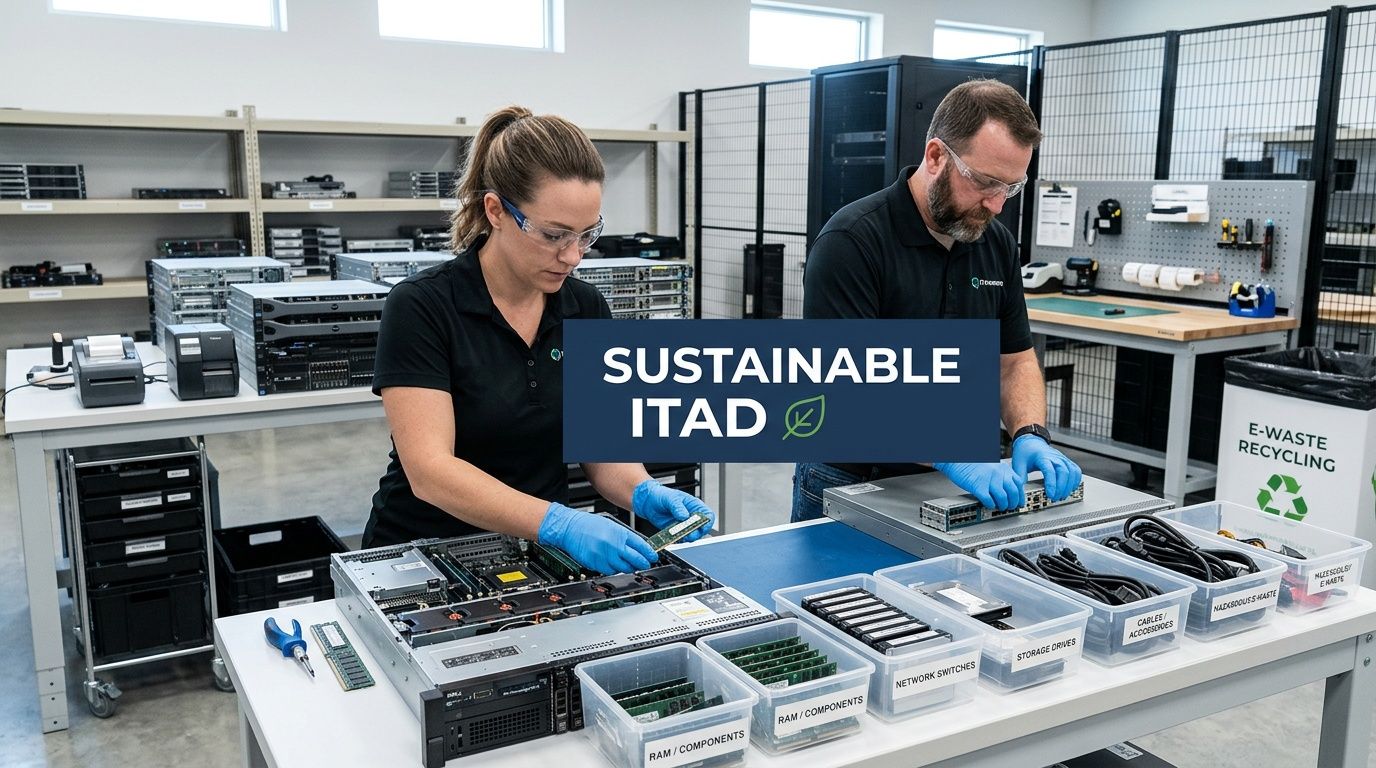
A telecom upgrade always leaves something behind. Legacy desk phones. Old firewalls. Retired switches. Wireless gear from the previous standard. Cabling leftovers. Sometimes even servers or storage devices tied to the old environment. If that material sits in a closet, the project is unfinished.
The risk isn't only clutter. It's data exposure, weak chain of custody, and poor environmental handling.
Old telecom gear can still hold sensitive information
Businesses sometimes assume only laptops and servers matter for IT asset disposition (ITAD). In practice, telecom and network equipment often contains configuration data, call records, credentials, locally stored files, or removable media. That's why secure data destruction has to be part of the same project plan as the new deployment.
This applies across common business scenarios:
- Office phone refreshes that replace handsets and local controllers
- Firewall or router upgrades tied to new carrier service
- Branch closures that leave mixed telecom and IT hardware on-site
- Data center decommissioning where networking gear is retired alongside compute equipment
Why sustainable recycling belongs in the telecom plan
Responsible retirement isn't just about avoiding risk. It's also about handling equipment in a way that supports environmental commitments and community value. For many organizations, that means combining electronics recycling, computer recycling, laptop disposal, product destruction, and donation evaluation under one governed process.
Reworx Recycling fits that broader lifecycle need. The company supports businesses managing IT equipment disposal, office cleanout, facility cleanout, medical equipment disposal, and other end-of-life needs with a strong focus on secure handling and sustainable outcomes. Its model also aligns with donation-based recycling, social enterprise recycling, and corporate donation programs, which matters to businesses that want retired technology decisions to reflect both security standards and community impact.
Retiring equipment well is part of procurement discipline. If your organization controlled vendor selection carefully on the way in, it should control asset disposition just as carefully on the way out.
For companies formalizing this process, secure equipment decommissioning practices provide a practical foundation for building chain-of-custody and retirement procedures into every technology refresh.
A Strategic Approach to Your Technology Lifecycle
The best Phoenix telecom projects don't stop at finding faster internet or a better phone platform. They connect planning, provider selection, contract review, migration control, and end-of-life handling into one operating decision. That's what keeps the upgrade from creating new risks while solving the old ones.
When businesses search for business telecom services near me, they're usually trying to fix an immediate problem. The stronger move is to solve the full lifecycle. Choose the right service. Cut over cleanly. Eliminate billing drag. Retire old equipment securely. Handle surplus hardware sustainably.
If your Phoenix business is upgrading telecom, relocating offices, clearing out old network gear, or planning a larger electronics recycling and ITAD initiative, Reworx Recycling can help you close the loop responsibly. Partner with Reworx to donate usable equipment, schedule a pickup, manage secure data destruction, or support a broader sustainable recycling program that protects your business while creating community impact.