
Slow internet usually becomes urgent at the worst possible time. A video call stalls, a cloud backup drags, or a file that should move in seconds keeps spinning. That's when people open a browser and search fiber optic installation near me.
The problem is that the search phrase sounds simpler than the project. A fiber upgrade isn't just a service order. It's a property review, a contractor decision, an equipment placement choice, and often a cleanup job for the older routers, switches, and cabling you no longer need. Small mistakes early can leave you with avoidable wall damage, weak Wi-Fi placement, or a messy handoff after the line goes live.
Before You Search 'Fiber Optic Installation Near Me'

When people search fiber optic installation near me, they usually focus on speed first. That makes sense, but speed is only one part of the decision. The better question is whether the upgrade will solve the actual bottleneck in your home office, storefront, clinic, warehouse, or multi-user office.
A good fiber project starts with three practical checks:
- Confirm the pain point: Slow performance during video meetings, large uploads, offsite backups, or shared Wi-Fi loads often points to a connection limit, but sometimes the actual issue is old network hardware or poor router placement.
- Check whether you need provider service or private cabling work: Some searches are really about getting a new internet service drop. Others are about running fiber between suites, floors, buildings, or server rooms.
- Think past activation day: The old modem, gateway, firewall, access point, patch panels, and copper gear don't disappear on their own.
That last part gets ignored more than it should. Installers usually focus on the new connection. They're there to get the circuit live, test it, and move on. If you're replacing aging telecom gear, it helps to understand the broader transition the same way you'd review a local telecommunications company support option before changing service.
Practical rule: Don't order fiber until you know where the connection will enter the building, where the ONT or handoff will sit, and which old devices you're retiring.
For a homeowner, that may mean choosing between a garage wall, utility room, or office. For a business, it often means deciding whether the provider handoff belongs near the demarc, MDF, IDF, or a secured network closet. Those choices affect labor, aesthetics, and how much rework you'll need after the installer leaves.
Laying the Groundwork Before You Call
The cheapest installation mistake is the one you avoid before anyone schedules a truck roll. A little prep changes the conversation from “Can you come out?” to “Here's the service I need, here's where it should go, and here are the site constraints.”
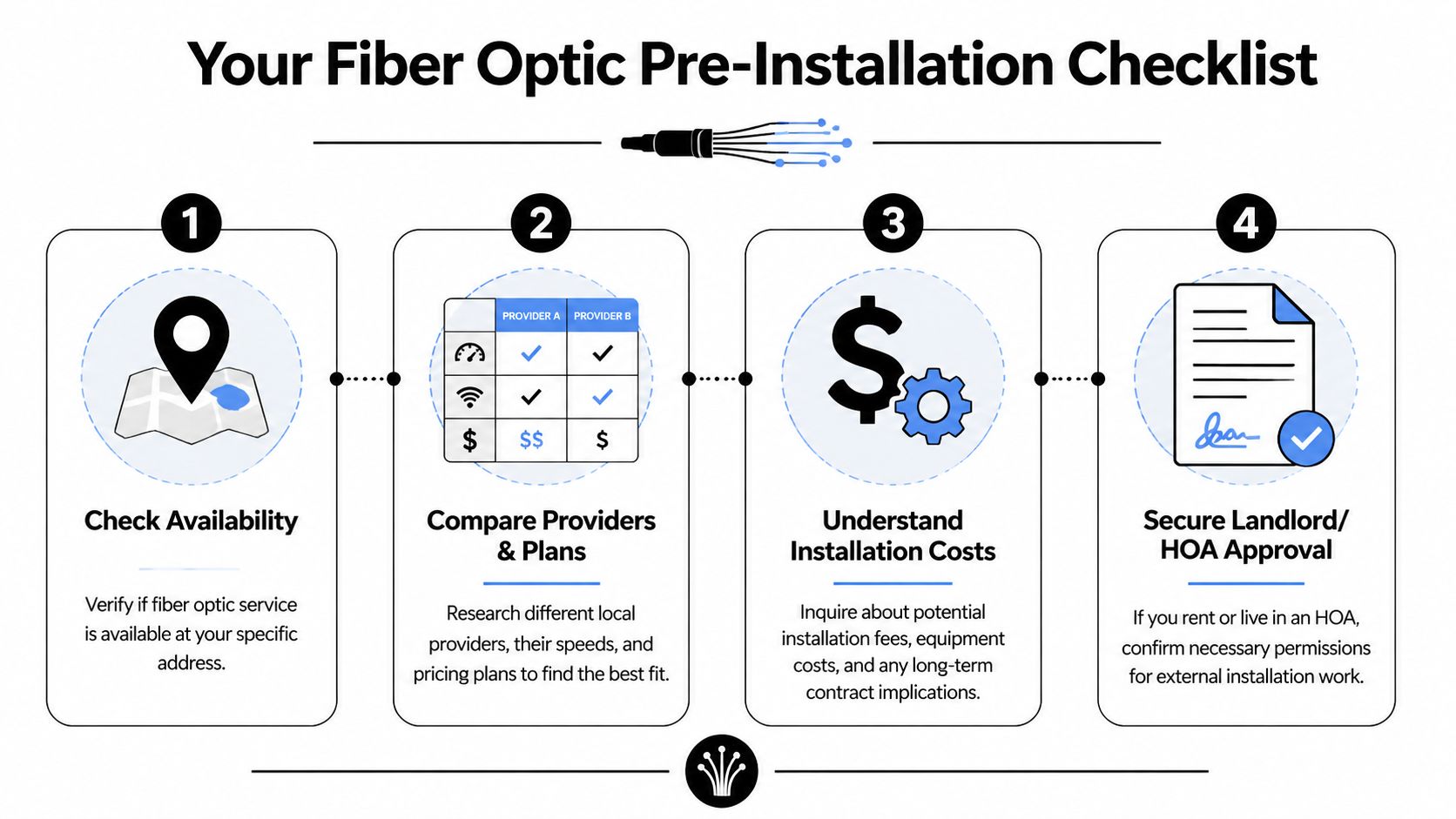
Check serviceability first
Start with your exact address, not just your ZIP code. Fiber availability can change block by block and building by building. In Texas, the state broadband office defines fiber-optic service as at least 100 Mbps download and 20 Mbps upload. In Austin, AT&T Fiber covers 36.3% of the city with speeds up to 5 Gbps, according to the Texas Broadband Development Office map.
That matters because “fiber available in my area” doesn't always mean “fiber available at my suite” or “fiber ready at my unit.” In mixed-use properties, older office parks, and leased spaces, the building may sit near fiber while your specific location still needs approvals or additional inside work.
Know what kind of speed you actually need
Business owners often get pushed toward the biggest plan on the page. Sometimes that's appropriate. Often it isn't.
A practical way to consider this:
| Environment | What usually matters most | Typical fit |
|---|---|---|
| Home office | Stable video calls, cloud apps, uploads | Entry fiber tier with strong Wi-Fi design |
| Small office | Multiple users, VoIP, shared files, backups | Symmetrical service and better switching |
| Creative or data-heavy team | Large uploads, remote editing, offsite sync | Higher tier plan and wired endpoints |
| Multi-suite or multi-floor business | Internal distribution and coverage | Provider circuit plus structured cabling work |
Symmetrical speeds are often more valuable than flashy download numbers. If your team uploads design files, pushes surveillance footage, backs up to the cloud, or hosts remote meetings all day, upstream capacity matters.
If your staff works from shared cloud platforms all day, ask about upload performance first. That's where weak connections show themselves.
Walk the property before the installer does
Do a simple site review. You don't need special tools. You need a realistic eye.
Look for:
- Entry path: Where can a provider bring the line from the street, pole, utility easement, or building telecom room?
- Power nearby: The ONT and related gear need a sensible powered location.
- Indoor route: Can the cable reach the office, rack, or router location without ugly surface runs across active space?
- Access issues: Locked gates, roof restrictions, landlord rules, HOA limitations, shared risers, and after-hours building access all slow jobs down.
If you're a business, pair that site walk with an equipment list. An internal IT inventory audit before recycling helps you separate equipment that stays in service from equipment that gets retired as part of the upgrade.
Write down your non-negotiables
Before you request quotes, list the things that matter most. For example:
- No exposed cable across customer-facing walls
- Network gear placed inside a locked closet
- Minimal disruption during business hours
- Testing and cleanup before sign-off
That list keeps the quote process honest. It also makes it easier to compare installers on scope, not just price.
Choosing the Right Installation Partner
The provider selling the connection and the contractor performing the physical work aren't always the same party. Even when they are, the installation quality still depends on the crew, the route, and the care they take with the cable itself.

What a serious quote should cover
If a quote is vague, expect surprises later. A strong proposal should spell out the route, labor assumptions, materials, termination points, testing, patching responsibility, and who handles permits or building coordination.
A quick comparison table helps:
| Quote element | Why it matters | Red flag |
|---|---|---|
| Cable path | Prevents route disputes on install day | “We'll figure it out on site” |
| Materials list | Shows what's actually being installed | No mention of hardware or termination |
| Testing scope | Confirms the line was verified properly | No post-install validation |
| Access and approvals | Avoids delays with landlord or facilities | Assumes access is automatic |
| Cleanup and patching | Sets expectations for final finish | No responsibility assigned |
If you also need low-voltage work beyond the provider handoff, such as interior structured cabling, camera drops, or rack-to-office runs, a specialist resource like Home AV Pros low voltage services can help you understand where provider responsibility usually ends and private cabling work begins.
Ask the question most buyers skip
Common inquiries focus on speed, start date, and monthly price. Those matter. But the question that often separates careful installers from rushed ones is how they protect the fiber during handling.
Expert installation requires adherence to minimum bend radius. If the crew bends the cable too tightly, they can damage the internal glass fibers. Industry standards allow only 0.75dB per connection in signal loss, which is why precision matters so much, as outlined in this guide to fiber installation best practices and bend radius management.
Ask directly:
- How do you protect bend radius during pulls and turns?
- Where will transitions happen at corners, penetrations, and conduits?
- What testing do you perform before closing the job?
- Who repairs damage if the cable is pinched or stressed during install?
A crew that answers clearly on cable handling usually runs a cleaner job overall.
Watch for the practical warning signs
Bad installs rarely announce themselves. They show up as shortcuts. A technician wanting to staple delicate cabling carelessly, an installer who can't explain where the handoff will sit, or a quote that ignores post-install testing should all slow you down.
A few issues I'd flag immediately:
- No site visit for a non-standard property: Multi-tenant offices, medical suites, schools, and warehouses almost always need one.
- No insurance or licensing details when the work goes beyond a simple provider drop: That's not paperwork trivia. It's risk control.
- No discussion of future serviceability: If nobody can access the run later, repairs become harder.
- Pressure to approve the cheapest route without discussing aesthetics or access: Cheap can become expensive when the cable run interferes with normal operations.
Choose for fit, not just availability
The right partner depends on your building type and use case. A single-family home, dental office, retail storefront, and light industrial building all present different challenges. The best installer is usually the one who can explain the route in plain English, document the scope, and answer technical questions without hand-waving.
If your project includes telecom changes beyond a simple internet handoff, reviewing broader telecom solutions for business environments can help you map where cabling, network gear, and provider work overlap.
Navigating Installation Day From Start to Finish
Installation day goes smoother when the site is ready and everyone knows where decisions have already been made. If you've ever watched a job slow down because nobody knows who can open a room or approve a wall penetration, you know most delays aren't technical. They're operational.
Before the crew arrives
Clear the work area inside and outside. Move furniture, boxes, and anything blocking utility access, wall spaces, telecom closets, or attic entries. In a business setting, make sure the front desk, facilities contact, or office manager knows technicians are coming and knows who has authority to answer questions.
Fiber work is labor-intensive. McKinsey notes that installation represents 40% to 60% of total network deployment cost because it requires skilled labor and specialized equipment. That's one reason experienced crews try to get the route, placement, and testing right the first time, as discussed in McKinsey's analysis of deploying fiber networks faster and cheaper.
What usually happens outside
The exterior phase typically includes bringing the drop from the main network access point to your building. That may be aerial or underground, depending on local infrastructure. The crew will identify the entry location, secure the route, and mount any outside hardware needed for the handoff.
Property logistics matter most in this context. Fences, landscaping, finished exterior surfaces, and shared access areas can all affect the final path.
Don't assume the route discussed on the phone is the route that makes the most sense once the technician sees the property.
What happens inside
Once the line enters the building, the technician installs the ONT or provider handoff equipment and connects it to your router or network hardware. In some spaces, this is simple. In others, it involves a longer interior path to a closet, office, or equipment rack.
Use this install-day checklist while the work is happening:
- Entry point confirmed: Matches the agreed location and won't create future access problems.
- Equipment placement approved: ONT, power, and router location make sense for coverage and maintenance.
- Cable path looks clean: No awkward drape lines, pinch points, or exposed runs in the wrong places.
- Labeling is sensible: The handoff and related gear are identifiable for future support.
- Test completed before sign-off: You've seen the service go live and confirmed core connectivity.
If you're coordinating a larger office move or network refresh, a page like telecom network installation support in Atlanta is useful for understanding how provider activation fits into a broader facility project.
Before the technician leaves
Ask the installer to show you what was installed, where the handoff sits, and what device belongs to the provider versus what belongs to you. If there's battery backup, Wi-Fi gear, or a managed gateway involved, confirm who supports each part.
Then take photos. One shot of the exterior entry, one of the ONT, one of the router or rack connection, and one of any labels saves time later when support asks what's on site.
The Overlooked Step After Your Upgrade
The internet is live. Speeds look good. The crew is gone. Many homeowners treat that as the end of the job.
It isn't.
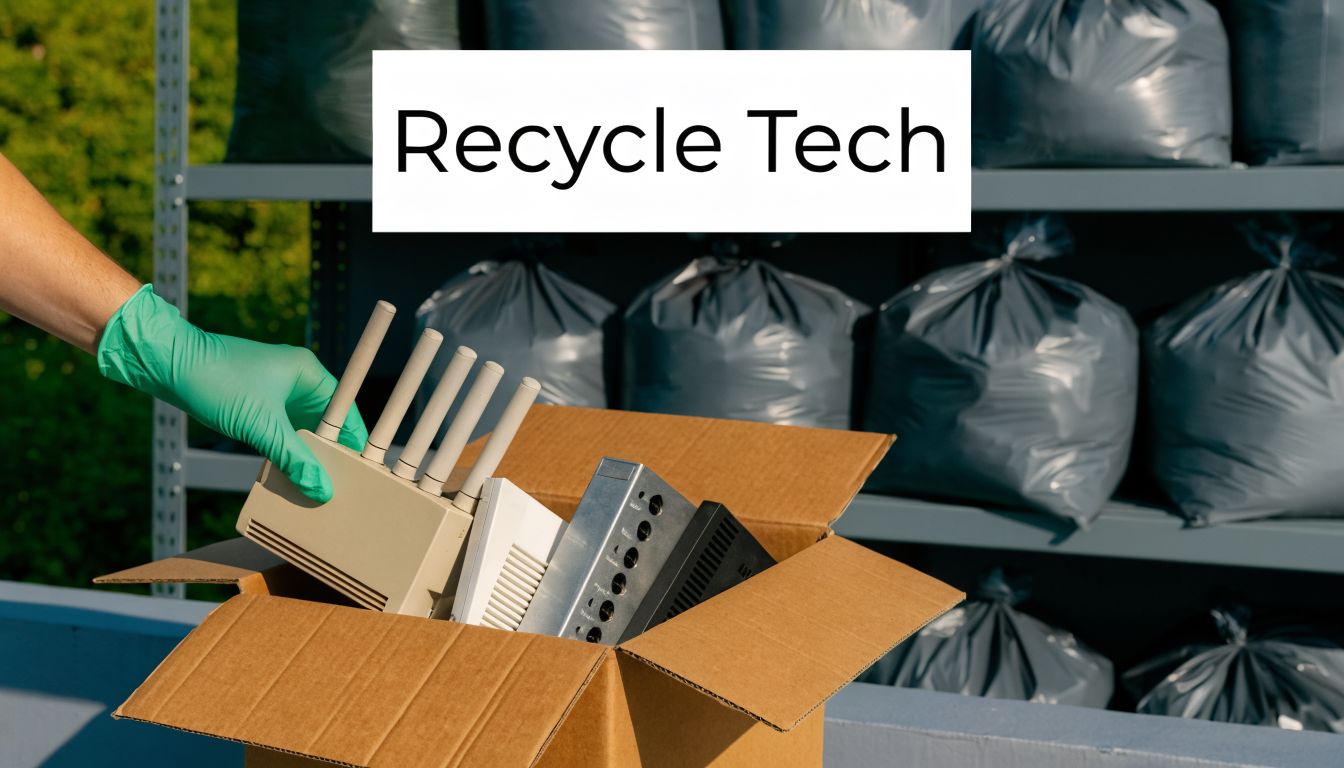
What's left behind often includes old routers, modems, access points, switches, patch cables, legacy firewalls, and retired office hardware that supported the previous connection. Some of it may still hold saved credentials, configuration files, business records, or network details. Leaving that pile in a closet isn't harmless. Throwing it in the trash is worse.
Why old network gear creates risk
A major gap in local installation services is the lack of integrated IT asset disposition, or ITAD. Up to 70% of small and medium businesses mishandle e-waste during tech upgrades, and responsible recycling partners can divert over 95% of materials from landfills while supporting secure data destruction, according to this overview of fiber installation and ITAD gaps.
That risk is practical, not theoretical. Businesses often assume only laptops and servers need careful retirement. In reality, network equipment can also store sensitive information. The old firewall may contain VPN settings. The retired access point may hold network names and passwords. The branch office router may still reflect how the site was configured.
Field advice: If a device ever touched your network, treat it like it holds recoverable information until it's properly sanitized or destroyed.
What to pull out after a fiber upgrade
After the cutover, gather the gear that is obsolete or no longer needed. Typical examples include:
- Provider hardware you own: Old gateways, cable modems, retired ONTs, and backup units
- Network gear replaced during the upgrade: Routers, switches, firewalls, access points
- Peripheral telecom hardware: Patch panels, adapters, splitters, and unmanaged gear from old layouts
- Workspace electronics exposed by the project: Spare desktops, monitors, printers, and dock equipment that surface during closet cleanouts
Not every device goes to recycling immediately. Some should be retained as spares. Others may need formal decommissioning records if they came from a regulated environment such as healthcare, education, government, or finance.
What responsible disposition looks like
A proper post-upgrade process usually includes identification, segregation, secure data handling, and documented downstream recycling. For organizations that already have surplus equipment on hand, this is also the right time to combine a connectivity project with a broader office cleanout or IT refresh.
A reputable local option for e-waste recycling services can help businesses sort equipment by reuse, resale, destruction, and recycling stream rather than treating everything as generic scrap.
Here's a simple decision framework:
| Equipment type | First question | Best next step |
|---|---|---|
| Router, firewall, managed switch | Does it store configs or credentials? | Secure erase or destruction path |
| Access point or gateway | Is it still supported? | Reuse if current, recycle if obsolete |
| Copper patching and low-value accessories | Any redeployment value? | Consolidate for recycling |
| End-user devices found during cleanup | Any business or donor use left? | Evaluate for redeployment or certified recycling |
The key point is straightforward. Your fiber upgrade isn't complete until the retired gear is offsite, documented, and handled correctly.
When Fiber Isn't an Option (Yet)
Sometimes the search for fiber optic installation near me ends with a simple answer: it isn't available at your address yet. That doesn't mean you're stuck with poor performance forever. It means you need a realistic interim option and a smarter way to judge pricing.
Compare alternatives with long-term pricing in mind
Cable and fixed wireless can work well in the right setting, especially if your current issue is older in-building networking rather than raw provider capacity. For rural sites or hard-to-serve locations, satellite may still be the practical choice. The important thing is to compare not just headline speed, but reliability, upload behavior, support quality, and what happens after the introductory period ends.
As a value benchmark, Google Fiber's 1 Gig plan in Austin is $70 per month and has remained unchanged since 2012, according to Google Fiber's Austin service page. That kind of long-term price stability is useful when you compare alternatives that look attractive upfront but may change later.
If fiber is installed but Wi-Fi still feels slow
This happens often. The fiber circuit is fine, but the user experience still feels inconsistent because the bottleneck moved inside the building.
Check these issues first:
- Router placement: A fast connection won't help if the router is buried in a metal closet or stuck at one end of the office.
- Old client devices: Some laptops, printers, and IoT devices can't take advantage of newer wireless performance.
- Coverage design: One all-in-one router may not cover a larger office, thick walls, or a long floorplate well.
- Wired backhaul needs: Desktop workstations, VoIP phones, and shared office equipment often perform better on Ethernet than on Wi-Fi.
For many businesses, the right path is staged. Improve the inside network now, use the best available service in the meantime, and be ready to order fiber when the address becomes serviceable.
If your fiber upgrade leaves you with old routers, switches, laptops, telecom gear, or surplus office electronics, Reworx Recycling can help you retire them responsibly. Businesses can explore secure data destruction, electronics recycling, donation-based recycling, IT equipment disposal, and pickup options through Reworx's recycling resources, then turn a simple connectivity upgrade into a cleaner, safer technology transition.