Your storage room probably has a few shelves of retired laptops, a dead server or two, old access points, tangled chargers, and a box of hard drives no one wants to touch. Many organizations leave those assets in limbo for months because every option seems risky. Throwing them away feels wrong. Recycling sounds good, but no one is fully sure what happens to the data. Keeping everything forever creates its own problem.
That’s where product destruction matters.
For IT and facilities managers, product destruction isn’t just about breaking equipment so it can’t be used again. It’s the point where data security, environmental responsibility, legal documentation, and practical logistics all meet. If any one of those pieces is weak, the whole process can fail. A drive can leave the building without proper tracking. A recalled device can be resold. A recycler can remove material value but leave your compliance team with no paper trail.
The most useful way to think about product destruction is as an integrated end-of-life strategy. The physical device has to be rendered unusable when needed. The data has to be destroyed in a way that matches the media type and the sensitivity of the information involved. The downstream handling has to keep hazardous material out of the wrong places. And your organization needs records strong enough to stand up to an audit, procurement review, or internal security check.
Busy teams don’t need jargon. They need a clear way to decide what should be wiped, what should be shredded, what can be reused, and what documentation has to follow every step.
Why Product Destruction Is a Critical Business Process
A forgotten laptop in a closet doesn’t look dangerous. An unplugged server on a pallet doesn’t look expensive. But both can create problems long after the business stopped using them.
An old device can still hold customer records, employee files, procurement data, emails, saved passwords, or protected health information. Even if the device won’t power on, the storage media inside may still be readable. That’s why product destruction has become a business process, not a cleanup chore.
The risk starts before disposal
Many organizations trigger product destruction during ordinary events:
- Technology refreshes: IT replaces workstations, servers, monitors, and mobile devices.
- Office cleanouts: Facilities teams need to clear storage rooms, cubicles, and equipment cages.
- Mergers or relocations: Duplicate hardware and unsupported systems need to be retired fast.
- Defective or recalled products: A company has to make sure equipment can’t re-enter circulation.
- Data center decommissioning: Retired infrastructure needs secure handling from rack to final disposition.
The confusion usually starts with one question. Is this a disposal issue, a recycling issue, or a data issue?
It’s all three.
A device can contain sensitive data and still be made of recoverable metals and plastics. It can also contain components that require special handling. That mix is why ad hoc disposal creates so much exposure.
Why simple disposal no longer works
If a team drops electronics into a dumpster, they lose control immediately. If they hand assets to an unvetted hauler, they may never know whether the devices were wiped, dismantled, exported, or landfilled. Even well-meaning recycling without documented security can leave a gap between “removed from our office” and “safely destroyed.”
Globally, 91% of plastic waste is not recycled, with nearly 50% being destroyed long-term in landfills, according to the World Economic Forum’s summary of global plastic recycling statistics. Electronics contain a lot of plastic, so unmanaged disposal can turn retired tech into long-term waste instead of recovered material.
Practical rule: If you can’t show where an asset went, who handled it, how the data was destroyed, and what happened to the materials, you don’t have a finished process.
A strong IT end-of-life program treats product destruction as part of a broader IT asset disposition process. That framing helps teams avoid a common mistake. They focus on getting equipment out of the building, when the primary goal is reducing risk all the way through final destruction or recovery.
Physical and Digital Destruction Methods Explained
Most confusion around product destruction comes from mixing up the device and the data. They aren’t the same thing. You can destroy the hardware and still mishandle the information. You can wipe data properly and still fail to document what happened to the physical asset.
The cleanest way to understand the process is to separate physical destruction methods from digital destruction methods.
Physical methods that render devices unusable
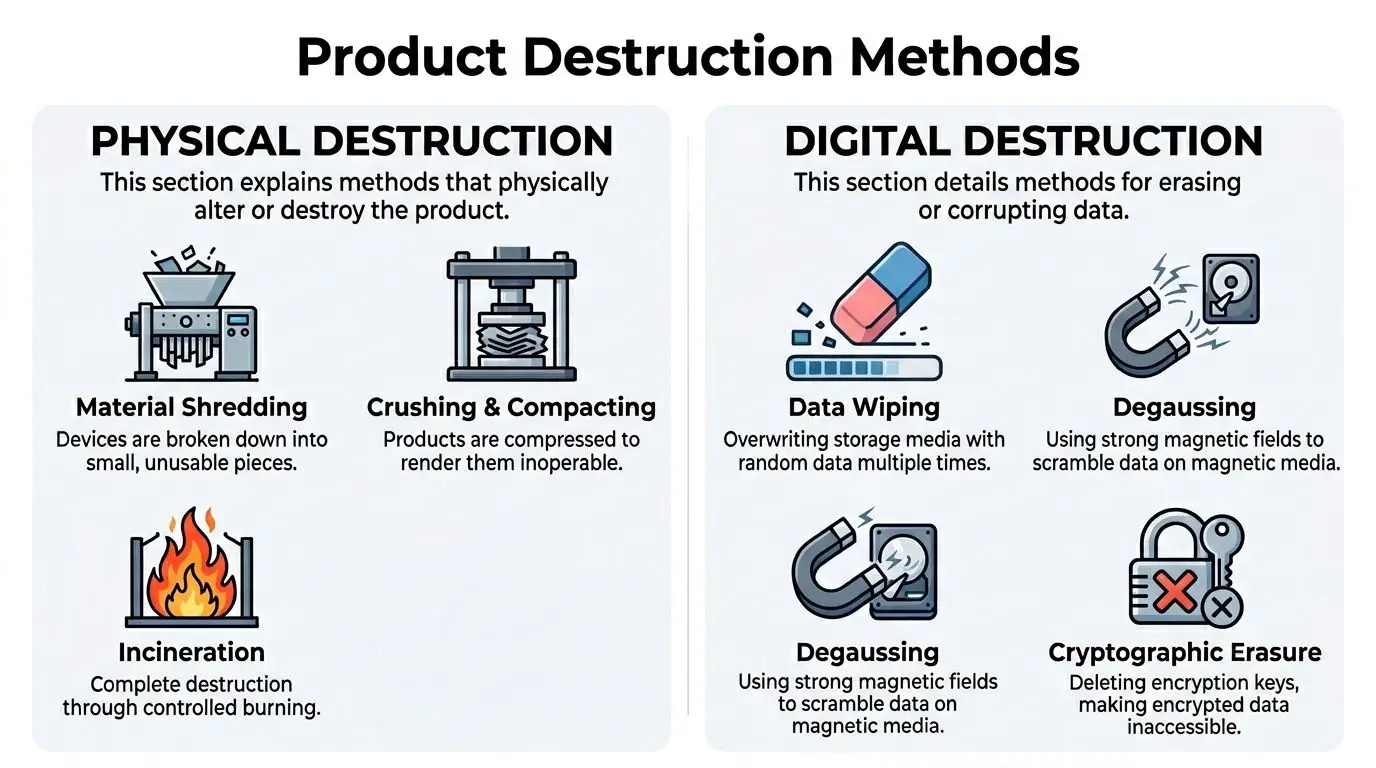
Physical destruction means changing the asset so it can’t function again.
| Method | Best fit | What it does |
|---|---|---|
| Shredding | Hard drives, SSDs, phones, mixed electronics | Breaks equipment into small pieces |
| Crushing | Laptops, drives, tablets, handheld devices | Deforms the item so components can’t operate |
| Piercing or punching | Hard drives and some storage media | Damages platters or internal components |
| Incineration | Special cases with regulated handling | Destroys materials through controlled burning |
Shredding is a method many people picture first. It works like a heavy industrial version of a paper shredder. Instead of turning a document into strips, the machine turns a device into fragments. For many organizations, this is the clearest visual proof that the hardware won’t be reused.
Crushing is more targeted. A hydraulic press can flatten a drive or device fast. It’s useful when a team needs the asset rendered inoperable but doesn’t necessarily need the full particle reduction of shredding.
Piercing is simpler still. Think of it as creating catastrophic damage in the specific place where the data lives. It’s not the right answer for every media type, but it’s often used as a controlled destruction step for certain devices.
Incineration exists, but most IT teams won’t choose it as their default path. It’s destructive in the most literal sense, yet it doesn’t align with the material recovery goals many organizations now expect.
Digital methods that destroy information
Digital destruction focuses on making data inaccessible or unrecoverable.
A strong overview of secure destruction of hard drives usually includes several methods because different media require different treatment.
Here are the ones managers ask about most often:
Data wiping
This overwrites the storage media with new data patterns. It’s often appropriate when the device may be reused or resold after verified erasure.Degaussing
This uses a powerful magnetic field to scramble information on magnetic media. A simple analogy is an old cassette tape erased by a strong magnet, but on enterprise equipment and with a security purpose.Cryptographic erasure
If data is encrypted, deleting the encryption keys can make the stored information unreadable. This can be effective in environments with strong encryption controls already in place.Disintegration or fine shredding
This reduces media into very small particles. It’s often selected when organizations want the highest level of assurance for highly sensitive storage devices.
The best method depends on the asset. A desktop hard drive, an SSD, and a smartphone don’t behave the same way during destruction.
Matching the method to the asset
Managers often ask for “shredding everything” because it sounds safest. Sometimes that’s right. Sometimes it wastes recoverable value or applies the wrong method to the wrong media.
Use this mindset:
- Reuse candidate with lower sensitivity: verified wiping may be appropriate.
- Magnetic media with high sensitivity: degaussing plus physical destruction may be preferred.
- Solid-state media or damaged devices: physical destruction is often the cleaner answer.
- Mixed loads from office cleanouts: triage first, then assign the method by device type.
A good partner won’t just ask how much equipment you have. They’ll ask what kinds of storage media are present, whether any assets can be remarketed, and what your internal security policy requires.
Navigating Regulatory and Compliance Demands
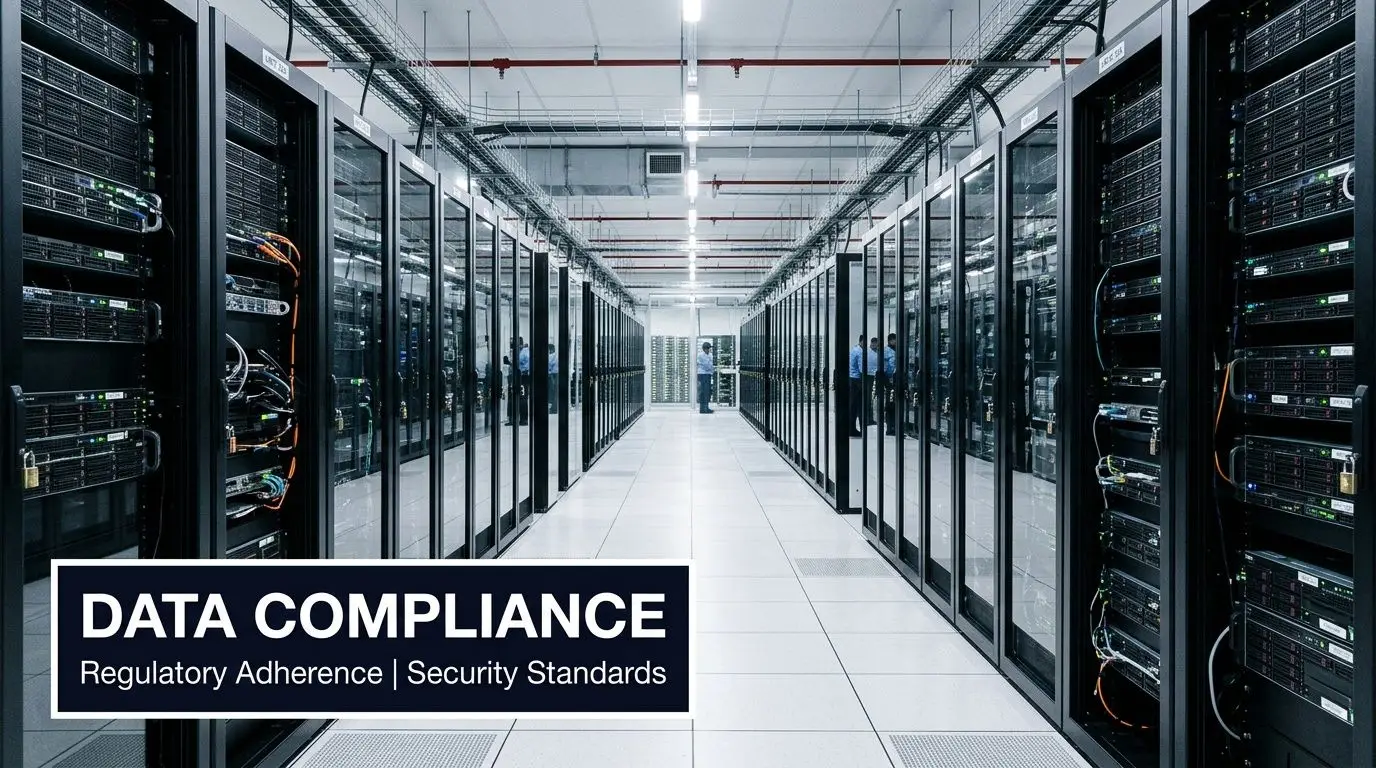
Compliance gets harder when a team treats end-of-life equipment as a single issue. Regulations usually care about different things. One rule may focus on protected data. Another may focus on hazardous waste handling. A procurement policy may require formal records even when no law names the exact device involved.
That’s why product destruction should be documented as both a security control and an environmental control.
Different rules apply to different risks
For many organizations, the compliance map looks something like this:
- HIPAA-related environments: healthcare providers and related organizations must protect data tied to patients and care operations.
- FACTA-related obligations: businesses handling consumer financial information need secure disposal practices.
- RCRA-related concerns: organizations disposing of electronics have to think about hazardous components and downstream waste management.
- Contractual or procurement requirements: public entities, schools, and enterprises often impose their own documentation standards.
The practical problem is that none of these frameworks reward vague intent. “We sent it to recycling” usually isn’t enough.
What regulators, auditors, and internal legal teams want is evidence of due diligence. They want to see that your organization used a documented process, selected a qualified vendor, preserved records, and controlled the handoff of equipment.
Public entities face rising pressure
Schools and government agencies have additional complications because device retirement often sits between IT, procurement, facilities, legal, and public accountability. That gets harder when state rules change.
In the last 12 months, 12 states have expanded electronics EPR laws, mandating certified data destruction for public entities like schools and government agencies, and non-compliance can lead to fines exceeding $10,000 per violation, according to the referenced source in the provided research set at this video link.
That matters even for organizations outside the public sector. State-level shifts often influence procurement expectations, contract language, and internal policy updates across the market.
What “compliance support” should look like
A certified process helps create a defensible record. For many teams, the most useful benchmark is whether the vendor can show recognized practices and formal controls through electronics recycling certifications.
Look for these basics:
- Documented intake: asset counts, categories, and condition at pickup or drop-off
- Chain of custody records: who handled the assets and when
- Method transparency: wiping, shredding, degaussing, or another approved process
- Final reporting: a certificate or equivalent record tied to the destruction event
If a provider can destroy the equipment but can’t prove the details afterward, your compliance team still has a problem.
A good compliance process also helps settle internal disagreements. Security may prefer destruction. Sustainability may prefer reuse where possible. Legal may want stronger evidence than either team initially planned for. The right workflow gives all three groups what they need without forcing a last-minute scramble.
Environmental Impacts and Sustainable Disposal
A lot of people hear “product destruction” and assume it means waste. That’s understandable, but it’s incomplete. The better question is what kind of destruction process your organization is choosing.
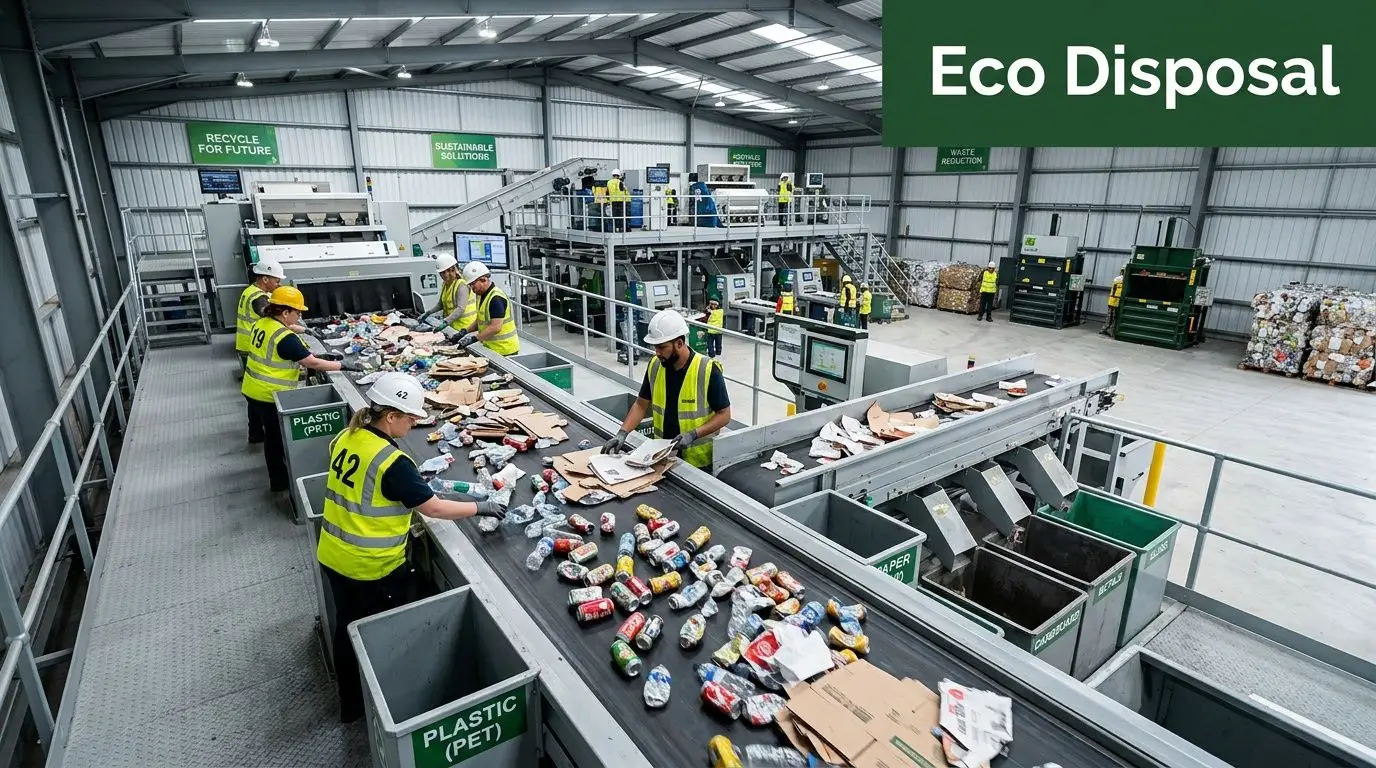
If retired electronics are dumped, burned without material recovery, or sent into poorly controlled downstream channels, the result is environmental damage plus lost resource value. If the same assets go through a recycling-integrated process, destruction can become the secure first step in responsible recovery.
Landfill destruction is the worst baseline
The United States generated 292.4 million tons of municipal solid waste, but only 32.1% was recycled or composted. The majority went to landfills (50%) or combustion (11.8%), according to this summary of U.S. recycling and waste statistics. The same source notes the urgency of diverting hazardous electronic materials from the nearly 36 million tons of hazardous waste generated by U.S. businesses annually.
For IT and facilities teams, that means unmanaged electronics retirement doesn’t just remove clutter. It can push complex material streams into disposal systems that weren’t built to recover much value.
What responsible destruction changes
Electronics contain metals, plastics, circuit boards, and other components that require sorting and downstream processing. A responsible partner separates security decisions from recovery decisions without treating them as opposites.
That means:
- a hard drive may be physically shredded for data security
- the shredded material may still enter an approved commodity recovery stream
- a monitor, cable, or chassis may be dismantled for material separation
- reusable equipment may be screened before destruction is chosen
Sustainability teams often benefit from a wider operational lens. Formal sustainability audits can help organizations identify where disposal habits, vendor controls, and asset retirement policies don’t match their stated environmental goals.
Good product destruction doesn’t end with “nothing is usable anymore.” It ends with “nothing is exposed, and everything possible was handled responsibly.”
Why this matters beyond waste diversion
A recycling-integrated approach supports several goals at once:
- Risk reduction: sensitive assets don’t circulate through informal resale channels.
- Resource recovery: metals and other materials can move back into industrial use.
- Policy alignment: sustainability commitments become visible in actual operations.
- Internal credibility: IT, facilities, and ESG teams can work from one process instead of competing priorities.
The fundamental shift is conceptual. Product destruction shouldn’t mean “destroy first, ask questions later.” It should mean “destroy what must be destroyed, recover what can be recovered, and document both.”
Ensuring a Secure Chain of Custody
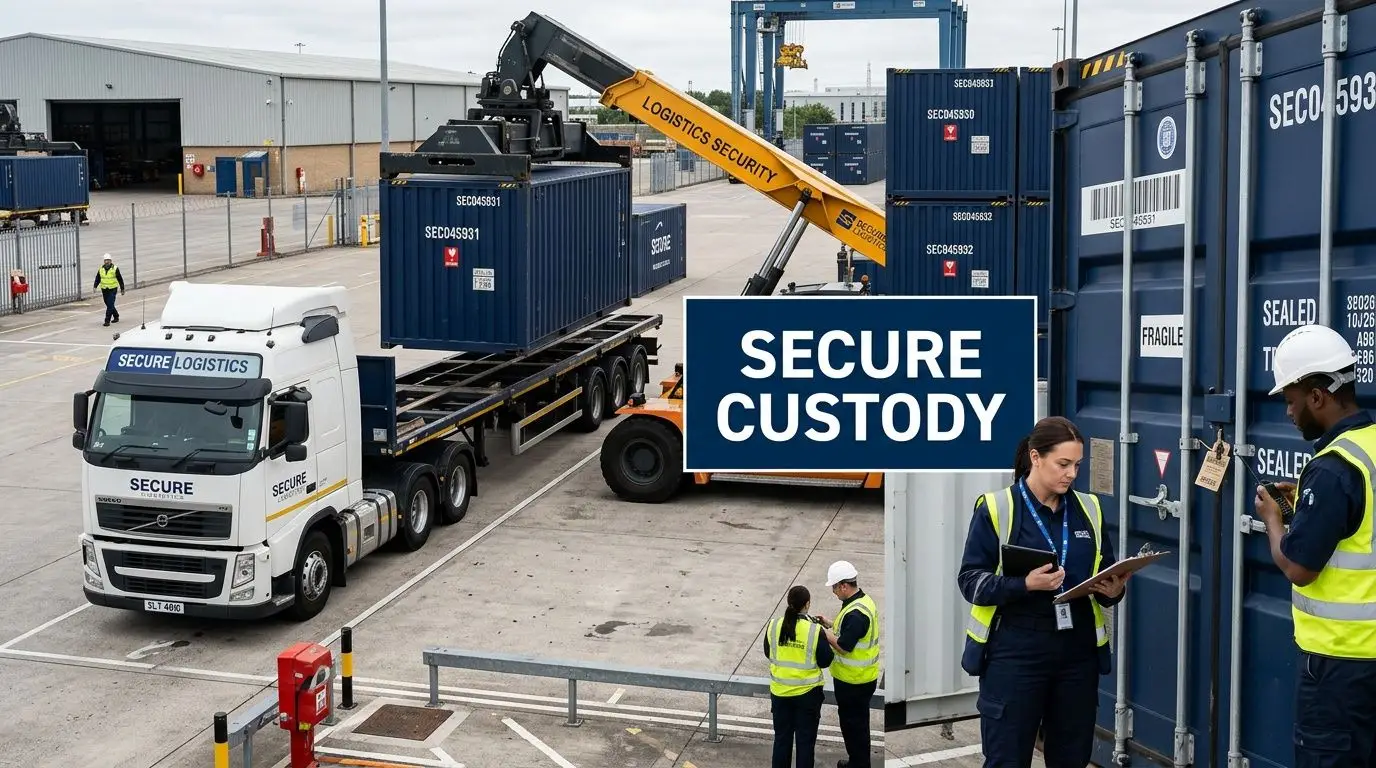
Most failures in product destruction don’t happen inside the shredder. They happen in the gaps before destruction. A pallet waits in an open hallway. A truck pickup gets delayed. A container changes hands without a clear log. An asset count doesn’t match when the final paperwork arrives.
That’s why chain of custody matters so much.
What you should expect from pickup to final destruction
A secure chain of custody is a sequence, not a promise. Each step should reduce the chance of loss, substitution, tampering, or undocumented handling.
A well-run process usually includes:
Pre-removal inventory
Your team identifies what’s leaving the site. That may be by serial number, asset tag, device class, or sealed container.Controlled collection
Equipment is packed into locked bins, sealed gaylords, carts, or pallets suited to the asset type.Secure transport
The provider moves the load using documented pickup procedures and limited access during transit.Facility intake verification
The receiving team checks counts, condition, or container seals against the pickup record.Destruction event logging
The actual wiping, shredding, or other approved process is recorded and tied back to the intake.Final reporting
Your organization receives confirmation that matches what was surrendered.
The document that matters most
The final record is often a Certificate of Destruction. This document isn’t just a receipt. It’s what your organization may rely on months later when legal, procurement, or internal audit asks for proof.
A useful certificate of destruction for hard drives should clearly identify the client, the date, the method used, and the assets or asset categories covered by the destruction event.
Here’s a practical review list:
- Client details: legal entity or site that released the material
- Date and location: when and where custody changed or destruction occurred
- Asset identification: serial numbers, quantities, or batch references
- Destruction method: wiping, shredding, degaussing, or another defined process
- Authorizing signature or record: evidence the event was completed under controlled procedures
Ask a prospective vendor to show a sample certificate before you sign anything. If it’s vague, your proof will be vague too.
Why chain of custody is a management issue
IT often assumes facilities will control pickup. Facilities often assumes IT already documented the devices. Compliance assumes both teams have a vendor record somewhere. That split creates blind spots.
The strongest programs assign ownership clearly. Someone approves release. Someone verifies inventory. Someone receives the final certificate and stores it in a system your organization can access later. If that handoff isn’t defined, the process feels complete on pickup day but falls apart when documentation is needed.
Understanding the Costs and Logistics
Price matters, but the cheapest line item usually hides the most expensive risks. Product destruction costs aren’t just about what a provider charges per pound, per pallet, or per pickup. They depend on what kind of equipment you have, what security standard you need, and how much operational support the vendor is providing.
The mistake many businesses make is comparing a secure ITAD process against the narrow cost of “just getting rid of stuff.”
What drives cost
Several factors can influence a quote:
| Cost factor | Why it changes pricing |
|---|---|
| Asset type | Servers, laptops, monitors, drives, and mixed loads require different handling |
| Security method | Wiping, degaussing, and shredding don’t involve the same labor or equipment |
| Service location | On-site work and off-site processing create different logistical costs |
| Volume and packaging | Loose devices are harder to manage than organized, palletized inventory |
| Reporting requirements | Detailed audit trails and serialized reports take more processing time |
That’s the visible part.
The less visible part is internal labor. If your team spends days sorting assets, removing drives, chasing approvals, and fixing documentation gaps, that’s part of your organization's disposal cost even if it never appears on the vendor invoice.
The landfill comparison is often misleading
A 2026 EPA report indicates that recycling-integrated product destruction can reduce disposal costs for electronics by 30-50% compared to landfilling, which averages $60-100/ton, according to the provided reference at Best Version Media. The same source notes that for a small business retiring a batch of laptops, the difference can translate into thousands in savings, plus additional revenue from asset buyback programs.
That doesn’t mean every destruction event is automatically cheaper in the first invoice total. It means the broader cost picture changes when material recovery and resale value are part of the program.
A more useful budgeting lens
When evaluating proposals, look at four buckets instead of one:
Direct service cost
Pickup, transport, destruction, labor, and reporting.Risk avoidance
Exposure tied to poor documentation, data loss, or improper downstream handling.Operational efficiency
Time your staff spends preparing assets, managing vendors, and locating records later.Value recovery
Hardware buyback, parts harvesting, or commodity recovery where appropriate.
Some assets should be destroyed immediately. Others should be evaluated first because wiping and resale may return more value than blanket shredding. The right answer depends on your data policy, not just your scrap pile.
Budget conversations go better when you compare “secure retirement of assets” to “total cost of unmanaged disposal,” not to the cheapest hauling option on paper.
Logistics also matter. A provider that offers clear scheduling, pickup coordination, and site-ready containers can lower disruption for IT and facilities teams. That kind of operational simplicity is often what makes a good program sustainable over time, especially during refresh cycles, relocations, and office cleanouts.
A Decision Checklist for Your Business
By the time a company needs product destruction, the primary question usually isn’t whether to do it. It’s how to choose the right scope, method, and partner without missing something important.
A useful decision process starts internally. Before talking to any vendor, get clear on what your organization is trying to protect.
Start with your own assets and risks
Ask these questions first:
What are you retiring?
Laptops, desktops, monitors, servers, networking gear, mobile devices, drives, printers, lab equipment, or mixed office electronics.What data may still exist on those assets?
Don’t assume “old” means “empty.”Which items could be reused or resold after verified data destruction?
Blanket destruction may not be necessary for every asset.Which assets require physical destruction no matter what?
This is common for failed drives, certain regulated environments, and damaged storage media.Do you need one-time cleanup or an ongoing process?
The right vendor setup for a warehouse purge may differ from a quarterly IT refresh plan.
Questions to ask a potential provider
Not every vendor that accepts electronics is equipped for secure product destruction. Use a short, direct screening list.
- How do you track custody from pickup through final processing?
- What destruction methods do you use for hard drives, SSDs, mobile devices, and servers?
- Can you provide serialized reporting or batch-level reporting based on our needs?
- What proof of destruction do you issue, and what details are included?
- How do you separate assets for reuse, recycling, and destruction?
- How do you handle pickups, scheduling, and site access requirements?
- What certifications or documented controls support your process?
Red flags worth taking seriously
Some warning signs are obvious. Others are easy to miss during a busy project.
| Red flag | Why it matters |
|---|---|
| Vague answers about downstream processing | You may lose visibility after pickup |
| No sample documentation | You can’t judge the quality of proof in advance |
| One method for every asset | The process may be convenient for them, not right for you |
| Little discussion of data-bearing media | Security may be treated as an afterthought |
| No operational planning for pickup | Confusion often starts before equipment leaves your site |
A strong partner sounds organized before the first pickup. That early clarity usually reflects what the rest of the process will feel like.
The best decision isn’t “who can destroy this fastest?” It’s “who can help us retire assets securely, document the outcome, and support our environmental standards without creating extra work for our team?”
Partnering with Reworx Recycling for Total Peace of Mind
When you put all of these requirements together, secure product destruction stops looking like a narrow disposal task and starts looking like a coordinated business service. You need data protection. You need controlled logistics. You need environmental responsibility. You need documentation that people can find later.
That’s why many organizations prefer working with a specialized partner instead of piecing together separate haulers, recyclers, and destruction vendors.
Reworx Recycling is built around that integrated model. The company supports businesses, schools, agencies, and other organizations that need electronics recycling, IT equipment disposal, computer recycling, and secure data destruction handled in a way that reduces confusion instead of adding to it. For teams managing laptop disposal, office cleanouts, data center decommissioning, facility cleanouts, or broader IT asset disposition, that kind of coordination matters.
What makes the model practical is that it treats physical assets and digital risk as part of the same chain. Equipment can be inventoried, transported, processed, and documented within one managed workflow. Data-bearing devices can go through secure destruction. Non-data equipment can move through responsible recycling channels. Assets with residual value can be evaluated instead of automatically discarded.
Organizations that need a more formal destruction path can also review secure equipment destruction services to understand how a dedicated provider supports controlled handling and documented end-of-life processing.
There’s also a broader mission behind the service. Reworx Recycling operates as a social enterprise with a donation-based recycling focus, which means responsible retirement of equipment can support community impact, digital inclusion, and workforce development alongside sustainability goals. For many businesses, that makes the end of an asset’s life less like a cost center and more like a chance to handle technology transitions responsibly.
If your team wants fewer unknowns, the right partnership should give you three things at once: confidence that the data is gone, confidence that the materials were handled responsibly, and confidence that the paperwork will still make sense when someone asks for it later.
If your business is planning an office cleanout, retiring aging laptops and servers, or building a more reliable IT asset disposition program, Reworx Recycling can help you move forward with a secure, responsible process. Explore their recycling blog, schedule a pickup, donate old equipment, or partner with their team to turn product destruction into a safer and more sustainable part of your operations.