

Your lease is ending in Midtown. Or your team just finished a company-wide laptop refresh. Either way, the result is the same. A locked room full of old monitors, docking stations, hard drives, printers, phones, and a few mystery boxes nobody wants to claim.
For a New York City business, that is not just a cleanup problem. It is a compliance, logistics, and data security problem.
Most public guidance on recycling nyc is written for residents. That trips up many business teams. The residential rules about paper, cardboard, metal, glass, plastic, and compost are useful background, but they do not answer the operational questions facilities managers, IT leads, and sustainability teams face. Who can pick up retired electronics from an office? What documentation should you require? When is data wiping enough, and when should drives be shredded? How do you keep a routine office cleanout from becoming a legal and security issue?
The practical answer is to treat electronics recycling as part of IT asset disposition, chain of custody, and reporting, not as an afterthought.
The NYC Business Recycling Challenge
New York City businesses operate under a different recycling reality than residents. If you manage an office, clinic, school, warehouse, or mixed-use facility, you cannot assume the city will collect your electronics with ordinary recycling.
A critical gap in NYC guidance is that small and mid-sized businesses are not covered by DSNY's free curbside services for electronics and must use licensed private carters, and repeated offenses can bring fines up to $200 according to NYC311's business recycling guidance. That gap is why a basic office cleanout turns into confusion around who can legally remove devices, where they go, and how to document the process.
Where most business teams get stuck
The typical failure points are operational, not theoretical:
- Storage creep: Old equipment sits in a closet for months because no one owns the disposition process.
- Split responsibility: Facilities handles removal, IT handles devices, compliance handles policy, and nobody controls the full chain.
- Resident-style assumptions: Staff think electronics can go out with standard building recycling.
- Missing records: A vendor removes equipment, but no asset list, destruction record, or recycling paperwork comes back.
That last point matters more than many teams realize. If a device contained employee records, client files, patient information, financial documents, or credentials, your risk does not end when the device leaves the floor.
What works in practice
The most reliable approach is to build one workflow for every technology retirement event, from a few laptops to a full facility cleanout:
- Identify what is leaving the site
- Separate devices with storage media from commodity electronics
- Assign internal ownership between IT and facilities
- Choose a compliant pickup path
- Collect final documentation before closing the job
Tip: If your building team says, "We'll add this to recycling," pause the job. For electronics in NYC commercial settings, that shortcut creates avoidable compliance and security exposure.
A lot of NYC organizations also discover that their waste program looks organized on paper but breaks down during moves, renovations, or refresh cycles. Those are the moments when informal habits fail.
For a business-focused overview of local electronics handling expectations, this NYC recycling page from Reworx Recycling is useful because it frames the issue from a commercial e-waste and pickup perspective rather than a resident one.
Navigating NYC's Commercial Recycling Mandates
Commercial recycling in NYC starts with a simple rule. Every business must recycle by law. The practical complication is that the city does not handle business recycling the way it handles residential collection.
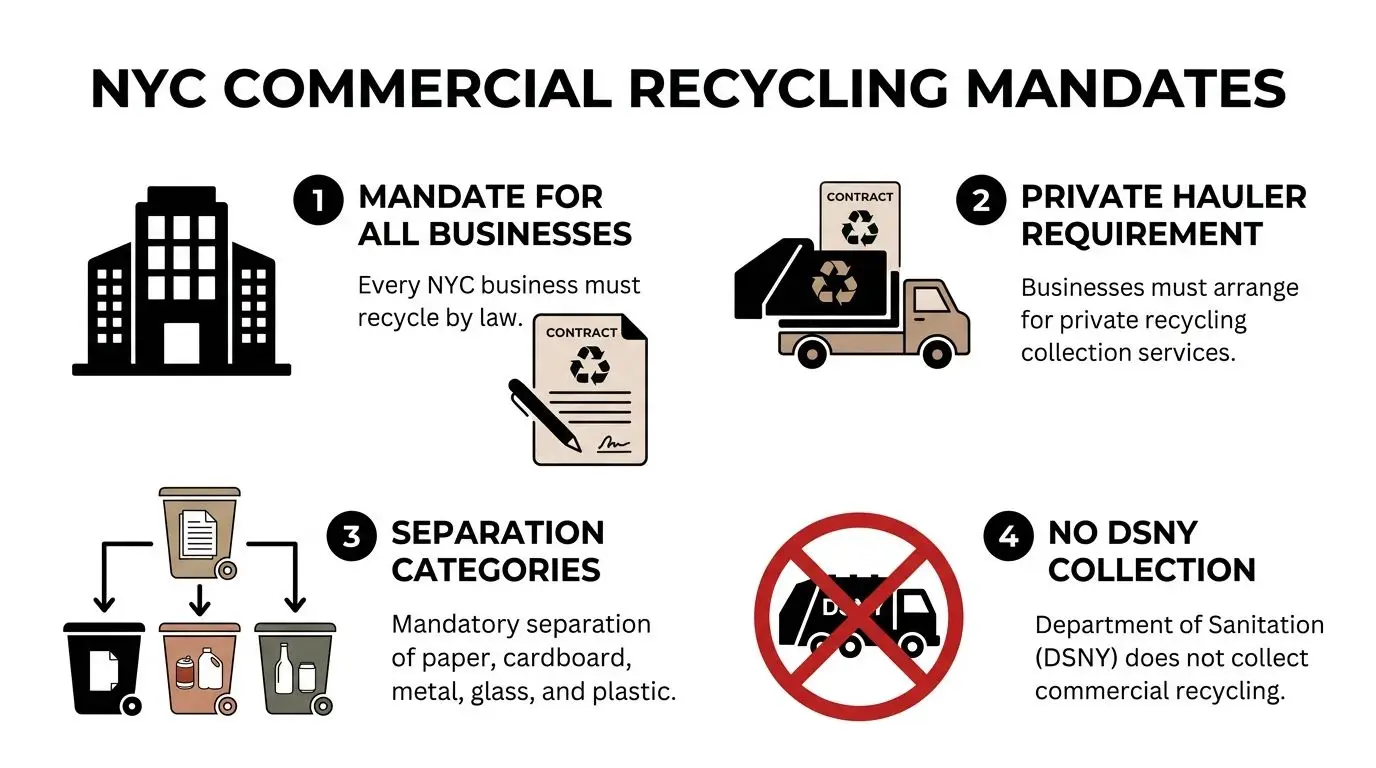
That means your facility needs a working system for paper, cardboard, metal, glass, and plastic separation, plus a removal process that fits your building, loading dock access, and staff habits. On paper, this sounds straightforward. In real buildings, it breaks at the point of collection.
The cost argument is stronger than many teams realize
The financial case is not subtle. In NYC, refuse disposal costs about $203 per ton, while recycling costs about $53 per ton, based on testimony summarized by the Citizens Budget Commission. If your staff puts recyclable material into trash, you are paying the more expensive pathway.
That changes how a facilities manager should look at recycling nyc. This is not only an environmental compliance issue. It is a cost control issue tied to training, container placement, and hauling contracts.
What separates a working program from a paper program
The businesses that keep commercial recycling under control usually do three things well.
They set one central standard
Do not let each floor, suite, or department invent its own bin setup. Standardize signage, accepted materials, bin colors, and escalation rules for overflow or contamination.
They design for behavior, not intent
If the trash bin is closer than the recycling bin, staff will use the trash bin. If cardboard has no clear staging area, janitorial staff will flatten it into the wrong stream. Good recycling systems reduce decision-making in the moment.
They review hauling scope before problems appear
A contract that covers routine mixed recyclables may not cover bulk electronics, batteries, or decommissioned IT gear. That difference matters during office exits and upgrades.
Here is a practical comparison:
| Area | Weak setup | Strong setup |
|---|---|---|
| Bin placement | Inconsistent by floor | Standardized across site |
| Signage | Generic recycling labels | Material-specific instructions |
| Vendor scope | Unclear on special waste | Defined streams and pickups |
| Oversight | Reactive | Scheduled reviews with facilities and IT |
Key takeaway: If your trash room is disorganized, your invoices and compliance posture are too.
When electronics enter the picture, the risk shifts from ordinary recycling mistakes to improper commercial e-waste handling. For that reason, many facilities teams benefit from reviewing the environmental and legal impacts of improper commercial e-waste disposal before they schedule a move, cleanout, or refresh.
The E-Waste Challenge Under NYS Law
Electronics are not just another recyclable material category. They need their own disposition process.
A keyboard with no storage media and a decommissioned laptop may leave the same office on the same day, but they do not carry the same legal, environmental, or security implications. That distinction is where many organizations in recycling nyc underperform.
NYC's dedicated electronics program shows the scale of the issue. Since launching in 2013, ecycleNYC has diverted nearly 11,900 tons of electronic waste from landfills by FY25, according to reporting that cites DSNY program figures in Bigbelly's coverage of NYC recycling milestones. The takeaway for businesses is clear. E-waste volume is large enough that you need a formal process, not occasional cleanups.
What business responsibility looks like in practice
Under New York's e-waste rules, businesses should assume the following operating standard:
- Do not place covered electronic equipment in the trash
- Do not mix retired IT assets into ordinary office recycling
- Use a qualified electronics recycler or ITAD provider
- Document where equipment went and how data-bearing devices were handled
That is the baseline. The stronger standard is to sort by risk and reuse potential before anything leaves the site.
For example, a retired monitor, a network switch, and a laptop are all "electronics," but they should not be processed the same way. The monitor needs responsible downstream recycling. The switch may have reuse value. The laptop may require certified sanitization or physical destruction of storage media before reuse or recycling.
Why dedicated e-waste handling matters
General recycling systems struggle with contamination and downstream uncertainty. Electronics make that problem worse because they combine recoverable materials, sensitive components, and data risk.
A compliant e-waste program should answer four questions before pickup day:
- Which items contain data
- Which items can be redeployed or remarketed
- Which items require dismantling or material recovery
- Which records must be retained internally
Practical rule: If your team cannot identify who last used a device, whether it stores data, and where it is going next, it is not ready to leave the building.
For organizations that need a broader state-level starting point before creating site procedures, this New York recycling overview provides a useful commercial lens on electronics handling and disposition.
A Step-by-Step Guide to Preparing IT Assets
Preparation is essential for secure IT asset disposition. Once devices leave your site, your influence drops fast. The disciplined move is to get the inventory, security decision, and packaging right before pickup is booked.
Recent NYC waste characterization findings reinforce why electronics need their own workflow. E-scrap made up 0.5% of diverted residential waste, even though 75% of the total waste stream was potentially divertible, according to Resource Recycling's summary of the NYC 2022-2023 Waste Characterization Study. For a business, the lesson is practical. If electronics are not actively managed, they do not get recovered correctly.
Start with an asset inventory
Before anyone unplugs a device, build a working list. This does not need to be elegant. It needs to be accurate.
Capture at least:
- Asset type: laptop, desktop, monitor, server, firewall, printer, phone, tablet
- Identifier: asset tag, serial number, hostname, or internal equipment ID
- User or department: who used it last
- Data status: none, unknown, confirmed storage media present
- Disposition intent: redeploy, donate, recycle, destroy
For larger cleanouts, group equipment by room or department first, then reconcile against your CMDB, procurement list, or endpoint management records.
A pre-disposition checklist is one of the easiest controls to implement. This guide on why IT inventory audits matter before recycling is useful because it addresses the step many teams skip. They schedule removal before they know what they have.
Choose wiping or shredding based on risk
Not every device needs the same data destruction method.
A simple framework works well:
| Asset category | Typical approach |
|---|---|
| Reusable endpoint with manageable storage | Verified data wiping |
| Damaged drive or failed device | Physical shredding |
| Highly sensitive environment | Physical shredding or stricter destruction policy |
| Peripheral with no storage | Standard electronics recycling |
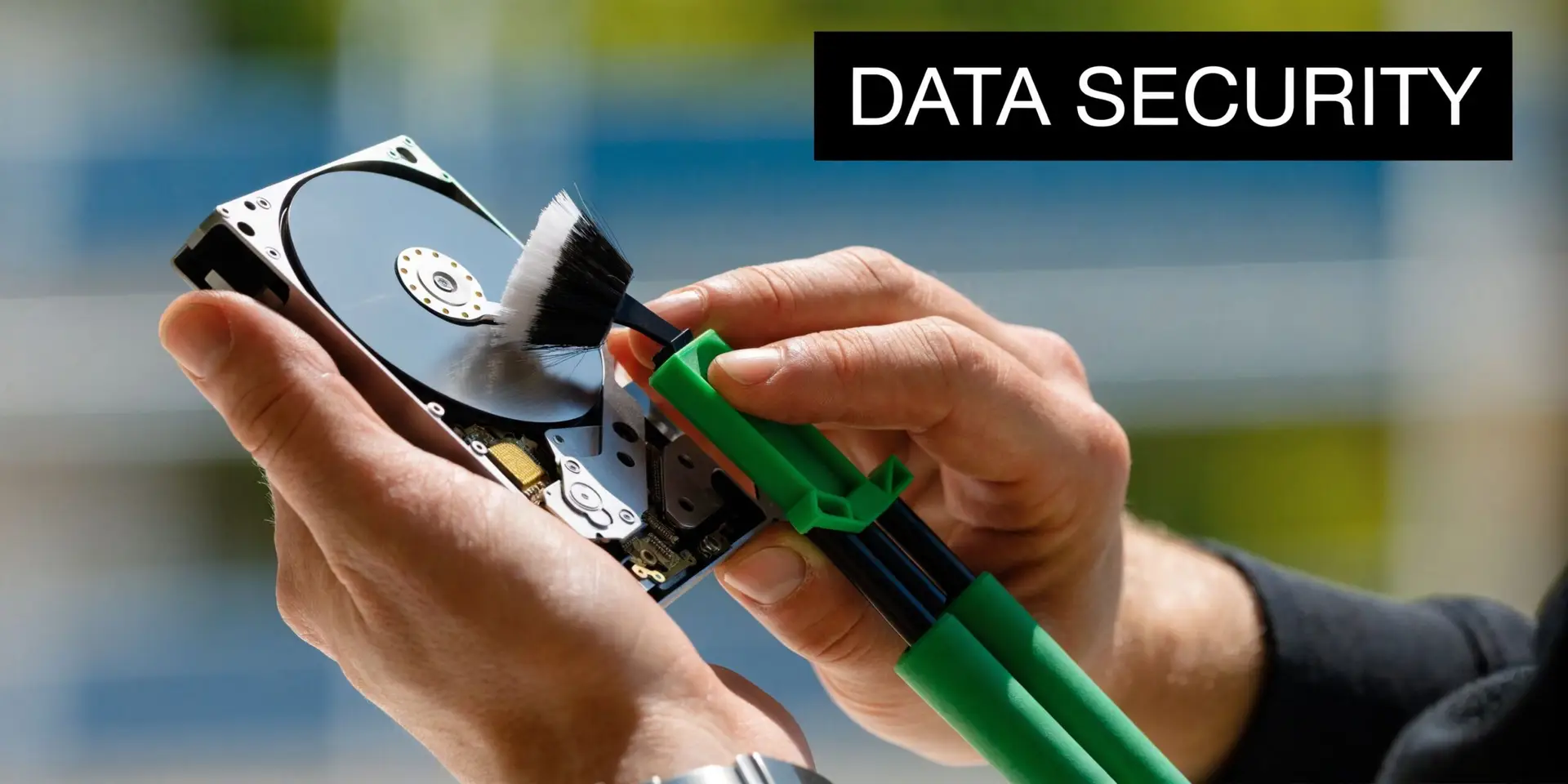
Software wiping supports reuse and remarketing when the device is healthy and your chain of custody is strong. Physical shredding is the safer choice when storage media is damaged, inaccessible, or tied to a stricter internal policy.
A lot of confusion comes from mixing up used equipment with refurbishable equipment. If your team is deciding whether a device should be wiped for reuse or broken down for scrap, this explanation of understanding the critical differences between refurbished and used electronics is worth reviewing. It clarifies why condition, testing, and processing standards matter.
Tip: Treat "unknown data status" as a high-risk condition. If nobody can confirm what is on a device, do not move it through a casual recycling channel.
Package for control, not convenience
Loose carts full of mixed cables, laptops, and drives create errors. So do unlabeled gaylords and stacked pallets with no manifest.
Use these field rules:
- Separate data-bearing devices from peripherals and display equipment.
- Bag or box loose drives independently and label them for destruction or wipe review.
- Keep like items together so counts can be verified at handoff.
- Assign one release contact on pickup day who signs off on what leaves the site.
For data center decommissioning, add rack location, network gear notes, and removal sequencing. For office cleanouts, prioritize user devices and shared printers first. Those create the most confusion.
Streamlining Logistics and Ensuring Compliance
Once equipment is identified and prepared, logistics becomes the control point, and a clean plan prevents rushed loading dock decisions, undocumented removals, and questionable downstream handling.
The first principle is simple. Do not confuse pickup with compliance. A truck arriving at your building does not prove your electronics were processed correctly. It proves they were removed.
What to require from any ITAD or electronics recycler
A commercial partner should be able to explain, in plain language:
- how pickup is scheduled and who signs custody over
- how data-bearing devices are segregated
- whether destruction happens on-site or off-site
- what documentation is issued after processing
- how downstream recycling and reuse channels are managed
This is important because conventional recycling streams are not always as clean as people assume. Urban Green Council notes that much of what New Yorkers put in recycling bins can end up landfilled because of contamination or difficult materials. Electronics should not be left to that kind of uncertainty.
Documentation is part of the service, not an add-on
If your organization ever has to answer an internal audit, an insurer, a regulator, or a client security questionnaire, paperwork matters.
At minimum, ask for records that align with the work performed:
- Pickup record or bill of lading showing date, site, and material scope
- Asset list or receiving summary for serialized equipment where applicable
- Certificate of destruction for shredded drives or media
- Certificate of recycling for processed electronics
- Exception report for items that could not be wiped, reused, or processed as expected
Key takeaway: If a vendor cannot document disposition, assume the risk stayed with your company.
Many organizations also benefit from one operational rule during cleanouts. Facilities should control site access and staging. IT or security should control release of data-bearing assets. That split keeps the chain of custody intact without slowing down the project.
A provider such as Reworx Recycling can fit into that model by handling business pickups, secure data destruction, and compliance documentation as part of an ITAD workflow rather than as a simple haul-away service.
From Disposal to Opportunity with Reworx Recycling
The strongest recycling nyc programs do more than remove obsolete devices. They decide which assets still have use, which should be dismantled responsibly, and which can support broader social goals through donation-based recycling.
That shift changes the conversation inside a business. Retired equipment stops being "junk in storage" and becomes one of three things: a compliance obligation, a value recovery opportunity, or a community asset.
What a smarter disposition path looks like
Consider three common scenarios.
A law firm replaces staff laptops on a fixed cycle. Some devices are too old or damaged for continued use. Others may be suitable for refurbishment after secure sanitization. Treating the whole batch as scrap destroys optionality.
A healthcare-adjacent office closes one floor and clears out monitors, docking stations, phones, and printers. The low-value accessories need responsible recycling, but selected equipment may fit donation programs if condition and data handling are managed correctly.
A university department decommissions lab and office equipment during a renovation. The project team needs pickup coordination, auditable records, and a clear distinction between product destruction, recycling, and reuse.
Why social enterprise recycling deserves attention
Donation-based recycling adds a layer many corporate programs miss. It links environmental management with practical community outcomes.
When usable devices are refurbished and redirected into digital inclusion or workforce development channels, your organization supports more than landfill diversion. It supports access. That matters to sustainability leaders who are under pressure to show community benefit, not waste removal.
The right partner should be able to handle both sides of the equation:
- Secure disposition for equipment that must be destroyed or recycled
- Structured donation pathways for devices suitable for a second life
If your team wants to evaluate that model, this overview of electronics recycling and repurposing solutions for businesses is a practical reference point for how reuse, recycling, and business cleanout needs can sit in one program.
The benefit for a facilities manager is straightforward. You reduce storage pressure, support compliance, improve reporting discipline, and give leadership a cleaner story about what happened to retired assets.
For IT managers, the gain is as concrete. You maintain control over data-bearing devices while preserving the possibility of reuse where it is appropriate.
For sustainability teams, electronics recycling transitions from a mere checkbox item to a strategic initiative.
If your organization is planning an office cleanout, laptop refresh, medical equipment disposal project, secure data destruction event, or broader IT asset disposition effort in New York City, Reworx Recycling is a practical place to start. Businesses can use it to explore donation-based recycling, schedule a pickup, and build a more controlled process for electronics recycling that supports both compliance and community impact.


















