A technology refresh often starts as a simple operations task. IT swaps laptops, facilities replaces fluorescent tubes with LEDs, maintenance clears out aerosol cans, and someone stacks old batteries in a back room “until pickup day.”
That back room is where compliance problems begin.
For many businesses, universal waste disposal sits in an awkward gray area. The items look routine, but the rules aren’t casual. Batteries, lamps, mercury devices, pesticides, and aerosol cans can fall under an efficient hazardous waste framework. Electronics add another layer of confusion because federal rules and state rules don’t always line up. A multi-location company might have one policy on paper and several different legal realities on the ground.
Facility managers usually see the issue first. The storage closet fills up. Labels are inconsistent. A contractor drops off removed thermostats next to spent batteries. An office cleanout produces old monitors and docking stations, and nobody is sure whether they belong with computer recycling, IT equipment disposal, or a universal waste container.
The good news is that this is manageable when you treat it as a controlled process instead of a cleanup chore.
The Hidden Compliance Risk in Your Storage Closet
A common scenario goes like this. Your company completes an office upgrade over a long weekend. By Monday morning, the new gear is live. In the old IT room, though, there’s a mixed pile of dead UPS batteries, broken fluorescent lamps, a few legacy thermostats, and maintenance aerosols from the facilities team.
Nobody meant to create a compliance issue. They were just trying to keep operations moving.
That’s what makes universal waste tricky. The materials are ordinary enough that people handle them casually, but they can still carry regulatory obligations. Universal waste is the term used for certain common hazardous waste items that regulators chose to manage under a more efficient system. The point is to encourage safer handling and recycling of items that show up across offices, schools, warehouses, healthcare settings, and public buildings.
Why the scale matters
The waste stream behind these “small” items is not small at all. In 2023, over 350 million tons of hazardous waste was generated globally, underscoring the scale of the challenge and the role of common items such as batteries, mercury-containing equipment, lamps, pesticides, and aerosol cans in everyday waste management (waste management facts and statistics).
That number matters for one practical reason. Regulators know these materials are everywhere. They also know businesses generate them continuously, not just during major cleanouts. So your storage closet, loading dock, maintenance cage, and retired IT asset area all become part of a larger compliance system.
What readers usually miss
Most confusion starts with a bad assumption: if an item is common, it must be low risk. That’s not how these rules work.
A spent fluorescent tube can break. A battery can leak. A mercury switch can turn a routine storage problem into a far more serious cleanup situation. An old laptop may look like a standard electronics recycling item, but if your state treats some electronics under a universal waste program, your handling workflow has to match that reality.
Practical rule: If an item came out of a building system, maintenance process, or powered device and you’re unsure how to discard it, stop and identify it before it goes into general trash or mixed recycling.
For facility managers, this is less about memorizing regulations and more about controlling points of failure. You need a consistent intake process, a designated accumulation area, and a reliable downstream partner. If your team needs a stronger sense of the legal and environmental exposure tied to bad disposal decisions, this guide on improper commercial e-waste disposal impacts is a useful reference.
What changes when you treat it as a system
Once you stop treating universal waste as clutter, several things get easier:
- Storage improves because waste streams are separated before containers get mixed.
- Training gets simpler because staff know what belongs in each area.
- Pickup planning gets cleaner because inventory is visible and dated.
- Audit readiness improves because you can show how materials moved from generation to shipment.
That shift matters. Universal waste disposal works best when it becomes part of facility operations, not an afterthought left for quarter end.
Identifying Universal Waste in Your Facility
The first operational step is identification. If your staff can’t recognize universal waste on sight, everything downstream gets harder. Containers get mixed, labels get missed, and transport planning becomes guesswork.
Here’s the basic map.
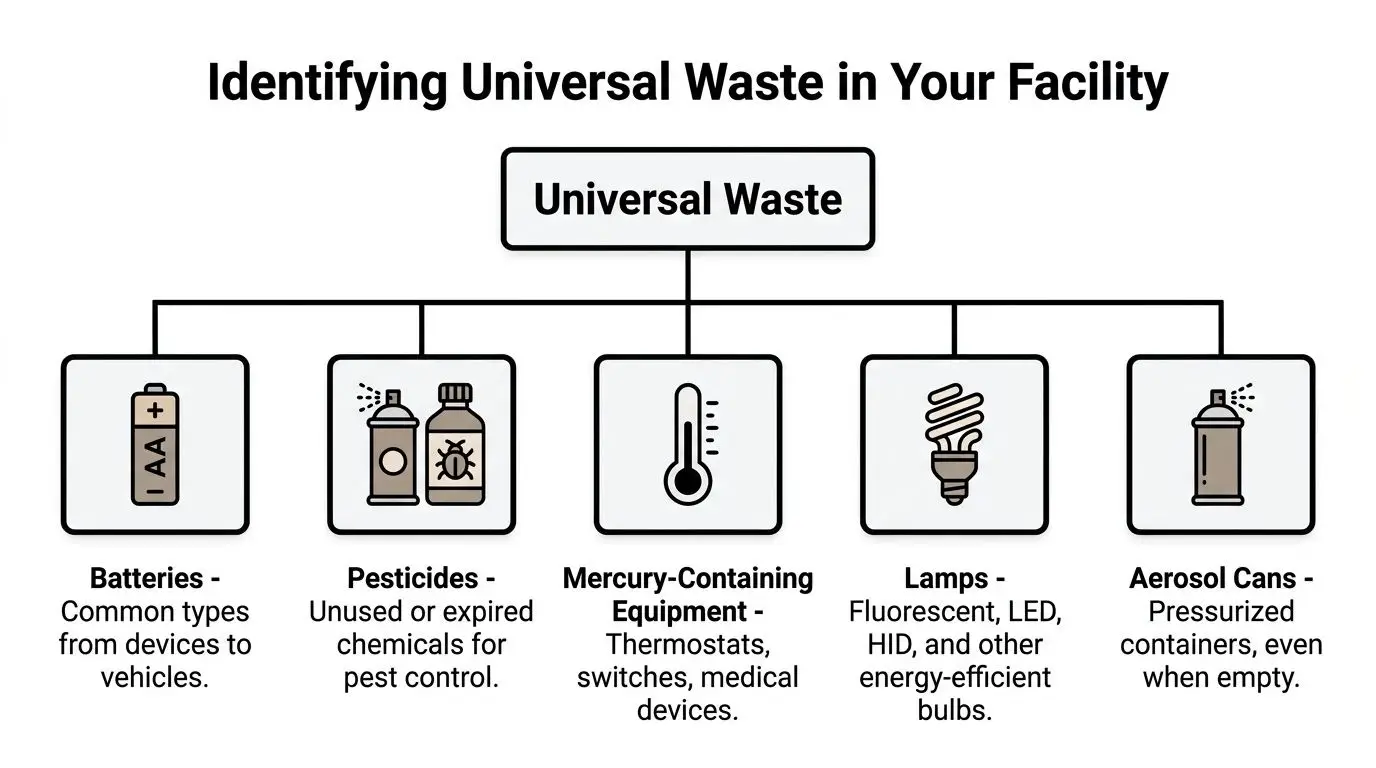
The five federal categories
At the federal level, businesses usually encounter these categories:
Batteries
Think laptop batteries, backup power batteries, handheld scanner batteries, tool batteries, and batteries removed during IT asset disposition or facility cleanout.Pesticides
These often show up in groundskeeping, pest control closets, school maintenance areas, and property management operations when products are unused, recalled, or expired.Mercury-containing equipment
This includes older thermostats, switches, relays, some medical devices, and certain building control components removed during HVAC or renovation work.Lamps
Fluorescent tubes, compact fluorescent lamps, HID lamps, and other bulbs from relamping projects often fall here.Aerosol cans
Maintenance sprays, lubricants, cleaners, paint products, and similar pressurized containers can enter a universal waste stream when managed correctly.
What this looks like on the ground
In a facility, these categories don’t arrive neatly separated. They show up through different departments:
| Department | Typical items |
|---|---|
| IT | Laptop batteries, device batteries, backup power units |
| Facilities | Lamps, thermostats, switches, aerosol cans |
| Maintenance | Lubricants, cleaners, pest control products |
| Clinical or lab spaces | Certain mercury devices, specialty lamps |
| Warehouse operations | Battery-powered equipment components |
That’s why a single “recycling area” usually isn’t enough. A better approach is to map waste generation points across the building and assign each stream to the right container and process.
The mercury issue deserves special attention
Mercury-containing equipment is where many organizations underestimate risk. Universal waste handlers managing these devices are subject to a 35 kilogram (approximately 77 pounds) maximum elemental mercury accumulation limit, and if a thermostat or mercury-containing switch breaks during storage or transport, the release changes the material from universal waste to hazardous waste, which triggers much stricter cleanup and reporting obligations (mercury-containing equipment overview).
A broken mercury device isn’t just damaged inventory. It can change your regulatory posture immediately.
That means older thermostats, ballasts, switches, and similar components should never be tossed into a mixed electronics gaylord or general maintenance bin. They need segregation, proper packaging, and staff who know what they’re handling.
Where businesses get confused about electronics
This is the practical compliance gap that causes the most trouble. Electronics are not federally classified as universal waste, but some states treat them that way. If your company operates in several states, your retired monitors, printers, peripherals, or small IT devices might fall under different handling expectations depending on location.
So when someone asks, “Is e-waste universal waste?” the only useful answer is: sometimes, depending on the state and the item.
That’s why electronics recycling and universal waste disposal often need to be planned together. A facility may have batteries and lamps under the federal framework, while also managing monitors and other devices under state-specific rules or separate e-waste requirements. For teams building better sorting habits, this list of common electronics you can recycle helps clarify what should be routed into a formal recovery stream instead of discarded casually.
A simple identification test
When your team finds an item during an office cleanout or equipment replacement, ask:
- Does it contain a battery, mercury, pressurized contents, or regulated chemicals?
- Was it removed from building systems, lighting, maintenance stock, or IT equipment?
- Does state law where this site operates treat electronics or related materials differently?
If the answer to any of those raises doubt, hold the item for review. In universal waste disposal, hesitation is cheaper than cleanup.
Understanding Your Generator Responsibilities
Once you know what you’re handling, the next question is volume. Federal rules draw a clear line based on how much universal waste you accumulate at one site. That line affects how you organize storage, documentation, and shipping discipline.
The key classifications are Small Quantity Handler of Universal Waste and Large Quantity Handler of Universal Waste.
The federal threshold that changes your workflow
Federal rules establish two handler categories. Small Quantity Handlers may accumulate less than 5,000 kilograms (11,023 pounds) of total universal waste at one site, while Large Quantity Handlers may accumulate 5,000 kilograms or more. Both categories can store universal waste for up to one year without a storage permit (universal waste storage, labeling, packaging, disposal, and transportation requirements).
That sounds straightforward, but the operational effect is bigger than many teams expect. The threshold doesn’t just define a label. It shapes how much oversight your program needs.
Universal Waste Handler Requirements at a Glance
| Requirement | Small Quantity Handler (<5,000 kg) | Large Quantity Handler (≥5,000 kg) |
|---|---|---|
| Accumulation amount at one site | Less than 5,000 kilograms | 5,000 kilograms or more |
| Storage time | Up to one year | Up to one year |
| Need for organized tracking | Yes | Yes, with greater scrutiny |
| Transport obligations | Must follow applicable DOT rules | Must follow applicable DOT rules |
| Importance of inventory discipline | High | Very high |
What changes in practice
A small site can still create significant risk if it has poor controls. A large site usually feels that risk faster because volume exposes every weak process.
Here’s how the distinction plays out in daily operations:
For smaller generators
The main challenge is inconsistency. Waste may be spread across departments, and no one person may realize how much has accumulated.For larger generators
The challenge is scale. Containers turn over faster, storage layouts matter more, and audit trails have to be tighter.For both groups
The one-year accumulation window is a planning tool, not an excuse to postpone action. If your storage area is crowded or poorly managed, waiting only increases exposure.
The mistake that causes avoidable trouble
Many organizations track pickups, but not accumulation. That’s backward.
You need to know when waste became waste, when it entered your control, and where it’s stored now. The practical purpose is simple: if an inspector or internal auditor asks what’s in the room and how long it’s been there, you should be able to answer without reconstructing the story from emails and packing slips.
Manager’s shortcut: Build your universal waste log around location, item type, start date, and shipment date. If your team can answer those four fields quickly, your program is usually on firmer ground.
A site-level decision framework
Use this when reviewing your program:
| Question | Why it matters |
|---|---|
| Do we know total universal waste volume at each site? | Handler status is site-specific |
| Are all departments using the same date convention? | Inconsistent dates create audit issues |
| Are batteries, lamps, aerosols, and mercury devices segregated? | Mixed streams increase breakage and handling errors |
| Do we know which locations also manage state-regulated electronics? | Multi-state operations need local compliance logic |
Organizations that need help translating those rules into an operating program often review practical service guidance on universal waste management, especially when e-waste, lamps, and battery streams overlap.
What facility managers should do next
Don’t wait for an annual cleanup to classify your site. Estimate your typical accumulation pattern now. If your company is planning a large office cleanout, data center decommissioning, relamping project, or medical equipment disposal event, model the resulting waste before the material starts piling up.
The threshold matters most before the containers arrive.
A Step-by-Step Guide to Compliant Waste Management
Good compliance programs are built from repeatable actions. Staff shouldn’t have to improvise every time they find spent batteries, removed lamps, or old aerosol cans. The safest process is one that works the same way every time.

Step 1. Collect the right items in the right place
Start where waste is generated. Don’t rely on staff to walk questionable material across the building and sort it later.
Set up designated collection points for the waste streams your facility produces. IT might need battery collection for laptop disposal and device swaps. Facilities may need lamp boxes and a separate area for thermostats. Maintenance may need a dedicated aerosol can container.
Use a simple rule at the point of generation:
- If it can break, use protective packaging
- If it can leak, use a closed container
- If it’s uncertain, hold it for review instead of mixing it
A “temporary holding shelf” for unidentified items is better than a contaminated container.
Step 2. Label as soon as the item enters the stream
Labeling errors are rarely dramatic, but they create downstream confusion fast. The strongest habit is immediate labeling by the person who places the material in the container.
Your labels should clearly identify the waste type and support date tracking. Teams often fail here because they wait until pickup day to backfill information. That invites mistakes.
Use standardized container labels across all locations. If one site writes “used bulbs,” another writes “lamps,” and a third uses handwritten shorthand, your program becomes hard to audit and hard to train.
Step 3. Store for safety, not convenience
The best universal waste area is not just the nearest empty corner. It should be controlled, marked, and easy to inspect.
A useful storage area should have:
- Clear boundaries so universal waste doesn’t blend into spare inventory or janitorial stock
- Compatible containers matched to the waste stream
- Protection from traffic to reduce breakage from carts, forklolds, or stacked materials
- Routine inspection ownership so one person checks conditions on a set schedule
Keep universal waste away from “miscellaneous surplus” areas. Once obsolete equipment and regulated waste occupy the same footprint, accountability drops fast.
For mercury devices or fragile lamps, this matters even more. Physical protection is part of compliance.
Step 4. Move material using a documented handoff
Transportation is where many organizations lose visibility. Internal teams may have done a solid job collecting and storing waste, then hand it off with minimal paperwork or poor coordination.
Build a simple handoff checklist:
- Confirm item categories before shipment
- Verify containers are closed and intact
- Match labels to inventory records
- Document the carrier or recycler handoff
- Retain records in a central file
This is especially important when universal waste disposal overlaps with electronics recycling, secure data destruction, facility cleanout, or product destruction. Different streams may leave the building on the same day, but they shouldn’t lose their documentation trail.
A workflow staff can follow
Some policies fail because they read like regulations instead of work instructions. The stronger approach is operational:
| Stage | Staff action | Manager check |
|---|---|---|
| Collection | Place item in assigned container | Verify correct stream |
| Labeling | Add waste identification and date | Spot-check consistency |
| Storage | Move to designated area | Inspect condition and segregation |
| Shipment | Release through approved process | Retain documentation |
If your team is tightening procedures around office cleanouts, computer recycling, or general e-waste handling, this operational guide to proper e-waste management steps can help align facility practice with broader end-of-life workflows.
Universal waste disposal doesn’t require a complicated playbook. It requires one people will use.
Managing Data Security and Environmental Risks
By the time a business gets serious about universal waste disposal, it usually realizes the issue is larger than storage. Two risks tend to rise to the top. The first is data exposure from retired electronics. The second is environmental liability from poor downstream handling.
These risks often intersect.
The state-rule gap creates real exposure
For multi-location businesses, one of the hardest parts of compliance is that electronics don’t fit neatly into one federal bucket. Electronics are not federally classified as universal waste but are treated as such in 10 states, including California and New Jersey, and this inconsistency increases regulatory burden and can expose businesses to fines of up to $50,000 per violation for non-compliance (EPA universal waste guidance).
That creates a practical problem for IT managers and sustainability teams. A retired monitor in one state may move through a different legal pathway than the same monitor in another state. If the company uses a single national office cleanout process without local review, it can miss state-specific requirements.
Data-bearing devices need a different level of control
A pile of old laptops, desktops, phones, servers, and network gear is never just a recycling issue. It’s also a data governance issue.
Even when devices enter a broader electronics recycling or IT asset disposition stream, your facility should separate questions into two categories:
- What is the item’s environmental handling requirement?
- What is the item’s data destruction requirement?
Those are related, but they aren’t the same. A monitor may raise disposal questions. A laptop raises disposal questions and data questions. A server or storage array raises even more.
If your chain of custody is weak, it doesn’t matter that the equipment left the building. You may still have a security problem.
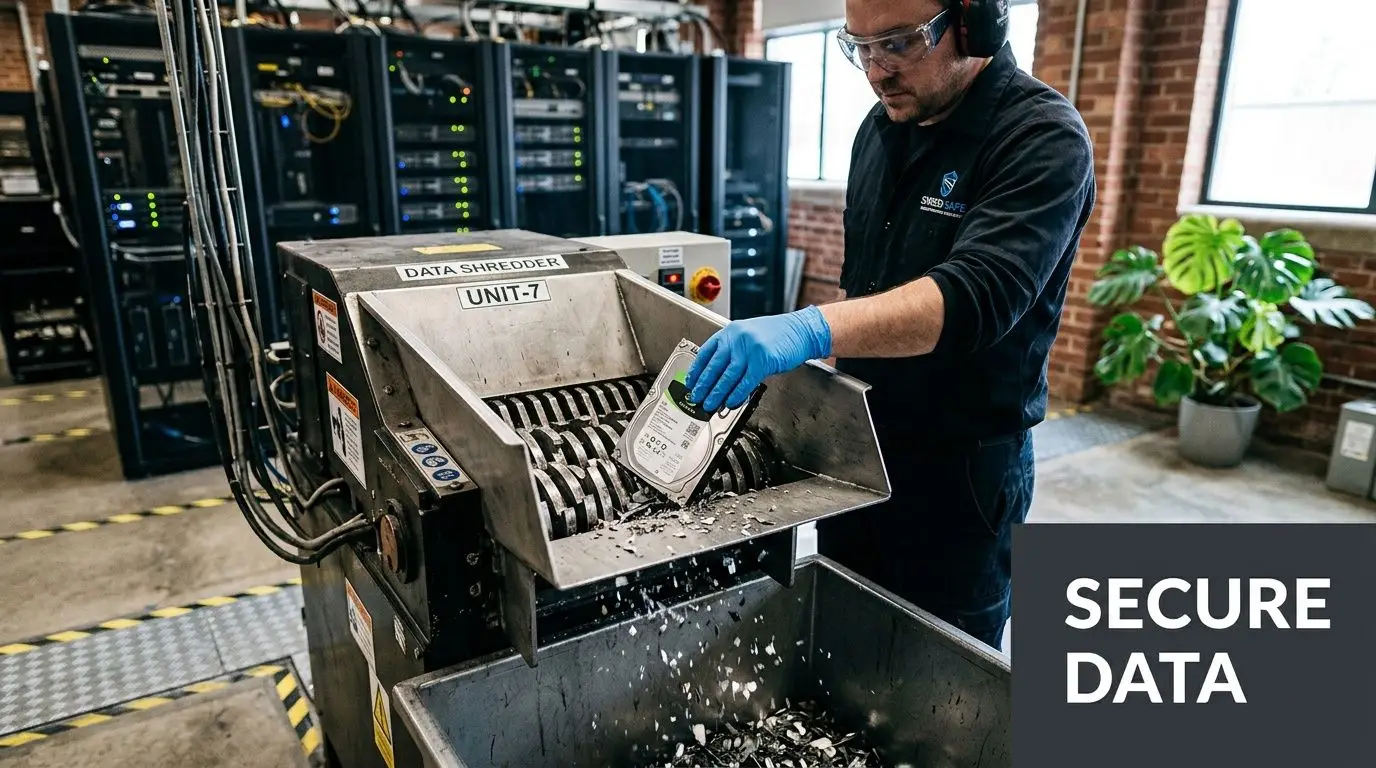
That’s why organizations often require auditable destruction for hard drives and other media before devices enter final downstream processing. Teams looking at that side of the workflow often use secure data destruction services to align disposal with internal information security requirements.
Environmental liability doesn’t end at pickup
A common mistake is assuming the risk transfers the moment a truck leaves the dock. It doesn’t work that way operationally.
If your recycler, consolidator, or downstream vendor mishandles batteries, lamps, mercury devices, or state-regulated electronics, your organization may still face difficult questions from regulators, procurement, legal, or the public. The issue isn’t just whether someone removed the material. The issue is whether your company exercised reasonable control over where it went and how it was managed.
Ask practical questions before approving any vendor:
| Question | Why it matters |
|---|---|
| Can they document downstream handling? | You need visibility beyond pickup |
| Do they separate data-bearing assets from general scrap? | Data security requires controlled processing |
| Can they manage state-specific electronics rules? | Multi-state programs need local compliance awareness |
| Do they provide clear records? | Audit defense depends on documentation |
Responsible recycling supports more than compliance. It protects brand trust, internal governance, and community expectations about how businesses manage end-of-life equipment.
Partnering with Reworx for End-to-End Compliance
Most businesses don’t struggle because they lack good intentions. They struggle because the work spans departments. Facilities owns lamps and thermostats. IT owns laptops and servers. Maintenance handles aerosols. Sustainability wants diversion and reporting. Legal wants documentation. Procurement wants one accountable vendor.
That’s why end-to-end planning matters more than one-off pickups.

What a useful partner helps you do
A good partner helps your organization standardize how material moves from identification to final disposition. In practical terms, that usually means support with:
- Scheduled pickups for offices, schools, agencies, and distributed business locations
- Secure data destruction for drives and other media
- Electronics recycling and computer recycling tied to documented chain of custody
- IT asset disposition workflows for refresh cycles and decommissioning
- Office cleanout and facility cleanout coordination so regulated items don’t get mixed with surplus property
- Guidance on batteries, lamps, and related universal waste streams
The primary value is not that one company takes material away. It’s that your internal process becomes more consistent.
Why social mission belongs in this conversation
Responsible recycling has a compliance function, but it also has a social function. Businesses retire useful technology every day. Some devices are ready only for material recovery. Others may support community benefit after proper evaluation, data handling, and channeling through legitimate donation programs.
That matters to sustainability leaders because disposal choices affect more than landfill diversion. They influence digital access, equipment reuse opportunities, and how a company shows up in the communities where it operates.
One option businesses use is Reworx Recycling, a donation-based recycling and IT asset disposition provider that offers electronics recycling, pickup support, equipment decommissioning, and secure hard drive shredding while connecting responsible end-of-life management with community impact through technology donation and digital inclusion programs.
What to look for before you sign anything
Treat vendor selection like a compliance decision, not a hauling decision.
Review these points:
Scope fit
Can the provider handle universal waste-adjacent streams and electronics recycling together when your sites generate both?Documentation
Will they give your team the records needed for internal audits, sustainability reporting, and information security review?Operational clarity
Do they define pickup procedures, accepted items, packaging expectations, and chain-of-custody steps in plain language?Mission alignment
If your company has ESG or community investment goals, can the program support those without compromising compliance?
The strongest recycling relationship is one your facilities team, IT team, and compliance team can all explain the same way.
That’s the test. If each department describes the process differently, the process probably isn’t mature enough.
Universal Waste Disposal FAQ and Policy Template
Most managers don’t need more theory. They need answers they can use this week. These are some of the questions that come up most often when a business starts tightening its universal waste disposal process.
FAQ for day-to-day decisions
Can we puncture aerosol cans on-site
Sometimes, yes, but only under controlled conditions. Handlers can puncture aerosol cans on-site if they use EPA-approved devices and follow strict procedures for fire prevention and recycling of empty cans. This can reduce transport costs by 20 to 30%, but poor training or bad procedures can lead to releases, and fines average $10,000+ per incident according to the cited guidance (Michigan universal waste guidance).
That means on-site puncturing is not a casual maintenance task. It should be allowed only where written procedures, proper equipment, and trained staff are in place.
Are old computers always universal waste
No. Electronics aren’t federally classified as universal waste across the board. Some states treat certain electronics under universal waste rules, and others regulate them through separate e-waste programs. For a business with multiple sites, that means a standard national answer often fails.
What records should we request from a recycler or ITAD vendor
Ask for documentation that matches your risk. For data-bearing devices, that may include chain-of-custody records and data destruction documentation. For regulated waste streams, request shipment and receiving records that show where materials went and how they were managed. Keep those records in one place instead of scattered across departments.
How long should we store universal waste
Your facility should work within the applicable accumulation limits and maintain clear date tracking. From an operations standpoint, the better question is not “How long are we allowed to hold it?” but “How quickly can we move it safely and predictably?”
What should employees do with uncertain items
Hold them for review. Don’t force a guess. Mixed waste usually creates more cleanup and more confusion than a short delay in classification.
When a staff member says, “I wasn’t sure where this went,” your process should reward that caution, not punish it.
A simple policy template you can adapt
Use the outline below as a working internal draft for a small or mid-sized organization.
Universal Waste Management Policy
Purpose
This policy establishes procedures for identifying, collecting, labeling, storing, and transferring universal waste and related regulated end-of-life materials generated by the organization.
Scope
This policy applies to all departments that generate or handle batteries, lamps, aerosol cans, mercury-containing equipment, pesticides, and any electronics or related materials regulated under applicable state requirements.
Responsibilities
Facilities Manager
Maintains designated storage areas, coordinates inspections, and oversees vendor pickups.IT Manager
Separates data-bearing devices from non-data-bearing equipment and follows approved IT asset disposition procedures.Maintenance Team
Places lamps, thermostats, aerosol cans, and similar materials into assigned collection streams.Employees
Do not place regulated materials in trash or single-stream recycling and report uncertain items for review.
Procedures
Identification
Staff must identify potentially regulated items before disposal.Collection
Materials must be placed in approved, compatible containers or designated holding areas.Labeling
Containers must be labeled consistently and dated according to site procedure.Storage
Universal waste must remain in the designated accumulation area and be protected from damage, leaks, or breakage.Data Security
Data-bearing electronics must follow approved secure data destruction procedures before release when required.Shipment
Materials may be transferred only through approved channels with documented handoff records.Training
Staff involved in handling these materials must receive role-appropriate instruction.
Incident Response
Any breakage, spill, leak, or release involving regulated materials must be reported immediately to the designated internal contact, and the affected area must be secured pending response instructions.
Recordkeeping
The organization will retain labeling logs, shipment records, vendor documentation, and any applicable destruction records in a central repository.
Review Cycle
This policy should be reviewed whenever operations change, new waste streams are introduced, or the organization expands into states with different electronics or universal waste requirements.
A strong policy doesn’t need to be long. It needs to be usable. If your team can train from it, inspect against it, and hand it to a vendor without confusion, it’s doing its job.
If your organization is planning an office cleanout, laptop disposal project, secure data destruction event, or broader electronics recycling program, visit Reworx Recycling to explore practical guidance, schedule a pickup, or evaluate a donation-based recycling approach that supports compliant disposition and community impact.