Your laptop refresh is done. The new fleet is deployed, tickets are closing, and everyone wants the old devices out of the way. Then the storage room starts filling with retired laptops, monitors, docks, phones, and loose drives that still carry company data, regulated records, and environmental obligations.
That backlog isn't a cleanup issue. It's a risk issue. Once a device is marked for retirement, your organization takes on exposure across data security, compliance, operations, vendor oversight, and brand reputation. If even one data-bearing asset leaves your control without proper handling, the problem moves fast from facilities inconvenience to legal, financial, and reputational damage.
That's why the best practices for risk management matter so much in IT asset disposition. The Australian Bureau of Statistics risk management guide recommends a practical cycle: identify risks, rate likelihood and consequences, assess controls, re-rate with controls in place, and set a target rating based on risk appetite. It also stresses stakeholder consultation and ongoing reassessment rather than treating risk as a one-time exercise (ABS statistical risk management guide). For IT managers and CFOs, that means old hardware should never be treated as scrap. It should be handled like any other business-critical risk area.
Below is the operational version of that approach. These are the practices that keep electronics recycling, secure data destruction and IT equipment disposal from becoming the weakest link in your control environment.
1. Comprehensive Risk Assessment and Inventory Management
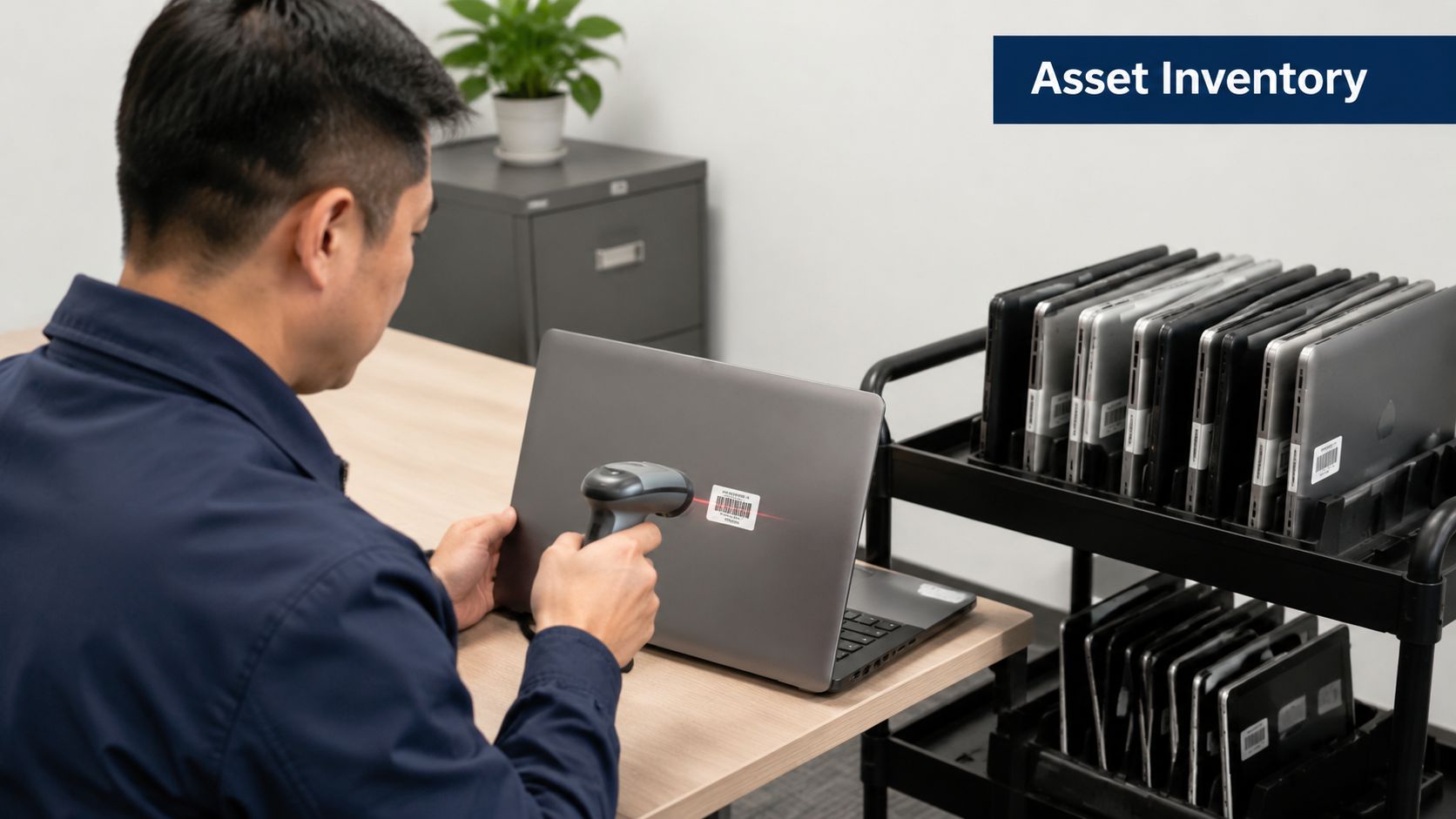
If you can't name every retired asset, you can't manage the risk around it. Start with a complete inventory before anything leaves a desk, closet, branch office, or server room. Include laptops, desktops, phones, tablets, printers, networking gear, external drives, backup media, and anything else that may store data or contain regulated components.
In ITAD, inventory is more than an asset list. It's the basis for classifying data sensitivity, identifying environmental handling requirements, and assigning the right disposal path. A healthcare group retiring endpoint devices from clinics has different exposure than a manufacturer clearing out warehouse workstations. The devices may look similar, but the legal and operational risk isn't.
Build the inventory before pickup day
Use your CMDB, endpoint management tools, and facilities records together. Then reconcile them against what's physically on site. For organizations with multiple offices, barcode or RFID tagging makes the handoff cleaner and gives finance and IT the same source of truth.
A practical inventory record should capture:
- Asset identity: Tag number, serial number, model, and assigned location
- Data profile: Whether the device stores customer, employee, legal, financial, or patient data
- Disposition route: Reuse, redeploy, donation, resale, recycling, or destruction
- Control status: Encryption state, wipe eligibility, drive removal status, and approval owner
Practical rule: Don't classify retired equipment by hardware type alone. Classify it by data exposure and business impact first.
Many businesses lose control in situations like this. A laptop from the accounting team and a laptop from reception may both be marked “old Dell,” but one may contain finance exports, cached credentials, or locally stored reports. Your inventory process has to capture that difference.
If you need a structured starting point, Reworx Recycling's guidance on best practices for inventory management is useful for tightening asset visibility before electronics recycling or office cleanout projects.
2. Data Security and Secure Destruction Protocols
A retired device is still a live data risk until you've verified destruction or sanitization. Don't let “out of service” get confused with “safe.” If a hard drive, SSD, mobile phone, or copier drive still holds recoverable data, the risk remains open.
That's why secure data destruction needs a formal protocol, not an informal instruction to “wipe everything.” Financial institutions, law firms, healthcare providers, and public agencies all deal with devices that may store confidential or regulated information in places teams forget to check. Not just laptops, but also backup media, firewalls, multifunction printers, and legacy drives sitting in drawers.

Require proof, not promises
Your process should specify which devices are wiped, which are physically destroyed, who approves the method, and what evidence gets retained. If a drive can't be sanitized with confidence, shred it. If a device is going to donation-based recycling or resale, document the sanitization steps before it changes hands.
Use a simple control stack:
- Method selection: Match the destruction method to device type and data sensitivity
- Verification: Require certificates of destruction or equivalent records for all data-bearing assets
- Retention: Keep disposal records aligned with your audit and legal needs
- Exceptions: Escalate damaged, encrypted, locked, or nonfunctional devices instead of guessing
Modern risk programs work best when each risk is tied to controls and monitored continuously rather than left in static spreadsheets. That's one reason dedicated workflows outperform ad hoc documentation in mature environments, as noted by Riskonnect's discussion of risk management best practices with purpose-built systems.
For organizations that need a service partner for hard drive shredding or secure wiping, Reworx provides secure data destruction services that fit directly into IT asset disposition and computer recycling workflows.
3. Regulatory Compliance and Legal Framework Alignment
Compliance failures in ITAD rarely start with bad intent. They usually start with assumptions. Someone assumes the devices don't hold regulated data. Someone assumes the recycler “takes care of that.” Someone assumes a facilities cleanout falls outside the normal control framework.
That's how legal exposure slips in. Schools may need to account for student data. Healthcare organizations may have devices tied to protected records. Manufacturers may face export, environmental, or customer contract obligations. Multi-state companies may also face different handling expectations by location.
Translate rules into disposal decisions
Your legal and compliance teams don't need to run the truck route, but they should help define the rules that govern end-of-life equipment. Build those rules into approvals, documentation, and vendor contracts. A compliance calendar helps, but the bigger step is mapping obligations to specific device categories and disposal scenarios.
Use this approach:
- Identify applicable rules: Data privacy, records retention, environmental handling, contract obligations, and sector-specific requirements
- Map them to assets: Determine which devices, media, and equipment types trigger which controls
- Document required evidence: Decide what records prove compliant disposal
- Review on change: Reassess when you open a new site, enter a new market, or change vendors
IBM's mitigation framework and ZenGRC both emphasize ranking risk by severity, probability, and impact. The practical lesson for ITAD is simple. You won't have budget to solve every edge case at once, so put legal and regulatory exposure near the top of the queue and decide deliberately where to mitigate, transfer, avoid, or accept risk (ZenGRC best practices for risk prioritization).
If your team needs a working document to standardize review, use Reworx Recycling's compliance checklist template. If legal is reviewing service agreements or downstream obligations, tools that support efficient legal document evaluation can also help accelerate contract review.
4. Vendor Selection and Third-Party Risk Management
Your recycler, logistics provider, and downstream processors become part of your risk environment the moment they touch your assets. If they mishandle data-bearing equipment, transport devices without controls, or subcontract work without transparency, your business still owns the consequences.
That's why vendor selection in ITAD needs the same scrutiny you'd apply to a cloud provider or payroll platform. You're not hiring a hauler. You're assigning custody of assets that may expose customer data, regulated records, and your brand.
Due diligence has to go beyond the sales deck
Request current certifications, insurance information, process documentation, and sample reporting. Ask how they separate reusable equipment from material recycling. Ask how they control drive removal, internal access, chain of custody, and downstream vendors. If they can't explain their process clearly, don't assume the controls exist.
A sound review includes:
- Operational controls: Intake, storage, sanitization, destruction, and final disposition procedures
- Governance: Named contacts, escalation paths, and audit cooperation
- Contract terms: Scope, liabilities, evidence requirements, and right-to-audit language
- Downstream transparency: Where material goes after pickup and who handles each stage
Protecht's guidance highlights why continuous monitoring and clear governance matter. It recommends embedding risk identification across teams, using incident history and root-cause analysis, and tracking KRIs with dashboards, notifications, and escalation workflows so accountability doesn't disappear between audits (Protecht risk management guidance).
That logic applies directly to IT asset disposition. Don't approve a vendor once and forget them. Reassess them when service scope changes, incidents occur, or your own risk appetite shifts. Reworx Recycling's vendor selection criteria can help teams formalize that review.
5. Environmental Risk Assessment and Hazardous Material Management
Old electronics create environmental risk long before they reach a shredder. The risk starts in storage areas, loading docks, maintenance rooms, and surplus cages where damaged batteries, CRTs, lamps, test equipment, and specialty devices may sit without clear handling procedures.
This isn't just a sustainability issue. It's a business control issue tied to worker safety, environmental liability, and disposal compliance. A facility manager clearing out old equipment from a lab or production floor may be dealing with more than “e-waste.” The inventory may include universal waste or equipment with hazardous components that require a different pathway.
Separate what can't be processed together
Don't mix routine office electronics with damaged batteries, specialty medical equipment, or legacy hardware that needs special handling. Segregation at the point of collection prevents mistakes later in transport and processing. It also makes your records cleaner when auditors or insurers ask what happened to a specific class of material.
A straightforward operating model works best:
- Identify special categories: Batteries, lamps, CRT devices, lab electronics, and damaged equipment
- Store safely: Use labeled collection areas and restrict access
- Assign the right processor: Match material type to the recycler's actual handling capability
- Retain documentation: Keep records that show where hazardous or regulated materials went
BigID's guidance on data risk management supports a broader point that fits ITAD well. Strong programs use a formal taxonomy and recurring assessment cycle that maps assets, data flows, threats, vulnerabilities, likelihood, and impact before selecting treatment options. That's especially useful when environmental, operational, and data risks overlap in the same device stream (BigID risk taxonomy and assessment approach).
For practical handling rules around regulated electronics streams, Reworx Recycling offers information on universal waste that can help operations and facilities teams separate standard electronics recycling from higher-risk material.
6. Chain of Custody and Traceability Documentation
If a laptop disappears between pickup and processing, you need more than reassurance. You need records. Chain of custody is what turns your ITAD program from “we believe it was handled properly” into “we can prove what happened, when, and by whom.”
That matters in every investigation. Internal audit, cyber incident response, regulatory review, insurance disputes, and customer questions all become easier when your records are complete. Without traceability, even a small disposal event can become expensive to reconstruct.

Track every handoff
Each movement should be documented from internal collection through pickup, transport, processing, and final disposition. That includes dates, names, quantities, asset identifiers, and any exception notes. If items are bulk-packed, document the container relationship clearly so you can trace the contents.
A chain of custody record is only useful if it survives scrutiny from someone who wasn't there.
The minimum record set should include:
- Collection evidence: What was staged, by whom, and from which location
- Transfer records: Pickup date, carrier details, and signed custody handoff
- Processing results: Sanitization, destruction, recycling, resale, or donation outcome
- Exception handling: Missing items, damaged devices, or mismatched serials
Electronics recycling, laptop disposal, and data center decommissioning projects often separate mature operators from risky ones. Mature teams can answer questions immediately because the documentation is built into the workflow, not assembled after the fact.
7. Business Continuity and Contingency Planning
Poorly planned ITAD can disrupt the very operations it's supposed to clean up. Devices get removed before data migration is complete. Branch equipment is boxed up before replacement systems are stable. A disposal vendor misses a pickup window and a site loses secure storage capacity.
That's why retired hardware belongs inside business continuity planning. Technology retirement, office cleanout work, and facility cleanout events should be scheduled with the same discipline you use for system cutovers and infrastructure changes. For healthcare, schools, local government, and multi-site businesses, timing matters as much as method.
Plan for failures before the project starts
Define what happens if pickup is delayed, if a vendor can't accept a load, if an asset can't be wiped, or if a business unit discovers a device that was missed during the initial inventory. These aren't unusual edge cases. They're common operating realities.
Use a contingency plan that covers:
- Criticality mapping: Which assets can be removed now and which must stay live longer
- Fallback vendors: Who can step in if the primary partner is unavailable
- Secure overflow storage: Where assets go if projects slip
- Data migration checkpoints: What has to be validated before retirement approval
Field note: Treat ITAD like a transition project, not a trash project. Your continuity risks shrink immediately.
This matters most during large-scale refreshes, mergers, office closures, and data center decommissioning. A missed dependency can stall operations, create duplicate work, and increase data exposure because old devices remain in limbo.
8. Cost-Benefit Analysis and Financial Risk Management
Cheap disposal is often expensive risk. If you evaluate IT asset disposition only by pickup cost, you'll miss the bigger exposures tied to data loss, compliance failures, poor documentation, disrupted operations, and avoidable write-offs.
CFOs should look at ITAD the way they look at any control investment. What risks are being reduced, what value can be recovered, what liabilities are being avoided, and what internal time is being consumed by weak processes? That framing leads to better decisions than comparing vendor invoices in isolation.
Focus on total risk-adjusted cost
Start with your current state. How are assets identified, stored, approved, wiped, shipped, and documented today? Then compare that operating model against one with stronger controls, cleaner asset recovery workflows, and fewer manual gaps.
A sensible financial review should consider:
- Direct program costs: Pickup, processing, packaging, labor, and documentation
- Value recovery potential: Equipment buyback, redeployment, or approved donation pathways
- Loss prevention: Avoided breach response, legal review, rework, and incident management
- Operational burden: Staff time spent locating, reconciling, and proving what happened to assets
Some devices should be destroyed immediately because the data risk is too high. Others may have reuse or donation value if they're properly sanitized and documented. The key is to make that decision deliberately, using risk and business tolerance rather than habit.
For organizations building corporate donation programs, this matters even more. Donation-based recycling can support community goals, but only after the asset has cleared your security, compliance, and chain-of-custody controls.
9. Internal Policies, Procedures, and Governance Frameworks
If every site handles retired equipment differently, your risk program doesn't exist. You have local habits. That's not enough when devices carry sensitive data, branch offices improvise storage, and multiple departments touch the same equipment before final disposition.
Policy is what turns a good intention into a repeatable control. Governance is what makes people follow it. Your ITAD policy should define who can retire equipment, who approves sanitization or destruction, who selects vendors, how records are retained, and how exceptions are escalated.
Write policy that operations can actually use
Keep the framework simple enough for IT, facilities, procurement, compliance, and finance to follow. If the policy only makes sense to the security team, people will bypass it during office moves, urgent refreshes, and facility closures.
Your governance framework should set:
- Roles and approvals: Asset owner, IT, security, facilities, finance, and legal responsibilities
- Standard procedures: Intake, storage, transport, destruction, donation, and recycling steps
- Record retention: What evidence must be kept and where
- Audit triggers: When exceptions, losses, or policy deviations require review
A strong governance model also gives staff the training to recognize risk before it turns into incident response. Teams responsible for IT asset disposition, product destruction, medical equipment disposal, or laboratory equipment disposal should know exactly when they're handling a higher-risk item and what workflow applies.
For security leaders building the control environment behind these policies, foundational security training such as the certified information systems security professional study guide can help reinforce governance and risk concepts across broader security operations.
10. Monitoring, Auditing, and Continuous Improvement
Risk management fails when it becomes a once-a-year exercise. In ITAD, that failure usually shows up as stale asset lists, outdated vendor assumptions, inconsistent destruction records, or recurring exceptions that nobody owns.
The best practice is continuous monitoring with clear governance. Risk guidance consistently recommends assigning owners, linking risks to controls, tracking indicators over time, and maintaining regular review cycles so accountability stays visible between audits. That's especially important for IT asset disposition because your exposure changes when systems, vendors, storage conditions, and regulations change.
Review the process, not just the paperwork
Audits shouldn't stop at “is there a certificate on file?” Review whether the inventory matched the pickup, whether exceptions were resolved, whether chain-of-custody records were complete, and whether recurring process failures point to a control gap.
Use a living review cycle:
- Assign owners: Every disposal risk and corrective action needs a named owner
- Track indicators: Missing serials, delayed pickups, unresolved exceptions, and incomplete records
- Test controls: Sample actual device flows, not just policy documents
- Correct and repeat: Update procedures after incidents, near misses, and audit findings
Organizations that rely on static spreadsheets eventually lose version control, ownership clarity, and escalation discipline. That's why mature programs move toward dedicated risk tools and recurring assessment cycles rather than treating audits as isolated events.
Top 10 Risk Management Best Practices Comparison
| Item | 🔄 Implementation Complexity | ⚡ Resource Requirements | 📊 Expected Outcomes | 💡 Ideal Use Cases | ⭐ Key Advantages |
|---|---|---|---|---|---|
| Comprehensive Risk Assessment and Inventory Management | High, time‑intensive; specialized classification expertise | Moderate–High, asset management software, RFID/barcodes, staff | Accurate inventories; better disposition decisions; cost reduction | Large enterprises; healthcare with regulated devices | Prevents data loss; enables compliance; improves valuation |
| Data Security and Secure Destruction Protocols | Medium–High, certified, multi‑stage processes and audits | High, shredders/tools, trained personnel, verification systems | Irrecoverable data removal; defensible audit trails | Financial institutions, law firms, any sensitive data holders | Eliminates breach risk; protects reputation; enables resale |
| Regulatory Compliance and Legal Framework Alignment | High, ongoing legal monitoring and policy alignment | Moderate, compliance staff/consultants, certification costs | Reduced fines/liability; regulatory readiness | Organizations in regulated jurisdictions; international ops | Demonstrates due diligence; enables regulated operations |
| Vendor Selection and Third-Party Risk Management | Medium, due diligence, audits, contract negotiation | Moderate, site visits, legal reviews, performance monitoring | Lower operational risk; consistent service quality | Organizations outsourcing ITAD; those needing certified partners | Transfers risk to vetted vendors; contractual protections |
| Environmental Risk Assessment and Hazardous Material Management | High, specialized handling, classification, and controls | High, trained staff, certified recyclers, segregation processes | Prevents contamination; protects workers; meets sustainability goals | Manufacturers, healthcare, facilities with hazardous components | Reduces environmental liability; ensures safe disposal |
| Chain of Custody and Traceability Documentation | Medium, tracking systems and documented handoffs | Moderate, tracking software, barcodes/RFID, admin effort | Full auditability; theft/diversion detection; verified disposition | Enterprises tracking many devices; regulated sectors | Provides defensible evidence; transparency for stakeholders |
| Business Continuity and Contingency Planning | Medium–High, cross‑department coordination and planning | Moderate, backups, redundant vendors, scheduling resources | Minimizes disruption; preserves productivity during transitions | Healthcare, finance, large IT refresh projects | Reduces downtime; maintains operations during failures |
| Cost-Benefit Analysis and Financial Risk Management | Medium, requires modelling and scenario analysis | Low–Moderate, finance effort, asset valuation data | Justifies disposal spend; identifies recovery and ROI opportunities | Budget-conscious orgs planning refreshes; CFO decision-making | Informs budgeting; quantifies trade‑offs and asset recovery |
| Internal Policies, Procedures, and Governance Frameworks | High, policy development, approval workflows, governance | Moderate–High, cross‑functional time, training, audits | Consistent, auditable practices; clear accountability | Large organizations; regulated industries needing formal governance | Ensures consistency; supports compliance and oversight |
| Monitoring, Auditing, and Continuous Improvement | Medium, ongoing KPIs, audits, corrective actions | Moderate, KPI tracking, internal/third‑party audits | Early risk detection; continual process improvement; maintained certs | Organizations pursuing certifications or mature ITAD programs | Detects drift; drives improvements; sustains compliance |
Turn E-Waste Risk Into Community Opportunity
Handled poorly, retired technology creates a predictable set of business problems. Data exposure. Legal scrutiny. Environmental liability. Operational disruption. Weak documentation. Vendor risk that only becomes visible after something goes wrong. None of those issues start at the recycling stage alone. They start much earlier, when organizations treat end-of-life technology as cleanup instead of controlled risk transfer.
Handled well, IT asset disposition becomes a disciplined business process. You know what equipment you have. You know which devices carry sensitive data. You know which controls apply, who owns each decision, how assets move through the chain of custody, and what records support your position later. That is what the best practices for risk management should look like. Practical, documented, repeatable, and tied to business tolerance.
For IT managers, this means fewer surprises during refresh cycles, office consolidations, data center decommissioning, and secure data destruction events. For CFOs, it means a more defensible cost structure and fewer hidden liabilities sitting in storage rooms or spread across branch offices. For compliance and sustainability leaders, it means electronics recycling and sustainable recycling can support both governance and environmental objectives instead of creating tension between them.
Reworx Recycling fits naturally into that model because the company provides services directly related to secure IT equipment disposal, computer recycling, pickup coordination, and data destruction. For businesses that want donation-based recycling or broader social enterprise recycling outcomes, that also creates a way to align risk control with community impact. Retired devices don't have to become unmanaged waste. With the right process, some can support corporate donation programs and digital inclusion after security and compliance requirements are met.
The key point is simple. Don't wait until old hardware piles up before you define controls. Build the policy, inventory discipline, vendor oversight, and documentation process now. Then your next laptop disposal event, office cleanout, medical equipment disposal project, or facility transition will run like a governed program instead of a scramble.
If your organization wants to reduce ITAD risk while supporting responsible reuse and recycling, Reworx Recycling is one relevant option to evaluate. The right next step is to review your current process, identify the gaps, and put a formal disposition workflow in place before the next refresh starts.
If your business needs a practical partner for Reworx Recycling, now's the time to tighten your ITAD process. Donate old equipment, schedule a pickup, or explore a secure, documented path for electronics recycling, secure data destruction, and responsible equipment retirement with Reworx Recycling.