You know the scene. The new laptops are deployed, the old ones are stacked in a back room, a few monitors are leaning against a wall, and someone from finance wants the space back by Friday. Meanwhile, IT still has hard drives to account for, facilities wants a clean loading area, and leadership wants the upgrade handled in a way that fits sustainability goals.
That's the starting point for Electronics Recycling in Mesa AZ. For most businesses, this isn't about finding the nearest drop-off list. It's about figuring out what happens next. Will working devices be reused? Will broken gear be dismantled responsibly? Can your team prove where the assets went and how the data was handled?
For Mesa companies, schools, labs, clinics, and public agencies, those questions matter more than convenience alone. A practical recycling plan protects space, reduces risk, and keeps retired equipment from drifting into a gray area where nobody owns the outcome.
Why Electronics Recycling Matters for Mesa Businesses Right Now
A Mesa office cleanout usually starts small. A few retired desktops from accounting. Networking gear from a switch refresh. Old laptops from a hybrid-work rollout. Then someone opens the storage closet and realizes the business has built its own mini e-waste backlog.
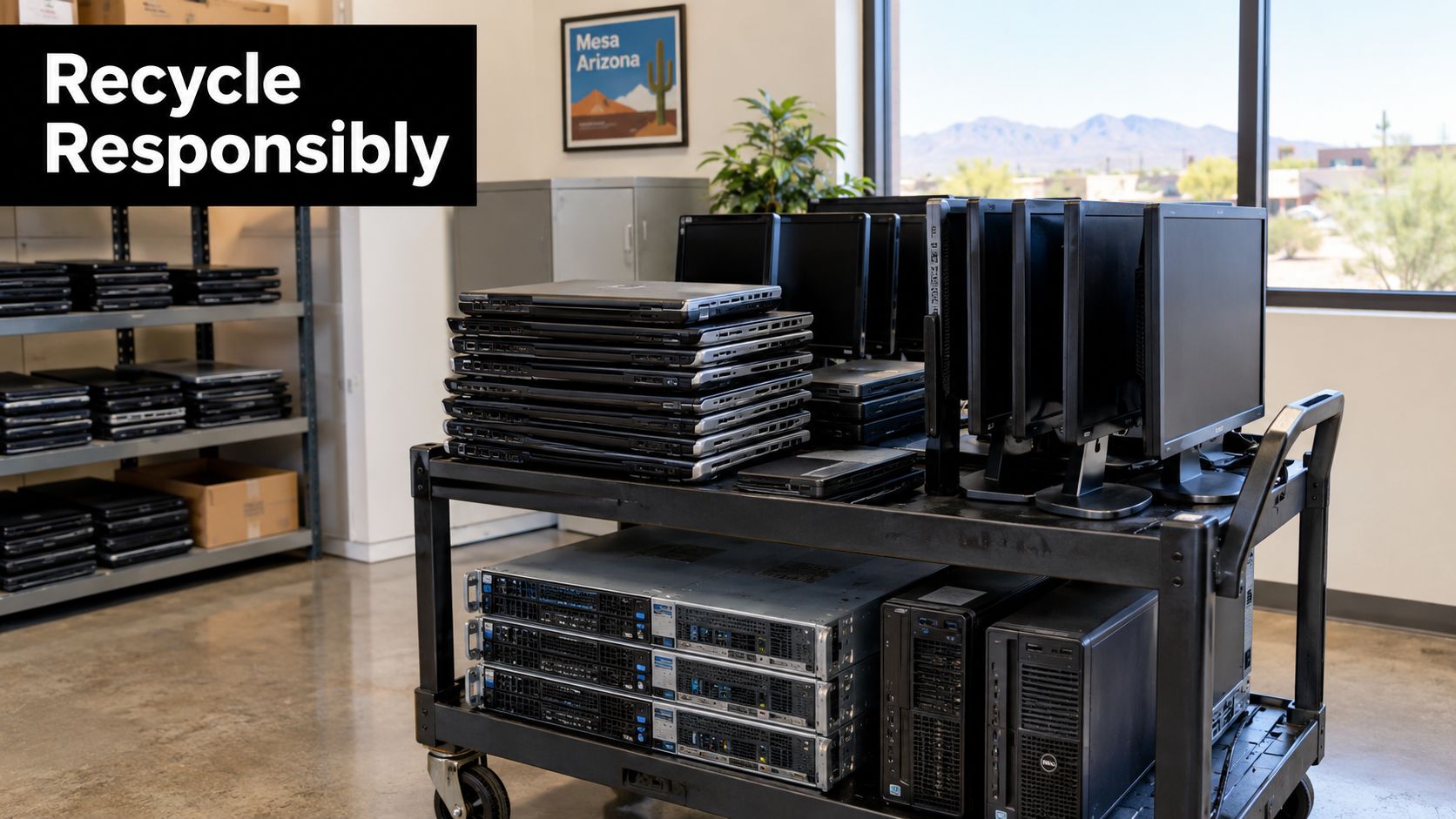
That backlog matters in Mesa because the city sits inside a larger Arizona system that still relies heavily on local programs, collection events, and market-based recycling channels. Arizona has diverted more than 2.5 million pounds of e-waste through co-sponsored events, and an ADEQ summary also states that over 2.7 million pounds have been recycled through community e-waste events. The same ADEQ educational materials note that only about 22% of e-waste is recycled in the United States. Those figures help explain why local access points in places like Mesa matter so much for businesses and residents alike through Arizona's e-waste guidance.
Why voluntary action still matters in Arizona
Arizona doesn't operate under a mandatory statewide e-waste recycling rule or a statewide electronics landfill ban, so many decisions still come down to whether an organization chooses a structured recycling path instead of ordinary disposal habits under Arizona state compliance summaries. For busy companies, that means recycling doesn't happen automatically. Someone has to plan it.
Mesa businesses also operate in a culture where responsible disposal affects reputation. If your company talks about sustainability, digital inclusion, or community support, retired IT equipment is one of the easiest places to prove it with action. That's one reason donation-based recycling and social enterprise recycling models keep getting attention.
Practical rule: If your equipment room is full, you don't just have a space problem. You have a chain-of-custody problem waiting to grow.
Mesa companies need more than a haul-away
A smart program asks different questions than a simple junk pickup:
- Can this device still be reused? A working laptop shouldn't be treated the same way as a cracked monitor.
- Can your team document the outcome? Sustainability reports and internal audits need records, not assumptions.
- Does the process support broader goals? Some organizations also look for community impact, such as donation pathways or workforce development.
Even adjacent decisions reflect this thinking. Many operations teams now look at upstream practices too, including suppliers with eco-friendly packaging commitments, because waste reduction works better when companies treat procurement, usage, and end-of-life as one connected system.
How Electronics Recycling Works From Drop Off to Reuse or Recovery
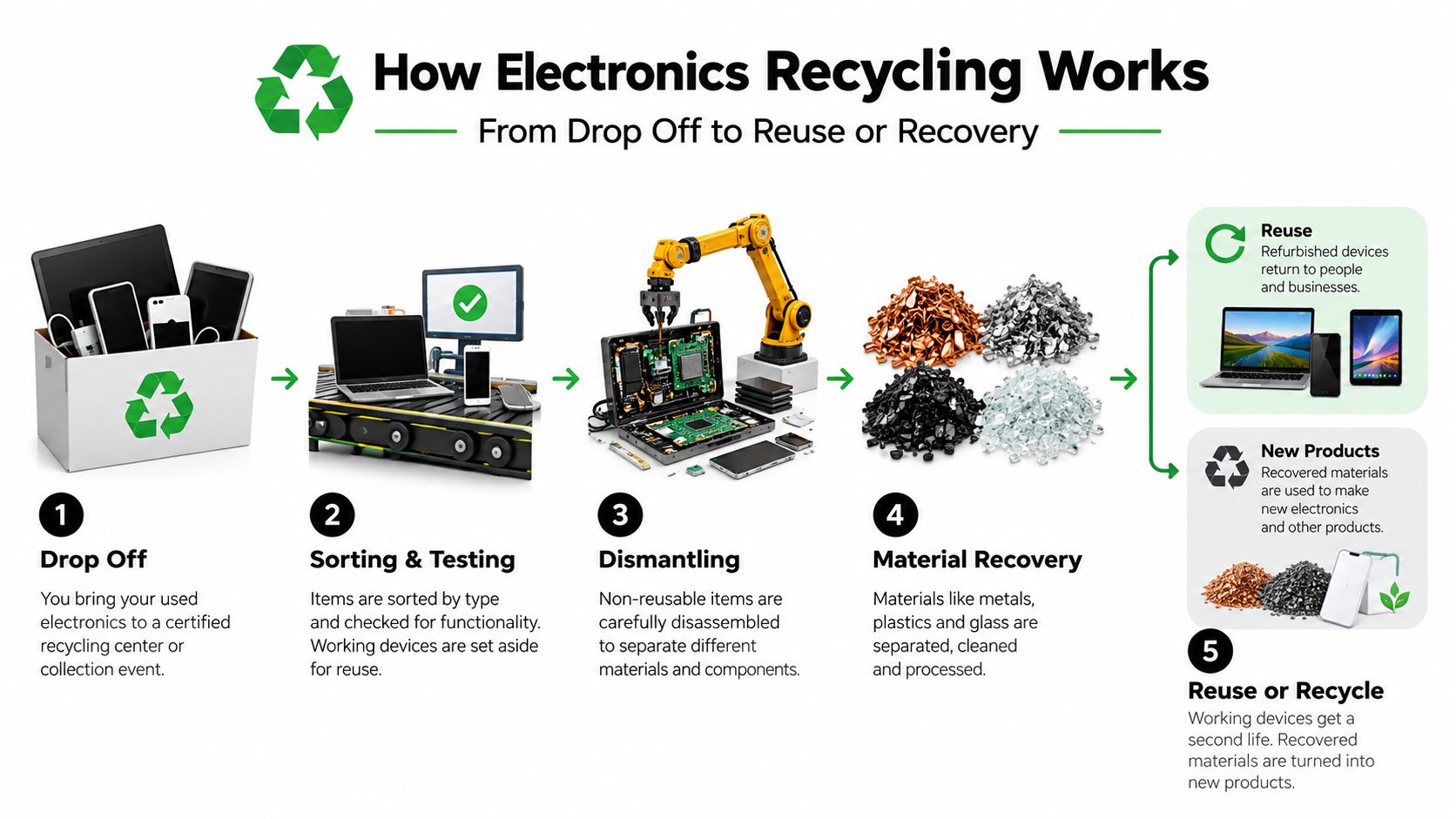
Think of electronics recycling like triage in a service department. The first question isn't “How fast can we shred this?” It's “What condition is it in, and what's the highest-value responsible path?”
Mesa's municipal data reflects that logic. The city's diversion system handles e-waste in a reuse-first workflow. Items are assessed for reuse first, recycling second, and disposal or destruction last. Mesa also records electronic waste diversion in pounds across broader city diversion systems rather than a separate electronics-only stream, and those records include material from city operations, IT and Communications, and construction or remodeling projects in Mesa's diversion data.
The five-step flow that makes sense to business buyers
Here's the simplest way to picture the process:
Intake and identification
Assets arrive by drop-off or pickup. The recycler identifies device type, condition, and whether the item likely contains data.Testing for reuse potential
A working laptop, desktop, or server component may be suitable for refurbishment or redeployment. This is the top of the hierarchy because it extends the life of the product.Parts harvesting
Some devices aren't reusable as complete units, but still contain valuable working components such as memory, power supplies, or drives that need separate handling.Material recovery
Equipment that can't be reused moves to dismantling or shredding so metals, plastics, boards, and other materials can enter recycling streams.Disposal of what can't be recovered
This should be the last resort, not the first move.
Why reuse and recycling aren't the same thing
Many Mesa buyers get confused. “Recycled” sounds good, but it can describe very different outcomes. A reused device keeps far more product value intact than a shredded one. A parts-harvested unit sits in the middle. A destroyed device may be appropriate for security reasons, but it isn't the same environmental outcome.
Arizona's circular-economy reporting makes that distinction important. It states that 1,142,591 pounds of electronics were recycled, refurbished, and/or reused in 2025 through Arizona Circular Economy reporting. That tells you reuse and refurbishment are already meaningful parts of the stream, not side notes.
A business should ask, “What happened to the usable equipment?” not just “Was it taken away?”
What proof looks like after pickup
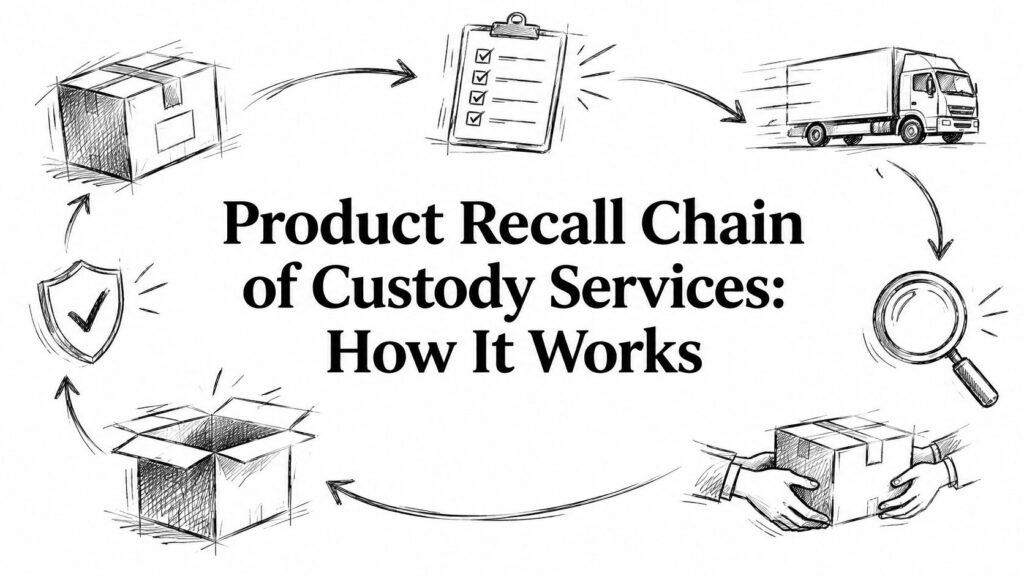
For B2B electronics recycling, the issue is documentation. A responsible vendor should be able to explain chain-of-custody, data handling, and downstream controls in plain language. You want to know who touched the assets, whether serial numbers were tracked, and what records you'll receive at the end.
That's the difference between a cleanup task and an IT asset disposition process.
Where to Recycle Electronics in Mesa From City Programs to Private ITAD Partners
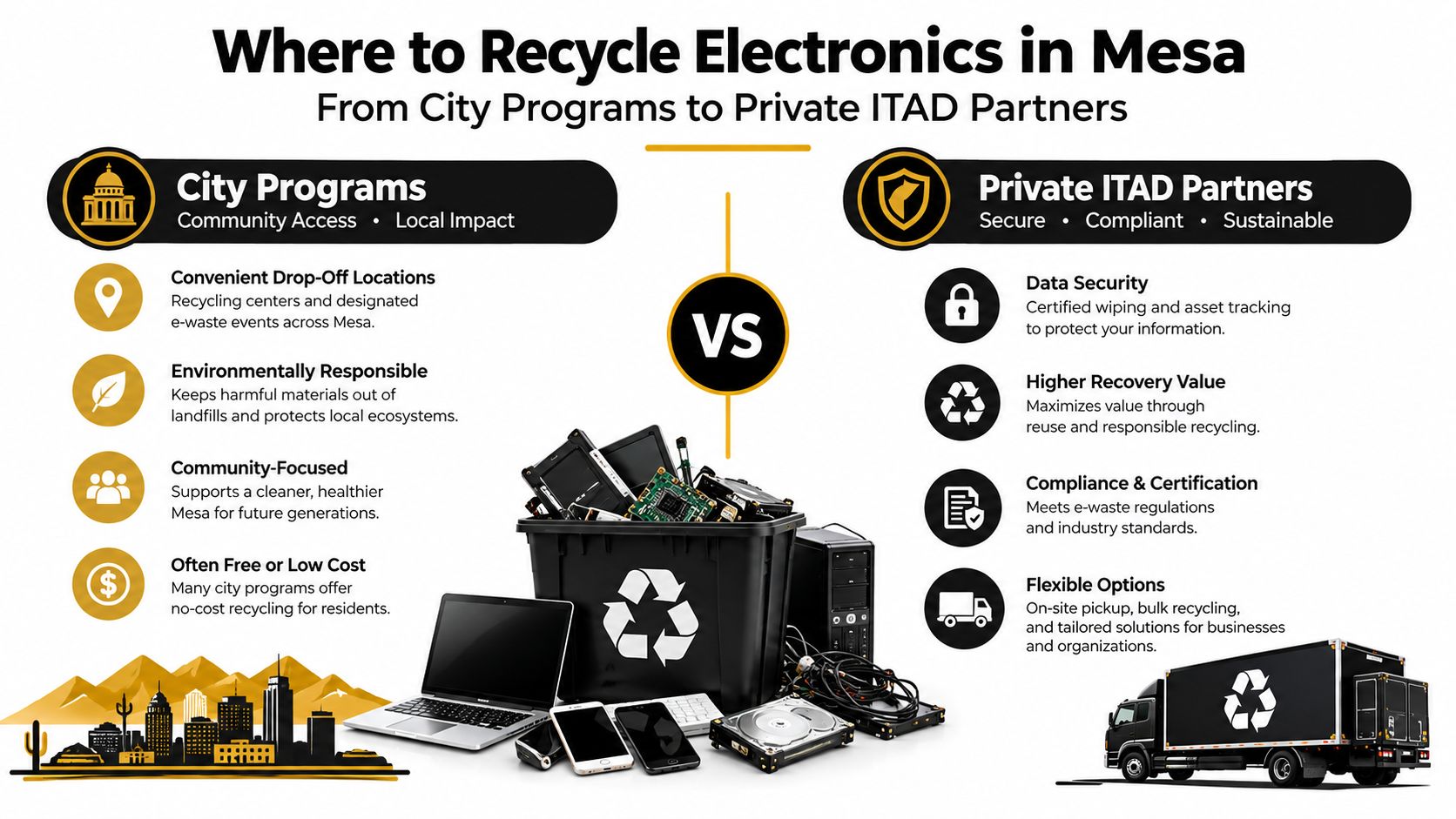
Mesa has more than one path for electronics recycling, and each path fits a different kind of problem. A household cleaning out a garage doesn't need the same process as an IT manager retiring a rack of storage gear. The mistake is treating all options as interchangeable.
The resident option
Mesa's Household Hazardous Materials facility accepts electronics at no cost for eligible residents. The city also says devices should be securely wiped before drop-off because Mesa isn't responsible for data security, limits households to one visit per day, and treats electronics as an average household quantity item category on the city's HHM program page.
That's useful for residents and small, occasional household loads. It usually isn't the right fit for a business office cleanout that needs asset records, pickup coordination, or destruction certificates.
The dedicated drop-off path
Mesa also has an active local private collection ecosystem. One local source identifies a dedicated Mesa drop-off site at 730 E Southern Ave and notes broader Mesa-area tech recycling access points. The same source highlights what many Maricopa County businesses need from a private channel: pickup logistics, R2v3 responsible recycling expectations, and data destruction practices aligned with NIST 800-88 and NAID AAA controls. It also states that confirmed pickups are often on a truck within 48 hours and that pickup is free for qualifying business loads in the county through this Mesa-area tech recycling page.
For companies with moderate volume, a dedicated drop-off location can work well if the equipment is already inventoried and transported securely.
The full-service ITAD route
For larger office cleanouts, data center decommissioning, medical equipment disposal, laboratory equipment disposal, or recurring IT equipment disposal, pickup-based ITAD is usually the cleaner choice. This model is built around scheduling, chain-of-custody, and downstream reporting rather than simple convenience.
If your team is comparing options, a local Mesa recycle center option can help frame what a business-ready intake process should look like.
Choosing Your Mesa Recycling Path
| Option | Best For | Key Logistics | Data Security Proof |
|---|---|---|---|
| Municipal household program | Eligible residents with small household electronics loads | Resident drop-off, one visit per day, average household quantity expectations | Resident is responsible for wiping devices before drop-off |
| Dedicated local drop-off site | Small businesses or teams that can transport grouped assets | Bring pre-sorted equipment to a Mesa-area site such as 730 E Southern Ave | Varies by provider, so ask about serial tracking and destruction records |
| Private ITAD pickup | Offices, schools, labs, and agencies with larger or sensitive loads | Scheduled pickup, grouped assets, decommissioning prep, possible fast dispatch for qualifying loads | Strongest fit when certificates, chain-of-custody, and downstream controls are required |
If your project involves regulated data, multiple departments, or loading dock coordination, choose the path built for documentation, not just disposal.
What Mesa Facilities Accept and What Requires Special Handling
Many people ask, “What can I recycle?” The better question is, “What can I recycle together without creating delays, extra labor, or rejected items?”
That matters because electronics loads often include more than computers. A Mesa office cleanout may combine laptops, printers, phones, server gear, cables, UPS units, and breakroom appliances. Once mixed loads show up, handling rules change.
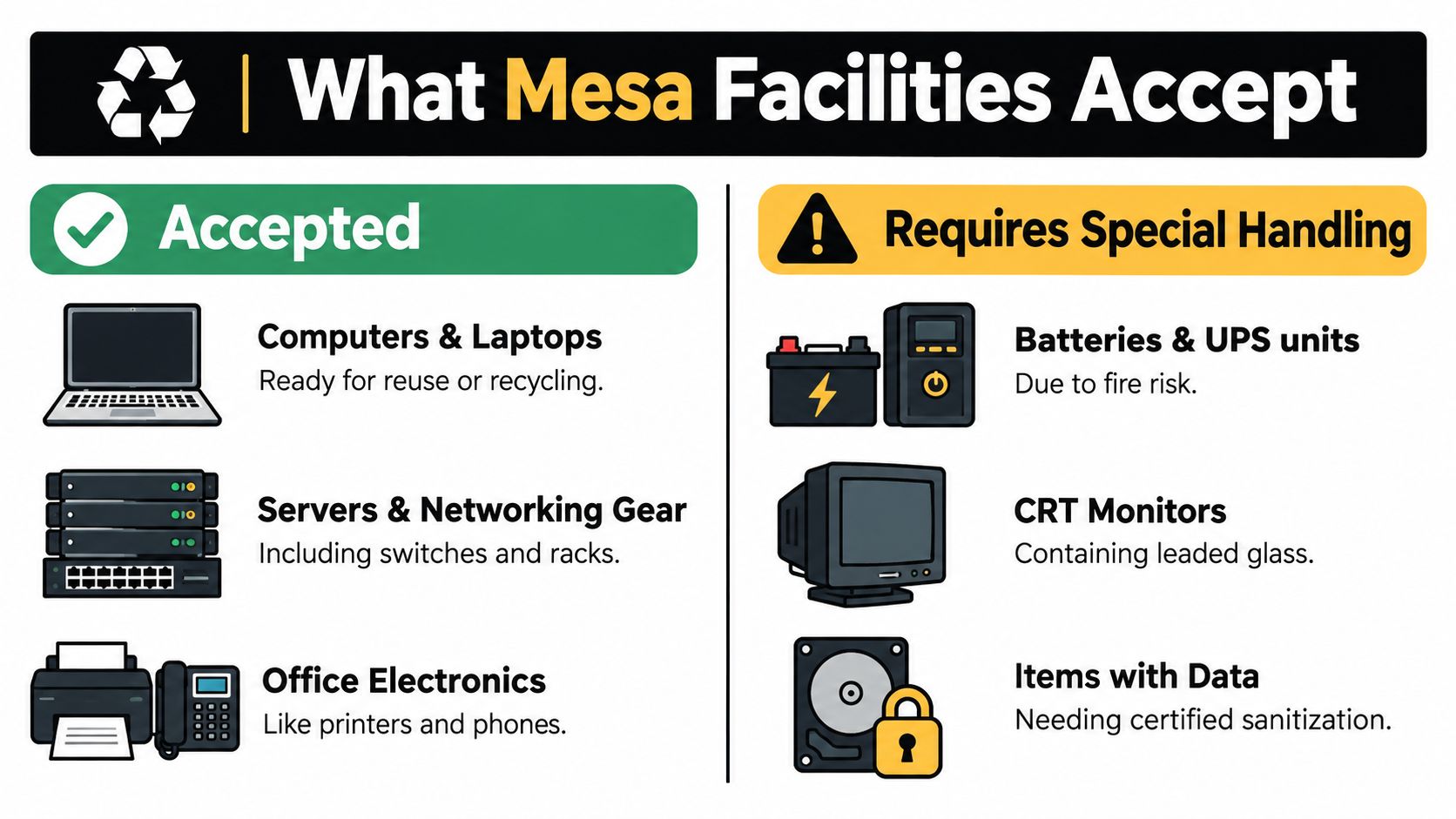
Common business electronics
Most business recycling conversations center on standard IT and office equipment, such as:
- Computers and laptops that are candidates for computer recycling, laptop disposal, or donation-based recycling
- Servers and networking gear including switches, racks, and related infrastructure from data center decommissioning projects
- Office electronics such as phones, peripherals, and similar workplace devices
If you're screening a mixed inventory, an accepted items reference like this electronics acceptance guide is useful because it helps teams separate standard devices from items that need a different handling plan.
Items that trigger special handling
Mesa's appliance recycling program shows how quickly a load becomes more technical. The city notes that items with refrigerants require an extra Freon-removal fee, refrigerators and freezers must have doors, hinges, lids, glass shelves, and latches removed under Arizona Revised Statute § 36-1651, pickups are scheduled after a request with staff calling within 3 business days, and household hazardous materials drop-off is capped at two appliances per day through this Mesa appliance handling summary.
Those details matter even if your project is “mostly electronics.” A facility cleanout often turns into a combined stream of IT equipment and cooling appliances. When that happens, labor time increases, chain-of-custody gets more complex, and final handling costs can change.
A practical sorting mindset
Use three lanes before scheduling anything:
Standard electronics lane
Desktops, laptops, docks, and similar office hardware.Data-bearing lane
Hard drives, servers, copiers, and any device that may retain sensitive information.Hazard or special-material lane
Refrigerant appliances, batteries, CRTs, and anything with unusual disposal rules.
This simple sort prevents the most common cleanout problem. A pickup arrives for routine electronics recycling, then half the load needs a different process.
Protecting Data With Secure Destruction and IT Asset Disposition
Data risk changes the whole conversation. A retired laptop isn't just scrap metal with a screen. It may still hold customer files, HR records, emails, saved credentials, engineering documents, or patient-related information. That's why business electronics recycling should start with records and end with proof.
Start with inventory before anything moves
The first security step is simple. Build a serialized inventory before devices leave the room. Tag laptops, desktops, servers, storage arrays, and loose drives. If a device can store information, treat it as data-bearing until someone verifies otherwise.
After inventory, decide which sanitization method fits the device and the risk level:
- Software wiping works when a drive is functional and you want the best chance of reuse.
- Degaussing can be appropriate for certain magnetic media, though it also eliminates reuse potential.
- Physical shredding is the clearest route when the priority is destruction over recovery.
Mesa's household program is a good reminder of the baseline rule. The city tells residents to wipe devices before drop-off because the city isn't responsible for data security, which shows why businesses need stronger controls than a public drop-off workflow provides.
Ask for standards in plain language
In Maricopa County's private market, the most useful terms to know are NIST 800-88, NAID AAA, and R2v3. In practice, they point to three different concerns:
- NIST 800-88 addresses data sanitization methods.
- NAID AAA signals controlled destruction practices.
- R2v3 points to responsible recycling and downstream management.
A provider should be able to explain these without hiding behind jargon. You shouldn't have to decode a security acronym just to understand what will happen to your hard drives.
Audit test: If you can't match a device list to a destruction or disposition record, your process is incomplete.
Match the service to the asset type
Not every load needs the same handling. A pallet of obsolete monitors may not require the same security treatment as a batch of returned executive laptops. A copier with internal storage deserves more scrutiny than a box of keyboards. Medical equipment disposal and laboratory equipment disposal raise the stakes further because devices may combine data, specialized parts, and internal storage in ways non-technical teams overlook.
One option businesses use for this step is secure data destruction services, which align electronics recycling with hard drive shredding, serialized processing, and records suitable for audits or policy files.
Costs Scheduling and Value Recovery for Business Pickups and Cleanouts
The question most managers ask after compliance is straightforward. What will this cost, how fast can it happen, and can any of the hardware still return value?
The answer depends less on a posted recycling fee and more on the structure of the load. Free offers often make sense when the vendor can combine recycling with broader IT asset disposition, value recovery, or scheduled route density. Mixed, unsorted, or hard-to-handle loads usually take more labor and planning.
What drives cost or no-cost pickup
A business pickup becomes easier to price when the equipment is grouped and described in advance. These factors usually shape the outcome:
Asset mix
Reusable laptops and newer business hardware are different from low-value peripherals or damaged scrap.Handling complexity
Palletized office gear moves differently than scattered devices across multiple floors.Special materials
Appliances, batteries, and unusual equipment can trigger a separate workflow.
That's why “free recycling” and “pickup included” aren't the same promise in every case. Sometimes the pickup is bundled into a broader ITAD or office cleanout program. Sometimes value from reusable devices helps offset transport and processing.
Scheduling gets easier when prep is done first
On the public side, Mesa's appliance process shows a slower administrative pattern, with staff calling within 3 business days after a request, as noted earlier through the Mesa appliance handling summary. On the private business side, Mesa-area providers may move faster when the load is already qualified and staged.
The fastest projects usually share three traits:
- Assets are grouped by type
- Serial numbers are prepared in advance
- Decommissioning is finished before the truck arrives
A lot of delays have nothing to do with the recycler. They happen because a business is still collecting power adapters, opening storage rooms, or deciding at the dock which equipment is in scope.
Value recovery is part of planning, not an afterthought
A disciplined ITAD plan looks for usable equipment before defaulting to destruction. That's where computer recycling overlaps with cost recovery strategies, especially for corporate donation programs, office cleanout projects, and rolling hardware refreshes.
If your team wants to balance sustainability with budget, a guide to ITAD cost recovery strategies can help frame which assets belong in resale, donation, secure destruction, or commodity recycling channels.
Your Mesa Prep Checklist and Next Steps With Reworx Recycling
A good recycling outcome usually depends on what happens before pickup day. The businesses that move fastest aren't guessing at the dock. They've already sorted equipment, identified sensitive assets, and decided what proof they need afterward.
A clean prep checklist for Mesa teams
Use this checklist before any office cleanout, facility cleanout, or recurring electronics pickup:
Build the inventory first
List laptops, desktops, servers, networking gear, medical devices, lab devices, monitors, and loose drives.Back up and separate what must be retained
Don't let a useful archive ride out with scrap equipment by mistake.Mark data-bearing devices clearly
Copiers, servers, and external drives often get missed.Sort batteries, accessories, and special items apart
Keep standard electronics separate from anything likely to require a different chain of handling.Label donation candidates versus destruction candidates
Donation-based recycling only works well when reusable equipment is identified early.Assign one point person for logistics
Someone should own dock access, room access, and final approval.
“The easiest pickup is the one that's already organized before the truck is scheduled.”
What to request after the load moves
Once equipment leaves the site, ask for records that match your internal needs. That may include a device list, service summary, recycling confirmation, or certificate of destruction for data-bearing items. Sustainability teams may also want documentation that supports annual reporting or internal ESG tracking.
For businesses that want a donation-based and social-enterprise-oriented path, Reworx Recycling is one option to evaluate for IT asset disposition, secure data destruction, computer recycling, and community-focused equipment diversion. Its model aligns end-of-life electronics management with reuse, technology donations, digital inclusion, and workforce development, which can matter for organizations that want their recycling program to do more than clear storage space.
A final prep resource that's worth using is this guide on how to prepare your company's electronics for recycling. It's a practical way to reduce confusion before scheduling a pickup or planning a drop-off.
Mesa organizations in education, healthcare, local government, professional services, and industrial operations all face the same basic challenge. Retired equipment needs a path that is secure, documented, and responsible. When you choose that path intentionally, electronics recycling becomes part of operations discipline instead of a last-minute cleanup task.
If your Mesa business needs a responsible outlet for retired laptops, servers, office electronics, or surplus IT gear, Reworx Recycling offers donation-based electronics recycling, secure data handling, and pickup support designed for organized cleanouts and ITAD planning. To explore practical guidance and next steps, visit Reworx Recycling.