You’ve got a lease clock running down, department heads asking when they should pack, IT warning that the phone system can’t go dark, and leadership expecting the move to happen without interrupting revenue. Such is the shape of a movers office relocation project.
In Atlanta, the pressure is sharper because many small and mid-sized companies are moving for growth, better space efficiency, hybrid work changes, or access to talent. A move isn’t just furniture transport anymore. It’s a facilities project, an IT cutover, a records control exercise, and an end-of-life asset decision all happening at once.
Most office move plans still overemphasize boxes and underweight technology. That’s where moves get expensive. The biggest failures usually don’t come from a chair arriving scratched. They come from unlabeled network gear, retired laptops with live data, backup gaps, and a pile of obsolete hardware nobody assigned ownership to.
Why Your Atlanta Office Relocation Needs a Modern Playbook
Atlanta businesses aren’t relocating in a quiet market. The pace of corporate movement has been strong, and 593 U.S. public companies moved their headquarters between March 2022 and March 2023, the highest annual total in seven years, according to Clancy Moving’s review of corporate move statistics. For operators on the ground, that matters because it means relocation has become a strategic business decision, not a rare administrative event.
A modern movers office relocation plan has to reflect that reality. The old playbook said: pick a mover, label boxes, transfer utilities, and hope the weekend cutover holds. That approach breaks down fast in offices where most work depends on cloud access, endpoint security, VOIP, shared drives, line-of-business apps, badge access, and conference room technology.
What changes in a modern office move
Physical logistics still matter. Elevators, loading dock windows, certificate of insurance requirements, and building rules can derail a move if someone misses them.
But today’s risk sits in a different layer too:
- Data exposure: Retired devices often surface during office cleanouts.
- Unplanned downtime: IT dependencies are wider than many teams realize.
- Asset confusion: Equipment gets moved that should’ve been decommissioned.
- Compliance gaps: Storage media, printers, copiers, and servers can all hold sensitive information.
- Waste mismanagement: Old electronics can become a disposal problem instead of a managed asset stream.
Practical rule: If your move checklist doesn’t include a separate workstream for IT asset disposition, it isn’t complete.
That’s especially true in Atlanta’s mix of professional services firms, healthcare-related offices, logistics operators, schools, nonprofits, and multi-site companies. These organizations often have a blend of newer laptops, aging desktops, network gear, AV hardware, and surplus monitors spread across offices, storage rooms, and employee homes.
Why standard move thinking fails
A lot of teams still treat old electronics as an afterthought. They assume the mover will “handle it,” or they postpone the decision until after move day. That’s the wrong sequence.
Once the move starts, every extra pallet, server, docking station, and monitor becomes either a transport cost, a chain-of-custody risk, or both. The better approach is to decide early what deserves a seat on the truck and what should exit your environment through secure, documented disposition.
That’s where the move becomes a business improvement project instead of a disruption project. You reduce clutter, tighten inventory, protect data, and arrive in the new space with a cleaner technology footprint.
The Strategic Planning Phase Beyond the Moving Boxes
The moves that go smoothly usually look boring from the outside. That’s a good sign. It means the heavy thinking happened early.
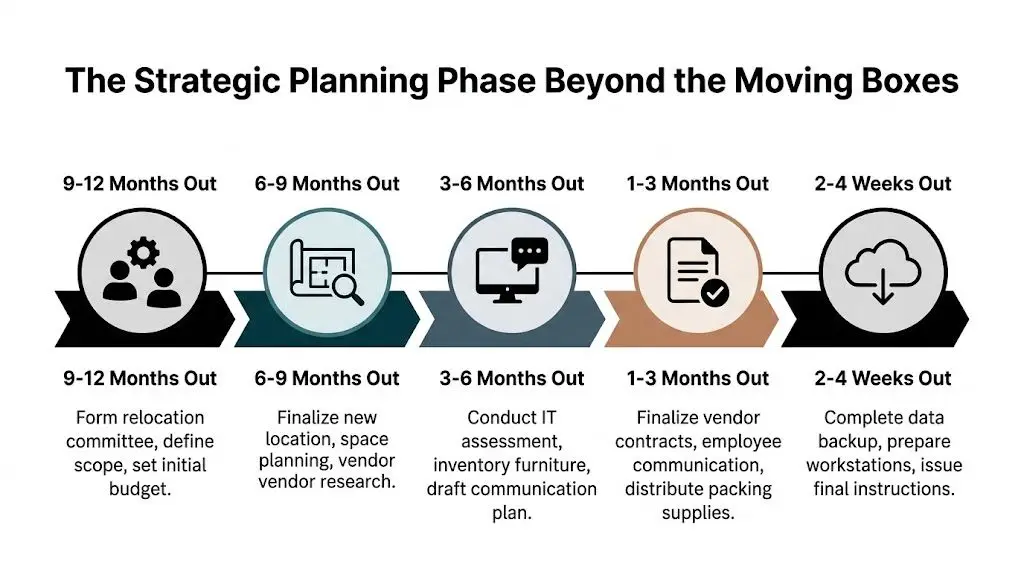
For SMBs, planning needs to start well before the first packed crate. Bailey’s Allied notes that small and mid-sized businesses should plan 3 to 6 months in advance, and that IT infrastructure can account for 20% to 25% of total relocation costs in a move budget, which managers often underestimate in practice, as outlined in Bailey’s Allied’s office relocation planning guidance. In a tech-heavy office, that budget line includes far more than disconnecting workstations. It includes cutover labor, cabling adjustments, AV reinstallation, backup preparation, and decommissioning decisions.
Start with ownership, not vendor calls
Before requesting quotes, assign a relocation lead. In smaller firms, that’s often the office manager, operations lead, facilities manager, or IT manager. In healthier moves, one person owns the project calendar and a small core team owns decisions by category.
Use a simple accountability map:
| Workstream | Primary owner | Common decisions |
|---|---|---|
| Lease and building coordination | Facilities or operations | Access dates, COIs, dock bookings, building rules |
| IT and telecom | IT manager or MSP | Network cutover, backup, endpoint moves, decommissioning |
| Furniture and layout | Facilities, admin, leadership | What moves, what gets replaced, seating plan |
| Records and compliance | Ops, legal, HR | Document retention, secure shredding, storage handling |
| Surplus and retired electronics | IT plus operations | Reuse, donation, recycling, data destruction |
If your new office needs reconfiguration, space planning support pays off early. Teams that involve expert office space planners before final move sequencing usually avoid the classic problem of moving furniture into a layout that doesn’t support circulation, power access, or team adjacencies.
Build the timeline backward from cutover
Inexperienced teams think in terms of move day. Experienced teams think in terms of “first productive workday in the new office.”
That changes the sequence. The key milestone isn’t the truck arrival. It’s the moment your team can log in, answer calls, print, meet, and serve customers without confusion.
A practical planning rhythm looks like this:
- Early phase: Confirm scope, inventory broad categories, define budget, map key dates.
- Middle phase: Finalize floor plan, choose movers, coordinate building access, lock IT migration sequence.
- Pre-move phase: Label assets, stage retired equipment, communicate packing rules, validate backups.
- Final stretch: Freeze nonessential changes, confirm vendor arrivals, issue move-day instructions.
For internal IT planning, a documented checklist matters more than a heroic scramble. A solid reference point is this guide to IT asset management best practices, especially for deciding what to keep in service, what to redeploy, and what should leave your environment before the move.
Audit before you pack
The pre-move audit is where budget control starts. Walk the office and tag everything into four buckets:
- Move to the new office
- Store temporarily
- Donate or remarket if appropriate
- Recycle or destroy securely
This step cuts waste fast. It also prevents moving dead weight.
If an item hasn’t been used, supported, or assigned in a long time, moving it usually isn’t the cheapest option.
Retired monitors, broken printers, legacy access points, old laptops in drawers, spare desktops in storage closets, and decommissioned AV gear tend to surface during this audit. That’s normal. The mistake is ignoring them until the final week.
Budget for what actually causes overruns
Moving quotes rarely tell the whole story. The avoidable budget mistakes usually come from categories the team didn’t scope tightly enough:
- IT labor: Disconnect, reconnect, test, and support after move-in
- Network dependencies: ISP scheduling, firewall moves, switching changes, circuit timing
- AV and conference rooms: Mounting, calibration, room controller setup
- Surplus handling: Pickup, chain of custody, secure destruction, recycling logistics
- Employee disruption: Staggered schedules, temporary remote work, support tickets after go-live
A realistic plan gives technology the same discipline as furniture and freight. That’s the difference between a move that lands cleanly and one that spends weeks in recovery mode.
Assembling Your A-Team for a Secure Atlanta Move
Choosing vendors by lowest upfront price is one of the fastest ways to turn a manageable office move into an expensive cleanup job.
That’s especially true when computers, servers, copiers, network racks, and specialized electronics are part of the scope. The wrong crew can carry the load. They often can’t protect the business.
Why cheap labor gets expensive fast
A common temptation in Atlanta SMB moves is to split the project. Hire low-cost labor for furniture and let internal staff “just handle the tech.” That sounds efficient until move weekend arrives and no one owns the interface between loading, equipment protection, and startup sequencing.
The risk isn’t theoretical. FMCSA data from 2025 shows labor-only movers had three times higher damage claim rates, 15% versus 5% for full-service movers, according to this analysis of office relocation moving-company risks. For offices with sensitive IT equipment, the hidden cost isn’t just breakage. It’s downtime, troubleshooting, and failed handoffs.
What to look for in a commercial mover
A qualified office mover should be able to discuss your move as an operations project, not just a transport job.
Use selection criteria like these:
- Commercial experience: Ask how they handle phased office moves, after-hours schedules, and occupied workplaces.
- Project management: You want one coordinator who can align building access, crews, labels, and delivery sequencing.
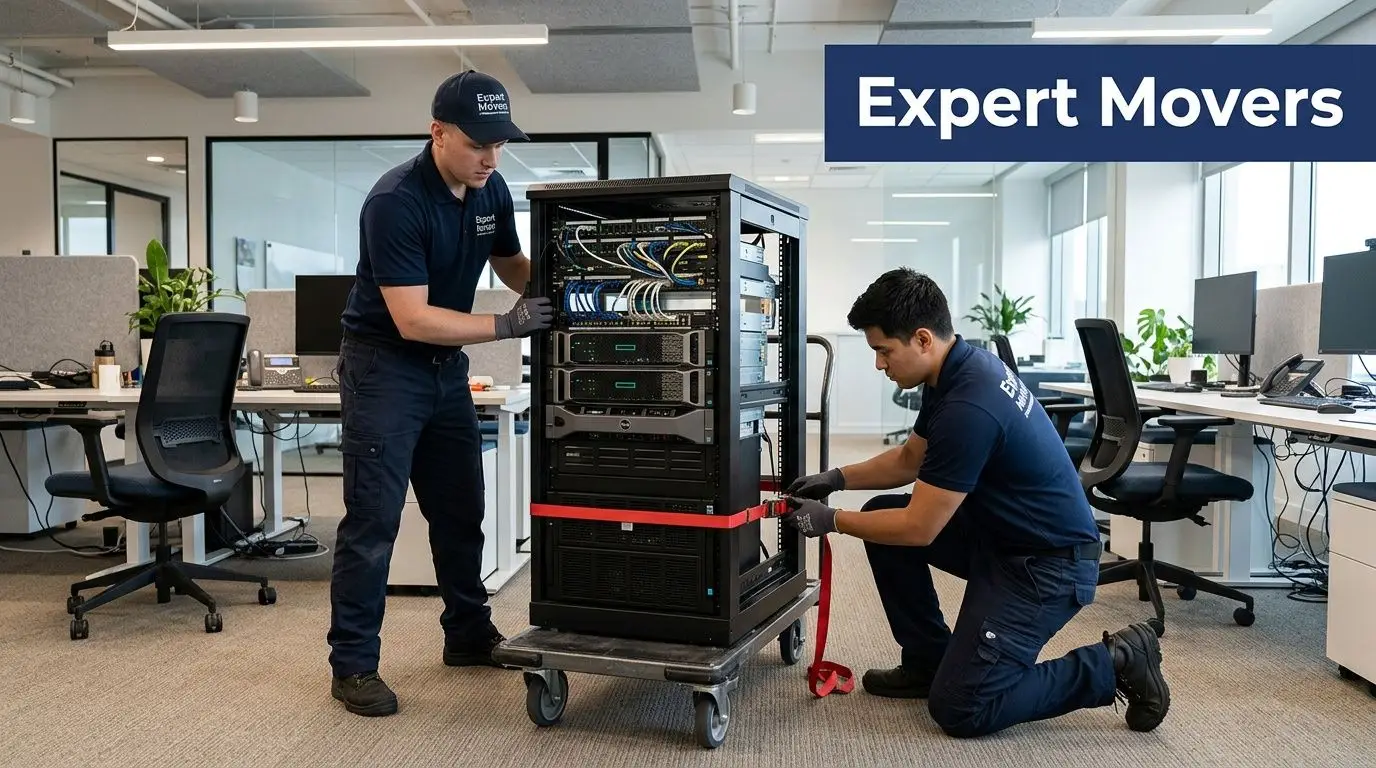
- Equipment handling: Server racks, copiers, AV gear, and specialty electronics should not be treated like standard office furniture.
- Insurance and documentation: Verify certificates, claims process, and building compliance paperwork before contract signing.
- Labeling and placement discipline: The best crews place by room, department, or asset tag rather than by “general office.”
A capable mover should also be comfortable working beside your internal IT team or MSP. If they resist coordination, that’s a warning sign.
Your move also needs an ITAD partner
This is the gap most office move plans miss. The mover handles what goes to the new office. Someone else needs to own what should not.
That means you need a partner for IT asset disposition, secure data handling, and electronics recycling. If you’re evaluating options, this overview of office relocation movers is useful because it frames relocation around chain of custody, equipment triage, and disposal planning rather than just transportation.
A good ITAD partner should answer practical questions clearly:
- How do you track inbound equipment?
- What’s your process for storage media?
- Can you support hard drive shredding or secure destruction?
- How do you separate reuse, resale, donation, and recycling streams?
- What documentation do you provide at the end?
A mover protects the trip. An ITAD partner protects what the business leaves behind.
What works in Atlanta offices
In this market, the strongest vendor stack is usually a coordinated group: commercial mover, internal IT or MSP, cabling/network provider, building contacts, and electronics disposition partner. That mix supports growth-oriented offices in Buckhead, Midtown, Perimeter, Cumberland, and industrial-adjacent submarkets where businesses often have a blend of office furniture, warehouse tech, and field equipment.
What doesn’t work is the patchwork model where every vendor only knows their own task list. Office relocations fail at the handoffs.
That’s why the selection process should focus on communication discipline, documentation, and accountability. Price still matters. It just can’t be the lead criterion when your business systems and retired assets are part of the move.
Navigating the Critical Path of IT Assets and Data Security
Most movers office relocation failures that matter aren’t dramatic. They show up as a printer that still contains stored jobs, laptops no one can account for, a switch that was unplugged without port documentation, or a stack of old drives left in a storage room because nobody knew who approved disposal.
That’s why the IT workstream needs its own critical path. It can’t ride as a subtask under general packing.
U.S. businesses discarded 5.2 million tons of e-waste in 2024, and only 25% was responsibly recycled, according to Hughes Relocation’s writeup on the e-waste and ITAD gap in commercial moves. That matters during relocations because office moves force long-delayed decisions about old devices, surplus monitors, retired servers, and unsupported peripherals. If those assets still contain data, a disposal problem becomes a security problem.
Step one, create a real asset inventory
Don’t rely on memory, spreadsheet fragments, or what people think is in the server closet. Build a move inventory that lists:
- Device type
- Asset tag or serial reference
- Current location
- Assigned user or department
- Destination status, move, redeploy, donate, recycle, destroy
- Data-bearing status
- Required prep, backup, wipe, shred, remove drive
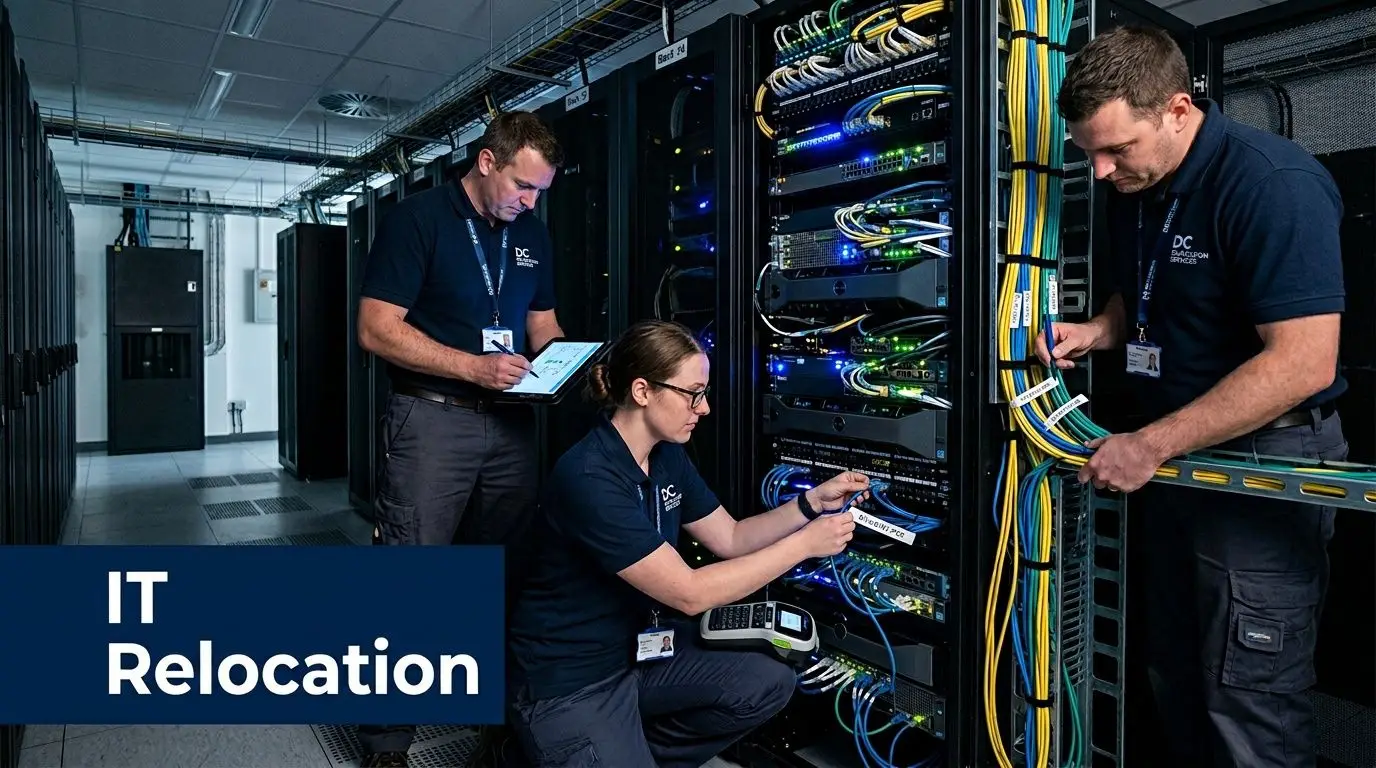
That inventory should include more than laptops and servers. Multifunction printers, copiers, VOIP phones, tablets, badge systems, conference room units, external drives, NAS devices, and old backup appliances often hold data or configuration details worth protecting.
Step two, separate active systems from retired systems
By doing this, teams save themselves a lot of confusion. Active systems need continuity planning. Retired systems need controlled disposition.
Use two lanes.
Lane one is business continuity.
These are the devices and systems you’ll keep using after the move. They need backups, shutdown procedures, transport protection, reconnect sequencing, and validation testing.
Lane two is end-of-life handling.
These devices should leave the environment before or during the move under documented control. They shouldn’t ride to the new office just because no one made a decision.
A lot of offices discover that old storage shelves are full of “temporary” hardware that has been sitting untouched for years. That equipment needs a disposition decision, not another trip across town.
Step three, define your data destruction standard
There’s a big difference between deleting files, wiping a device, and physically destroying media. The correct choice depends on the device, the data, your policies, and whether the asset will be reused.
For many organizations, especially those handling client information, employee records, financial data, healthcare-related data, or confidential internal material, secure data destruction has to be formal and documented. If your team needs a baseline, this explainer on what IT asset disposition is gives a practical framework for chain of custody, media handling, and downstream accountability.
Retired devices should never leave your control through “informal recycling.”
In practice, the best move plans decide this in advance:
| Asset type | Common move decision | Security priority |
|---|---|---|
| Employee laptops in active use | Move and reconnect | Backup, user mapping, power/adapter control |
| Spare desktops with no future use | Recycle or donate through controlled process | Data verification before release |
| Old servers and storage arrays | Decommission before move if possible | Media handling, drive removal, destruction decision |
| Printers and copiers | Move or retire based on age and lease terms | Stored data review |
| Networking gear | Move only if still in production plan | Port labeling, config backup |
Step four, back up before any disconnect happens
The backup plan should be boring, repeatable, and tested. Don’t assume cloud sync alone covers every risk. Before disconnecting servers, shared storage, local workstations, or specialized systems, confirm that recoverable copies exist and that someone has verified access.
This gets overlooked with edge systems such as door controllers, local NAS units, conference room PCs, and old specialty workstations. They often aren’t part of daily IT attention until a move exposes them.
When the new site is involved, connectivity planning matters too. Many teams also review telecom and circuit readiness alongside relocation prep. Even if you’re reading a general guide, outside references on topics like finding the best internet providers for business can be useful as a planning prompt because they remind teams to compare uptime expectations, contract timing, and installation lead issues before move week.
Step five, stage assets physically and administratively
On the ground, chaos usually starts when staged equipment isn’t clearly separated.
Create physically distinct areas for:
- Equipment moving to the new office
- Equipment awaiting data destruction
- Equipment designated for recycling
- Equipment eligible for reuse or donation
- Accessories, cables, docks, and peripherals to be matched with users or rooms
Use labels that nontechnical movers can understand. Asset tags are helpful, but destination labels, room numbers, and “do not move” markings prevent expensive mix-ups.
Step six, close the chain of custody
The move isn’t complete when the truck leaves. It’s complete when you can account for every asset and every retired device has a documented outcome.
That means verifying:
- Which devices arrived and passed startup checks
- Which assets were removed from inventory
- Which media was destroyed or processed securely
- Which equipment entered recycling or donation channels
- Which certificates or disposition records you received
This is the discipline that keeps old technology from becoming an unmanaged liability after the move.
Flawless Execution and Post-Move Integration
Move day exposes every weak assumption in the plan. If your labeling system is vague, if IT and movers are working from different sequences, or if building access windows weren’t confirmed, the schedule slips immediately.
That’s why execution should follow a controlled order instead of a free-for-all. The goal is simple. Get the business running again with minimal noise.

Poor planning leads to delays for 78% of business owners dealing with move hassles such as IT issues, and post-move success should be measured against practical targets like less than 4 hours of IT downtime and more than 80% employee satisfaction in post-move surveys, based on guidance from Crown Workspace on planning and evaluating office moves.
What a controlled move day looks like
The best move days feel segmented. Each team knows when it enters, what it touches, and what “done” looks like.
A workable sequence often looks like this:
Building access check
Confirm dock timing, elevator reservations, badges, and after-hours entry.IT shutdown and release
Internal IT or your MSP disconnects systems in the approved order.Mover loading by zone
Crews load according to floor plan, not convenience.Critical equipment priority
Network core, phones, key workstations, and shared devices arrive first if they’re needed for startup.Placement and reconnect
Furniture placement happens with enough precision that IT doesn’t waste time moving desks twice.Validation walk
Confirm connectivity, power, conference room basics, printers, and user readiness.
The details that save the day
Small controls prevent big recovery work later.
- Use destination labels that match the floor plan: “Marketing” isn’t enough. “Suite 400, Room 4B, Station M12” is useful.
- Protect accessories: Power bricks, docking stations, and monitor cables disappear faster than laptops.
- Keep one issue log: Every open item goes into one running list with owner and status.
- Stage a first-day support desk: Someone should handle printer mapping, monitor issues, login problems, and forgotten adapters.
The move isn’t over when the last cart rolls out. It’s over when employees can work without hunting for missing pieces.
For Atlanta companies handling electronics recycling, office cleanout work, or retired devices during the transition, a local service option such as Georgia electronics recycling support can help keep surplus hardware from clogging hallways and storage rooms after move-in.
Measure the move like an operations project
Too many teams declare success because everything arrived. That’s a transport metric, not a business metric.
Use a post-move scorecard with both hard and soft measures:
| Category | What to review |
|---|---|
| IT performance | Downtime, support tickets, reconnect issues, room tech functionality |
| Budget control | Planned versus actual by mover, IT, furniture, surplus handling |
| Operational recovery | Time to normal workflows, phone availability, meeting readiness |
| Employee experience | Survey responses, space usability feedback, onboarding into new layout |
| Asset closure | Confirmation that retired equipment was removed and documented |
The employee piece matters more than many teams expect. A technically successful move can still fail if people can’t find what they need, don’t understand the new layout, or spend the first week improvising around unfinished rooms.
The cleanest relocations build in a short post-move review. What was delayed, what broke down, what support requests repeated, and what should be standardized next time. That review turns one stressful move into a better operating model for the next expansion, consolidation, or facility cleanout.
Conclusion Turning Relocation into a Strategic Advantage
An office move puts pressure on every weak process you’ve been able to ignore. Asset records get tested. Vendor coordination gets tested. Backup discipline gets tested. Disposal habits get tested too.
That’s why movers office relocation work should be treated as a strategic operating project, not a weekend logistics task. The companies that handle it well usually do three things early. They plan farther ahead than feels necessary, they give IT and data security equal weight with freight and furniture, and they decide the fate of surplus equipment before the truck is booked.
Atlanta businesses have a real opportunity here. A relocation can tighten technology standards, remove obsolete hardware, improve space use, simplify support, and reduce risk. It can also strengthen sustainability goals if old equipment is handled through documented donation, reuse, asset recovery, or responsible recycling instead of informal disposal.
Asset value shouldn’t be an afterthought either. Some retired devices still carry resale or reuse potential, while others need secure destruction. A disciplined recovery process helps organizations avoid treating every old device like scrap. In this context, a structured asset recovery approach supports both cost control and security.reworxrecycling.org/asset-recovery/) supports both cost control and environmental responsibility.
The best moves leave your new office lighter, cleaner, and easier to support than the one you left. They don’t drag years of neglected equipment decisions into the next lease.
If you’re preparing for an Atlanta relocation, treat every server, laptop, drive, dock, and monitor as part of the move strategy. Decide what stays in service. Decide what exits the environment. Document both. That’s how you protect uptime, control risk, and make the move count for more than a new address.
If your business is planning an office move, clearing out retired electronics, or needs secure IT equipment disposal in metro Atlanta, Reworx Recycling can help you turn that transition into a cleaner, safer outcome. Their team supports responsible electronics recycling, secure data destruction, donation-based recycling, and pickup coordination for organizations that want to protect data, reduce e-waste, and put usable technology back into community impact channels. Donate old equipment, schedule a pickup, or explore a partnership with Reworx Recycling for your next relocation.