If you're running IT for an Atlanta company right now, you're probably dealing with two projects at once whether you planned to or not. One is the visible project: automate more work, reduce repetitive tasks, tighten service levels, and keep systems available across offices, warehouses, clinics, branches, or remote teams. The other is the less visible project: figure out what happens to the hardware that gets displaced every time those new workflows go live.
That second project is where many modernization plans get sloppy. A finance team approves workflow automation. Operations wants better orchestration. Security asks for faster response playbooks. Then old laptops, edge devices, servers, network gear, kiosks, and storage arrays start piling up in closets, storage rooms, and secondary racks. The automation plan moves forward. The asset retirement plan doesn't.
Atlanta is a good place to see this tension clearly because local companies sit at the intersection of logistics, office services, healthcare, regional headquarters, and distributed infrastructure. Automation here isn't just about software licenses. It's about physical turnover. It's about who owns the chain of custody when retired equipment leaves a branch office in Buckhead, a warehouse near the airport, or a data-heavy operation on the metro edge. That's what makes IT Automation Trends in Atlanta Companies a business operations issue, not just a technology one.
The New Reality for Atlanta IT Leaders
The Atlanta IT leader's day doesn't look like it did a few years ago. You might be managing SaaS sprawl, legacy line-of-business systems, warehouse devices, cloud workloads, compliance reviews, and a steady stream of requests to "automate this too." At the same time, budgets still have limits, hiring experienced infrastructure staff isn't easy, and nobody wants a rushed rollout to create new security problems.
That pressure isn't anecdotal. In the June 2024 Richmond Fed CFO Survey, about 60% of all firms and nearly 85% of large firms reported implementing automation in the past year, and 60% of firms anticipated this automation would replace labor. For Atlanta companies, that changes the tone of the conversation. Automation isn't a pilot tucked inside one department anymore. It's becoming part of how firms redesign work.
Automation now changes infrastructure decisions
When executives push for more automation, the technical consequences show up quickly:
- Application changes drive hardware change: New orchestration tools, AI-assisted operations, and workflow platforms often require cleaner endpoint standards, newer servers, or better storage handling.
- Standardization gets urgent: Teams can't automate inconsistent environments well. That forces refresh decisions that might have been deferred.
- Retired gear accumulates fast: Every branch refresh, virtual desktop shift, or server consolidation project creates a backlog of devices that still need secure handling.
A lot of IT managers already carry these lifecycle tasks, whether or not they appear in the job description. That's why this practical guide to IT manager responsibilities resonates with so many teams. Modern IT leadership now includes governance over what leaves the environment, not just what enters it.
Practical rule: If your automation roadmap speeds up deployment but slows down decommissioning, you haven't streamlined operations. You've moved the risk.
What works and what usually fails
The teams that handle this well treat automation as an operating model. They connect process automation, infrastructure planning, procurement timing, and retirement procedures. They ask early which assets will be replaced, who signs off on data destruction, and how equipment leaves the building.
What doesn't work is treating hardware retirement as a facilities problem that someone will solve later. In Atlanta's mixed environment of headquarters, distributed sites, and operational facilities, "later" usually means devices sit unmanaged for months.
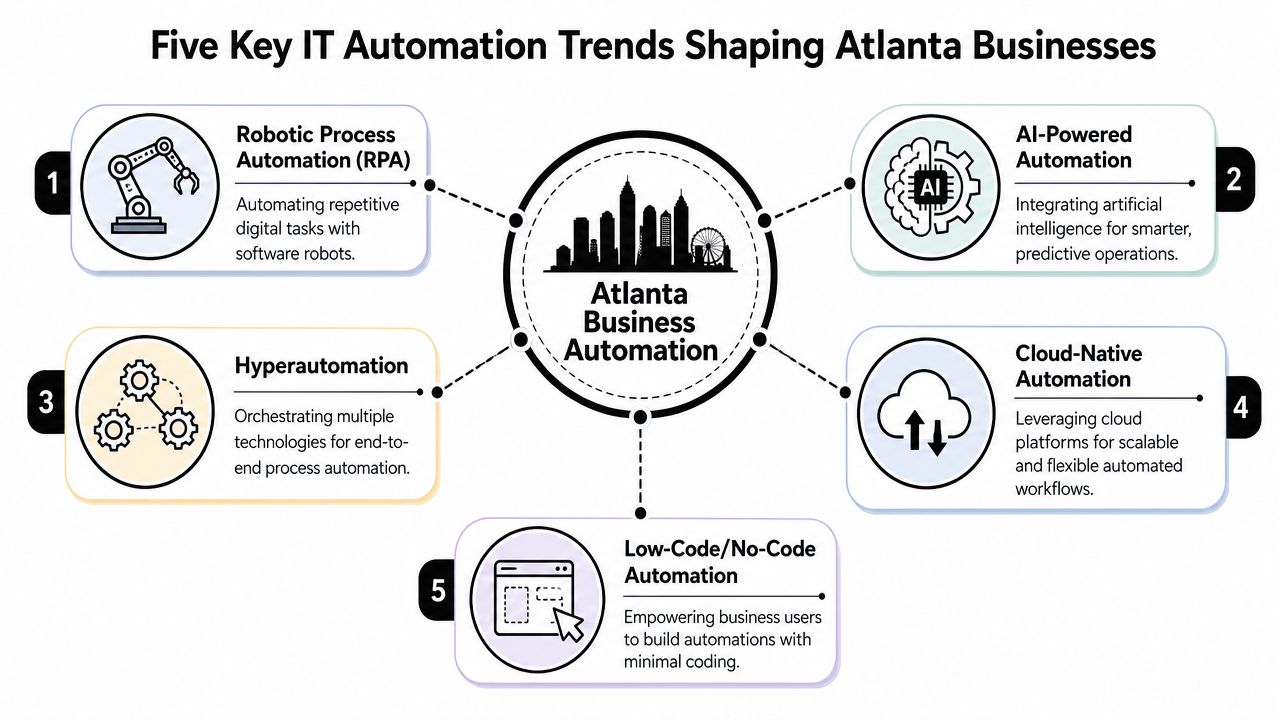
Five Key IT Automation Trends Shaping Atlanta Businesses
The most important automation trends aren't interesting because they're fashionable. They matter because each one solves a specific operational bottleneck. Some cut repetitive work. Some reduce response time. Some make infrastructure less fragile. All of them can trigger hardware changes.
Robotic process automation
RPA is the software equivalent of assigning a disciplined assistant to repetitive screen-based work. It logs into systems, moves data, triggers approvals, and handles routine digital steps that humans used to perform over and over.
This works well in finance, HR, procurement, and customer operations when the workflow is stable. It doesn't work well when the process is messy, exception-heavy, or dependent on undocumented tribal knowledge. If your accounts payable team still resolves invoices through inbox threads and side conversations, RPA won't fix the underlying disorder. It will just automate part of the confusion.
AI-powered automation
AI-powered automation is useful when teams need systems to classify, route, predict, or summarize. In practice, that often means service desk triage, anomaly detection, log analysis, document handling, and demand-based decision support.
The trade-off is control. AI can reduce manual review, but only if teams define boundaries clearly. Good implementations keep a person in the loop for high-risk actions. Weak implementations let opaque models make operational decisions without enough oversight.
The strongest AI automations usually start narrow. They handle a repetitive decision well before anyone asks them to run the whole workflow.
Hyperautomation
Hyperautomation combines tools instead of relying on one platform to do everything. Think of it as choreography rather than a single performer. A workflow engine triggers an RPA bot, which calls an API, updates an ITSM ticket, writes to a dashboard, and notifies the right team.
This trend matters in Atlanta companies because local operations are often distributed. A single business process may cross headquarters systems, branch devices, warehouse systems, and vendor platforms. Hyperautomation helps when the problem is end-to-end coordination, not just a single repetitive task.
Cloud-native automation
Cloud-native automation focuses on building workflows around scalable cloud platforms, event-driven triggers, and infrastructure that can be deployed consistently. This is often the right fit when speed, elasticity, and standardization matter more than preserving every legacy workflow.
A lot of Atlanta firms are balancing cloud growth with local operational realities. That includes branch networks, device-heavy environments, and edge locations. Companies exploring those local device patterns often run into the same issues discussed in edge computing trends in Atlanta businesses: more endpoints, more distributed processing, and more asset turnover outside the data center.
Low-code and no-code automation
Low-code and no-code tools let business teams build simple workflows without waiting in a long development queue. Used well, they remove small bottlenecks fast. Used badly, they create shadow automation that IT discovers only after a failure.
A simple comparison helps:
| Trend | Best use case | Common mistake |
|---|---|---|
| RPA | Repetitive structured tasks | Automating unstable processes |
| AI-powered automation | Classification, triage, prediction | Letting it act without guardrails |
| Hyperautomation | Cross-system orchestration | Overengineering small workflows |
| Cloud-native automation | Standardized scalable operations | Ignoring legacy dependencies |
| Low-code/no-code | Departmental workflow relief | Allowing sprawl without governance |
How Automation Plays Out in the Atlanta Metro
Atlanta's automation story isn't abstract. It follows the structure of the local economy. Companies here operate large office footprints, logistics networks, healthcare environments, and regional headquarters functions that depend on repeatable workflows and resilient infrastructure. That mix creates strong demand for automation, but not the same kind everywhere.

The workforce impact is already visible at a planning level. The Atlanta Regional Commission reports that about 62% of metro Atlanta employment is at high or medium risk of automation over the next 20 years, particularly in job categories common to the region's logistics, retail, and office-services economy. That doesn't mean every job disappears. It means companies are redesigning tasks, staffing models, and systems around automation at scale.
Logistics and supply chain operations
In the Atlanta metro, logistics teams use automation to reduce handoffs and tighten throughput. That often includes scan-based workflows, exception routing, inventory movement triggers, dock coordination, and support systems around fleet and warehouse operations.
What works here is automating decisions with clear rules. What fails is layering automation on top of inconsistent device fleets and aging network gear. If handhelds, printers, access points, and edge servers aren't standardized, operations teams end up troubleshooting infrastructure instead of benefiting from workflow gains.
Corporate headquarters and shared services
Atlanta's concentration of regional and national offices makes back-office automation especially relevant. Finance, procurement, HR, legal intake, and internal support functions are all natural candidates for structured workflow automation.
These environments tend to produce a lot of endpoint churn. Desktop replacements, conference room upgrades, departmental server retirement, and laptop refreshes often happen in waves as teams standardize around new platforms. The automation project may live in software. The cleanup project lands with IT operations, facilities, and security.
Healthcare and regulated environments
Healthcare providers and adjacent service organizations in metro Atlanta face a different pattern. They need automation to reduce administrative load and coordinate operational processes, but they also need stronger control over data-bearing devices and retired equipment.
That changes the disposal standard. A retired workstation in a general office is one thing. A retired device from a clinical or regulated workflow is another. The more tightly automation is woven into patient intake, scheduling, records access, and operational systems, the more disciplined asset retirement has to become.
In Atlanta, automation often scales first in the places where work is repetitive, distributed, and time-sensitive. That usually means more devices at the edge and more pressure on disposal processes later.
The Hidden Lifecycle Cost of an Automated Enterprise
Automation discussions usually focus on speed, consistency, and labor efficiency. Those are real benefits. But the hidden cost shows up in the hardware lifecycle. As workflows modernize, companies retire equipment sooner, consolidate some systems, expand others, and create a complicated stream of displaced assets that still contain data, configuration details, and operational history.
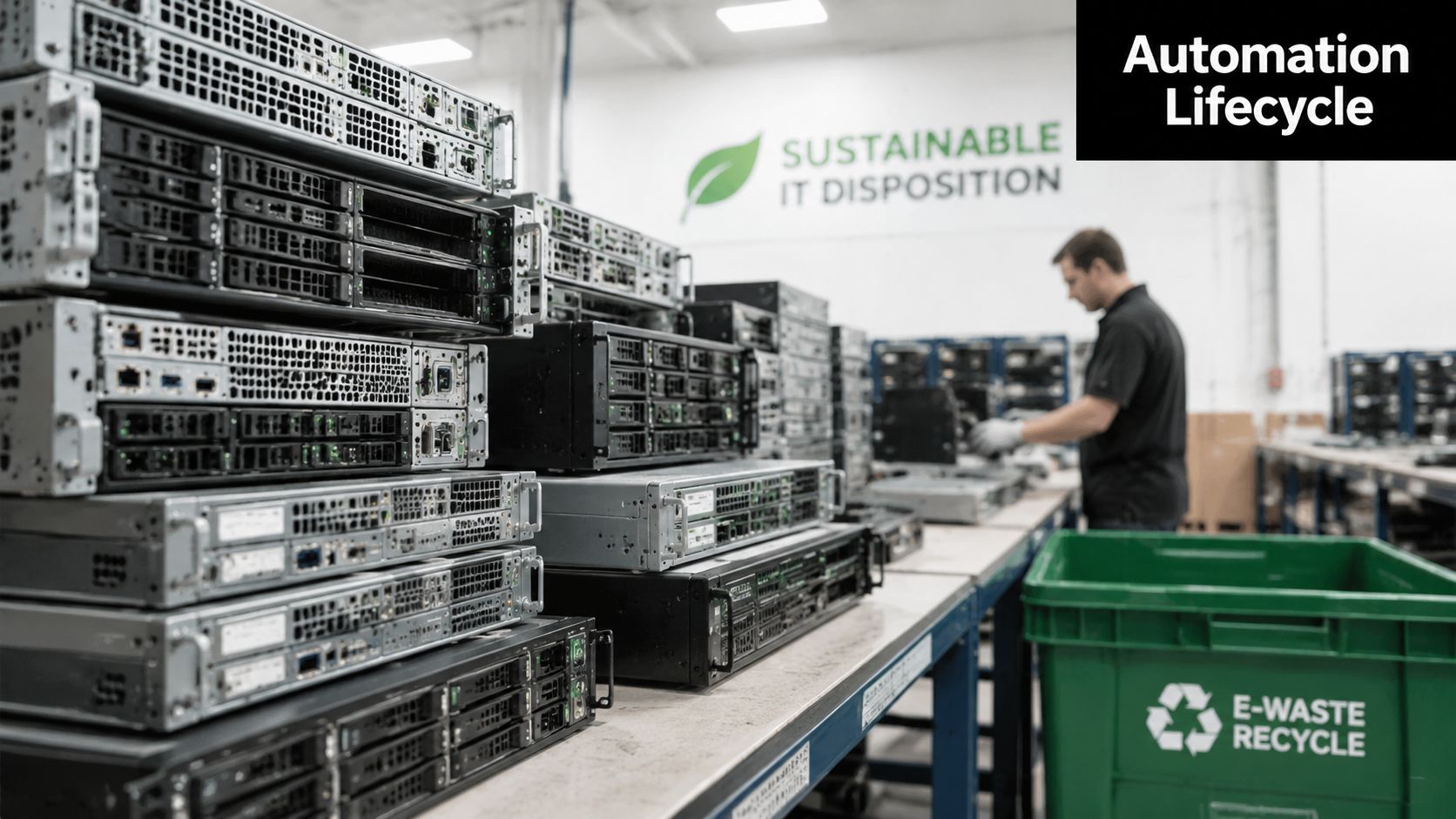
This gets harder in hybrid environments. According to Stonebranch's 2026 Global State of IT Automation report, 88% of organizations run across both cloud and on-premises systems, and 89% use multiple automation platforms. In practice, that means decommissioning isn't a simple matter of unplugging old equipment. Teams have to retire assets from interconnected systems with overlapping workflows, credentials, dependencies, and ownership lines.
Why modernization creates disposal risk
An automated enterprise tends to generate hardware turnover in several ways:
- Server and storage retirement: Old systems get decommissioned when workloads move or platforms consolidate.
- Endpoint refreshes: Standardization efforts often replace older laptops and desktops in batches.
- Network and edge replacement: Branches, warehouse floors, and remote sites get new supporting gear as automations expand.
- Specialized equipment displacement: Kiosks, scanners, industrial PCs, and local appliances get swapped out when workflows are rebuilt.
The risk isn't just clutter. It's loss of control. Once retired devices sit too long, records get weaker. Labels disappear. Teams forget which assets held sensitive data. Informal disposal becomes more likely.
What responsible teams do differently
The most mature organizations treat retirement as part of the project plan, not the final chore. They document what leaves service, when it leaves, who handled it, and how data-bearing components were processed. They also map retirement timing to implementation timing so old assets don't become shadow inventory.
A practical way to think about this is as a lifecycle discipline. Procurement, deployment, support, retirement, and recycling belong in one chain. This overview of the lifecycle of IT equipment from acquisition to recycling matches what many Atlanta IT teams are now facing. Faster modernization only works cleanly when the exit path for hardware is just as organized as the rollout path for software.
Old hardware doesn't stop being a security problem because it's unplugged. It stops being a security problem when custody, data handling, and final disposition are documented.
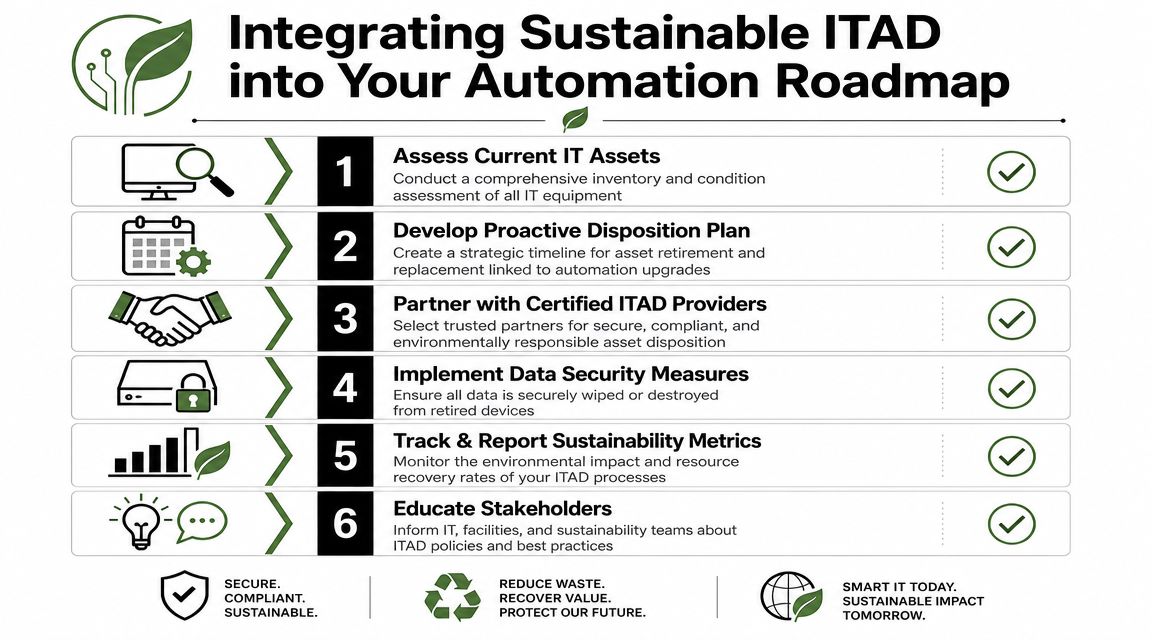
Integrating Sustainable ITAD into Your Automation Roadmap
Most companies don't need another abstract framework. They need a process that operations, security, facilities, and sustainability teams can use. A workable IT asset disposition plan should fit inside the automation roadmap from the start, especially when refresh cycles are speeding up.
Start with inventory and ownership
Before a refresh, build a live list of the assets tied to the process you're changing. That includes laptops, desktops, servers, storage, network equipment, mobile devices, and any edge or specialty systems supporting the workflow.
Then assign ownership. Someone in IT should confirm technical status. Security should define data handling requirements. Facilities or operations should own collection logistics. Finance may need visibility for asset records. If nobody owns each part, equipment will sit.
Match disposition planning to project milestones
A common mistake is waiting until after deployment to think about retirement. By then, the implementation team has moved on and displaced gear starts piling up.
Use a simpler sequence:
- Identify what the automation project will replace: Not every upgrade removes hardware, but many do.
- Set collection windows: Tie device pickup or internal staging to rollout dates.
- Decide reuse versus recycling early: Some assets may support redeployment, donation-based recycling, or buyback. Others should go directly to secure processing.
- Document chain of custody: This matters most for data-bearing devices and distributed locations.
Define data destruction by device type
Not every retired asset carries the same risk. A display panel isn't the same as a laptop. A switch isn't the same as a server with storage media attached. Teams should classify by media exposure and operational sensitivity.
A practical decision table helps:
| Asset type | Main concern | Required discipline |
|---|---|---|
| Laptops and desktops | User data, saved credentials | Secure data destruction and tracked collection |
| Servers and storage | High-volume sensitive data | Controlled decommissioning and media handling |
| Networking gear | Configurations, access details | Verified reset and disposition records |
| Mobile and edge devices | Distributed loss risk | Site-by-site collection and asset verification |
Choose partners that can support the full chain
A specialized provider is vital. For Atlanta-area organizations, Reworx Recycling handles electronics recycling, secure data destruction, business pickup support, and IT equipment disposal as part of broader ITAD workflows. That can be relevant for office cleanouts, data center decommissioning, laptop disposal, computer recycling, product destruction, and corporate donation programs when organizations need both security and sustainable recycling built into the same process.
Teams building a formal program can use this guide to implement an IT asset disposition strategy as a planning reference for policy, custody, and operational roles.
Operational advice: Treat ITAD like a control function, not a cleanup crew. The earlier it enters the roadmap, the fewer surprises you'll have at cutover.
Add sustainability to the decision, not just compliance
A strong ITAD plan doesn't stop at data protection. It also creates a path for reuse, donation-based recycling, and environmentally responsible processing. That's increasingly important for companies that report on sustainability, support community technology access, or want retired equipment to create value instead of waste.
You can also align policy with broader guidance on responsible e-waste management from the EPA. The key is making that policy operational. Good intentions don't move equipment out of storage rooms. Defined workflows do.
Future-Proof Your Business with Responsible Recycling
Atlanta companies aren't adopting automation in a vacuum. They're doing it in offices, hospitals, warehouses, branch networks, and hybrid environments where every software change can trigger a hardware consequence. That's why the primary lesson in IT Automation Trends in Atlanta Companies isn't just about bots, orchestration, or AI. It's about lifecycle discipline.
The firms that handle this well don't separate automation strategy from retirement strategy. They know a workflow redesign can lead to laptop disposal needs, server decommissioning, secure data destruction work, and a larger office or facility cleanout than anyone expected. They plan for that upfront. They also avoid a common mistake: assuming old gear in storage is harmless because it's no longer in production.
Responsible recycling is part of modernization
When equipment leaves service, three business outcomes matter immediately:
- Security: data-bearing devices need controlled handling
- Compliance and governance: chain of custody and disposition records need to exist
- Sustainability: electronics recycling should support reuse and proper downstream processing
That combination is what turns disposal from an afterthought into a strategic business process. It also gives sustainability leaders, IT managers, and operations teams a shared framework instead of fragmented handoffs.
The local advantage matters
Atlanta businesses often need a practical regional process. Equipment may be spread across offices, clinics, warehouses, and support sites. That makes pickup coordination, staging, data handling, and reuse decisions more complex than a simple one-time drop-off.
If you're planning around refresh cycles, decommissions, or recurring IT equipment disposal, it helps to work from a local operating model such as responsible electronics recycling for Atlanta businesses. The point isn't just to remove equipment. It's to close the loop cleanly.
Automation can make your business faster. Responsible recycling makes that speed sustainable.
If your organization is upgrading systems, clearing out retired devices, or planning a broader ITAD program, Reworx Recycling offers a practical next step. Businesses can donate old equipment, schedule a pickup, and build a more secure, sustainable process for electronics recycling, computer recycling, secure data destruction, and responsible IT equipment disposal that also supports community impact.