A refresh project looks tidy on paper until finance asks for the disposal packet and IT only has a recycler's pickup receipt. The laptops are gone, the desks are clear, and the auditor still wants proof that the assets left control, the data was destroyed, and the books were updated. That gap is where an IT Asset Disposal Form earns its keep, because it turns a loose handoff into a defensible record that IT, finance, compliance, and sustainability teams can all stand behind.
What an IT Asset Disposal Form Actually Does
A mid-sized company can move through a full hardware refresh and still get stuck on one missing document. IT may have boxed up 200 laptops and scheduled a pickup, but finance cannot close the write-off until someone shows where each serial number went, who approved it, and whether the device was sanitized or destroyed. The form is the control point that ties those threads together, which is why it matters long after the truck leaves the dock.
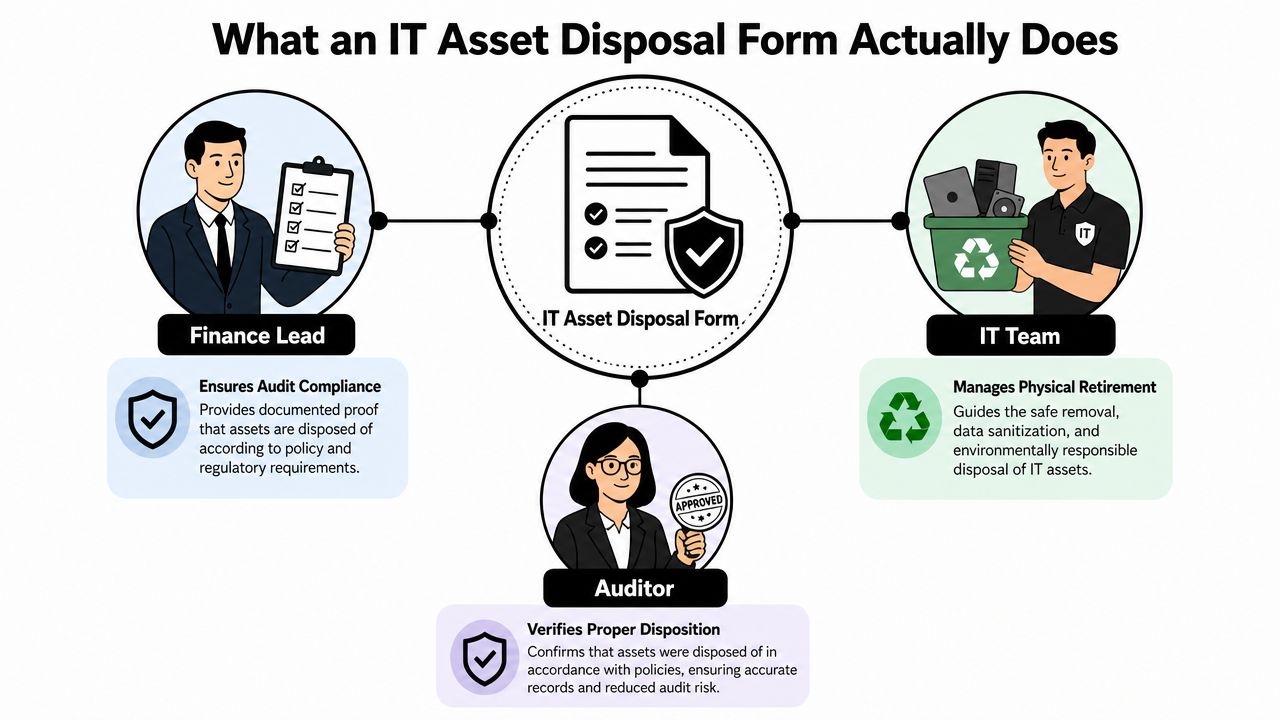
The strongest forms capture both financial control and security/compliance data in the same workflow. A defensible template records the asset's serial number, purchase date, original cost, current book value, reason for disposal, condition, proposed disposal method, approvals, and post-disposal details such as proceeds and certificates of destruction, which makes it a formal accounting and audit document, not a recycling receipt maptrack.com. If you already keep a year-end close checklist for finance, it helps to treat disposal with the same discipline as small business year end compliance, because auditors tend to ask the same basic question in different ways, who approved it, what left, and where's the proof?
Practical rule: if the form can't answer who owned the device, who approved the disposal, and what evidence proves the outcome, it's not complete enough for audit use.
A real disposition record usually supports six field groups. Identity tells you which asset left service. Ownership and valuation show what the company had on the books. Reason and method explain why the asset is leaving and what happens next. Approval fields show who signed off. Final evidence closes the loop with the receipt, certificate, or resale record.
For teams that want a deeper control framework, the IT asset disposition overview from Reworx Recycling is a useful companion because it places the form inside the broader ITAD process instead of treating it as a standalone paperwork task.
Required Fields and What Auditors Look For
Auditors usually read an asset disposal form in a predictable order. They start by matching the asset to the register, then they look for ownership and value, then they move to the reason, method, approvals, and final evidence. If any one of those pieces is weak, the rest of the packet starts to wobble.
| Core Field Groups on an IT Asset Disposal Form | What It Captures | Typical Owner |
|---|---|---|
| Asset identity | Tag, serial number, model, owner | IT asset manager |
| Acquisition and valuation | Purchase date, original cost, book value, depreciation | Finance |
| Disposal reason and risk tier | End of life, damage, redeployment decision, sensitivity | IT and compliance |
| Proposed method | Reuse, resale, donation, return, destruction | ITAD lead |
| Approvals | Requester, manager, finance, asset manager | Department and finance approvers |
| Post-disposal evidence | Sanitization certificate, receipt, proceeds, transfer proof | Vendor and IT |
The weak points are usually simple. A missing serial number breaks traceability. An unsigned approval breaks authorization. A valuation note with no evidence creates doubt about whether the asset should have gone through a higher review path. One disposal template calls for at least two written quotes or an independent valuation when assets exceed a disposal threshold, then routes the request through an approval chain that can include the requester, department manager, finance, and asset manager maptrack.com. That kind of gating matters most when the asset still has residual value or when the company needs to justify the method chosen.
A good form also makes ownership visible to the right people at the right time. IT should confirm the tag and serial, finance should confirm book value and write-off treatment, and the approver should sign before the asset moves. If the form only gets filled out after the pickup, the evidence is already weaker than it should be.
For a more detailed checklist on supporting records, the audit documentation requirements page from Reworx Recycling fits well with this workflow because it reinforces the idea that the form is only one part of the evidence packet.
Step-by-Step Workflow from Collection to Final Disposition
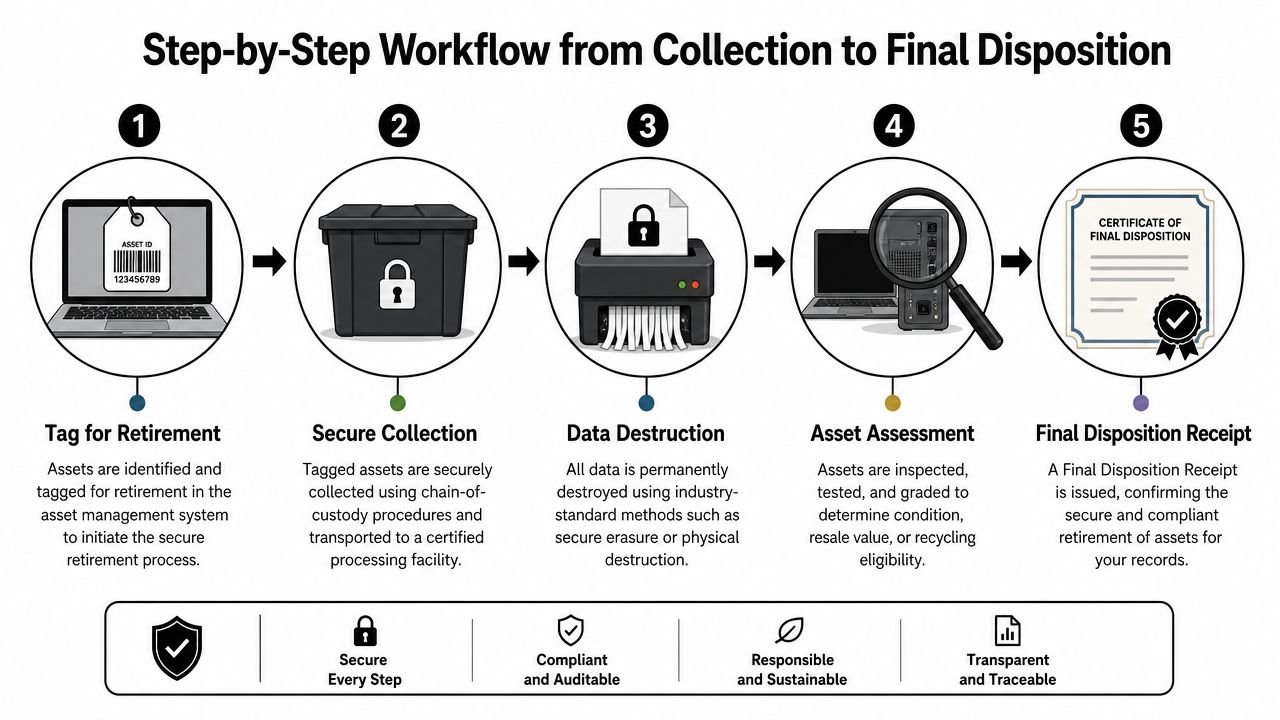
A disposal form works only when it mirrors the physical path of the asset. If the device can move from a desk to a box to a vendor and nobody records the handoffs, the audit trail has holes even if the final receipt looks clean. The operational goal is simple, every stage should be independently traceable from retirement decision to final receipt.
Start with inventory validation
The first handoff is internal. IT confirms the asset exists, verifies ownership, and tags it for retirement. That's where serial number validation matters most, because a device that isn't matched cleanly to the inventory record becomes hard to defend later. If a team skips this step, it usually discovers the problem only after the asset has already left the building.
Record sanitization and custody
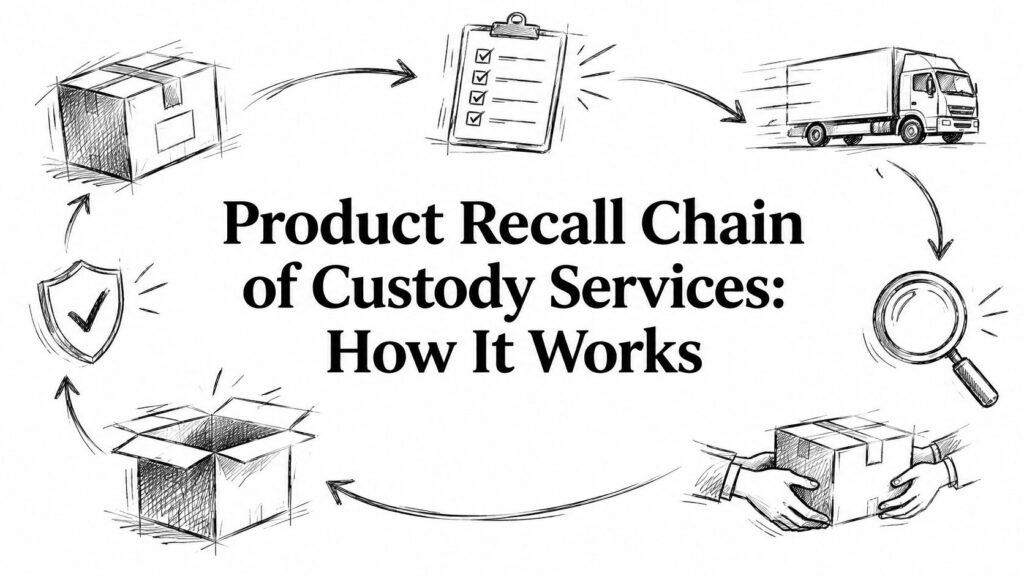
The next handoff is security-driven. Best-practice disposal records need to capture serial numbers, asset status, wipe method, date, operator ID, and final destination, and the record is only audit-ready when it links the physical asset to the sanitization certificate and custody log nanosoftltd.com. That linkage is what auditors care about, because it shows the device wasn't just moved, it was controlled.
What works in practice: one person tags the asset, a second person verifies the list, and the final packet keeps the sanitization certificate, custody log, and disposal receipt together.
The handoff to a vendor should not be a vague “recycle pickup.” It should be a documented transfer with date, responsible party, and destination. After that, the final receipt or certificate closes the loop and lets ITAM, CMDB, and license records be retired in parallel so accounts don't stay active after the hardware is gone.
For teams that want a tighter handoff framework, the chain of custody documentation page from Reworx Recycling maps directly to this stage and helps prevent the most common break in the process, which is the moment the asset leaves the office but not the record.
Choosing the Right Disposition Method on the Form
The usual mistake is treating disposal as a single path, destruction. That feels conservative, but it often throws away usable hardware, especially when a device can be redeployed, resold, donated, or returned under a lease. A better form makes the team choose the disposition method from the facts, data sensitivity, contract terms, device condition, and value recovery potential.
The decision path should be clear enough that a reviewer can follow it later. A laptop with ordinary office data and a clean wipe result may be a candidate for redeployment or resale. A device that handled restricted data may need certified destruction. Leased assets may need vendor return language. Donation can work, but some recipients need limits on transfer or resale, and those limits belong on the form so the downstream use stays compliant device42.com.
The trade-off is straightforward. Destruction maximizes certainty, but it can also erase recoverable value. Reuse and resale maximize value recovery, but they require tighter tracking and a clear statement of eligibility. The better forms do not choose the outcome in advance. They capture the facts that support the choice.
Practical rule: if the device can still serve a legitimate second life, document why it is not going there before defaulting to destruction.
A server with regulated data and a required retention period belongs on a destruction path. A stack of office laptops with valid wipes and no contract restrictions may be better suited to redeployment, donation, or resale. The form should record that choice, plus the reason, so the same template can route different assets to different outcomes without confusion.
If your organization is still using a one-size-fits-all recycling request, that is where value slips away. The right form makes the disposition choice visible before the asset leaves control, which is much easier to defend than trying to explain it after the fact. For destruction cases, many teams also pair the form with a destruction certificate template so the final record matches the method chosen.
Connecting the Form to Fixed-Asset Write-Offs and Audit Records
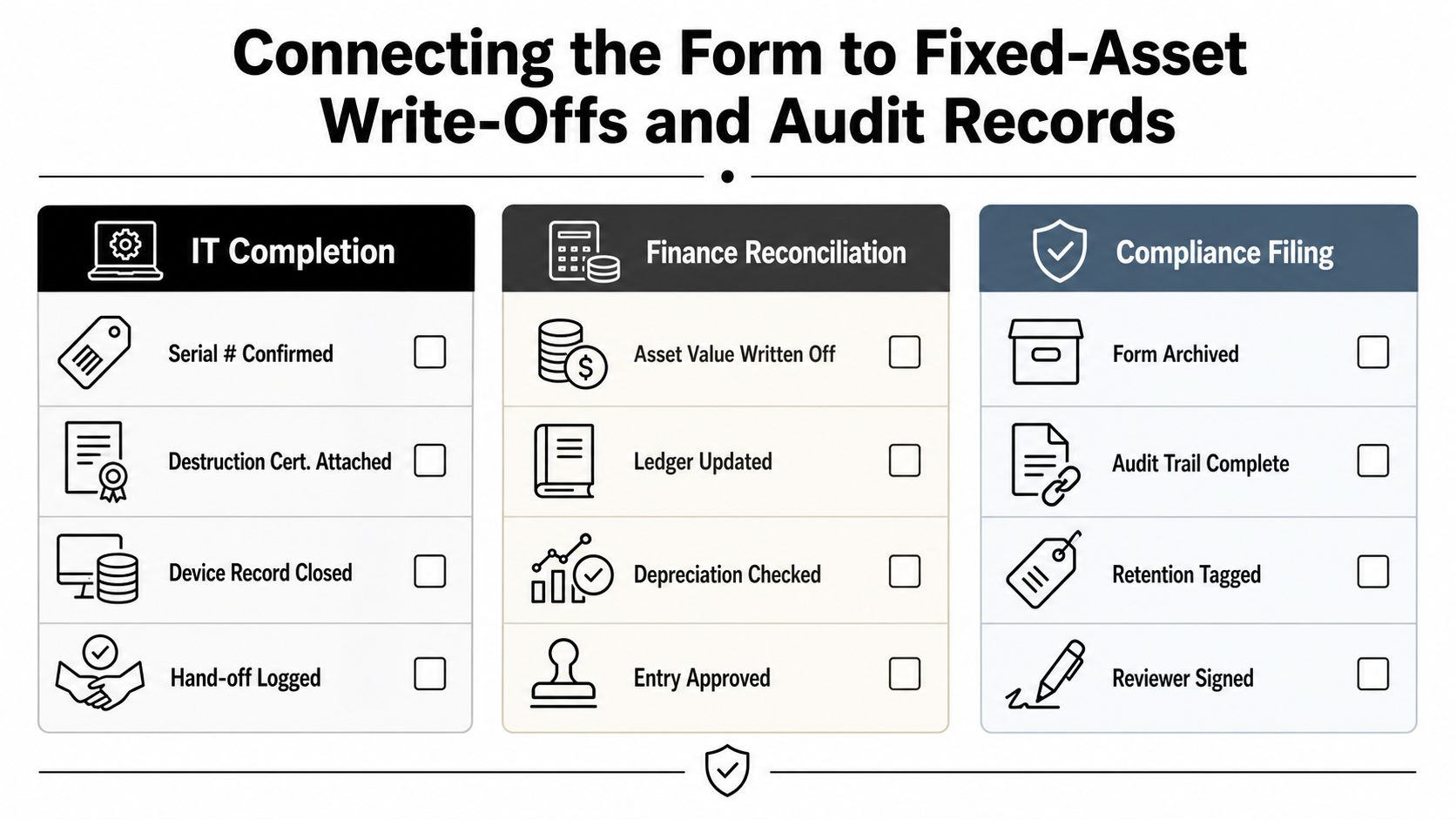
The part many teams skip is the financial closeout. IT closes the ticket, the recycler sends a receipt, and accounting still has an open asset sitting on the books. That mismatch is exactly what makes disposal packets painful during audit, because no one can tell whether the asset was written off, sold, donated, or lost in transit.
A completed form should become a disposal packet, not a loose record. An auditable disposal record should include the asset ID, serial number, disposal reason, approver, sanitization method, transfer evidence, and a financial closure note, then archive everything together so the form proves who approved the disposal, when the asset left control, and how accounting was updated invymate.com. That's the language finance and compliance teams need when they reconcile the fixed-asset register and the general ledger.
The cleanest pattern is usually a single PDF per asset, linked from both the ITAM system and the ledger entry. IT keeps the technical evidence. Finance keeps the write-off trail. Compliance keeps the packet that shows the record is complete. If the file naming and archive path are consistent, retrieval becomes routine instead of a scavenger hunt.
The failure mode is easy to spot. Someone treats disposal like a one-step recycling request, and the asset disappears from IT's world while still living in accounting's world. That gap creates avoidable questions about residual value, proceeds, and whether the right approval happened before transfer.
For organizations that want a ready-made evidence structure, the destruction certificate template from Reworx Recycling is a practical match for the final packet because it supports the same reconciliation logic the auditors ask for.
Tailoring the Form for SMBs, Schools, and Public Agencies
A generic form works only if the governance burden is the same everywhere, and it usually isn't. SMBs need speed and simplicity. Schools need student-data awareness and inventory discipline. Public agencies need records retention, separation of duties, and language that can survive a records request or a formal audit.
The retirement cycle is also more regular than many teams expect. Guidance typically places PCs, laptops, and servers in a 3 to 5 year retirement window, smartphones and mobile devices in a 3 to 4 year window, switches and routers in a 5 to 7 year window, and LCD monitors at 10 years, which means disposal is a recurring lifecycle event, not a rare cleanup capterra.com.
For SMBs, a one-page form with a short approval path is usually enough. For schools, the form should flag whether student data was ever present and route approvals through the tech director or business officer. For agencies, add retention language, procurement references, and vendor selection notes that satisfy public-record expectations. The simpler the governance model, the more the form can stay lean. The more public the record, the more explicit the evidence needs to be.
Public-sector teams should assume the form may need to be reproduced later, in full, with every signature and attachment intact.
That's where a policy-aware process matters. The public sector compliance guidance from Reworx Recycling is useful because it reflects the extra recordkeeping burden that schools and agencies face when they decommission assets on a schedule.
Putting It All Together With a Downloadable Template
A disposal form earns its keep when it does more than track where a device went. It needs to show that the asset left custody, that the data was handled correctly, and that finance can close the loop on the books. If a template misses one of those pieces, auditors usually find it before operations does.
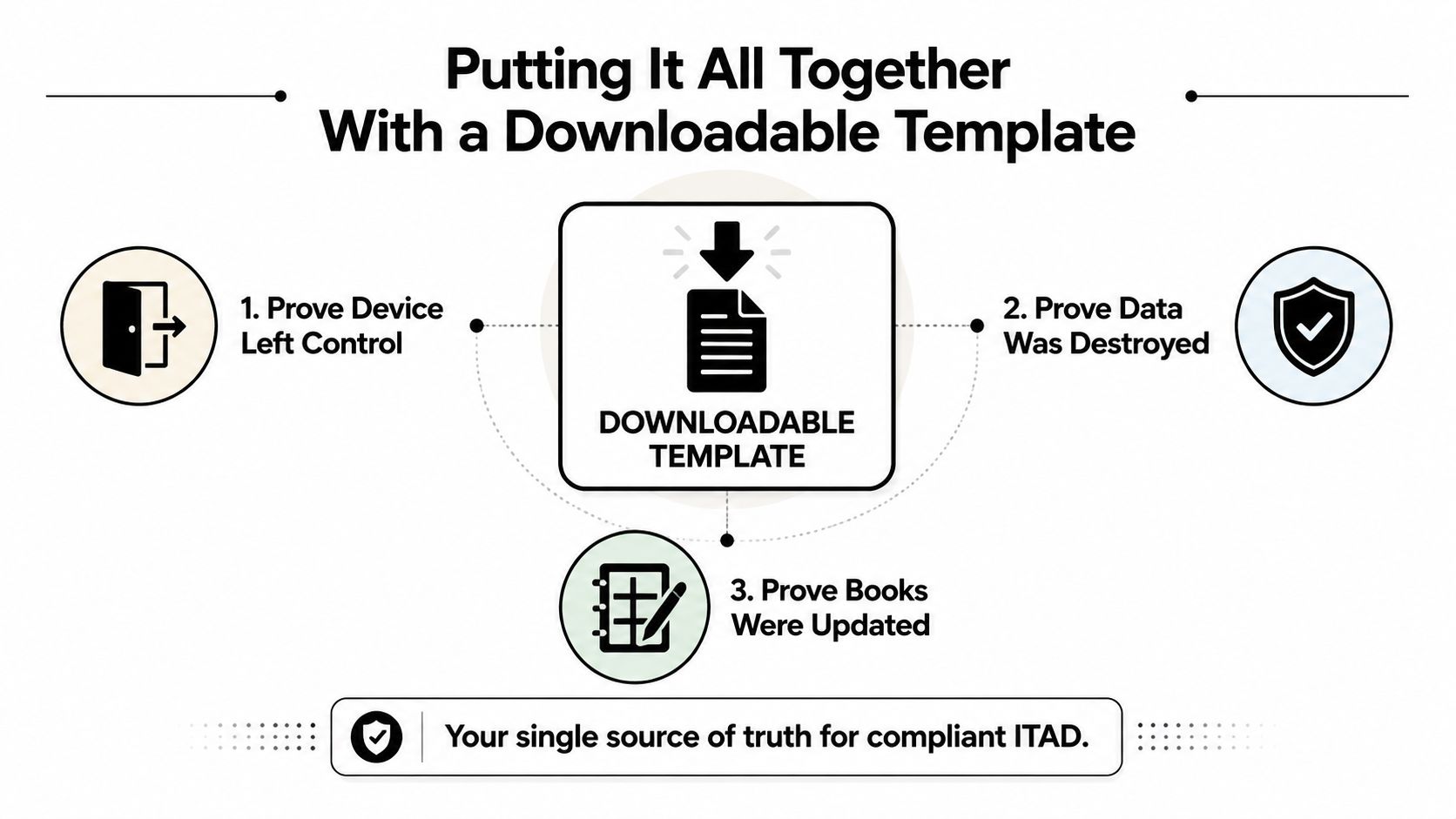
Use the form as a control sheet, not a receipt. Match the serial number to the asset ID, record who released the equipment, attach the sanitization certificate or destruction receipt, and confirm the fixed-asset write-off before the packet is filed. I have seen forms fail because a device was marked “disposed” while the account stayed active, or because the paperwork was archived without the proof auditors ask for.
The form also affects value recovery. NIST SP 800-88, NIST Special Publication 800-88 Revision 1, gives teams a practical way to separate reuse, resale, donation, and destruction decisions, and that matters because the wrong default can cost real money or create avoidable risk. A well-built template keeps equipment on a reuse or donation path when the condition supports it, and sends only the nonreusable assets to controlled destruction.
If your team needs a dependable way to document retirements, Reworx Recycling handles electronics recycling, secure data destruction, pickup coordination, and donation-oriented ITAD workflows for organizations that want the paperwork and the physical process to line up. Their Reworx Recycling blog is a practical place to review service options, then start the next pickup, donation, or decommissioning project with a cleaner audit trail.