
You've got old laptops stacked in a back office, a few retired desktops under a conference table, and maybe a server or two waiting for someone to “deal with them later.” If you're a business owner or IT manager in Northumberland County, it's natural to search for the Coal Township Recycling Center and assume that's the local answer for electronics recycling.
That assumption causes a lot of wasted trips.
For businesses, the main issue isn't just getting equipment out of the building. It's protecting data, documenting disposition, and choosing a process that works for office cleanouts, device refreshes, and larger IT asset disposition needs. Municipal recycling sites can serve a purpose, but they usually aren't built for secure, compliant, business-grade computer recycling.
Your Guide to Electronics Recycling in Coal Township
If you're looking for a nearby drop-off option, the Coal Township Recycling Center sounds like the obvious place to start. The problem is that many business owners lump all recycling into one category, when yard waste recycling and IT equipment disposal are completely different operations.
Residents have also reported persistent closures, confusion around hours, and limited drop-site availability at the local facility, which lines up with a broader pattern where municipal sites often can't support bulk IT asset disposition (ITAD) needs for businesses (reported local concerns). That matters when you're trying to move surplus monitors, docking stations, network gear, and employee laptops on a schedule.
A business technology refresh creates different requirements than a household cleanup. Offices need chain of custody, pickup coordination, secure handling, and a clear answer on what happens to storage media.
Why the search term leads people in the wrong direction
The phrase Coal Township Recycling Center suggests a general recycling hub. For commercial electronics, that's misleading. A municipal site may help with specific community waste streams, but it doesn't automatically function as a partner for:
- Office cleanout projects involving mixed IT hardware
- Laptop disposal where devices may still contain company files
- Facility cleanout work tied to relocations or closures
- Data center decommissioning and structured equipment retirement
- Corporate donation programs that need reuse before recycling
Practical rule: If the load includes hard drives, business records, asset tags, or network equipment, treat it as an ITAD project, not a standard recycling errand.
If you're sorting out what to do with business electronics in the area, a better starting point is a specialist resource for electronics recycling near your business.
What the Coal Township Center Actually Accepts
The most useful thing to know about the Coal Township Recycling Center is also the easiest detail to miss. It's not an electronics drop-off location for businesses.
The facility in Pennsylvania operates on a limited schedule and accepts only leaves, grass, yard waste, and trees up to 8 inches in diameter, while explicitly excluding electronics and IT equipment (accepted material details). That makes it a local yard waste resource, not a computer recycling or secure disposal option for offices, schools, medical practices, or municipal departments.

What belongs there
For the right materials, the site serves a practical purpose. Based on the published acceptance information, think in terms of organic debris, not retired electronics.
| Material type | Fit for the center |
|---|---|
| Leaves | Yes |
| Grass | Yes |
| Yard waste | Yes |
| Trees up to 8 inches in diameter | Yes |
| Computers and laptops | No |
| Monitors and servers | No |
| Office IT equipment | No |
That distinction saves time. It also helps avoid a common mistake where a business assigns an office manager or facilities lead to “take everything to recycling,” only to discover the load includes items the site won't accept.
What businesses should sort before making any disposal decision
Before anyone loads a truck, separate your material into categories:
- Organic yard waste if your property team is clearing grounds
- General office recyclables such as paper or packaging
- Electronic assets such as PCs, switches, phones, printers, and storage devices
- Special handling equipment such as medical, lab, or product destruction items
The right recycler depends on the risk profile of the item, not just whether it's something you no longer need.
If you're unsure whether a device belongs in an electronics stream, review a business-focused list of accepted items for electronics recycling and IT equipment disposal.
The Risks of Improper IT Equipment Disposal for Your Business
Once electronics are mixed into a general cleanout, the risk profile changes fast. A box of old keyboards is one thing. A pile of laptops, desktops, copiers, and retired storage devices is another.
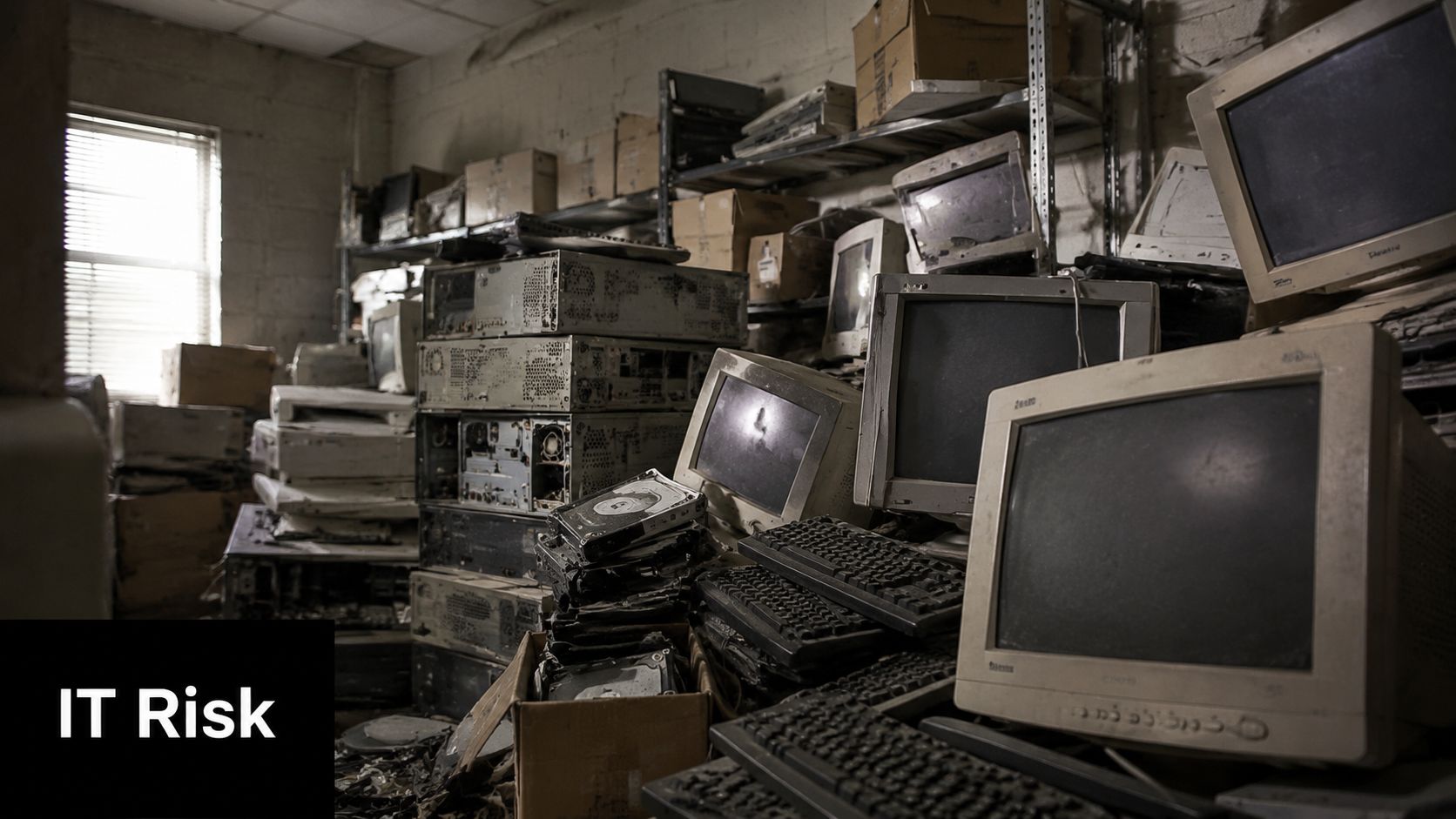
Industry reports indicate that 70% of discarded corporate electronics contain sensitive data, which is why disposal without secure destruction creates real regulatory and cybersecurity exposure (commercial e-waste risk overview). For a Pennsylvania business, that can affect customer trust, vendor relationships, legal posture, and internal audit readiness.
The biggest mistake I see in office cleanouts
Companies often focus on the visible bulk of the project. They think about how many desks are being cleared or how quickly the room can be emptied. They don't spend enough time asking which devices still hold data, which assets need serial tracking, and which items require documented destruction.
That's where informal disposal breaks down. A municipal center, a scrap hauler, or a generic junk removal crew may move equipment out of the building, but that isn't the same as secure IT asset disposition.
What's actually at stake
A typical business electronics load can carry several layers of risk:
- Data exposure through hard drives, SSDs, copier memory, and backup devices
- Compliance problems if you can't show how equipment was processed
- Brand damage if retired devices surface in the wrong channel
- Operational confusion when no one can confirm what left the building
Secure disposal starts long before shredding. It starts when someone identifies which devices hold data and who is accountable for their release.
Why wiping alone isn't always enough
Some internal teams assume a quick reset or software wipe solves the problem. In practice, businesses need a decision framework. Some devices are good candidates for sanitization and reuse. Others should go straight to hard drive shredding, especially when condition, age, or control history is uncertain.
Here's a simple comparison:
| Disposal approach | Good for business use |
|---|---|
| Unverified drop-off | No |
| Mixed cleanout with no asset tracking | No |
| Basic device reset only | Sometimes, but often insufficient |
| Documented secure data destruction | Yes |
| Structured ITAD with pickup and reporting | Yes |
If your organization handles client files, employee records, financial information, healthcare data, or proprietary designs, electronics recycling can't be treated like trash removal. It's part of your risk management program.
A Step-by-Step Plan for Secure Business Recycling
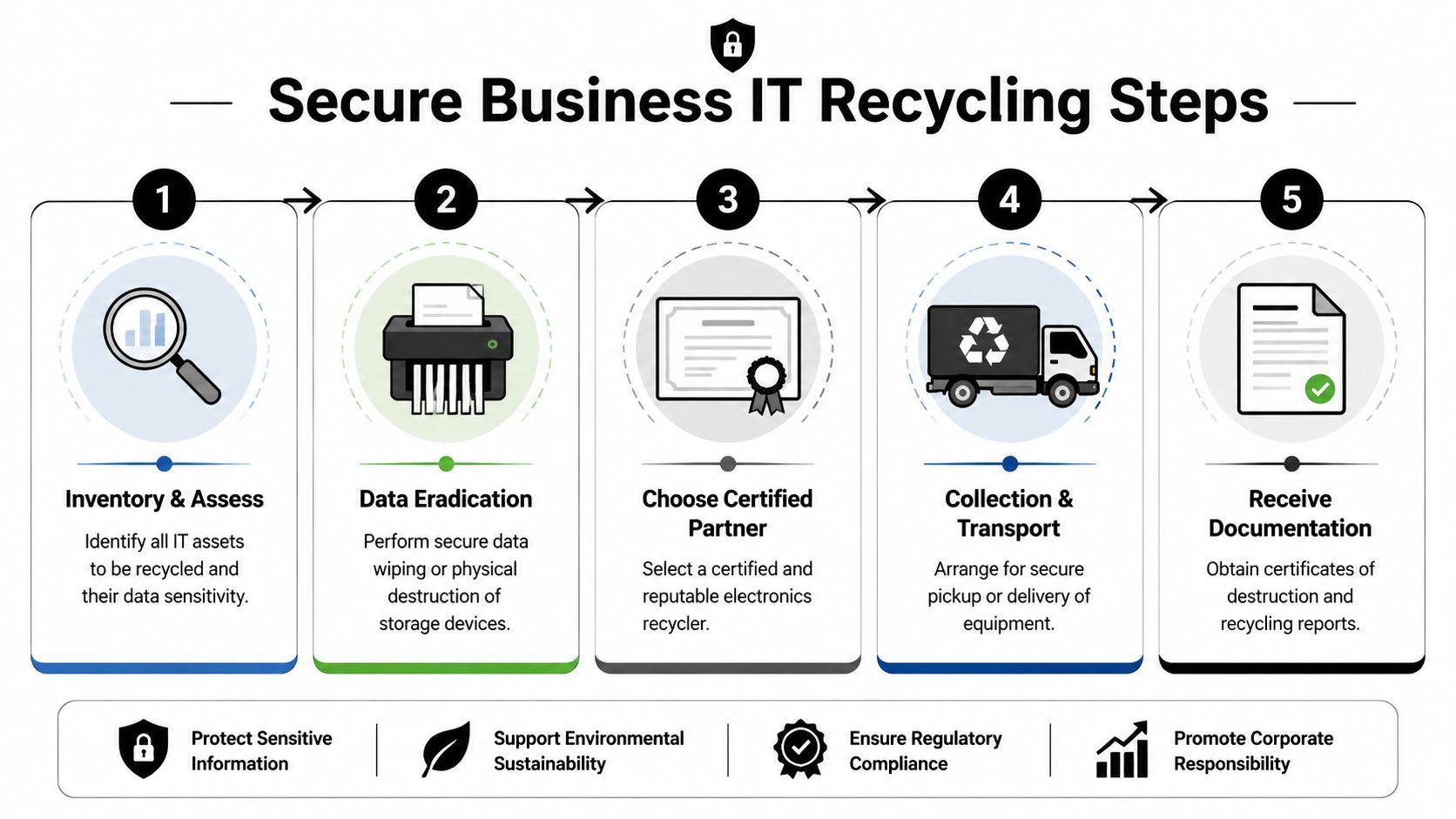
A secure recycling project works best when it's handled like any other controlled business process. The companies that avoid headaches aren't always the biggest. They're the ones that document assets, define ownership, and choose a recycler that can support business pickup, data handling, and final reporting.
Start with an inventory, not a loading dock
Before equipment leaves your site, build a practical inventory. It doesn't need to be perfect on day one, but it should identify what you have and what needs special handling.
Focus on:
- End-user devices such as laptops, desktops, tablets, and phones
- Infrastructure gear including servers, switches, firewalls, and rack equipment
- Storage-bearing devices like external drives, NAS units, and copiers
- Special categories such as medical equipment disposal, laboratory equipment disposal, or product destruction needs
This step prevents the classic problem where a team discovers sensitive devices only after a truck has already been booked.
Match the service model to the project
Small business cleanouts and enterprise retirements don't move the same way. A few pallets from a branch office might need scheduled pickup and serialized reporting. A larger campus project might need phased removal, asset triage, and support for donation-based recycling where appropriate.
Use this decision lens:
- If convenience is the only goal, almost any hauler can remove boxes
- If data matters, require secure data destruction
- If reporting matters, require documentation
- If sustainability matters, ask about reuse, refurbishment, and donation pathways
- If timing matters, choose a partner that can coordinate pickup around your operations
Businesses get better outcomes when IT, facilities, and compliance review the same asset list before anything ships.
Prepare equipment before release
A well-run pickup starts inside your building. Label what stays, what goes, and what needs special review. Remove loose accessories if they're staying in service. Keep high-risk media separate if your policy requires physical destruction.
For teams that need a practical checklist, this guide on preparing your company's electronics for recycling is a strong place to start.
Close the loop with documentation
The last step is where many informal disposal efforts fail. Once equipment is gone, you should be able to answer basic questions. What was collected? Which items were recycled? Which devices underwent secure destruction? What records do you have for audit or internal compliance?
Without that paper trail, the project may be finished physically, but not administratively.
Reworx Recycling Your Partner in Sustainability and Social Impact
For many organizations, electronics recycling starts as a cleanup problem and turns into a broader sustainability decision. That's where a donation-based recycling model stands apart from disposal-only thinking.
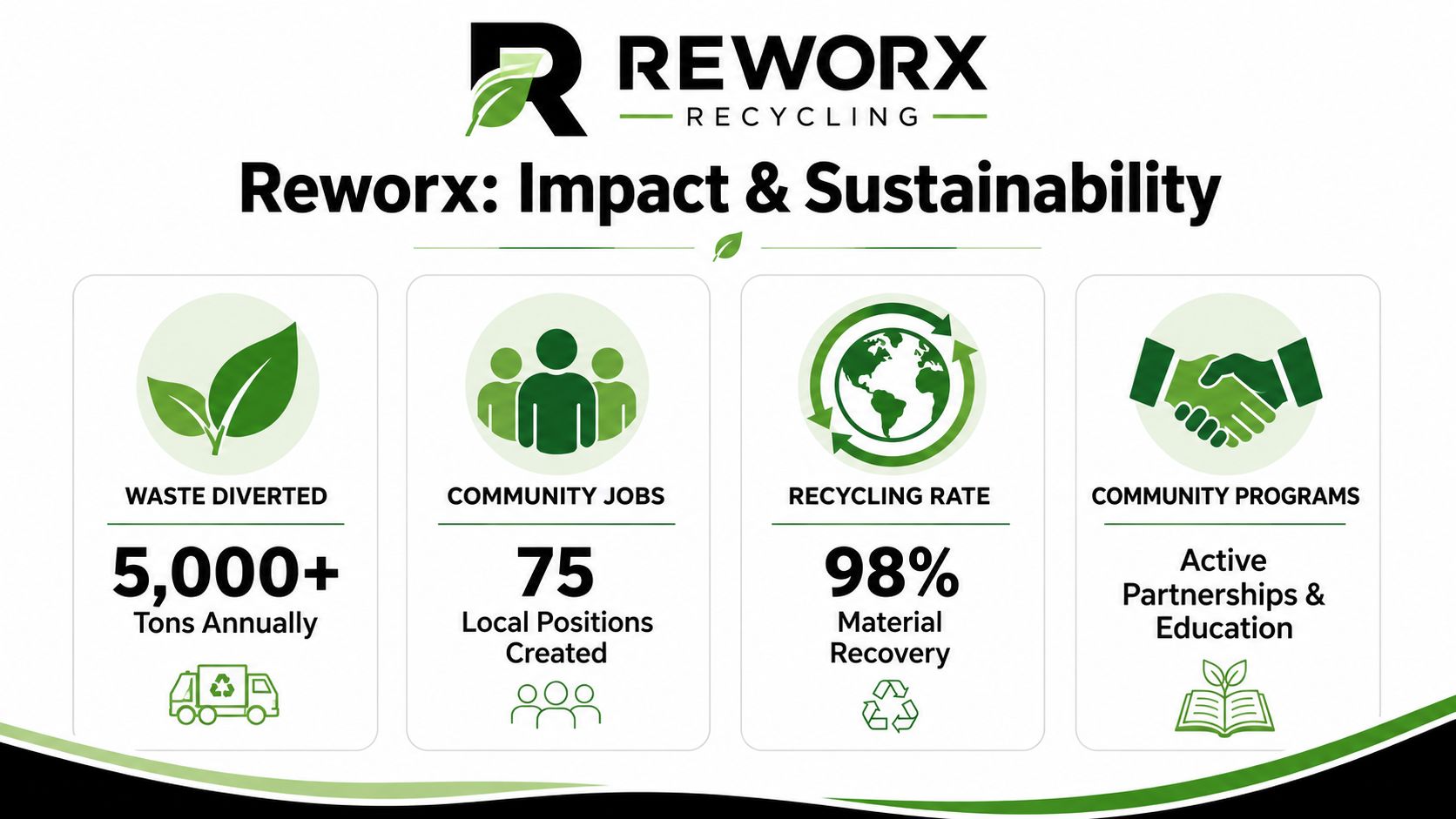
According to EPA data, electronics recycling in the U.S. captured approximately 15% of generated e-waste by weight in 2023, which shows how much material still misses responsible recovery channels (EPA e-waste recovery context). For companies with sustainability goals, that gap matters. A recycler that emphasizes reuse, donation, and responsible downstream handling supports more than a one-time equipment purge.
Why social enterprise recycling resonates with business leaders
A strong program can support several goals at once:
- Sustainable recycling by keeping usable equipment in productive circulation where appropriate
- Corporate donation programs that align retired devices with community benefit
- Digital inclusion through technology access pathways
- Workforce development tied to responsible processing and reuse ecosystems
That's especially relevant in Pennsylvania communities where business decisions often have a visible local impact. If your company is evaluating environmental initiatives, it's also worth reviewing broader funding and market-development ideas such as Grants via VolunteerBadge, which can help frame how recycling infrastructure and recovery programs create community value.
What to ask a mission-driven recycling partner
Not every provider balances security, reuse, and social impact equally. Ask direct questions:
| Question | Why it matters |
|---|---|
| Do you support secure data destruction? | Protects business information |
| Do you offer business pickups? | Reduces internal labor and delays |
| Do you prioritize reuse when feasible? | Extends equipment life |
| Do you provide reporting? | Supports compliance and ESG tracking |
| Do you align recycling with community outcomes? | Strengthens CSR value |
A recycler that can answer those questions clearly is more useful to a business than a generic drop-off location.
From Office Cleanout to Community Contribution
The Coal Township Recycling Center serves a local purpose, but it isn't where businesses should take computers, servers, storage devices, or other retired IT equipment. That misunderstanding is common, and it's easy to see why. The name suggests a broader recycling option than the facility provides.
For business electronics, the better path is structured electronics recycling with secure handling, documented processing, and a plan that fits your operation. That applies whether you're managing a small office cleanout, a multi-site facility cleanout, regular laptop disposal, or a larger IT refresh with equipment that still has residual value.
The practical goal is simple. Keep useful technology out of landfills, keep sensitive data out of the wrong hands, and turn end-of-life hardware into a responsible outcome for both your organization and the wider community.
If your team also wants to support reuse, this is a strong next step for donating business laptops and related equipment.
If your business needs a secure, scalable way to handle outdated electronics, explore Reworx Recycling to donate old equipment, schedule a pickup, or build a smarter IT asset disposition plan that supports both compliance and community impact.


















