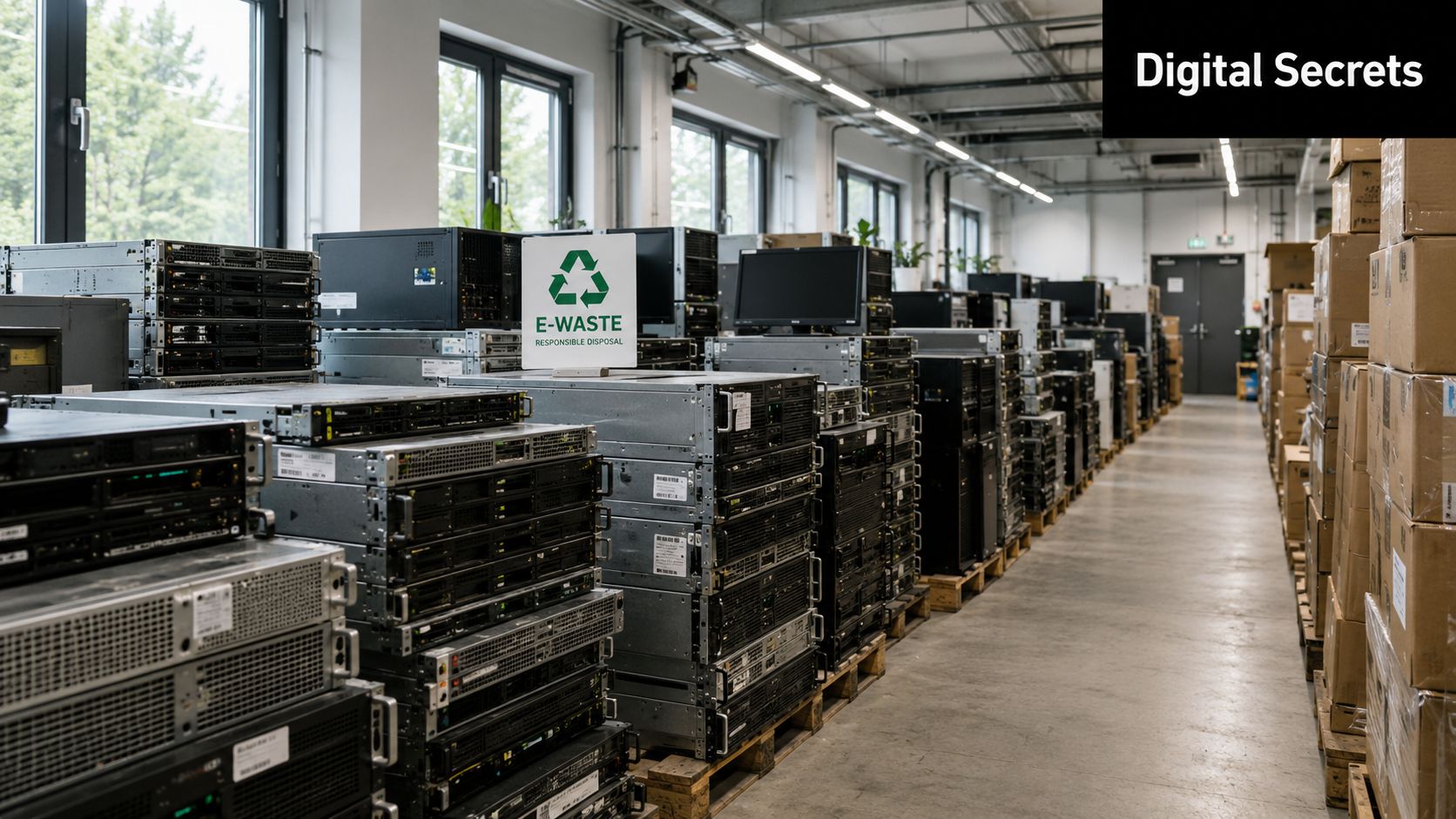
Your team is probably living this right now. A storage room holds retired laptops, old switches, badge readers, printers, lab instruments, maybe a few racks from a past data center refresh. The obvious question is where the equipment goes next. The less obvious question is what those devices still know.
Most organizations think about end of life in terms of hardware categories. Server. Router. Scanner. PLC. Medical cart. But devices don't just store files. They also store rules for how they talk. Those rules are communication protocols, and they often carry configuration history, system identity, logs, credentials, and traces of past operations.
That matters for IT asset disposition (ITAD), electronics recycling, secure data destruction, product destruction, facility cleanout projects, and corporate donation programs. If a device still “speaks” through an old interface, someone with the right cable, software, or service port may still be able to ask it questions long after it left your office.
The Hidden Languages Inside Your Old Electronics
A facilities team is clearing a floor before a move. Laptops are stacked for pickup. Switches and access points are boxed. In the corner sits a badge controller, an old firewall, a warehouse scanner, and a lab instrument nobody wants to claim. On paper, it looks like a routine cleanout. In practice, each device may still contain the instructions, identifiers, logs, and connection history that tell other systems how to talk to it.
Why protocol choices now affect disposal later
A communication protocol is a set of rules for exchanging information. That may sound abstract until a retired device is sitting on a pallet. Then the question becomes very concrete. What can this device still reveal, through which port, and to whom?
That is the part many general technology articles miss. During IT asset disposition, protocol history is not just an engineering detail. It can expose how a building was secured, how a production line was configured, which network it belonged to, which credentials were used, and which service interfaces were left active for maintenance.
A copier may retain service records. A switch may still hold VLAN settings and management addresses. A medical or lab device may preserve maintenance data behind a diagnostic connection. An old controller from a facility cleanout can sometimes tell a detailed story about how a process used to run.
For leaders planning modernization, the same communication paths that keep operations stable can create problems at end of life if nobody checks them. Blowfish Technology's guide to OT network resilience helps frame that point from the operational side. Resilience depends on well-managed device communication. Decommissioning demands the same discipline, because the interface that once kept a system available can later give an outsider a path back into its history.
The business risk is broader than stored files
Many organizations have a mature response for laptops and servers. Wipe the drive. Destroy it if needed. Document the chain of custody.
That is a good start, but it does not cover the full exposure.
Networking gear, telecom hardware, IoT devices, printers, access control systems, and embedded equipment often store sensitive information outside the places non-specialists expect to look. A serial console, web admin page, Bluetooth pairing record, SNMP setting, or maintenance port can reveal more than the device's physical size suggests.
Practical rule: If a device can identify itself, join a network, authenticate, log events, or expose a service port, treat it as a data-bearing asset.
This is why mixed pickups deserve extra care, especially in projects involving laptop and networking equipment recycling. The laptop gets immediate attention because everyone understands the hard-drive risk. The retired switch, wireless controller, or badge reader often looks harmless by comparison. For ITAD, that assumption creates the gap where protocol-related exposure slips through.
What Are Communication Protocols A Simple Analogy
A retired office phone, printer, or network switch can look inert on a pallet. In practice, each of those devices still carries a set of communication rules that shaped how it talked, authenticated, and exposed services while it was in use. Those rules matter during IT asset disposition because they often point to the places where settings, logs, credentials, and pairing records remain behind.
Communication protocols work like the operating rules of a delivery system. They define how information is formatted, what each message means, and when each side should send, wait, confirm, or retry. Without those rules, two devices might be physically connected and still fail to understand each other.
That sounds abstract until you translate it into plain business terms.
If a protocol says where an identifier belongs, a device knows how to read it. If a protocol says what “success” or “access denied” means, the receiving system knows how to respond. If a protocol sets the order of the exchange, both sides know whose turn it is and what happens when no reply comes back.
Three parts people often mix together
Protocol names can sound like product labels or technical shorthand. They are really answering three separate questions:
- How is the message structured so another device can parse it correctly
- What does the message mean once it is received
- When does each side transmit, pause, acknowledge, or retry so the exchange stays orderly
A missed detail in any one of those areas can create problems. The cable may work. The port may light up. The device may still fail to communicate, or worse, communicate in a way that exposes information during testing, storage, resale, or recycling.
A plain-language example
Consider the difference between USB and a web session. USB governs how a device announces itself to a host and how data moves across that connection. Web protocols govern how a browser requests a page and how a server answers. Different context, same principle. Both depend on a shared rulebook.
A helpful way to read protocol behavior is this: one part is grammar, one part is meaning, and one part is turn-taking.
That distinction matters in ITAD. A sustainability manager may see “old telecom gear” or “retired peripherals.” An ITAD specialist sees equipment that may still respond to discovery requests, expose a management interface, or retain service settings tied to your environment. That is one reason organizations often need secure ITAD telecom services near them rather than a generic pickup.
Protocols also exist in more places than many business leaders expect. Some operate across the internet. Some stay inside the local network. Some live much closer to the hardware, between controllers, ports, chips, and attached peripherals. During disposition, that difference helps explain why risk is not limited to files on a drive. It can also sit inside the rules a device still knows how to follow.
The Protocol Stack Networking vs Device Level
A better way to understand communication protocols is to picture a building. People enter through the lobby, move between floors, and use different rooms for different tasks. The building works because each level has a role.
In technology, a protocol stack works the same way. One layer handles the physical connection. Another handles how devices identify each other. Another manages message delivery. Higher layers support applications and services. If one layer is misconfigured or forgotten, the whole exchange can break in ways that aren't obvious during disposal.
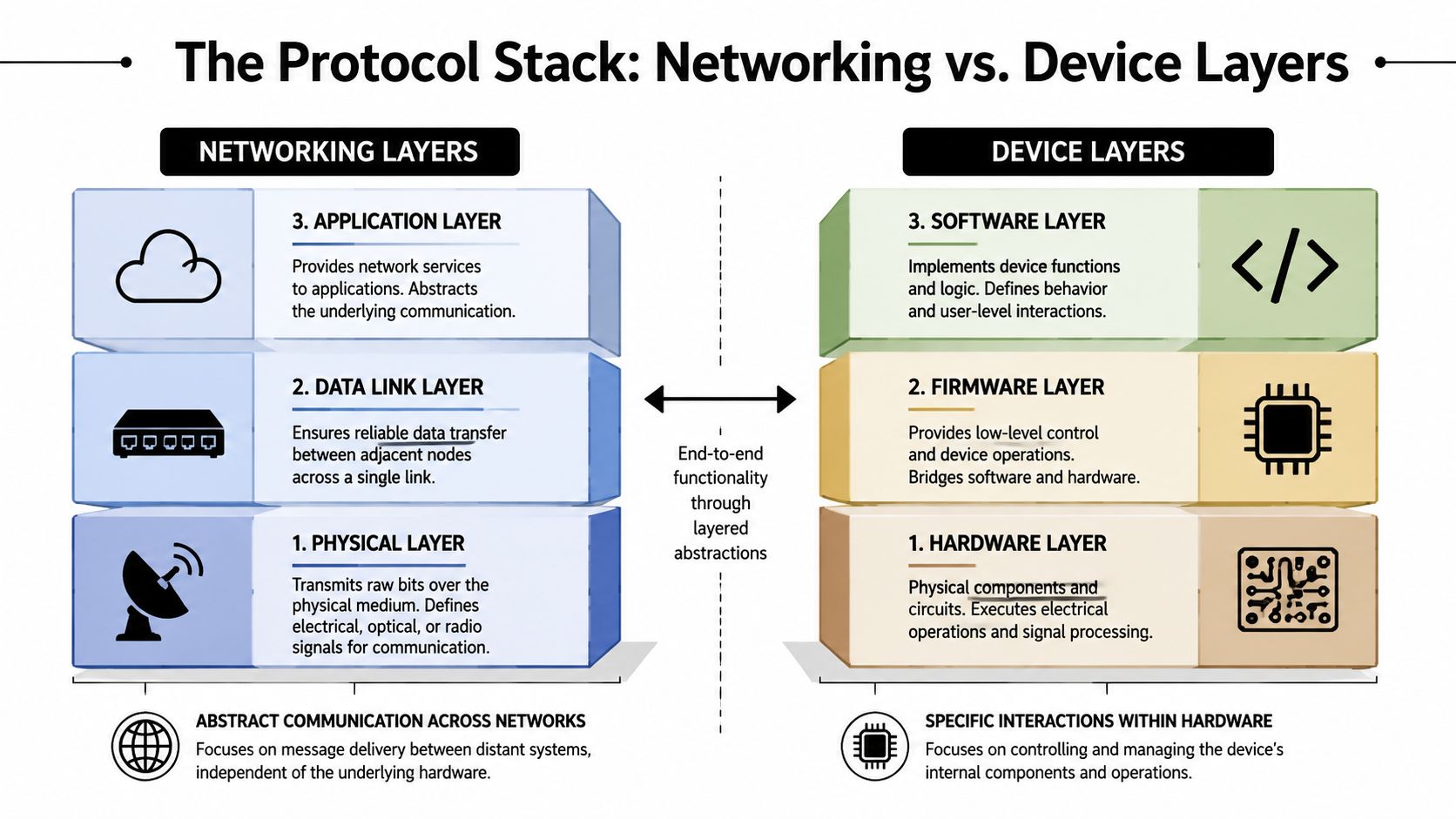
Networking layers
Networking protocols usually get the most attention because they're visible to IT teams. They govern traffic across offices, campuses, cloud systems, and data centers.
A simple comparison helps:
| Layer type | What it does | Typical business example | Disposal concern |
|---|---|---|---|
| Network-facing | Moves data between devices and services | Router, firewall, Wi-Fi access point | Stored addresses, routes, SSIDs, logs |
| Application-facing | Supports user or system services | Web interface, API, remote admin page | Admin settings, certificates, service history |
These devices often look “clean” after a reset, but management settings can persist in ways that require more than a basic user-level wipe.
Device layers
Lower layers are easier to overlook because they aren't always visible in a dashboard. They can live in firmware, controller logic, onboard memory, or service interfaces.
That matters in ITAD and telecom service workflows because telecom hardware, embedded devices, and industrial components often carry data in places the normal operating system never exposes. If your decommissioning plan only targets drives, it can miss the memory that allows the device to identify itself, reconnect, or reveal how it was used.
The main mistake is treating a device as one storage location. Many business assets are really stacks of hardware, firmware, software, and management interfaces.
For business leaders, the key point is simple. Networking protocols explain how systems talk across a network. Device-level protocols explain how components talk inside or directly around the device. Both can matter during secure data destruction and sustainable recycling.
A Practical Look at Common Protocols in Your Office
A standard office cleanout can include laptops, wireless access points, badge readers, printers, conference room tablets, lab instruments, and building controls. On an asset register, those may look like unrelated items. At protocol level, they often share one trait. Each device has a set of rules for exchanging data, storing settings, and identifying trusted connections. That is why ITAD work can expose risks that a simple "factory reset completed" label does not catch.
Networking and wireless protocols
Start with the equipment that keeps the office connected. Routers, switches, firewalls, and access points use protocols such as Wi-Fi and Ethernet to pass traffic and enforce rules. During decommissioning, the value of that hardware is only part of the story. The hidden issue is what those devices still know about your environment.
A retired access point may still contain wireless network names, authentication settings, MAC address histories, certificates, or event logs. A switch can reveal VLAN structure and management details. To a business leader, that information is the digital floor plan of the company. It shows how systems were segmented, which devices talked to which services, and how administrators managed access.
Wi-Fi deserves special attention because it appears in nearly every office and in a growing number of smart building systems. Bluetooth can be just as easy to underestimate. Conference room gear, scanners, keyboards, medical peripherals, and handheld devices may keep pairing records or configuration details long after users stop thinking about them.
Wired business equipment
Wired devices often seem less risky because they feel ordinary. USB docks, printers, point-of-sale systems, kiosks, and shared workstations prove otherwise. These devices can retain logs, peripheral histories, authorization lists, and embedded settings that describe how they were used inside the business.
That becomes clearer in internet-connected laptop and computer service environments. A laptop may be the headline asset, but the dock, printer, card reader, or adapter connected to it can preserve useful context about users, networks, and workflows. For ITAD planning, that means the "small accessories" table deserves more attention than it usually gets.
Industrial and specialized devices
The risk rises again once you leave standard office hardware and enter facilities equipment, laboratories, and operational technology. Protocols such as Modbus still appear across building systems and industrial controls. PTC's overview of industrial communication protocols shows why these standards remain common in connected equipment, even when the device itself feels old.
You may run into them in:
- Laboratory systems such as controllers, monitors, or connected test equipment
- Building operations including HVAC, power management, and utility interfaces
- Production environments where sensors, PLCs, and machinery exchange status data
This is the point many general technology articles miss. In IT asset disposition, a protocol is not just a technical label. It is a clue about where business intelligence may still be sitting inside retired equipment. A sustainability manager may see reusable hardware. An operations lead may see obsolete controls. A buyer with poor intent may see a record of facility layout, maintenance patterns, and process behavior.
That is one reason companies that drive growth with modernization usually pair upgrade planning with disciplined retirement procedures. Replacing old systems lowers future exposure. Handling outgoing devices correctly prevents old exposure from leaving the building with them.
Data Security Risks Hidden in Legacy Protocols
A company retires a rack of old network gear after an office move. The equipment is unplugged, stacked on a pallet, and marked for recycling. Everyone assumes the risk is gone because the devices are offline. In practice, that is often the moment a quieter risk begins. The hardware may still contain a map of your environment, saved credentials, and service data that a knowledgeable buyer or recycler can read.
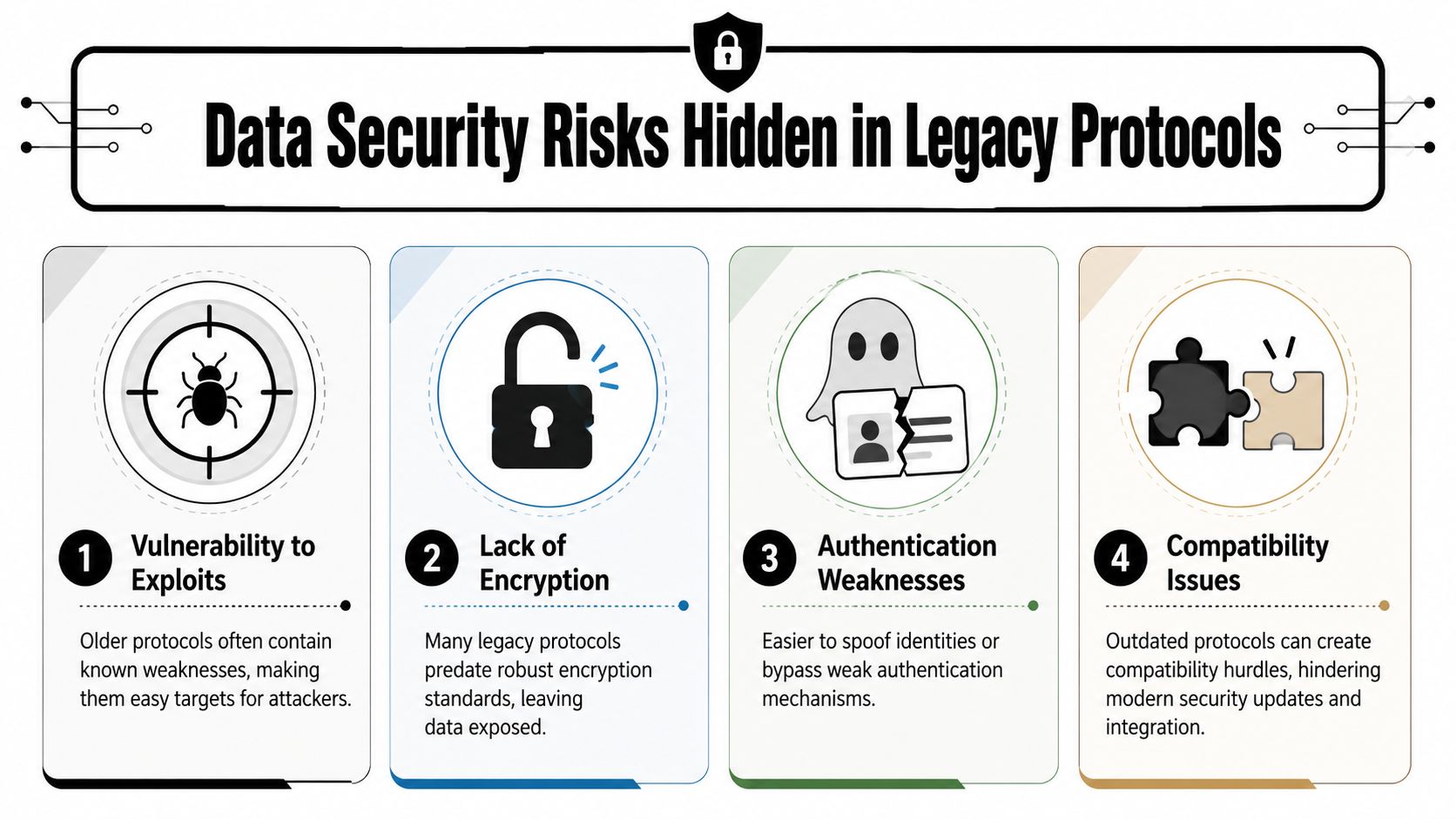
Where residual data hides
Protocols matter here because they tell you how a device stores, shares, and reveals information. A laptop usually makes teams think about files on a drive. A switch, badge controller, lab instrument, or imaging device creates a different problem. Its value to an attacker may sit in configuration memory, service ports, cached logs, or embedded controllers rather than in user documents.
Take a decommissioned switch. It may still hold management credentials, IP assignments, VLAN details, admin accounts, and logs that show how systems were segmented. That is less like finding one lost document and more like finding the floor plan, key cabinet, and alarm instructions for the whole building.
A retired medical, laboratory, or facilities device can expose a different layer of risk. Service interfaces may reveal maintenance records, usage history, device identifiers, calibration settings, or traces of prior connections to business systems. During IT asset disposition, that kind of residue matters because it can reveal how your organization operates, not just what files employees created. For a broader view of why this matters, see these data security best practices for businesses in IT asset disposition.
Why legacy protocols raise disposal risk
Older protocols often came from a period when compatibility and uptime mattered more than encryption, identity controls, or detailed auditability. As a result, some devices are easy to query if someone has the right cable, software, or service knowledge. A factory reset may clear basic settings while leaving historical data, firmware-level information, or service-accessible records behind.
That is why protocol-aware ITAD differs from routine office cleanouts. The question is not only, "Was the device disconnected?" The critical question is, "What could still be extracted through the interfaces this device was built to trust?"
Organizations already planning upgrades should treat retirement and modernization as one program. drive growth with modernization describes the business case for replacing aging systems. The same logic applies at the exit stage. If you modernize operations but release legacy hardware without protocol-aware sanitization, part of the old exposure can leave with the asset.
The environmental stakes also remain real. The World Health Organization) notes that e-waste can release hazardous substances, including lead and mercury, when handled improperly. That means disposal decisions affect two forms of risk at once: information exposure and downstream harm from poor recycling practices.
A protocol-aware ITAD process protects both. It reduces the chance that retired equipment becomes a source of data leakage, and it keeps end-of-life handling aligned with responsible recycling standards.
Your Decommissioning Checklist for Protocol-Aware ITAD
The safest decommissioning programs don't start with shredders or pallets. They start with identification. Before any office cleanout, medical equipment disposal project, or data center decommissioning effort moves forward, teams need a repeatable way to spot protocol-related risk.
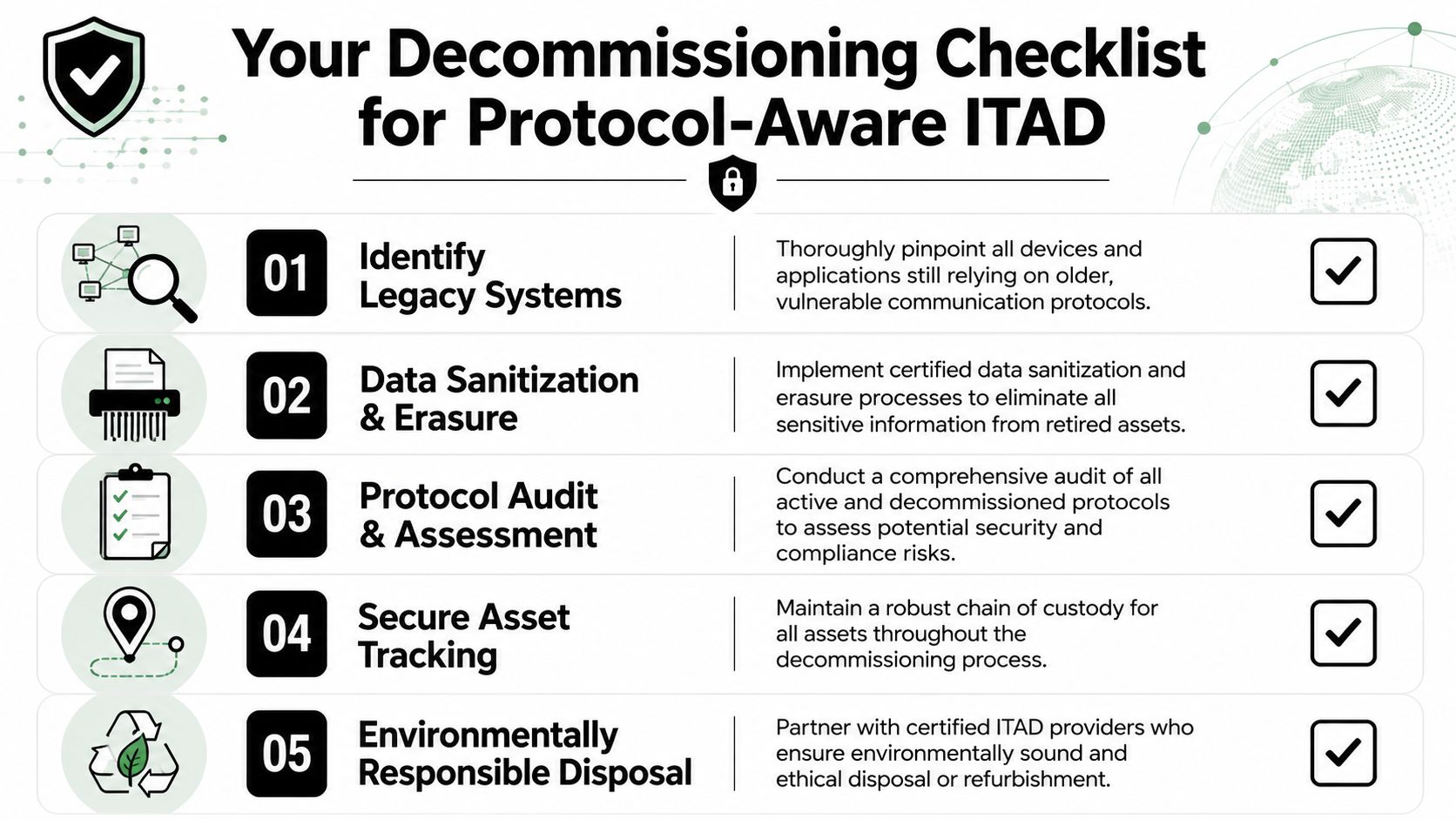
Five actions that reduce surprises
Inventory the assets by function, not just by model
Don't stop at “printer” or “controller.” Note whether the device connects by USB, Ethernet, Wi-Fi, serial, fieldbus, or another interface. Ask what software or maintenance tool was historically used to access it.Separate network isolation from final disposal
Disconnecting a device from production is necessary, but it isn't the same as sanitizing it. Isolation prevents active communication. It doesn't remove saved settings, logs, or credentials.Choose the right end-of-life method
Some assets can be sanitized and reused through donation-based recycling or corporate donation programs. Others require physical destruction because verification is too uncertain. The protocol footprint often determines which path is safer.
Verification matters more than intent
A checklist only works if someone can prove each step happened. That means maintaining asset tracking, documenting chain of custody, and recording whether sanitization, hard drive shredding, or product destruction was used.
A practical reference for operational planning is this server decommissioning checklist, especially for teams retiring racks, appliances, and network-connected infrastructure that may hold hidden administrative data.
Operational advice: Treat unknown interfaces as sensitive until someone qualified confirms otherwise.
Verify beyond the user interface
A factory reset may clear visible settings while leaving firmware or controller-level information intact. Validation should account for service ports, management modules, and removable components.Use a partner that understands both data and materials handling
Secure ITAD isn't just an IT process. It's also a logistics, compliance, and sustainability process. The provider should know when an asset is suitable for refurbishment, donation, component recovery, or destruction.
Partnering for Secure and Responsible Technology Transitions
Communication protocols sound abstract until old equipment starts leaving the building. Then they become a business issue. They shape what a device can reveal, how a specialist might access it, and whether your disposal process is secure.
For executives, that changes the conversation around electronics recycling, computer recycling, laboratory equipment disposal, medical equipment disposal, facility cleanout work, and data center decommissioning. The question isn't only whether equipment still has value. It's whether the organization understands the hidden paths through which that equipment still communicates.
Responsible IT asset disposition connects three goals that often sit in different departments. Security teams want secure data destruction. Facilities and sustainability leaders want sustainable recycling. Leadership wants risk reduction, regulatory discipline, and a credible social impact story. The strongest ITAD programs align all three.
That's where a donation-based social enterprise model stands out. Reworx Recycling helps organizations manage electronics recycling, laptop disposal, office cleanout projects, product destruction, and broader IT asset disposition in a way that supports environmental responsibility and community impact. That combination matters because end-of-life technology decisions don't just remove risk. They can also support digital inclusion, reuse, and workforce development when equipment is handled properly.
If your business is planning an office refresh, retiring networking gear, handling a facility cleanout, or evaluating secure ITAD options, Reworx Recycling can help you protect data, recycle responsibly, and support communities through donation-based recycling. Reach out to donate old equipment, schedule a pickup, or explore a partnership for secure data destruction, computer recycling, data center decommissioning, or corporate donation programs.