Most office moves go sideways in the same place. The furniture plan is approved, the lease is signed, the movers are booked, and then someone asks what’s happening with the firewall, the old laptops in storage, the phones, the access control panels, the backup drives, and the half-retired server sitting in a closet that still runs one critical process.
That’s why a serious office relocation service has to be treated as an IT project as much as a facilities project. If you handle technology at the end, you create avoidable downtime, expose data, and lose track of equipment that should have been moved, wiped, sold, donated, or recycled under a documented process.
The Modern Office Move Is an IT Project
A lot of organizations still buy office relocation service the way they buy furniture moving. That worked when the office was mostly desks, file cabinets, and copiers. It doesn’t work now.
The move itself may look physical, but the primary risk sits inside the equipment. Network gear, storage devices, conference room systems, badge readers, printers with internal drives, and stacks of aging endpoints all need a plan before the first crate gets taped. If they don’t get one, the move team improvises. Improvisation is where security gaps start.
Why the stakes keep rising
The market reflects how active this space has become. The global corporate relocation service market is projected to grow from USD 20.22 billion in 2025 to USD 32.47 billion by 2032, and North America holds over 41% of the global share in 2025 according to Coherent Market Insights. More moves mean more pressure to execute faster, with less disruption, and with tighter compliance expectations.
That pressure lands on IT and facilities.
A relocation lead can’t just ask, “How do we move everything?” The better question is, “What should move at all?” A clean relocation plan separates assets into four groups early:
- Keep and move: Equipment required for day-one operations.
- Decommission: Systems that need controlled shutdown and removal.
- Recover value: Surplus assets with resale or reuse potential.
- Retire responsibly: End-of-life equipment that needs documented recycling.
What usually gets missed
Most moving plans are strong on boxes and weak on asset disposition. That’s backward. The retired equipment left behind after an office move often creates more legal and operational risk than the equipment you’re keeping.
Practical rule: If an item can store data, connect to your network, or create a chain-of-custody problem, it belongs in the relocation plan from day one.
Documentation matters here, too. During budgeting and vendor review, it helps to standardize records for estimates, change orders, and final billing. A simple moving company receipt template can keep procurement and finance aligned when multiple vendors are touching the same project.
If you're evaluating what a specialized move should include, this overview of office relocation movers is a useful reference point for how logistics and equipment handling intersect.
Your Relocation Blueprint for IT Success
A successful move usually looks calm because the heavy work happened months earlier. The blueprint starts with scope, ownership, and site readiness. If those three are fuzzy, the move day schedule won’t save you.
Most office relocation services still center physical logistics. The underserved gap is IT infrastructure. Mainstream guidance often skips secure decommissioning, data destruction protocols, and chain-of-custody for legacy equipment, treating IT as an afterthought instead of a specialized workstream, as noted by American Fargo.
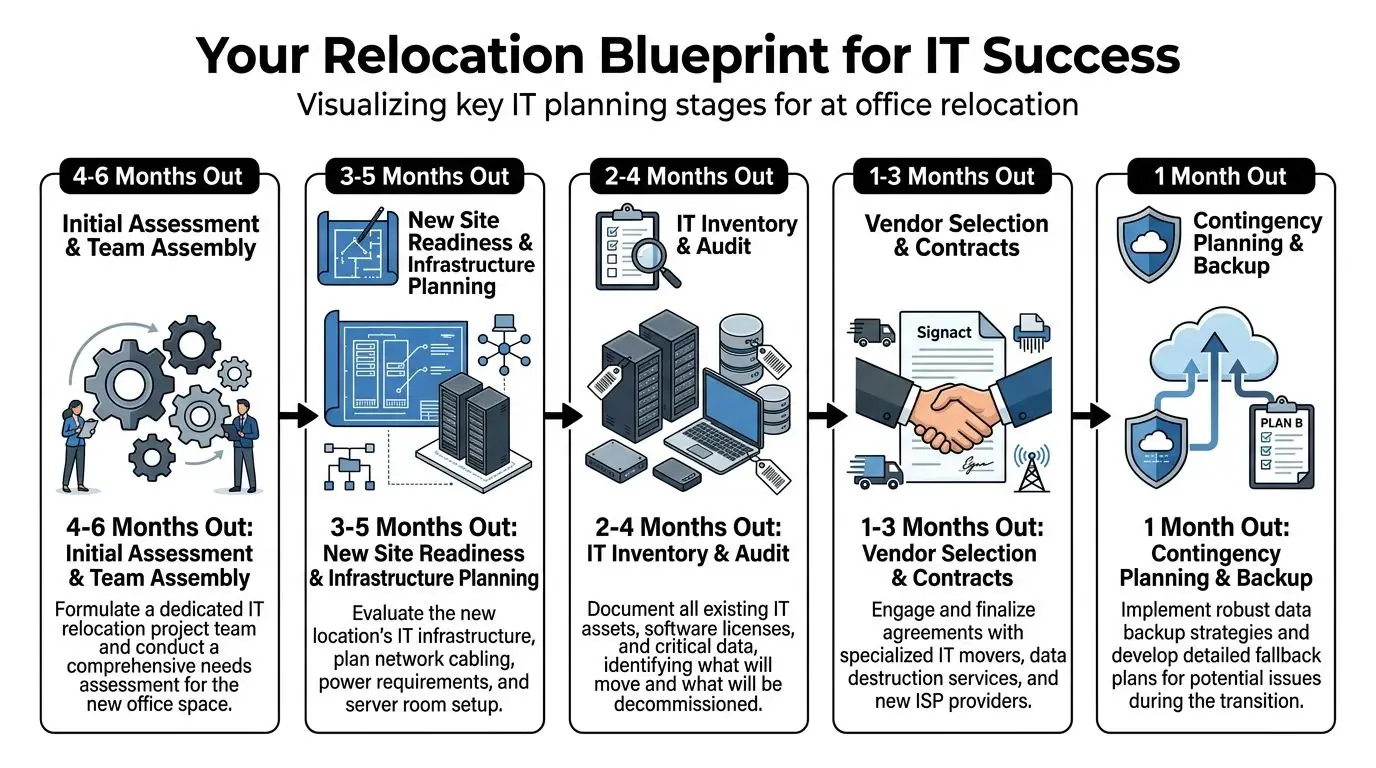
Start with a relocation command group
Don’t let this become a facilities-only project or an IT-only project. Use a compact decision group with named owners.
A practical lineup usually includes:
- Facilities lead: Owns landlord coordination, access windows, elevators, loading docks, signage, and floor readiness.
- IT lead: Owns infrastructure mapping, cutover planning, device readiness, and decommissioning approvals.
- Security or compliance contact: Reviews access control, visitor policies, chain-of-custody, and data handling requirements.
- Finance or procurement partner: Tracks contract scope, approvals, and billing controls.
- Department coordinators: Confirm user counts, special equipment, and local business constraints.
Keep the group small enough to make decisions quickly. Large committees slow moves down and create conflicting instructions for vendors.
Define success before vendor selection
A lot of teams say they want a “smooth move.” That’s too vague to manage.
Write down the essential requirements. Examples include preserving business continuity, protecting data-bearing devices, clearing legacy equipment from the old site, documenting final disposition, and avoiding last-minute purchases caused by poor inventory control.
Then separate the project into workstreams:
| Workstream | Primary question |
|---|---|
| Site readiness | Is the new office physically and electrically ready for technology? |
| Active IT move | What must be live for users on day one? |
| Legacy asset disposition | What should be wiped, shredded, remarketed, donated, or recycled? |
| User readiness | What will employees need at arrival to work without help desk chaos? |
This is also the point where a specialized office relocation framework is more useful than a generic moving checklist, because it forces the team to plan technology and end-of-life handling together.
Vet vendors by capability, not brochure language
General commercial movers may be fine for desks and filing cabinets. That doesn’t mean they should touch your switches, drives, specialty devices, or retired endpoint stock.
Ask direct questions. If a vendor gives vague answers, move on.
How do you track serialized IT assets?
You want a process, not a promise.Who disconnects and reconnects network equipment?
If the answer is “the crew can handle it,” that’s a warning sign.How do you separate live assets from decommissioned assets on move day?
Mixing them creates confusion and chain-of-custody failures.What’s your process for data-bearing devices discovered late?
This happens often with printers, copiers, and forgotten desktop towers.Can you document disposition outcomes?
You need records for audit, insurance, and internal reporting.
The best relocation plans don’t just move equipment well. They reduce the amount of equipment that needs to move in the first place.
Build the timeline backward from occupancy
The move date is not the starting point. The occupancy date is the finish line. Work backward from the moment users arrive.
Use milestone planning for:
- Carrier and circuit readiness
- Rack layout and power verification
- Device inventory freeze
- Disposition approvals for surplus equipment
- Packaging and staging windows
- Backup validation
- User communications and arrival instructions
The offices that struggle are usually trying to solve three months of unresolved decisions in the final week. That’s when critical gear gets mislabeled, obsolete devices get dragged to the new office for no reason, and security teams lose visibility into what left the building.
Creating Your Definitive IT Asset Inventory
If you don’t know exactly what you own, you can’t move it cleanly and you definitely can’t retire it safely.
An inventory for office relocation service work is not a rough device count. It’s a control document. It tells the move team what exists, who uses it, where it sits, what condition it’s in, and what happens to it next.
What every inventory record needs
At minimum, each asset record should include these fields:
- Asset tag or internal ID
- Manufacturer and model
- Serial number
- Assigned user or department
- Current location
- Condition
- Data status, if applicable
- Planned disposition
That last field matters most. Every item should be tagged as one of the following: move, store, wipe and recycle, wipe and donate, recover value, or physically destroy.
Without a disposition field, teams end up making decisions at the loading dock.
Don’t inventory by room alone
Room-by-room walkthroughs are useful, but they miss a lot. Good inventories combine physical inspection with records from procurement, endpoint management, network diagrams, and storage room checks.
Use a layered approach:
| Inventory source | What it catches |
|---|---|
| Desk and room walkthroughs | User devices, monitors, printers, accessories |
| Server and network room audit | Rack gear, UPS units, patching hardware, spare parts |
| Storage and closet review | Forgotten laptops, retired desktops, loose drives |
| Procurement records | Recently purchased assets not yet deployed |
| IT management systems | Assigned devices, refresh candidates, missing equipment |
A small office may handle this in a spreadsheet if one person owns quality control. Larger environments usually need an ITAM platform or at least barcode-based intake with shared validation rules.
Tag for the destination, not just the source
A common mistake is labeling equipment based only on where it currently sits. That helps with pickup, but it doesn’t help with reinstallation.
Every retained asset should carry destination information. For example: floor, room, rack, workstation cluster, or department landing zone. Cables and peripherals need the same treatment if they’re being reused.
Unclear labeling doesn’t just slow unpacking. It creates expensive guesswork for the people rebuilding your environment.
For decommissioned assets, use a different visual standard from moving labels. Different color labels, separate carts, and separate staging zones prevent accidental reloads.
Audit the hidden assets
The devices most likely to get missed are usually the ones nobody thinks of as computers.
Check for:
- Printers and multifunction devices
- Conference room bars, controllers, and mini PCs
- Badge system panels
- Digital signage players
- Old NAS devices
- Standalone backup drives
- Lab, testing, or medical peripherals
- Edge devices in warehouses or secondary rooms
Those items often contain data, configurations, or licensing dependencies. They also create surprise work if they turn up after the move crew leaves.
A detailed walkthrough before disposition planning helps. This guide on IT inventory audits and why they matter before recycling is useful for teams that need a stronger pre-move audit process.
Use the inventory to make budget decisions
An accurate inventory does more than control the move. It affects cost.
If the inventory shows a large block of outdated or unused equipment, don’t pay to move it. If it identifies reusable hardware with value, route it into an asset recovery path. If it reveals unsupported systems that still run critical functions, address them immediately so the move plan reflects reality.
The inventory is where an office move stops being guesswork and becomes an operational plan.
Executing Secure Decommissioning and Data Destruction
The most dangerous equipment in an office move is often the equipment you’re leaving behind.
Old laptops in a cabinet. A copier with an internal drive. A retired firewall on a shelf. A forgotten server that “isn’t in use” until someone realizes it still holds an archive, a backup image, or credentials. If those assets leave the site without a controlled process, you’re gambling with data, compliance, and reputation.
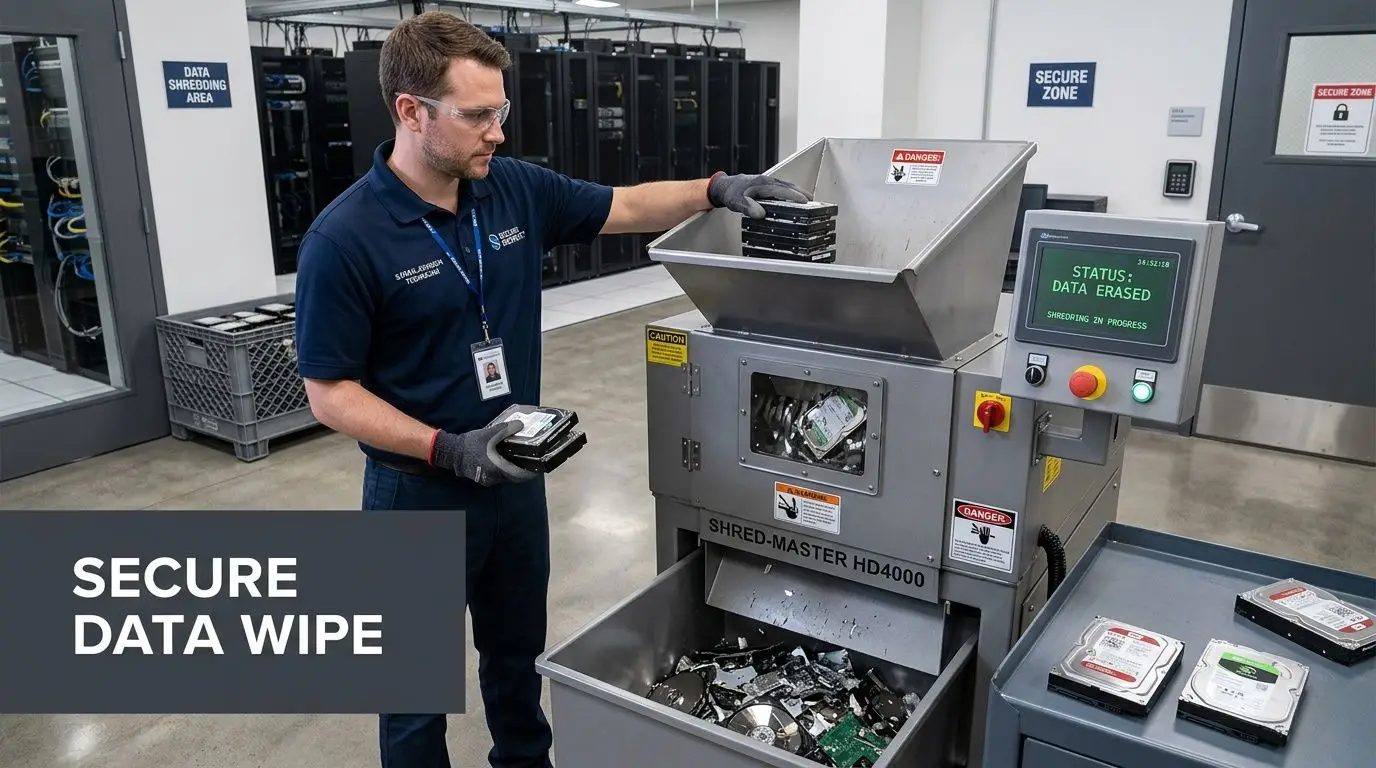
A structured IT method matters here. Poor planning can create 10 to 20 hours of reconfiguration per incident when equipment isn’t labeled correctly. Technology costs make up 20 to 25% of mid-size moves, 37% of businesses face equipment damage risks with inexperienced movers, and full-service providers can keep average downtime under 4 hours compared with 2 to 3 days for unmanaged moves, according to Bailey's Allied.
Decommission in a controlled sequence
Don’t let departments power down old systems whenever they have time. Decommissioning should follow a release process with approvals, backup validation, and documented handoff.
A practical sequence looks like this:
Confirm the asset can be retired
Check dependencies, archives, software ties, and business owner approval.Capture what must be preserved
That may include configs, licenses, logs, exports, or legal hold requirements.Remove from production and access systems
Update authentication, monitoring, MDM, inventory, and ticketing records.Stage for destruction or remarketing
Keep retired assets physically separate from active move inventory.Document final disposition
Record serials, method used, and date of completion.
Wiping versus shredding
Not every data-bearing device should be handled the same way. The right method depends on media type, condition, reuse plans, and internal policy.
| Method | Best fit | Main benefit |
|---|---|---|
| Software wiping | Reusable drives and devices that can be sanitized and remarketed | Preserves reuse value |
| Physical shredding | Failed drives, high-risk media, or assets that policy requires destroyed | Eliminates reuse risk |
| Hybrid approach | Mixed fleets with some reusable and some failed or restricted media | Matches method to asset condition |
If the device is going to be reused, wiping may be appropriate if the process is documented and verified. If the drive is damaged, inaccessible, or falls under stricter destruction requirements, shredding is usually the cleaner choice.
The mistake I see most often is assuming a basic reset counts as data destruction. It doesn’t. Nor does moving old equipment into storage “until someone has time to deal with it.”
Retired equipment has a short shelf life before it turns into an audit problem.
Protect the chain of custody
Even a strong destruction method fails if the handoff is sloppy.
Use sealed containers or controlled staging cages for drives and retired devices. Limit who can access that area. Reconcile serial numbers before pickup. If you have mixed materials leaving the site on the same day, separate active move assets from decommissioned assets in both paperwork and physical staging.
That matters for more than security. It prevents the classic relocation error where a wiped asset gets loaded onto the truck to the new office, while a required production device ends up in the scrap pile.
Require auditable records
If your organization handles sensitive customer, patient, employee, student, or public sector data, verbal reassurance is useless. You need documentation.
That means service records tied to specific assets and a formal record of destruction activity. Teams that need a documented process should review secure data destruction services as part of relocation planning, not after the move date is already locked.
A move is one of the few moments when companies intentionally touch a large volume of aging equipment at once. That makes it the best time to clean out risk. It’s also the easiest time to create new risk if decommissioning gets treated as cleanup work instead of controlled security work.
Managing the Logistics of Sensitive Equipment Transport
Some equipment should never make it to the new office. Other equipment has to be there, intact and ready, before users arrive. That second group deserves a different standard of handling than the furniture crew can usually provide.
Sensitive transport is about preserving function, maintaining accountability, and making reinstallation predictable.
Pack for reactivation, not just protection
Protection matters, but it’s only half the job. The equipment also needs to come out of transport in a way that supports quick rebuild.
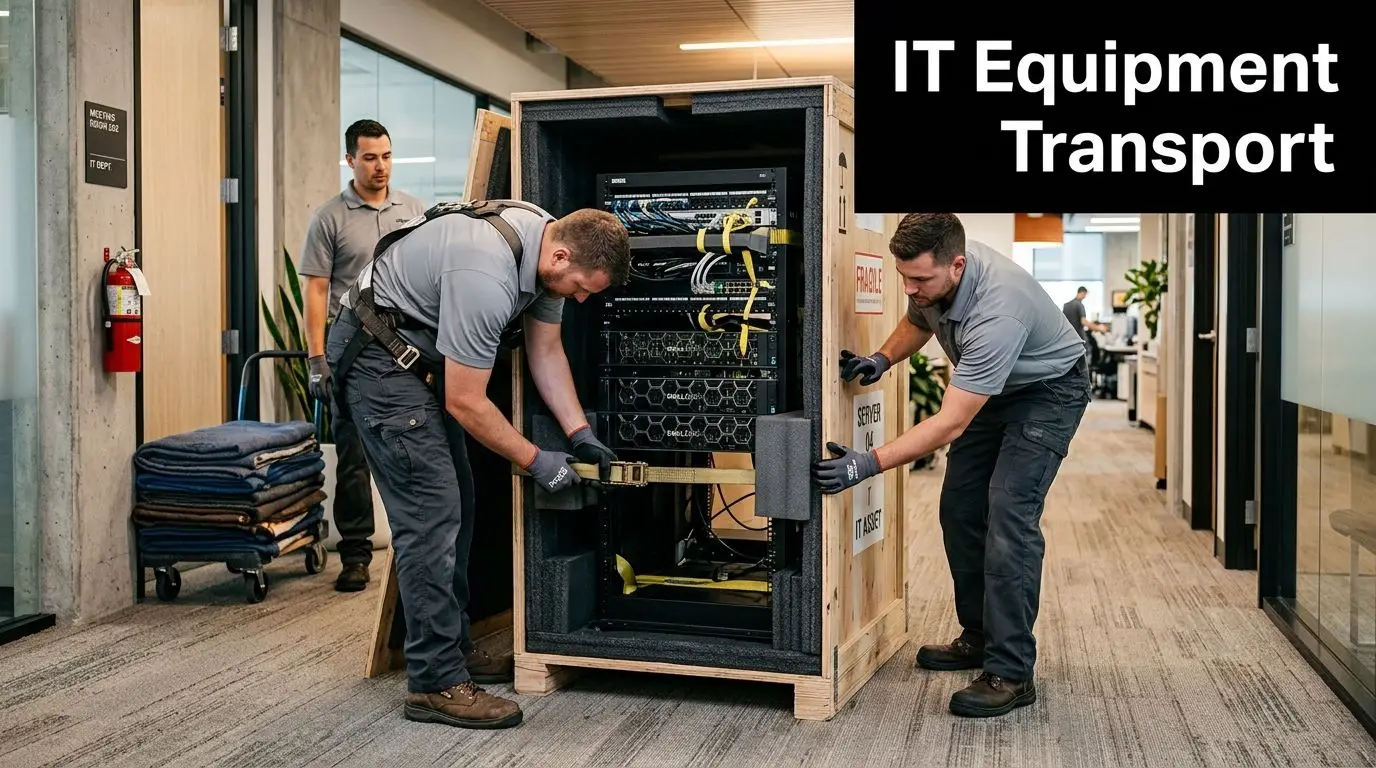
Use anti-static materials for electronics. Crate fragile or high-value gear that can’t tolerate rough handling. For especially sensitive systems, climate-controlled transport is worth arranging if exposure risk is a concern.
Then label beyond the box level. Each retained device should tie back to a rack position, room, user area, or deployment sequence. “IT closet” is not a useful destination label.
A practical pack-out standard includes:
- Device-level labels linked to the inventory record
- Cable bundles tagged to the originating device or rack unit
- Accessory bags secured to the main asset where possible
- Photo capture before disconnect for complex rack or workstation setups
- Shock-conscious loading for servers, storage arrays, and specialty devices
Maintain a real chain of custody
If a device goes missing during transit, you need more than a vague truck manifest.
Track custody at each handoff point:
| Handoff point | What to record |
|---|---|
| Removal from office | Asset ID, condition, handler, timestamp |
| Loading to vehicle | Vehicle assignment, count verification |
| Arrival at destination | Seal check or count check, receiving contact |
| Final placement | Rack, room, or user deployment zone |
This level of control matters for regulated environments, but it also matters for ordinary business continuity. The cost of a lost switch or missing conference room controller often shows up as delayed productivity, emergency purchasing, and cleanup labor.
Coordinate route and building constraints
Transport planning gets ignored until trucks are already on the road. That’s a mistake.
Account for dock access, parking restrictions, elevator reservations, after-hours access, weather exposure, and alternate routes. For teams managing multi-stop or multi-vehicle moves, this primer on Route Optimization Logistics is a useful operational reference because route planning directly affects timing, labor overlap, and the risk of assets sitting unsecured.
A server arriving early to an unfinished room is not a successful delivery. It’s an exposure point.
Make the destination ready before the truck arrives
The receiving site needs to be prepared as if go-live is happening that same day. In many moves, it is.
Check the basics:
- Power and cooling in server or network rooms
- Rack space and mounting hardware
- Carrier readiness and circuit activation
- Patch panels and labeling
- Access control permissions
- Workstation landing zones
- A staging area for unresolved installs
If the new office isn’t ready, the move crew starts improvising. Equipment gets stacked in hallways, cables get separated from devices, and priority systems lose their order of installation.
The best transport plans are boring. Assets move in a controlled sequence, arrive where expected, and get installed by people who know exactly what each label means.
Embracing Sustainable IT Disposition and Value Recovery
Most relocation conversations focus on speed, cost, and uptime. That’s necessary, but incomplete.
The equipment you remove during a move has financial, environmental, and social implications. Yet much of the office relocation market still ignores that side of the project. Mainstream content often has zero discussion of environmental impact or circular economy outcomes, even though ESG commitments, public sector procurement expectations, and stakeholder scrutiny increasingly require documented responsible e-waste management, according to Suddath.
Stop treating retired equipment as trash
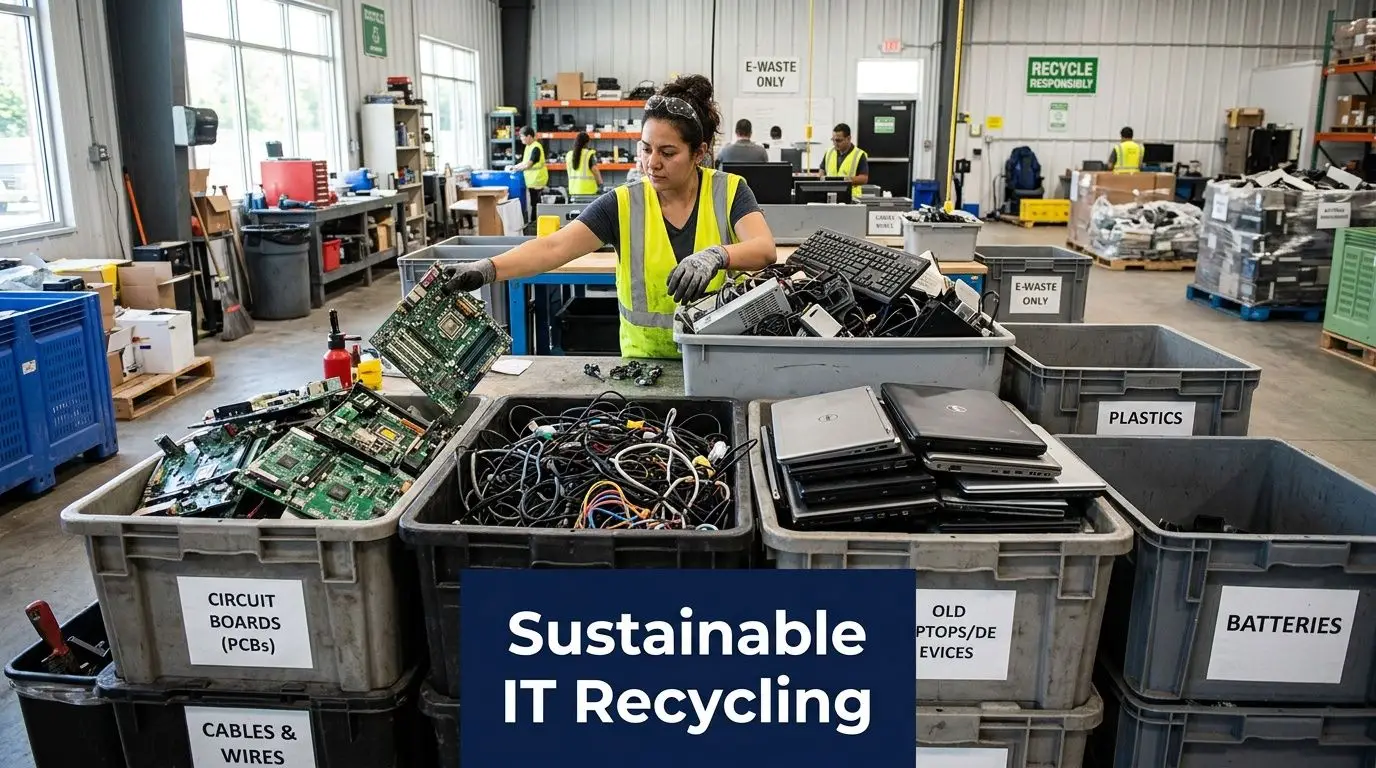
An office move usually surfaces a backlog of forgotten technology. Old desktops. Spare monitors. Docking stations from a prior standard. Networking gear from a phased upgrade. Laptops that were replaced but never formally processed.
If the only plan is “haul it away,” you lose control over value and reporting.
A better decision path looks like this:
| Asset condition | Best path |
|---|---|
| Reusable and marketable | Asset recovery or buyback |
| Reusable but lower market value | Donation-based reuse where appropriate |
| End-of-life or damaged | Responsible electronics recycling |
| Data-bearing and high-risk | Controlled destruction before final disposition |
That approach matters to finance, sustainability, and compliance at the same time.
What value recovery actually means
Value recovery isn’t just resale. It’s the broader discipline of sorting surplus equipment into the best available outcome.
Sometimes that means remarketing hardware with residual value. Sometimes it means component harvesting or responsible recycling. In many organizations, donation also matters because working equipment can support community technology access rather than being prematurely scrapped.
That’s why relocation planning should include an asset review before moving day. If you identify surplus early enough, you can avoid packing, transporting, and reinstalling gear that no longer belongs in production.
For teams building this into the project economics, asset recovery is a practical lens because it treats end-of-life handling as budget management, not just waste removal.
Sustainability documentation is becoming operational
A lot of companies still think of sustainability reporting as separate from facilities work. It isn’t.
If your organization has ESG commitments, public reporting goals, procurement standards, grant requirements, or board-level interest in waste reduction, the office move becomes a visible test of whether those commitments are operational or just aspirational.
Documentation is what turns good intent into something usable. That can include records of what was reused, what was recycled, what was destroyed, and what was directed into community benefit channels.
The strongest relocation plans answer two questions at once. “Did we protect the business?” and “Did we handle retired equipment responsibly?”
Why donation-based recycling belongs in the plan
Not every usable device should be discarded, and not every recycling program creates broader impact. A donation-based model adds another layer of value because it connects surplus technology with digital inclusion and workforce development outcomes instead of treating every retired asset as pure scrap.
For business owners, IT managers, and sustainability leaders, that creates a cleaner story internally. You’re not just clearing space. You’re reducing e-waste, handling equipment responsibly, and creating the possibility of community benefit where appropriate.
That’s especially relevant during office cleanouts, facility cleanouts, technology refreshes, and data center decommissioning projects, where equipment volume is high and the temptation to choose the fastest disposal option is strongest.
The practical takeaway is simple. Sustainable IT disposition should be written into the move scope, vendor selection criteria, and closeout reporting. If you wait until the old office is half-empty, you’ll make rushed decisions and lose both value and documentation.
Measuring Relocation Success and Post-Move Optimization
A move isn’t successful because the trucks showed up on time. It’s successful when the business is operating, the equipment records reconcile, the retired assets are fully documented, and employees aren’t opening support tickets for problems that planning should have prevented.
That kind of measurement usually doesn’t happen on its own. Only 20 to 30% of companies achieve full operational continuity without a structured evaluation framework, and useful benchmarks include downtime under 4 hours, cost savings of 10 to 15%, and employee NPS above 80. Ignoring employee experience can lead to 15 to 25% morale drops, according to Stomo Storage.
Review the move in three layers
The best post-move reviews don’t ask one big question. They ask several smaller ones.
Operational performance
Did users have what they needed on arrival? Were conference rooms functional? Did printers, access control, AV, and shared spaces work as intended? Were any teams forced into manual workarounds?
Track issue patterns, not just total ticket volume. A small cluster of repeated setup failures usually points to a planning gap worth fixing.
Financial control
Compare final spend against the approved scope. Then isolate why variances happened.
Use a short closeout table like this:
| Category | What to review |
|---|---|
| Moving and labor | Scope changes, after-hours charges, repeat trips |
| IT relocation | Disconnect, transport, reconnect, troubleshooting |
| Asset disposition | Destruction, recycling, recovery, pickup logistics |
| Business interruption | Temporary workarounds, emergency purchases, lost time |
Value recovery, too, should be accounted for. If retired equipment offset part of the project cost, the finance team should see it.
Sustainability and compliance
Reconcile what left the old site against what was moved, destroyed, remarketed, donated, or recycled. If your reporting stops at “everything was removed,” you don’t have closeout control.
Use employee feedback as an operational metric
Facilities teams sometimes dismiss user feedback as soft data. That’s a mistake.
Employees know quickly whether the new environment is functional. They’ll surface issues that won’t show up in a simple asset checklist, such as weak conference room readiness, poorly placed shared equipment, or workstation setups that increase support demand.
A short post-move survey works best when it focuses on a few practical questions:
- Was your workstation ready when you arrived?
- Could you access the systems and tools you needed?
- Did shared technology spaces work reliably?
- What slowed you down most in the first week?
A move can meet the technical checklist and still fail the user experience test.
Turn the move into a repeatable process
Every relocation generates reusable knowledge. Keep it.
Document which vendors performed well, which staging methods reduced confusion, which asset categories were routinely missed, and which approvals caused delays. Those details matter in future moves, consolidations, refresh cycles, and office cleanouts.
A strong office relocation service plan doesn’t end at occupancy. It leaves the organization with better inventory discipline, cleaner disposition records, stronger chain-of-custody practices, and a more mature way to handle technology transitions.
If your organization is planning an office move, technology refresh, office cleanout, or secure IT equipment disposal project, Reworx Recycling can help you turn end-of-life equipment into a controlled, documented process. Businesses can explore secure data destruction, electronics recycling, donation-based recycling, pickup scheduling, and IT asset disposition support that aligns with sustainability goals and community impact. If you’re ready to donate old equipment, schedule a pickup, or build a more responsible relocation workflow, Reworx Recycling is a strong place to start.