An office move rarely fails because someone forgot the tape. It fails because the business treated technology like furniture.
The visible work gets attention first. Desks, conference tables, signage, chairs, keys, loading docks. Meanwhile, the systems that run the company sit in the background until late in the plan. Then someone realizes the firewall, access control, conference room AV, server rack, executive laptops, archived hard drives, spare switches, and retired devices all need different handling, different timing, and different security controls.
That’s why choosing an office relocation company is only part of the decision. The harder question is whether your move plan protects uptime, data, and chain-of-custody from the first planning meeting to the last post-move ticket.
Beyond Boxes and Bubble Wrap The True Challenge of an Office Move
Most office moves look organized from the hallway and chaotic from the server room.
Facilities sees floor plans, elevator reservations, and furniture sequencing. IT sees dependencies. One mislabeled access point can slow a floor opening. One untracked laptop can become a security event. One box of retired drives left in a staging area can create a compliance problem that lasts long after the move is over.
That’s why a relocation should be run as a business continuity project with a logistics component, not the other way around.
The volume of moves alone explains why this matters. The global corporate relocation service market was estimated at USD 20.22 billion in 2025 and is projected to reach USD 32.47 billion by 2032 according to Coherent Market Insights on the corporate relocation service market. More companies are moving, consolidating, upgrading, or reconfiguring space. That increases the number of teams facing the same mistake. They select movers based on trucks and labor, then discover too late that moving user devices, network gear, and retired electronics requires a different playbook.
In Atlanta, that problem shows up fast. Companies in technology, healthcare, logistics, and professional services can tolerate a lot of moving noise. They can’t tolerate systems that don’t come back cleanly on Monday morning.
Practical rule: If a move plan treats active laptops, network switches, and decommissioned hard drives as one category, the plan is incomplete.
The best results come from putting IT at the center early. That means mapping what stays in production, what gets relocated, what gets retired, and what needs secure disposition. It also means holding your office relocation company to standards that go far beyond “handled with care.”
Building Your Relocation Blueprint Six Months Out
A smooth move starts before anyone packs a keyboard.
For a medium-sized office, a structured 6-month timeline is standard, and teams following that approach achieve 85-90% on-time completion rates according to Move Solutions on office relocation project management. That same source notes that digital twins of the new space help catch issues like poor outlet placement, which can cause up to 25% of post-move rework.

Build the right team first
If one person owns the whole move, that person becomes the bottleneck.
The better model is a cross-functional team with clear authority. At minimum, include facilities, IT, HR, finance, department leads, and whoever manages vendor contracts. If the company has legal or compliance oversight, bring them in early for anything touching records, regulated devices, or data-bearing assets.
The first month of planning should lock down four things:
- Scope: What’s moving, what’s staying, what’s being retired, and what’s being replaced.
- Success criteria: On-time occupancy, acceptable downtime window, clean inventory reconciliation, no data loss, and controlled spend.
- Decision rights: Who signs off on schedule changes, disposal approvals, vendor additions, and after-hours work.
- Escalation path: Who gets called when the cabling contractor, moving foreman, and network engineer disagree onsite.
Vet your office relocation company like an operations vendor
Many companies still choose a mover the way they’d choose a general labor provider. That’s a mistake.
A qualified office relocation company should be able to answer practical questions in detail, not with marketing language. Ask how they label IT assets, how they separate active equipment from surplus, what their handoff process looks like at both sites, and how they document exceptions. If they say they “also handle IT,” ask who exactly disconnects, packs, transports, and verifies serialized equipment.
Use this short screening list during vendor interviews:
| Evaluation area | What to ask |
|---|---|
| IT handling | Who disconnects servers, switches, workstations, and UPS units? |
| Asset control | How are serialized devices tracked during staging, transit, and delivery? |
| Risk planning | What documented contingency steps do you use if access, power, or elevator windows change? |
| Documentation | What checklists, labels, signoff forms, and exception logs do you provide? |
| Security | How do you separate active devices from retired media and storage hardware? |
A vendor that gives vague answers during procurement usually gives vague answers on move weekend too.
Plan the site, not just the move
The new office creates as many problems as the old one.
Before move week, confirm power drops, rack locations, IDF and MDF readiness, wireless placement, conference room AV, badge access, print areas, and receiving access. Digital twins and layout reviews are particularly useful, as they force teams to test assumptions before electricians, movers, and employees all collide in the same room.
The most expensive relocation issue is often simple. Equipment arrives exactly where the floor plan says it should, and the floor plan turns out to be wrong.
Set standards for inventory and retirement work
The planning phase is also when you decide how surplus IT will be handled. Don’t leave that to the last month. If your team needs a framework for pre-move controls, this guide on IT asset management best practices is worth reviewing before the inventory starts.
A strong blueprint separates equipment into four lanes:
- Move and reinstall
- Move to storage
- Replace before move
- Retire through secure ITAD
That simple separation reduces confusion later, especially when the move floor gets crowded and people start making ad hoc decisions.
The Critical Role of IT Asset Inventory and Decommissioning
Most relocation problems start with a bad list.
Teams assume they know what they own. Then move prep begins and they find old loaner laptops in cabinets, monitors with no assigned users, network gear no one documented after the last expansion, and a pile of retired desktops still sitting in a storage room. That isn’t unusual. Offices relocating average 50-100 outdated devices per move, and U.S. businesses generate 416,000 tons of IT e-waste annually, with only 25% properly recycled, according to Crown Workspace on office moving services.

Build one inventory, not five versions of the truth
A relocation inventory has to serve facilities, IT, finance, and disposal planning at the same time.
That means one shared record for every relevant asset. Spreadsheet is fine if the environment is small and disciplined. Asset software is better if you have multiple departments, remote users, or a large amount of serialized equipment. What matters most is consistency.
For each asset, capture:
- Asset type: laptop, dock, monitor, switch, firewall, printer, UPS, mobile device, drive, AV unit
- Identifier: asset tag, serial number, hostname, or another reliable unique field
- Assigned owner or department
- Current location and destination
- Condition
- Status: relocate, store, surplus, recycle, destroy
- Data-bearing yes or no
That last field matters more than many teams realize. A broken monitor is one thing. A broken laptop with a drive inside is another.
Label for speed and accountability
Move crews don’t work from memory. They work from labels and sequence.
The most reliable method is a visible label tied to your master inventory and your destination floor plan. Color coding by department helps movers place assets quickly. Serialized devices should also get a unique move ID tied back to the inventory record.
A practical tagging setup usually includes:
| Label element | Why it matters |
|---|---|
| Department color | Speeds placement on arrival |
| Destination room or zone | Reduces wandering and misdelivery |
| Asset ID | Ties the item to the inventory |
| Handling note | Flags fragile, priority, or restricted items |
| Final disposition code | Prevents active devices from mixing with scrap |
Many office relocation company teams do well with furniture and struggle with electronics. Furniture can tolerate some ambiguity. Network equipment can’t.
Decommission in phases, not in a rush
Unplugging isn’t decommissioning.
The right sequence depends on your environment, but the pattern is consistent. Back up first. Confirm dependencies second. Shut down in a controlled order. Remove, pack, and stage by wave. Document each handoff. If there’s an active server room, don’t let general moving labor decide what comes out first.
Use a phased approach such as:
Low-risk peripherals first
Spare monitors, unused printers, excess cables, and inactive desk phones can leave early.Nonessential user equipment next
Training room devices, shared workstations, and overflow gear can be packed once validated.Network edge and critical systems last
Switches, firewalls, racks, and anything affecting production should move only against a tested cutover plan.
A relocation inventory shouldn’t just answer “What do we own?” It should answer “Who touched it, where is it going, and can the business function without it today?”
Separate surplus from active equipment early
This is one of the biggest operational wins in any move.
When teams mix move inventory with retirement inventory, mistakes multiply. The wrong laptop gets loaded. The wrong switch gets left behind. The pile of old devices grows in a corner until nobody knows what’s approved for disposal.
That’s why it helps to review a pre-disposition process like why IT inventory audits matter before recycling before final packing begins. Surplus equipment needs its own area, its own signoff, and its own chain of control.
A disciplined inventory does more than prevent loss. It shortens move weekend, makes post-move setup faster, and reduces the chance that retired equipment turns into a data problem later.
Securing Your Data with Ironclad Chain-of-Custody and Destruction
Data is most vulnerable when equipment is in transition.
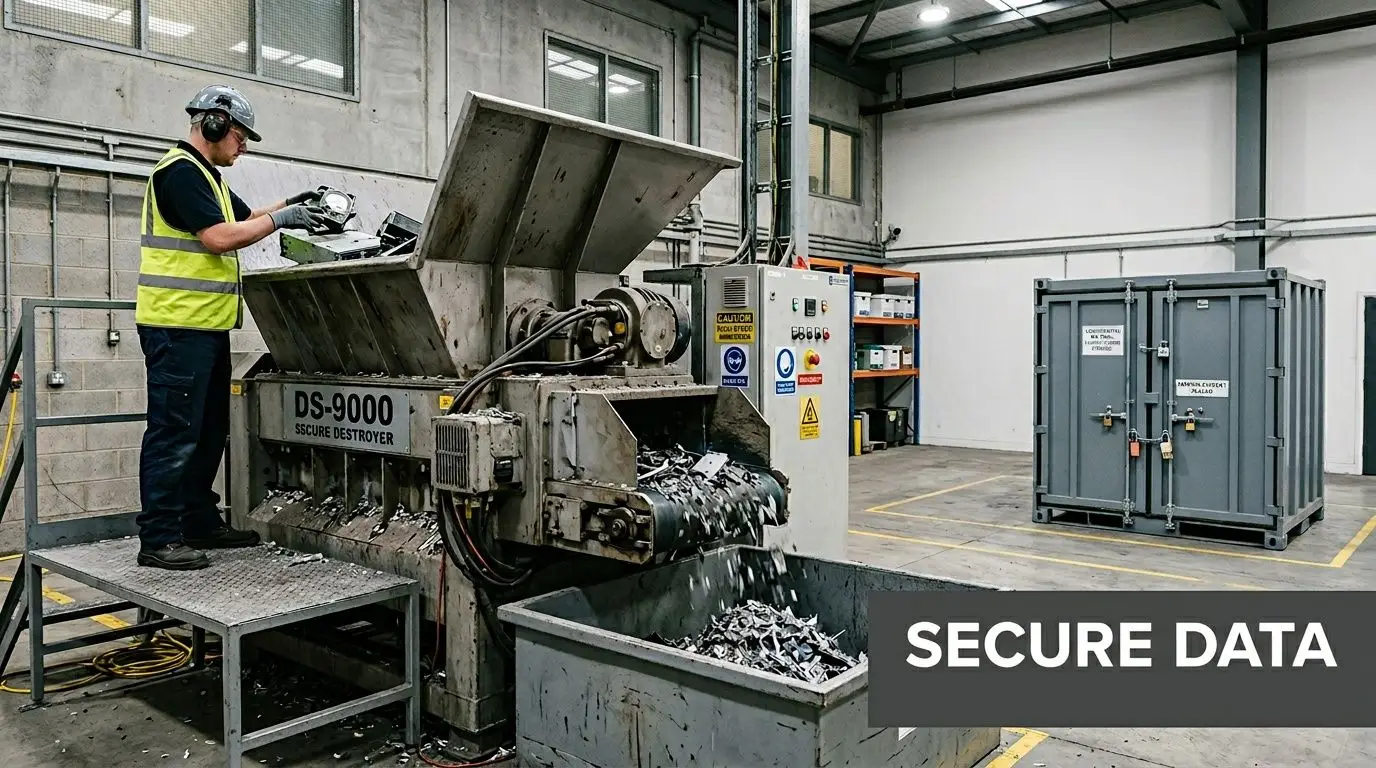
During normal operations, devices sit in secured rooms, managed offices, or assigned workspaces. During a move, those same assets pass through staging areas, loading docks, elevators, trucks, temporary storage, and unpack zones. That’s a lot of handoffs. Each handoff creates exposure unless you control it.
This is why chain-of-custody can’t be treated as optional paperwork. It’s the operating discipline that proves where a device was, who handled it, and what happened to it next.
What chain-of-custody looks like in practice
A real chain-of-custody process is concrete. It isn’t a line in a proposal.
For data-bearing equipment, the record should show when the asset was removed from service, who released it, who packed it, how it was sealed, who transported it, who received it, and what final action occurred. If the asset is being destroyed, the record should connect directly to the destruction event and certificate.
That matters because unplanned moves face technological disruption averaging 8-12 hours of downtime, while professional relocations with performance SLAs such as 100% data security via encrypted transport and certified data destruction reduce those risks, according to Stomo Storage on office relocation planning.
Retired drives need a different standard
The biggest mistake I see is teams assuming retired equipment is low risk because it’s no longer useful.
Retired laptops, desktops, servers, SAN components, and loose drives often contain the most neglected data in the business. Old HR files, finance records, cached credentials, local downloads, archived mailboxes, and line-of-business exports don’t stop being sensitive because the device is obsolete.
For those assets, secure data destruction should be specified before move day. Not after. If you wait until the last truck leaves, the odds of informal storage and undocumented handling go up fast.
Use this decision table during planning:
| Asset category | Handling standard |
|---|---|
| Active production devices | Controlled packing, tracked transport, priority reinstall |
| Reusable surplus equipment | Segregated inventory, locked staging, documented transfer |
| Failed or obsolete data-bearing devices | Certified destruction with auditable records |
| Non-data peripheral scrap | Recycle through approved downstream process |
Documentation is protection
When legal, compliance, procurement, or leadership asks what happened to retired storage media, “our mover took it” is not an answer.
You need an auditable trail. That usually includes serialized pickup records, sealed container control, receiving confirmation, and formal destruction documentation. If your organization is reviewing providers, this is the standard to compare against in secure data destruction services.
If a vendor can’t explain their custody documentation step by step, they haven’t built a process you should trust with data-bearing hardware.
Don’t confuse convenience with security
Some methods sound adequate because they’re familiar. They aren’t always sufficient for retired media in a relocation scenario.
What works is a process you can verify. The asset leaves service under documented control. It stays segregated from general move freight. The final disposition is documented clearly enough that an auditor, customer, or internal security lead can follow it without guessing.
That’s the difference between a clean closeout and a post-move cleanup project nobody wanted.
Coordinating the Move and Managing Post-Relocation Setup
Move weekend is where planning gets tested by real loading docks, real people, and real time pressure.
The best-run relocations don’t look dramatic. They look boring. Teams know who is onsite, what goes first, what doesn’t move yet, where exceptions get logged, and who has authority to stop a bad decision before it spreads.
What the move day should actually look like
Start with a pre-move walkthrough at both sites. The moving foreman, facilities lead, and IT lead should agree on freight paths, restricted rooms, protected equipment, staging zones, and truck sequencing. If there are server racks, executive offices, labs, or locked file areas, those need explicit handling notes before anyone starts rolling carts.
A phased move usually works better than a single all-at-once push. It gives IT a chance to validate one zone before the whole company depends on it. Facilities teams can also catch placement errors earlier, before every workstation is assembled in the wrong location.
Operationally, the sequence often works like this:
- First wave: noncritical departments, shared areas, and surplus removal
- Second wave: standard user workstations and departmental equipment
- Final wave: core network, leadership spaces, and any remaining production systems
The first 48 hours matter more than the truck departure
A move isn’t done when the last pallet comes off the truck. It’s done when users can work without workarounds.
IT should verify inventory at arrival before broad unpacking starts. Then prioritize racks, switching, wireless, internet handoff, conference rooms, printing, and user authentication. If staff return before those layers are stable, the support queue fills immediately and confidence in the move drops.
A practical post-move checklist includes:
| Priority | What to verify |
|---|---|
| Critical | Internet, firewall, switching, wireless, access control |
| User-facing | Laptops, docks, monitors, printers, phones |
| Shared spaces | Conference room displays, cameras, room schedulers |
| Closeout | Missing asset log, damage notes, abandoned surplus pile |
The cleanest office move is the one where employees notice the new space before they notice the support desk.
One detail that gets ignored is closeout cleaning. After movers leave and before full occupancy, teams often need debris removal, dust cleanup, and reset work in old and new spaces. If that piece hasn’t been assigned, a resource on professional office cleaning services can help facilities managers tighten that part of the turnover plan.
For surplus technology discovered during setup, don’t let it linger in corners or telecom rooms. Route it into a documented recovery lane early using an approach like these asset recovery solutions. That keeps the new office from inheriting the disorder of the old one.
Sustainable ITAD and The Power of Donation-Based Recycling
Every office move creates a second project that many teams underestimate. End-of-life technology.
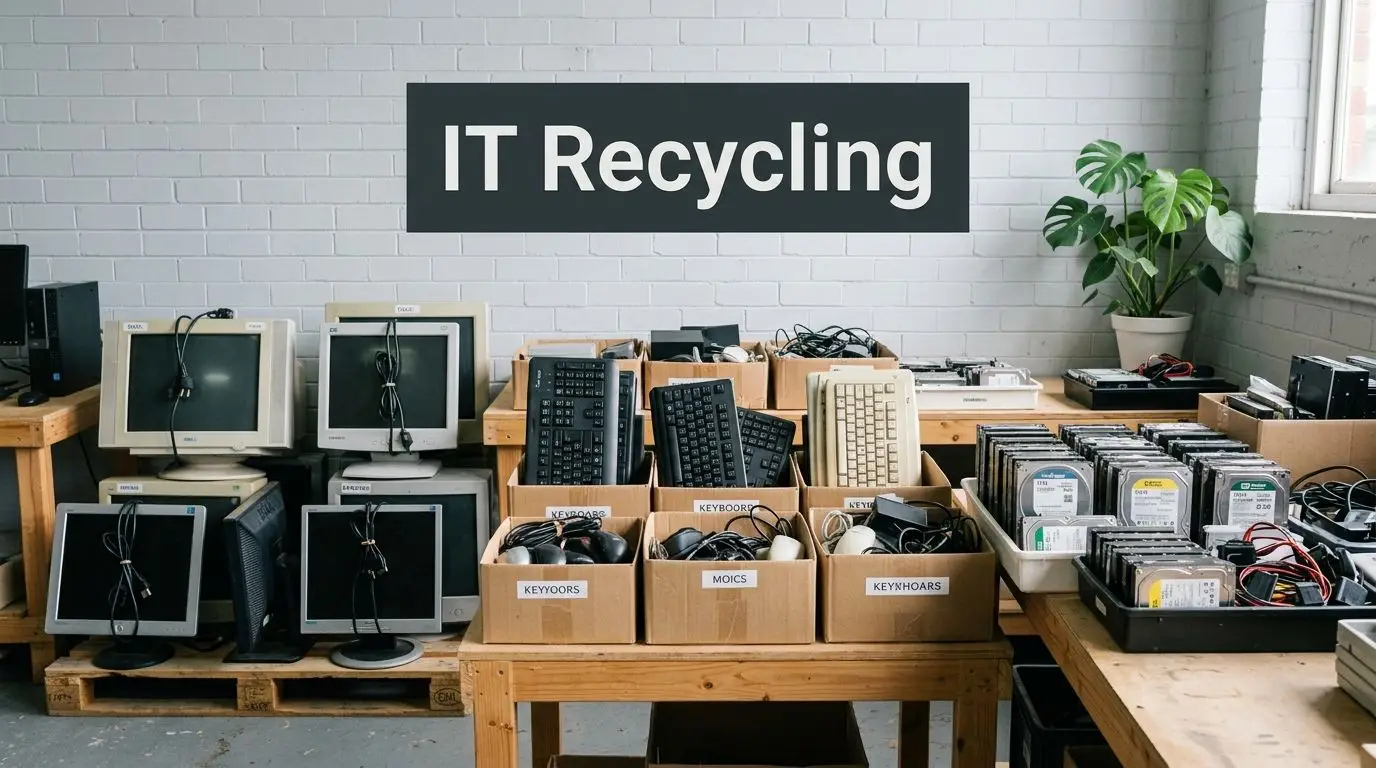
Once the inventory is done, you usually find the same categories: obsolete desktops, failed laptops, extra monitors, decommissioned drives, legacy phones, aging network gear, and equipment the business no longer wants to support. If that material is handled casually, the move leaves behind security risk, storage clutter, and environmental liability.
The better approach is to treat IT asset disposition (ITAD) as part of the relocation strategy.
Not every retired device belongs in the same stream
Surplus equipment usually falls into three practical paths.
Some items still have reuse value and can be remarketed or reassigned. Some should go through secure recycling because they’re obsolete, broken, or uneconomical to repair. Some can support donation-based recycling when devices are suitable for refurbishment and community use.
That distinction matters. It affects documentation, value recovery, sustainability reporting, and community impact.
Here’s a simple decision view:
| End-of-life path | Best fit |
|---|---|
| Remarketing or buyback | Functional business-grade equipment with residual value |
| Certified electronics recycling | Broken, obsolete, incomplete, or non-redeployable assets |
| Donation-based reuse | Usable equipment appropriate for refurbishment and community benefit |
Why environmental handling belongs in the move plan
The U.S. Environmental Protection Agency promotes responsible electronics recycling to prevent hazardous materials in e-waste, including lead, mercury, and cadmium, from contaminating soil and water when disposed of in landfills, according to the EPA guidance on electronics donation and recycling.
That’s the environmental side. The operational side is just as important. If you don’t assign an ITAD path before the move, old equipment often gets parked in storage rooms or left for “later.” Later can stretch into months. By then, nobody remembers what was approved, what still contains data, or what should have been donated, recycled, or destroyed.
Donation-based recycling changes the value equation
Most companies think about disposal as a cost center. Donation-based recycling can make it part of a broader corporate responsibility program.
When usable equipment is refurbished and donated, the business avoids landfill disposal, supports digital inclusion, and can align the move with workforce development or community giving goals. For Atlanta-area organizations, that can be a practical way to turn a routine relocation into something with visible local value.
If your team expects to retire a significant number of laptops during a move, planning for a structured donation channel matters. A dedicated option like donate a laptop helps frame that work early instead of leaving it as a last-minute side task.
Old equipment should leave the office with one of three outcomes already assigned: reuse, recycle, or destroy. “Figure it out later” is how secure assets become untracked assets.
Sustainable ITAD works best when it’s tied to the same inventory, approvals, and logistics schedule as the move itself. That’s how businesses reduce risk and still do something useful with the equipment they no longer need.
Conclusion A Strategic Move for a Stronger Future
A successful relocation isn’t just a change of address. It’s a test of how well a business controls operations under pressure.
The companies that handle moves well usually make one decision early. They treat the relocation as an IT, facilities, and asset disposition project at the same time. That means disciplined inventory, clear chain-of-custody, controlled decommissioning, structured move-day execution, and a defined path for retired equipment.
Budgeting should reflect that reality. Sustainable office relocations with professional e-waste management can be budgeted at an average of $5-15/sq ft for the move, plus $2-5/device for certified ITAD, and federal incentives like the Inflation Reduction Act may offer tax credits for e-waste diversion, according to On The Move on office relocation budgeting.
An office relocation company can move the physical workplace. That alone isn’t enough. Your plan also needs controls for active systems, retired devices, secure data destruction, electronics recycling, and donation pathways that keep old technology from becoming a liability.
For Atlanta businesses and organizations across Georgia, that’s where the move either becomes clean and strategic or messy and expensive.
If you're planning an office move, don’t let old hardware, retired drives, or surplus devices become a security and sustainability problem after the trucks leave. Reworx Recycling helps businesses handle electronics recycling, IT equipment disposal, secure data destruction, and donation-based recycling in a way that supports both compliance and community impact. Schedule a pickup, donate old equipment, or partner with Reworx Recycling to make your relocation more secure, more sustainable, and more useful to the people who can benefit from refurbished technology.