A Fayetteville office manager watches a retired laptop leave with a recycling load. The device still contains an old user profile, cached credentials, email attachments, and local business records. The organization has replaced the equipment, but its responsibility for the information doesn't end at the loading dock.
That gap is where Data Destruction Services in Fayetteville AR become more than a recycling convenience. Businesses, schools, healthcare providers, public agencies, and other institutions need a controlled way to identify storage media, protect it during transport, choose an appropriate sanitization method, and retain evidence that the work was completed.
Understanding Data Destruction Services in Fayetteville AR
Fayetteville's population reached 93,949 in the 2020 U.S. Census, creating a substantial local market for electronics retirement across households, small and midsized businesses, schools, healthcare organizations, public agencies, and other institutions. The city also serves as a practical reference point for organizations operating across northwest Arkansas. U.S. Census QuickFacts for Fayetteville provides the population baseline, but the operational question is more direct: how many retired devices will leave an organization's control this year?
A retired computer may contain personally identifiable information, financial records, credentials, health information, intellectual property, or government data. The same concern applies to servers, backup media, smartphones, tablets, removable drives, and network equipment. A recycler that handles only the visible hardware can miss the component that carries the actual risk.
The exposure starts before recycling
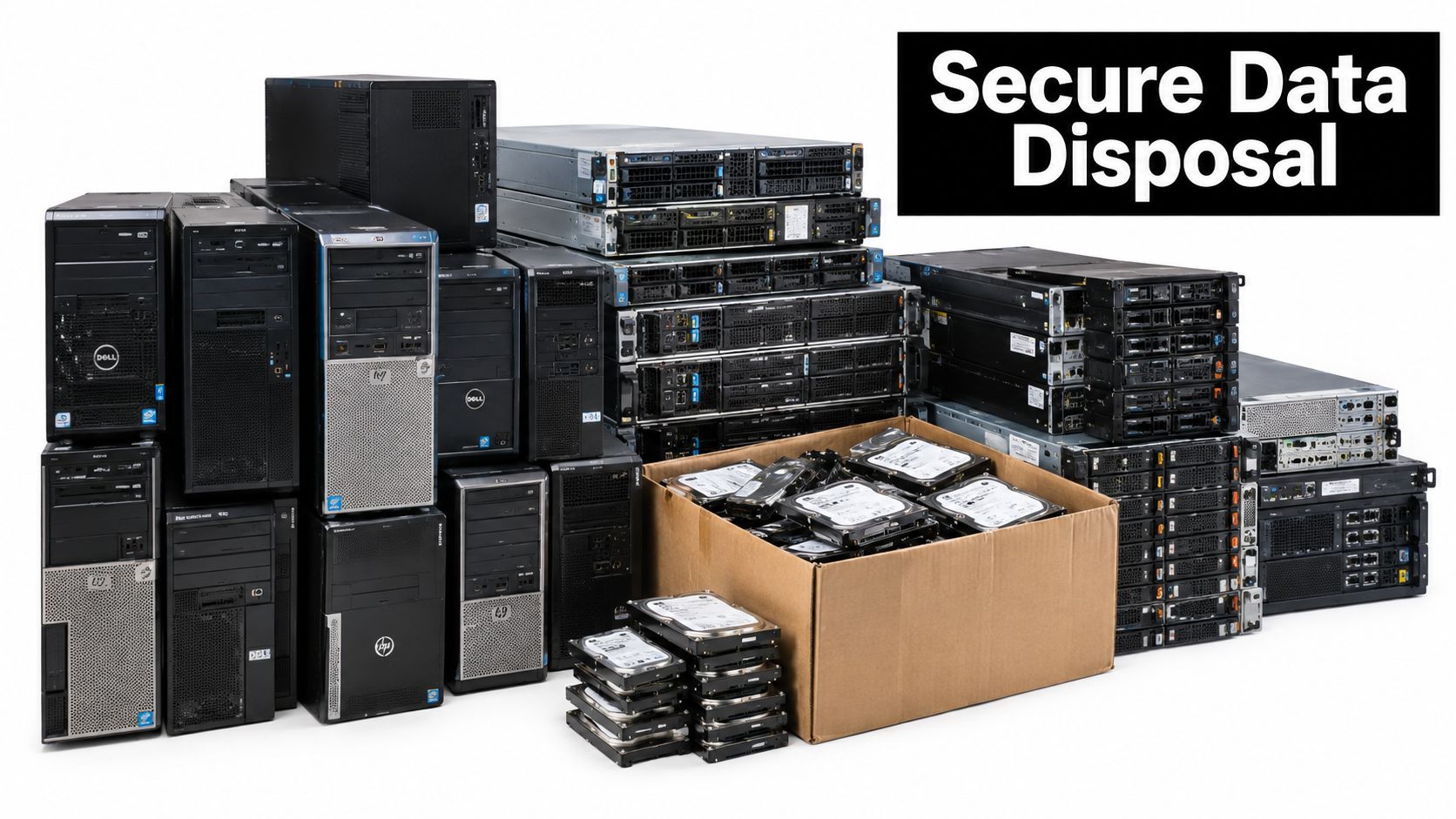
The risk usually appears during an upgrade, office cleanout, facility cleanout, or data center decommissioning project. Staff may place retired laptops in a storeroom, send servers to a loading area, or combine hard drives with general electronics. Without an asset list and custody record, the organization may not know which device held sensitive information, who handled it, or whether it was wiped, purged, or destroyed.
NIST defines media sanitization as a process that makes access to target data infeasible for a given level of effort. Its guidance, first published as SP 800-88 Revision 1 on December 17, 2014, gives organizations a formal way to choose a method according to information confidentiality. NIST SP 800-88 Revision 1 supports a simple but important distinction: hardware disposal and information sanitization aren't the same task.
Practical rule: Treat every data-bearing device as an information asset until your records show how its data was handled.
What a defensible service includes
A credible local program should connect physical handling with documented IT asset disposition, or ITAD. That may include serialized inventory, secure collection, restricted access, a selected sanitization method, verification, recycling, reuse assessment, and a certificate or equivalent completion record.
Organizations comparing electronics recycling in Fayetteville should ask whether the service covers the full custody path, not just the final recycling outlet. Ordinary formatting, deleting user folders, or placing a drive in an electronics bin doesn't establish that recovery is infeasible. A professional process must account for the media type, the sensitivity of the information, the intended disposition, and the evidence required by the organization's policy.
How Secure Device Disposal Works Locally
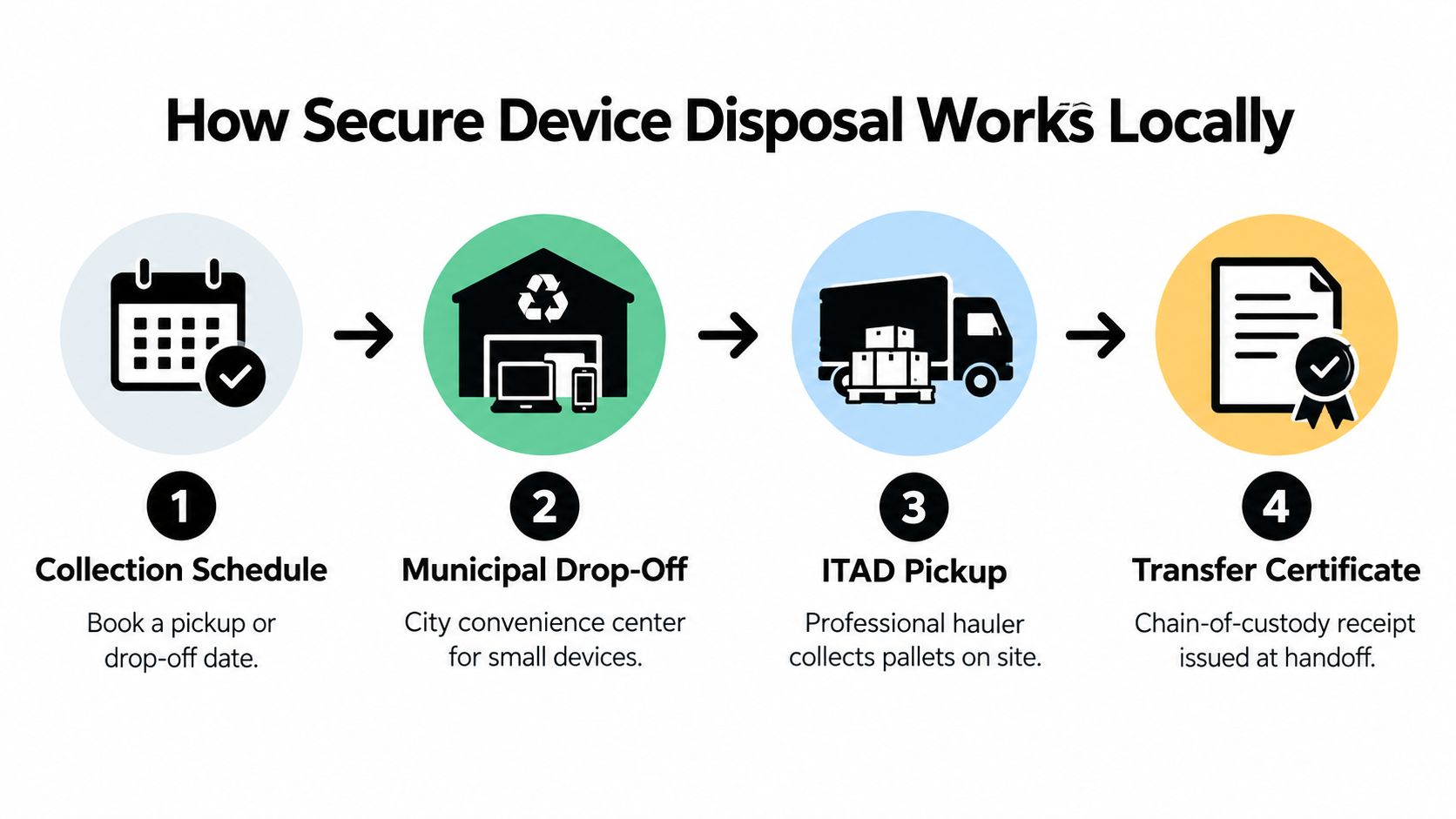
Fayetteville organizations generally have three physical pathways for retiring electronics. Small quantities may fit a public drop-off program. Larger volumes usually need a scheduled business pickup. A building closure, office cleanout, laboratory equipment disposal project, or data center decommissioning may require a coordinated facility cleanout with staging, loading, and asset reconciliation.
The City of Fayetteville operates a recycling and trash collection office at 1560 S. Happy Hollow Road. The city states that e-waste may be dropped off at no cost during weekday hours from 8 a.m. to 5 p.m., and Fayetteville solid-waste customers can separately dispose of four bulky-waste loads each year. Fayetteville's Earth Week recycling information gives residents and organizations a local reference point when comparing municipal access with scheduled commercial service.
Choose the pathway that fits the load
A city drop-off can be practical for limited, straightforward material, but it may not provide the inventory controls or custody documentation required for sensitive business assets. Fayetteville's official route is useful for diversion planning, yet an IT manager should confirm whether the destination offers data sanitization evidence, serialized tracking, or certificates for drives and devices.
The Arkansas Department of Energy and Environment's official directory lists Goodwill Industries of Arkansas at 705 E. Appleby Road as a Fayetteville collection location. The listing includes monitors, notebooks, speakers, hard drives, printers, desktops, laptops, scanners, phones, fax machines, photocopiers, and televisions. It identifies residential, reseller, business, institutional, and manufacturer sources as eligible categories. Arkansas's e-waste collection-center directory can help organizations check local acceptance before moving a load.
For business pickups, preparation should happen before the truck arrives:
- Separate data-bearing assets. Keep laptops, servers, hard drives, solid-state drives, smartphones, backup tapes, and removable media together or clearly identified.
- Reconcile the inventory. Record asset tags, serial numbers, device types, locations, and known users where appropriate.
- Secure the staging area. Restrict access while equipment waits for collection. Do not leave drives in an unsecured corridor or open loading bay.
- Confirm the handoff. Obtain a transfer record identifying the asset population, date, collecting party, and custody responsibility.
Transport is part of data security
The exposure doesn't disappear when equipment enters a vehicle. Locked containers, controlled loading, limited handling, and documented transfer points reduce the chance of loss or substitution. For a large pickup, the provider should explain how pallets or gaylords are labeled, who may access them, and how the receiving facility reconciles the shipment.
Businesses looking for onsite hard-drive destruction should also distinguish onsite destruction from onsite collection. A provider may collect equipment at the customer's building and process it elsewhere, or bring destruction equipment to the site. Those are different custody models, and the service documentation should make the difference clear.
Comparing Sanitization Methods for Different Media
NIST's framework uses three outcomes: Clear, Purge, and Destroy. The categories aren't interchangeable labels for the same service. Each represents a different level of control, and the correct selection depends on the confidentiality of the data, the media type, the device condition, and whether the organization wants to reuse the asset.
| Method | Practical purpose | Best fit | Main trade-off |
|---|---|---|---|
| Clear | Addresses standard user-accessible storage functions | Lower-risk media intended for continued use within an appropriate environment | May not address every hidden or specialized storage area |
| Purge | Uses stronger logical or physical techniques intended to resist advanced recovery | Reusable devices with higher confidentiality requirements | Requires validated methods and verification |
| Destroy | Makes the media unusable through shredding, disintegration, or another destructive process | High-risk, failed, damaged, or end-of-life media | Eliminates reuse and residual asset value |
NIST's definition focuses on whether access to target data is infeasible for the applicable level of effort. NIST's current SP 800-88 publication supports treating sanitization as a documented decision, not an assumption based on a device's age or appearance.
Match the method to the medium
A traditional magnetic hard drive may be suitable for a validated purge when the organization intends to reuse it and the selected method meets the information-security requirement. A high-risk drive that won't be reused may justify physical destruction. The point isn't to destroy every drive automatically. It is to document why the chosen outcome is appropriate.
SSDs create a common error. Wear-leveling, spare blocks, and controller behavior can leave data outside the areas addressed by a simple overwrite. For that reason, an organization shouldn't assume that ordinary formatting or a generic wipe command sanitizes every flash-storage location. A validated purge or physical destruction may be more defensible, depending on the device and the data.
Smartphones and tablets deserve the same discipline. A factory reset may be appropriate in some controlled circumstances, but the process must account for encryption status, operating-system behavior, removable storage, mobile-device-management controls, and verification. If a phone is damaged and can't boot, a provider may need to handle its storage component directly rather than relying on a software process the device can't complete.
Backup tapes introduce different concerns. They may contain sequential records, multiple backup generations, or information from systems that no longer exist. A tape shouldn't be treated like a disposable office accessory just because it lacks a familiar hard-drive form factor. The organization should identify its retention status and choose a sanitization or destruction method that addresses the tape's contents.
When destruction is the right answer
Physical destruction is usually the clearer endpoint for nonfunctional, damaged, or highly confidential media. It also makes resale or redeployment impossible. That trade-off matters for organizations trying to recover value from reusable equipment, particularly during laptop disposal, server retirement, or a corporate donation program.
The contrarian point: Shredding isn't automatically the most secure answer. It may be the wrong business decision for a reusable, properly sanitized device, and it can eliminate the possibility of reuse or donation.
A strong provider should document the method, identify the media, record the verification result, and issue evidence tied to the asset population. Data sanitization methods for business equipment can help IT managers frame the conversation around risk, reuse, and proof rather than accepting a blanket promise of “secure destruction.”
Arkansas Data Breach Notification Requirements
A retired laptop leaves a Fayetteville office for a recycler, then appears in an inventory record with no clear disposition. If that device held unencrypted personal information and an unauthorized person acquired it, Arkansas notification duties may apply. Data destruction therefore supports breach prevention, but it does not replace investigation or legal review.
Under Arkansas Code § 4-110-105, a person or business that acquires, owns, or licenses computerized data containing personal information must notify affected Arkansas residents after discovering that unencrypted personal information was, or is reasonably believed to have been, acquired by an unauthorized person. Notice must be provided in the most expedient time and manner possible, without unreasonable delay, subject to legitimate law-enforcement needs and efforts to determine the incident's scope.
The requirement also applies across service relationships. A party maintaining computerized data it does not own must notify the owner or licensee immediately after discovering a qualifying breach. That provision matters when a Fayetteville organization sends retired laptops, servers, backup tapes, or removable media to an outside handler. Outsourcing physical disposal does not remove the need for vendor oversight or prompt escalation.
The Attorney General threshold
The Arkansas Attorney General must also be notified when more than 1,000 individuals are affected. The notice is due at the same time as notice to affected individuals or within 45 days after determining that there is a reasonable likelihood of harm, whichever occurs first. The Arkansas Attorney General's breach-reporting guidance summarizes the broader expectation for reasonable security procedures and timely notification when personal information is compromised.
These thresholds do not make every missing device a confirmed breach. Investigators still need to establish what information the device contained, whether it was encrypted, whether unauthorized access occurred or is reasonably believed to have occurred, and whether harm is reasonably likely. A serialized transfer record adds a practical advantage here: it can narrow the affected-device population by showing which assets entered disposal, which remained onsite, and which received documented sanitization or destruction.
For a broader comparison of how states handle notification duties, see state data breach laws.
Destruction records support prevention
A certificate of destruction is not legal advice or an incident-response record. It can, however, help establish what happened to identified assets. The record should connect serial numbers or asset tags with the selected method, completion status, verification result, handoff, and processing date.
If retired equipment may have exposed personal information, quarantine it rather than destroying it immediately. Preserve evidence, restrict access, document the discovery, and involve privacy, legal, and security teams. Premature destruction can remove evidence needed to determine whether a reportable event occurred.
For Fayetteville schools, employers, healthcare providers, public agencies, and contractors, secure destruction is preventive risk management. A NIST-based decision should weigh the media's condition, data sensitivity, and intended reuse. Sanitization can preserve resale or redeployment value when it is appropriate and verifiable. Destruction removes that value, but may provide the clearer risk boundary for damaged, nonfunctional, or highly confidential media.
Building a Compliant Data-Destruction Workflow
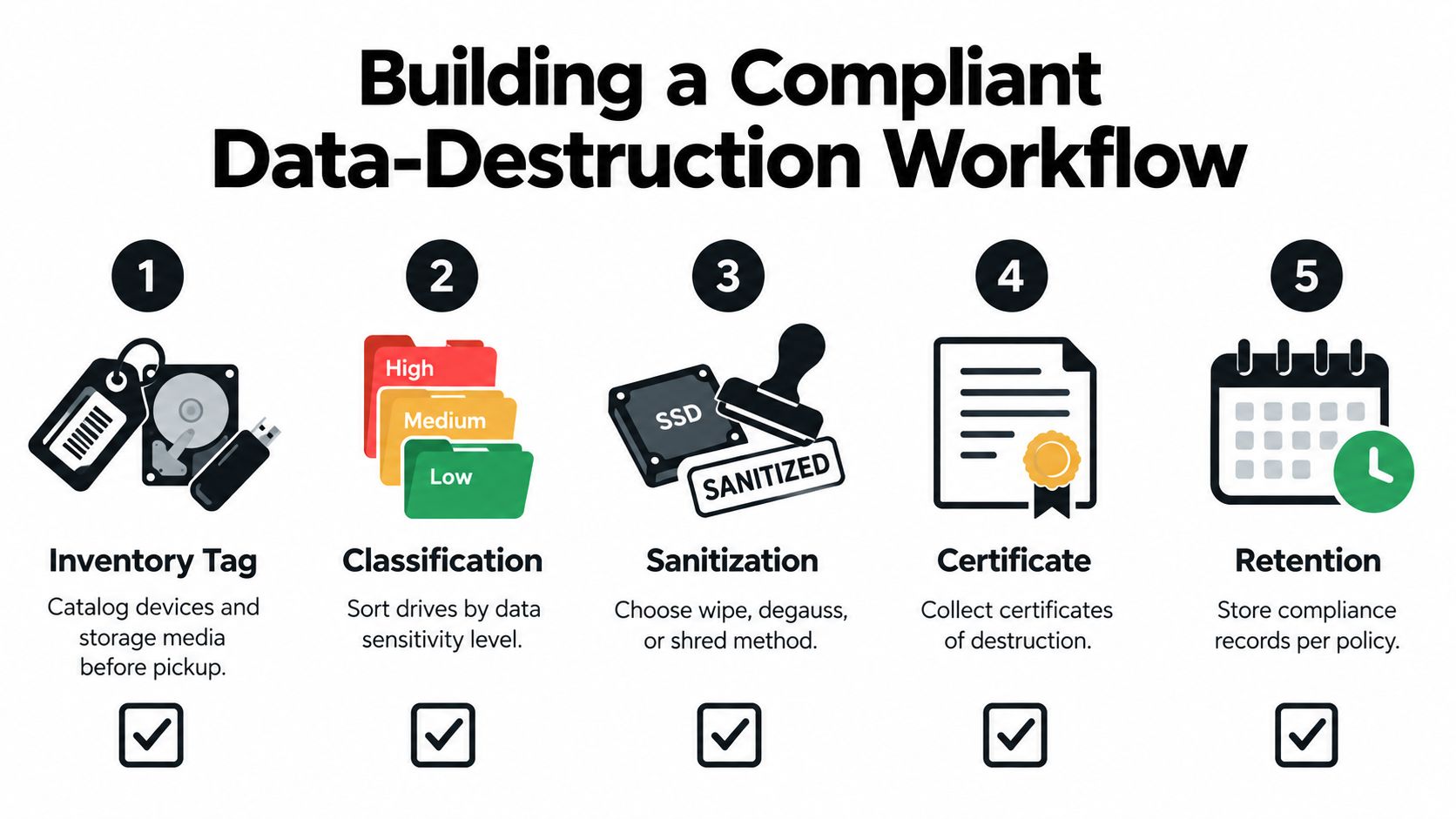
A workable program starts before the vendor arrives and ends only when the organization can retrieve its records. The process doesn't need to be complicated, but every handoff should answer three questions: what was handled, who controlled it, and what happened to the data-bearing media?
Start with inventory reconciliation
Before pickup, export the relevant asset list from the organization's IT inventory or create a project-specific register. Include serial numbers, asset tags, device type, department, location, condition, and whether the device contains storage media. Reconcile the list against the physical load before anyone signs the transfer.
This step catches the ordinary mistakes that create outsized problems. A server may be missing a drive. A laptop may have an internal SSD that wasn't listed separately. A box labeled “miscellaneous” may contain removable media from several departments. The inventory should identify exceptions instead of hiding them.
Apply a risk-based classification
Sort equipment by data sensitivity and intended disposition. A reusable workstation with routine internal data may require a different treatment from a failed server containing patient records, financial files, or government information. Make the decision before processing, not after a mixed load arrives at a facility.
A practical workflow can use this record structure:
- Asset identity: Serial number, asset tag, device type, and source department.
- Data classification: The highest sensitivity known or reasonably suspected.
- Selected outcome: Clear, purge, or destroy, with the reason for selection.
- Verification: The test, inspection, or witnessed action used to confirm completion.
- Final disposition: Reuse, donation, recycling, or destruction.
Control the custody path
Use locked transport or secured containers, restricted processing access, and documented transfer points. For onsite work, identify the authorized observer and record the equipment processed. For offsite work, confirm the receiving location, access controls, reconciliation process, and escalation contact.
The provider should be able to explain what happens when a serial number doesn't match, a drive is unreadable, or a device arrives without its expected storage component. Those exceptions need a disposition, not a silent adjustment to the final report.
Demand evidence that matches the assets
Certificates should identify the asset population and the method used. A generic statement that “all electronics were recycled” doesn't show whether the hard drives were sanitized or destroyed. A useful certificate or completion report can support internal audits, customer inquiries, incident response, and environmental reporting.
Ask for the record before scheduling the pickup. If a provider can't explain how it will identify assets and document completion, the organization shouldn't assume that a certificate will appear later.
Retain the file under policy
Store the inventory, transfer record, method decision, verification evidence, certificate, exception notes, and final disposition according to the organization's records policy. The exact retention period should come from that policy, contract, regulator, or legal counsel. Avoid inventing a universal period that doesn't fit the organization's obligations.
This workflow also works across different projects. A school can use it for classroom laptop disposal. A clinic can apply it to medical equipment disposal and retired workstations. A manufacturer can adapt it for laboratory equipment disposal, product destruction, or a larger facility cleanout. The controls stay recognizable even when the equipment changes.
Partnering with Reworx Recycling for Secure ITAD
A commodity scrap handler typically focuses on material movement and downstream recovery. That may be adequate for non-data-bearing material, but it doesn't answer the IT manager's core questions about inventory, custody, sanitization, destruction, and evidence. A donation-based recycling model can address a broader outcome when the provider separates reusable equipment from material that requires secure destruction.
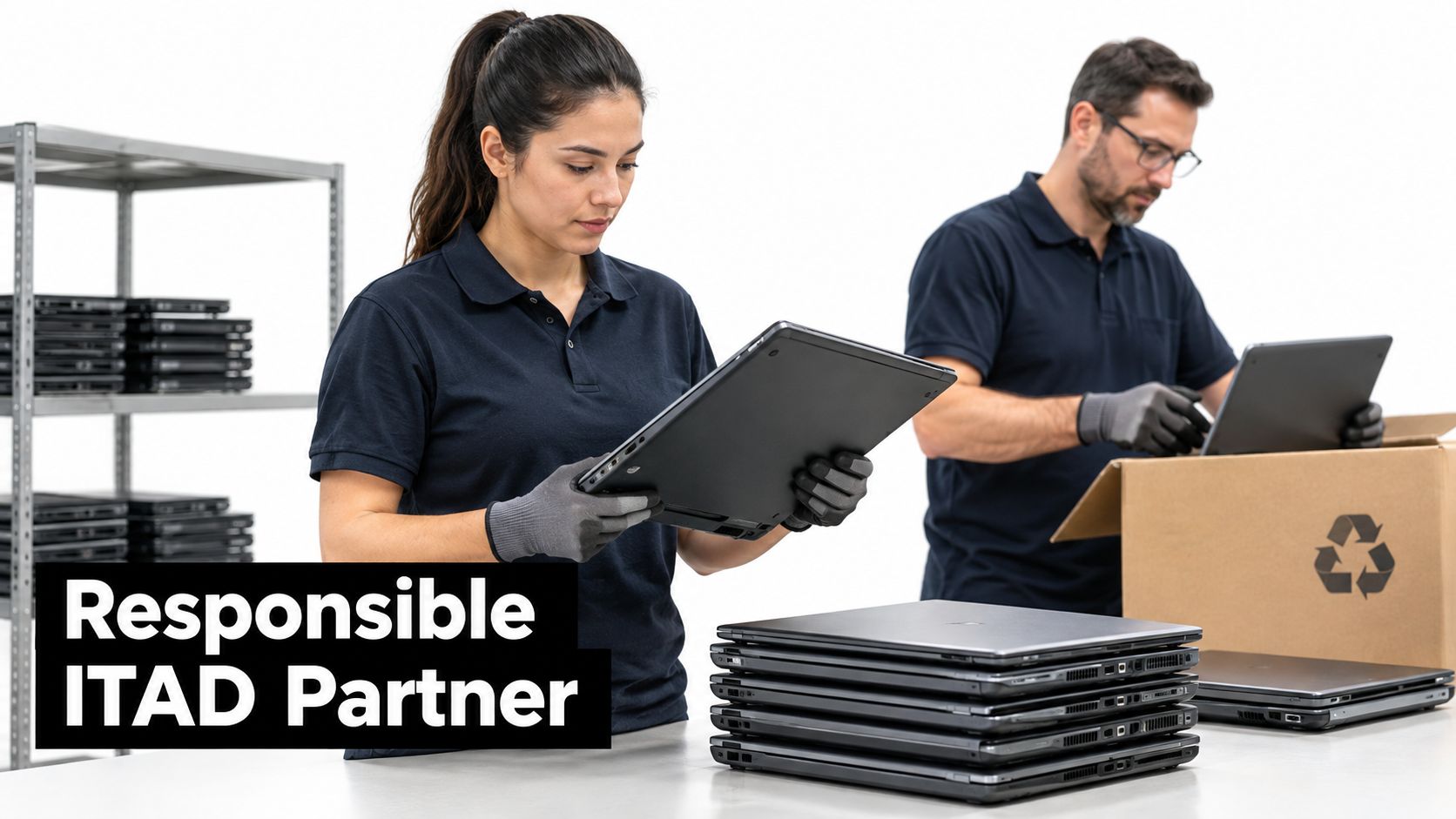
Reworx Recycling is a donation-based electronics recycling and IT asset disposition social enterprise. Its service model includes business pickups, secure hard-drive shredding, equipment decommissioning, IT asset management, recycling consultations, and customer drop-off. For organizations planning an office cleanout or data center decommissioning project, that combination can connect secure retirement with responsible reuse and material recovery.
Secure handling and community value
The distinction between destruction and reuse remains important. A functional laptop may retain value for redeployment, donation, or resale after an appropriate sanitization process. A damaged drive or high-risk storage device may need crushing or shredding, even though that removes any prospect of reuse. The provider should help document that decision rather than forcing every asset into one outcome.
Reworx also positions electronics recycling as community work. Its mission includes environmental stewardship, technology donations, digital inclusion, and workforce development. That matters to companies with sustainability goals, corporate donation programs, or social-impact requirements, because the final result can include responsible recycling and community benefit rather than commodity recovery alone.
Businesses can review Reworx's secure data-destruction approach and compare the service details with their own policy. The right questions remain practical: Can the provider handle the media types involved? Will the asset list reconcile? Which devices will be wiped, purged, crushed, or shredded? What record will the organization receive?
For Fayetteville companies, schools, healthcare organizations, public agencies, and contractors, those answers should come before equipment leaves the building. Secure data destruction protects information, while sustainable recycling keeps recoverable materials in the appropriate processing stream and supports a more accountable ITAD program.
Reworx Recycling helps Fayetteville-area businesses manage secure data destruction, electronics recycling, business pickups, equipment decommissioning, and donation-based ITAD with documented handling and community impact in mind. Visit Reworx Recycling to discuss a pickup, donate retired equipment, or plan a secure facility cleanout.